1
TX10KPS
5.3
Quick reference for SCM1+1LCD
The purpose of this section is to summarize the points that should be adhered to for
using the machines. Should any point not be fully comprehensible, such as how to
operate the machine the first time, the description of the operating system should be
read very carefully on realtive manual.
5.3.1
Using the encoder
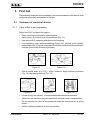
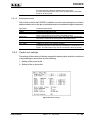
The following operations are performed on the encoder:
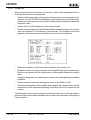
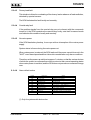
Turn the encoder counterclockwise
to move the cursor downwards, to
decrease the value of a parameter
or to choose an element from a list
of possibilities
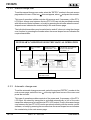
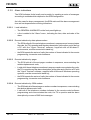
Turn the encoder clockwise to move
the cursor upwards, to increase the
value of a parameter or to choose
an element from a list of
possibilities
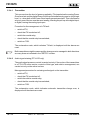
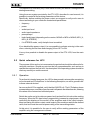
Push the button once to enter in the desired
menu, to enter in modification mode or to confirm
a choice
•
turning: to move the cursor up or down on the display; turn the encoder to the left
to move the cursor down, to the right to move the cursor up. Also used for increasing
or decreasing the selected parameters (to the left to decrease the value, to the right
to increase it) and for selecting an item from a list of options
•
pressing: press the button once when the cursor is pointing to the name of a
menu to access that menu, press the button when the cursor is pointing to a parameter
to access the change mode (the cursor begins to blink). After having changed a
parameter, press the button to store the new value.
After having changed a parameter, the cursor keeps blinking for about thirty seconds
waiting for confirmation. If the user does not confirm the change, the machine emits a
sound to warn the user that the change was not confirmed. As such, the cursor stops
blinking and points to the selected parameter.
User Manual
Rev. 1.0 - 19/11/02
15 / 28