1
TX10KPS
5.3.2
Manual change over
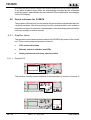
To set the manual change over mode, select the "RETRY" number in the main screen
page and set it to zero. If the icon does not appear, select and press the encoder.
This type of operation inhibits controls of the power and, if necessary, of the PTXLCD input: change over between the two PTX-LCD can only be provoked remotely
with the remote control software, or locally by pressing the encoder when the arrowshaped cursor indicates the coaxial relay in the main screen page.
The individual transmitters may be switched on and off, when not using the change
over function, by pressing the encoder when the arrow-shaped cursor indicates the
required transmitter.
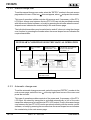
NECESSARY CONDITIONS FOR THE MANUAL OPERATION
MANUAL LED =
ON
RELAY LEDS =
OFF
POWER GOOD
ANTENNA = ON
CROSSED AUTOMATIC
ICON AND RETRY
NUMBER = 0
TXA ON ANTENNA
TXB ON LOAD
5.3.3
Automatic change-over
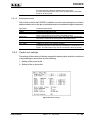
To set the automatic change over mode, select the required "RETRY" number in the
main screen page, select the icon at the top right-hand corner of the menu and
press the encoder.
This type of operation enables controls of the power and, if necessary, of the PTXLCD input: the stand-by transmitter is activated automatically in lieu of the main
transmitter when power is insufficient at PTX-LCD output. Even in this case change
over between the two PTX-LCD can be provoked remotely with the remote control
software, or locally by pressing the encoder when the arrow-shaped cursor indicates
the coaxial relay in the main screen page.
16 / 28
Rev. 1.0 - 19/11/02
User Manual