1
15 TROUBLESHOOTING
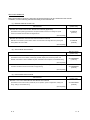
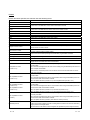
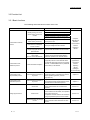
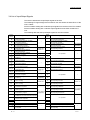
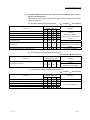
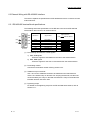
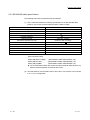
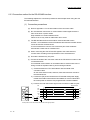
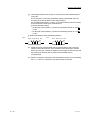
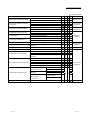
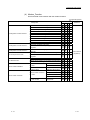
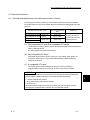
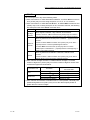
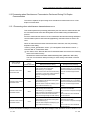
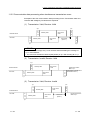
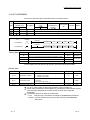
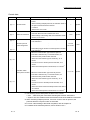
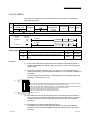
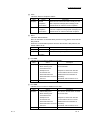
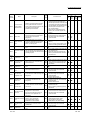
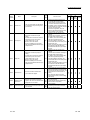
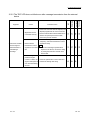
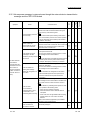
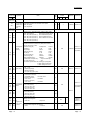
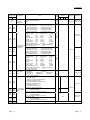
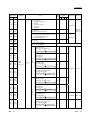
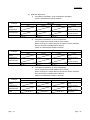
15.3.16 Communication is not available via the modem
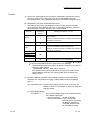
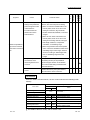
Symptom
Cause
• A modem initialization error occurs.
• Auto modem initialization
cannot be executed.
• Data cannot be
communicated with GX
Works2 supporting the
C24.
NonBidirectional
procedural
Predefined
protocol
protocol
MC
NonBidirectional
procedural
protocol
protocol
• Check the error code and execute
processing accordingly.
• There is an error in the switch settings in
GX Works2.
• Review the switch settings. Set it to
match the local station modem and the
TA.
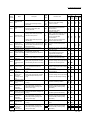
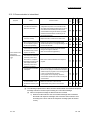
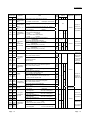
• Communication protocol setting is
incorrect.
• Set the communication protocol to MC
protocol, Format 5.
• Transmission setting does not match the
• Review the transmission setting.
external device.
• Communication rate does not match the
• Review the communication rate setting.
external device.
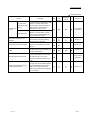
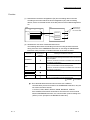
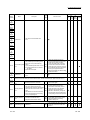
• The GX Works2 does not
• There was an error in the GX Works2
receive the callback
connection system.
signals from the C24.
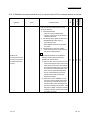
• When performing Auto
(callback: during fixed/
during designated
number) from GX
Works2, connection to
the C24 is refused.
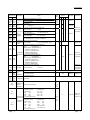
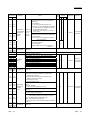
MC
• Modem connection channel designation • Set Modem connection channel
is not performed.
designation.
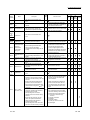
• The product is not supported by GX
Works2.
• Callback connections
from GX Works2 are
refused by the C24.
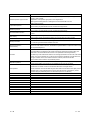
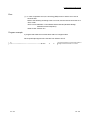
Corrective action
• Confirm the GX Works2 S/W version.
• Check the GX Works2 connection
system.
• Set the connection system on "callback
reception waiting" and connect.
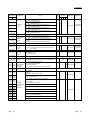
• There is an error in the GX Works2
side’s modem settings.
• Set the modem’s settings on "Auto
Reception."
• There s an error in the GX Works2
connection system.
• Check the GX Works2 connection
system.
• Correct the C24’s settings.
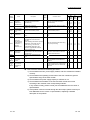
• There is an error in the connection
system’s telephone No.
• Check the telephone No.
• Change the telephone No. to the data
for callback.
• There is an error in the C24 setting
value.
• Set the callback function designation on
the setting 1 to 3.
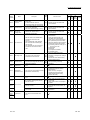
• There is an error in the GX Works2
connection system.
• Check the GX Works2 connection
system.
• Check the C24’s settings.
• Check the telephone No.
• There is an error in the telephone No. of
• Change the telephone No. to the data
the connection system.
for callback.
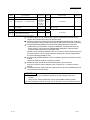
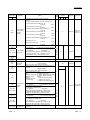
• It is possible to connect
• The timer value for the status of the
from GX Works2, but
modem used or the line is short.
callback from C24 cannot
be performed.
• There is a problem with the modem
specifications or settings.
• Adjust each of the timer values for the
callback function on the GX Works2
side. (Line callback cancel wait time,
callback delay time)
• Check the modem’s specifications and
settings.
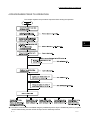
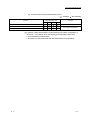
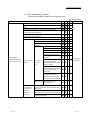
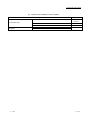
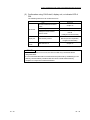
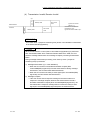
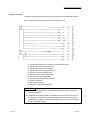
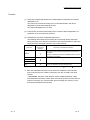
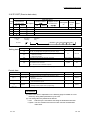
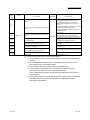
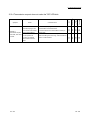
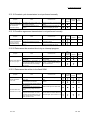
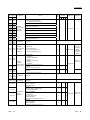
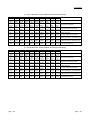
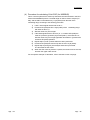
15.3.17 Communication is not available with the ISDN sub-address
Symptom
Cause
• Sub-address is incorrect.
• Data cannot be
• Modem does not support ISDN subcommunicated with ISDN
address.
sub-address
• Sub-address is incorrectly partitioned.
15 - 52
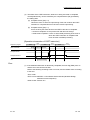
Corrective action
Predefined
• Review the sub-address.
• Use modem that supports ISDN subaddress.
• Review how to partition the sub-address
using the TA manual.
15 - 52