1
EUROCONTROL
Project:
PEGASUS
Doc. No.:
Issue:
Software User Manual – MFILERUNNER
Sheet
PEG-SUM-MFR
K
Date:
39 of 70
16/01/2004
•
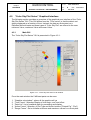
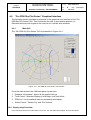
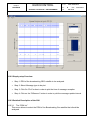
Step 1: Select PRN for “Sky plots”.
•
Step 2: Click On “Plot” button
“Sky Plot” of each selected PRN will be plotted.
•
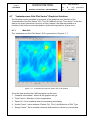
Step 3: Click On “Detach Fig” button
Click on this button to “detach” the current plots from the GUI by creating a new
figure.
•
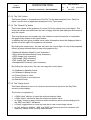
Step 4: Save the figure
Click on the export menu to save the current figure in one of the proposed
format.
4.6.3 Detailed Description of the GUI
4.6.3.1 The “Time frame”
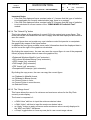
This group of edit boxes and button allows to control the time windows that applies to
current plots. When edited, the user can change any of the following information:
• Beginning of GPS time (Week and Second edit boxes): The displayed time refers to
the time begin of the plot(s).
• End of GPS time (Week and Second edit boxes) :The displayed time refers to the time
end of the plot(s).
• Offset time (Second only edit box) : The displayed time refers to the time window
length in seconds. It is always equal to elapsed time between time begin and time
end.
To change any of these times, edit one of the five edit boxes and click on the “Plot” button or type [Enter] key
of your keyboard.
Remark 1: The Gregorian date/time above these edit boxes will automatically reflect
the time change.
Remark 2: The time displayed in the edit boxes are automatically updated to reflect any
change done manually by the user in one of the edit boxes.
The “Init” button permits to initialise the time window to the time begin and time end of
the original data.
4.6.3.2 The “PRN list frame”
The user can choose here the PRN for which he wants to analyse the Data selected in
the “Data list frame”.
The check-box “Use All PRN” allows to select all the PRN displayed in the list box in
one go.