1
OMNIPRINT PANEL PRINTER
------------------------------------------------------------------------------------------------------------------------------
3.INTERFACE
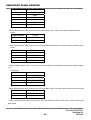
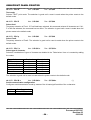
Interface is distinguished Serial from Parallel on the Control board. It is able to TTL Serial and RS-232C
Serial communication that printer is equipped with Serial board, it is able to TTL Parallel and Centronics
Parallel communication that printer is equipped with Serial board.
3.1 TTL SERIAL
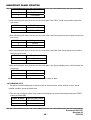
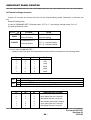
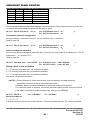
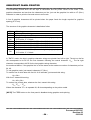
The default format is 1 start bit, 8 data bits, no parity and 1 stop bit. The communication connector used
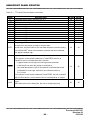
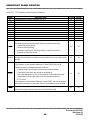
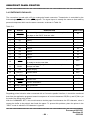
is the P2 whose pinout is given in the Table 3-1.
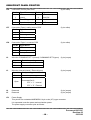
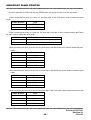
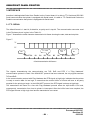
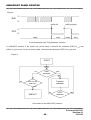
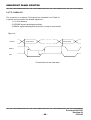
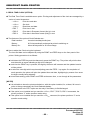
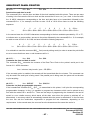
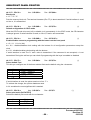
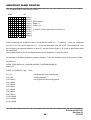
Figure 7 illustrates the serial character transmission bit frame showing the start, data and stop bits.
Figure 7.
"1"
"0"
None or
1 Bit
7 or 8 Bit
1 Bit
START B0
B1
B2
B3
B4
B5
B6
1 or 2
Bit
B7 PARITY STOP
<Serial transmission bit frame>
The signals characterizing the communication are TxD, RxD and DTR if a "Flag Hardware"
communication protocol is used. If the XON-XOFF protocol has been selected, the only signals used are
TxD and RxD.
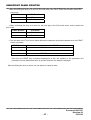
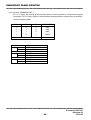
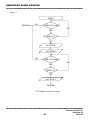
In the communication protocol with Flag Hardware the DTR signal, at high logic, indicates that the printer
is ready to receive data. At low logic, it means that the receive buffer is full and will have to be partly
emptied for the printing to begin. In the XON-XOFF protocol, the DTR signal is always at high logic.
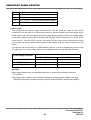
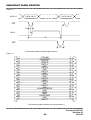
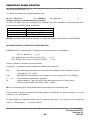
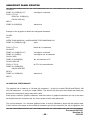
The transmission bit frame for a line with Flag Hardware protocol when the input buffer is full and,
consequently, transmission from host to printer is interrupted. After the buffer have been emptied, the
DTR signal returns to high logic level and the transmission can restart.
-----------------------------------------------------------------------------------------------------------------------------Document:990312C
Revision:02
- 21 03/12/99