1
Dipswitch codes
Introduction
Introduction
Dipswitch setting codes
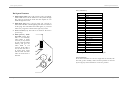
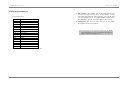
To work out how you need to set the dipswitches to get a
certain channel, follow this procedure.
Dip switch 1 adds 1 to the channel number when turned
‘on’.
Dip switch 2 adds 2
Dip switch 3 adds 4
Dip switch 4 adds 8
Dip switch 5 adds 16
Dip switch 6 adds 32
Dip switch 7 adds 64
Dip switch 8 adds 128
Dip switch 9 adds 256
This booklet describes how you connect up the Abstract
Scenesetter CED and how you make it work. It is divided
up into sections:
•
•
•
•
The Abstract Scenesetter CED is a complex intelligent
lighting effect with the following features:
•
•
•
•
So to set a channel of 9, you need to turn on switches 4 and 1;
for a channel of 50, turn on 6,5 and 2.
You can get round having to set the dip switches by using the
auto channel set function (see page 8).
If you set the dipswitches to DMX channels 509 (1 on, 2 off, 39 on), 510 (1 off, 2-9 on) or 511 (1-9 on) then the unit will set
itself to channel 1 as these are not valid settings for a 4channel unit. These settings have a special meaning if the unit
is in standalone mode (see page 6).
Page 17
The connections you can make to the unit
How you operate the unit
Possible problems you might encounter
Reference for the DMX implementation of the unit.
•
•
•
•
•
•
•
•
Eleven dichroic colours + white
Twelve gobos
Smoothly microstepped mirror with automatic speed
sensing
Microstepped colour wheel with smooth colour
crossfading
High speed gobo changing with variable speed strobe
Controlled by standard DMX512, any channel 1-508
Automatic switch to ‘stand alone’ mode when DMX
disconnected
Sophisticated ‘stand alone’ 2-channel light show
Unique automatic DMX channel selection system
DMX channel can be changed while unit is running
DMX switch-through relay in case of unit failure
DMX/Audio beat indication LED
Page 2