1
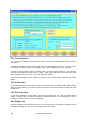
23.1 Adding and inserting menu items
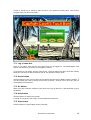
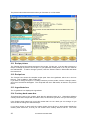
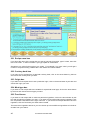
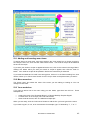
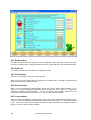
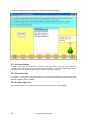
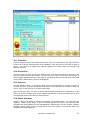
To add an item to a meal menu, type some words in the "Your words" box or choose a recipe in
the "Recipe name" box, then click the "Add course" button. The words or recipe will be added at
the end of the recipe.
If you want your words or recipe to appear before the end, click on the course in the large "Menumaking" box before which you want your words or recipe to appear, then click the "Push in"
button. Your words or recipe will be pushed in before the course that you selected.
If you make a mistake and it is still in the wrong place, click on it in the "Menu-making" box, then
use the "Move up" or "Move down" button to move it up or down to the place where you want it.
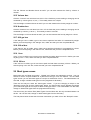
23.2 Menu name box
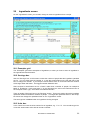
The "Menu name" box shows the name of the menu you are making or looking at. You can
change its name here.
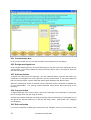
23.3 Your words box
If you want to add a line to the menu using you own words, type them into this box. Some
examples are:
•
•
•
a title to the menu, like "Christmas Dinner" or "Mum's Birthday Surprise Supper"
a course which is not a recipe, like "Tea and biscuits"
some words at the end, like "The waitress accepts tips".
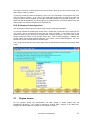
When you are ready, click the "Add course" button to add the line you have typed to the menu.
If you need to type è, é or ê, as in crème brulée for example, type "e" followed by "\", "/" or "^".
© Anastasis Ltd 2005-2009
43