1
name for you. Click "Go".
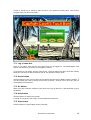
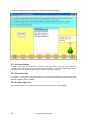
You will be asked if you want to choose how your cookery book looks. Click "Later" and you will
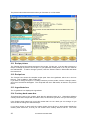
go to the kitchen, where you will see a picture, a clock, a notice board on the wall and a book.
Click on the picture of a book.
You will be asked if you want to make your personal cookery book now. Click "Yes". You will go
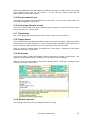
to the "Cookery books" screen. Follow the instructions at the top of the screen to choose recipes
from the cookery books available and copy them into your personal cookery book. Then click
"Done".
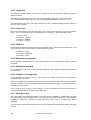
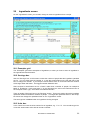
Back in the kitchen, click on the book again. This time you will go to the "Recipes" screen. Here
you can look at all the recipes in your cookery book, use them, change them, or print them out.
Click "Go back" in the bottom left-hand corner. You will return to the kitchen. Now click the
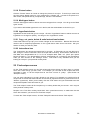
"Settings" button next to the "Go back" button. You will go to the "Settings" screen where you can
choose how your cookery book looks and sounds. When everything is how you want it, click
"Done".
When you have finished using Captain Cook's Tuck Box, just click "Goodbye" in the bottom righthand corner.
5 Network settings
If your school has a network the database files can be kept on a server, from which every
computer with a copy of the programme on it can access the recipes and most of the other
information.
Advantages of networking Captain Cook's Tuck Box
1. The network administrator can regularly back up the server files to some separate storage
medium. This means that the pupils' work will not be lost if a single computer fails.
2. Teachers who log in as the Administrator will be able to see the progress records of all the
pupils.
3. Pupils will have access to their personal cookery book and progress record from any computer
that has a copy of the programme on it.
How to store the database files on a server
When the programme is installed, you are asked to choose a folder for the database files. If you
choose a folder on a server to which all the computers on the network have access, then Captain
Cook's Tuck Box will be set up for networking. The same server folder for the database files must
be chosen every time you install the programme on a local PC.
If you previously chose folders for the database files on the computers on which the programme
was installed then you will have to move the database files to a server in order to network the
programme. In this case carry out the following steps.
1. If you used the default settings on the installation programme you will find two folders
named "database" and "backup" in the "C:\Documents and Settings\All Users\Application
Data\Anastasis\CapnCook" folder.
2. Create on the server a folder named "..\Anastasis\CapnCook" plus whichever of the
following matches the licence: "\Schools25", "\Schools50","\Schools100" or "\SchoolsSite", e.g.
"..\Anastasis\CapnCook\Schools25".
© Anastasis Ltd 2005-2009
7