1
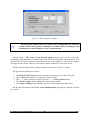
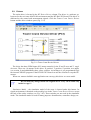
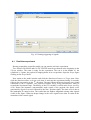
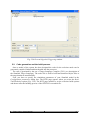
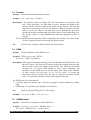
Home position limit switch The boxes that present the state of the home limit switches. If a limit switch is pressed the corresponding box is selected. Home autoreset flag The flag that causes automatic reset of the encoder counter when the corresponding home limit switch is pressed. If the checkbox is unchecked (the flag is inactive) the state of the limit switch does not influence the state of the encoder counter. Therm state The signal that presents the state of the thermal flag of the power interface. The system contains three power amplifiers for the DC drives. If the power amplifier is overheated the corresponding box is checked. Therm flag The flag that causes to turn off the control if the power amplifier is overheated. If the flag is unchecked, the power amplifier is overheated and the temperature increases the amplifier itself turns off the control signal. It is recommended to keep this checkboxes selected all the time. Click the Go to Center button and open next Manual Setup button. You will see the changes of measured positions. Note that the X position, angle position and Z position have changed their values and become the center positions in the crane workspace. Tower Crane - User’s Manual 21