1
13
Saphira Tutorial on Actions
stop;
// stop the robot
}
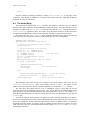
Here the activity invokes Movit, then waits until it is completed before removing it and halting the
robot. The appearance of deactivate() in the body of SfMovitAction::fire() comes into play
here: the Colbert activity will stay at the Movit action until it deactivates.
From C++ programs, the action can be invoked by using the corresponding sfStartTask()
function. For example, here is a typical invocation:
sfStartTask(“Movit”, NULL, 0, 10, 0, 1000, 95);
Here the second argument is the instance name; the default NULL means it will be the same as the
schema name. Timeout, priority, and suspension arguments are required, followed by the action
parameters. For a complete description of sfStartTask, see the Colbert User’s Manual.
4.7
Turning Behavioral Actions On
Behavioral actions and direct actions can conflict if they are invoked at the same time. For example,
suppose we define a bump-and-go activity to turn the robot away from obstacles that it bumps into. This
activity uses direct actions to back up and turn. But the robot may be under the control of behavioral
actions when it encounters and obstacle: it may be heading towards a goal position, using something like
the SfMovitAction. Now the direct actions and the behavioral actions are both trying to control the
robot. What happens?
In situations like this, the direct actions always take priority. While the robot is executing direct
actions, it turns off the output of behavioral actions. In fact, whenever a direct action is executed,
behavioral actions remain off until they are explicitly turned back on.
To turn behavioral actions on, use the behaviors command in Colbert, or the longer C++ function:
SfROBOT->clearDirectMotion()