1
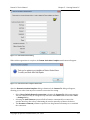
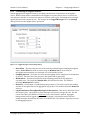
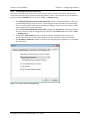
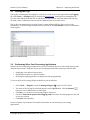
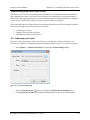
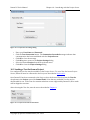
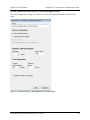
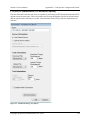
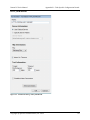
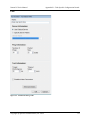
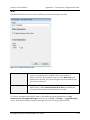
Datum PC User’s Manual Chapter 6 – Configuring Datum PC Figure 6-‐8 -‐ Logging Tab of Settings Dialog Task control options available on the Logging tab include: • Do X task cycles by default – A cycle is one iteration of all tasks in a Test-‐Set. Enter O in this field to indicate that the Test-‐Set should repeat forever. The default value set here may be overridden for any test in the Logging Session area of the Control Panel. o Note: In most cases the number of cycles will be taken as the number of Repeats specified in the Test-‐Set Editor. In the event that no Repeats are defined (as may be the case for older Test-‐Sets), this value will be used as the default number of cycles. • Pause for Y seconds between tasks – This option provides for down time between the completion of one task in a Test-‐Set and the start of the next task. Datum can be configured to automatically pause when a logging error occurs (i.e. disconnected cable, disrupted internet connection, etc.) This feature is disabled by default. To toggle this feature: • On the Logging tab of the Settings dialog, select Pause Logging Automatically on Task Error. To change the log file storage location: • Specify the new log file storage location in the Log File Folder area. By default, Datum will upload test results at the end of each cycle. Uncheck Upload Results Between Cycles to upload all results upon test completion. Copyright © Spirent Communications, Inc. 2014 19