1
OrgPublisher 10.1 Installation Guide
OrgPublisher Web Administration Installation
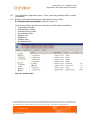
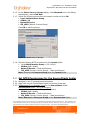
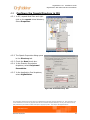
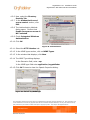
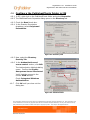
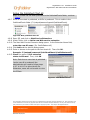
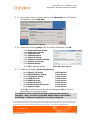
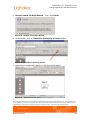
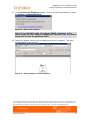
4.6-8 Select the HTTP Headers tab.
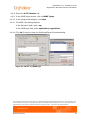
4.6-9 In the MIME types section, click on MIME Types.
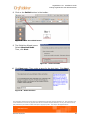
4.6-10 In the window that displays, click New.
4.6-11 The MIME Type dialog displays.
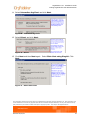
In the Extension field, enter .ocp
In the MIME type field, enter application/orgpublisher
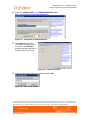
4.6-12 Click OK 3 times to close the PublishedCharts Properties dialog.
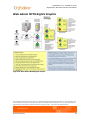
Figure 43. Set the .ocp MIME type
The information contained in this document is confidential and proprietary to Aquire Solutions, Inc. This information may
not be distributed or used for any purpose other than the evaluation of Aquire Solutions, nor may it be disclosed to any
party without the prior written consent from Aquire. Copyright © 2001 - 2011 Aquire. All Rights Reserved.
Revised 10/21/11
33