1
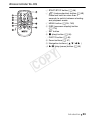
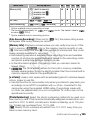
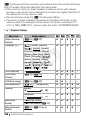
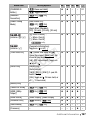
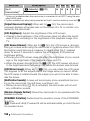
The picture is displayed correctly but there is no sound from the built-in speaker. - Speaker volume is turned off. Adjust the volume. - If the STV-250N Stereo Video Cable is connected to the camcorder, disconnect it. - The AV terminal is set to headphone output. Set 88 [AV/Headphones] to [AV]. Memory Card and Accessories Cannot insert the memory card. - The memory card was not facing the correct direction. Turn the memory card over and insert it. Cannot record on the memory card. - The memory card is full. Delete some recordings (0 61, 123) to free some space or replace the memory card. - Initialize the memory card (0 44) when you use it with the camcorder for the first time. - The LOCK switch on the memory card is set to prevent accidental erasure. Change the position of the LOCK switch. - A compatible memory card must be used to be able to record movies on a memory card (0 39). - The folder and file numbers have reached their maximum value. Set 88[Photo Numbering] to [Reset] and insert a new memory card. Y P O The wireless controller will not work. - Set 68[Wireless Remote Control] to [On]. - Replace the battery of the wireless controller. C Cannot upload files wirelessly using an Eye-Fi card. - You may have inserted the Eye-Fi card into memory card slot X. Insert it into memory card slot Y. - 68 [Eye-Fi Communication] is set to [Off] (i appears onscreen). Set it to [Automatic]. - Wireless communication is not available in recording mode or while the optional WM-V1 Wireless Microphone is attached to the camcorder. Set the camcorder to playback mode or remove the WM-V1. - Opening the LCD panel may help when the wireless connection is not strong enough. - During wireless transfer, wireless communication may stop when the wireless signal conditions worsen (h appears onscreen). Perform wireless transfer in a place with good signal conditions. - Contact the card manufacturer’s customer care. The wireless communication status icon does not appear - You may have inserted the Eye-Fi card into memory card slot X. Insert it into memory card slot Y. 170 Additional Information