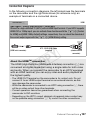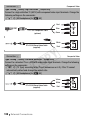
1
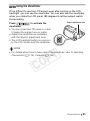
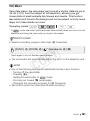
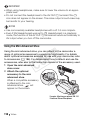
Using the Viewfinder If it is difficult to use the LCD screen even after turning on the LCD backlight, you can use the viewfinder. You can also use the viewfinder when you rotate the LCD panel 180 degrees to let the subject watch the recording. Press to activate the viewfinder. • You can close the LCD panel or rotate it toward the subject as you prefer. • Adjust the viewfinder as necessary with the dioptric adjustment lever. • The LCD backlight setting is common to the LCD screen and the viewfinder. Dioptric adjustment lever NOTES Y P O • For details about how to take care of the viewfinder, refer to Handling Precautions (0 179), Cleaning (0 184). C Preparations 31