1
Note the DS1307 has only one address, unlike the remaining devices, which use the
second digit (x) to select multiple devices on the I2C bus, up to 8 devices with the
devices we having been using in this series.
It is outside to scope of this series of articles, but the BV4221-V2 does have other bus
system, which can be used with the I2C bus system this is called SPI (Serial
Peripheral Interface bus). By the way if you wondering what the I2C (“I squared
Cee”) means it is Inter Integrated Circuit bus. I will not be going in the SPI now, but
may revisit it in a later article. However, the two interfaces are not a million miles
apart in that they are both serial interfaces, the I2C uses two wires, where the SPI bus
uses four. Having said that, the protocols used are very similar. Typical SPI devices
are the same as I2C devices but SPI being much faster is also used on memory
devices and displays. The MMC standard (SD Cards) for example, have an SPI
interface. Could be an interesting project. But after the problems Adrian Ives had with
his SD Card products, not one I will try. So if you understand the workings of one bus
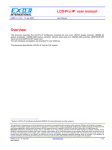
system, it is not a big step to the other. Please see the references below for further
information. The ByVac I2C Foundation pages are a very good place to start.
In my original articles on using the USB to I2C converter I was using version 1 of the
BV4221. Which is now no longer available. Recently I have purchased some
BV4221-V2’s, so could test all my programs using this version. Now in part one of
this series, I did say and I quote, (Please note, I used the original V1 of the BV4221,
ByVac now supply V2 which also has a SPI interface. The commands are the same, so
the programs listed in the article should still work.). Well this remark was made on
the basis of the manual for the BV4221-V2, which I had read, just to make sure there
was nothing that would stop things working. However when it come to trying things
practically it turned out not to be the case. The protocols are nearly the same, but the
BV4221-V2 responses are slightly different. There are subtle differences between the
original BV4221 and the version 2. Which is stated in the BV4221-V2 user manual.
But the manual is not that clear on what these differences are.
This has meant I have had to rewrite the start up routines to reflect these differences.
The first difference is the time it takes for the BV4221-V2 to initialise, this is around
4 seconds. The original converter was virtually instant, or certainly less than 1 second.
Or put another way I never caught myself out with the original converter not being
ready to go when I started things up.
So you will now see that I have put in a couple of PAUSE statements to slow things
down during to first start up stages.
The second difference is that on V1 the end of the received strings was character 32
which is the ‘Space’ character. Which affected my original extract_read_data routine.
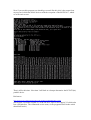
The third thing I found was the returns to commands such as ‘V’ which asks for the
version number of the converter was not as expected or the same at the version 1
converter. Also the response to the first CR (carriage return) was also not the same at
the original converter. Now in my original programs I set the converter into decimal
mode. This is where things caused the biggest problems. Since in Hex mode there was
no difference between V1 and V2. In decimal mode on V2 the converter does not
issue a CR after the version number. I informed ByVac and they agree this is a bug,
and will be fixed in the next issue of firmware. However I have no idea when or if this