1
will happen. So it is better to run the BV4221 in Hex mode. I also found the same
problem with the new commands on V2 such as “x” which returns the addresses if
devices connected to the I2C bus. Useful command this one, as you will see from the
updated program below. So it is best to stay in hex mode. Other than the start up times
and issuing CR’s, there are no differences in using the commands between V1 and
V2.
One other bug I discovered and also reported to ByVac is that in decimal mode,
returns from the converter are getting truncated to two digits. This causes problems in
reading data from devices because any return greater than 99 is now incorrect. So for
example 255 get returned as 55 !!
Because I wrote the original routines in decimal mode, I was not aware the command
strings are case sensitive. So if the hex numbers are sent as is from the SMSQ,
commands such as HEX which returns the letters in upper case, this can cause
problems. For example if you send the line “s A0 p”, what happens is you end up
changing the device address to “00”. Since upper case “A” is the change address
command for the converter. However if you send “s a0 p” then everything is OK. But
note, the converter returns these hex letter digits in upper case, confusing. So you will
find in my revised program below a routine to convert upper case hex letters to lower
case, to be sent to the converter.
I also took the opportunity to improve the user experience and error trapping as well
as running the BV4221-V2 in hex mode only, so as to keep away from the bugs
outlined above. Also I added some features which the version 2 converter has which
the version 1 does not. As always, my programs are just there to show what can be
done, they are not fully developed, just to get you going for guidance and examples of
how to use the I2C bus with this converter.
So you will find the new common routines and start up routine below. As always, I
have commented them so you can see what is going on.
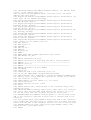
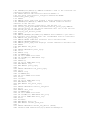
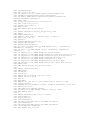
10 REMark I2C test routines
20 I2C_init
30 I2C_Start
40 :
50 PRINT
60 PRINT "LED Flash"
70 ledflash
80 PRINT
90 PRINT "LED Binary Count"
100 ledcount
110 PRINT:PRINT
120 PRINT "Input Test (Press 'Space bar' to exit test"
130 input_test
250 PRINT
260 :
270 PRINT "End
":CLOSE#3:STOP
280 :
1000 DEFine PROCedure I2C_init
1010 CLS
1020 ram1=174:ram1$="AE":REMark PCF8570 address, all address links
open, ie all address pins high