1
(i) When the Importer is the payer please ensure the number quoted in box 2 is the same as that in
box 27.
(ii) Where the importer does not have a Revenue ID number, Importer Name and Address is then
mandatory.
2/2 Importer Name and Address
DTI/ROS Status: Conditional-mandatory only when importer does not have a Revenue Number
CI Status: Mandatory
Enter name and address as follows
Name: Format: an..35
Business Address
Address 1 Format: an..35
Address 2 Format: an..35
Address 3 Format: an..35
Address 4 Format an.9
2/3 IERT Number
Status: Conditional, mandatory where importer is approved as a Registered Consignee
Format: an.13
Enter the appropriate IERT number assigned to you on approval as a Registered Consignee
2/4 Local Number
Status: Conditional, mandatory where importer is not approved as a Registered Consignee
Format an. 13
Traders who do not have an IERT number must contact their Local Excise Office who will provide
them with a local number for this transaction.
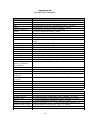
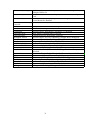
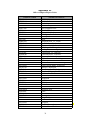
See list of Revenue Offices at Appendix 2B.
Box 3. DECLARANT
DTI/ROS Status: Mandatory, must complete Tax No. & Tax Type
CI Status: For Customs Input Declarations on hard-copy EDE, Tax No. & Type, Name and Address
must all be completed.
3/1 Declarant Revenue Number
Status: Conditional-mandatory where importer is registered with Revenue.
Format: an.16
Insert the declarant’s Revenue number with the designated tax type.
A list of tax types will be available from the drop down menu.
For Customs Input Declarations a list of tax types are available below:
C & E (Customs & Excise)
CT (Corporation Tax)
VAT (Value Added Tax)
PAYE (Employee PPS No)
IT (Income Tax)
15