1
Appendix 1
Guide to the box-by-box Completion of the EDE
EDE IMPORTS
Box-by-box (EDE Completion)
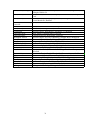
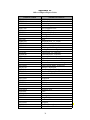
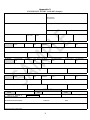
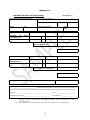
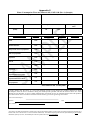
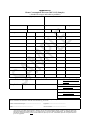
The attached instructions detail the manner in which each box of an Excise Duty Entry (EDE) must be
completed. Whilst there is provision to enter different categories of products on an EDE it should be
noted in the case of oils this does not apply and oils should be entered on their own EDE. Where there
are different rules for DTI and CI (hard-copy) completion, these are specified. Otherwise, the same
instructions apply irrespective of manner of completion.
Please note that the following characters can only be used for EDE completion (i.e. no foreign
characters which, where necessary, should be replaced by equivalent):
a-z A-Z 0-9 - / & . ( ) ‘ * Á É Í Ó Ú á é í ó ú space
Box 1. SUPPLIER NAME AND ADDRESS
Status: Mandatory for all Users
Enter the name and address of the supplier as follows:
Name: Format: an..35
Business Address
Address 1 Format: an..35
Address 2 Format: an..35
Address 3 Format: an..35
Address 4 Format: an.9
Country: Format: ISO alpha Code a.2
Enter the appropriate country code from the ISO country code list at Appendix 2A.
Box 2. IMPORTER
DTI/ROS Status: Must complete Tax No. & Tax Type OR name and address.
CI Status: For Customs Input Declarations on hard-copy EDE, Tax No. & Type, Name and Address
must all be completed.
2/1 Importer Revenue Number
Status: Mandatory where importer is registered with Revenue.
Format: an.16
Insert the Importer’s Revenue no. with the designated tax type.
A full list of acceptable Tax types will be available from a drop down menu.
For Customs Input Declarations a list of tax types are available below:
C & E (Customs & Excise)
CT (Corporation Tax)
VAT (Value Added Tax)
PAYE (Employee PPS No)
IT (Income Tax)
NOTE:
14