1
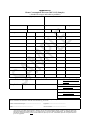
NOTE: When the Declarant is the payer please ensure the number quoted in box 3 is the same as
that in box 27.
3/2 Declarant Name and Address
DTI/ROS status: Need not be completed
CI Status: Mandatory
Enter name and address as follows
Name: Format: an..35
Business Address
Address 1 Format: an..35
Address 2 Format: an..35
Address 3 Format: an. 35
Address 4 Format an.9
Box 4. ENTRY NO. & DATE (For Official Use)
Status: Unique EDE identifier assigned by the System
Format: an 16
Date: dd/mm/yyyy
Box 5. COUNTRY OF DISPATCH CODE
Status: Mandatory for all Users
Format: a2
Enter the appropriate country of dispatch code from the ISO alpha list in Appendix 2A
Box 5/1 DATE OF DISPATCH
Status: Mandatory for all Users
Format: Standard Date validation. an dd/mm/yyyy
Enter date on which goods were dispatched from supplier or which it is intended that the goods will
leave.
Box 6. e-AD No.
Status: Conditional for all Users. One of options must be completed.
DTI Status: The following Type Codes will apply as required:
AAD1, AAD2, AAD3, AADM, AADU
e-AD Number Details:
(a) Up to 3 known e-AD numbers: Enter e-AD Numbers, where there is 1 to 3e-ADs, in text boxes
provided. Format: an 21
(b) More than 3 known e-AD numbers: Where there is more than 3 e-ADs enter all e-AD numbers on
a worksheet and insert the worksheet reference number on the EDE line item screen in box 21. Format:
an 21
(c) e-AD Number Unknown: If no e-AD available state the reason why in text box provided. Format:
an 21
16