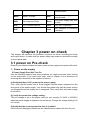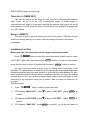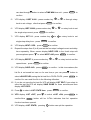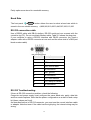
1
received order
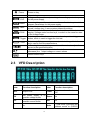
The power supply is in
remote mode
The power supply has error
or fault
Meter
“Meter” on state
Rmt
Shift
Use compound keys
Error
OVP
OVP function state on
Prot
OVP OTP Protection
OCP
No
Lock
Key operation is locked by
Password
Chapter 3 power on check
This chapter will introduce the procedure of power on check, including pre-check
and output check, to make sure the power supply can power on and work normally
on the original state.
3.1 power on Pre-check
Power on pre-check includes two parts: power on the supply and system self check.
1.
.Power on the supply
If Power Supply Does Not Turn On
Use the following steps to help solve problems you might encounter when turning
on the instrument. If you need more help, refer to chapter 6 for instructions on
returning the instrument to the supplier for service.
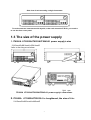
(1)Verify that there is AC power to the power supply.
First, verify that the power cord is firmly plugged into the power receptacle on the
rear panel of the power supply. You should also make sure that the power source
you plugged the power supply into is energized. Then, verify that the power supply
is turned on.
(2) Verify the power-line voltage setting.
The line voltage is set to the proper value for your country (110VAC or 220VAC)
when the power supply is shipped from the factory. Change the voltage setting if it’s
not correct.
(3)Verify that the correct power-line fuse is installed.
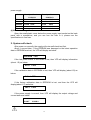
If the fuse was damaged, please see the table below to replace the fuse for your
11