1
Pathfinder User Manual
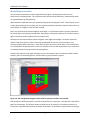
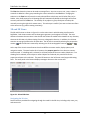
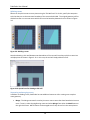
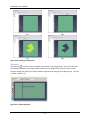
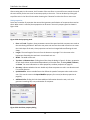
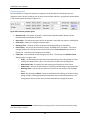
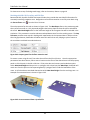
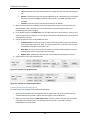
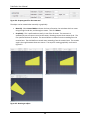
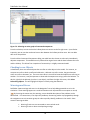
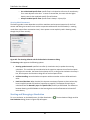
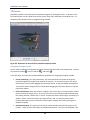
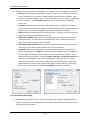
Figure 6-2: Graphically moving an object
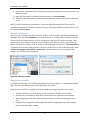
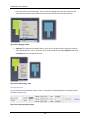
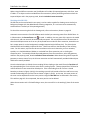
Objects can also be copied using the move tool. To do so, select the move tool, select Copy Mode from
the property panel, and follow the same steps as above for moving an object. Alternatively, hold CTRL
on the keyboard while defining the offset. This will create a copy of the object that has been offset by
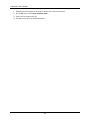
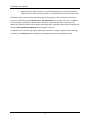
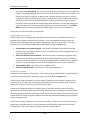
the move distance. Similarly, an array of objects can be made by specifying a value greater than 1 for
the Copies field in the property panel. The array is created by offsetting each previous copy by the
move distance. If, when copying rooms, the resulting copies overlap one another the most recent
copies take precedence over earlier ones, meaning that earlier ones will have area subtracted from
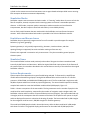
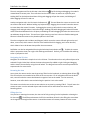
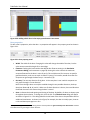
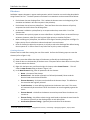
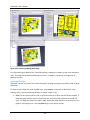
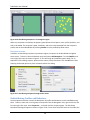
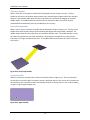
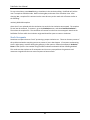
them. An array is shown in Figure 6-3.
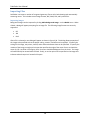
Figure 6-3: Creating an array of objects by using the translate tool
Rotating
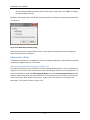
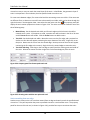
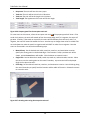
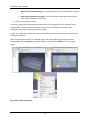
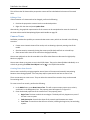
To rotate one or more objects, select the objects and click the rotate tool (
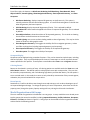
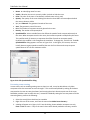
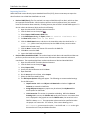
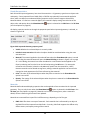
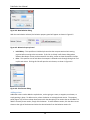
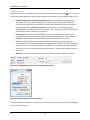
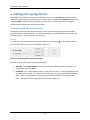
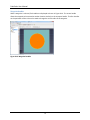
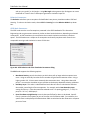
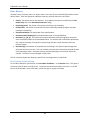
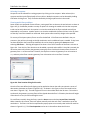
The property panel for the rotate tool is shown in Figure 6-4.
67
) from the 2D or 3D view.