1
Graphic EQ Menus
4. WORKING WITH GRAPHIC EQ MENUS
The Graphic EQ menu set is active if either an individual channel, a group of channels, or all channels
(via the GLOBAL button) is selected. Further presses of the appropriate individual channel, group or
global access button will step you through the menu.
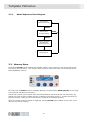
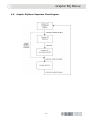
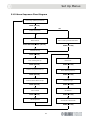
This section describes the options available within the menus. A Sequence Flow Diagram, which
shows the inter-relationship of the Graphic EQ menu pages, can be found at the end.
4.1. Graphic EQ Channel Display
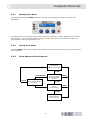
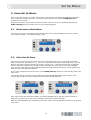
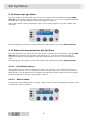
This is the Graphic EQ top level menu and displays the name assigned to the channel (either the Helix
long name or the digital console eight-character name) on the top line. The lower line displays either
the STS solo tracking assignment (in the case of Helix EQs) or the digital EQ type. This is the display
that you will normally see during operation, while the programming panel is not being used for any
process.
In the Graphic EQ Channel Display, none of the encoders is active.
4.2. Graphic EQ Response Menu
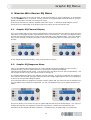
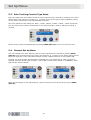
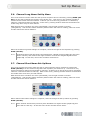
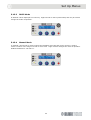
Entry to the Graphic EQ Response Menu is via the Graphic EQ Channel Display for the currently
selected channel, group or global selection by pressing the (already illuminated)
Channel/Group/Global Access switch. The left and centre encoders are now active (illuminated). Use
left encoder to select ‘Type’ and centre encoder to change ‘Q’.
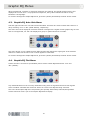
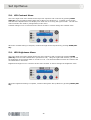
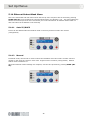
The settings displayed relate to the channel currently selected. If a group of channels are selected or
if all channels are selected using the Global function, the Graphic EQ Response Menu is not displayed,
as shown in the right-hand diagram below.
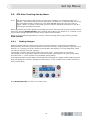
If the selected channel is assigned to a digital console graphic EQ, this menu will not be displayed, as
only the DN370-style response is supported, nor will it be displayed if group or global selections are
made.
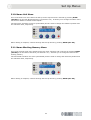
This menu allows you to select the type of graphic EQ and also the Q of the EQ stages. Five types of
Graphic EQ response are supported, which are proportional, constant and symmetrical, plus
emulations of the DN360 and DN27 responses. The default type of graphic EQ is “proportional”.
13