1
Course assistants will check that students are well-prepared.
When preparing for the laboratory work:
Whenever you have completed a preparation task of the laboratory, mark the
preparation task as completed by putting a cross into the corresponding circle.
At the lab session:
Whenever you have completed a laboratory task, show it to the teacher and answer all
questions about your program. The teacher will mark the laboratory task as completed
by writing a signature on the corresponding dotted line.
2.1 Literature studies
In order to solve the preparation tasks, a lot of information can be found in the Altera
documentation on Nios II [Alt-HW, Alt-SW, Alt-IO] pointed to by the course homepage.
The student is encouraged to get a good overview of the Altera documentation and to be
able to make use of it. Often the given references provide example code, for instance
how to program the timer to generate “alarm” and program the input keys to generate
interrupt. The main focus of the reading should be on the following:
• Introduction to the Altera Nios II Soft Processor [Alt-Intro]
Read this thoroughly, it is a very good introduction.
• Nios II processor and programming model. Currently, chapters 2 and 3 of [Alt-HW].
• Nios II Application Binary Interface and Instruction Set. Currently, chapters 7 and 8
of [Alt-HW].
Especially parameter passing and size of datatypes.
Detailed information of each instruction
• Hardware Abstraction Layer and HAL system library. Currently, chapters 2, 5, 6, 8,
and 14 of [Alt-SW].
Here you can find out which macros to use reading and writing
registers in I/O-circuits: PIO and Timer.
You can also find information of how to use
HAL-functions to initiate and use interrupts.
• Nios II Assembler and Application Binary Interface. Currently, chapters 9 and 24
[Alt-IO].
Especially I/O-register organization and use in PIO and Timer.
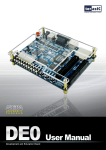
Details of the Cyclone II FPGA board that is used in this laboratory is described in the
• DE2 Development and Education Board User Manual. [Alt-DE2].
You should also have a look on the project templates that are available when you create
a new application in the Nios II IDE.
Valuable information can also be found in the lecture notes pointed to from the course
homepage.
2.1 completed
2.2 Lab Access and Account
You will perform the lab on your own notebook computer. After you have been
registered for the course in the KTH study system Ladok, make sure that you can log on
to the KTH wireless network. There will be no spare computers in the course laboratory.
2