1
It is OK that your program expects you to release the button before you push another (or the
same) button and that you never push two buttons at the same time. (It is out of the scope of
this lab to take care of all possibilities but you are allowed to do it).
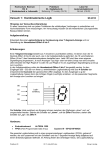
KEY0. Each time you push the button KEY0 the time must START counting.
KEY1. Each time you push the button KEY1 the time must STOP counting.
KEY2: Each time you push the button KEY2 the time value presented must be
incremented by one second.
KEY3: Each time you push the button KEY3 the time value must be set to 00:00.
You must use a flow chart (as shown in the recitations, and in lab 0) to describe the behavior
of the pollkey function.
You can find sample flow-charts in the exercise material and in the laboratory exercise 0
(delay is described by a flow chart).
Hints: You can use a variable RUN to indicate if the counting is ON or OFF and use this
variable to decide if tick is going to be called or not.
2.8 Response time
If you run the program above you will find that the response time when you push a
button might be disturbingly long. Probably also some button pushes are lost because
the pollkey function is called only once per second.
Modify your program so that the pollkey function is called once per millisecond. Make
sure that the time still will be incremented only once per second.
2.9 Timing by use of hardware timer and HAL-functions
Most processors offer possibilities to use hardware timer circuits. As the timer circuits are
clocked by a crystal oscillator the accuracy is in the order of 1 per million or even better.
In the Nios-II processor several timers are available.
Update your program to use a timer instead of using programmed delay.
It is possible to “order” a timer to “alarm” at some time in the future.
HAL-functions are supported to handle alarms of this kind.
The idea is that when the “alarm” expires, a special function, (alarm-handler) is (called and)
executed.
This function (the alarm handler) shall perform the actions wished (print time value) and
might also order if and when the same function shall be called again.
This is sometimes named “call-back”.
Create a new project called lab1timer and copy all files from the previous project to the
new project.
Modify the new project to use HAL-functions to order alarm once per second to print actual
time on terminal and hex-display. In the mainloop of the program, still continue to poll the
keys to keep the behaviour of the buttons.
You must write the alarm-handler function and use the HAL-function to initiate the system to
use it.
Information of these macros can be found in Software Developer’s Handbook in the starting
pages of chapter 5: Developing Programs Using the HAL, “Using Timer Devices”
6