1
SVLiteModels TM47/TV42-5206E
User Guide
M38506–01C
Industrial Electronic Engineers, Inc.
Product Query configuration............................................................................................................ 27
Presentation configuration............................................................................................................... 27
Real Time Clock Display (LCD model only) ................................................................................... 28
Miscellaneous configuration ............................................................................................................ 28
Command modes ............................................................................................................................ 30
Programmatic Modes ...................................................................................................................... 30
QFX Quick File Transfer Protocol .............................................................................. 32
Using Graphics Characters (LCD Display)................................................................. 33
Using Input Devices ................................................................................................... 34
Push Buttons.................................................................................................................................... 34
Start Event and End Event Masks .................................................................................................. 34
Structure of EVENT packet ........................................................................................ 35
Examples (shown in hex form)........................................................................................................ 35
SVLite420 Vacuum Fluorescent Display .................................................................... 36
Description ................................................................................................................. 36
Operation.................................................................................................................... 36
Text Slideshow................................................................................................................................. 37
Changing Language Character Sets .......................................................................... 37
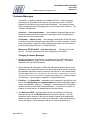
Customer Messages .................................................................................................. 38
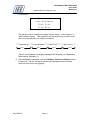
Changing Customer Messages ...................................................................................................... 38
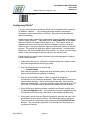
Appendix A—Configuring with Barcodes .............................................................................. 40
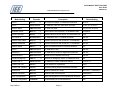
Barcode Reader Settings ........................................................................................... 40
Recommended Scanner Settings............................................................................... 40
Configuring SVLite® .................................................................................................... 41
Appendix B—SVLite Initialization File ................................................................................... 45
Overview .................................................................................................................... 45
Real Time Clock ......................................................................................................... 45
Rules for the scanvue.ini File ..................................................................................... 46
Sections & Commands............................................................................................... 46
Example of Initialization File....................................................................................... 48
Appendix C—Creating a Slideshow ...................................................................................... 50
Creating a Slideshow File........................................................................................... 50
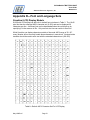
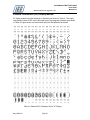
Appendix D—Font and Language Sets................................................................................. 51
Graphics (LCD) Display Models ................................................................................. 51
Vacuum Fluorescent (VF) Display Models ................................................................. 52
Appendix E—ProductInfo Protocol........................................................................................ 56
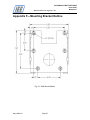
Appendix F—Mounting Bracket Outline ................................................................................ 63
Appendix G—Application Notes ............................................................................................ 67
Creating Customer Messages on VF Display Models ........................................................... 67
Network Messages..................................................................................................... 67
Greeting Message ...................................................................................................... 69
Appendix H—Expanded Text API ......................................................................................... 70
API Notation ............................................................................................................... 70
Defining a Text Box .................................................................................................... 70
Writing to a Text Box .................................................................................................. 71
Text Timeout .............................................................................................................. 71
May1/06RevC
Page v