1
Auto Update
CALC
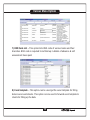
Clicking on Calc launches Windows Calculator.
Cell Calculator
Each numeric cell has calculator attached to it. This calculator can be
activated by pressing k from keyboard.
Auto Update
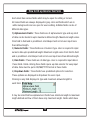
eFormExpert software has unique Auto Update feature. If new updates are
available on Sensys website, software automatically displays this information
to the user. User can click on Auto Update option available on home page of
the software. Auto Update downloads required files from internet and updates
the software automatically. On successful Auto Update, version no. of the
software will change to a new version. This can be verified from the home
page of the software.
19