1
GENERAL DESCRIPTION OF FOX
2 GENERAL DESCRIPTION OF FOX
2.1
N
O.
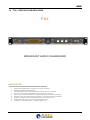
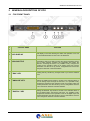
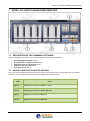
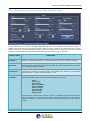
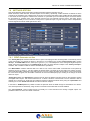
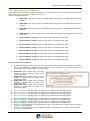
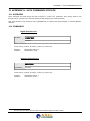
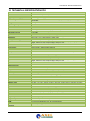
FOX FRONT PANEL
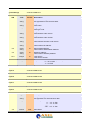
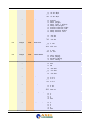
CONTROL NAME
FUNCTION
1
LCD DISPLAY
LCD display on two lines showing the status and operation of Fox. All
the technical parameters for each menu are displayed.
2
JOG-SHUTTLE
JogShuttle in order to be able to access the various navigation menus
and to make changes. Pressing the JogShuttle will confirm the
selection. Accessing the Menu, it is possible to fully configure the
machine for the operation mode on its analog output. All of these
parameters can also be set by control, configuration and Axel Audio
Changeover Remoter command software.
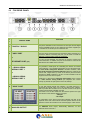
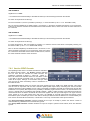
3
"ESC" KEY
Pressing this key cancels any changes made or you exit the selected
menu.
4
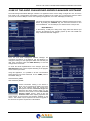
"ANALOG" KEY
Clicking the ANALOG key results in access to the selection Menu of
the Fox Analog output: through the sub-menu, it is possible to fully
configure the machine for the operation mode on its analog output. All
of these parameters can also be set by control, configuration and Axel
Audio Changeover Remoter command software.
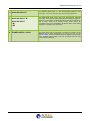
5
"DIGITAL" KEY
Clicking the DIGITAL key results in access to the selection Menu of
the Fox Digital output: through the sub-menu, it is possible to fully
configure the machine for the operation mode on its Digital output. All
of these parameters can also be set by control, configuration and Axel
Audio Changeover Remoter command software.
| GENERAL DESCRIPTION OF FOX
21