1
LETTUS User Manual
General Ledger
8.1
Menu 8
General Journal Maintenance
The General Journal is designed to cater for everyday transactions that cannot be entered into either the
Accounts Payable Module, Accounts Receivable Module or the Cash Book Module. For example, where
a transaction has been processed to the incorrect General Ledger code it can be transferred to the correct
account by using a General Journal. Accruals can also be processed via General Journals.
General Journal Maintenance is used to create, change, view, or delete General Journal transactions. Once
transactions have been verified as correct or corrected, they can be posted to the General Ledger
Transaction table. The posting process will print the journals. This printout should be filed accordingly.
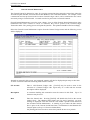
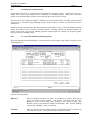
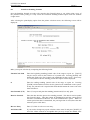
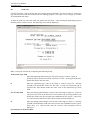
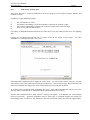
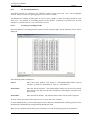
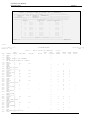
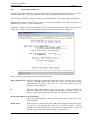
Select the General Journal Maintenance option from the General Ledger menu and the following screen
will be displayed:
Journals are entered in this screen. Any unposted journals will also be displayed upon entry to this form.
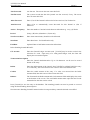
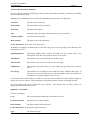
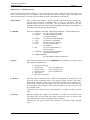
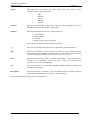
To enter a General Journal the following fields must be entered:
GL Account
Enter a valid General Ledger code. [ListVal] may be used to assist in the
selection of a General Ledger code. Upon entry of a valid code the account
description will be displayed.
Description
A narration detailing this transaction must be entered in this field. Up to 30
characters may be used.
Date
Enter the Journal date. Pressing [NxtFld] will default this field to the current
(today's) date. The enhanced date feature may be used if required. An error
message is displayed if the date entered is not within a period record defined in
the Accounts Periods Maintenance. A warning is given where the date entered
here is prior to the Current Period Start Date, as maintained in the Maintain GL
Control option (refer p.8-32 for more information).
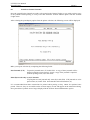
On [Exiting] the form checks to ensure that journals do not cross periods.
Printed on 16 May, 2002
Fresh Computer Systems Pty Ltd
8-2