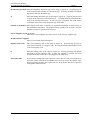
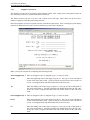
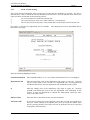
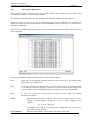
1
LETTUS User Manual Accounts Payable (Creditors) Menu 7 Menu 7 - Table of Contents 7.1 Purchase Lot Invoices...............................................................................................7-3 7.1.1 To enter the Supplier Produce Invoice or Credit Note....................7-3 7.1.2 Auto Allocation of Purchase Lots...................................................7-5 7.2 Lot Charge Invoice ...................................................................................................7-6 7.2.1 To Enter a Collection Charge against a Freight Invoice .................7-8 7.3 Supplier Invoice........................................................................................................7-9 7.3.1 To Enter a Supplier Invoice or Credit Note ....................................7-9 7.4 Manual Payment Entry ............................................................................................7-12 7.4.1 To enter a Supplier Manual Payment.............................................7-12 7.4.2 Changing a Manual Payment entry................................................7-14 7.4.3 To Delete a Supplier Manual Payment ..........................................7-15 7.4.4 Dummy Payments ..........................................................................7-15 7.5 Supplier Aged Analysis ...........................................................................................7-16 7.6 Levies Collection List..............................................................................................7-18 7.6.1 For a Levy Payment Audit (Cheque) .............................................7-18 7.6.2 For a Levy Payment Audit (EFT) ..................................................7-18 7.6.3 Levies Collection Listing production.............................................7-19 7.6.4 To determine the Levies Due Amount and Details ........................7-20 7.7 Payments Due List...................................................................................................7-21 7.8 Approve/Hold Document.........................................................................................7-23 7.9 Supplier Account Query ..........................................................................................7-25 7.10 Accounts Payable Query .........................................................................................7-27 7.10.1 To enquire on a Payment ...............................................................7-27 7.10.2 To Perform an enquiry on a Document..........................................7-28 7.10.3 To Perform an enquiry on a Lot.....................................................7-29 7.11 Payment Generation ................................................................................................7-31 7.11.1 Electronic Funds Transfer..............................................................7-32 7.11.2 Generating EFT Payments .............................................................7-33 7.12 Cheque Print/Reprint ...............................................................................................7-35 7.12.1 Cheque Reprinting .........................................................................7-36 7.13 Cheque Numbering..................................................................................................7-37 7.14 Payments Listing .....................................................................................................7-39 7.15 Generate EFT Bank File ..........................................................................................7-41 7.16 Remittance Advice Print..........................................................................................7-43 7.17 Payment Control List...............................................................................................7-45 7.18 Cancel Stop Payments .............................................................................................7-46 7.18.1 Cancel/Stop Cheque Payment........................................................7-46 7.18.2 Deleting a Cheque Payment...........................................................7-47 7.18.3 To Uncancel a Cheque ...................................................................7-47 7.18.4 Cancel/Stop EFT Payment .............................................................7-48 7.18.5 Batch Deletion of Cheques or EFTs .............................................7-48 7.19 Supplier Maintenance ..............................................................................................7-50 7.19.1 To enter a New Supplier ................................................................7-50 7.20 Auto-Charge Creation..............................................................................................7-54 7.20.1 To add a charge to a range of Supplier records..............................7-54 7.20.2 To delete a charge from a range of Supplier records .....................7-56 Printed on 16 May, 2002 Fresh Computer Systems Pty Ltd 7-1 LETTUS User Manual Accounts Payable (Creditors) Menu 7 7.21 Supplier List ............................................................................................................7-58 7.22 Supplier Transaction Listing ...................................................................................7-60 7.23 Supplier Layout List ................................................................................................7-62 7.24 AP Control Listing...................................................................................................7-64 7.25 Stock Accrual Listing ..............................................................................................7-65 7.26 A/P Calendar Maintenance ......................................................................................7-66 7.27 Annual Reportable Payments ..................................................................................7-68 Printed on 16 May, 2002 Fresh Computer Systems Pty Ltd 7-2 LETTUS User Manual Accounts Payable (Creditors) 7.1 Menu 7 Purchase Lot Invoices Invoices received from suppliers in respect to purchase lot consignments are entered into the system using the Purchase Lots Invoice/Credit Entry. The form consist of six blocks. Block One contains the supplier details. Block Two and Three allow the user to enter/modify/delete a purchase invoice and allocate it to the relevant lot number/s. Blocks 4 to 6 display the lot/item information and the lot document allocations. 7.1.1 To enter the Supplier Produce Invoice or Credit Note Step 1 Select the Purchase Lot Invoice/Credit Entry option from the Accounts Payable menu. Step 2 Select a Supplier. This may be done in a number of ways by using the query facilities provided by LETTUS. You may enter a value in one or all of the following fields and then press [ExeQry] to search for all suppliers that match the criteria entered. Search fields are: Supplier Code Supplier Name Supplier Type Address. Once the supplier record you require is displayed on the screen press [NxtBlk] to position the cursor in the Document block. Note that when the supplier is selected using the full supplier code the screen automatically positions the cursor in the document block for you. Step 3 Enter the document details by completing the following fields: Printed on 16 May, 2002 Fresh Computer Systems Pty Ltd 7-3 LETTUS User Manual Accounts Payable (Creditors) Menu 7 Document Number Enter the supplier's invoice or credit note number. This is an alphanumeric field. A duplicate document number cannot be entered for the same supplier. An error message is displayed upon entry of the duplicate document number. Type Valid types of purchase lot documents are: - SIV Supplier Invoice - SCR Supplier Credit Note. Note that the default is SIV. To accept the default press [NxtFld]. Document Date Enter the date that the supplier invoice or credit note relates to. The correct date should be entered, as this date is used in the general ledger and Sales Statistics. Press [NxtFld] to accept the default of the current (today's) date. Where this date is backdated beyond the current period start date as maintained in the Maintain G/L Control option (see Menu 8 section for more information) the current period start date is used to update the General ledger. Where no current period start date is maintained, the year begin date is used (where the date entered is prior to this date). Status Enter the status of the document. Valid status at the time of entry can include Received, Approved or Hold. Due Date This is the due date for payment, on entry of a new document, the DUE DATE is automatically set to the document date plus the number of days set in the supplier's terms. This can be over ridden if desired. The supplier's terms are maintained in the Supplier Maintenance screen. Our Ref Enter your own internal reference here e.g. a purchase order number. This field is optional. Document Qty The total quantity on the document is displayed here. This is updated with the value entered in the Qty field in the Document Allocation block. Document Amount The net amount of the invoice is to be entered here. Pay Amount Enter the amount of the invoice that is recognised for payment. The system will allow the user to pay this amount only. Press [NxtFld] to default this field to the Document amount. Entered Date This field displays the date the purchase invoice was entered. Unpaid Amount The amount of the Document that has not been paid to date is displayed in this field. The cursor does not enter this field. NOTE: A warning will be given if the Supplier this document is entered against has no Tax File Number recorded on the system (refer to the Tax File Number field on the Supplier or Grower Maintenance screens). Step 4 After the invoice or credit note details have been entered, the invoice amount can then be allocated to the appropriate lots in the system using the Document Allocations block. Enter the following fields in the Document Allocations block: Lot Num Enter the Lot number that is to have the allocation made against it. Press [ListVal] to view/query all unpaid lots that were supplied by this supplier. Printed on 16 May, 2002 Fresh Computer Systems Pty Ltd 7-4 LETTUS User Manual Accounts Payable (Creditors) Menu 7 On entry of a valid lot number, the screen retrieves the Lot details from the file and displays the purchase lot details, item information and lot allocations. The allocations to a lot can only be made if the lot has not been PROFITISED. A warning is displayed if the lot is Approved. Item Number Enter the item number that is to have the allocation made against it. This field is optional. The cursor does not automatically enter this field. Press [PrvFld] to go back to this field if required. Supp Ref Optionally enter any reference here. The cursor does not automatically enter this field. Press [PrvFld] to go back to the field if required. Qty Enter the produce quantity for the lot that the invoice relates to. If no item number is entered this field will default to the Lot Received Quantity. If an item number is entered this field will default to the received quantity of the item. The value in this field may be changed as required. When the priced quantity equals the received quantity the lot will be marked as Approved and Posted. Allocation Enter the allocation amount in this field. Where the Document type is an SIV the amount must be positive, while if the type is an SCR the amount must be negative. Press [NxtFld] to accept the unallocated amount. Note that the screen will insist that the unallocated amount is zero before a new document can be entered, or the screen exited. Repeat process until unallocated amount is zero. 7.1.2 Auto Allocation of Purchase Lots Purchase Lots can be automatically allocated to a document to provide faster entry of an invoice, particularly a Cash Purchases Invoice. This feature uses the estimate unit cost values (as entered in Grower Lot Entry). To activate the auto-allocation feature enter a zero in the document amount field and press [NxtFld] in the pay amount field, while completing the other details as required. In the Lot Allocations block enter a zero in the lot number field and press [NxtFld] through all fields in that record to allocate the lots at the lot level only. To allocate at the item level enter a zero in both the lot and item fields. Only lots that were received on or prior to the Document Date will be allocated. If no estimated unit cost exists for a lot it will not be auto-allocated and a warning will be given if one or more lots are found to meet this criteria. Only lots for the above supplier will be allocated. Printed on 16 May, 2002 Fresh Computer Systems Pty Ltd 7-5 LETTUS User Manual Accounts Payable (Creditors) 7.2 Menu 7 Lot Charge Invoice Lot charges are those charges that: Are invoiced from a supplier, Relate directly to a lot, Can be recovered in part or whole from the grower. Examples of Lot Charges are Freight invoices for delivery of the lot to the Market Agent and Packaging Costs. Direct lot charges can be recovered from the grower where The lot is not APPROVED and The lot agreement type is either "B" Basis-for Price or "C" Commission. Direct Lot Charges can be entered against a Purchase Lot, however, these charges cannot be deducted from the Supplier of the produce. Note that where the charges are to be deducted from the grower they must be entered before approving the lot. Where the lot has been Posted allocations to this lot can only be deleted or modified provided that the deduct flag of the allocation is set to N. On selection of the Direct Lot Charge Invoice/Credit Entry option from the Accounts Payable menu the following screen will be displayed: This is a six block screen where the supplier details are retrieved in Block 1, the invoice details are entered in Block 2 and the invoice is allocated in Block 3. The remaining blocks contain lot information. To enter an invoice to be charged against a lot the following fields are required to be completed: In Block 1 Printed on 16 May, 2002 Fresh Computer Systems Pty Ltd 7-6 LETTUS User Manual Accounts Payable (Creditors) Menu 7 Select the Supplier. This may be done a number of ways using the query facilities provided by LETTUS. You may enter a value in any one or all of the fields in block 1 and then press [ExeQry] to search for all Suppliers that match the criteria. In Block 2 Document Number Enter the supplier invoice number. This document number must not already exist for this supplier. An error message will be displayed if the document number entered already exists. Type Enter the document type of the invoice. Valid types here are FIV for an invoice or FCR for a credit note. Press [NxtFld] to accept the default of FIV. Document Date Enter the date of the invoice/credit note. Press [NxtFld] to accept the default of the current (today's) date. Where this date is backdated beyond the current period start date as maintained in the Maintain G/L Control option (see Menu 8 section for more information) the current period start date is used to update the General ledger. Where no current period start date is maintained, the year begin date is used (where the date entered is prior to this date). Status Press [NxtFld] to accept the default of RECEIVED. On entering a new invoice the status is normally set to either RECEIVED, APPROVED OR HOLD. Due Date The default due date is set to the DOC_DATE plus the terms. Press [NxtFld] to accept this date. The default date can be changed and the enhanced date function may be used. For example, if a document date is 01-JAN-95 and the terms for that supplier is 7 days then the default due date will be 08-JAN-95. The terms code is maintained in the Supplier Maintenance screen. Our Ref Enter any user reference here. This field is optional. Document Qty If desired, enter the quantity associated with this invoice/credit note. Document Amount Enter the invoice or credit note amount. If the document type is an FIV (invoice) the amount entered must be positive (i.e. greater than zero). However if the document type is FCR (credit note) the amount entered must be negative (i.e. less than zero). Pay Amount Enter the amount of the document that is to be paid. It must be equal to, or be less than the Document Amount. Cheques cannot be drawn to exceed the Pay amount on a document. Press [NxtFld] to accept the Document Amount as the Pay Amount. Unpaid Amount The amount of the Document that has not been paid to date is displayed in this field. The cursor does not enter this field. Unallocated Amount This is a display field that shows the balance of the invoice/credit note not yet allocated to the lots. This field is initially primed with the Pay Amount. As allocations are made to the lot, this field is reduced by the amount of the allocation. The unallocated amount must be zero before you can exit the form, enter another document or query other documents. Entered Date This field displays the date the purchase invoice was entered. In the Document Allocations block Printed on 16 May, 2002 Fresh Computer Systems Pty Ltd 7-7 LETTUS User Manual Accounts Payable (Creditors) Menu 7 Each lot that this charge relates to must be entered in this block. Lot Number Enter the lot number that the charge is to be allocated to. Note that upon entry of a valid lot number the lot details are displayed in the blocks on the right hand side. If the lot has been approved or posted a warning message is given that any lot allocation entry must have the Deduct flag (DED?) set to N. (i.e. not to be deducted from grower). Charge Enter a valid lot charge code for this allocation. The charge codes are maintained in the Master Charge Maintenance screen (see Menu 1 section for more information). Press the [ListVal] key to list master charges established on the system. Note that only charges set up with a type of (F)reight or (M)iscellaneous can be used here. Upon entry of a valid charge code the description is displayed in the next field. This description may be modified if required. Note that up to 49 characters can be entered however only 10 are displayed at the one time. Use [Scroll] and [NxtChar] to move throughout the field. Ded? Enter Y if the grower is to pay for the charge, otherwise N. If Y was entered, then when the grower returns are processed for the lot that grower will have his return deducted by the amount on this document allocation. The deduct flag cannot be set to Y where the lot has been either APPROVED or POSTED. It will need to be unposted and unapproved first. Nor can the deduct flag be set to Y for Purchase Lots. The entry in this field is validated against the freight indicator as set up on the record for that Lot. Allocated Amount 7.2.1 Enter the amount to allocate to the lot. Where the document type is FIV the Allocation amount must be greater than 0 (i.e. positive), and where the document type is FCR the Allocation amount must be less than 0 (i.e. negative). To Enter a Collection Charge against a Freight Invoice Enter the document as outlined above leaving the payment amount as the full amount to be deducted off the lots and allocate to the lots as required. On the next record (in the document allocations block): Step 1 Enter a 0(zero) in the Lot Number field. Step 2 In the Charge code field enter the charge code for the collection fee (e.g. Commission) as set up in Master Charge Maintenance (see Menu 1 section for more information). Press [ListVal] to assist in the selection of a code. Upon entry of a code the description will be displayed. Note that the deduct flag will be set to N. Step 3 In the Allocation Amount field, enter the collection fee (e.g. commission) as a negative amount. Note that the pay amount will be reduced by this amount automatically. Printed on 16 May, 2002 Fresh Computer Systems Pty Ltd 7-8 LETTUS User Manual Accounts Payable (Creditors) 7.3 Menu 7 Supplier Invoice Invoices and credit notes from suppliers that relate to purchases of non-stock goods and services are entered into LETTUS using the Supplier Invoice/Credit Entry form. Note that on some sites this option is called Other Non-Lot Invoice Credit Entry. Examples of invoices entered in this form are: Invoices for Repairs and maintenance, Purchases of stationery, Accounts for motor vehicle fuels, repairs etc, Accounts for services (e.g. Telephone, electricity). Select the Supplier Invoice/Credit Entry option from the Accounts Payable menu and the following screen will be displayed: Where the general ledger module is installed and this interface flag is switched on (see Menu 0 section for more information on the configuration of the system), the invoice/credit note will need to be fully allocated to a general ledger code/s. You cannot exit this screen if this document is not fully allocated. Note that any unallocated documents cannot be paid, either by computer generated or manual cheques. Where the Cash Book module is installed, supplier invoices created in the Cash Book module can be viewed in this form but cannot be amended. 7.3.1 To Enter a Supplier Invoice or Credit Note Step 1 Select the Supplier Invoice/Credit Entry option from the Accounts Payable menu. Step 2 At the Supplier block, select the supplier using the query facilities provided by the LETTUS system. That is, ensure that the form is in query mode, enter your selection criteria (e.g. Supplier Code) and press [ExeQry]. Printed on 16 May, 2002 Fresh Computer Systems Pty Ltd 7-9 LETTUS User Manual Accounts Payable (Creditors) Menu 7 The form will display the supplier details: Supplier Code, Supplier Name & Address, Supplier type, telephone and contact numbers, fax numbers and Area code, normal trading terms code, last payment details, details if year to date purchases Scroll through the records (using [NxtRec] and [PrvRec]) to display the required supplier record. Step 3 Now move to the Supplier Document block by pressing [NxtBlk]. Note that if the exact supplier code is entered in Step 2 above, the cursor will automatically go to the Document block. For a new invoice or credit note the following highlighted fields are required to be entered: In the Supplier Document Block Document Number The document number, usually the supplier's invoice number or credit note number. The entry in this field can be either numeric or character. Document Type Enter the type of the document. Valid Types are NIV for supplier invoices, and NCR for supplier credit notes. Press [NxtFld] to default this field to NIV. Document Date The document date is entered in this field. Press [NxtFld] to default this field to current (today's) date. The enhanced date feature may be used if required. This is the date that is used to update the General Ledger. Where this date is backdated beyond the current period start date, as maintained in the Maintain G/L Control option (see Menu 8 section for more information), the current period start date is used to update the General ledger. Where no current period start date is maintained, the year begin date is used (where the date entered is prior to this date). Document Amount The amount on the invoice. If an invoice, the amount must be positive or if a credit note, the amount must be negative. Pay Amount The amount of the invoice that is recognised for payment. This amount must be equal to or less than the document amount. Press [NxtFld] to default this field to the document amount. Our Ref Internal references, e.g. a purchase order number can be entered in this field. This field is optional. Document Qty A total quantity on the document can be optionally entered in this field. Status Enter the status of the document. Valid status can be either Received, Approved or Hold. Due Date This is the due date for payment, on entry of a new document the DUE DATE is automatically set to the document date plus the number of days set in the supplier's terms. This can be over ridden if so desired. The supplier's terms are Maintained in the Supplier Maintenance form (refer p.Error! Bookmark not defined..) Unpaid Amount The unpaid amount is the difference between the PAY AMT and what has been paid. This field is maintained by the system. Unallocated Amount Where the general ledger is installed, the form requires that the total document amount is allocated to a general ledger code/s. The form will insist that the UNALLOCATED AMOUNT is zero before a new document can be entered, or the form exited. Printed on 16 May, 2002 Fresh Computer Systems Pty Ltd 7-10 LETTUS User Manual Accounts Payable (Creditors) Step 4 Menu 7 After the invoice/credit note has been entered, where the general ledger is installed, the invoice must be allocated to the general ledger. Press [NxtBlk] to move the cursor to the General Ledger Allocation Block. Note that by pressing [NxtFld] from the Due date field the cursor will be positioned in to the G/L Allocations block. In the General Ledger Allocation Block GL Account Enter the general ledger code for this invoice to be allocated against. The code must have been previously established in the general ledger chart of accounts. Press [ListVal] to assist in the selection of a General Ledger code. Upon entry of a valid code the account description will be displayed. Press [Scroll] to create a GL Account if one does not exist. Narration Optionally, enter a narration for this entry. Allocation Amount Enter the amount to allocate to this account, the amount can be positive or negative. However, if an invoice is being entered the total amount of the allocations must be positive or if a credit note is being entered the total of allocation must be negative. When the document is fully allocated the total of the allocations should equal the PAY amount of the invoice. If the full amount is to be allocated to only one GL Account press [NxtFld] and the system will generate the amount in this field. GST Amount If no GST is applicable enter (0) in this field and press [NxtFld]. If GST is applicable leave the field blank and press [NxtFld]. The GST amount will be calculated automatically. Incl GST This field can be manually entered or press [NxtFld] for the system to automatically calculate this field. Note that a warning will be displayed if the unallocated amount of the invoice is not zero before clearing or exiting the form. For the Distribution system this screen can be used to reconcile purchases of stock. After entering the invoice/credit note details press [F8] to display the Agent Invoice Reconciliation screen. Printed on 16 May, 2002 Fresh Computer Systems Pty Ltd 7-11 LETTUS User Manual Accounts Payable (Creditors) 7.4 Menu 7 Manual Payment Entry Supplier Manual Payment are generally used when only one Supplier's documents are being paid and a computer printed cheque is not required or a Electronic Funds Transfer (EFT) has been manually processed. When processing a cheque or EFT run (i.e. a series of cheques) the Payment Generation option is usually selected (refer p.7-25) Dummy Payments, which are used to match credit notes to invoices, are also entered in this screen (refer p.7-15. for more information). Unallocated documents cannot be paid through this option. The document must be fully allocated before proceeding. A warning is given if you enter a document number that is not fully allocated. Note that where the Cash Book module is installed, once reconciled, cheques cannot be amended or deleted. The General Ledger is updated at the time of entry. This form consists of five blocks. Block one contains Supplier information while Blocks 2 and 3 allow the user to enter the payment details and allocation respectively. Block 4 and 5 display the document details and document allocations. 7.4.1 To enter a Supplier Manual Payment Step 1 Select the Supplier Manual Payment option from the Accounts Payable menu and the screen above will be displayed. Step 2 Select the Supplier of the invoice you wish to enter. This can be done is a number of ways by using the query facilities provided by the LETTUS system. The following fields can be used to find the Supplier record: Supplier Code Printed on 16 May, 2002 Fresh Computer Systems Pty Ltd 7-12 LETTUS User Manual Accounts Payable (Creditors) Menu 7 Supplier Type Supplier Name and Address Phone 1. Press [ExeQry] to execute the query. Scroll (by using [NxtRec] and [PrvRec]) through the records that match the criteria to find the required supplier. Step 3 Press [NxtBlk] to position the cursor in the Payment block. Note that if the exact Supplier code is selected the cursor will automatically be positioned in the payment block. Step 4 Enter the following details of the cheque In the Payment block: Cheque Number Enter the number of the cheque to be used for this payment. Payment Type The payment type of APM is displayed if a cheque number is entered in the previous field. If no cheque number is entered the payment type is updated to EFM (Electronic Funds Transfer Manual). Payment Date Enter the date the payment was drawn. Upon pressing [NxtFld] this field will default to the current (today's) date. This date is used to update the General Ledger. Where this date is backdated beyond the current period start date as maintained in the Maintain G/L Control option (see Menu 8 section for more information) the current period start date is used to update the General ledger. Where no current period start date is maintained, the year begin date is used (where the date entered is prior to this date). Status The status of PAID is displayed in this field. The cursor does not enter this field. Other status of payments can be Cancelled, Stopped or Archived, however, these cannot be entered here. Bank Code Enter the bank account code that this payment is being drawn from. Press [ListVal] to list available bank codes that have been established on the system. A warning will be displayed if this Bank Code and Cheque number combination already exists. Payment Amount For either an APM or EFM payment, the payment amount must be positive. For a DUM payment the cheque amount is zero. Unallocated Amount A manual payment is expected to be allocated against supplier invoices and credit notes. If the cheque amount is $100, then this amount would be allocated to supplier invoices and credit notes that had a net total of $100. The unallocated amount is set to the value of the payment, and reduced as allocations are made. Where the payment amount is not fully allocated, any balance not allocated will remain in the unallocated amount field. Step 5 After the payment has been entered it then needs to be allocated to the supplier documents. In the Document Allocations Block: Supplier Code Usually a payment is made to a supplier for that supplier's invoices and credit notes. However, LETTUS also has the facility to draw one cheque to pay a number of suppliers and their invoices. This is useful where suppliers are paid through a central clearing house e.g. Credit Service. For details of how to set up suppliers for combined payments refer to Supplier Type Maintenance. Printed on 16 May, 2002 Fresh Computer Systems Pty Ltd 7-13 LETTUS User Manual Accounts Payable (Creditors) Menu 7 Where the payment is not a combined payment, simply press [NxtFld] over this field, and the form will copy the supplier code from the supplier block to this field. The form will check and prevent the entry of any other supplier code. When the payment is to be a combined payment, other supplier codes may be entered. (Note, that those other suppliers must have the combine payment flag set in the supplier record). Document Number Enter the supplier invoice number/credit note number that is to be paid. Pressing the [ListVal] key will display all unpaid invoices or credit notes that have been entered into the system for that Supplier. When it is a combined payment other suppliers' invoices (who have the same supplier type) are also shown. Note that [ListVal] works in either the Supplier Code field or the Document Number field. By entering the Supplier Code into the Supplier Code field and then pressing [ListVal] the listing of unpaid invoices and credits can be restricted to that supplier. Allocation Amount Enter the amount to allocate to this document. By pressing [NxtFld] the form will automatically allocate the remaining balance of the payment up to the unpaid value of the invoice/credit note. On entry of a document number, the form will display details of that supplier document in the Supplier Document block. If any payments have been allocated to this document they are also displayed in the Document Allocations block. 7.4.2 Changing a Manual Payment entry. Existing manual payment entries can be changed as required. Follow these steps when changing entries: Step 1 Select the Supplier Manual Payment option from the Accounts Payable menu. Step 2 Select the Supplier of the invoice you wish to modify. This can be done is a number of ways by using the query facilities provided by the LETTUS system. The following fields can be used to find the Supplier record: Supplier Code Supplier Type Supplier Name and Address Phone 1. Press [ExeQry] to execute the query. Scroll (by using [NxtRec] and [PrvRec]) through the records that match the criteria to find the required supplier. Step 3 In the Payment block press [EntQry] and enter the search criteria, press [ExeQry], the form will then display the payment details in the payment block and display the allocations in the payment allocations block. Remember that only 5 payment allocations are displayed, press [NxtSet] to display further allocations. Step 4 Move the cursor to the payment allocations block by pressing [NxtBlk]. Change the allocations as necessary. The changes are [Commit]ted upon pressing [NxtFld] to the next record. Printed on 16 May, 2002 Fresh Computer Systems Pty Ltd 7-14 LETTUS User Manual Accounts Payable (Creditors) Menu 7 7.4.3 To Delete a Supplier Manual Payment Step 1 Select the Supplier Manual Payment option from the Accounts Payable menu. Step 2 Select the Supplier of the invoice you wish to delete. This can be done is a number of ways by using the query facilities provided by the LETTUS system. The following fields can be used to find the Supplier record: Supplier Code Supplier Type Supplier Name and Address Phone 1. Press [ExeQry] to execute the query. Scroll (by using [NxtRec] and [PrvRec]) through the records that match the criteria to find the required supplier. Step 3 In the Payment block press [EntQry] and enter the search criteria, press [ExeQry], the form will then display the payment details in the payment block and display the allocations in the payment allocations block. Remember that only 5 payment allocations are displayed, press [NxtSet] to display further allocations. Step 4 Move the cursor to the payment allocations block by pressing [NxtBlk]. Delete all the allocations by using [DelRec]. Press [NxtBlk] to position the cursor in the payment block and press [DelRec] to remove the cheque details. 7.4.4 Dummy Payments A Dummy Payment is used to acknowledge that both the Invoice and Credit Note have been taken up. A dummy payment is entered in the Supplier Manual Payment Entry option in the Accounts Payable menu. To Enter a Dummy Payment Step 1 Ensure that both the credit note and invoice are entered. Step 2 Select the Supplier that the dummy payment relates to. This can be done in a number of ways by using the query facilities provided by the LETTUS system. Fields that can be used for query include: Supplier Code Supplier Name and Address Supplier Type Phone 1. Step 3 Press [NxtBlk] to position the cursor in the Payment block. Note that if the exact Supplier code is entered in the step above the cursor will automatically be positioned in the payment block. Step 4 Enter the cheque number as 0(zero). The system will change the type to DUM, set the payment amount to 0(zero) and position the cursor in the payment allocations block. Step 5 In the payment allocations block select the credit note/s by either entering the Supplier code and document number or pressing [ListVal] to view outstanding documents. Press [NxtFld] on the allocated amount field to allocate the pay amount of the document. Then select the invoice/s using one of the methods described above. Note that the unallocated amount must be zero before another cheque can be entered or the form exited. Printed on 16 May, 2002 Fresh Computer Systems Pty Ltd 7-15 LETTUS User Manual Accounts Payable (Creditors) 7.5 Menu 7 Supplier Aged Analysis To determine the amount outstanding to suppliers the Supplier Aged Analysis report may be used. This report shows the amount outstanding to suppliers, analysed over intervals of time. The report can be produced for a range of supplier types, and a ranges of supplier codes. The balances are printed at a nominated period end date. The ageing interval is also definable. An aged report can be produced with an interval of 7 days, 14 days etc. Note that this report will only take account of invoiced items, it will not include any amounts in relation to unposted grower returns or purchases for which no invoice has been received. These are referred to as Purchase Accruals. For details in purchase accruals refer to Purchase Accruals in this section. The aging of the invoices is based on the due date of the invoice and includes invoices on hold. Select the Supplier Aged Analysis option from the Accounts Payable menu. After selecting the print/display option from the printer selection the following screen will be displayed: Make your report selection by completing the following fields: List by Supplier (C)ode or (T)ype Enter (C) to select a supplier code range or (T) to select a supplier type range. The range is defined in the next two fields. Code from Enter the beginning code of the range to report on. The type of code depends on the value selected in the previous field. Pressing [NxtFld] will default this field to the first code of the range. to Enter the ending code of the range to report on. The type of code depends on the value selected above. Pressing [NxtFld] will default this field to the last code of the range. Printed on 16 May, 2002 Fresh Computer Systems Pty Ltd 7-16 LETTUS User Manual Accounts Payable (Creditors) Menu 7 Current Period Begin Date The report dissects the amount outstanding between periods, the Current Period Begin Date sets a target date, this is reported as the current period; the five periods before the Current Period Begin Date are titled 'Overdue' and the four periods after are treated as Due in the future. Note that the current period start date may have an effect of the information provided in this report (see "Maintain G/L Control" Menu 8 section for more information). Period Interval Enter the number of days that a period is to cover. E.g. If 7 days were entered then the period interval would be a week or 30 days would represent a month. All Values OK? If you need to change any report selection values enter N and press [NxtFld]. If all of the values entered are acceptable then you may accept the default value here by pressing [NxtFld]. The report will now be printed to the device specified in the printer selection form. Printed on 16 May, 2002 Fresh Computer Systems Pty Ltd 7-17 LETTUS User Manual Accounts Payable (Creditors) 7.6 Menu 7 Levies Collection List The Levies Collection Listing provides a listing of the levies due that can be used to assist in completing the forms required by the Levy Authority. This report is broken down into each levy for each Levy Supplier. Alternatively this option can be used to produce a Levy Payment Audit report. Select the Levies Collection Listing from the Grower Return Processing menu. After selecting the print/display option, the following screen will be displayed: Make your report selection by completing the following fields: Levy (L)isting or Levy Payment (A)udit Enter (L) to produce a listing of levies due or (A) to produce an audit listing of a levy payment. If (A) is selected the cursor only enters the block to the right. If (L) is selected the cursor only enters the block below. 7.6.1 For a Levy Payment Audit (Cheque) The report will be produced listing relevant document numbers, document amounts, lot numbers, charge code and deduct amount. Bank Account Code Enter the Bank Account Code of the cheque to be audited. [ListVal] may be used to assist in the selection of a code. Cheque Number Enter the number of the cheque that you wish to report on. Date This field is auto updated with the cheque date. All values OK? 7.6.2 If you need to change any report selection values enter N and press [NxtFld]. If all of the values entered are acceptable then you may accept the default value here by pressing [NxtFld]. The report will now be printed to the device specified in the printer selection screen. For a Levy Payment Audit (EFT) Printed on 16 May, 2002 Fresh Computer Systems Pty Ltd 7-18 LETTUS User Manual Accounts Payable (Creditors) Menu 7 The report will be produced listing relevant document numbers, document amounts, lot numbers, charge code and deduct amount. Supplier Enter the Supplier Code to be audited. Press [ListVal] for a full listing of Suppliers. Date Enter the date of the EFT payment. Batch Enter the batch number of the EFT payment. All values OK? If you need to change any report selection values enter N and press [NxtFld]. If all of the values entered are acceptable then you may accept the default value here by pressing [NxtFld]. The report will now be printed to the device specified in the printer selection screen. 7.6.3 Levies Collection Listing production Show (A)ll Levies or only those (N)ot fully PAID Select (A) to report on all Levies or (N) for only those levies Not Fully Paid. List Levy details (Y/N) Enter (Y) here to list individual Levy details which include unit and quantities, or enter (N) to list only the deduct, no deduct, collection and total amounts for each levy. List Lot Details (Y/N) If lot number details are required on the report enter Y in this field. If these details are not required enter N here. Show Levies due from Enter the beginning date that the levies were due from. The cursor does not enter this field if those levies Not fully paid was chosen above. Pressing [NxtFld] will default this field to the current (today's) date. to Enter the ending date which to report on. Press [NxtFld] to default this field to the current (today's) date. Supplier Types Enter the supplier type. [ListVal] may be used to assist in the selection of a supplier type. Upon entry of a valid supplier type the description will be displayed. Supplier code from Enter the beginning supplier code of the range you wish to report on. [ListVal] may be used to assist in the selection of a code. Pressing [NxtFld] will default this field to the first supplier code of the type entered above. to Enter the ending supplier code of the range to report on. Pressing [NxtFld] will default this field to the last supplier code of the type entered above. All values OK? If you need to change any report selection values enter N and press [NxtFld]. If all of the values entered are acceptable then you may accept the default value here by pressing [NxtFld]. The report will now be printed to the device specified in the printer selection screen. Printed on 16 May, 2002 Fresh Computer Systems Pty Ltd 7-19 LETTUS User Manual Accounts Payable (Creditors) Menu 7 7.6.4 To determine the Levies Due Amount and Details Step 1 Run the Levies Collection Listing selecting 'Levy Listing' at the first prompt. An Unpaid amount column has been added to assist with this reconciliation process. Step 2 Run the Payments Due Listing for the same supplier range. Ensure that the Due date for both reports are the same. Step 3 The payment amount on both reports should be the same. However, if manual adjustments have been entered these will not be reflected in the Levies Collection Listing. These adjustments will show on the Payments Due List usually as having a transaction type of 'NIV' or 'NCR'. Printed on 16 May, 2002 Fresh Computer Systems Pty Ltd 7-20 LETTUS User Manual Accounts Payable (Creditors) 7.7 Menu 7 Payments Due List The Payments Due List is an aid in the control over the level and timing of supplier payments. It is an essential part of an effective flow management. This report displays supplier invoices and credit notes that are due for payment. It also includes invoices that have a HOLD status. At the end of the list of invoices for each supplier the total invoices on HOLD is printed and the total of invoices (excluding those on HOLD) are printed as now due for payment. For user entered documents (e.g. Freight Invoices-FIV, Non-Stock Invoices-NIV) the supplier reference (if any) is displayed. All unallocated documents are highlighted with an asterisk '*'. Unallocated documents will NOT be paid when generating or manually allocating a payment. A total of unallocated documents is reported for each Supplier, Supplier Type and Grand Total. Any allocated documents should be resolved immediately where possible. Any Supplier Discount applicable will also be taken into account (refer Supplier Maintenance p. Error! Bookmark not defined. for more information). Unallocated Payments for this Supplier are also displayed and accounted for in the calculation for amount due. It is not recommended that unallocated payments be entered (via Manual Cheque Payment Entry), however, if created, they should be resolved (or allocated) as soon as possible. The phrase "Over Payment Adjustment" is displayed where the Supplier has a negative payment due amount. This is used to adjust the final payment due for the account value to it's correct value of zero (ie. no payment) Select the Payments Due List option from the Accounts Payable menu. After selecting the print/display option from the printer selection screen, the following screen will be displayed: Printed on 16 May, 2002 Fresh Computer Systems Pty Ltd 7-21 LETTUS User Manual Accounts Payable (Creditors) Menu 7 Make your report selection by completing the following fields: Show (A)ll documents or those (N)ot fully paid Enter (A) to show all documents including paid and unpaid. Enter (N) to show all documents that are not fully paid. Documents include: Invoices Credit notes Payments. Payments are only included if not fully allocated or if the document/s they are allocated to are not fully paid. Due from Enter the beginning date of the due date range to report on. Press [NxtFld] to default this field to the current (today's) date. to Enter the ending date of the due date range to report on. Press [NxtFld] to default this field to the current (today's) date. List (C)heque payments, (E)FT Payments or (B)oth Enter (C) to list due documents for cheque payments, (E) to list by document due for EFT payments or B to list documents for both cheque and EFT payments. Supplier Types Enter the supplier types to be included on the report. Press [ListVal] to assist in the selection of a supplier type. Press [NxtFld] on a blank record to exit the supplier type block. Supplier Code from Enter the beginning code of the range of supplier code to report on. [ListVal] may be used to assist in the selection of a supplier code. Press [NxtFld] to default this field to the first supplier code of the range of supplier types selected above. to Enter the ending code of the range of supplier codes to report on. Press [NxtFld] to default this field to the last supplier code of the range of supplier types selected above. All Values OK? If you need to change any report selection values enter N and press [NxtFld]. If all of the values entered are acceptable then you may accept the default value here by pressing [NxtFld]. The report will now be printed to the device specified in the printer selection form. Printed on 16 May, 2002 Fresh Computer Systems Pty Ltd 7-22 LETTUS User Manual Accounts Payable (Creditors) 7.8 Menu 7 Approve/Hold Document The status of an Invoice or Credit Note can be changed. This option is used in conjunction with the Payments Due List (refer p.7-16). For example; if a document which you wish to pay is on Hold, the document status can be changed to either Received or Approved through this option. The document will appear on the Payments Due List and can then be paid using the Cheque Generation procedure. Select the Approve/Hold Supplier Invoice/Credits option from the Accounts Payable menu and the following screen will be displayed: Changing the status of a Document Step 1 Select the Supplier. This can be done in a number of ways by using the query facilities provided by the LETTUS system. You may enter a value in one or all of the following fields and then press [ExeQry] to search for all Suppliers that match the criteria entered. Search fields include: Supplier Code Supplier Type Supplier Name and Address Phone 1. You should Scroll (by using [NxtRec] and [PrvRec]) through the Supplier records until the Supplier that you require is displayed. Step 2 Step 3 Press [NxtBlk] to position the cursor in the Supplier Documents block. If the Supplier in Step 1 is selected using the exact Supplier code the cursor is automatically positioned in this block. This Supplier's documents will be automatically displayed. Select the document to be changed by either scrolling through the records or using the query facilities provided by the LETTUS system. Note that the cursor is positioned in the status field. Printed on 16 May, 2002 Fresh Computer Systems Pty Ltd 7-23 LETTUS User Manual Accounts Payable (Creditors) Step 4 Menu 7 Either the status or the due date may be changed. To change the Status, type the first character of the new status which the document is to be changed to. Alternatively, the whole word (e.g. HOLD or APPROVED) may be changed. To change the due date of the document enter the new due date in the due date field. Step 5 Press [Commit] to save any changes made. It is recommended that after making changes in this form, the Payments Due List be re-run before generating Payments. Printed on 16 May, 2002 Fresh Computer Systems Pty Ltd 7-24 LETTUS User Manual Accounts Payable (Creditors) 7.9 Menu 7 Supplier Account Query Enquiries may be made on supplier accounts using the Supplier Account Query form. This form shows supplier invoice and credit note transactions together with payments made to the supplier. The form allows for selective query on the Supplier, e.g. show all invoice for June 2001 etc. Select the Supplier Account Query option from the Accounts Payable menu and the following screen will be displayed: Upon selection, the form is available in Query Mode, select the supplier or query of the available information, and press [ExeQry]. The form will find and display the supplier record/s that match the selection criteria. Supplier Documents and Payments that belong to the supplier will be displayed the Supplier block. The form lists the most recent documents and payments back through to the earliest dated documents. In the Supplier Documents Block the following information will be displayed: Document Date The date of the invoice/credit note. Enter Date The date the invoice/credit note was entered into the system. Due Date The date that the invoice/credit note is/was due for payment. Status The document status. Our Ref Your reference number, e.g. order number or another relevant code. Number The number of the invoice or credit note. Printed on 16 May, 2002 Fresh Computer Systems Pty Ltd 7-25 LETTUS User Manual Accounts Payable (Creditors) Menu 7 Type The document type. Pay Amt The amount that will be paid. Unpaid Amt The amount on this document that is to be paid. In the Payments Block the following fields will be displayed: Payment Date Date the cheque was drawn. Entered date Date the cheque was entered into the computer. Cancelled This field displays the date the payment has been cancelled. Status Valid status: PAID - Cheque has been paid. APPROVED - Cheque generated, but not numbered. STOPPED - Cheque has been stopped at the bank. CANCEL - Cheque has been cancelled. Our Ref Produce Agent's reference, e.g. purchase order number. Presented This field displays the date the payment was reconciled with the Bank Account. This field is only applicable if Cash Book has been installed. Payment Num Payment number. Bank Bank Account code that the payment was drawn on. Type The type of the payment. Payment Amt Payment amount. Unallocated Amount A payment is normally allocated to invoices/credit notes, if the cheque is not fully allocated the unallocated balance is placed in the unallocated amount field. [ListVal] may be used in either the Document or Payments blocks to display further details. The Accounts Payable Query screen will be displayed. For further information on how to use this form refer p.7-27. The Supplier Account Query form allows for selective querying in both the Supplier Document and Payment blocks, to query either block, press the [EntQry] and enter the query, then press [ExeQry]. As only a small number of rows are displayed at a time on the screen, remember to press [NxtSet] key to display further rows that match the search selection criteria. Printed on 16 May, 2002 Fresh Computer Systems Pty Ltd 7-26 LETTUS User Manual Accounts Payable (Creditors) 7.10 Menu 7 Accounts Payable Query From time to time the need to check back on past activity with a Supplier will arise. The Supplier may have specific queries in regard to a Payment, a shipment or invoice he may have sent, or prices that may have been returned on a shipment, or he may request a copy of grower returns that he has mislaid. The Accounts Payable Query screen can handle all of these requests. Select this option from the Grower Return Processing menu and the following screen will be displayed: This screen consists of six blocks. Block 1 contains information on the Supplier record. Block 2 can display payment details such as the cheque number and amount while Block 3 displays the allocations of the payment in block 2. Block 4 displays the document details. Block 5 and 6 displays the Lot information and the allocations. An enquiry can take three formats; an enquiry can be made on the payments made, the documents received from a supplier (or created from a grower return) or it can be made on lots that the grower/supplier has sent. 7.10.1 To enquire on a Payment Step 1 Select the supplier code of the Grower. This may be done in a number of ways by using the query facilities provided by LETTUS. Upon finding a valid supplier press [NxtBlk] to go to the payment block. Step 2 Ensure that the block is in Query mode by pressing [EntQry]. Step 3 Enter the known payment details and press [ExeQry] to search for all record that match the criteria entered. Use [NxtRec] and [PrvRec] to scroll through the records until the payment that you wish to view is displayed. Printed on 16 May, 2002 Fresh Computer Systems Pty Ltd 7-27 LETTUS User Manual Accounts Payable (Creditors) Step 4 Menu 7 The payment allocations are then displayed in the payment allocation block. Use [NxtRec] and [PrvRec] to position the cursor on the required allocation. The document details will be displayed in the document block with it's associated allocations in the document allocations block. If the allocation relates to a lot the details will be displayed in the Lot block. If the supplier is not known enquiries on a payment can still be made: Step 1 Press [NxtBlk] to go to the payment block. Step 2 Press [EntQry] to put this block into Query mode. Enter the known payment details and press [ExeQry] to search for all records that match the criteria entered. Use [NxtRec] and [PrvRec] to scroll through the records until the payment that you wish to view is displayed. Step 3 The payment allocations are then displayed in the payment allocations block. Use [NxtRec] and [PrvRec] to position the cursor on the required allocation. If the allocation relates to a lot the details will be displayed in the Lot block. The document details and allocations will be displayed. 7.10.2 To Perform an enquiry on a Document Step 1 In the Supplier block select the Supplier. This may be done in a number of ways using the query facilities provided by LETTUS. Step 2 Upon finding a valid supplier press [NxtBlk] to go to the payment block and then press [NxtBlk] again to go to the Document block. Put this block into Query mode by pressing [EntQry]. Step 3 Select the document by entering the known document details and pressing [ExeQry]. The screen will then find the first Document record that matches that query. It will also find the document allocations that relate to that document, if any, and display these in the document allocation block. If this current document has been paid, the screen will also display the payment record. If this document also relates to a lot the lot details will be displayed in the Lot block. If the Supplier is not known, enquiries on a Document can still be made: Step 1 Press [NxtBlk] to go to the payment block and press [NxtBlk] again to go to the Document block. Step 2 Press [EntQry] to put this block into Query mode. Enter the known details and press [ExeQry] to search for all records that match the criteria entered. Use [NxtRec] and [PrvRec] to scroll through the records until the document that you wish to view is displayed. If the document has been paid the payment allocations will be displayed. document relates to a lot the lot details will be displayed. Printed on 16 May, 2002 Fresh Computer Systems Pty Ltd If this 7-28 LETTUS User Manual Accounts Payable (Creditors) Menu 7 7.10.3 To Perform an enquiry on a Lot Step 1 In the Supplier block select the Supplier. This may be done in a number of ways using the query facilities provided by LETTUS. Step 2 Upon finding a valid supplier press [NxtBlk] until the cursor is in the Lot block. Put this block into Query mode by pressing [EntQry]. Step 3 Select the lot by entering the known lot details and pressing [ExeQry]. The screen will then find the first Lot record that matches that query. It will also find the document lot allocation that have been made against the lot, if any, and display these in the lot allocation block. If this current document has been paid, the screen will also display the payment record. After a query on a lot, further detailed enquiries on the lot can be made by pressing the [ListVal] key, this will call up the Lot Query Screen. This screen shows the lot information, return price details and lot charge details. If the Supplier is not known, enquiries on a lot can still be made: Step 1 Press [NxtBlk] until the cursor is in the Lot block. Step 2 Press [EntQry] to put this block into Query mode. Enter the known lot details and press [ExeQry] to search for all records that match the criteria entered. Use [NxtRec] and [PrvRec] to scroll through the records until the lot that you wish to view is displayed. Step 3 If the lot is POSTED the document allocations will be displayed in the Document Allocation block. If the document has been paid press [NxtBlk] to view the payment allocations. Printing a Grower Return: Printed on 16 May, 2002 Fresh Computer Systems Pty Ltd 7-29 LETTUS User Manual Accounts Payable (Creditors) Menu 7 Another feature is the ability to reprint a grower return. This is achieved by moving the cursor to the Lot block and pressing the [DupRec] key, the screen will then offer the choice of printers and screen to print i.e. the printer selection screen. Note that before pressing the [DupRec] key there should be a lot record displayed in the lot block, and that the lot must be approved before a return can be printed. To perform another query: Another query can be performed easily by pressing the [Menu] key. A prompt will be displayed requesting what type of query you wish to perform. Enter the appropriate number (1 to 3) for the type of query required. The cursor will be placed in the relevant block and be in query mode ready for your query criteria. Printed on 16 May, 2002 Fresh Computer Systems Pty Ltd 7-30 LETTUS User Manual Accounts Payable (Creditors) 7.11 Menu 7 Payment Generation The payment generation option internally generates the payment, marking the documents from the Payments Due List as Paid. An interim payment is entered against the Supplier. Until numbered this cheque has no cheque number and a status of Approved. Note that cheques cannot be generated if Unnumbered Cheques exist in the system. In this option documents that are on Hold or are Unallocated will not be Paid. Note that all unallocated documents should be resolved immediately where possible. Select the Payment Generation option from the Accounts Payable menu. After selecting the print/display option from the printer selection screen, the following screen will be displayed: The Computer Generated payments pay supplier invoices less any supplier credit notes that are due for payment and do not have a HOLD status. Invoices or credit notes cannot be partly paid using this method. Make your report selection by completing the following fields: Bank A/C Code Enter the bank account code that the payments are to be drawn from. [ListVal] may be used to assist in the selection of a bank account code. Method of Payment Enter the method of payment in this field. Valid options are (C) for cheque payments or (E) for EFT payments. Date of Payment The date to appear on each payment is entered here. If this date is forward dated a warning will be given. Press [NxtFld] to default this field to the current date. While this process has no effect on the General Ledger it is used (by the Cheque Numbering process) to update the General Ledger. Where this date is backdated beyond the current period start date as maintained in the Maintain G/L Control option (see Menu 8 section for more information) the current period start date is used to update the General ledger. Where no current period start date is maintained, the year begin date is used (where the date entered is prior to this date). Due by Include for payment, invoices that are due up to the date entered here. All invoices that match the supplier type and that are due for payment and are not Printed on 16 May, 2002 Fresh Computer Systems Pty Ltd 7-31 LETTUS User Manual Accounts Payable (Creditors) Menu 7 paid or on hold will be selected for payment. Press [NxtFld] to default this field to the current (today's) date. Supplier Types Enter the supplier types that are to be included in the payment run. Press [ListVal] to view types established on the system. The types used when this report was last run will be displayed here. These types can be removed by pressing [DelRec] on the type to be removed. Pressing [NxtFld] on a blank record will exit this supplier type block. Supplier Code from Enter the beginning supplier code of the range to report on. [ListVal] may be used to assist in the selection of a supplier code. Pressing [NxtFld] will default this field to the first supplier code within the above range of supplier types. to Enter the ending supplier code of the range to report on. Press [NxtFld] to default this field to the last supplier code within the above range of supplier types. If only one supplier is required this field will contain the same code as the supplier code from field. All Values OK? If you need to change any report selection values enter N and press [NxtFld]. If all of the values entered are acceptable then you may accept the default value here by pressing [NxtFld]. The report will now be printed to the device specified in the printer selection form. It is strongly recommended that the Payments Due Listing match the information entered on the Payment Generation screen. The Payments Due listing will show a detailed record of supplier documents (invoices, credit notes, etc) and after printing be filed for audit purposes. Apart from the Payments Due listing, there is no other detailed listing in relation to generated payments. The report will display the number and total amount of invoices and credits paid/taken up. It also displays the number of payments to be drawn along with the total value. It is expected that this amount equals to the total value to be paid from the Payments Due List. If an error occurs at this stage (e.g. more invoices were paid than was expected or vice versa) the unnumbered cheques can be cancelled using the EFT/Unnumbered Cheque Cancellation option (refer p.746). After successfully generation the cheques can be printed. 7.11.1 Electronic Funds Transfer Electronic Funds Transfer provides the facility to create and transmit payment files to effect overnight crediting or debiting of Bank accounts through the Direct Entry System. This facility within the LETTUS system allows the Agent to pay Suppliers electronically. Before transactions can be processed electronically EFT must be established on the system and with the Bank. Step 1 The Agent must apply for a unique User Number with the Australian Banking System. This is done through the Agent's Bank. Contact your Bank Manager for further details. Step 2 Set up the Bank information using the Bank Maintenance option in the System Administrators menu. Printed on 16 May, 2002 Fresh Computer Systems Pty Ltd 7-32 LETTUS User Manual Accounts Payable (Creditors) Menu 7 Step 3 For those Suppliers who wish to be paid electronically set up EFT information in the Supplier Maintenance option in the Accounts Payable menu. Step 4 Contact your System Administrator or the LETTUS Support Staff for more information on setting up the media requirements for EFT Payments. 7.11.2 Generating EFT Payments Processing EFT Payments follows the same steps as Cheque Generation. Step 1 Using the Payments Due Listing determine the invoices/credits now due for payment. This form allows the user to specify the type of payment i.e. Cheque, EFT or Both. Step 2 Approve/Hold Supplier documents through Approve/Hold Supplier Invoice/Credits in Menu 7 - Accounts Payable where applicable. Step 3 Repeat Steps 1 and 2 until the payments due list is correct. Step 4 Select the Payment Generation option from the Accounts Payable Menu. After selecting the print/display option from the printer selection screen the following screen will be displayed: Step 5 Make your report selection by completing the following fields: Bank A/C Code Method of Payment Printed on 16 May, 2002 Enter the bank account code that the payment is to be drawn from. [ListVal] may be used to assist in the selection of a bank account code. Enter the method of payment in this field. Valid options are (C) for cheque payments or (E) for EFT payments. Fresh Computer Systems Pty Ltd 7-33 LETTUS User Manual Accounts Payable (Creditors) Menu 7 Date of Payment The date to appear on each payment is entered here. If this date is forward dated a warning will be given. Press [NxtFld] to default this field to the current date. Due by Include for payment, invoices that are due up to the date entered here. All invoices that match the supplier type and that are due for payment and are not paid or on hold will be selected for payment. Press [NxtFld] to default this field to the current (today's) date. Supplier Types Enter the supplier types that are to be included in the payment run. Press [ListVal] to view types established on the system. The types used when this report was last run will be displayed here. These types can be removed by pressing [DelRec] on the type to be removed. Pressing [NxtFld] on a blank record will exit this supplier type block. Supplier Code from Enter the beginning supplier code of the range to report on. [ListVal] may be used to assist in the selection of a supplier code. Pressing [NxtFld] will default this field to the first supplier code within the above range of supplier types. to Enter the ending supplier code of the range to report on. Press [NxtFld] to default this field to the last supplier code within the above range of supplier types. If only one supplier is required this field will contain the same code as the supplier code from field. All Values OK? If you need to change any report selection values enter N and press [NxtFld]. If all of the values entered are acceptable then you may accept the default value here by pressing [NxtFld]. The report will now be printed to the device specified in the printer selection form. A report listing the individual EFT entries can be obtained through the Payments List option (refer p.739). This report will list the following details for EFT transactions: Payment date, Supplier Name, Payee Branch Number, Payee Bank Account, Payee Account Title, EFT reference, EFT amount. Printed on 16 May, 2002 Fresh Computer Systems Pty Ltd 7-34 LETTUS User Manual Accounts Payable (Creditors) 7.12 Menu 7 Cheque Print/Reprint Cheques are printed using special pre-printed, numbered stationery. They can be printed any number of times until they have been printed correctly. Select the Cheque Print/Reprint option from the Accounts Payable menu. After selecting the print/display option from the printer selection screen, the following screen will be displayed: Note that the printer will be locked exclusively for the printing of the cheques. No other reports can be printed on this printer until the lock is released. Once the cheques have been printed the printer will be released. A message will be displayed when releasing the printer. Note that the Bank Account Code and the Date on the Cheque fields contain the same data as per the Cheque Generation option. Make your report selection by completing the following fields: Cheque Layout Enter the cheque layout for these cheques in this field. [ListVal] may be used to assist in the selection of a layout code. The code description will be displayed upon entry of a valid code. This field will default to the last layout code used. Supplier Types The Supplier types used in the Payment Generation option will be displayed here. It is recommended that the Supplier types only be removed, if required, when reprinting cheques. Supplier Code from Enter the code from which to start or restart printing. [ListVal] may be used to assist in the selection of a supplier code. Pressing [NxtFld] will default this field to the first supplier code within the supplier types entered above. to Enter the ending code of the range to report on. Pressing [NxtFld] will default this field to the last supplier code within the supplier types entered above. If only one code is required enter that same code in this field as the supplier code from field. Printed on 16 May, 2002 Fresh Computer Systems Pty Ltd 7-35 LETTUS User Manual Accounts Payable (Creditors) All Values OK? Menu 7 If you need to change any report selection values enter N and press [NxtFld]. If all of the values entered are acceptable then you may accept the default value here by pressing [NxtFld]. The report will now be printed to the device specified in the printer selection form. If required, printing lineups can be done. Enter Y at the "Do you want a CHQ_PRT Lineup?" prompt to align the cheque stationery. When satisfied that the stationery is correctly aligned enter N at the prompt. The cheques will then be printed. Cheque can be reprinted until successfully printed. The cheques can then be numbered. 7.12.1 Cheque Reprinting LETTUS provides a mechanism to reprint cheques. Reprinting of cheques may be required where the the cheque forms were not correctly aligned, the printer jammed and the cheques were not correctly printed. Cheques can only be printed or reprinted, if they have NOT been numbered. To Reprint Cheques Step 1 Select the Cheque Print/Re-print option from the Accounts Payable menu. Select the printer that the cheques are to be printed from. The system automatically locks the nominated printer exclusively for printing the cheques. No other preprinted stationery or reports can be printed on this printer until the lock is released. Step 2 The forms displays the bank account code, the cheque date used in the last cheque generation and the Supplier Types that were included. Position the cursor on the supplier types that are not required in the reprint and press [DelRec]. Press [NxtFld] until the cursor is placed in the First Supplier Code field and enter the Supplier code that the reprint is to start from. Once satisfied that the information is correct press Y in the All Values field. The cheques will then be reprinted. Step 3 After printing the cheque, remove the cheque stationery from the printer. The computer will then release the printer and allow others to use it. Step 4 Press [NxtFld] until the menu is displayed. Printed on 16 May, 2002 Fresh Computer Systems Pty Ltd 7-36 LETTUS User Manual Accounts Payable (Creditors) 7.13 Menu 7 Cheque Numbering The numbering process allocated the numbers used from the pre-printed stationery to the cheques generation within the system. It is also used to update the General Ledger. Select the Cheque Numbering option from the Accounts Payable menu and the following screen will be displayed: The cheque numbering form will display information concerning the cheques to be numbered. This information is from the cheque generation option. Bank A/C Code The bank account code that the funds will be obtained from. Cheque Date The Cheque Date of the payments that have been generated is displayed in this field. This date is used to update the General Ledger, therefore it is essential that it is the required date. No. of Cheques in this Run The total number of cheques that have been generated and now require numbering. Ranges Total In the boxed area on the form, the ranges of the cheque numbers are to be entered; as the ranges are entered the total number for each cheque range is updated to the Ranges Total block. In the Cheque Ranges block enter the cheque number range/s of the cheques that were printed. Begin Number Printed on 16 May, 2002 The starting cheque number of the range printed. The Supplier code of the first cheque of this range will be displayed. Ensure that this cheque number is for the Supplier displayed. Fresh Computer Systems Pty Ltd 7-37 LETTUS User Manual Accounts Payable (Creditors) End Number Menu 7 The ending cheque number of the range, that was printed. The Supplier code of the last cheque for this range will be displayed. Ensure that this cheque number is for the Supplier displayed. The form calculates the number of cheques entered, the total of which should equal the number of cheques that have to be numbered. The form will not commence with numbering unless those numbers agree. All Values OK? If you need to change any report selection values enter N and press [NxtFld]. If all of the values entered are acceptable then you may accept the default value here by pressing [NxtFld]. The report will now be printed to the device specified in the printer selection form. NOTE that the cheque generation program cannot be run if there are cheques in the system that require numbering. If the Bank A/C Code and Cheque Date is incorrect the cheques should be cancelled using the Cancel/Stop Payments option (refer to p.7-46 for more information). The cheques can then be regenerated using the correct information. Printed on 16 May, 2002 Fresh Computer Systems Pty Ltd 7-38 LETTUS User Manual Accounts Payable (Creditors) 7.14 Menu 7 Payments Listing LETTUS provides a listing of payments that have been processed by the system. The list includes all payment types: Manual Cheques (APM), Computer Generated Cheques (APP), Electronic Funds Transfer (EFT), Manual Electronic Funds Transfer (EFM) and General Ledger Manual Cheques (GLM). The listing shows payments drawn in order of date and payment type. The listing can be used to aid cash flow management and bank reconciliation. To Produce a List of Payments drawn Step 1 Select the Payment list option from the Accounts Payable menu. After selection the print/display option from the printer selection screen, the above screen will be displayed. Step 2 Make your report selection by completing the following fields: Bank Account Code Enter the bank account to report on. [ListVal] may be used to assist in the selection of a Bank Account Code. (G)/L, (S)upplier, (E)FT or (A)ll Payments Enter the type of payment on which to report on. Valid options are: G - show General Ledger cheques only S - show Supplier cheques only E - show EFT payments only A - show all payments. (M)anual, (G)enerated Payments or (B)oth Types? Enter (M) in this field to report of manual cheques only (e.g. APM/EFM), (G) to report on computer generated payments only (i.e. APP/EFT) or (B) to include both types of payments. Note that if either General Ledger or All payments is selected in the above field then this field is automatically set to B and the cursor does not enter this field. (C)ancelled/Stopped Payments or (A)ll Payments Printed on 16 May, 2002 Fresh Computer Systems Pty Ltd 7-39 LETTUS User Manual Accounts Payable (Creditors) Menu 7 To report on only cancelled or stopped payments enter (C) in this field. If you wish all payments to be reported on enter (A) in this field. (Re) Print Date from Enter the beginning date of the range to report on. Press [NxtFld] to default this field to the current (today's) date. to Enter the ending date of the range to report on. Pressing [NxtFld] will default this field to the current (today's) date. Supplier types Enter the supplier types to be reported on. [ListVal] may be used to assist in the selection of a supplier type. Pressing [NxtFld] on a blank record will exit the supplier type block. If All Payments are selected this field is not required. Print a blank line between cheques To print a blank line between each cheque enter (Y) in this field. If no blank line is required enter (N) in this field. Print Cancelled Cheques on Cancellation Date Enter (Y) in this field to print cheques that have been cancelled using the date that they were marked as cancelled. If (N) is entered in the field cancelled cheques will be printed as per the original cheque date. All Values OK? Printed on 16 May, 2002 If you need to change any report selection values enter N and press [NxtFld]. If all of the values entered are acceptable then you may accept the default value here by pressing [NxtFld]. The report will now be printed to the device specified in the printer selection form. Fresh Computer Systems Pty Ltd 7-40 LETTUS User Manual Accounts Payable (Creditors) 7.15 Menu 7 Generate EFT Bank File Once the EFT payments have been generated the user can then create the output file on to the appropriate media for despatch. There are two ways the EFT file can be created. 1, to Floppy Diskette and 2, to a file on the server for FTP transfer. Refer to Menu 0 System Configuration for further information on updating this flag. Select the Generation of EFT File Output file option from the Accounts Payable menu. After selecting the print/display option from the printer selection screen, the following screen will be displayed: Make your report selection by completing the following fields: Bank Account Code Enter the Bank Account Code. An error will be issued if the bank is not set up for EFT transactions. [ListVal] may be used to assist in the selection of a bank account code. Create EFT Bank File for Date Enter the EFT date. This date must match the EFT payment date. Press [NxtFld] to default this field to the current (today's) date. All Values OK? If you need to change any report selection values enter N and press [NxtFld]. If all of the values entered are acceptable then you may accept the default value here by pressing [NxtFld]. The report will now be printed to the device specified in the printer selection form. This process creates a file that is either placed on the server in a specified location (see Menu 0 System Configuration) ready for FTP or creates a file to be placed on the floppy diskette. If the option to transfer the file to diskette has been chosen the system will prompt for the disk to be inserted into the server for copying to begin. A message will be displayed stating whether the creation was successful or not. If you have any queries contact the LETTUS Support Staff. The diskette or tape can now be taken to the Bank for processing. Contact the local Bank Manager for further details. Printed on 16 May, 2002 Fresh Computer Systems Pty Ltd 7-41 LETTUS User Manual Accounts Payable (Creditors) Menu 7 The file consists of all the details needed to process the EFT transactions i.e. the Agent's Bank account details, the payee's account details, and payment details. If the creation is unsuccessful, an error message will be displayed. Printed on 16 May, 2002 Fresh Computer Systems Pty Ltd 7-42 LETTUS User Manual Accounts Payable (Creditors) 7.16 Menu 7 Remittance Advice Print Remittance advices can be printed using the special pre-printed Remittance Advice stationery. Details of Supplier invoices and credit notes together with the payments made are printed. Remittances can be printed for any nominated date range and for any group of suppliers types. Select the Remittance Advice Printing option from the Accounts Payable menu. After selecting the print/display option from the printer selection screen, the following screen will be displayed: Note that the printer is locked exclusively for printing the Remittance Advices. After printing the printer will be released for further use. Make your report selection by completing the following fields: Bank A/C Code Enter the bank account to report on. [ListVal] may be used to assist in the selection of a bank account code. (Re)print Date from Enter the beginning date of the cheque date range to report on. Press [NxtFld] to default this field to the current (today's) date. to Enter the ending date of the cheque date range to report on. Press [NxtFld] to default this field to the current (today's) date. One Supplier Only To print a remittance advice for only ONE Supplier, enter the supplier code in this field. [ListVal] may be used to assist in the selection of a supplier code. If more than one supplier code is required enter a '%'. Supplier Types Enter the Supplier Type/s to be reported on. [ListVal] may be used to assist in the selection of a supplier type. Pressing [NxtFld] on a blank record will exit the supplier type block. Reprint Supplier Code from Sometimes the remittances may need to be printed from a certain supplier onwards. This may be the case where the printer becomes jammed, and a reprint is necessary. If required. Enter the first supplier code to start printing from. Printed on 16 May, 2002 Fresh Computer Systems Pty Ltd 7-43 LETTUS User Manual Accounts Payable (Creditors) All Values OK? Menu 7 If you need to change any report selection values enter N and press [NxtFld]. If all of the values entered are acceptable then you may accept the default value here by pressing [NxtFld]. The report will now be printed to the device specified in the printer selection form. The Remittance Advice will print the invoice and payment details i.e. cheque number and date of payment. When EFT payments have occurred the description will be "EFT" and a narration at the bottom of the form will read: "PAID TO <BSB> ACCOUNT <Account number> DESCRIPTION <Account Title>." Printed on 16 May, 2002 Fresh Computer Systems Pty Ltd 7-44 LETTUS User Manual Accounts Payable (Creditors) 7.17 Menu 7 Payment Control List The AP Control Report can be used to print a listing of all creditor activity for a specified date. This may be used for audit and reconciliation purposes. Select the Payment Control List option from the Accounts Payable menu. After selecting the printer/display option from the printer selection screen, the following screen will be displayed: Make your report selection by completing the following fields: Bank Account Code Enter the Bank Account Code to be reported on. [ListVal] may be used to view those codes established on the system. (Re)Print Date From Enter the beginning date of the date range to report on. Pressing [NxtFld] will default this field to the current (today's) date. to Enter the ending date of the date range to report on. Pressing [NxtFld] will default this field to the current (today's) date. Supplier Types Enter the supplier types to be reported on. [ListVal] may be used to assist in the selection of a supplier type. The types displayed will default from when the report was last run. Press [DelRec] to remove a supplier type or press [NxtFld] on a blank record to exit the supplier type block. First Supplier Code Enter the Supplier code to begin reporting from. [ListVal] may be used to assist in the selection of a code. Press [NxtFld] to default this field to the first supplier code in the range of supplier types above. All Values OK? If you need to change any report selection values enter N and press [NxtFld]. If all of the values entered are acceptable then you may accept the default value here by pressing [NxtFld]. The report will now be printed to the device specified in the printer selection form. Printed on 16 May, 2002 Fresh Computer Systems Pty Ltd 7-45 LETTUS User Manual Accounts Payable (Creditors) 7.18 Menu 7 Cancel Stop Payments Select the option Cancel Stop Payments from the Accounts Payable Menu. After selecting the print/display option from the printer selection screen, the following form will be displayed: 7.18.1 Cancel/Stop Cheque Payment Cheques that have the status of 'PAID' may be 'CANCELLED', 'STOPPED' or DELETED. This option relates to Supplier Cheques only (these include APP - Computer Generated Cheques, APM - Manual cheques). A cancelled cheque can be removed from the database, however this feature should only be used if the cheque is put to the wrong supplier or that cheque will be used again. The two cancellation types are provided: STOPPED is recommended when there has been a Stop Payment request lodged at the Produce Agent's bank. CANCELLED is recommended where the cheque has been voided, and will not be issued, and no stop payment request has been lodged with the bank. The Effect of a STOPPED or CANCELLED cheque: The cheque status is changed from 'PAID' to either 'STOPPED' or 'CANCEL'. The payment allocations are set to 0 (zero). The supplier documents that were paid or partially paid by the cancelled/stopped cheque are put back to RECEIVED/HOLD. Printed on 16 May, 2002 Fresh Computer Systems Pty Ltd 7-46 LETTUS User Manual Accounts Payable (Creditors) Menu 7 Where the general ledger is installed the general ledger is updated with the cancellation. NOTE: To prevent the change in status being saved to the database. Press the [Exit] key before committing. Once the STOP/CANCEL is in place it cannot be changed. However, where appropriate, the cheque may be deleted and re-entered. Generated payments cannot be cancelled where the Cash Book module is installed and the EFT transaction has been reconciled. Step 1 Upon entry to the Cancel/Stop Payment option the form is in Query mode. Select the payment you wish to cancel/stop. This can be done in a number of different ways using the query facilities provided by the LETTUS system. All fields displayed can be used to query the payment. Example: Supplier Code, Bank Account, Type, Date, Cheque, Number, etc. Press [ExeQry] after entering the selection criteria. All payment records that match those criteria will be displayed. Scroll through the records (using [NxtRec] and [PrvRec]) to find the required record. Step 2 Press [NxtFld] to position the cursor on the Payment status field. Step 3 Enter (C) to cancel the cheque or (S) to stop the cheque and press [NxtFld]. Step 4 If CANCELLED, the cursor will appear in the document status field. The document will automatically be set back to RECEIVED. Type (H) to place this document on HOLD or (A) to set the status as APPROVED and press [NxtFld]. The cancelled date field will default the original payment date. This date can be updated to date of cancellation if required. If STOPPED, the cursor will appear in the cancelled date field. This field will default the original payment date. This date can be updated to the date of cancellation if required. The document status is automatically set to HOLD and cannot be updated in this screen. See Menu 7 Approve/Hold Document for further details on updating document status. Step 5 Press [Commit] to save the changes. 7.18.2 Deleting a Cheque Payment Step 6 To delete/remove the cheque payment from the database place the cursor on the relevant payment line and press [DelRec]. Note: This feature however should only be used if the cheque is put to the wrong supplier or that cheque number will be used again. A cheque payment must be Cancelled or Stopped for this function to be available. Step 7 Press [Commit] to save the changes. 7.18.3 To Uncancel a Cheque Supplier Cheques that have been cancelled or stopped in error can be reinstated. Supplier cheques include APP - Computer Generated Cheques and APM - Accounts Payable Manual cheques. After cancellation has been complete, delete the cheque as stated above. Ensure to copy all relevant information prior to deletion. Example: Supplier Code, Cheque number, Date and Amount. Select the Manual Cheque Payment Entry option from the Accounts Payable Menu (refer p.7.12) and manually re-enter the cheque details. Printed on 16 May, 2002 Fresh Computer Systems Pty Ltd 7-47 LETTUS User Manual Accounts Payable (Creditors) 7.18.4 Menu 7 Cancel/Stop EFT Payment The Effect of a Deleted/Removed EFT Payment: The payment is deleted from the database. The payment allocations are set to 0 (zero). The supplier documents that were paid or partially paid by the deleted payment are put back to RECEIVED/HOLD. Where the general ledger is installed the general ledger is updated with the cancellation. NOTE: To prevent the change in status being saved to the database. Press the [Exit] key before committing. Once the deleted payment is in place it is removed from the database. However, where appropriate, the payment may be re-entered. Generated payments cannot be cancelled where the Cash Book module is installed and the EFT transaction has been reconciled. Step 1 Upon entry to the Cancel/Stop Payment option the form is in Query mode. Select the payment you wish to delete/remove. This can be done in a number of different ways using the query facilities provided by the LETTUS system. All fields displayed can be used to query the payment. Example: Supplier Code, Bank Account, Type, Date, Amount, etc. Step 2 Press [ExeQry] after entering the selection criteria. All payment records that match those criteria will be displayed. Scroll through the records (using [NxtRec] and [PrvRec]) to find the required record. Step 3 Press [NxtFld] to position the cursor on the (T)ransferred field (The far right column). If this field is (N) the EFT Bank file has not been generated, if the field is (Y) the EFT Bank file has been generated. This field must be updated to (N) before deleting can continue. Note: This is a final check to confirm the Bank File has NOT been transferred to the Bank. Contact Fresh Support if EFT Bank file has been transferred. Step 4 Press [DelRec] to delete EFT payment. A dialog box will appear asking you to confirm your deletion request and asking for the status of the document. Q. Are you sure you wish to delete this payment? Y Q. Set status of allocated documents back to: RECEIVED Press [NxtFld] to delete EFT payment and save the changes. 7.18.5 Batch Deletion of Cheques or EFTs Step 1 Upon entry to the Cancel/Stop Payment option the form is in Query mode. Select the payment batch you wish to Cancel/Stop/Delete. This can be done in a number of different ways using the query facilities provided by the LETTUS system. All fields displayed can be used to query the payment. Example: Supplier Code, Bank Account, Type, Date, Amount, etc. Press [ExeQry] after entering the selection criteria. All payment records that match those criteria will be displayed. Scroll through the records (using [NxtRec] and [PrvRec]) to find the required record. Step 2 Printed on 16 May, 2002 Fresh Computer Systems Pty Ltd 7-48 LETTUS User Manual Accounts Payable (Creditors) Step 3 Menu 7 Press [Menu] to display the Batch dialogue box. Enter the required information, Payment Date and Batch Number. The system will ask what document status these documents are to receive. Example: RECEIVED/APPROVED/HOLD. The system will then display the number of payments to be deleted. Confirm the number is correct and update the field Is this correct? to either (Y)es or (N)o and press [NxtFld]. Printed on 16 May, 2002 Fresh Computer Systems Pty Ltd 7-49 LETTUS User Manual Accounts Payable (Creditors) 7.19 Menu 7 Supplier Maintenance Supplier details are established and maintained in the Supplier Maintenance screen. To enter the form, select the Supplier Maintenance option from the Accounts Payable menu. The following screen will be displayed: This form consists of two screens. Screen One is as above and contains the Supplier details e.g. Name, Address, Contact Details and default information. While screen two contains the Auto Charges specific to the Grower in screen one. Note the second screen will only be displayed for growers. Upon entry to the screen the cursor is in the Supplier Code field and the screen is in enter mode. To modify or delete an existing Grower, the record must be retrieved first. This is done by pressing [EntQry] to put the screen in query mode, entering the selection criteria and pressing [ExeQry]. The changes can then be made and the record [Commit]ted to the database. 7.19.1 To enter a New Supplier Enter the details in the following fields: Supplier Code Enter a unique supplier code. This code can be up to 6 characters in length. It is recommended that a standard be created for supplier codes e.g. the first four characters of the Surname plus one or two Initials (SMITAJ). Supplier Type Enter the type of the Supplier. [ListVal] may be used to assist in the selection of a supplier type. A supplier type for Grower is established in the Supplier type maintenance option (see Menu 1 section for more details). A warning is given if non-grower types are entered in this option. Printed on 16 May, 2002 Fresh Computer Systems Pty Ltd 7-50 LETTUS User Manual Accounts Payable (Creditors) Menu 7 Supplier Name Enter the name of the Supplier as it is to appear on Payments and other documentation to be sent to this Supplier. Up to 30 characters may be used. Address 1 Enter the first line of the address. This field usually contains the street or Post Office Box details. This field must be entered. Address 2 An alternate address or more information may be entered in this field. This field is optional. City Enter the city or suburb of the suppliers address. Up to 20 characters may be used. This field is optional. State Enter the state code. [ListVal] may be used to assist in the selection of a state code (see Menu 1 section for more information on maintaining state codes). PC Enter the postcode of the suppliers address. If not known enter zero in this field. Country Optionally enter the country. customers only. Terms Enter the credit terms for this supplier in the number of days. This field is used to calculate the due date of documents. Phone 1 Enter the phone number of the Grower. Ensure that when entering phone numbers that a standard is maintained e.g. (076) 123 456 or 076 123456 as this provides greater flexibility when querying grower records. Phone 2 Optionally enter an additional contact phone number. Fax Enter the fax number of the Grower. ABN Enter the Supplier's Australian Business Number using format 99-999-999-999 Tax File Number Enter the Supplier's Tax File number, format 999-999-999 Entity Type Enter (C)ompany, (I)ndividual, (P)artnership, (T)rust or (O)ther Area Optionally enter the Area code of the Supplier. [ListVal] may be used if the code is not known. Upon entry of a valid code the description will be displayed. See Menu 1 section for more information on maintaining area codes. The area codes are used for reporting purposes. Contact Name Enter the Supplier contact name here. Up to 16 characters may be entered. Title Enter the Contact persons title. Example: Owner, Manager, IT Support, etc Lot Type Enter the default Lot type for the Grower. This default will only be used if there is no default set up against the produce record. This default is used in Grower Lot Entry. Agree Type Enter the default agreement type for this Grower. Valid entries are (P)urchase, (B)asis or (C)ommission. This field is optional. This default will be used when entering a Lot in Grower Lot Entry. Freight Indicator Enter the default freight indicator for this Grower. Valid entries are (D)educt, (F)arm or (L)anded. This field is optional. Printed on 16 May, 2002 This field is usually used for international Fresh Computer Systems Pty Ltd 7-51 LETTUS User Manual Accounts Payable (Creditors) Menu 7 Field Rep Enter the field representative for this Grower. [ListVal] may be used to assist in the selection of a rep code. This field is optional. See Menu 1 section for more information on maintaining field rep codes. Department Code Enter the default department code. This default will only be used if there is no default set up against the produce record. This default is used in Grower Lot Entry. [ListVal] may be used to assist in the selection of a department code. QA Certified Quality Assurance Certification Code. This field is 3 characters in length and is optional. Expires Enter the date the QA Certificate expires. Payment Method Enter the default Payment Method. Options are (C)heque or (E)FT EFT Branch No Enter the Grower BSB number. Format being 999-999 (9 representing numeric data). Account No Enter the Grower Bank Account Number. Account Description Enter the Grower Bank Account Title. Discount Percentage Optionally enter a Supplier Discount Percentage. Rebate Percentage Optionally enter your rebate with the Supplier Comment 1 This field may be used to enter comments regarding this supplier. Up to 45 characters may be entered. These comments are not printed on any documentation normally sent to the Supplier. Comment 2 Any additional comments can be entered here. Inactive Status If this Supplier is inactive enter an inactive code in this field. [ListVal] may be used to assist in the selection of a inactive status code. Inactive Date If the Supplier is marked as Inactive in the previous field, the date that this Supplier was entered as inactive will be displayed here. Entered The date that this Supplier record was entered will be displayed here. Last Update The date that this record was updated will be displayed here. Updated By If this Supplier record was changed. displayed here. Grower Charges This field will display the number of Grower charges established on the system for the Grower. The user id (i.e. Security Id) will be Charges that are automatically generated for each grower return are established in the Auto Charges screen. Press [NxtBlk] to display the Auto Charges screen. Note: This screen will only be displayed for Growers. Charge Code Printed on 16 May, 2002 Enter the charge code as established in the Master Charge Maintenance option (see Menu 1 section for more information). [ListVal] may be used to assist in the selection of a code. Upon entry of a valid code the details as maintained are displayed. Fresh Computer Systems Pty Ltd 7-52 LETTUS User Manual Accounts Payable (Creditors) Menu 7 Note that the Cents/Unit and Deduction fields can be changed if required. Any changes here only relate to the Grower in the above block. If the cents per unit or Deduction field has been changed here the Master Charge record will not reflected those changes. For more information on automatically entering charges against a Grower's record refer p.7-54. Printed on 16 May, 2002 Fresh Computer Systems Pty Ltd 7-53 LETTUS User Manual Accounts Payable (Creditors) 7.20 Menu 7 Auto-Charge Creation This option allows the user to add a new or existing Master Charge (e.g. levy) to the Auto-Charge block for a range of Growers, as well as delete an existing Master Charge from a range of growers. (refer p.750 for more information on maintaining Grower details). This new charge can be applied to a Supplier's record where the Supplier: 1. 2. 3. has an existing selected charge code has a selected supplier type has a selected state code. Note that a range of areas and/or postcodes can be included or excluded as required. The Master Charge code must be established in the Master Charge Maintenance form before being added to Supplier records. See Menu 1 section for more information. Select the Auto-Charge Generation option from the Accounts Payable menu and the following screen will be displayed: 7.20.1 To add a charge to a range of Supplier records The following fields must be entered: Charge Code Enter the code that it to be added to the Auto-Charge block of the Supplier record. [ListVal] may be used to assist in the selection of a code. Upon entry of a valid code the description will be displayed. Operation Enter (I) for the add option. As per Charge Code If this charge in the above block is to be added only to Supplier currently with a specific charge code enter that code in this field. [ListVal] may be used to assist in the selection of this code. Printed on 16 May, 2002 Fresh Computer Systems Pty Ltd 7-54 LETTUS User Manual Accounts Payable (Creditors) Menu 7 Supplier Type If this charge is to be applied to one supplier type only enter this Supplier type here. [ListVal] may be used to assist in the selection of a state code. For all states press [NxtFld] to accept the default of '%'. Include Area from Enter the beginning area code of the range of area codes to be included in the criteria. If a Grower records meets the criteria above (i.e. Supplier type, state etc) but does not have this area the charge will NOT be applied to that Supplier's record. [ListVal] may be used to assist in the selection of an area. Pressing [NxtFld] to default this field to the first area code. Note that by accepting the default in these two fields Supplier without area codes will be included. to Enter the ending code of the range of codes to be included in the criteria. [ListVal] may be used to assist in the selection of an area code. Pressing [NxtFld] will default this field to the last area code. Exclude Area from Enter the beginning area code of the range of codes to be excluded in the criteria. If a Supplier meets all of the above criteria but has an area code within this range the Supplier will NOT receive this charge. [ListVal] may be used to assist in the selection of an area code. Press [NxtFld] to leave this field blank. to Enter the ending area code of the range of codes to be excluded in the criteria. [ListVal] may be used to assist in the selection of an area code. Pressing [NxtFld] will leave this field blank. Note that Suppliers without area codes will NOT be included in this range. Include Post Code from Enter the beginning post code of the range to be included in the criteria. If a Supplier does not have a postcode in this range the charge will NOT be applied to this Supplier. Pressing [NxtFld] will default this field to 0 (the first possible postcode). to Enter the ending post code of the range of codes to be included in the criteria. Pressing [NxtFld] will default this field to 9999 (the highest possible post code). Note that by accepting the default in these two fields Supplier without postcodes will be included. Exclude Post Code from Enter the beginning post code of the range of codes to be excluded in the criteria. If a Supplier meets all of the above criteria but has a post code in this range the Supplier will NOT receive this charge. Pressing [NxtFld] through this field will leave this field blank. to Enter the ending post code of the range of codes to be excluded in the criteria. Pressing [NxtFld] will leave this field blank. Note that Suppliers without postcodes will NOT be included in this range. A search of Supplier records in the system is done at this point and Suppliers are divided and listed in three columns. These columns are explained later. Set deduct Flag (Y/N) Set Charge to deduct (A)veraged, (Y)es or (N)o Deduct. All values OK (Y/N) Printed on 16 May, 2002 Enter (Y) here to add this charge to the Suppliers who meet the criteria above. These Suppliers are listed below in the Receiving/Removing Charge block. Fresh Computer Systems Pty Ltd 7-55 LETTUS User Manual Accounts Payable (Creditors) Menu 7 Columns: Currently with Charge The Supplier codes and names of those that currently have this charge are listed in this column. [DelRec] may be used to remove this charge from the Supplier's record. Suppliers Excluded Any Suppliers who did not meet the above criteria are listed here with their Supplier codes and names. These Suppliers will NOT receive this charge. Receiving Charge Any Supplier who does not currently have this charge but meets the criteria above is listed here. These suppliers will receive this charge. The supplier codes and names cannot be deleted from this block. If this Supplier is not to receive this charge either change the criteria above accordingly or manually remove the charge from this Supplier in the Grower Maintenance option once the charge is added. 7.20.2 To delete a charge from a range of Supplier records The following fields must be entered: Charge Code Enter the code that it to be deleted from the Auto-Charge block of the Supplier record. [ListVal] may be used to assist in the selection of a code. Upon entry of a valid code the description will be displayed. Operation Enter (D) for the delete option. As per Charge Code If this charge in the above block is to be deleted only from Suppliers currently with a specific charge code enter that code in this field. [ListVal] may be used to assist in the selection of this code. Supplier Type If this charge is to be deleted from one supplier type only enter this Supplier type here. [ListVal] may be used to assist in the selection of a state code. For all states press [NxtFld] to accept the default of '%'. Include Area from Enter the beginning area code of the range of area codes to be included in the criteria. If a Growers record meets the criteria above (i.e. Supplier type, state etc) but does not have this area the charge will NOT be deleted from that Supplier's record. [ListVal] may be used to assist in the selection of an area. Pressing [NxtFld] to default this field to the first area code. Note that by accepting the default in these two fields Supplier without area codes will be included. to Enter the ending code of the range of codes to be included in the criteria. [ListVal] may be used to assist in the selection of an area code. Pressing [NxtFld] will default this field to the last area code. Exclude Area from Enter the beginning area code of the range of codes to be excluded in the criteria. If a Supplier meets all of the above criteria but has an area code within this range the charge will NOT be deleted from the supplier. [ListVal] may be used to assist in the selection of an area code. Press [NxtFld] to leave this field blank. to Enter the ending area code of the range of codes to be excluded in the criteria. [ListVal] may be used to assist in the selection of an area code. Pressing [NxtFld] will leave this field blank. Note that Suppliers without area codes will NOT be included in this range. Include Post Code from Printed on 16 May, 2002 Fresh Computer Systems Pty Ltd 7-56 LETTUS User Manual Accounts Payable (Creditors) Menu 7 Enter the beginning post code of the range to be included in the criteria. If a Supplier does not have a postcode in this range the charge will NOT be applied to this Supplier. Pressing [NxtFld] will default this field to 0 (the first possible postcode). to Enter the ending post code of the range of codes to be included in the criteria. Pressing [NxtFld] will default this field to 9999 (the highest possible post code). Note that by accepting the default in these two fields Supplier without postcodes will be included. Exclude Post Code from Enter the beginning post code of the range of codes to be excluded in the criteria. If a Supplier meets all of the above criteria but has a post code in this range the charge will NOT be deleted from the supplier. Pressing [NxtFld] through this field will leave this field blank. to Enter the ending post code of the range of codes to be excluded in the criteria. Pressing [NxtFld] will leave this field blank. Note that Suppliers without postcodes will NOT be included in this range. A search of Supplier records in the system is done at this point and Suppliers are divided and listed in three columns. These columns are explained later. All values OK (Y/N) Enter (Y) here to delete this charge from the Suppliers who meet the criteria above. These Suppliers are listed below in the Receiving/Removing Charge block. Columns: Currently with Charge The Supplier codes and names of those that currently have this charge are listed in this column. [DelRec] may be used to remove this charge from the Supplier's record. Suppliers Excluded Any Suppliers who did not meet the above criteria are listed here with their Supplier codes and names. These Suppliers will NOT have the charge deleted. Receiving Charge Any Supplier who is to have this charge deleted, currently has this charge, and meets the criteria above is listed here. These suppliers will have this charge deleted. The supplier codes and names cannot be deleted from this block. If this Supplier is not to have this charge deleted either change the criteria above accordingly or manually add the charge to this Supplier in the Grower Maintenance option once the charge is deleted. Printed on 16 May, 2002 Fresh Computer Systems Pty Ltd 7-57 LETTUS User Manual Accounts Payable (Creditors) 7.21 Menu 7 Supplier List Select the Supplier List option from the Accounts Payable menu to list the supplier established on the system. This report displays all the details established in the Supplier Maintenance Form. Enter the following parameters: Select Supplier by: Supplier (T)ype, Supplier (C)ode or (A)rea Code from Enter the beginning code of the range to report on. The type of code will depend on the value in the above field. [ListVal] may be used to assist in the selection of a code. Pressing [NxtFld] will default this field to the first code. to Enter the ending code of the range to report on. The type of code will depend on the value entered above. Pressing [NxtFld] will default this field to the last code. If only one code is required enter the same code in this field as in the code from field. (S)ummary, (D)etail or (T)ax layout Enter (S) to print a summary report, enter (D) to print a detailed report or enter (T) to print a tax report listing Tax File Number and ABN for each Supplier. List Charges Enter (Y) in this field if the auto charges (e.g. levies) are to be included in the report. If these are not required enter (N) here. List EFT Details Enter (Y) to list the EFT details for each supplier. List Active Suppliers only Enter (Y) to list only active suppliers. List EFT Suppliers only Enter (Y) to list only those suppliers that are paid by EFT. Printed on 16 May, 2002 Fresh Computer Systems Pty Ltd 7-58 LETTUS User Manual Accounts Payable (Creditors) Menu 7 Order by Supplier (C)ode or (N)ame Enter (C) to order the report by Supplier Code or (N) to order by Supplier Name. All Values OK? Printed on 16 May, 2002 If you need to change any report selection values enter N and press [NxtFld]. If all of the values entered are acceptable then you may accept the default value here by pressing [NxtFld]. The report will now be printed to the device specified in the printer selection form. Fresh Computer Systems Pty Ltd 7-59 LETTUS User Manual Accounts Payable (Creditors) 7.22 Menu 7 Supplier Transaction Listing The report is used to give a detailed listing of all transactions relating to suppliers. It can be used to list documents, payments or both and for a range of suppliers. Select the Supplier Transaction List option from the Accounts Payable menu or the Grower Return Processing menu. Make your report selection by completing the following fields: Supplier (D)ocuments, (P)ayments or (B)oth Enter (D) to list only Supplier documents, (P) to list only payments or (B) to list both payments and documents. (A)ll transactions or those (N)ot fully Allocated Enter (A) to report on all transactions or (N) for those that are not fully allocated (i.e. not paid). (E)nter or (D)ocument Date Enter (E) in this field to select transactions by their entered date. Enter (D) to select transactions by Document date. Note that this field defaults to (D) for document date. Date from Enter the beginning date of the date range to report on. Pressing [NxtFld] will default this field to the current (today's) date. to Enter the ending date of the date range to report on. Pressing [NxtFld] will default this field to the current (today's) date. Our Ref To select only those transactions with a specific Our Ref enter that reference in this field. Printed on 16 May, 2002 Fresh Computer Systems Pty Ltd 7-60 LETTUS User Manual Accounts Payable (Creditors) Menu 7 Document Types from Enter the beginning document type of the range to report on. [ListVal] may be used to assist in the selection of a document type. Pressing [NxtFld] will default this field to the first document type. to Enter the ending document type of the range to report on. [ListVal] may be used to assist in the selection of a document type. Pressing [NxtFld] will default this field to the last document type. If only one type is required, this field should contain the same value as the document type from field. (D)etail or (S)ummary Enter report to list either a summary or requested information or details listing of the information requested. The detailed listing includes GL Accounts and Lot Number reference to payment and invoices. List by Supplier (C)ode or (T)ype Enter (C) to select Suppliers by code or enter (T) to select by supplier type. Include Inactive Suppliers Enter (Y) to include inactive Suppliers. Supplier Code from Enter the beginning code of the range to report on. [ListVal] may be used to assist in the selection of a supplier code. Pressing [NxtFld] will default this field to the first supplier code. to Enter the ending code of the range to report on. Pressing [NxtFld] will default this field to the last supplier code. If only one supplier is required, this field should contain the same value as the supplier code from field. All Values OK? If you need to change any report selection values enter (N) and press [NxtFld]. If all of the values entered are acceptable then you may accept the default value here by pressing [NxtFld]. The report will now be printed to the device specified in the printer selection form. Printed on 16 May, 2002 Fresh Computer Systems Pty Ltd 7-61 LETTUS User Manual Accounts Payable (Creditors) 7.23 Menu 7 Supplier Layout List The Supplier Layout List is designed to print Supplier Labels, mail, merge letters, and general reports as they are setup in stationery layout maintenance in menu 0. The labels measure 102 mm x 36 mm, with 3 labels across the page. These labels can be used for a number of purposes including advertising material. Select the Supplier Layout List option from the Accounts Payable menu. After selecting the print/display option from the printer selection screen, the following screen will be displayed: Make your report selection by completing the following fields: Select Suppliers By 1 Enter (1) Supplier Code, (2) Supplier Type, (3) Area, (4) State From Enter the beginning code of the range to report on. The type of code will depend on the value in the above field. [ListVal] may be used to assist in the selection of a code. Pressing [NxtFld] will default this field to the first code. To Enter the ending code of the range to report on. The type of code will depend on the value entered above. Pressing [NxtFld] will default this field to the last code. If only one code is required enter the same code in this field as in the code from field. Select Suppliers By 2 Enter (1) Supplier Code, (2) Supplier Type, (3) Area, (4) State From Enter the beginning code of the range to report on. The type of code will depend on the value in the above field. [ListVal] may be used to assist in the selection of a code. Pressing [NxtFld] will default this field to the first code. To Enter the ending code of the range to report on. The type of code will depend on the value entered above. Pressing [NxtFld] will default this field to the last code. If only one code is required enter the same code in this field as in the code from field. Fresh Computer Systems Pty Ltd 7-62 Printed on 16 May, 2002 LETTUS User Manual Accounts Payable (Creditors) Supplier Layout Code Menu 7 Enter the Layout Code for the option you require (Labels, mail merge letter, general report). [ListVal] may be used to assist in the selection of a code Order By (S)election or (N)ame Enter (S) if it is to be ordered by the code used above (Select Customer By), or (N) if the if it is to be ordered by the customers name. Include Inactive Suppliers Enter (Y) to include inactive suppliers or enter (N) to not include inactive suppliers. All Values OK? Printed on 16 May, 2002 If you need to change any report selection values enter N and press [NxtFld]. If all of the values entered are acceptable then you may accept the default value here by pressing [NxtFld]. The report will now be printed to the device specified in the printer selection form. Fresh Computer Systems Pty Ltd 7-63 LETTUS User Manual Accounts Payable (Creditors) 7.24 Menu 7 AP Control Listing The AP Control Report can be used to print a listing of all creditor activity for a specified date. Note that the current period start date may have an effect of the information provided in this report (see "Maintain G/L Control" Menu 8 section for more information). Select the AP Control List option from the Accounts Payable menu. After selecting the print/display option from the printer selection screen, the following screen will be displayed: Make your report selection by completing the following fields: (T)ransaction or (E)nter Date Enter (E) to select enter date or enter (T) for transaction date. From Enter the beginning date which to report on. Pressing [NxtFld] will default this field to the current (today's) date. To Enter the ending date which to report on. Press [NxtFld] to default this field to the current (today's) date. (S)ummary or (D)etail Listing Enter (S) to show a summary or (D) to show the detailed version. The G/L transactions are not displayed for a summary report. List G/L Adjustments All Values OK? Printed on 16 May, 2002 Enter (Y) to display the G/L adjustments for each transaction. The cursor does not enter this field if a summary report was chosen in the above field. If you need to change any report selection values enter (N) and press [NxtFld]. If all of the values entered are acceptable then you may accept the default value here by pressing [NxtFld]. The report will now be printed to the device specified in the printer selection form. Fresh Computer Systems Pty Ltd 7-64 LETTUS User Manual Accounts Payable (Creditors) 7.25 Menu 7 Stock Accrual Listing This report lists the information about various lots to assist with the calculation of accruals. The user is asked to enter a date on which the accrual calculations will be based. Once the date has been entered, the report will show all lots that fit the following criteria: Lot received date on or before the entered date. The Agreement type of the Lot is either (B)asis or (C)ommission. The Lot has not yet been posted, or the posted date is after the date selected by the user. The report is specified by Department and Lot number. Each department will be subtotalled and be printed on a new page. Enter the following highlighted fields: Calculation Method Enter Method Number 1,2 or 3. For further information refer to Fresh Support. Department from Enter the beginning code of the department code range to report on. [ListVal] may be used to assist in the selection of a department code. Pressing [NxtFld] will default this field to the first department code established on the system. to Enter the ending code of the department code range to report on. Pressing [NxtFld] will default this field to the last department code established on the system. If only one department is required this field should contain the same value as the above field. Effective Date: Enter the date on which to base the accrual calculations. All Values OK? If you need to change any report selection values enter (N) and press [NxtFld]. If all of the values entered are acceptable then you may accept the default value here by pressing [NxtFld]. The report will now be printed to the device specified in the printer selection form. Printed on 16 May, 2002 Fresh Computer Systems Pty Ltd 7-65 LETTUS User Manual Accounts Payable (Creditors) 7.26 Menu 7 A/P Calendar Maintenance The Accounts Payable Financial Year Period Table contains date information that defines each accounting period for the Accounts Payable module. The main use of this information is in the updating of the Statistics database (Purchase analysis). Before the system is used, the Accounts Payable Period table must be established. As a minimum, it should cover the next twelve months; and it is recommended that before the end of a year, the next year's calendar be established. Select the A/P Calendar Maintenance option from the Accounts Payable menu and the following screen will be displayed. Setting Up and Maintaining the Calendar in the Accounts Payable Module Step 1 Upon entry, the form displays the periods that currently exist (if any). Note that the dates displayed are in calendar order. Step 2 To change existing records press [EntQry] to put the form into query mode. Enter the date to be changed, and press [ExeQry]. The form will display all rows that match those selection criteria. Enter the changes and press [Commit] to save them to the database. Step 3 To insert new records press [Clear Form] to clear the screen. information as follows: Terms Period Number Printed on 16 May, 2002 Enter the calendar Enter the terms that this calendar is set for. Thus if required, there can be a separate Accounts Payable calendar for each set of terms supplied by the suppliers: Eg. 7, 14, 21, 30days etc The default terms code is set in the System Configuration file (see Menu 0 section for more information). Enter the period number. The format for this field is YYYY.NN Fresh Computer Systems Pty Ltd 7-66 LETTUS User Manual Accounts Payable (Creditors) Menu 7 YYYY is the year, e.g. 1995. NN is the period number. Up to 99 periods can be established in any one year. Period Start Enter the period start date. The format for this field is DD-MMM-YY. Where DD - Day of month, MMM - Month of Year, YY - Year. Period End Enter the period end date. The format for this field is DD-MMM-YY. Where DD - Day of month MMM - Month of Year YY - Year. Interval (Days) The form will calculate and display the interval in days between the period start and period end dates. After entering the new calendar record, the form can determine and display the next period number, next period start and end dates based on the information entered in the first record. Press [Enter] (on the numeric keypad) to accept these as defaults for these fields. When complete press [Commit] to save the calendar records to the database. Printed on 16 May, 2002 Fresh Computer Systems Pty Ltd 7-67 LETTUS User Manual Accounts Payable (Creditors) 7.27 Menu 7 Annual Reportable Payments This report allows the user to print a list of all reportable payments. There are two options available, a taxation office report set out as required and another report you can send to suppliers for there own records giving, gross payments (as reported to the taxation office), less deductions, and the net amount over a selected period. Note that the supplier report is designed so as it can be printed on the pre-printed grower remittance stationery (One supplier per page). Select the Annual Reportable Payments option from the menu. After selecting the print/display option required from the printer selection screen, the following screen will be displayed: Make your report selection by completing the following fields: Select Suppliers By Enter (T) to show details by Supplier type or (C) to show details by Supplier Code. Code from Enter the beginning code of the range to report on. The type of code will depend on the value in the above field. [ListVal] may be used to assist in the selection of a code. Pressing [NxtFld] will default this field to the first code. to Enter the ending code of the range to report on. The type of code will depend on the value entered above. Pressing [NxtFld] will default this field to the last code. If only one code is required enter the same code in this field as in the code from field. Order By Enter one of the following characters depending on what order you want the report to print in. (C) by supplier code, (T) by supplier type, (X) by supplier tax file number. Payment Date from Enter the beginning date of the date range to report on. Press [NxtFld] to default this field to the current (today's) date. Printed on 16 May, 2002 Fresh Computer Systems Pty Ltd 7-68 LETTUS User Manual Accounts Payable (Creditors) Menu 7 to Enter the ending date of the date range to report on. Press [NxtFld] to default this field to the current (today's) date. Charge Enter the charge code used for any tax deductions made. Press [ListVal] for a full listing of charge codes. Report for (T)ax or (G)rower Purposes Enter (T) if the report is for taxation reporting purposes or (G) if the report is for supplier purposes. Company Tax File Number If the report is for taxation purposes, enter your companys tax file number here. If the report is for supplier purposes, this field will be skipped. GL Account for Cost-of-Sales Enter any general ledger account codes for stock cost of sales so as any adjustments can be identified. All Values OK? Printed on 16 May, 2002 If you need to change any report selection values enter (N) and press [NxtFld]. If all of the values entered are acceptable then you may accept the default value here by pressing [NxtFld]. The report will now be printed to the device specified in the printer selection screen. Fresh Computer Systems Pty Ltd 7-69