1
KCam User Manual
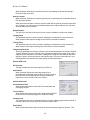
Keyboard Jog Window
While this window is open, arrow key presses will move the axis.
The Axis will only move while the keys are depressed. When the
keys are released the axis will stop immediately.
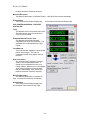
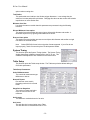
Parallel I/O Display
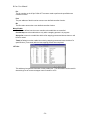
This function opens the Parallel I/O Display window. The
Parallel I/O Display shows the current logic states of the
parallel port pins. This function may be helpful when
diagnosing I/O problems.
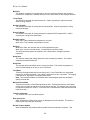
Save Form View
This function saves the current Plot, Gcode and CNC Controls window size and positions.
When KCam is started again, the forms will be loaded at the save size and position.
Load Default Form Positions
This function loads the default form size and positions. This may be useful if a form is
positioned out of reach after a screen resolution change.
MACHINE SETUPS
Create New Machine Setup
This function saves the machine setup to a storage file for later use.
Load Machine Setup
This function loads a saved machine setup file.
Machine Setup definition:
Machine setup files are the parameter files for different machines. An unlimited number of
Machine setups can be stored and reloaded. All parameter information like Table Setup, Port
Setup, Options, and Tool Lists are stored in the machine setup ASCII file. An example use
would be to store parameters for two different CNC machines. Another use would be to store
different parameters for different uses on the same machine, like drilling and routing PCB's.
Setup
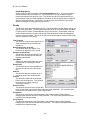
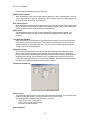
Options
Options General tab
Arc Resolution
The number of individual lines in a 360 degree arc. A higher
- 15 -