1
About VirusScan Software
All of the command-line scanners allow you to initiate targeted scan
operations from an MS-DOS Prompt or Command Prompt window, or
from protected MS-DOS mode. Ordinarily, you’ll use the VirusScan
application’s graphical user interface (GUI) to perform most scanning
operations, but if you have trouble starting Windows or if the VirusScan
GUI components will not run in your environment, you can use the
command-line scanners as a backup.
• Documentation. VirusScan software documentation includes:
–
A printed Getting Started Guide, which introduces the product,
provides installation instructions, outlines how to respond if you
suspect your computer has a virus, and provides a brief product
overview. The printed Getting Started Guide comes with the
VirusScan software copies distributed on CD-ROM discs—you can
also download it as VSC45WGS.PDF from Network Associates
website or from other electronic services.
–
This user’s guide saved on the VirusScan software CD-ROM or
installed on your hard disk in Adobe Acrobat .PDF format. You can
also download it as VSC45WUG.PDF from Network Associates
website or from other electronic services. The VirusScan User’s Guide
describes in detail how to use VirusScan and includes other
information useful as background or as advanced configuration
options. Acrobat .PDF files are flexible online documents that
contain hyperlinks, outlines and other aids for easy navigation and
information retrieval.
–
An administrator’s guide saved on the VirusScan software
CD-ROM or installed on your hard disk in Adobe Acrobat .PDF
format. You can also download it as VSC45WAG.PDF from
Network Associates website or from other electronic services. The
VirusScan Administrator’s Guide describes in detail how to manage
and configure VirusScan software from a local or remote desktop.
–
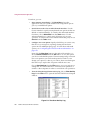
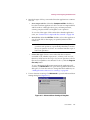
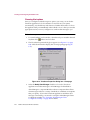
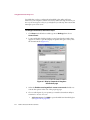
An online help file. This file gives you quick access to a full range of
topics that describe VirusScan software. You can open this file either
by choosing Help Topics from the Help menu in the VirusScan
main window, or by clicking any of the Help buttons displayed in
VirusScan dialog boxes.
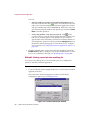
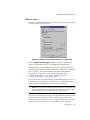
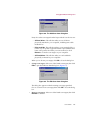
The help file also includes extensive context-sensitive—or “What's
This”—help. To see these help topics, right-click buttons, lists, icons,
some text boxes, and other elements that you see within dialog
boxes. You can also click the ? symbol at the top-right corner in most
dialog boxes, then click the element you want to see described to
display the relevant topic. The dialog boxes with Help buttons open
the help file to the specific topic that describes the entire dialog box.
30
McAfee VirusScan Anti-Virus Software