1
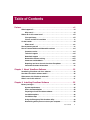
Table of Contents
Using the Console window . . . . . . . . . . . . . . . . . . . . . . . . . . . . . . . . . . . . . . .196
Working with default tasks . . . . . . . . . . . . . . . . . . . . . . . . . . . . . . . . . . .198
Working with the VShield task . . . . . . . . . . . . . . . . . . . . . . . . . . . . . . . .200
Working with the AutoUpgrade and AutoUpdate tasks . . . . . . . . . . . .201
Creating new tasks . . . . . . . . . . . . . . . . . . . . . . . . . . . . . . . . . . . . . . . . . . . . . .202
Enabling tasks . . . . . . . . . . . . . . . . . . . . . . . . . . . . . . . . . . . . . . . . . . . . . . . . . .206
Checking task status . . . . . . . . . . . . . . . . . . . . . . . . . . . . . . . . . . . . . . . .208
Configuring VirusScan application options . . . . . . . . . . . . . . . . . . . . . . . . . .210
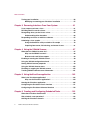
Chapter 7. Updating and Upgrading VirusScan Software . . . . . . . . . . 229
Developing an updating strategy . . . . . . . . . . . . . . . . . . . . . . . . . . . . . . . . . .229
Update and upgrade methods . . . . . . . . . . . . . . . . . . . . . . . . . . . . . . . . . . . . .230
Understanding the AutoUpdate utility . . . . . . . . . . . . . . . . . . . . . . . . . . . . . .232
Configuring the AutoUpdate Utility . . . . . . . . . . . . . . . . . . . . . . . . . . . . . . . . .233
Understanding the AutoUpgrade utility . . . . . . . . . . . . . . . . . . . . . . . . . . . . .242
Configuring the AutoUpgrade utility . . . . . . . . . . . . . . . . . . . . . . . . . . . . . . . .243
Using the AutoUpgrade and SuperDAT utilities together . . . . . . . . . .252
Deploying an EXTRA.DAT file . . . . . . . . . . . . . . . . . . . . . . . . . . . . . . . . .254
Chapter 8. Using Specialized Scanning Tools . . . . . . . . . . . . . . . . . . . 257
Scanning Microsoft Exchange and Outlook mail . . . . . . . . . . . . . . . . . . . . .257
When and why you should use the E-Mail Scan extension . . . . . . . . .257
Using the E-Mail Scan extension . . . . . . . . . . . . . . . . . . . . . . . . . . . . . . . . . . .258
Configuring the E-Mail Scan extension . . . . . . . . . . . . . . . . . . . . . . . . .259
Scanning cc:Mail . . . . . . . . . . . . . . . . . . . . . . . . . . . . . . . . . . . . . . . . . . . . . . . .273
Using the ScreenScan utility . . . . . . . . . . . . . . . . . . . . . . . . . . . . . . . . . . . . . .273
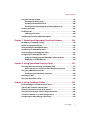
Chapter 9. Using VirusScan Utilities . . . . . . . . . . . . . . . . . . . . . . . . . . . 281
Understanding the VirusScan control panel . . . . . . . . . . . . . . . . . . . . . . . . .281
Opening the VirusScan control panel . . . . . . . . . . . . . . . . . . . . . . . . . . . . . . .281
Choosing VirusScan control panel options . . . . . . . . . . . . . . . . . . . . . . . . . .282
Using the Alert Manager Client Configuration utility . . . . . . . . . . . . . . . . . .285
VirusScan software as an Alert Manager client . . . . . . . . . . . . . . . . . . . . . . .286
Configuring the Alert Manager client utility . . . . . . . . . . . . . . . . . . . . . . . . . .286
User’s Guide
v