1
Improving Table Performance
Improving Table Performance
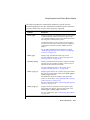
The following factors affect the performance that is associated with a table or
table fragment:
■
The placement of the table on the disk, as the previous sections
describe
■
The size of the table or fragment
■
The indexing strategy that you use
■
The size of table extents and how they are grouped
■
The frequency of table access
Estimating Table Size
This section describes how to calculate the approximate number of disk
pages required for tables.
After you have estimated the total table size, refer to “Planning a Fragmentation Strategy” on page 9-6 for information about fragmenting the table
across the coservers in your database server.
The disk pages that are allocated to a table or table fragment are collectively
referred to as a tblspace. Attached index pages and pages that store BYTE or
TEXT data are stored in separate tblspaces in the dbspace that contains the
associated data pages of the table.
The tblspace does not correspond to any single physical region in the chunks
assigned to the dbspace. The data extents and indexes that make up a table
can be scattered through the dbspace.
The following sections describe how to estimate the page count for each type
of page associated with a table.
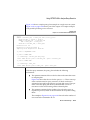
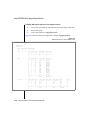
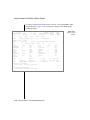
Tip: If an appropriate sample table already exists, or if you can use simulated data to
build a sample table of realistic size, you do not need to estimate. You can run onutil
CHECK INFO IN TABLE to obtain exact numbers.
Table Performance 6-15