1
2
GV-SD220 / SD220-S
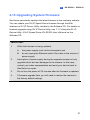
2.13 Upgrading System Firmware
GeoVision periodically updates the latest firmware to the company website.
You can update your GV-IP Speed Dome firmware through the Web
interface or GV IP Device Utility included in the Software CD. For details on
firmware upgrade using GV IP Device Utility, see 7.1.2 Using the GV IP
Device Utility, GV-IP Speed Dome GV-SD220 User’s Manual on the
Software CD.
IMPORTANT:
1.
While the firmware is being updated,
A.
the power supply must not be interrupted, and
B.
do not unplug the Ethernet cable if the cable is the source of
power supply.
2.
Interruption of power supply during the upgrade causes not only
upgrade failure but also damages to the camera. In this case,
contact your sales representative and send your device back to
GeoVision for repair.
3.
Do not turn the power off 10 minutes after the firmware is updated.
4.
If firmware upgrade fails, you will need to restore the camera to
the factory default settings.
27