1
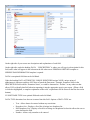
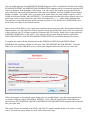
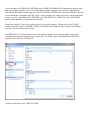
To insert the picture into your report, scroll through the REPORT BUILDER for <<PHOTO>> (with your
report open) and place your cursor where you want the photo to appear, then click INSERT from the REPORT
BUILDER.
Normally I ask customer to NOT struggle with a feature more than 5 minutes without picking up the phone
and calling me. For this, I say 15 minutes. I did NOT read the detailed, professionally and technically written
User Manual we include in the software. I just started clicking and playing around with the software to figure
out each of the many features. I have every confidence you will do the same, or CALL ME.
And thank you for attending TALEPI! Please remember to always bring your computer and software
questions when you come. I am always available to help you anytime with anything, and if I can’t figure it
out, I can certainly reach someone who can teach us both.
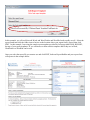
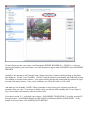
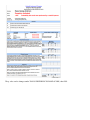
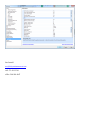
In our latest version 11.3, we include a new feature – ESS REPORT GENERATOR. To use this, open the PF
and open a chart. Click SERIES/EXAM>SCORE>SHOW SCORE then SHOW SCORE SHEET. At the
bottom of the score sheet, click GENERATE ESS REPORT.