1
Union Identification - Items 4 - 7
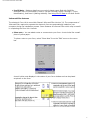
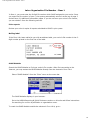
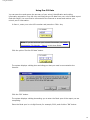
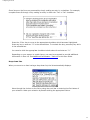
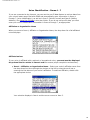
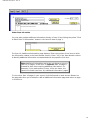
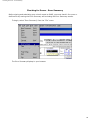
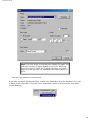
The Item 6 data entry field is divided into 3 sections to display a prefix, the core
designation number, and a suffix. The cursor first moves to the core designation number
section.
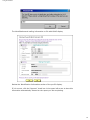
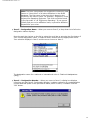
Enter your union’s core designation number in this middle section and press the <Tab>
key. For example if your union’s designation name and number is LU 899, enter "899."
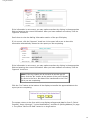
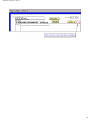
The number displays in the middle section and the cursor moves to the section in front
of the core number to add a prefix. Enter the prefix for your union's designation number,
if any, and press the <Tab> key to move to the suffix section. Enter the suffix, if any,
and press the <Tab> key to move to Item 7.
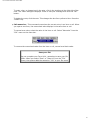
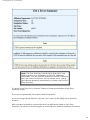
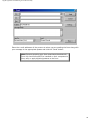
Note: The majority of affiliated unions have only a core
designation number. If your union's designation number has
no prefix or suffix, just press the <Tab> key twice after
entering the core number to move to Item 7.
●
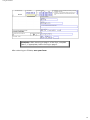
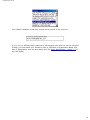
Item 7 – Unit Name – If your union has any additional or alternate name by which it is
known, such as "Chicago Area Local," enter the name in Item 7.
Unaffiliated unions
If your union is not affiliated with a national or international union, ignore the drop-down list
and complete Item 4 and Item 7 (if appropriate).
●
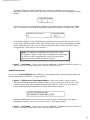
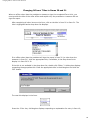
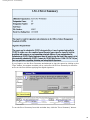
Item 4 – Affiliation or Organization Name – Enter your union’s name in Item 4.
Names of affiliated unions may display in Item 4 as you enter your union’s name. Just
continue typing until you complete the name and press the <Tab> key. Your union’s
name is automatically formatted in all upper case letters in Item 4.
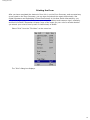
Because unaffiliated unions will not have entries in Item 5, Designation, and Item 6,
Designation Number, the cursor moves to Item 7, Unit Name (if any).
●
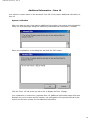
Item 7 – Unit Name – If your union has any additional or alternate name by which it is
known, such as "Chicago Area Local," enter the name in Item 7.
22