1
Finally, if your Internet Service Provider is blocking SMTP Port 25, which is the port used to send e-mail, you may
specify a different port:
SMTP Port:
25
Send the email message in HTML format:
Check this box to receive the email notification in HTML format. When sent in HTML format, the email contains the event
details, as well as, system information (security arming status and time of sunrise and sunset), temperatures (of all
thermostats and temperature sensors), and latest events (a listing of the most recent events in the system event log).
Record Video
Record Duration: enter the duration (in minutes) for the record operation. Video can be recorded up to 720 Minutes (12
hours).
Camera to Record: select the camera to be recorded from the drop-down list.
If no cameras are listed in the drop-down, add cameras to your list by clicking "Configure Cameras".
3.
Specify a name for this rule:
Enter a name for the rule. The rule name is displayed in the list of rules and is sent with email notifications.
The "Rule Description" is listed as you create the rule. After the rule has been created, click the "Create Rule" button to save the rule.
Enable/Disable/Delete a Rule
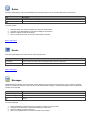
To enable a rule, left click the rule then select "Enable" from the drop-down list. Press the "Execute" button. The rule is now enabled.
To disable a rule, left click the rule then select "Disable" from the drop-down list. Press the "Execute" button. The rule is now disabled.
To delete a rule, left click the rule then select "Delete" from the drop-down list. Press the "Execute" button. The rule is now deleted.
Tip:
You can also right-click the rule and select "Enable", "Disable", or "Delete" from the context menu.
Edit SMTP Details
To edit the SMTP settings, left click the rule then select the "(Email Settings)" link next to the rule. You may select if an
SMTP server is used and edit the SMTP server address, User ID, Password, and SMTP port.
When a Rule Fires
When the event condition in the rule occurs (and if the rule is enabled), the "Last Event" column will contain the date and time when the
event took place.
1.
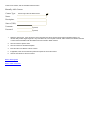
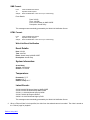
When an email rule is specified, an email is also sent to the specified email address in one of the following formats.