1
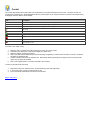
There are four main components that make up WL3:
1.
The server component:
®
The server add-in is responsible for the interaction between the HAI controller and the Windows Home Server. It also makes
the data available for web pages.
2.
The web client component:
The web client are web pages that are created by querying the server for needed information. The web pages are then
formatted and displayed on the appropriate device.
3.
The video component (HAI Video-Link 2):
The HAI Video-Link 2 broadcasts and/or records the video from IP cameras in your home or from public IP cameras around
town, such as traffic and weather cameras.
4.
The event manager component (HAI Event Manager):
The Event Manger keeps track of system events. When a predefined event (rule) occurs at your home, the status of the rule is
updated on the "Rules" page and an email or SMS message can be sent to alert you that the event occurred.
Please review this file which contains necessary and helpful information on the installation, configuration, and operation of this
software.
Back to Table of Contents
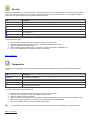
System Requirements
1.
2.
3.
4.
5.
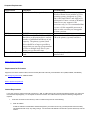
HAI Controller Requirements
Computer Requirements
Requirements for Cameras
Internet Requirements
Back to Table of Contents
HAI Controller Requirements:
1.
HAI Omni IIe, OmniPro II, Lumina, and Lumina Pro controller.
2.
The PC running WL3 connects to the HAI controller through the built-in Ethernet interface on an Omni IIe, OmniPro II, Lumina,
or Lumina Pro controller. Use a standard network cable to connect the controller to a hub, switch, or router.
Back to System Requirements