1
3 SET-UP
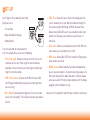
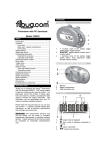
Your Fitbug has three modes for what it will
display on screen.
• Set-up mode
DAILY
• Daily mode (default display)
• Memory mode
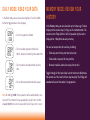
Press the top button for a few seconds to
enter set-up mode. Here, you can set the following:
• STR – Stride length. Choose centimetres or inches, then use the
arrow keys to enter your stride length for accurate distance
calculation. You can measure your stride length or multiply your
height in centimetres by 0.4.
• STRE – Stride extender. Select on or off. With this feature ON,
your Fitbug will automatically increase your stride length when
you are running.
• WEI – Weight. Choose pounds or kilograms, then use the arrow
keys to enter your weight. This will help us calculate your calories
burned.
• TIME – Time. Choose 24-hour or 12-hour time display and then
use the arrow keys to set your local time. Advance through the
hours to change from AM through to PM for afternoon times.
Because many LEAP4LIFE events have a deadline for when your
activity must take place, you should ensure your time is set
accurately.
• ALM – Alarm. Choose to set a daily alarm or turn it off. When the
alarm sounds, press any button to turn it off.
• BEEP – Beep. Choose ON or OFF for the sounds the Fitbug makes
when buttons are pushed.
• BEACO – Beacon. Choose how often your data will upload when
you are near your computer. The more frequently you beacon, the
faster your battery will run down. Remember, it will only beacon
when you are within 15 metres of your computer, with the dongle
plugged in and the software running.
You can press the top button to confirm your selection on each screen.