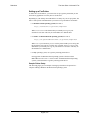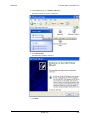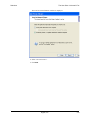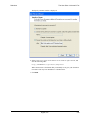
1
Switchvox Administrator Manual 601-00014-A Digium, Inc. April 7, 2009 Switchvox Contents What’s New in SMB Version 4.0? . . . . . . . . . . . . . . . . . . . . . . 10 Unified Communications . . . . . . . . . . . . . . . . . . . . . . . . . . . . . . . . . . . . . . . .10 Admin Features . . . . . . . . . . . . . . . . . . . . . . . . . . . . . . . . . . . . . . . . . . . . . . .11 User Features . . . . . . . . . . . . . . . . . . . . . . . . . . . . . . . . . . . . . . . . . . . . . . . .13 Switchboard Features . . . . . . . . . . . . . . . . . . . . . . . . . . . . . . . . . . . . . . . . . .14 Feature Removed . . . . . . . . . . . . . . . . . . . . . . . . . . . . . . . . . . . . . . . . . . . . .14 The Admin Suite . . . . . . . . . . . . . . . . . . . . . . . . . . . . . . . . . . . . 15 Getting Started . . . . . . . . . . . . . . . . . . . . . . . . . . . . . . . . . . . 16 Installing Your System . . . . . . . . . . . . . . . . . . . . . . . . . . . . . . . . . . . . . . . . . .16 Installing the Software from CD-ROM . . . . . . . . . . . . . . . . . . . . . . . . . . .16 Setting the Time Zone . . . . . . . . . . . . . . . . . . . . . . . . . . . . . . . . . . . .16 Formatting the Hard Drive and Installing the Software. . . . . . . . . . . .16 Configuring Your Network . . . . . . . . . . . . . . . . . . . . . . . . . . . . . . . . . . . .17 Using a Static IP Address. . . . . . . . . . . . . . . . . . . . . . . . . . . . . . . . . .17 Using DHCP . . . . . . . . . . . . . . . . . . . . . . . . . . . . . . . . . . . . . . . . . . . .17 The Switchvox Admin Suite URL . . . . . . . . . . . . . . . . . . . . . . . . . . . . . . .18 Basic Server Functions . . . . . . . . . . . . . . . . . . . . . . . . . . . . . . . . . . . . . .18 About the Admin Suite . . . . . . . . . . . . . . . . . . . . . . . . . . . . . . . . . . . . . . . . . .19 Logging Into the Admin Suite . . . . . . . . . . . . . . . . . . . . . . . . . . . . . . . . . .19 Navigating the Admin Suite . . . . . . . . . . . . . . . . . . . . . . . . . . . . . . . . . . .20 Getting Help . . . . . . . . . . . . . . . . . . . . . . . . . . . . . . . . . . . . . . . . . . . . . . .21 Registering Switchvox . . . . . . . . . . . . . . . . . . . . . . . . . . . . . . . . . . . . . . . . . .21 Updating Switchvox . . . . . . . . . . . . . . . . . . . . . . . . . . . . . . . . . . . . . . . . . . . .22 Supported Phones . . . . . . . . . . . . . . . . . . . . . . . . . . . . . . . . . . . . . . . . . . . . .23 SIP Phones . . . . . . . . . . . . . . . . . . . . . . . . . . . . . . . . . . . . . . . . . . . .23 Analog Phones . . . . . . . . . . . . . . . . . . . . . . . . . . . . . . . . . . . . . . . . . .23 Video Phones . . . . . . . . . . . . . . . . . . . . . . . . . . . . . . . . . . . . . . . . . . .23 Making Your First Call . . . . . . . . . . . . . . . . . . . . . . . . . . . . . . . . . . . . . . . . . .23 About Faxing . . . . . . . . . . . . . . . . . . . . . . . . . . . . . . . . . . . . . . . . . . . . . . . . .24 Incoming Faxes . . . . . . . . . . . . . . . . . . . . . . . . . . . . . . . . . . . . . . . . .24 Outgoing Faxes . . . . . . . . . . . . . . . . . . . . . . . . . . . . . . . . . . . . . . . . .24 About Chatting . . . . . . . . . . . . . . . . . . . . . . . . . . . . . . . . . . . . . . . . . . . . . . . .25 About Video Calling . . . . . . . . . . . . . . . . . . . . . . . . . . . . . . . . . . . . . . . . . . . .25 System Setup . . . . . . . . . . . . . . . . . . . . . . . . . . . . . . . . . . . . 26 Hardware Setup . . . . . . . . . . . . . . . . . . . . . . . . . . . . . . . . . . . . . . . . . . . . . . .26 Hardware Devices . . . . . . . . . . . . . . . . . . . . . . . . . . . . . . . . . . . . . . . . . .26 Hardware Country Settings . . . . . . . . . . . . . . . . . . . . . . . . . . . . . . . . . . .26 Echo Reduction . . . . . . . . . . . . . . . . . . . . . . . . . . . . . . . . . . . . . . . . . . . .27 Troubleshooting . . . . . . . . . . . . . . . . . . . . . . . . . . . . . . . . . . . . . . . . . . . .27 Channel Admin. . . . . . . . . . . . . . . . . . . . . . . . . . . . . . . . . . . . . . . . . . . . . . . .27 Device Types . . . . . . . . . . . . . . . . . . . . . . . . . . . . . . . . . . . . . . . . . . . . . .28 Digium, Inc. 2 Switchvox FXO and FXS . . . . . . . . . . . . . . . . . . . . . . . . . . . . . . . . . . . . . . . . . . .28 PRI . . . . . . . . . . . . . . . . . . . . . . . . . . . . . . . . . . . . . . . . . . . . . . . . . . .28 BRI . . . . . . . . . . . . . . . . . . . . . . . . . . . . . . . . . . . . . . . . . . . . . . . . . . .29 E&M Signaling . . . . . . . . . . . . . . . . . . . . . . . . . . . . . . . . . . . . . . . . . .29 Phone Setup . . . . . . . . . . . . . . . . . . . . . . . . . . . . . . . . . . . . . . . . . . . . . . . . .29 Unknown Phones . . . . . . . . . . . . . . . . . . . . . . . . . . . . . . . . . . . . . . . . . . .30 Unconfigured Phones. . . . . . . . . . . . . . . . . . . . . . . . . . . . . . . . . . . . . . . .31 Configured Phones . . . . . . . . . . . . . . . . . . . . . . . . . . . . . . . . . . . . . . . . .32 Advanced Options . . . . . . . . . . . . . . . . . . . . . . . . . . . . . . . . . . . . . . . . . .32 Digit Map Options. . . . . . . . . . . . . . . . . . . . . . . . . . . . . . . . . . . . . . . .32 Phone Discovery Options: DHCP Sniping . . . . . . . . . . . . . . . . . . . . .33 Making Phones Visible to Switchvox . . . . . . . . . . . . . . . . . . . . . . . . . . . .33 VOIP Providers . . . . . . . . . . . . . . . . . . . . . . . . . . . . . . . . . . . . . . . . . . . . . . .34 Adding a SIP Provider . . . . . . . . . . . . . . . . . . . . . . . . . . . . . . . . . . . . . . .34 Advanced Options . . . . . . . . . . . . . . . . . . . . . . . . . . . . . . . . . . . . . . .36 Peer Settings . . . . . . . . . . . . . . . . . . . . . . . . . . . . . . . . . . . . . . . .36 Caller ID Settings . . . . . . . . . . . . . . . . . . . . . . . . . . . . . . . . . . . . .37 Connection Settings . . . . . . . . . . . . . . . . . . . . . . . . . . . . . . . . . . .37 Call Settings . . . . . . . . . . . . . . . . . . . . . . . . . . . . . . . . . . . . . . . . .38 Fax Settings . . . . . . . . . . . . . . . . . . . . . . . . . . . . . . . . . . . . . . . . .40 Adding an IAX Provider . . . . . . . . . . . . . . . . . . . . . . . . . . . . . . . . . . . . . .41 Advanced Options . . . . . . . . . . . . . . . . . . . . . . . . . . . . . . . . . . . . . . .43 Peer Settings . . . . . . . . . . . . . . . . . . . . . . . . . . . . . . . . . . . . . . . .43 Connection Settings . . . . . . . . . . . . . . . . . . . . . . . . . . . . . . . . . . .44 Call Settings . . . . . . . . . . . . . . . . . . . . . . . . . . . . . . . . . . . . . . . . .45 Fax Settings . . . . . . . . . . . . . . . . . . . . . . . . . . . . . . . . . . . . . . . . .45 Adding a Switchvox Peer . . . . . . . . . . . . . . . . . . . . . . . . . . . . . . . . . . . . .46 Downloading and Renaming your RSA Key . . . . . . . . . . . . . . . . . . . . . .48 Setting an RTP Port Range . . . . . . . . . . . . . . . . . . . . . . . . . . . . . . . . . . .48 Outgoing Calls . . . . . . . . . . . . . . . . . . . . . . . . . . . . . . . . . . . . . . . . . . . . . . . .49 Outgoing Call Rules . . . . . . . . . . . . . . . . . . . . . . . . . . . . . . . . . . . . . . . . .49 Creating a New Outgoing Rule. . . . . . . . . . . . . . . . . . . . . . . . . . . . . .49 Modifying an Outgoing Rule . . . . . . . . . . . . . . . . . . . . . . . . . . . . . . . .51 Deleting an Outgoing Rule . . . . . . . . . . . . . . . . . . . . . . . . . . . . . . . . .51 Outgoing Caller ID Rules . . . . . . . . . . . . . . . . . . . . . . . . . . . . . . . . . . . . .51 Outgoing Call Diagnostics . . . . . . . . . . . . . . . . . . . . . . . . . . . . . . . . . . . .52 Incoming Calls . . . . . . . . . . . . . . . . . . . . . . . . . . . . . . . . . . . . . . . . . . . . . . . .52 Incoming Call Rules . . . . . . . . . . . . . . . . . . . . . . . . . . . . . . . . . . . . . . . . .52 Modifying Incoming Call Rules . . . . . . . . . . . . . . . . . . . . . . . . . . . . . .54 Deleting Incoming Call Rules . . . . . . . . . . . . . . . . . . . . . . . . . . . . . . .54 Incoming Call Routes . . . . . . . . . . . . . . . . . . . . . . . . . . . . . . . . . . . . . . . .54 Modifying Incoming Call Routes. . . . . . . . . . . . . . . . . . . . . . . . . . . . .55 Deleting Incoming Call Routes . . . . . . . . . . . . . . . . . . . . . . . . . . . . . .55 Voicemail Settings . . . . . . . . . . . . . . . . . . . . . . . . . . . . . . . . . . . . . . . . . . . . .56 Voicemail Notification Settings . . . . . . . . . . . . . . . . . . . . . . . . . . . . . . . . .56 Running Voicemail Notification Diagnostics . . . . . . . . . . . . . . . . . . . . . . .56 Voicemail Routing . . . . . . . . . . . . . . . . . . . . . . . . . . . . . . . . . . . . . . . . . .57 Voicemail Email Templates . . . . . . . . . . . . . . . . . . . . . . . . . . . . . . . . . . .57 Creating Voicemail Email Templates . . . . . . . . . . . . . . . . . . . . . . . . .57 Digium, Inc. 3 Switchvox Viewing & Modifying Voicemail Email Templates. . . . . . . . . . . . . . . .58 Deleting Voicemail Email Templates . . . . . . . . . . . . . . . . . . . . . . . . .58 External Voicemail . . . . . . . . . . . . . . . . . . . . . . . . . . . . . . . . . . . . . . . . . .60 Custom Voicemail Message Length. . . . . . . . . . . . . . . . . . . . . . . . . . . . .61 URL Manager. . . . . . . . . . . . . . . . . . . . . . . . . . . . . . . . . . . . . . . . . . . . . . . . .61 Default URL . . . . . . . . . . . . . . . . . . . . . . . . . . . . . . . . . . . . . . . . . . . . . . .61 Events . . . . . . . . . . . . . . . . . . . . . . . . . . . . . . . . . . . . . . . . . . . . . . . . . . .61 Variables . . . . . . . . . . . . . . . . . . . . . . . . . . . . . . . . . . . . . . . . . . . . . . . . .62 XML Response. . . . . . . . . . . . . . . . . . . . . . . . . . . . . . . . . . . . . . . . . . . . .63 Extensions . . . . . . . . . . . . . . . . . . . . . . . . . . . . . . . . . . . . . . . 65 Manage Extensions . . . . . . . . . . . . . . . . . . . . . . . . . . . . . . . . . . . . . . . . . . . .65 Viewing Extensions . . . . . . . . . . . . . . . . . . . . . . . . . . . . . . . . . . . . . . . . .65 Extension Types. . . . . . . . . . . . . . . . . . . . . . . . . . . . . . . . . . . . . . . . . . . .66 Phone Types . . . . . . . . . . . . . . . . . . . . . . . . . . . . . . . . . . . . . . . . . . .66 Other Types . . . . . . . . . . . . . . . . . . . . . . . . . . . . . . . . . . . . . . . . . . . .66 Creating One Extension . . . . . . . . . . . . . . . . . . . . . . . . . . . . . . . . . . . . . .67 Phone and Virtual Extensions . . . . . . . . . . . . . . . . . . . . . . . . . . . . . .68 Extension Settings . . . . . . . . . . . . . . . . . . . . . . . . . . . . . . . . . . . .68 Advanced Options . . . . . . . . . . . . . . . . . . . . . . . . . . . . . . . . . . . .69 Phone Settings . . . . . . . . . . . . . . . . . . . . . . . . . . . . . . . . . . . . . . .69 Advanced Options . . . . . . . . . . . . . . . . . . . . . . . . . . . . . . . . . . . .69 Enable PBX Features . . . . . . . . . . . . . . . . . . . . . . . . . . . . . . . . . .71 Outgoing Call Rules . . . . . . . . . . . . . . . . . . . . . . . . . . . . . . . . . . .72 Extension Groups . . . . . . . . . . . . . . . . . . . . . . . . . . . . . . . . . . . . .72 IVR (Interactive Voice Response) Extensions . . . . . . . . . . . . . . . . . .72 Simple Conference Room Extensions . . . . . . . . . . . . . . . . . . . . . . . .73 Meet-me Conference Center Extensions . . . . . . . . . . . . . . . . . . . . . .74 Group Pickup Extensions . . . . . . . . . . . . . . . . . . . . . . . . . . . . . . . . . .75 Intercom / Paging Extensions. . . . . . . . . . . . . . . . . . . . . . . . . . . . . . .77 Intercom Users and Admins . . . . . . . . . . . . . . . . . . . . . . . . . . . . .78 Directory Extension . . . . . . . . . . . . . . . . . . . . . . . . . . . . . . . . . . . . . .78 Directory Settings . . . . . . . . . . . . . . . . . . . . . . . . . . . . . . . . . . . . .78 Directory Members . . . . . . . . . . . . . . . . . . . . . . . . . . . . . . . . . . . .79 Voicemail Access Extension . . . . . . . . . . . . . . . . . . . . . . . . . . . . . . .79 Call Parking Extensions . . . . . . . . . . . . . . . . . . . . . . . . . . . . . . . . . . .80 Dial Tone Extensions . . . . . . . . . . . . . . . . . . . . . . . . . . . . . . . . . . . . .81 Feature Code Extensions. . . . . . . . . . . . . . . . . . . . . . . . . . . . . . . . . .81 Call Queue Extensions. . . . . . . . . . . . . . . . . . . . . . . . . . . . . . . . . . . .85 Call Queue Setup . . . . . . . . . . . . . . . . . . . . . . . . . . . . . . . . . . . . .85 Call Queue Member Settings . . . . . . . . . . . . . . . . . . . . . . . . . . . .86 Caller Experience Settings . . . . . . . . . . . . . . . . . . . . . . . . . . . . . .89 In Queue Call Routing Settings . . . . . . . . . . . . . . . . . . . . . . . . . .91 Agent Log In Extensions . . . . . . . . . . . . . . . . . . . . . . . . . . . . . . . . . .93 Agent Log Out Extensions . . . . . . . . . . . . . . . . . . . . . . . . . . . . . . . . .94 Modifying one Extension . . . . . . . . . . . . . . . . . . . . . . . . . . . . . . . . . . . . .95 Deleting one Extension . . . . . . . . . . . . . . . . . . . . . . . . . . . . . . . . . . . . . .95 Creating & Updating Multiple Extensions . . . . . . . . . . . . . . . . . . . . . . . . .95 Bulk Import Extensions Settings. . . . . . . . . . . . . . . . . . . . . . . . . . . . .96 Bulk Import Extensions Evaluation. . . . . . . . . . . . . . . . . . . . . . . . . . .98 Digium, Inc. 4 Switchvox Extension Templates . . . . . . . . . . . . . . . . . . . . . . . . . . . . . . . . . . . . . . . . . . .99 Creating an Extension Template . . . . . . . . . . . . . . . . . . . . . . . . . . . . . . .99 Deleting an Extension Template . . . . . . . . . . . . . . . . . . . . . . . . . . . . . . .99 Modifying an Extension Template . . . . . . . . . . . . . . . . . . . . . . . . . . . . . .99 Extension Settings . . . . . . . . . . . . . . . . . . . . . . . . . . . . . . . . . . . . . . . . . . . .100 Extension Groups. . . . . . . . . . . . . . . . . . . . . . . . . . . . . . . . . . . . . . . . . . . . .101 Creating a New Extension Group. . . . . . . . . . . . . . . . . . . . . . . . . . . . . .101 Modifying an Extension Group . . . . . . . . . . . . . . . . . . . . . . . . . . . . . . . .102 Deleting an Extension Group . . . . . . . . . . . . . . . . . . . . . . . . . . . . . . . . .102 Extension Permissions. . . . . . . . . . . . . . . . . . . . . . . . . . . . . . . . . . . . . . . . .102 PBX Features . . . . . . . . . . . . . . . . . . . . . . . . . . . . . . . . . . . 105 Music On Hold . . . . . . . . . . . . . . . . . . . . . . . . . . . . . . . . . . . . . . . . . . . . . . .105 Managing Music On Hold . . . . . . . . . . . . . . . . . . . . . . . . . . . . . . . . . . . .105 Adding a Group . . . . . . . . . . . . . . . . . . . . . . . . . . . . . . . . . . . . . . . .105 Modifying a Group . . . . . . . . . . . . . . . . . . . . . . . . . . . . . . . . . . . . . .106 Deleting a Group . . . . . . . . . . . . . . . . . . . . . . . . . . . . . . . . . . . . . . .106 Uploading a Song. . . . . . . . . . . . . . . . . . . . . . . . . . . . . . . . . . . . . . .106 Moving or Copying Songs . . . . . . . . . . . . . . . . . . . . . . . . . . . . . . . .107 Deleting Songs . . . . . . . . . . . . . . . . . . . . . . . . . . . . . . . . . . . . . . . . .107 Adding a Codec . . . . . . . . . . . . . . . . . . . . . . . . . . . . . . . . . . . . . . . .107 Deleting a Codec . . . . . . . . . . . . . . . . . . . . . . . . . . . . . . . . . . . . . . .108 IVR Editor. . . . . . . . . . . . . . . . . . . . . . . . . . . . . . . . . . . . . . . . . . . . . . . . . . .108 Creating a New IVR Menu . . . . . . . . . . . . . . . . . . . . . . . . . . . . . . . . . . .109 Adding & Modifying IVR Actions . . . . . . . . . . . . . . . . . . . . . . . . . . . . . .110 Interruptible Actions . . . . . . . . . . . . . . . . . . . . . . . . . . . . . . . . . . . . .110 Play Sound . . . . . . . . . . . . . . . . . . . . . . . . . . . . . . . . . . . . . . . . . . . .111 Play Sound: Advanced Options . . . . . . . . . . . . . . . . . . . . . . . . .111 Record Sound . . . . . . . . . . . . . . . . . . . . . . . . . . . . . . . . . . . . . . . . .111 Play Recorded Sound . . . . . . . . . . . . . . . . . . . . . . . . . . . . . . . . . . .111 Send an Email . . . . . . . . . . . . . . . . . . . . . . . . . . . . . . . . . . . . . . . . .112 Send Recorded Sound to Voicemail . . . . . . . . . . . . . . . . . . . . . . . .112 Store Recorded Sound in Sound Manager . . . . . . . . . . . . . . . . . . .113 Upload Recorded Sound . . . . . . . . . . . . . . . . . . . . . . . . . . . . . . . . .113 Merge Sounds . . . . . . . . . . . . . . . . . . . . . . . . . . . . . . . . . . . . . . . . .114 Play Sound From URL . . . . . . . . . . . . . . . . . . . . . . . . . . . . . . . . . . .114 Gate Keeper . . . . . . . . . . . . . . . . . . . . . . . . . . . . . . . . . . . . . . . . . . .114 Conditional Clause . . . . . . . . . . . . . . . . . . . . . . . . . . . . . . . . . . . . . .115 Time Based Clause . . . . . . . . . . . . . . . . . . . . . . . . . . . . . . . . . . . . .115 Change Language . . . . . . . . . . . . . . . . . . . . . . . . . . . . . . . . . . . . . .115 Alter Caller ID . . . . . . . . . . . . . . . . . . . . . . . . . . . . . . . . . . . . . . . . . .116 Wait . . . . . . . . . . . . . . . . . . . . . . . . . . . . . . . . . . . . . . . . . . . . . . . . .116 Give Busy Signal . . . . . . . . . . . . . . . . . . . . . . . . . . . . . . . . . . . . . . .116 Hang Up . . . . . . . . . . . . . . . . . . . . . . . . . . . . . . . . . . . . . . . . . . . . . .116 Dial Extension . . . . . . . . . . . . . . . . . . . . . . . . . . . . . . . . . . . . . . . . .116 Send to Voicemail . . . . . . . . . . . . . . . . . . . . . . . . . . . . . . . . . . . . . .116 Send to External Number . . . . . . . . . . . . . . . . . . . . . . . . . . . . . . . . .117 Go To IVR Menu / Action . . . . . . . . . . . . . . . . . . . . . . . . . . . . . . . . .117 Record Digits . . . . . . . . . . . . . . . . . . . . . . . . . . . . . . . . . . . . . . . . . .117 Say Digits/Letters . . . . . . . . . . . . . . . . . . . . . . . . . . . . . . . . . . . . . . .117 Digium, Inc. 5 Switchvox Say A Number . . . . . . . . . . . . . . . . . . . . . . . . . . . . . . . . . . . . . . . . .118 Say Date/Time . . . . . . . . . . . . . . . . . . . . . . . . . . . . . . . . . . . . . . . . .118 Play DTMF Tones . . . . . . . . . . . . . . . . . . . . . . . . . . . . . . . . . . . . . .118 Perform Math . . . . . . . . . . . . . . . . . . . . . . . . . . . . . . . . . . . . . . . . . .118 Set Variable . . . . . . . . . . . . . . . . . . . . . . . . . . . . . . . . . . . . . . . . . . .119 Set Global Variable . . . . . . . . . . . . . . . . . . . . . . . . . . . . . . . . . . . . .119 Get Global Variable . . . . . . . . . . . . . . . . . . . . . . . . . . . . . . . . . . . . .119 Concatenate Variables . . . . . . . . . . . . . . . . . . . . . . . . . . . . . . . . . . .119 Send Call Values to URL . . . . . . . . . . . . . . . . . . . . . . . . . . . . . . . . .120 URL . . . . . . . . . . . . . . . . . . . . . . . . . . . . . . . . . . . . . . . . . . . . . .120 XML and Returned Values . . . . . . . . . . . . . . . . . . . . . . . . . . . . .120 Get Extension Status . . . . . . . . . . . . . . . . . . . . . . . . . . . . . . . . . . . .121 Get Extension Type . . . . . . . . . . . . . . . . . . . . . . . . . . . . . . . . . . . . .121 Check User Password . . . . . . . . . . . . . . . . . . . . . . . . . . . . . . . . . . .122 Adding & Modifying IVR Options . . . . . . . . . . . . . . . . . . . . . . . . . . . . . .122 A Sample IVR Menu. . . . . . . . . . . . . . . . . . . . . . . . . . . . . . . . . . . . . . . .123 Sounds . . . . . . . . . . . . . . . . . . . . . . . . . . . . . . . . . . . . . . . . . . . . . . .124 IVR Menus . . . . . . . . . . . . . . . . . . . . . . . . . . . . . . . . . . . . . . . . . . . .125 Play Sound: Greeting . . . . . . . . . . . . . . . . . . . . . . . . . . . . . . . . .127 Time Based Clause: Business Hours? . . . . . . . . . . . . . . . . . . . .128 Option *: Start at Main . . . . . . . . . . . . . . . . . . . . . . . . . . . . . . . .129 Option 1: Dial Directory . . . . . . . . . . . . . . . . . . . . . . . . . . . . . . .130 Option 2: Play Service Announcement. . . . . . . . . . . . . . . . . . . .131 Option 3: Customer Service . . . . . . . . . . . . . . . . . . . . . . . . . . . .132 Option 3: Customer Service Time Based Clause . . . . . . . . . . . .133 Dial CS Voicemail. . . . . . . . . . . . . . . . . . . . . . . . . . . . . . . . . . . .134 Go to IVR Menu: Dial CS . . . . . . . . . . . . . . . . . . . . . . . . . . . . . .135 Dial CS . . . . . . . . . . . . . . . . . . . . . . . . . . . . . . . . . . . . . . . . . . . .136 Extensions . . . . . . . . . . . . . . . . . . . . . . . . . . . . . . . . . . . . . . . . . . . .137 Testing . . . . . . . . . . . . . . . . . . . . . . . . . . . . . . . . . . . . . . . . . . . . . . .137 A Working IVR . . . . . . . . . . . . . . . . . . . . . . . . . . . . . . . . . . . . . . . . .137 Sound Manager . . . . . . . . . . . . . . . . . . . . . . . . . . . . . . . . . . . . . . . . . . . . . .138 Adding a Sound . . . . . . . . . . . . . . . . . . . . . . . . . . . . . . . . . . . . . . . . . . .139 Modifying/Playing a Sound. . . . . . . . . . . . . . . . . . . . . . . . . . . . . . . . . . .140 Deleting a Sound . . . . . . . . . . . . . . . . . . . . . . . . . . . . . . . . . . . . . . . . . .140 Moving a Sound into a Folder . . . . . . . . . . . . . . . . . . . . . . . . . . . . . . . .140 About Sound Packs . . . . . . . . . . . . . . . . . . . . . . . . . . . . . . . . . . . . . . . .141 Managing Folders . . . . . . . . . . . . . . . . . . . . . . . . . . . . . . . . . . . . . . . . .141 Adding a New Folder . . . . . . . . . . . . . . . . . . . . . . . . . . . . . . . . . . . .141 Modifying a Folder . . . . . . . . . . . . . . . . . . . . . . . . . . . . . . . . . . . . . .141 Deleting a Folder . . . . . . . . . . . . . . . . . . . . . . . . . . . . . . . . . . . . . . .142 Managing Languages. . . . . . . . . . . . . . . . . . . . . . . . . . . . . . . . . . . . . . .142 Adding a New Language . . . . . . . . . . . . . . . . . . . . . . . . . . . . . . . . .142 Modifying a Language . . . . . . . . . . . . . . . . . . . . . . . . . . . . . . . . . . .142 Deleting a Language . . . . . . . . . . . . . . . . . . . . . . . . . . . . . . . . . . . .142 Setting a Default Language . . . . . . . . . . . . . . . . . . . . . . . . . . . . . . .142 Time Frames . . . . . . . . . . . . . . . . . . . . . . . . . . . . . . . . . . . . . . . . . . . . . . . .143 Creating a New Time Frame . . . . . . . . . . . . . . . . . . . . . . . . . . . . . . . . .143 Editing a Time Frame . . . . . . . . . . . . . . . . . . . . . . . . . . . . . . . . . . . . . . .144 Digium, Inc. 6 Switchvox Deleting a Time Frame. . . . . . . . . . . . . . . . . . . . . . . . . . . . . . . . . . . . . .144 Call Recording . . . . . . . . . . . . . . . . . . . . . . . . . . . . . . . . . . . . . . . . . . . . . . .145 Viewing & Playing Recorded Calls . . . . . . . . . . . . . . . . . . . . . . . . . . . . .145 Filter Options . . . . . . . . . . . . . . . . . . . . . . . . . . . . . . . . . . . . . . . . . .145 About Call Recording Settings . . . . . . . . . . . . . . . . . . . . . . . . . . . . . . . .146 Scheduling a New Call Recording . . . . . . . . . . . . . . . . . . . . . . . . . . . . .147 Deleting Recorded Calls . . . . . . . . . . . . . . . . . . . . . . . . . . . . . . . . . . . .147 Switchboard Plugins. . . . . . . . . . . . . . . . . . . . . . . . . . . . . . . . . . . . . . . . . . .149 Standard Panels. . . . . . . . . . . . . . . . . . . . . . . . . . . . . . . . . . . . . . . . . . .149 SugarCRM® . . . . . . . . . . . . . . . . . . . . . . . . . . . . . . . . . . . . . . . . . . . . . . . . . . . . . . . . . . . . . . . . . . . . . . . . . . . 149 Salesforce.com. . . . . . . . . . . . . . . . . . . . . . . . . . . . . . . . . . . . . . . . .150 GoogleTM Maps . . . . . . . . . . . . . . . . . . . . . . . . . . . . . . . . . . . . . . . .151 Custom Panels . . . . . . . . . . . . . . . . . . . . . . . . . . . . . . . . . . . . . . . . . . . .151 URL Variables . . . . . . . . . . . . . . . . . . . . . . . . . . . . . . . . . . . . . . . . .151 Diagnostics . . . . . . . . . . . . . . . . . . . . . . . . . . . . . . . . . . . . . 153 System Status . . . . . . . . . . . . . . . . . . . . . . . . . . . . . . . . . . . . . . . . . . . . . . .153 VOIP Providers . . . . . . . . . . . . . . . . . . . . . . . . . . . . . . . . . . . . . . . . . . .153 SIP Phones . . . . . . . . . . . . . . . . . . . . . . . . . . . . . . . . . . . . . . . . . . . . . .154 Hardware Devices . . . . . . . . . . . . . . . . . . . . . . . . . . . . . . . . . . . . . . . . .154 Voicemail/Fax Disk Usage . . . . . . . . . . . . . . . . . . . . . . . . . . . . . . . . . . .155 Current Calls . . . . . . . . . . . . . . . . . . . . . . . . . . . . . . . . . . . . . . . . . . . . . . . .155 Queue Status . . . . . . . . . . . . . . . . . . . . . . . . . . . . . . . . . . . . . . . . . . . . . . . .157 Statistics . . . . . . . . . . . . . . . . . . . . . . . . . . . . . . . . . . . . . . . . . . . . . . . . .157 Member Status . . . . . . . . . . . . . . . . . . . . . . . . . . . . . . . . . . . . . . . . . . . .157 Current Calls Waiting . . . . . . . . . . . . . . . . . . . . . . . . . . . . . . . . . . . . . . .157 Past Statistics. . . . . . . . . . . . . . . . . . . . . . . . . . . . . . . . . . . . . . . . . . . . .157 Queue Reports. . . . . . . . . . . . . . . . . . . . . . . . . . . . . . . . . . . . . . . . . . . . . . .158 Call Queue Reports . . . . . . . . . . . . . . . . . . . . . . . . . . . . . . . . . . . . . . . .158 Call Queue Member Reports . . . . . . . . . . . . . . . . . . . . . . . . . . . . . . . . .158 Call Log . . . . . . . . . . . . . . . . . . . . . . . . . . . . . . . . . . . . . . . . . . . . . . . . . . . .159 Call Reporting . . . . . . . . . . . . . . . . . . . . . . . . . . . . . . . . . . . . . . . . . . . . . . .160 Scheduled Reports. . . . . . . . . . . . . . . . . . . . . . . . . . . . . . . . . . . . . . . . . . . .161 Hardware Monitor. . . . . . . . . . . . . . . . . . . . . . . . . . . . . . . . . . . . . . . . . . . . .163 Error Log . . . . . . . . . . . . . . . . . . . . . . . . . . . . . . . . . . . . . . . . . . . . . . . . . . .164 Advanced Debugging . . . . . . . . . . . . . . . . . . . . . . . . . . . . . . . . . . . . . . .164 TSR Report . . . . . . . . . . . . . . . . . . . . . . . . . . . . . . . . . . . . . . . . . . . . . . . . .165 Machine Admin . . . . . . . . . . . . . . . . . . . . . . . . . . . . . . . . . . 166 Network Settings . . . . . . . . . . . . . . . . . . . . . . . . . . . . . . . . . . . . . . . . . . . . .166 Advanced Options . . . . . . . . . . . . . . . . . . . . . . . . . . . . . . . . . . . . . . . . .168 Access Control . . . . . . . . . . . . . . . . . . . . . . . . . . . . . . . . . . . . . . . . . . . . . . .169 Access Control Rules . . . . . . . . . . . . . . . . . . . . . . . . . . . . . . . . . . . . . . .169 Creating an Access Control Rule . . . . . . . . . . . . . . . . . . . . . . . . . . .169 Modifying an Access Control Rule . . . . . . . . . . . . . . . . . . . . . . . . . .171 Deleting an Access Control Rule . . . . . . . . . . . . . . . . . . . . . . . . . . .171 Set System Clock. . . . . . . . . . . . . . . . . . . . . . . . . . . . . . . . . . . . . . . . . . . . .171 Backups . . . . . . . . . . . . . . . . . . . . . . . . . . . . . . . . . . . . . . . . . . . . . . . . . . . .172 Creating a Backup File . . . . . . . . . . . . . . . . . . . . . . . . . . . . . . . . . . . . . .172 Creating Automatic Backups . . . . . . . . . . . . . . . . . . . . . . . . . . . . . . . . .172 Digium, Inc. 7 Switchvox Restoring a Backup . . . . . . . . . . . . . . . . . . . . . . . . . . . . . . . . . . . . . . . .173 Restoring From the List . . . . . . . . . . . . . . . . . . . . . . . . . . . . . . . . . .174 Restoring From an Uploaded Backup File . . . . . . . . . . . . . . . . . . . .174 Deleting a Backup File . . . . . . . . . . . . . . . . . . . . . . . . . . . . . . . . . . . . . .174 Updates . . . . . . . . . . . . . . . . . . . . . . . . . . . . . . . . . . . . . . . . . . . . . . . . . . . .174 Phone Configuration Tokens . . . . . . . . . . . . . . . . . . . . . . . . . . . . . . . . .174 Subscription Expiration . . . . . . . . . . . . . . . . . . . . . . . . . . . . . . . . . . . . .174 Switchvox Software Updates . . . . . . . . . . . . . . . . . . . . . . . . . . . . . . . . .174 Product Registration. . . . . . . . . . . . . . . . . . . . . . . . . . . . . . . . . . . . . . . . . . .175 Digium Addon Products . . . . . . . . . . . . . . . . . . . . . . . . . . . . . . . . . . . . . . . .176 Manage Admins . . . . . . . . . . . . . . . . . . . . . . . . . . . . . . . . . . . . . . . . . . . . . .176 Changing the Main Admin Password . . . . . . . . . . . . . . . . . . . . . . . . . . .176 Creating & Editing Admin Users. . . . . . . . . . . . . . . . . . . . . . . . . . . . . . .176 System Reload. . . . . . . . . . . . . . . . . . . . . . . . . . . . . . . . . . . . . . . . . . . . . . .179 The User Suite . . . . . . . . . . . . . . . . . . . . . . . . . . . . . . . . . . . . 180 Getting Started . . . . . . . . . . . . . . . . . . . . . . . . . . . . . . . . . . 181 About the User Suite . . . . . . . . . . . . . . . . . . . . . . . . . . . . . . . . . . . . . . . . . .181 Logging Into the User Suite . . . . . . . . . . . . . . . . . . . . . . . . . . . . . . . . . .181 Getting Help . . . . . . . . . . . . . . . . . . . . . . . . . . . . . . . . . . . . . . . . . . . . . .181 User Suite Navigation . . . . . . . . . . . . . . . . . . . . . . . . . . . . . . . . . . . . . .182 Settings . . . . . . . . . . . . . . . . . . . . . . . . . . . . . . . . . . . . . . . . 183 Modify Account. . . . . . . . . . . . . . . . . . . . . . . . . . . . . . . . . . . . . . . . . . . . . . .183 Call Rules. . . . . . . . . . . . . . . . . . . . . . . . . . . . . . . . . . . . . . . . . . . . . . . . . . .184 Call Rule Sets . . . . . . . . . . . . . . . . . . . . . . . . . . . . . . . . . . . . . . . . . . . .184 Call Rules . . . . . . . . . . . . . . . . . . . . . . . . . . . . . . . . . . . . . . . . . . . . .184 Creating a New Call Rule Set. . . . . . . . . . . . . . . . . . . . . . . . . . . . . .186 Managing Call Rule Sets . . . . . . . . . . . . . . . . . . . . . . . . . . . . . . . . .186 Call Blocking . . . . . . . . . . . . . . . . . . . . . . . . . . . . . . . . . . . . . . . . . . . . .187 Messages/Prompts . . . . . . . . . . . . . . . . . . . . . . . . . . . . . . . . . . . . . . . .187 Time Frames . . . . . . . . . . . . . . . . . . . . . . . . . . . . . . . . . . . . . . . . . . . . . . . .188 Creating a New Time Frame . . . . . . . . . . . . . . . . . . . . . . . . . . . . . . . . .188 Editing a Time Frame . . . . . . . . . . . . . . . . . . . . . . . . . . . . . . . . . . . . . . .189 Deleting a Time Frame. . . . . . . . . . . . . . . . . . . . . . . . . . . . . . . . . . . . . .190 Phonebooks . . . . . . . . . . . . . . . . . . . . . . . . . . . . . . . . . . . . . . . . . . . . . . . . .190 Adding Phonebook Entries. . . . . . . . . . . . . . . . . . . . . . . . . . . . . . . . . . .190 System Extension Entries . . . . . . . . . . . . . . . . . . . . . . . . . . . . . . . .190 External Number Entries . . . . . . . . . . . . . . . . . . . . . . . . . . . . . . . . .192 Status Indicator Entries . . . . . . . . . . . . . . . . . . . . . . . . . . . . . . . . . .192 Managing Phonebooks . . . . . . . . . . . . . . . . . . . . . . . . . . . . . . . . . . . . .192 Additional Numbers . . . . . . . . . . . . . . . . . . . . . . . . . . . . . . . . . . . . .193 My Profile . . . . . . . . . . . . . . . . . . . . . . . . . . . . . . . . . . . . . . . . . . . . . . . . . . .193 Conference Setup . . . . . . . . . . . . . . . . . . . . . . . . . . . . . . . . . . . . . . . . . . . .194 General Settings . . . . . . . . . . . . . . . . . . . . . . . . . . . . . . . . . . . . . . . . . .194 Admin Settings . . . . . . . . . . . . . . . . . . . . . . . . . . . . . . . . . . . . . . . . . . . .196 Voicemail / Fax . . . . . . . . . . . . . . . . . . . . . . . . . . . . . . . . . . 197 Mailbox. . . . . . . . . . . . . . . . . . . . . . . . . . . . . . . . . . . . . . . . . . . . . . . . . . . . .197 Voicemail . . . . . . . . . . . . . . . . . . . . . . . . . . . . . . . . . . . . . . . . . . . . . . . .197 Digium, Inc. 8 Switchvox Faxes . . . . . . . . . . . . . . . . . . . . . . . . . . . . . . . . . . . . . . . . . . . . . . . . . . .198 Putting the Mailbox on Your Desktop . . . . . . . . . . . . . . . . . . . . . . . . . . .199 Sample IMAP Setup . . . . . . . . . . . . . . . . . . . . . . . . . . . . . . . . . . . . .199 Subscribing to Folders . . . . . . . . . . . . . . . . . . . . . . . . . . . . . . . . . . .202 Voicemail Options . . . . . . . . . . . . . . . . . . . . . . . . . . . . . . . . . . . . . . . . . . . .203 Managing Greetings . . . . . . . . . . . . . . . . . . . . . . . . . . . . . . . . . . . . . . . .203 Setting Notifications . . . . . . . . . . . . . . . . . . . . . . . . . . . . . . . . . . . . . . . .205 Managing Notification Templates . . . . . . . . . . . . . . . . . . . . . . . . . . . . . .206 Automatically Forwarding Voicemail . . . . . . . . . . . . . . . . . . . . . . . . . . .208 Fax Options . . . . . . . . . . . . . . . . . . . . . . . . . . . . . . . . . . . . . . . . . . . . . . . . .209 Advanced Options . . . . . . . . . . . . . . . . . . . . . . . . . . . . . . . . . . . . . . . . .210 Creating & Sending a Fax . . . . . . . . . . . . . . . . . . . . . . . . . . . . . . . . . . .210 Setting up a Fax Printer . . . . . . . . . . . . . . . . . . . . . . . . . . . . . . . . . .211 Sample Printer Setup . . . . . . . . . . . . . . . . . . . . . . . . . . . . . . . . .211 Sending a Fax . . . . . . . . . . . . . . . . . . . . . . . . . . . . . . . . . . . . . . . . .217 Call History . . . . . . . . . . . . . . . . . . . . . . . . . . . . . . . . . . . . . 218 Call Log . . . . . . . . . . . . . . . . . . . . . . . . . . . . . . . . . . . . . . . . . . . . . . . . . . . .218 Call Reporting . . . . . . . . . . . . . . . . . . . . . . . . . . . . . . . . . . . . . . . . . . . . . . .219 The Switchboard . . . . . . . . . . . . . . . . . . . . . . . . . . . . . . . . . 220 About the Options Menu . . . . . . . . . . . . . . . . . . . . . . . . . . . . . . . . . . . . . . .220 Save Layout . . . . . . . . . . . . . . . . . . . . . . . . . . . . . . . . . . . . . . . . . . . . . .220 Panels . . . . . . . . . . . . . . . . . . . . . . . . . . . . . . . . . . . . . . . . . . . . . . . . . .221 My Presence . . . . . . . . . . . . . . . . . . . . . . . . . . . . . . . . . . . . . . . . . . . . .221 Panels . . . . . . . . . . . . . . . . . . . . . . . . . . . . . . . . . . . . . . . . . . . . . . . . . . . . .221 Current Calls Panel . . . . . . . . . . . . . . . . . . . . . . . . . . . . . . . . . . . . . . . .221 Directory Panel. . . . . . . . . . . . . . . . . . . . . . . . . . . . . . . . . . . . . . . . . . . .222 Parking Lot Panel . . . . . . . . . . . . . . . . . . . . . . . . . . . . . . . . . . . . . . . . . .222 Phonebook Panels . . . . . . . . . . . . . . . . . . . . . . . . . . . . . . . . . . . . . . . . .222 Chat Panel . . . . . . . . . . . . . . . . . . . . . . . . . . . . . . . . . . . . . . . . . . . . . . .224 Queue Panels . . . . . . . . . . . . . . . . . . . . . . . . . . . . . . . . . . . . . . . . . . . .224 CRM Panels . . . . . . . . . . . . . . . . . . . . . . . . . . . . . . . . . . . . . . . . . . . . . .224 Google Maps Panel . . . . . . . . . . . . . . . . . . . . . . . . . . . . . . . . . . . . . . . .224 Custom Panels . . . . . . . . . . . . . . . . . . . . . . . . . . . . . . . . . . . . . . . . . . . .224 Popup URLs . . . . . . . . . . . . . . . . . . . . . . . . . . . . . . . . . . . . . . . . . . . . . .225 Digium, Inc. 9 Switchvox What’s New in SMB Version 4.0? Welcome to Switchvox SMB version 4.0! The following sections describe the new features in version 4.0, and provide links to more information about how to use those features. If you are using the Free version of Switchvox, or Switchvox SOHO, you will not be able to automatically update your software to version 4.0. Unified Communications Switchvox SMB 4.0 integrates your phone system with additional communication tools. Fax Send and receive faxes using Switchvox! You can use your fax machine, or fax files from your desktop computer. For more information, see the following: • Admin Suite: Digium Addon Products To find out how to obtain and install your Fax license and software. • Admin Suite: About Faxing For general information about faxing. • Admin Suite: Adding a SIP Provider To set a default extension to route incoming faxes. • Admin Suite: Incoming Call Routes To define an extension that treats all incoming calls as faxes. • User Suite: Fax Options To set up fax notification email addresses and a fax header. You can also set the extension to treat all outgoing calls as faxes. • User Suite: Setting up a Fax Printer and Creating & Sending a Fax For information on using your desktop computer for faxing. Chat The new Switchvox private chat server uses the XMPP protocol. The Switchboard offers a Chat Panel, or you can use your favorite XMPP-based client. Also, you can set the chat (Jabber) hostname for Switchvox in Network Settings, and the chat (Jabber) hostname for any VOIP Providers that run a Jabber-based chat server that you will use (including a peered Switchvox). Video calling You can now use video phones with Switchvox. See About Video Calling. Digium, Inc. 10 Switchvox IMAP Mailbox Each phone-type extension now has a one-stop IMAP Mailbox for voicemail and faxes. See Putting the Mailbox on Your Desktop. Admin Features Phone Setup for snom technology, Inc. phones Phone Setup is available for VOIP phones manufactured by snom technology, Inc. (Phone Setup for Polycom, Inc. phones has been available since v9337). See Phone Setup. Disk-space Quotas You can set a disk-space quota for voicemail and fax usage for each extension and extension group (see Advanced Options). Also, you can see the voicemail and fax disk-space usage, in total and for each extension (see Voicemail/Fax Disk Usage). Call queue improvements Queue members can log into, out of, and pause their status on each queue (rather than a set of queues). In the Switchboard, queue members can pause their status (when they are logged in), and add a comment about why they are unavailable or when they might be back. See Queue Panels. Also, queue status changes are now available as URL Manager events. See URL Manager. Notification Templates Admins can customize multiple templates for voicemail notifications (see Voicemail Email Templates). These templates are available to users as ‘default’ templates. When users set up their notifications, they can select from these default templates or (with permission) customize their own templates (see Managing Notification Templates). Centralized Voicemail on Peered Switchvoxes You can set up a peered Switchvox as the SIP Provider for ‘External Voicemail.’ See External Voicemail. Bulk Import Extensions tool Admins can use a CSV file to create and modify extensions. See Creating & Updating Multiple Extensions. IVR Menu Actions For more information about IVR menus, see IVR Editor. • Send an Email (with or without a sound) • Set Global Variable • Get Global Variable • Get Extension Status • Get Extension Type • Check User Password • Perform Math Digium, Inc. 11 Switchvox • Concatenate Variables • Send Recorded Sound to Voicemail • Store Recorded Sound in Sound Manager • Upload Recorded Sound • Play Sound From URL • Merge Sounds Access Control Admins can set up multiple rules to limit network access to Switchvox services. For more information, see Access Control. BRI: B410P Support This card is configured in Channel Admin. HD Voice G722 Support High quality wideband audio. You can set this new codec in Phone and Virtual Extensions (by default, extensions are set to use G722) and in VOIP Providers (by default, VOIP providers are not set to use G722). 6-digit extensions Extensions can be 3, 4, 5, or 6 digits. Go to the Admin Suite Extensions > Extension Settings to set your extension length (see Extension Settings). Scheduled Reports Admins can set up regularly scheduled reports to be emailed as HTML, XML, or a chart. See Scheduled Reports. Advanced reports on inbound DIDs Call Reports can now be created based on the Incoming DID. See Call Reporting. Network, VOIP Provider, and Channel Settings There are new settings available in Network Settings, VOIP Providers, and Channel Admin. Network Settings: IP ToS settings (audio and video) VOIP Providers: RTP Port Range SIP provider: • Caller-ID method • Include user=phone in SIP • Use Local Address in From Header • Enable Jitterbuffer • Allow Reinvite Digium, Inc. 12 Switchvox Channel Admin: • Ring Debounce (for analog lines with FXO signaling) • Network Specific Facility Code (for PRI T1/E1 Bearer channels) • PRI Reset Interval (for PRI T1/E1 Bearer channels) Password-strength indicator When an Admin or a User is creating a new password, a password strength-indicator lets him or her know how strong the new password is. See Manage Admins or Modify Account. Subscription-Expiration Alerts New alerts let you know if your Subscription is expiring soon (or if it has already expired), and Renewal links help you easily get your Subscription renewed. See Updates. Digium Addon Products Admins can easily register Digium products for Switchvox. In particular, you can register your Fax license. See Digium Addon Products. Advanced Debugging You won’t need to use these tools unless requested by a Switchvox Service Representative. Debugging sessions include SIP, PRI, or ACLI information. User Features The new user features add flexibility, and offer great tools for organization. Voicemail Greetings You can customize multiple voicemail greetings, specify which greeting should be active, and assign different greetings to play when you are unavailable versus on the phone. See Voicemail Options. Organized Phonebooks You can create and manage multiple phonebooks, to keep your contacts organized. You can also see each contact’s ‘Additional Numbers’ that they publish, and create and modify your own additional numbers for them. See Phonebooks. Additional Numbers You can set up your own ‘Additional Numbers’ so that co-workers can easily call you at the numbers you publish (your mobile phone, or an extension on the manufacturing floor). See My Profile. Call queue improvements You can log into, out of, and pause your status on each queue. When you pause your status, you can add a comment to let people know when you might be back. See Queue Panels. Digium, Inc. 13 Switchvox Conference Announcement A caller can record his name before entering a conference room. Then, when he enters and exits the conference room, the recording is played. See Conference Setup. Switchboard Features The new Switchboard features give you some great organizational options, and more one-click options to Switchvox features. See The Switchboard. Chat Panel The chat panel includes the company directory for easy communications. Company Directory Panel The Company Directory panel offers type-to-find, to help you quickly find your coworkers’ extensions. Multiple Phonebook Panels Each of the your Phonebooks is available as a Switchboard panel. Centralized presence Across peered Switchvoxes, Phonebook entries show consistent Presence and call details. Presence Settings Presence settings include: • Available • Away (includes a comment) • Chatty • Extended Away (includes a comment) • Do Not Disturb One-click options These features are now available with quick one-click access in your Switchboard panels: • Phonebook entries let you dial additional phone numbers. • Extended entries let you Barge and Whisper into a call. • In/out/pause queue-status icons let you set your status for each queue (including a comment for a paused status) Feature Removed The extension type ‘Call Queue Agent’ has been removed. If you have extensions of this type, you can still maintain them. However, we recommend using a ‘Virtual’ extension instead, which offers the same features as the ‘Call Queue Agent,’ but without the limitations. See Phone and Virtual Extensions. Digium, Inc. 14 : The Admin Suite Switchvox The Admin Suite: Getting Started Getting Started Welcome to Switchvox, the world’s most powerful, yet easy to configure IP-PBX. This documentation describes the Switchvox installation process, how to get started, and how to use the Web-based Switchvox Admin Tool Suite. Throughout this document, we refer to the Admin Suite menu options as a path, using ‘>’. Instead of saying “select the Manage Extensions option from the Extensions menu in the navigation bar, we say “select Extensions > Manage Extensions.” I n s t a l l i n g Y o u r S y s t e m To install Switchvox, first connect a monitor, keyboard, and network cable to the Appliance, then turn it on. The Switchvox software is most likely preinstalled on your Appliance, so you do not need to install the software from the CD-ROM. If that is the case, skip to the section Configuring Your Network. Otherwise, follow the instructions in Installing the Software from CD-ROM. Installing the Software from CDROM Place the Switchvox Installation CD-ROM in the Appliance’s CD-ROM drive and then reboot. You are prompted to start the installation process by pressing enter on your keyboard. Setting the Time Zone After you start the installation process, a map is displayed. Select a location on the map that indicates the time zone in which Switchvox will operate. If you select the incorrect time zone, or you move to a different time zone later, you can change it after Switchvox is installed. Setting the time zone is particularly important for generating accurate call reports. Formatting the Hard Drive and Installing the Software After you select a time zone, the system formats the hard drive and installs the software. When that is complete, you are prompted to reboot. First remove the installation CD from the drive, and then press enter on your keyboard to reboot. Digium, Inc. 16 Switchvox Configuring Your Network The Admin Suite: Getting Started When you first turn on the Switchvox server, you are prompted to specify how the network device is configured: Static IP or DHCP. We recommend using a static IP address. Because Switchvox is a server, it is important that you assign it an IP address that does not change after it has been configured and users are connecting to it. If you use Dynamic Host Configuration Protocol, or DHCP, we recommend that you configure your DHCP server to reserve an IP address just for Switchvox. Using a Static IP Address Using a static IP address is the most reliable way to ensure your server’s IP address does not change. Ask your network administrator for your IP addressing information, including the IP address, netmask, gateway (or router), and DNS server. Note: To find an IP address that is not in use on your network and will not be used for another client by the DHCP server or used by some other devices, go to the following web site and look at the information for your particular router: http://www.portforward.com/routers.htm With your IP addressing information in hand, go to your Switchvox server. Be sure that static is highlighted, then press enter on your keyboard. (Use the arrow keys to highlight static if you need to.) You are prompted to enter the following numbers one by one: IP Address The IP address provided by your network administrator. Netmask By default, the netmask is 255.255.255.0. If your netmask address is different, change it to the correct value. Gateway The address for your gateway is usually the IP address of your router. A common gateway IP address is 192.168.0.1. DNS Server This address is for a server inside your network or a server your Internet Service Provider (ISP) runs for you. If your ISP runs your DNS, the network administrator there can provide this address. When you are done, the Configure Network Settings screen is displayed with all of those numbers listed. If the numbers are correct, press enter on your keyboard. If you need to change the numbers, use the right-arrow key to highlight No, and then press enter. After the addresses are accepted, you are prompted to reboot the system. Press enter to reboot. Using DHCP If your router can assign IP addresses using DHCP, then you can use this method to assign the Switchvox IP address. However, because DHCP works differently on different routers, we can’t offer instructions for how to set up your router. We suggest that you contact your router’s manufacturer or look in your router’s user manual. Digium, Inc. 17 Switchvox The Admin Suite: Getting Started If you use DHCP, your router needs to know the MAC address of the active network card in the Switchvox server. This MAC address is displayed on the Switchvox server screen as a series of six number or letter combinations separated by colons (e.g., 00:11:11:AF:2A:EA). On your router, follow the instructions for entering this MAC address. On the Switchvox server, make sure that DHCP is highlighted, and press enter on your keyboard. Once you have selected DHCP, an X should appear inside a parenthesis. Press enter again, to accept the selection. The next screen displays your choice. Press enter if it is correct, and the system reboots. Each time Switchvox is rebooted, it gets the IP address. The Switchvox Admin Suite URL Once you have configured your network and rebooted the system, a message is displayed with the message ‘Your PBX is Online’ and the URL for the Switchvox Admin Tool Suite (the Admin Suite). You can go to any computer on your network, open a Web browser, and go to this URL. Most of the administrative tasks in Switchvox are done using the Admin Suite. Basic Server Functions Once you see the message ‘Your PBX is Online’, you can move to a Web browser to administer Switchvox. However, there are several functions that can or must be done at the Switchvox server: 1. Configure Network settings This function lets you change your network settings. These are the same options that you used when you first set up your Switchvox server (see Configuring Your Network). You can only do this from here. 2. Set Admin Password This function lets you change the main Admin password (user ‘admin’) to get into the Switchvox Admin Tool Suite. You can only do this from here. 3. Reboot the PBX This function lets you reboot Switchvox. You can also do this from Machine Admin > System Reload (see System Reload). 4. Shutdown the PBX This function lets you shutdown Switchvox and turn off the power on the appliance. You can also do this from Machine Admin > System Reload (see System Reload). 5. Reset HTTPS certificate This function lets you reset your SSL certificate. You can only do this from here. 6. Restore Web Admin Access This function lets you restore local network access to the Web-based Switchvox Admin Tool Suite. If you turned off this access in the Local Network rule in Access Control, you can turn it back on using this option. This feature is only available in Switchvox SMB. 7. Allow Tech Support Access This function allows Switchvox technical support representatives to log into your Switchvox appliance. You can also do this from Diagnostics > TSR Report (see TSR Report). Digium, Inc. 18 Switchvox A b o u t The Admin Suite: Getting Started t h e A d m i n S u i t e The Switchvox Admin Tool Suite (the Admin Suite) lets you administer Switchvox via a Web browser. Logging Into the Admin Suite On a computer that is on the same network as Switchvox, open a Web browser and enter the URL of the Admin Suite (see The Switchvox Admin Suite URL). https://YourServerIPaddress/admin The Login page for the Admin Suite is displayed. The first time you use the Admin Suite, enter the default User Name and Password, and click Log In. • User Name: admin • Password: admin For security, you are prompted to change the default password to a secure password. The strength of your new password is indicated as you type, to help you create a good password. The next time you go to the Admin Suite, log in using the User Name admin and your new password. After you log in, the main page of the Admin Suite is displayed. Note: If you have forgotten your password, see Basic Server Functions. To log out of the Admin Suite, click Logout (in the upper right-hand corner). Digium, Inc. 19 Switchvox Navigating the Admin Suite The Admin Suite: Getting Started The Admin Suite navigation bar contains the following dropdown menus: Extensions Manage all of your extensions and extension templates, specify extension settings, and manage extension groups and permissions. PBX Features Set up and manage options such as music on hold, time frames, and IVR menus. System Setup Configure hardware, channels, incoming call rules and routes, and other settings that form the foundation of your Switchvox PBX. Diagnostics See logs and reports, and troubleshoot Switchvox. Machine Admin Modify your network settings, manage system backups, apply updates, and more. Digium, Inc. 20 Switchvox Getting Help The Admin Suite: Getting Started Click any help link to open a pop-up window with information about a particular tool. Help links are available as question-mark icons and as text links. If a pop-up window does not display, set your Web browser to allow pop-ups from the domain of your Switchvox server. R e g i s t e r i n g S w i t c h v o x After a new install, you are required to register Switchvox to make it fully operational. Select Machine Admin > Product Registration to display the Product Registration page. Enter your contact information and Registration Code. The contact information you provide is useful if you need to call on our technical support services. Your 16character Registration Code is located on the Switchvox CD-ROM case. Be sure to enter it exactly as shown, including capitalization. Click Submit to register Switchvox with Digium’s registration management system. Digium, Inc. 21 Switchvox The Admin Suite: Getting Started U p d a t i n g S w i t c h v o x Before you start using Switchvox to make and receive calls, be sure that you are running the newest version of the software. Select Machine Admin > Updates. If the Updates page says that no updates are available for your system, then you already have the newest version of the software. If there is an update listed on this page, click Apply This Update. The update is applied and the system is restarted. You can learn more about this update by clicking more info.... IMPORTANT: Applying an update means that the server is restarted, which drops all current calls and logs all agents out of queues. Digium, Inc. 22 Switchvox The Admin Suite: Getting Started S u p p o r t e d P h o n e s Switchvox supports two general types of handsets: SIP/VOIP phones and standard analog phones (as you might use in your home). Voice Over Internet Protocol (VOIP) is the generic name for any technology that allows transmission of a voice telephone conversation over a network, whether it is a local network or over the internet. SIP Phones SIP phones are digital phones that convert and send your phone calls to Switchvox through your Ethernet network. Outwardly, they look like typical office telephones. Some SIP phones have two Ethernet connections, so that you can connect your PC to the network through the phone. You can also use a softphone, which is software that acts like a phone. Analog Phones Analog phones need an Analog Telephone Adapter (ATA) to connect to Switchvox. The ATA converts the signals sent by the handset into a digital signal then sends it the same way a SIP phone sends its signal. An alternative to using ATAs is to use a channel bank. A channel bank is hardware typically used on legacy phone systems. One channel bank can take a set of 24 analog phone lines and turn them into one T1 line that can be connected directly to Switchvox via an add-in card. Analog phones require no configuration; however, depending on the method you use to connect the analog phones to Switchvox, you may have to configure either an ATA or a channel bank. If you purchased your ATA with Switchvox, it is preconfigured. If you are using a channel bank, you need to wire all the phones into the channel bank, configure the channel bank to communicate with the phones, then add the lines to Switchvox (see Hardware Setup and Channel Admin). Video Phones Video phones are digital phones that convert and send your video calls to Switchvox through your Ethernet network. Switchvox supports video calling over a SIP provider, and works with a number of video clients including desk phones and softphones. This feature is only available in Switchvox SMB. M a k i n g Y o u r F i r s t C a l l If you purchased your phones along with Switchvox, then plug each phone into your network and turn it on. When a phone displays the date and time and its extension number, it is ready for use. If you did not purchase your phones along with Switchvox, then you need to set them up for use with Switchvox. For instructions on how to do this, see Phone Setup. When your phones and extensions are ready, pick up one of the handsets and dial 800, which rings a sample Interactive Voice Response (IVR) menu. The call should connect and you should hear a recorded voice say “congratulations, Switchvox has been configured properly.” Digium, Inc. 23 Switchvox A b o u t The Admin Suite: Getting Started F a x i n g Switchvox lets you send and receive faxes. You can send a fax from your fax machine, or send a file from your computer to a fax machine. Incoming faxes are sent to a Switchvox extension, and can be found in that extension’s Mailbox. IMPORTANT: We strongly recommend handling faxes over an analog or PRI channel, or over a SIP provider using T.38. If this is not possible, then you should set up dedicated extensions for incoming and outgoing faxes. If you do not use analog, PRI, or T.38 over a SIP provider, incoming fax detection and fax quality could be less than optimal. To enable faxing capabilities, you must first install your Fax license and the related Fax software (go to Machine Admin > Digium Addon Products). This feature is only available in Switchvox SMB. Incoming Faxes You can enter a Default Fax extension for each Channel Group or SIP Provider. When a fax comes in, the fax is routed to this extension. You can set up an Incoming Call Route so that one phone number (DID) can handle someone’s voice calls and faxes. This sends incoming faxes to the extension’s Fax folder, and incoming voice calls to the extension’s phone. You can also set up an Incoming Call Route so that all activity on a phone number (DID) is treated as a fax and sent to the same extension. This is useful if you want or need a dedicated incoming fax extension. For more details, see Incoming Call Routes. Outgoing Faxes If you want to use a fax machine, you can dedicate its extension to just sending faxes. In that case, Switchvox handles all outgoing activity as a fax (prints a fax-file, puts it in the Fax.Outbox folder in that extensions’s Mailbox, and sends the fax). For details, see the User Suite Fax Options. You can also set up a Feature Code extension that lets you send a fax from your fax machine, and put the fax into another extension’s Outbox. For details, see Feature Code Extensions. If you want to fax files from your computer, you need to set up a printer driver on your computer. Each Switchvox user can set up a printer driver for a dedicated outgoing fax extension, or for their own extension (or both). With the former, outgoing faxes are found in the dedicated extension’s Mailbox. With the latter, outgoing faxes are found in the user’s Mailbox. For details, see the User Suite Creating & Sending a Fax. Digium, Inc. 24 Switchvox A b o u t The Admin Suite: Getting Started C h a t t i n g Switchvox includes an XMPP-based Jabber server for presence and real-time communications. You can use your favorite XMPP-based client to interact with the server, or the Switchboard offers a Chat panel. The main page of the Chat Panel offers a list of people you can double-click to start a chat. You may want to set up a DNS entry with a hostname for your Switchvox Jabber server. You can set the Jabber hostname in the Network Settings (Machine Admin > Network Settings). If you are using peered Switchvoxes, you can also set the peer’s Jabber hostname in its VOIP Provider information. This feature is only available in Switchvox SMB. A b o u t V i d e o C a l l i n g Video calling is available over a SIP provider. For call quality, we recommend using the same kind of phone on both ends of the call. If you are using softphones (software for making telephone calls over the Internet), we recommend using the same software on both ends. Also, make sure that you have the installed the latest updates for your phone. IMPORTANT: Video calling is not available over IAX. It is available over peered Switchvox servers, but all servers must be running Switchvox SMB 4.0 (or later). If there is a point in the call where IAX or an older version of the Switchvox software is involved, the video portion of the call will be dropped and only audio will be available. This feature is only available in Switchvox SMB. Digium, Inc. 25 Switchvox The Admin Suite: System Setup System Setup The System Setup tools let you configure hardware, channels, network, and other settings that form the foundation of Switchvox. H a r d w a r e S e t u p The Hardware Setup tools let you scan for and configure new telephony hardware in the Switchvox server. You can also manage and delete hardware devices. Hardware Devices Each device connected to the Switchvox server is listed under Hardware Devices. To configure a device, click Configure for that device. To delete a device, click Delete for that device, then verify that you do indeed want to delete it. Devices are listed with Card Type, Device Type, Device Name, Spans (the logical groupings of channels), and Total Channels. If you have added new hardware, Switchvox detects it when you start the server. If you have deleted a device and want Switchvox to detect it again, click Scan for New Devices. Switchvox detects the telephony hardware and includes it in the Hardware Devices list. Hardware Country Settings If you need to change the country that your Switchvox server is located in, select it from the dropdown, then click Set Country. This setting also sets the call-progress tone scheme, which determines the tones that are sent to your callers. Digium, Inc. 26 Switchvox Echo Reduction The Admin Suite: System Setup To reduce the echo on your analog lines, click Run Echo Reduction Tool. Switchvox runs a series of tests, then the analog lines are automatically calibrated to the results. Click Remove Echo Reduction Settings to revert the settings back to their default values. We recommend running the Echo Reduction Tool if you move lines to other ports, or add new lines. Running this tool causes your system to go offline for approximately two minutes per analog line. Any current phone calls are dropped, and any agents logged in to call queues are logged out. Troubleshooting C h a n n e l If Switchvox is not detecting hardware, please be sure that all cards are installed properly, and that the device you are using is supported. A d m i n The Channel Admin tools let you manage hardware device channels to enable multiple signaling methods and configure callback extensions. Channel Admin displays all the channels available in your system, and lets you group channels together by signaling type. You can also modify or delete existing groups. To create a channel group, click Create New Channel Group. This displays the Channel Group Configuration page. Enter a name for the channel group, specify the device type, and select the channels to add to the group. Also enter the Callback Extension and the Default Fax Extension for the channel. (Voice calls that do not match any Incoming Call rules or routes are sent to the Callback Extension. If you have fax installed, Fax calls that do not match any Incoming Call Routes are sent to the Default Fax Extension.) Unless you are an advanced user, do not change any of the other settings. When you are done, click Create Channel Group to create the group. WARNING: Switchvox restarts after you create a new channel. Any current calls are dropped, and any agents logged into queues are logged out. Digium, Inc. 27 Switchvox Device Types The Admin Suite: System Setup The following sections describe the device types that can be used with Switchvox. FXO and FXS Foreign Exchange Office (FXO) and Foreign Exchange Service (FXS) device types refer to the type of interface on the telephone equipment: an FXO interface receives power (battery) and receives ring signals; and an FXS interface provides power (battery) and generates ring signals. FXO devices can only communicate with FXS devices and vice versa. Each FXO and FXS type listed in the dropdown has an associated signaling type: kewlstart, loopstart, or groundstart. The signaling type is the “language” the interface uses to communicate to the devices connected to it. Some devices have their signaling type preset and cannot be changed (for example, analog cards). Some devices can have their signaling type changed to match the devices they are connected to. You cannot have both FXS and FXO channels in the same group. However, you can create more than one group per signaling type. PRI The Data channel is a single channel used for call control on T1/E1 PRI connections. It is usually on channel 24 for T1, and 16 for E1 connections. The Bearer channels carry the audio for T1/E1 PRI calls. Full PRIs use all channels except for the D channel. Partial PRIs use a subset for the Bearer channels. Digium, Inc. 28 Switchvox The Admin Suite: System Setup BRI The Data channel is the third channel on every BRI that controls signaling. The Bearer channels are the first two channels on a BRI that actually pass calls. E&M Signaling The E&M (Ear & Mouth) Signaling device type is a different type of T1 signaling used by some telephone companies. P h o n e S e t u p If you purchased your phones from Digium for use with Switchvox, then your phones are already configured. Plug the phones into your network and wait for them to start up. Once you see the date and time on the phone’s display, pick up the handset and dial 800. This extension rings a sample Interactive Voice Response (IVR) menu. The call should connect and you should hear a recorded voice say “congratulations, Switchvox has been configured properly.” If you did not purchase your phones from Digium, we offer the Phone Setup tool that lets you easily set up phones from Polycom® and snom technology Inc. This feature is only available in Switchvox SMB. Note: If you do not have these types of phones, you need to refer to your phone’s documentation for information on how to set it up for use with Switchvox. Select System Setup > Phone Setup to display the Phone Setup page. For each phone that you want to set up for use with Switchvox, you need to have a ‘Phone Configuration Token.’ See Phone Configuration Tokens for more information. The following must be in place before you set up your phones. Make sure that • Switchvox is up and running. • Your phones are on the same network as Switchvox. • You have enough phone tokens to cover the number of phones you are setting up (See Phone Configuration Tokens). • Any Polycom phones you are setting up are running SIP firmware 1.6.7 or higher. • Any snom phones you are setting up are running snom firmware version 6.5.18 or higher. • You are comfortable with Switchvox updating each phone’s firmware as necessary. If you do not want a phone’s firmware updated, you need to set up that phone manually (not as part of this Phone Setup process). • You are comfortable with Switchvox setting each phone’s config authentication login and password, and its handset password. The config authentication login and password are randomly generated and can be found in the Configured Phones list. The handset password is always 456. If you do not want this information changed for a phone, you need to set up that phone manually (not as part of this Phone Setup process). Digium, Inc. 29 Switchvox The Admin Suite: System Setup IMPORTANT: If your phone is not on the same network as Switchvox, or it does not have the required firmware, it cannot be discovered by Switchvox. If this is the case, see Making Phones Visible to Switchvox. If you have a Polycom 300 or 500 phone, you must set up your phone manually (you cannot use the Phone Setup tool). For help, see the documentation for your phone. The Phone Setup tool has three main categories: Unknown Phones, Unconfigured Phones, and Configured Phones. You must confirm each phone for configuration, and then configure each phone with extension details. To begin setting up phones on Switchvox: 1. Place each phone where it should be located, plug it into your network, and turn it on. At this point, it is helpful to note the MAC address of each phone, but it is not necessary. When each phone boots up (after you turn it on), Switchvox detects it and adds it to the Unknown Phones list. These are phones that Switchvox has seen on the network, but does not have control over. 2. In the Admin Suite, select System Setup > Phone Setup. The Phone Setup page opens to the Unknown Phones list. If a phone does not appear here, try rebooting the phone. Unknown Phones Unknown phones are the phones that Switchvox has found on your network, but they are not yet configured for use with Switchvox. (These phones do not receive any configuration files from Switchvox.) Phones that have not been detected on the network in over 14 days will stop showing up in the Unknown Phones list. 1. Check the box next to each phone you want to configure, and then click Confirm Checked Phones. Switchvox sends firmware and configuration files to the phone, then a command to reboot. IMPORTANT: If you do not want to configure a phone, do not check its box. That ensures that the phone does not receive Switchvox configuration files. In Digium, Inc. 30 Switchvox The Admin Suite: System Setup particular, if you have more than one PBX on your local network, make sure that you do not confirm phones that are set up on another PBX. This overwrites the configuration of these phones and they will no longer connect properly to the other PBX Phones. 2. Be sure that each phone has finished rebooting. This can take as much as 10 minutes, and it is important that it is finished before you move on to the next step. If the date and time are shown on the phone’s display, that indicates that it has finished rebooting. Once your phone has finished rebooting and is back online, it is in the Unconfigured Phones list. Now it needs to be assigned an extension. Unconfigured Phones Unconfigured phones are the phones that are registered with Switchvox and can receive configuration files, but these phones do not yet have an assigned extension. 1. To assign an extension to a phone, enter the extension in that phone’s row. You can use an existing extension as long as it is a SIP extension, and has not already been configured for use by a phone. If you know the phone’s MAC address and the extension that belongs with it, you can enter the extension on this page. Do this for each phone that you know the extension for. If you do not know the phone’s MAC address, pick up each phone’s handset and follow the prompts to enter the correct extension for that phone. When you are done, go back to the Phone Setup page. The Unconfigured Phones list now has an extension listed for each phone. If an extension already existed, the owner’s name and other information is displayed. If the extension does not exist, enter the extension owner’s first and last name, and email address. You can also select the Extension Template you want to use to create this extension (or just leave it set to ‘Default’). Digium, Inc. 31 Switchvox The Admin Suite: System Setup If you decide that a phone has the wrong extension, check the box for that phone and click Reject Checked Phones. This puts the phone back into the Unknown Phones list. Note: The ‘Config Authentication’ Login and Password shown on this page are used when the phone requests a current configuration file from Switchvox. This is different from the phone’s registration login, and the extension’s login, and you can safely ignore this information. 2. Once each phone has the correct extension, check its box and click Accept Checked Phones. Switchvox creates any extensions that do not already exist, pushes out the final configuration to each phone, and sends a command to each phone to reboot again. Note: If an extension already exists, this process does not change the phone’s registration login, or the extension’s password. If the extension is created in this process, then the phone registration login is randomly generated, and the extension password is the same as the extension number. Configured Phones The phones are now on the Configured Phones list on the Phone Setup page. Each time a configured phone reboots, it receives configuration updates and its user’s specified Phonebook. Advanced Options It is unusual to change the Advanced Options, so they are hidden. If you find that you need to change an Advanced Option, click Show Advanced Options. Digit Map Options When your phone gets configuration files from Switchvox, then Switchvox provides digit map settings for your phone based on the extension lengths your system uses and typical US provider dialing requirements. Digium, Inc. 32 Switchvox The Admin Suite: System Setup Extension length This is the setting your digit map uses for dialing extensions on Switchvox. By default this is the length of the longest extension. You might change this if you have two PBXs that are peered together and they use different extension lengths. Use 10 digit local dialing Some providers require 10 digits to be entered, even for local dialing. If this is the case for your provider, you should check this box. Custom Digit Map You can specify a custom digit map for one or both kinds of phones (Polycom or snom). If you do this, Switchvox ignores all the other rules for creating a digit map, and pushes the custom digit map to the appropriate phones. Phone Discovery Options: DHCP Sniping Polycom phones with SIP Applications prior to 2.2.2 do not support DHCP INFORM. To configure these older phones, Switchvox must be more aggressive, usurping your network’s DHCP server. Once the phone is upgraded, Switchvox returns to normal behavior. It’s probably safe to leave this option enabled, but if your DHCP server reacts poorly when older phones are configured, disabling this option might help. Making Phones Visible to Switchvox If Switchvox cannot discover your phone (you cannot see your phone in the Unknown Phones list), you need to manually point the phone to the Switchvox server. For Polycom phones: Reset the phone back to its factory defaults, then set the network configuration Server type to HTTP and the Server Address to ‘SWITCHVOX_IP_ADDRESS/pc.’ For example, if Switchvox has an IP address of ‘192.100.0.1’ then set the server address to ‘192.100.0.1/pc’. (See your phone’s user manual for instructions on how to accomplish this.) For snom phones: Reset the phone back to its factory defaults, then set the Setting URL to ‘SWITCHVOX_IP_ADDRESS/pc/PHONE_MAC_ADDRESS.xml. For example, if Switchvox has an IP address of ‘192.100.0.1’and the phone has a MAC address of ‘00:11:11:AF:2A:EA’, then set the Setting URL to ‘192.100.0.1/pc/ 00:11:11:AF:2A:EA.xml’. (See your phone’s user manual for instructions on how to accomplish this.) After those changes, make sure that the phone is rebooted. Rebooting can take as much as 10 minutes, and it is important that you let it finish completely. If the date and time are shown on your phone’s display, that indicates that your phone has finished rebooting. When your phone reboots and comes back online, it appears in the Unconfigured Phones list in Phone Setup. See Unconfigured Phones for further instructions. IMPORTANT: To configure phones that are external to your network, Switchvox must be accessible outside of your network over port 80. Please contact your network administrator for information about how to do this. Digium, Inc. 33 Switchvox V O I P The Admin Suite: System Setup P r o v i d e r s This lets you manage your Voice Over Internet Protocol (VOIP) Providers. VOIP providers can be either commercial VOIP phone services, or other VOIP hardware such as a peered Switchvox. There are two types of VOIP providers: SIP or IAX. (These are two common protocols used for placing phone calls over the internet.) If you are unsure which protocol to use, ask your service provider. Adding a SIP Provider Select SIP Provider from the Add New dropdown, then click Go. The Add a New SIP Provider page is displayed. Enter the information identifying the new provider: SIP Provider Name Create a name to refer to this provider. Your Account ID The account ID provided to you by your SIP provider. This may also be called Login, or Authentication ID. Digium, Inc. 34 Switchvox The Admin Suite: System Setup Your Password Your password for the account. Hostname/IP Address The hostname or IP address for the SIP server, provided to you by your SIP provider. This may also be called Registrar Server. Callback Extension The extension to ring when a call comes in over this provider, and it is not identified as a fax. Callback extensions can be any extension type (your receptionist’s phone, an IVR, etc.). Digium, Inc. 35 Switchvox The Admin Suite: System Setup Default Fax Extension The extension to ring when a call comes in over this provider, and is identified as a fax. (Switchvox only identifies T.38 faxes over SIP providers. A fax coming in over an IAX provider, or a fax using a different standard may not be identified as a fax.) This feature is only available in Switchvox SMB. You must install a fax license and the fax software to make faxing available. For details, see Digium Addon Products. DTMF Mode DTMF mode used by this provider. DTMF tones are the sounds emitted when you press buttons on your phone. This value should be provided to you by your SIP provider. If you are unsure, select RFC2833, as it is the most common method. Click Add SIP Provider to create the new SIP provider. After you have created a SIP provider, you are prompted to go to the System Status page. This page displays your VOIP providers and their status. If Switchvox successfully contacts your SIP provider, it is displayed as Registered. Now if you call the number your SIP provider gave you, your call should ring the Callback Extension. Advanced Options It is unusual to change the Advanced Options, so they are hidden. If you find that you need to change an Advanced Option, click Show Advanced Options. Peer Settings The Peer Settings determine the relationship with this provider. Host Type Provider is a host you must actively register to inform it of your location and settings. Peer is another SIP PBX, including another Switchvox. Host is a Switchvox system If this VOIP Provider is a peered Switchvox, set this to Yes. This lets you use advanced functionality with the peered Switchvox. Treat system’s users like local users If you want Switchvox to exchange presence and line-use information with this peered Switchvox, set this option to Yes. Jabber Hostname You can specify a hostname for the peered Switchvox’s Jabber server. You can find the hostname in the Network Settings page of the peered Switchvox. This feature is only available in Switchvox SMB. Apply Incoming Call Rules to Provider This option lets you alter the routing of incoming calls. Yes is the default setting. It uses the rules on the Incoming Calls section as well as the Callback Extension above to decide which extension to ring when you receive a call over this provider. Select No if this provider is a peer. This allows callers from this peer to directly dial any extension in Switchvox. Incoming calls will not follow the rules in the Incoming Calls section and they will not ring the Callback Extension. Outgoing Call Rules If you have selected No for the Apply Incoming Call Rules to Provider option, you can use this option to define how the remote peer can place outbound calls through this Switchvox. Use the check boxes to assign which outgoing rules apply to this Digium, Inc. 36 Switchvox The Admin Suite: System Setup peer. Check an Allow box to apply the rule to this peer’s inbound calls. Check a Deny box to block all calls that match that rule, such as blocking all long-distance numbers. To bypass a rule, leave both options unchecked. See Outgoing Calls for more information about each outgoing rule. Caller ID Settings The Caller ID settings determine how your Caller ID is set on outgoing calls. Supports Changing Caller ID Changing your caller ID information may cause all outbound calls to fail, so be careful when using this setting. Be sure that your provider accepts a modified Caller ID, then enable this option and customize the Caller ID displayed on outbound calls. Caller-ID method Leave this set to From Header unless your provider explicitly tells you to use a different setting. The vast majority of providers require caller ID to be supplied in the From header. This feature is only available in Switchvox SMB. Use Local Address in From Header Leave this set to No. Changing it to Yes will violate section 8.1.1.3 of the SIP standard, RFC 3261. Only set this to Yes if your provider explicitly requests that you violate the SIP standard in this manner. If this is Yes, Switchvox uses its own local IP address in the From header of requests. This feature is only available in Switchvox SMB. Caller ID Name / Caller ID Number Before enabling this option, contact your provider to verify that they support it. If your provider accepts a modified Caller ID, this option lets you customize the Caller ID displayed on outbound calls. If this setting is not supported by your provider, it is ignored or your calls may be rejected. Set this field only if you are sure you can connect and make calls through your provider. If your provider does not accept calls, clear the Caller ID Name and Caller ID Number fields. Connection Settings The Connection settings determine how the connection is established with this provider. SIP Port By default this is set to 5060. This port can be changed if your provider or peer requires it. SIP Expiry This controls the duration (in seconds) between SIP registration requests sent to your provider. Selecting a value other than 120 may cause problems with NAT routers. Do not change this unless explicitly instructed by your provider. Proxy Host If your SIP provider says you need to use a SIP proxy, enter the proxy host IP here. Authentication User If your SIP provider says you need a different authentication name than your account name, enter that authentication name here. Digium, Inc. 37 Switchvox The Admin Suite: System Setup Always Trust this Provider Most providers require this option be set to Yes. It is a little less secure because it does not require authentication on incoming calls from this provider. If you want to set it to No and it does not work properly, set it back to Yes. Note: This option lets the provider send you calls without authenticating. Most SIP providers do not authenticate, therefore setting this to No will likely cause problems. Leave this option set to Yes unless instructed otherwise. Qualify Hosts Enabling this option sends a SIP Options packet to this SIP provider every 60 seconds. This keeps NAT tunnels open. Response latency for these requests are shown in the System Status page. Note: Do not enable this option if your provider does not respond to SIP Options packets. Include user=phone in SIP This option has no effect on the vast majority of SIP providers. Enable it if your provider explicitly requests it. This adds the string “user=phone” on the end of the SIP URI used in various messages. This feature is only available in Switchvox SMB. SIP Provider Host List Some SIP providers have multiple servers on the internet that communicate with your PBX. For example, you may register sip.example.com but receive calls from ny.example.com, la.example.com, and mia.example.com. Use this option to list multiple hosts (or IP addresses) so that the PBX can route calls from them. If you do not know if there are multiple hosts, ask your provider. If there are multiple hosts, ask your provider to supply you with a list of their IP addresses. Call Settings The Call settings determine how to manage calls with this provider. Provider Codecs Some providers support more than the normal codecs. These additional codecs may provide compression or other features that save bandwidth or lead to better call quality. However, you should check with your provider before selecting another codec, to be sure it is supported. If your Switchvox is a peer with another Switchvox, you can choose any audio codec. For video, H.263, H.263+, and H.264 are available for a SIP provider. Video calling is not available over IAX. Video calling is only available for Switchvox SMB. Digium, Inc. 38 Switchvox The Admin Suite: System Setup The following table describes the audio codecs. If you have Switchvox SMB and you entered a license key for the G729 Codec in Machine Admin > Digium Addon Products, you will also see G729 in the list of codecs. G722 is only available for Switchvox SMB. Audio Codecs Codec Bandwidth Usage (kbits/s) Sound Quality CPU Usage ULAW 85 Great None ALAW 85 Great None G722 85 Excellent Low G726 54 Good Low SPEEX 33 Great High GSM 35 Good Low ADPCM 54 Good Low ILBC 27 Good High LPC10 22 Poor Medium Map Distinctive Rings Some providers let users set different ring tones based on the dialed number, but do not pass the dialed number information directly. You may have to experiment with this setting and the settings of your SIP provider to get the right phone number associated with the right ring type. Enable Jitterbuffer This option turns on the jitterbuffer as specified. A jitterbuffer combats network problems by inducing a small delay in call latency to make up for lost or delayed voice packets. You may want to enable the jitterbuffer if you have bad network connectivity between Switchvox and your SIP Provider. This feature is only available in Switchvox SMB. The options are as follows: Never: It’s best to leave the jitterbuffer disabled if you are not having any audio quality problems. When Needed: Intelligently enable the jitterbuffer with a dynamic window size when the call is terminated on Switchvox. Try this option first if you have audio quality issues. Always: Always enable the jitterbuffer with a dynamic window size. This may be useful if you are using phones or other SIP devices that do not have their own jitterbuffer. When Needed with Fixed Window: Intelligently enable the jitterbuffer with a fixed window size. This may be useful if jitter is sporadic, yet sudden. Or, if you need to mask problems with poorly configured routers that cannot implement QoS. Always with Fixed Window: Always enable the jitterbuffer with a fixed window size. Select this if all else fails. Note that this just masks over the underlying issue. It’s best to fix the jitter problem itself, instead of using this option. Digium, Inc. 39 Switchvox The Admin Suite: System Setup Allow Reinvite We strongly recommend leaving this set to Never. Enabling this option is incredibly risky, and will likely result in sporadic one-way audio, dropped calls, or not being able to place calls. This lets Switchvox redirect the media stream of some calls, bypassing the PBX and passing directly between both participants. This may offer bandwidth and quality improvements in certain scenarios, but it’s extremely risky. This feature is only available in Switchvox SMB. Never: This is the safest setting that presents the least likelihood of trouble. Always: The PBX directs media streams between participants when it is able to. Set this at your own risk. Non-NAT Connections Only: The PBX redirects media streams only between participants who are not behind NAT. Always, Using the UPDATE method: This is the same as the Always setting, but uses a different mechanism within the SIP protocol. Only set this if you have been explicitly instructed to do so. Non-NAT Connections Only, Using the UPDATE method: The PBX redirects media streams only between participants who are not behind NAT, using a different mechanism within the SIP protocol. IMPORTANT: This setting is just a recommendation to Switchvox that reinvite is possible. There are many scenarios, such as when a call is being monitored or recorded, where Switchvox will not be able to reinvite the call away. Always Send Early Media Setting this option to Yes causes Switchvox to send RTP audio before a call is answered. Enabling this option may resolve an issue where audio is not sent by certain SIP providers when an inbound call is cascaded out of the same provider. Voicepulse Connect DID Workaround This option is a workaround for SIP providers that send two INVITE messages for every phone call to handle SIP devices that handle DIDs and ones that do not. Only enable this option if you are sure your provider is sending two INVITEs for every call: one with the DID in the From header, and one with your account ID in the From header. Fax Settings The Fax settings determine how faxes are handled with this provider. This feature is only available in Switchvox SMB. You must install a fax license and the fax software to make faxing available. For details, see Digium Addon Products. IMPORTANT: We recommend that you only send T.38 faxes over SIP. Error Correction Mode for G711 Faxes The default is to leave this feature enabled. Minimum transfer rate for fax transmissions The default minimum transfer rate is 2400. Maximum transfer rate for fax transmissions The default maximum transfer rate is 14400. Digium, Inc. 40 Switchvox The Admin Suite: System Setup Redundant signal packets for T38 fax sessions This option specifies the number of redundant signal packets contained in a T38 signal frame. The default value is 3. Redundant image packets for T38 fax sessions This option specifies the number of redundant image packets contained in a T38 image frame. The default value is 1. Maximum expected T38 packet delay The result of this specification is that all T38 packets are padded to prepare the fax stack for the specified delay. As long as the packet delay is less than or equal to the specified value, the fax stack will not realize that there is an actual packet delay because of the packet padding. The default value of 800 milliseconds should cover most use cases. Adding an IAX Provider Select IAX Provider from the Add New dropdown, then click Go. The Add a New IAX Provider page is displayed. Enter the information identifying the new provider: IAX Provider Name Any string to identify this VOIP provider IAX Provider Label Label this provider gives itself when placing calls to your system. This is usually the name inside of [ ] brackets in an Asterisk configuration. Your Account ID Username provided by IAX Provider to authenticate your PBX to the provider during IAX registration and outbound calls. Your Password Your password for the account. Hostname/IP Address Primary hostname or IP address of your provider's IAX server. This hostname will be used to send registration requests. It will also be the host that will send any inbound calls to your PBX. If your provider has multiple servers for their IAX service, you can use the Primary, Secondary, and Tertiary Outbound Host settings to list them. Otherwise, the Hostname/IP Address field will be used for placing outbound calls as well as inbound calls and registration requests. Callback Extension Default extension to ring when receiving a call over this provider. Incoming Authentication Type Select one of these choices from the dropdown: MD5, plaintext, and RSA. MD5 and plain text use your password for authentication. It is preferable to use the MD5 method over the plain text method. RSA uses public and private encryption keys to authenticate the provider. If you select this option, enter the public RSA key in the RSA Authentication Key field. RSA Authentication Key Select from the dropdown or from your computer hard drive. Caller ID Name / Caller ID Number Name and number to display in Caller ID when making calls with this provider. Setting this field may cause all outbound calls to fail. Before altering your Caller ID, contact your provider to verify that they support this feature. Digium, Inc. 41 Switchvox The Admin Suite: System Setup Click Add IAX Provider to create the new IAX provider. Digium, Inc. 42 Switchvox The Admin Suite: System Setup After you have created an IAX provider, you are prompted to go to the System Status page. This page displays your VOIP providers and their status. If Switchvox successfully contacts your IAX provider, it is displayed as Registered. Now if you call the number your IAX provider gave you, it should ring the Callback Extension. Note: The following table translates Asterisk configuration file variables to this phone system’s IAX Providers fields. Asterisk IAX Provider Field [label] IAX Provider Label username=myuser Your Account ID secret=mypassword Your Password or incoming password host=iax.provider.com Hostname/IP Address type=peer not used context=notused replaced by Callback Extension auth=rsa Incoming Authentication Type inkeys=keyname RSA Authentication Key callerid=”John Doe <5551212>” Caller ID Name and Caller ID Number disallow=all all=ulaw allow=alaw Provider Codecs Advanced Options It is unusual to change the Advanced Options, so they are hidden. If you find that you need to change an Advanced Option, click Show Advanced Options. Peer Settings The Peer Settings determine the relationship with this provider. Registration Type This setting controls registration between this Switchvox and the remote host. Provider is the default setting where this Switchvox sends registration to the remote host. Client is the setting where the remote host is the client and it sends registration requests to this Switchvox. Peer is the setting for peered hosts that do not need to register. If you choose Peer, make sure that both hosts have static IP addresses. Host is a Switchvox system If this VOIP Provider is a Peered Switchvox PBX, set this to Yes. This lets you use advanced functionality with the peered PBX. Treat system’s users like local users If you want Switchvox to exchange presence and line-use information with this peered Switchvox PBX, set this option to Yes. Jabber Hostname You can specify a hostname for the peered Switchvox PBX’s Jabber server. You can find the hostname in the Network Settings page of the peered Switchvox PBX. This feature is only available in Switchvox SMB. Digium, Inc. 43 Switchvox The Admin Suite: System Setup Apply Incoming Call Rules to Provider This option lets you change the routing of incoming calls. Yes is the default setting. It uses the rules on the Incoming Calls section as well as the Callback Extension above to decide which extension to ring when you receive a call over this provider. Use No if this provider is a peer, which allows callers from this peer to directly dial any extension in your PBX. Incoming calls will not follow the rules in the Incoming Calls section, and they will not ring the Callback Extension. Outgoing Call Rules If the Apply Incoming Call Rules to Provider option is No, use this section to define how the remote peer can place outbound calls through this PBX. Use the check boxes to assign which outgoing rules apply to this peer. Check the Allow box to apply the rule to this peer's inbound calls. Check Deny to block all calls that match that rule, such as blocking all long-distance numbers. To bypass a rule, leave both options unchecked. Consult the System Setup Outgoing Calls section for more information about each outgoing rule. Connection Settings The Connection settings determine how the connection is established with this provider. Primary, Secondary, Tertiary Outbound Hosts Some IAX providers use different hosts for registration, incoming, and outgoing calls. If your provider has multiple hosts for placing outbound calls, you can use the Primary, Secondary, and Tertiary Outbound Host fields to specify them. If these are left blank, the PBX will use the host specified in the Hostname/IP Address field for outgoing calls. Incoming Password If this provider uses passwords for incoming call authentication and the password is different from your account password, specify it here. This condition is rare unless you are peering with a remote host and have explicitly configured the inbound and outbound passwords to be different. Qualify Hosts Enabling this option will periodically send IAX POKE packets to the remote host and time their response. This latency measurement can then be seen in the System Status page. Enable Jitterbuffer Enable this option to combat network problems by inducing a small delay in call latency to make up for lost or delayed voice packets. You may want to enable the jitterbuffer if you have bad network connectivity between the PBX and the IAX Provider. Enable Trunking Trunking can be used to reduce the bandwidth used across multiple simultaneous calls; however, it must be enabled on both sides of the link. This is useful when you have two systems peered together over IAX with heavy voice traffic. If using commercial IAX services, check with the provider to see if it supports trunking. Enabling trunking on only one host will result in one-way audio on phone calls. Use RSA Authentication for Outgoing Before setting this option, place your public RSA key on the remote host. You can retrieve this system's public RSA key in the System Setup VOIP Providers section. Digium, Inc. 44 Switchvox The Admin Suite: System Setup Call Settings The Call settings determine how to manage calls with this provider. Provider Codecs Some providers support more than the normal codecs. These additional codecs may provide compression or other features that will save bandwidth or lead to better call quality. Not all codecs are supported, however. Check with your provider before selecting another codec to be sure it is supported. If your Switchvox is a peer with another Switchvox, you can choose any audio codec. Video calling is not available over IAX, so video codecs are not available for selection. The following table describes the audio codecs. If you have Switchvox SMB and you have entered a License key for the G729 Codec in Machine Admin > Digium Addon Products, you will also see G729 in the list of codecs. G722 is only available for Switchvox SMB. Audio Codecs Codec Bandwidth Usage (kbits/s) Sound Quality CPU Usage ULAW 85 Great None ALAW 85 Great None G722 85 Excellent Low G726 54 Good Low SPEEX 33 Great High GSM 35 Good Low ADPCM 54 Good Low ILBC 27 Good High LPC10 22 Poor Medium Fax Settings This feature is only available in Switchvox SMB. You must install a fax license and the fax software to make faxing available. For details, see Digium Addon Products. WARNING: We do not recommend sending faxes over IAX connections. Switchvox cannot necessarily recognize a fax over an IAX connection. Error Correction Mode for G711 Faxes The default is to leave this feature enabled. Minimum transfer rate for fax transmissions The default minimum transfer rate is 2400. Maximum transfer rate for fax transmissions The default maximum transfer rate is 14400. Digium, Inc. 45 Switchvox Adding a Switchvox Peer The Admin Suite: System Setup You can set up two or more Switchvoxes so that you can make inter-Switchvox calls without employing a phone service provider. This is referred to as ‘peering.’ To peer with another Switchvox, you set up a new VOIP provider that is really the other Switchvox. The preferred protocol for peering is IAX, because there are fewer portforwarding requirements than SIP. IMPORTANT: If you are doing any video calling with Switchvox peers, you must use SIP. Video calling is not available over IAX. The following instructions describe how to set up two offices, one in London and one in Boston. Both have their own Switchvox installation and broadband connection. 1. Assign extensions. To make call routing easier, it’s a good idea to make all London extensions start with one number, and Boston extensions start with a different number. In this example, we will make all London extensions 200-299, and all Boston extensions 400-499. 2. On each Switchvox, set up a VOIP provider that is the other Switchvox. Select System Setup > VOIP Providers, then add a new IAX or SIP provider. The settings are as follows. You need to click Show Advanced Options to access some of these settings. In the new provider on the London Switchvox: • For SIP: Provider Name: Boston Switchvox Your Account ID: switchvox • For IAX: Provider Name: Boston Switchvox Provider Label: boston_switchvox Your Account ID: london_switchvox • Your Password: switchv0x • Hostname/IP Address: boston.com (or an IP address) • Jabber Hostname: jabber.boston.com Digium, Inc. 46 Switchvox The Admin Suite: System Setup In the new provider on the Boston Switchvox: • For SIP: Provider Name: London Switchvox Your Account ID: switchvox • For IAX: Provider Name: London Switchvox Provider Label: london_switchvox Your Account ID: boston_switchvox • Your Password: switchv0x • Hostname/IP Address: london.com (or an IP address) • Jabber Hostname: jabber.london.com In the new provider for both Switchvoxes, set the following options the same way: • Callback Extension: Leave this blank. • Default Fax Extension (SIP only): Leave this blank. • DTMF Mode (SIP only): RFC2833 • Incoming Authentication Type (IAX only): MD5 • Caller ID Name and Number (IAX only): Leave these blank. • Host Type: Peer • Host is a Switchvox PBX: Yes • Treat system’s users like local users: Yes • Apply Incoming Call Rules to Provider: No • Outgoing Call Rules: check the box for Allow Internal • Qualify Hosts: Yes Scroll down and click the Add Provider button to save your changes and add the new provider. 3. On each Switchvox, set up an Outgoing Call Rule to the other Switchvox. Select System Setup > Outgoing Calls, and click Add New Outgoing Rule. In the new outgoing rule on the London Switchvox: • Rule Name: Boston Switchvox • Is this rule final? Yes • Pattern to match: Number begins with the digits 4 The rest of the number must be between 2 and 2 digits in length. (Leave the remaining two fields blank.) • Call through: Select the new VOIP Provider Boston Switchvox. • Allow all existing extensions to use this rule? Yes Digium, Inc. 47 Switchvox The Admin Suite: System Setup In the new outgoing rule on the Boston Switchvox: • Rule Name: London Switchvox • Is this rule final? Yes • Pattern to match: Number begins with the digits 2 The rest of the number must be between 2 and 2 digits in length. (Leave the remaining two fields blank.) • Call through: Select the new VOIP Provider London Switchvox. • Allow all existing extensions to use this rule? Yes Click Add Outgoing Rule. A message is displayed that indicates the new outgoing rule was successfully created, and the new rule is included in the list of rules. Highlight the new rule and click the Up arrow until the new rule is a higher priority than the Internal rule. 4. If either Switchvox is behind a NAT router, you need to enable port forwarding on that router, and configure that Switchvox’s Network Settings. If the IP address of either Switchvox is in the following ranges, it is behind a NAT router: 192.168.0.0 - 192.168.255.255 10.0.0.0 - 10.255.255.255 172.16.0.0 - 172.32.255.255 The following ports need to be forwarded from your router to Switchvox: For IAX traffic: UDP port 4569 For SIP traffic: UDP Ports 5060, and 10000-20000 To enable port forwarding, check with the documentation for your router. Documentation on port forwarding for many common routers can be found at: http://www.portforward.com. To configure the Switchvox Network Settings, select Machine Admin > Network Settings, then click Show Advanced Options. Select Yes for Allow Nat Port Forwarding, and enter the external IP address of your router (click Look Up External IP if you do not know it). Click Update Network Settings to save your changes. Downloading and Renaming your RSA Key RSA keys can be used for authenticating peers using IAX. This is not usually necessary when using commercial IAX providers, but it can be handy when peering multiple IAX-compatible PBXs together. Click Download to save the current RSA key. Then you can upload it to other phone systems when you create or modify an IAX Provider on that system. You can rename this RSA key to something unique to this Switchvox PBX: Enter a new name in the Rename RSA key field, then click Rename. This can help you identify keys as you set up peered PBX systems. For example, you may name this key bostonoffice and another system’s key londonoffice. Setting an RTP Port Range These are the source ports used for establishing the RTP media pathway for SIP calls. It is unlikely that you will need to change this setting. Only change it at your provider’s request. This feature is only available in Switchvox SMB. Digium, Inc. 48 Switchvox The Admin Suite: System Setup O u t g o i n g C a l l s The Outgoing Calls tools let you handle all aspects of outgoing calls. Outgoing Call Rules An outgoing call rule is a dialing pattern and associated routing information. For example, the International outgoing call rule is triggered when a user dials “9011” followed by 7 to 13 digits. Such calls are sent to the selected device (such as a provider or a Channel Group). You can create multiple call rules that match the same pattern. In this case, if there is a pattern match, the rule that is highest in the priority list gets called first. If that rule fails, and it is not marked as a final rule, the next rule is called, and so on. Switchvox is preconfigured with a set of outgoing call rules that serve most situations. Creating a New Outgoing Rule To create a new call rule, click Add New Outgoing Rule. The settings are as follows: Rule Name Enter a unique name for this rule. Digium, Inc. 49 Switchvox The Admin Suite: System Setup Is this rule final? If Yes (the default), when a call matches this rule but the route fails, then Switchvox does not look for additional matching rules and the call is not completed. If No, when a call matches this rule but fails, Switchvox looks for another matching rule, and the call might be completed. One reason that the routing might fail is if the extension is denied permission to use the outgoing rule. Pattern to match Enter the call rule information in the boxes as follows: Number begins with the digits []. Enter any required precall numbers; for example, Switchvox normally requires dialing a 9 for an outside call. In this case, enter 9 in this box. The rest of the number must be between [] and [] digits in length. Enter the length of a telephone number; for example, a local number must be exactly 7 digits. In this case, enter 7 in both boxes. Before connecting the call, trim [] digits from the front, Enter the number of digits to trim when dialing; for example, enter 1 to remove the prepended 9 from the number sent to the provider. and then prepend the digits [] to the number. Enter the digits to prepend to the telephone number; for example, enter 1 and the area code for the number. Call through Where to route the call. The following options are available in the dropdown: SIP Provider, IAX Provider, Channel Group, Internal. If you select a Provider or a Channel Group, a dropdown is displayed that lets you select which provider or channel group to use. Digium, Inc. 50 Switchvox The Admin Suite: System Setup Allow all existing extensions to use this rule? If Yes (the default), all existing extensions are set to Allow this rule, and the Default Extension Template is set to Allow this rule. If No, extensions and extension templates are neither Allowed or Denied this rule (the rule is blank). Note: If you have custom extension templates, you may want to set this rule to Allow or Deny. Click Add Outgoing Rule to create the new rule. The Outgoing Calls page is redisplayed with a message indicating that the new rule was created. Modifying an Outgoing Rule To modify an outgoing rule, click its Modify button. This displays the Outgoing Call Rule page showing the current definition for this rule. Make any changes that you want, then click Save Changes. Your changes are saved and the Outgoing Calls page is redisplayed with a message indicating that the rule was modified. Deleting an Outgoing Rule To delete an outgoing rule, click its Delete button. Be sure that you do indeed want to delete the outgoing rule, then click Yes, Delete Rule. The outgoing rule is permanently deleted and the Outgoing Calls page is redisplayed with a message indicating that the rule was deleted. Outgoing Caller ID Rules Outgoing Caller ID rules let you modify the outgoing caller ID name and number. Caller-ID rules can apply to a single extension, to any extension, or to a range of extensions. If you want a rule to apply to any extension, enter any in the extension field. Digium, Inc. 51 Switchvox The Admin Suite: System Setup If you have a ranged Caller-ID rule, you can derive that extension’s correct caller ID by adding and prepending numbers to their extension. For example, if you have an extension block from 100 to 200, and a DID block of 800-555-1200 - 800-555-1300, you would use the following ranged rule: When an extension is in the range from 100 to 200 and is making an outgoing call through rule Any Outgoing Rule, change their caller id to a number derived by adding 100 to their extension and prepending 8005551. Note: Not all VOIP providers support this feature and some VOIP providers do not work properly with altered Caller IDs. Also, it is not possible to set Caller ID on regular analog phone lines. Outgoing Call Diagnostics Outgoing Call Diagnostics can be used to determine which Outgoing Call Rule is being used and why. If you click Enable Outgoing Call Diagnostics Mode, diagnostic information is read over the phone to all callers from all extensions. For example, If you were to Enable Outgoing Call Diagnostics Mode and then dial an internal extension (800), instead of connecting the call, the system would read back, “You have dialed, eight zero zero. This call will be sent to outgoing rule number seven. This rule will send the call to extension eight zero zero. Press one to attempt this call through rule number seven.” As outgoing calls become more complex by trimming or appending digits, altering Caller ID, or matching multiple outgoing call rules, the diagnostic information provided will become more complex. Listening to the diagnostic information and following the voice prompts provides insight into the path that calls are taking in the system to solve calling problems or unexpected call behavior taking place in the system. For example, the diagnostic may reveal that a call is using the wrong rule. When using the Diagnostic mode, make sure the number you are dialing matches the pattern for the rule. If the pattern does not match, your outgoing call will not be connected using that rule. If the number you have dialed does match the pattern for the rule, make sure the extension you are placing the call from has permission to call through that rule (see Outgoing Call Rules under Manage Extensions). I n c o m i n g C a l l s The Incoming Calls tools let you manage incoming call rules and routes. Incoming Call Rules This section lets you create, modify, prioritize, and delete incoming call rules that apply to the extensions on Switchvox. Incoming call rules let you perform actions on calls based on who is calling you. These rules are system wide and happen before any of the extension call rules are triggered. Digium, Inc. 52 Switchvox The Admin Suite: System Setup There are two types of incoming call rules: Block Number Lets you block callers from certain phone numbers or prefixes. For example, a rogue fax machine keeps calling your office with a caller ID number of 8005551234. You could add a Block Number incoming call rule that hangs up anytime this number calls you. You can block whole prefixes of numbers by choosing to block Prefix rather than Phone Number. Transfer Call Lets you transfer certain callers to a specific extension. For example, you could route all calls from a vendor whose phone number is 8005554321 to the extension for your purchasing department. Note: All phone numbers used in an incoming call rule must be exactly as they appear in your caller ID. This number is usually the full 10-digit number, which includes the area code. To create a new incoming call rule, select a type of rule from the Create A New Incoming Call Rule dropdown, then click Add Rule. This displays a new entry in the list (the new entry is highlighted). Fill in the following fields: Type of number Select Phone Number or Prefix from the dropdown. Number Enter the numbers of the phone number or prefix that you want to affect. Transfer to extension If you created a Transfer rule, enter the extension the call should be transferred to. Action to perform If you created a Block rule, select Play Busy Signal, Play Congestion, or Hangup from the dropdown. Times to apply this rule Select Any Time, During Business Hours, Outside Business Hours, or Weekends Only from the dropdown. (For more information, see Time Frames.) Click Save, and a message is displayed indicating that the new rule was successfully saved. Digium, Inc. 53 Switchvox The Admin Suite: System Setup Modifying Incoming Call Rules To change an incoming call rule, modify the settings for the rule and click its Save button. The rule is saved and a message is displayed indicating the rule was successfully saved. Deleting Incoming Call Rules To delete an incoming call rule, click its Delete button. The rule is deleted permanently and a message is displayed indicating the rule has been deleted. Incoming Call Routes An Incoming Call Route maps numbers coming in on a particular Provider or Channel Group to a particular extension. By default, Switchvox creates a default call route (the callback extension) for each interface as they are created (i.e., each provider has a rule). You can add new rules that allow for specialized call routing based on information sent by the provider or deduced from the channel group. There are two types of incoming call routes: Single DID Lets you send a single phone number to a specific extension. For example: Route number 8005551212 on numbers from Channel Group T1 to extension 802 Digium, Inc. 54 Switchvox The Admin Suite: System Setup Multiple DID Lets you send a range of phone numbers to an extension that is derived from the phone number itself. This is useful if each person has an outside number for directly dialing their extension. For example: All Voice Calls on numbers from Channel Group T1 ranging from 8005551200 through 8005551300 will route to an extension derived by trimming 7 digits from the front and adding 0 to the result. Note: Some SIP providers and most types of analog lines do not send the number dialed to the PBX. Ask your phone service provider if they support multiple incoming numbers or DIDs. To create a new incoming call route, select the type of route from the Create A New Incoming Call Route dropdown, then click Add Route. This displays a new entry in the list (the new entry is highlighted). Fill in the following fields: Type of Call Select the type of calls to affect: Voice Calls, Faxes, or Voice Calls and Faxes. This feature is only available in Switchvox SMB. You must install a fax license and the fax software to make faxing available. For details, see Digium Addon Products. In other versions of Switchvox, you do not need to select the Type of Call. From Enter the source of the call, either a Provider or a Channel Group. Number If you created a Single DID route, enter the phone number to be routed. Range of Numbers If you created a Multiple DID route, enter the first number in the range and the last number in the range. Trimming If you created a Multiple DID route, enter the number of digits to trim from the front of the phone number. Adding If you created a Multiple DID route, you can enter a value to add to the result or you can leave this blank. Extension Enter the extension number to receive the call. Click Save, and a message is displayed indicating that the new route was successfully saved. Modifying Incoming Call Routes To change an incoming call route, modify the settings for the route and click its Save button. The route is saved and a message is displayed indicating the route was successfully saved. Deleting Incoming Call Routes To delete an incoming call route, click its Delete button. The route is permanently deleted and a message is displayed indicating the route has been deleted. Digium, Inc. 55 Switchvox The Admin Suite: System Setup V o i c e m a i l S e t t i n g s Select System Setup > Voicemail Settings to display the Voicemail Settings page. This lets you control any voicemail-related options. Voicemail Notification Settings When voicemail is recorded for an extension, a notification email message is sent to the extension’s email address. You can set a ‘From’ address for those email messages, and an SMTP server to use. Voicemail Notification Email “From” Address Enter an email address. When you receive emails notifying you of new voicemail messages, they will come from this email address. You may need to set this field to be a real email address before you are able to receive voicemail notification emails. Some strict mail servers will bounce emails appearing from the domain localhost.localdomain. Outbound SMTP Server Enter the hostname of your SMTP server. Some ISPs or network admins require all outgoing email to pass through a specific SMTP server. If you are having trouble receiving voicemail notification emails, you may want to specify the hostname of your server here. Outbound SMTP Username and Password Enter a username and password if your SMTP server requires it. It’s probably safe to leave these blank, as many mail servers do not require them. Click Save Email Settings to save the above settings. Running Voicemail Notification Diagnostics If you are having problems with voicemail notifications, enter an email address to send a test message, then click Run Diagnostic Tool. A diagnostic page is displayed that describes each step that was taken, and the result (passed or failed). Digium, Inc. 56 Switchvox Voicemail Routing The Admin Suite: System Setup There are several options for handling voicemail-related actions: During a user’s voicemail greeting, callers may push the “*” key to log into the current voicemail box. Check the box if you want this to be true. When the caller presses “*,” he or she is prompted for their password. During a user’s voicemail greeting, callers may push the “0” key to exit and be forwarded to extension []. Enter an extension if you want this to be true. Click the people icon to select from a list of extensions. When the caller pushes “0,” he or she has the option to accept and save their recording before being transferred to the extension. If a user’s voicemail box is full, callers will be forwarded to extension []. Enter an extension if you want this to be true. Click the people icon to select from a list of extensions. Voicemail Email Templates Creating Voicemail Email Templates Voicemail Email Templates let you customize voicemail notification emails. You can create multiple templates and tailor them to different types of email accounts. These templates are available to a user when he sets up his voicemail notifications (along with any templates he creates for himself). This feature is only available in Switchvox SMB. Digium, Inc. 57 Switchvox The Admin Suite: System Setup You can use variables in your template that are substituted with real values when the email gets sent. For example, %VM_NAME% in a template sends as the extension owner’s first and last name. There is a full list of these variables on the pages where you create or edit a template. To create a new template, enter a name in the Template Name field, then click Create New. The Modify Template page is displayed with a sample template already entered. You can modify the subject and body (change it completely if you need to), using the list of possible variables at the bottom of the page. You can leave the subject blank, but you must put something in the body of the message. Click Save Template to save your changes and go back to the Voicemail Settings page. Click Restore to Original Template to restore this page to the original system default template. Viewing & Modifying Voicemail Email Templates To see a ‘preview’ of a template, choose that template from the Choose Template dropdown, then click View. The template is displayed with sample values, in HTML and text-only. To modify a template, choose that template from the Choose Template dropdown, then click Edit. The Modify template page is displayed. Click Save Template to save your changes and go back to the Voicemail Settings page. Click Restore to Original Template to restore this page to the original system default template. Deleting Voicemail Email Templates You can edit each of the system default templates, but you cannot delete them. To delete one of your own custom templates, choose that template from the Choose Template dropdown, then click Delete. Be sure that you do indeed want to delete the template, then click Yes, Delete Voicemail Email Template. The template is deleted, and the Voicemail Settings page is displayed again. If any extension owners were using this template, those settings are changed to the ‘Default’ template. Digium, Inc. 58 Switchvox The Admin Suite: System Setup Digium, Inc. 59 Switchvox External Voicemail The Admin Suite: System Setup If you want to use the voicemail system of an external provider, rather than this Switchvox’s voicemail system, check this box and choose the SIP Provider whose voicemail system you want to use. In Switchvox SMB, the SIP Provider can be a peered Switchvox (for more information, see Adding a Switchvox Peer). To use a peered Switchvox as the External Voicemail Provider: • Be sure both Switchvoxes are running SMB version 4.0 or later. • On the server Switchvox (the External Voicemail Provider): • set up a new SIP provider that is the client Switchvox. On the new provider, show Advanced Options, select Yes for Host is a Switchvox PBX, and enter the Jabber Hostname for the client Switchvox. • Be sure that each extension that exists on the client Switchvox also exists on the server Switchvox as a Virtual extension. For help managing this, see Creating & Updating Multiple Extensions. • On the client Switchvox: • Set up a SIP provider that is the server Switchvox. • Check the box to Use External Voicemail System, and select the server Switchvox as the SIP provider. • Set up an outgoing call rule so that calls to the voicemail-access extension (by default, this is 899) are sent to the server Switchvox. (For details, see Outgoing Call Rules.) • Remember, when checking their voicemail users should go to the Switchvox User Suite on the server Switchvox. Digium, Inc. 60 Switchvox The Admin Suite: System Setup Custom Voicemail Message Length U R L You can specify the number of seconds that it takes for Switchvox to ‘give up’ on a caller if they reach your voicemail but don’t leave a message. For example: you specify 10 seconds, someone calls and reaches your voicemail, but they don’t start talking, then Switchvox hangs up and does not save those 10 seconds of silence. Setting a number of seconds here should help reduce clutter in Mailboxes and on disk. You can also set a number of seconds to let the caller speak, and after that the call is disconnected. This is useful if you are concerned about storage capacity. M a n a g e r The URL Manager lets you set up Switchvox to interact with external Web applications. When certain events occur in Switchvox, it can submit information about the event to a Web application, and respond to the XML that is returned. This feature is only available in Switchvox SMB. Default URL You can enter a Default URL so that you do not have to enter a full URL for each event. But, you can choose to use the default URL or not, so you still have flexibility on each event. Events The following events trigger an HTTP POST: On Incoming Call Triggered at the beginning of an incoming call. This event applies to calls received from VOIP providers, any channel groups, as well as calls between extensions. It is common for requests of this type to return XML for routing the call or altering the Caller ID. On Route to Extension Triggered when a call hits an extension. This event can occur multiple times for each call. For example, a call may hit an IVR, a queue, and then a phone extension. XML can be returned to route calls differently. WARNING: Do not create routing loops. For example, if a call to extension 333 results in a request that sets transfer_extension to 333, then Switchvox loops endlessly. Do not set transfer_extension in the response to this event unless it is absolutely necessary. Digium, Inc. 61 Switchvox The Admin Suite: System Setup On New Voicemail Triggered when a voicemail message is left for an extension (including a message forwarded from another extension). This event requests the voicemail URL. Note: Setting XML values in the response to this request results in undefined behavior. Return empty XML for this request. On Checked Voicemail Triggered when an extension checks its voicemail. This event could be used in conjunction with the On New Voicemail Event to track new voicemail messages and implement an escalation policy. Note: Setting XML values in the response to this request results in undefined behavior. Return empty XML for this request. On Agent Logged In Triggered when a queue member logs into a queue. On Agent Logged Out Triggered when a queue member logs out of a queue. On Call Hangup Triggered when a call is hung up. This event can be used in conjunction with the JOB_ID variable to record the completion of calls that invoked previous URL events. Note: Setting XML values in the response to this request results in undefined behavior. Return empty XML for this request. Variables Each event can submit various information about its call. To do this, you use variables in the URL. Not every variable is available in every event (check the Acceptable Variables dropdown on each event), so be prepared to handle an empty variable. Here is the complete list of all of the variables for all event types: Digium, Inc. 62 Switchvox The Admin Suite: System Setup CALLER_ID_NUMBER Phone number from caller ID, including area code. CALLER_ID_NAME Name from caller ID. EXTENSION Internal extension associated with the event. EXTENSION_TYPE The type of the extension associated with the event. For the list of extension types, see Extension Types. FEATURE_DATA The data entered after a feature code. For example, in *62204, you have an EXTENSION of 62, an EXTENSION_TYPE of feature_monitor, and a FEATURE_DATA of 204. INCOMING_DID Phone number dialed by an external caller. May be empty for internal calls, or calls over certain analog lines that do not provide the DID. VM_DUR The duration of the voicemail message, in seconds. VM_MSGNUM The unique message number for this voicemail message. VM_MAILBOX Extension associated with the event’s voicemail box. VM_DATE The date and time of the voicemail message. QUEUES A comma separated list of the queue account_ids being logged in to or logged out of. In the case where the user is being logged out of all queues, the list will only contain the list of queues the user is a member of. EVENT_TYPE Event type that has been triggered. This is useful for the Default URL, which receives POSTs from any of the event types. JOB_ID Unique ID of the call. Note: This string of digits is not a numerical value: 99.100 is not equal to 99.1. This variable is useful for correlating multiple events (and also certain IVR requests). XML Response For some events, the remote web application can return XML that instructs Switchvox to perform operations on the call. Here is a sample of an XML response: <response> <result> <call_info> <caller_id_number>8585551212</caller_id_number> <caller_id_name>John Doe</caller_id_name> <transfer_extension>850</transfer_extension> <display_url>http://intranet.example.com/crm.cgi?custid=2</display_url> </call_info> Digium, Inc. 63 Switchvox The Admin Suite: System Setup </result> </response> All of the tags inside the call_info block are optional. The following XML tags can be used: callerid_num Set Caller ID Number to this value. callerid_name Set Caller ID Name to this value. transfer_extension Transfer call to the extension of this value. WARNING: It is possible to break Switchvox by creating routing loops. display_url Display this URL in the Switchboard as a clickable icon. For example: the remote web application might lookup the caller’s phone number in your company’s user database, then return the URL of the caller’s user record. Digium, Inc. 64 Switchvox The Admin Suite: Extensions Extensions The Extensions tools let you manage the extensions on your system, add new ones, and use templates and settings to customize your extensions. M a n a g e E x t e n s i o n s Extensions are the numbers used by Switchvox to send a caller to various destinations. There are many different types of extensions, including extensions for phones, IVRs, call queues, etc. The Manage Extensions tool shows the extensions that are currently in Switchvox, and lets you create, edit, and delete extensions. When you first set up Switchvox, there are several predefined extensions. We suggest that you leave those extensions in place until you are sure that you do not want to use them. Viewing Extensions There are several ways to view the extensions in Switchvox. By default, you see all of the extensions, listed by extension number in ascending order, with 50 extensions per page. To limit the types of extensions in the list, select an extension type from the View dropdown and click Go. The list redisplays with only extensions of that type. Digium, Inc. 65 Switchvox The Admin Suite: Extensions To find a particular extension, use the Search box. Enter at least 3 numbers of the extension, or at least 3 letters of the first or last name. The list is narrowed down to just the extensions that match. To sort the table by a column, click on the column name. Extension Types There are many different types of extensions in Switchvox. The three ‘phone type’ extensions are not necessarily tied to a phone, but they have most of the same settings and they have a corresponding User Suite account. The other types of extensions do not have a user name and password for a User Suite account. Phone Types SIP Phone or SIP Adapter for Analog Phone (ATA) A SIP phone, or an analog phone plugged into a SIP Adapter (e.g., Sipura SPA1001). For details, see Phone and Virtual Extensions. Analog Phone A regular phone (not VOIP/SIP) that is physically plugged into the Switchvox server. For details, see Phone and Virtual Extensions. Virtual Extension An extension without a phone. This type of extension behaves exactly like a SIP Phone extension, except it does not show the phone as Unreachable in System Status. This is useful as a general voicemail box, or for call rules that always cascade to someone’s personal phone (so that the caller doesn’t need to know your personal number). For details, see Phone and Virtual Extensions. Other Types IVR (Interactive Voice Response) An extension that presents a menu to the caller, or performs an action. (This is also known as ‘Auto-Attendant’ in some PBX systems.) For example, it could ask the caller to press 1 for directions, or press 2 to hear the company directory. Or, it could say that everyone is in a meeting, then send the call to voicemail. For information about setting up IVRs, see IVR Editor. For information about these extensions, see IVR (Interactive Voice Response) Extensions. Simple Conference Room A single conference room extension for anyone who calls or is transferred to this extension. For details, see Simple Conference Room Extensions. Meet-Me Conference Room An access point to each user’s conference room. Callers to this extension are prompted for a PIN corresponding to a specific user’s conference room. For information on user conference rooms, see the User Suite Conference Setup. For details, see Meet-me Conference Center Extensions. This feature is only available in Switchvox SMB. Group Pickup An extension to answer a call that is ringing a different extension. This extension type lets you define which phones can be picked up, and who is allowed to pick them up. For details, see Group Pickup Extensions. This feature is only available in Switchvox SMB. Digium, Inc. 66 Switchvox The Admin Suite: Extensions Intercom/Paging An extension to make an announcement on a group of speaker phones. Targeted phones do not ring, they answer immediately in speaker-phone mode. This extension type lets you define which phones participate in the paging group and who is allowed to dial it. Note: You must have compatible, correctly configured handsets to use this option. For details, see Intercom / Paging Extensions. This feature is only available in Switchvox SMB. Directory A directory of all phone-type extensions. To use the Directory, a caller is prompted to type in the first three letters of a first or last name and is presented with a list of matching extensions. For details, see Directory Extension. Voicemail Access The voicemail access extension. Note: This is not an extension to leave a voicemail message; it is only for retrieving voicemail. For details, see Voicemail Access Extension. Call Parking An extension where a call can be “parked” and retrieved from another phone. For details, see Call Parking Extensions. Dial Tone An extension that presents the caller with a dial tone. This is useful for SIP phones that have an automatic dial feature. Setting a phone to automatically dial the Dial Tone extension makes it easier to perform certain operations on the Switchboard interface. For details, see Dial Tone Extensions. Feature Code An extension that lets you do a particular set of operations by dialing a *, the twodigit feature code, then another extension. For details, see Feature Code Extensions. Call Queue An extension that collects and handles callers and the extension owners who should answer the calls. For example, customer service is often a call queue. For details, see Call Queue Extensions. Agent Log In An extension that is used to log an extension into call queues, and/or to log a virtual extension into a phone. This extension can also be used to toggle logging in and logging out, so that you do not have to have a separate Agent Log out extension. For details, see Agent Log In Extensions. This feature is only available in Switchvox SMB. Agent Log Out An extension that is used to log an extension out of call queues, and/or to log a virtual extension out of a phone. For details, see Agent Log Out Extensions. This feature is only available in Switchvox SMB. Creating One Extension To create one extension, click Create A New Extension. Select the type of extension from the dropdown. If you are creating a phone-type extension, you also need to select the Extension Template to use. Leave this as Default if you have not created your own templates. Digium, Inc. 67 Switchvox The Admin Suite: Extensions If you are creating a feature-code type of extension, you also need to select the Feature Type. Click Create at the end of the page to create the new extension and display the settings page. When you have completed the settings, click Create Extension to save the extension and go back to the Manage Extensions page. Phone and Virtual Extensions The settings are mostly the same for SIP phones, analog phones, and virtual extensions. Phone and virtual extensions have a corresponding User Suite account. Extension Settings The Extension settings include basic information about the extension and the person who uses it. Extension Enter a unique number for this extension. For information about the extensionnumber length, see Extension Settings (the menu option). FXS Channel This is for Analog Phone extensions only. Select the channel that the phone is plugged into. If the only option here is Unconfigured Channel, then you need to configure your hardware device channels before this phone can work (see Channel Admin). First Name Enter the first name of the owner of this extension. This is the name that is used in the caller ID name, and as the extension’s identification throughout Switchvox. Check the User can edit box if you want the extension owner to be able to modify this setting. Last Name Enter the last name of the owner of this extension. This is the name that is used in the caller ID name, and as the extension’s identification throughout Switchvox. Check the User can edit box if you want the extension owner to be able to modify this setting. Email Address Enter the email address of the owner of this extension. This is used to send voicemail notification messages. Check the User can edit box if you want the extension owner to be able to modify this setting. Numeric Password Enter a Numeric Password for this extension. This extension owner uses this to log into their account in the User Tool Suite. The strength of the new password is indicated as you type (although in this case you may be setting a generic password for the owner to log in for the first time). Re-enter the password for verification. Check the User can edit box if you want the extension owner to be able to modify this setting. Note: This password is numeric because it will be entered from the numeric keypad on a telephone. Force user to update password on next login This is a security precaution. It lets you create all extensions with a generic password (such as the extension number), which lets the extension owner easily Digium, Inc. 68 Switchvox The Admin Suite: Extensions log in for the first time. But then it forces her to create a new (hopefully secure) password before continuing to use the software. Advanced Options It is unusual to change the Advanced Options, so they are hidden. If you find that you need to change an Advanced Option, click Show Advanced Options. Voicemail/Fax Mailbox Quota (MB): Enter a number here if you want to set a disk-space usage quota for this extension. This is the maximum number of megabytes an extension is allowed to use for voicemail messages and faxes. If you enter a 0, this extension will not be able to accept any voicemail or faxes. Leave it blank if you want this extension to have unlimited voicemail/fax disk space. The PBX Feature “Voicemail” must be allowed, or this option isn’t relevant. See Enable PBX Features for more information. A quota can also be set for Extension Groups. If a quota is set for both group and individual for an extension, the individual quota value is used. This feature is only available in Switchvox SMB. This extension can be dialed from an IVR Check this option to let IVRs dial this extension. See Adding & Modifying IVR Options more information about dialing extensions from an IVR. Call API Settings The call creation API lets external applications originate phone calls via Switchvox. The API is accessed by requesting a specially formed URL. This request could come from an external program or by typing the URL into your web browser. To use this feature, check with your Switchvox administrator. Phone Settings This section is only for SIP Phone or SIP Adapter for Analog Phone (ATA) extensions. DTMF Mode refers to the types of tones a phone can send and receive. Refer to your phone's user manual to find the type of DTMF tones used by your particular phone. Unless you are certain this setting needs to be changed, leave it at the default value, rfc2833. Advanced Options It is unusual to change the Advanced Options, so they are hidden. If you find that you need to change an Advanced Option, click Show Advanced Options. Digium, Inc. 69 Switchvox The Admin Suite: Extensions Phone Password Enter your phone password and verify it. This is the password you provide when configuring your SIP phone. It may be different than the password that you use to login to administer your SIP phone through the manufacturer’s interface. The phone password you select during the manufacturer’s SIP phone setup must match the phone password here or Switchvox cannot access your SIP phone. Supported Codecs Select the codecs your phone supports. Check your phone’s user manual if you do not know them. For video, H.263 and H.264 are on by default. For audio, ULAW, ALAW, and G722 generally work with every phone and provide the best sound quality. They are selected by default. The following table describes the audio codecs. If you have Switchvox SMB and you have entered a License key for the G729 Codec in Machine Admin > Digium Addon Products, you will also see G729 in the list of codecs. Audio Codecs Codec Bandwidth Usage (kbits/s) Sound Quality CPU Usage ULAW 85 Great None ALAW 85 Great None G722 85 Excellent Low G726 54 Good Low SPEEX 33 Great High GSM 35 Good Low ADPCM 54 Good Low ILBC 27 Good High LPC10 22 Poor Medium Phone NAT Traversal This option controls how Switchvox communicates with the phone if it is behind a router performing Network Address Translation (NAT). The following options are available: Always. Select if you are unsure if the phone is behind a router performing NAT. No. Select if Switchvox is behind NAT but the phone is not. Never. Select to prevent attempts to translate even if the handset requests it with the rport tag. Route. Select to send responses symmetrically, but not to include the rport tag in the Via header. Digium, Inc. 70 Switchvox The Admin Suite: Extensions Enable PBX Features These settings let you specify which features the extension is allowed to use. Voicemail Let this extension send unanswered calls to their voicemail Mailbox. Web Tool Access Let this extension log into the Switchvox User Tool Suite. Voicemail Attachments Let this extension attach the voicemail sound file to the voicemail notification email message. Otherwise, the extension-owner has to use his phone or the User Suite to listen to voicemail messages. Block Calls Let this extension set up Call Block Rules for blocking a call by prefix, area code, specific phone numbers, etc. Secret Code Let this extension set up Call Rules with a secret code. Unpark Calls Let this extension retrieve calls that have been parked. Forward Calls Let this extension set up Call Rules that forward a call to another phone number or extension. Cascade Calls Let this extension set up Call Rules that cascade a call to another phone number or extension. When you cascade a call, if the call is not answered then the next Call Rule is applied. Ringall Let this extension set up Call Rules that ring several phone numbers or extensions at once. Voicemail Forwarding Let this extension automatically forward all of its voicemail messages to another extension or extension group. This feature is only available in Switchvox SMB. Digium, Inc. 71 Switchvox The Admin Suite: Extensions Custom Voicemail Email Let this extension customize the email message templates used for its voicemail notifications. Switchboard Chat Let this extension open and use the Switchboard Chat Panel. Outgoing Call Rules Specify which of the outgoing call rules you want this extension to be able to use. Check Allow to allow this extension to use the rule. Check Deny to deny this extension use of this rule. Leave both boxes unchecked to let this extension bypass this rule. For details, see Outgoing Call Rules. If you deny access to a rule, the call will not be completed, and the caller will hear a message that they cannot make that call. If you bypass a rule, the call is passed to the next outgoing call rule, if one is available. Extension Groups Select the groups this extension belongs to. To select multiple groups, hold down the CTRL key. For more information, see Extension Groups. IVR (Interactive Voice Response) Extensions You must have an IVR menu to assign to an IVR extension. The IVR extension 800 is preconfigured with the IVR menu ‘Example IVR,’ which you can use as a basis for your custom IVRs. For more information, see IVR Editor. Fill in the following information to define your new extension. Digium, Inc. 72 Switchvox The Admin Suite: Extensions IVR Extension Enter a unique number for this extension. For information about the extensionnumber length, see Extension Settings. IVR Menu Name Select the IVR menu that you want use when this extension is called. IVR Menu Entry Point Select the action that you want to begin using when the extension is called and the IVR menu is active. You don’t have to start at the beginning of the menu. This extension can be dialed from an IVR This extension can be dialed directly from an IVR. That IVR must have the Allow Extension Dialing option enabled. Simple Conference Room Extensions This extension provides a single conference room for anyone who calls or is transferred to this extension. Fill in the following information to define your new extension. Conference Room Extension Enter a unique number for this extension. For information about the extensionnumber length, see Extension Settings. This extension can be dialed from an IVR This extension can be dialed directly from an IVR. That IVR must have the Allow Extension Dialing option enabled. Play sound when people enter and leave Check the box if you want this to be true. Digium, Inc. 73 Switchvox The Admin Suite: Extensions Play Music On Hold when only 1 person is in the conference room Check the box if you want this to be true. Conference participants may press # to be sent to extension Enter the extension number if you want this to be true. Meet-me Conference Center Extensions This extension provides an access point to each user’s conference room. Callers to this extension are prompted for a PIN corresponding to a specific user’s conference room. (See the User Suite Conference Setup.) Fill in the following information to define your new extension. This feature is only available in Switchvox SMB. Meet Me Conference Center Extension Enter a unique number for this extension. For information about the extensionnumber length, see Extension Settings. This extension can be dialed from an IVR This extension can be dialed directly from an IVR. That IVR must have the Allow Extension Dialing option enabled. After [] invalid conference room number attempts route caller to extension [] Select the number of attempts and enter the extension number if you want this to be true. Digium, Inc. 74 Switchvox The Admin Suite: Extensions Group Pickup Extensions A Group Pickup extension can pick up a call ringing on another extension. For example, assume that the Group Pickup extension is 110, the authorized extension is 111, and the group includes extension 112 and 113, in that order. If extension 112 is ringing, dialing 110 from extension 111 picks up the call ringing on 112. If extensions 112 and 113 are ringing, extension 112 is picked up (calls are picked up in the same order as the extensions are listed). This feature is only available in Switchvox SMB. Group Pickup Extension Enter a unique number for this extension. For information about the extensionnumber length, see Extension Settings. Group Pickup Users and Admins Put individual extensions into the Group Pickup Admins box, or select an extension group to give that entire group authorization to use this extension. Extensions that will be picked up Put individual extensions into the Group Pickup Members box, or select an extension group to make all of the extensions in the group be members. Digium, Inc. 75 Switchvox The Admin Suite: Extensions Digium, Inc. 76 Switchvox The Admin Suite: Extensions Intercom / Paging Extensions An Intercom / Paging extension can make an announcement on a group of speaker phones. Phones in the group do not ring, they answer immediately in speaker-phone mode (the caller can begin talking and be heard over the phone’s speaker). Note: You must have compatible and correctly configured handsets to use this option. Digium, Inc. 77 Switchvox The Admin Suite: Extensions Intercom Extension Enter a unique number for this extension. For information about the extensionnumber length, see Extension Settings. Alert-Info header The value that is sent to the phone in the alert info header. We do not recommend that you change this value (it should be Intercom). This setting is required for Polycom phones to auto-answer intercom calls. Timeout Select the length of time that the system attempts to connect an intercom call. After this duration, intercom calls that have not been answered will be hung up. Intercom / Paging Specify whether this extension makes intercom calls (2-way conversations) or paging calls (one-way announcements). Play beep/sound first Specify whether or not a beep/sound plays to indicate that the call is beginning. If you choose Yes, then you can also choose a sound to play (select a folder then select a sound file). The Selected Sound Description tells you about the sound. Intercom Users and Admins Use this section to set up which extensions can use this Intercom/Paging extension, and which extensions are called when this Intercom/Paging extension is dialed. Extensions authorized to use this intercom extension Put individual extensions into the Intercom Admins box, or select an extension group to let that entire group use this extension. Extensions that will be called Put individual extensions into the Intercom Members box, or select an extension group to make all of those extensions recipients of calls to this extension. Directory Extension A Directory extension presents the caller with a directory of all phone-type extensions (extensions with a first and last name). The caller is prompted to type in the first three letters of the party’s first or last name and is presented with a list of matching extensions. The Directory extension 411 is preconfigured, and includes the Default Extension Group (which is all phone-type extensions). Directory Settings The Director settings determine how callers can interact with the Directory. Directory Extension Enter a unique number for this extension. For information about the extensionnumber length, see Extension Settings. This extension can be dialed from an IVR This extension can be dialed directly from an IVR. That IVR must have the Allow Extension Dialing option enabled. If a caller presses the “0” digit they will exit the directory and be forwarded to extension [] Enter an extension if you want this to be true. Digium, Inc. 78 Switchvox The Admin Suite: Extensions Let callers search the directory by member’s [] Select from First Name or Last Name. Directory Members Put individual extensions into the Directory Members box, or select an extension group to make all of those extensions members of the Directory. Voicemail Access Extension A Voicemail extension goes directly to the voicemail system where extension owners can check their voicemail. This is not an extension to leave a voicemail message, it is strictly for retrieving voicemail. Voicemail extension 899 is preconfigured for you. Digium, Inc. 79 Switchvox The Admin Suite: Extensions Voicemail Access Extension Enter a unique number for this extension (if you want to use a different extension than 899, first delete the 899 extension, then create a new ‘Voicemail Access’ extension). For information about the extension-number length, see Extension Settings. This extension can be dialed from an IVR This extension can be dialed directly from an IVR. That IVR must have the Allow Extension Dialing option enabled. Do not require password as long as caller is calling from his own extension Check this box if you want this to be true. Call Parking Extensions A Call Parking extension ‘parks’ a call so that it can be retrieved from another phone. Users transfer the call to the ‘main’ Call Parking extension, but the call is parked in one of the extensions in the range specified. Digium, Inc. 80 Switchvox The Admin Suite: Extensions Parking lot will reserve all extensions between [] and [] Enter the extension numbers to be used for parked calls. A Call Parking extension 700 is preconfigured, and reserves all extensions between 701 and 799. Return parked calls to the extension that parked the call after Enter the number of seconds that a call should remain parked before returning the call to the extension that parked the call. The default is 90 seconds. Dial Tone Extensions A Dial Tone extension plays a dial tone when it is called. This option is mostly for creating advanced IVRs. Dial Tone Extension Enter a unique number for this extension. For information about the extensionnumber length, see Extension Settings. Feature Code Extensions A Feature Code extension lets you perform a certain operation. Go To Voicemail Directly dials another extension’s voicemail. For example, if you define 56 as the Go To Voicemail feature code, to transfer a caller to extension 202’s voicemail, simply transfer them to *56202. Digium, Inc. 81 Switchvox The Admin Suite: Extensions Directed Pickup Answers a call that is ringing a different extension. For example, if you define *39 as the Directed Pickup feature code, dialing *39202 will pick up a call ringing 202’s extension. Define which extensions or extension groups can use this feature, and define which extensions can be picked by those authorized extensions. Digium, Inc. 82 Switchvox The Admin Suite: Extensions Call Monitor Silently listens in on another extension’s current call. For example, if you define *92 as the Call Monitor feature code, dialing *92202 will listen in on 202’s call without either party knowing. Define which extensions or extension groups can use this feature, and define which extensions can be monitored by the authorized extensions. Personal Intercom Directly dials another extension’s intercom. For example, if you define *55 as the intercom feature code, and you dial *55202, you will now be talking over the speaker on extension 202’s phone. Note: This feature requires intercom support on the handset receiving the call. Define the basic Intercom settings. Define Which extensions can use this feature, and define which extensions can receive these calls from the authorized extensions. Digium, Inc. 83 Switchvox The Admin Suite: Extensions Digium, Inc. 84 Switchvox The Admin Suite: Extensions Fax Sets a system extension as the sender of the fax, and then sends a fax. The fax is stored in the Sent Faxes of the designated extension. Check Require extension password if you want to require the sender to enter the password for the designated extension. This feature is only available for Switchvox SMB. For example: you have a Fax Feature Code extension of 33. You want to send a fax as if it were from extension 200, which has a voicemail password of 111. You must dial 9 for an outgoing line, and you are sending the fax to 1-888-555-1212. You would dial the following from your fax machine: *33*200*111*918885551212. If the password is not required, just leave it out: *33*200*918885551212. In both cases, the fax is sent to the number 1-888-555-1212 and is stored in the Sent Faxes of extension 200. Call Queue Extensions A Call Queue extension lets your route calls to a group of extensions so that any one of them can pick up the calls. For example, a sales queue might be a group of extensions that includes all of the sales people. When a caller wants to speak with a sales person, he reaches the queue, and the queue rings the queue members as specified. That means the caller is connected to a sales person as efficiently as possible. Call Queue Setup The Setup settings determine the basic information about this queue. Queue Extension Enter a unique number for this extension. For information about the extensionnumber length, see Extension Settings. Queue Name Enter the name of the queue (e.g., Sales or Customer Service). Digium, Inc. 85 Switchvox The Admin Suite: Extensions Ringing Strategy Select one of the following strategies: Ring All. Ring all queue members simultaneously until someone answers. Round Robin. Take turns ringing each queue member evenly as calls come into the queue. Least Recently Called. Ring the queue member for whom the most time has passed since taking his last call. Fewest Calls. Ring queue member who has taken the fewest calls in the queue. Random. Randomly ring queue members. In Order. Ring queue members in order, always starting with the first member in the list. This extension can be dialed from an IVR This extension can be dialed directly from an IVR. That IVR must have the Allow Extension Dialing option enabled. Call Queue Member Settings The Member settings determine how the queue interacts with its members. Seconds to Ring Each Member Enter the maximum number of seconds a queue member’s phone can ring before the system stops ringing that member, and goes to the next member of the queue. There are some issues to keep in mind: • If a queue member has a call rule that answers sooner than this setting, the call rule is applied. For example, if a queue member has a call rule that sends the call to voicemail after two rings, and this setting is five, the call goes to that member’s voicemail and not to the next member of the queue. • Some phones may stop ringing and give up after some number of seconds or rings. If this setting is a large value (above 60), and you notice the phones stop before that number of seconds, you might want to try to change your phone to increase this limit. Digium, Inc. 86 Switchvox The Admin Suite: Extensions Digium, Inc. 87 Switchvox The Admin Suite: Extensions Seconds to Wait Between Members Enter the maximum number of seconds a queue member’s phone can ring before the system goes on to ring the next member of the queue. Seconds for Wrap Up Enter the minimum amount of time (in seconds) after disconnecting a call before the agent can receive a new call from the queue. For example, if this is set to 10, an agent’s phone will not ring again for at least 10 seconds after completing a call. Pickup Announcement Select a language and a sound file to play when a queue member answers a queue call. After this sound is played, the queue member is connected to the caller. This sound lets the queue member know that the call is from a queue, and which queue. This is especially useful for people who answer for multiple queues. To use the language that has been set for this current call, select Use call language. If you are only using one language in Switchvox, use this setting. To use a specific language for the pickup announcement for this queue, select that language. The sound-file dropdown automatically lists all of the sound files in the Sound Manager’s Call Queue folder. For more information, see Sound Manager. Acknowledge Call Select Yes to require members to press the 1 key to accept the call. If the member hangs up, then the call goes to the next appropriate queue member. This feature is only available in Switchvox SMB. Number of Missed Calls Before Auto Log Out This setting controls when members are automatically logged out of this queue. (Permanent queue members can never be logged out.) This feature is only available in Switchvox SMB. • If a member misses more calls in a row than the number in this setting, he is automatically logged out of this queue. Calls will not ring this member until he logs in again. • If you do not want members to be logged out automatically, set this to 0 (zero). Manage Queue Members Queue Members are extensions that can log into the queue and receive calls from the queue. Only phone extensions are valid queue members. Permanent members are permanently logged in, so they can always receive calls to the queue. To add extensions to the queue, select the extensions on the left, then click one of the right-facing arrow buttons: Add Login Member (blue) or Add Permanent Member (yellow). The selected extensions are moved to the Call Queue Members box on the right. To select multiple extensions, hold down CTRL and then select. To select multiple extensions that are all next to each other in a block, hold down Shift and select the first and last extensions. To remove an extension from the queue, select the extension and click the leftfacing green arrow button. The order of members in the list is important. For example, if Round Robin is the ring strategy, it calls the member in the first position, then the second, and so on. If Digium, Inc. 88 Switchvox The Admin Suite: Extensions In Order is the ring strategy, it always tries to call the members in order, starting with the first member. To change the order of the member list, highlight an extension and use the up/down arrows to move the extension up or down in the list. Queue members can receive calls while already on a call Check this box if you want this to be true. By default, queues do not ring members who are already on a call. Note: Your phone must be able to support multiple simultaneous calls for this feature to work properly. User Permission Settings Set the permission level for extensions to see this queue in the Queue Panel on their Switchboard. To set these permissions, click the link Click to Show User Permission Settings. Filter list by Extension Group lets you display all phone extensions, or just the extensions in an extension group. Highlight an extension and select one of the following permission levels: My Status: Lets the extension open this queue panel and see his call information for today. Overview: Lets the extension open this queue panel and see his call information for today, and an overview of all the queue information for today. Detailed View: Lets the extension open this queue panel and see his call information for today, an overview of all the queue information for today, and the members and callers in the queue. Caller Experience Settings The Caller Experience settings offer two options for what happens when a caller is waiting in the queue. Play Ringing in Queue Let the caller hear the call ringing the queue member(s) phones. Play Music on Hold in Queue Play Music on Hold, and optionally play announcements. If you select Play Ringing In Queue, then the rest of the settings here are unavailable. If you select Play Music on Hold In Queue, then you can use the rest of the settings here to customize the caller’s experience. Digium, Inc. 89 Switchvox The Admin Suite: Extensions Digium, Inc. 90 Switchvox The Admin Suite: Extensions Announce Position in Queue Select Yes or No. If this is Yes, the caller hears an announcement when they enter the queue, and the announcement says what the caller’s position is in the queue. The announcement is repeated depending on the Announcement Frequency setting. If this is No, the caller hears Music on Hold with no position announcement. • Announce Estimated Hold Time in Position Announcements Select Yes or No. The caller hears an estimated hold time along with his position in the queue. The estimated hold time is derived from how many other calls are in the queue and the average time it took to answer previous calls. • Announcement Frequency Enter number of seconds between announcements. Manage Announcements There are various announcement sounds that are played to the caller when he or she is waiting in a queue. All of these sounds can be customized for this queue. Each announcement listed here has a description, and a sound-file dropdown to select the sound that plays when this announcement is triggered. The sound-file dropdown automatically lists all of the sound files in the Sound Manager’s Call Queue folder. For more information, see Sound Manager. Make the following selections for the announcements: Language: Play all announcements from sound files of this language. To use the language that has been set for this current call, select Use call language. If you are only using one language in Switchvox, use this setting. To use a specific language for these announcements in this queue, select that language. You are next: Your call is now first in line and will be answered by the next available representative Caller Number: You are currently caller number Calls waiting: Waiting to speak to a representative Hold time: The estimated hold time is currently Minutes: Minutes Thank you: Thank you for your patience In Queue Call Routing Settings The In Queue Call Routing settings determine any alternative call routing. Enter values in the boxes (shown as blanks here) to define queue call routing. This feature is only available in Switchvox SMB. If a caller has been waiting in the queue for [] seconds, route the caller to extension [] Enter a number of seconds, and the extension. If this is left blank, callers remain in the queue indefinitely. If there aren't any members logged into the queue, route all incoming queue calls to extension [] Enter an extension. If this is left blank, callers are kept waiting in the queue until a queue member logs in. Digium, Inc. 91 Switchvox The Admin Suite: Extensions If there are [] unanswered calls in the queue, route all new incoming queue calls to extension [] Enter a number and an extension. If this is left blank, there can be any numbers of callers waiting in the queue. If a queue call has passed through the Ringing Strategy [] times without being answered then route that call to extension [] Enter a number and an extension. If this is left blank, callers remain in the queue indefinitely. The effect of this setting depends on the Ringing Strategy. For example, if the Ringing Strategy is Ring All, then the call rings all queue members and that is considered one pass through the strategy. If the Ringing Strategy is Round Robin, then the call rings each queue member, and once all queue members have been tried, that is considered one pass through the strategy. While in a queue allow caller to dial a 0 to be routed to extension [] Enter an extension if you want this to be true. Note: Click the People icon to select from a list of available extensions. Digium, Inc. 92 Switchvox The Admin Suite: Extensions Agent Log In Extensions An Agent Log In extension is used to log an extension into call queues, and/or to log a virtual extension into a phone. This extension can also be used to toggle logging in and logging out, so that you do not have to have a separate Agent Log out extension. This feature is only available in Switchvox SMB. Agent Log In Extension Enter a unique number for this extension. For information about the extensionnumber length, see Extension Settings. Queues to Affect Highlight the queues that a caller should be logged into when calling this extension. Hold down CTRL to highlight multiple queues. Check Affect All Queues if you want that to be true. If you don’t want to affect call queues with this Agent Log In, do not select any queues. Do not require password to login Check this box if you want this to be true. When people call this extension, they are logged in without having to enter a password. Digium, Inc. 93 Switchvox The Admin Suite: Extensions Login/Logout toggle Check this box if you want people to call this extension to be logged in or out. If already logged in, callers are logged out. If logged out, they are logged in. Using this option, you do not need a separate Agent Log Out extension. Always prompt agents to enter their login extension Check this box if you want people to enter their extension to log in. This is useful if you have people who share work areas and phones, or if you have virtual extensions that are used by different people. Affect virtual extension login/logout status Check this box if you want this log-in action (or log out, if toggling) to affect virtual extensions. For example, if a virtual extension is logged into a phone and into a queue, should the action of logging out apply to the virtual extension, or just the queue? Agent Log Out Extensions An Agent Log Out extension is used to log an extension out of call queues, and/or to log a virtual extension out of a phone. This feature is only available in Switchvox SMB. Agent Log Out Extension Enter a unique number for this extension. For information about the extensionnumber length, see Extension Settings. Queues to Affect Highlight the queues that a caller should be logged out of when calling this extension. Hold down CTRL to highlight multiple queues. Check Affect All Queues if you want that to be true. If you don’t want to affect call queues with this Agent Log Out, do not select any queues. Do not require password to log out Check this box if you want this to be true. When people call this extension, they are logged out without having to enter a password. Affect virtual extension login/logout status Check this box if you want this log-out action to affect virtual extensions. For example, if a virtual extension is logged into a phone and into a queue, should the action of logging out apply to the virtual extension, or just the queue? Digium, Inc. 94 Switchvox The Admin Suite: Extensions Modifying one Extension To modify an extension, click on Modify for that extension. You can modify all of the extension information except for the extension number. If want to change the extension number, you must delete this extension and create a new one. Deleting one Extension To delete an extension, click on Delete for that extension. To keep a copy of the extension’s voicemail, click Download Voicemail Archive and save a copy of that file. Be sure that you do indeed want to delete the extension and its voicemail, then click Yes, Delete Extension. Creating & Updating Multiple Extensions The Bulk Import Extension tool lets you create and update multiple phone-type extensions. To do this, you need to create an Extension File that is formatted correctly with specific extension information. This feature is only available in Switchvox SMB. The Extension File must be in Comma Separated Value (CSV) format. For creating virtual extensions, the following five columns are required. Only these five columns are used for creating virtual extensions in bulk. • extension (ext) • first name (fname) • last name (lname) • email (email) • password (password) Digium, Inc. 95 Switchvox The Admin Suite: Extensions For creating SIP extensions, the following six columns are required. Only these six columns are used for creating SIP extensions in bulk. The value of phone_password cannot be the same as the extension number. • extension (ext) • first name (fname) • last name (lname) • email (email) • password (password) • phone password (phone_password) The first line of the file must be a header line that labels each column. The required columns must be labeled as listed above (in parenthesis). If you are updating existing extensions, password and phone_password are not required. Omitting those values leaves those passwords unchanged. However, the password (and phone_password, for SIP) column must be in the header line, even if you do not include them in the data. You can use a file that has additional columns of information (Switchvox ignores this information), as long as the extension information is included correctly, with the correct label names in the header. Example: Basic SIP Extension File ext,fname,lname,email,password,phone_password 100,Joe,Smith,[email protected],100,s3CurEp@S$ 101,Jane,Doe,[email protected],101,c@nT6ueSS 102,Dan,Jackson,[email protected],102,g0ODP@$$ Example: Basic Virtual Extension File with passwords and additional information (ignored) fname,lname,email,dept,ext,password,cubicle Joe,Smith,[email protected],sales,100,100,3A Jane,Doe,[email protected],sales,101,101,3B Dan,Jackson,[email protected],facilities,102,102,9A Example: Basic SIP Extension File without passwords ext,fname,lname,email,password,phone_password 100,Joe,Smith,[email protected],, 101,Jane,Doe,[email protected],, 102,Dan,Jackson,[email protected],, When your Extension File is ready, go to Extensions > Manage Extensions and click Bulk Import Extensions. Bulk Import Extensions Settings The Bulk Import Extensions settings determine how to manage this bulk import. The Extension File Browse your machine to find your Extension File. Extension Type This is the extension type that is used for all of the extensions that are created. Digium, Inc. 96 Switchvox The Admin Suite: Extensions Extension Template This is the Extension Template that is used to create or update all of the extensions. All of the values in the template are used for each of the extensions in the Extension File. On Duplicate Extension This option specifies how to respond when an extension in the Extension File already exists on the system. Skip: Do nothing with the extension data in the file, and skip to the next extension in the file. Delete and Recreate: Delete the existing extension in the system, then create the extension with the values from the file and the chosen extension template. Note: only SIP, Analog and Virtual extensions are affected by this. For example, if you have a Call Queue extension of 333 and have a line in your file to create an extension of 333, this line in the file is skipped even if you have Delete and Recreate chosen. Update Information: Update the existing extension with the values from the file and the chosen extension template. Note: the update is only applied if the extension types are the same. For example, if you have an existing Virtual extension of 100, and have a line in your file to create a SIP extension of 100, this line in the file is skipped even if you have Update Information chosen. Click Evaluate Import to evaluate the Extension File and see what will happen if you import the file. Digium, Inc. 97 Switchvox The Admin Suite: Extensions Bulk Import Extensions Evaluation When you click Evaluate Import, Switchvox opens your Extension File and evaluates it against the extensions that already exist. The results are shown, with how many extensions will be created, how many are duplicates and what will be done with those duplicates, and how many are invalid and cannot be created. If you have invalid extensions, check your Extension File for formatting problems or errors. Be sure that your extension numbers are the same length as specified in Extensions > Extension Settings. If you want to proceed with the import, click Yes, Process Extensions. Digium, Inc. 98 Switchvox The Admin Suite: Extensions E x t e n s i o n T e m p l a t e s Extension Templates contain most of the same settings that you use when you create phone or virtual extensions, and the templates help you manage the settings for all of those extensions. You can modify the Default template to suit your needs, or create multiple templates for different types of extensions. For example, you might want all sales staff to have a similar setup: a SIP phone with Voicemail Forwarding that belongs in the call group Sales. You can use that template to create all of the sales staff extensions, which saves you time and ensures consistency. An extension created with a template can always be changed. If you have a special case, you can create the extension with a template, and then modify the extension. Creating an Extension Template On the Extension Templates page, enter a unique name for the new template then click Create New. The new template is created and the settings page is displayed with the original Switchvox default settings. Make your changes, then click Modify Template to save your changes and return to the Extension Templates page. Deleting an Extension Template To delete an Extension Template, click its Delete button. Be sure that you do indeed want to delete the template, then click Yes, Delete Template. Modifying an Extension Template To modify an Extension Template, click its Modify button. The settings page for the template is displayed. Make your changes, then click Modify Template to save your changes and return to the Extension Templates page. An Extension Template has all of the same details as Phone and Virtual Extensions. Digium, Inc. 99 Switchvox The Admin Suite: Extensions E x t e n s i o n S e t t i n g s The Extension settings let you control some basic extension functionality. Extension Length Select 3, 4, 5, or 6 digits. This is the length of the extensions in Switchvox. Changing this number does not change existing extensions. 6-digit extensions are only available in Switchvox SMB. Keep in mind that if you go to a higher number, and you still have lower extension numbers, there might be a slight delay in internal dialing. For example, if you call a 3-digit extension, Switchvox waits a moment before connecting the call, to see if you are going to dial a fourth digit (or fifth or sixth). Beep after an assisted transfer Check this box if you want to play a beep sound when an assisted transfer is done. For example: Jill puts Jack on hold then calls Jane, and asks her if she can speak with Jack. Jane agrees, and Jill transfers Jack to Jane. When the transfer is complete the beep is played, Jill is off the call, and Jack and Jane are on the call and can begin talking. When the settings are correct, click Save Extension Settings. Digium, Inc. 100 Switchvox The Admin Suite: Extensions E x t e n s i o n G r o u p s Extension Groups let you group extensions together so that you can apply changes and features to many extensions at a time. This feature is only available in Switchvox SMB. Creating a New Extension Group Click Create a New Extension Group to add a new extension group. Group Name Enter a unique name for this extension group. Manage Group Members Select the extensions on the left that should be in this group, then click the rightfacing arrow button. Those extensions are moved to the Group Members box on the right. To remove an extension for this group, select the extension and click the left-facing arrow button. To select multiple extensions, hold down CTRL and then select. To select multiple extensions that are all next to each other in a block, hold down Shift and select the first and last extensions. Digium, Inc. 101 Switchvox The Admin Suite: Extensions The Default Group includes all of the phone-type extensions that you put in Switchvox. If you add extensions using the extension form, or a CSV file, those extensions are included in the Group Members list. Although you can change the Default Group, you may not want to. If you change the Default Group, then from that point on, new extensions go into the All Available Accounts List not the Group Members list. That means that you won’t have an extension group that automatically includes everyone. Voicemail/Fax Mailbox Quota (MB) The maximum amount of voicemail messages and faxes an extension group is allowed, by file-size, given in megabytes. Enter a numeric value. This feature is only available in Switchvox SMB. • If you leave this blank, group members have unlimited space. • If you enter a 0 (zero), group members cannot accept any voicemail or faxes. • If a quota is set for a group and an extension in the group, the extension quota value is used. • If an extension is a member of multiple groups, the lowest mailbox quota value is used. • If an extension in a group does not have voicemail enabled, he cannot use voicemail or fax regardless of this setting. Modifying an Extension Group Click the Modify button for the group you wish to modify from the Extension Groups page. This displays the Modify Group page. Deleting an Extension Group Click the Delete button for the group you wish to delete from the Extension Groups page. This displays the Delete Group page. Click Yes, Delete Extension Group to remove the group. E x t e n s i o n P e r m i s s i o n s Extension Permissions let you set permissions for the Extended Entry features in the Switchboard Phonebooks. Extensions or groups with extended permissions In the left-hand box, select one or more extensions, or an extension group. The extension(s) here are granted permissions to manage the extensions on the right. Which extensions or groups they have permissions on In the right-hand box, select one or more extensions, or an extension group. The extension(s) here are the ones that can be managed by the extensions on the left. Can View Calls Let the managing extension view the caller ID of the managed extension’s current calls. Can Record Calls Let the managing extension record the managed extension’s current calls. Digium, Inc. 102 Switchvox The Admin Suite: Extensions Can Monitor Calls Let the managing extension silently listen in on the managed extension’s current call. Can Pickup Ringing Calls Let the managing extension answer a call that is ringing the managed extension. Digium, Inc. 103 Switchvox The Admin Suite: Extensions Can Intercom Let the managing extension initiate an intercom connection with the managed extension. Extended Permissions Once you have created a permission-set, check the boxes for each permission that should be granted. If you make changes to the permissions, click Save. To change the permission-set, click Edit. The extension boxes are reset with this permission-set, and you save your changes or cancel the editing. After these permissions are set up, the managing extension owners need to add the managed extensions to the Extended Entries section of their Phonebooks. Digium, Inc. 104 Switchvox The Admin Suite: PBX Features PBX Features The PBX Features let you set up and manage the features of Switchvox, such as Music on Hold, Time Frames, and IVR menus. M u s i c O n H o l d Music On Hold (MOH) lets you set up audio program(s) for callers to hear when they are not actively on a call (i.e., on hold, waiting in a queue, parked, or being transferred). Although the audio in MOH is referred to as ‘songs’, you can also include custom announcements, and update them as often as you like. It’s a great tool for communicating with your customers. MOH is organized in groups of songs. Most MOH situations use the default group, which you can customize by adding and deleting songs. MOH in a call queue can use any group. For example, you can create a MOH group with announcements about special offers, and assign that group to your sales call queue. The default MOH group is a selection of classical songs. You can add songs to this group, and delete any songs that you don’t want. Switchvox supports the Ogg Vorbis codec for MOH files. This means that any file you want to use for MOH needs to end in .ogg, or it won’t play properly. However, Switchvox can support other types of sound files if you add a new codec. (For more information, see Adding a Codec.) Managing Music On Hold The MOH Main page lists All Songs in MOH. For each song, it lists its group, play order, and date added. To sort by column data, click that column name, and click it again to toggle ascending/descending order. You can also play the files. To list all of the groups, select All Groups and click Go. To list the songs in a group, select the group name and click Go. To list all of the codecs that you can use, select All Codecs and click Go. Adding a Group To add a new group, select Group from the Add New dropdown, then click Go. This displays the Music On Hold Group page. Group Name Enter a unique name for this group. Description Enter a brief description of the group. Play Volume Select Soft, Normal, Loud or somewhere in between on the adjustable slide bar. Digium, Inc. 105 Switchvox The Admin Suite: PBX Features Play Order Select Chosen Order, which plays in the order displayed in the list, or Random, which randomly plays all the songs in the list. Click Create Group to save your new group and go back to the Music on Hold page. A success message indicates the group was created, and the group list displays with the new group highlighted in blue. Modifying a Group To modify a group, select All Groups from the View dropdown, then click Go. This displays the list of groups. Click Modify for the group you want to make changes to. This displays the Music On Hold Group page. Make your changes, then click Modify Group to save your changes and go back to the the Music on Hold page. A success message indicates that the group has been modified. Deleting a Group To delete a group, select All Groups from the View dropdown, and click Go. This displays the list of groups. Click Delete for the group you want to delete. Be sure that you do indeed want to delete the group, then click Yes, Delete Group. This redisplays the Music On Hold main page, and a message indicates that your group has been deleted. Uploading a Song To upload a song, select Upload Song from the Add New dropdown, then click Go. This displays the MOH Upload page. Digium, Inc. 106 Switchvox The Admin Suite: PBX Features Song to Upload Click Browse, then use the dialog box to locate the file on your machine. Select the file that you want to upload, then click OK. This closes the dialog box and puts the name of the file in the Song to Upload box. Be sure that you are uploading an .ogg file (see Adding a Codec if you want to use files of another type). Part of Group Select a group from the dropdown. (You can always move or copy the song to a different group.) Click Upload Song to upload the new file. The MOH Main page is displayed again, with a success (or failure) message, and the new song is available in the song list. Moving or Copying Songs To move song files to a different group, check the box for each song that you want to move, select the new group from the Move To dropdown, then click Move To. The song list is refreshed and reflects this change. To copy song files to a different group, check the box for each song that you want to copy, select the new group from the Copy To dropdown, then click Copy To. The song list is refreshed and reflects this change. Deleting Songs To delete song files, check the box for each song that you want to delete, then click Delete. Review the list of songs that will be deleted, be sure that you do indeed want to delete them, then click Yes, Delete Files. The files are permanently deleted, the MOH Main page is displayed, and a success message indicates that the files were deleted. Adding a Codec To add a codec, select Codec from the Add New dropdown, then click Go. This displays the Upload a New Music On Hold Codec page. Upload Codec Package Click Browse, then use the dialog box to locate the file on your machine. Select the file that you want to upload, then click OK. This closes the dialog box and puts the name of the file in the Upload Codec Package box. Digium, Inc. 107 Switchvox The Admin Suite: PBX Features Click Install. The codec is installed on Switchvox and the MOH Main page is displayed with a message indicating the codec was successfully installed. Note: Because of licensing restrictions, the MP3 codec cannot be included with Switchvox. If you are already licensed to use the MP3 format, or are otherwise allowed to playback MP3 files, you may download the proper codec on this page. When the download is complete, then you can use this page to upload the file and install it. Deleting a Codec To delete a codec, select All Codecs from the View dropdown, then click Go. All of the available codecs are displayed. Click Delete for the codec that you want to delete. Be sure that you do indeed want to delete the codec, then click Yes, Delete Codec. The MOH Main page is displayed, with a message indicating that the codec was deleted. Note: You cannot delete the default .ogg codec. I V R E d i t o r Interactive Voice Response, or IVR, is an automated menu system (also known as an auto-attendant) that you can program to greet and interact with your callers. An IVR can provide information to the caller, collect information from the caller, and send the caller to the right extension. The IVR Editor has these sections: Select Starting IVR Menu Select an existing IVR menu, or Create New IVR Menu. IVR Tree This displays an overview of the selected menu, in tree form. The Actions for the IVR are listed at the top, with various icons to indicate what sort of action is taking place. The last action in the list is always Listen for options, which cannot be modified or deleted. That is the action that handles the IVR’s Options. The Options that a caller can choose are listed at the bottom, with the folder icon. Options are really just an entry point into another IVR, so if you click the plus next to an Option folder it expands and displays the actions in that IVR menu. Click on any action to see the details of that action in the IVR Menu Details section. Click on any folder or option-name to see the menu details in the IVR Menu Details section. IVR Menu Details This normally displays the name and description of the menu, followed by a list of the actions and a list of the options. Or, if you clicked on an action from the IVR Tree, this displays the details for that action. Digium, Inc. 108 Switchvox Creating a New IVR Menu The Admin Suite: PBX Features Select Create New IVR Menu from the dropdown and click Go. This displays the Create A New IVR Menu page. Enter a unique name and a description, then click Create IVR Menu. This redisplays the IVR Editor main page with a message indicating the new IVR Menu was created, and the new menu is displayed in the IVR Tree and IVR Menu Details. To create your main IVR, it’s best to plan the entire IVR experience that you want to offer to your callers, then start from the end and work towards the beginning: • Determine all of the recorded sounds you want to play for the caller (instructions, information, etc.), and create those sounds in the Sound Manager. Digium, Inc. 109 Switchvox The Admin Suite: PBX Features • Determine which extensions the caller might end up being transferred to, and create an IVR menu for each one. (Those menus would have a ‘Dial Extension’ action.) • Determine what factors might change your IVR, and build an IVR menu to handle each situation. For example, if your IVR behaves differently during regular business hours than after hours, or if it behaves differently based on a zip code the caller provides, you would create an IVR menu for each situation. • Once you have your sounds and a set of ‘component’ IVRs built, then you can build the main IVR menu that answers your calls. When you are done building your main IVR, you need to create an extension that reaches it. For details, see IVR (Interactive Voice Response) Extensions in “Extensions.” Also, if you want all calls from your phone service provider to go to your main IVR, you can set that provider’s Callback Extension to the extension of your main IVR. Adding & Modifying IVR Actions To add an action to an IVR, click Modify Actions in IVR Menu Details. This displays the Current Actions page. Click Add New Action. Select an action from the dropdown. When you make a selection, the Action Description section shows a short description of the selected action. When you have selected an action, then click Next. There are many actions that can be added to an IVR Menu. Most actions have a configuration page where you can specify the details of the action, then save your changes. Interruptible Actions As you build your IVRs, you’ll notice that some IVR actions can be interrupted if the caller presses a key on his or her keypad. This can offer a better caller experience, but you must plan for it carefully because it has repercussions throughout your IVRs. If you want to allow interruptions, be careful with how the actions are ordered in your IVR, and where the interruptions are allowed. Here are the rules that Switchvox follows for interruptions in IVRs: 1. If an action is not interruptible, all keys pressed before or during that action are dropped. If the caller pressed keys during previous interruptible actions, those keys are lost. 2. If an action is interruptible, the caller can press any key to interrupt, and the IVR remembers that one key. 3. If multiple subsequent actions are interruptible, the IVR remembers each key that was pressed to interrupt each action. 4. When an IVR has collected one or more keys through a series of interruptible actions, it uses those keys (in the order they were pressed), in the following manner: 1. If there is an upcoming Record Digits action, with no un-interruptible action in the way, the keys are reserved for the Record Digits action. They will not be used to dial an extension or to select an option. 2. If Enable Extension Dialing is on, and the first key pressed matches an extension number, Switchvox pauses for 3 seconds to see if the caller will press a second key. If a second key is pressed and a valid extension is dialed, the call is transferred. However, if two or more keys are pressed that do not Digium, Inc. 110 Switchvox The Admin Suite: PBX Features match a valid extension, then the key press is considered an Invalid Option (see Adding & Modifying IVR Options). 3. If Enable Extension Dialing is not on, or the caller presses a key that does not match an extension, or the caller does not press a second key within 3 seconds, the option that matches that key is selected and the caller is sent to that option’s IVR menu. Play Sound This action plays a sound from the Sound Manager to the caller. If you want to play sounds recorded by the caller, use the action ‘Play Recorded Sound.’ Folder Select the Sound Manager folder where this sound is located. Language Select the language for this sound. Current Language is the default and is the language that was previously set in the IVR. The default is English. Sound to Play Select the sound to play. This sound is interruptible Check this box if this is interruptible. For details, see Interruptible Actions. Play Sound: Advanced Options If you want to decide which sound to play based on a sound ID stored in a variable, click on the Show Advanced Options link. This lets you select variables that have been previously created using the ‘Set Variable’ action. Make sure that the value in the variable is a sound ID from the Sound Manager, or this action will not be able to play the sound. Record Sound This action records a sound from the caller, and saves it in a variable. The sound variable can be used later on in the IVR menu for actions such as playing or uploading. Stop Recording after sections of silence Enter the number of seconds of silence allowed before recording stops. Stop Recording after total minutes Enter the maximum number of minutes to record. Recorded Sound Variable Name Select a previously defined sound variable, or enter the name of the new variable. Play Recorded Sound This action plays a previously recorded sound to the caller. Recorded Sound to Playback Select a sound from the dropdown. The dropdown includes all sound variables that have been previously set in this IVR. Digium, Inc. 111 Switchvox The Admin Suite: PBX Features Send an Email This action sends an email message. You can include IVR and System Variables in the message, and you can attach a sound file. This feature is only available in Switchvox SMB. Email Address to Send To Select a variable that contains the email address, or enter an address in the text box. From Email Address Select a variable that contains the email address, or enter an address in the text box. Email Subject Enter a subject in the text box. You can use IVR and System Variables to include text that is specific to this call. Email Body Enter the text for the body of the email message. You can use IVR and System Variables to include text that is specific to this call. Sound Attachments Select a sound from the dropdown, then click Attach Sound to Email. The sound name is displayed, with a remove button. Send Recorded Sound to Voicemail This action sends a sound to a folder in an extension owner’s voicemail Mailbox. This feature is only available in Switchvox SMB. Extension To Send Sound To Select a previously defined variable, or enter an extension in the text field. Variable of Sound to Send Select a previously set sound variable. Voicemail Folder to Place Sound In Select the voicemail Mailbox folder that you want to send the sound to. Digium, Inc. 112 Switchvox The Admin Suite: PBX Features Store Recorded Sound in Sound Manager This action stores a sound in the Sound Manager. This overwrites an existing user sound file in the Sound Manager (it cannot overwrite a system sound). This action can be used to re-record stored sounds, such as information updates. CAUTION: When the IVR reaches this action, it immediately stores the chosen sound in the Sound Manager, overwriting the existing sound. You probably want to do something to limit the access to this action (i.e., require a pass code first). This feature is only available in Switchvox SMB. Folder Select the Sound Manager folder that the sound should be stored in. Language Select the Sound Manager language that the sound should be stored in. Sound to Store as Select the Sound Manager sound file that should be over-written. This dropdown only includes the sounds available in the folder and language that you select. You cannot select system sounds. Recorded Sound to Store Select a previously defined sound variable that should be stored in the Sound Manager as specified above. Upload Recorded Sound This action uploads a sound to a remote Web server. Two things are required: the URL of the remote upload processing script, and an existing IVR sound variable. You can enter a ‘static’ URL that is always the same, or you can create a ‘dynamic’ URL by entering variables so that the system builds the appropriate URL. A dynamic URL can include IVR Action variables or system variables. When using a variable, make sure that a previous action has assigned a value to that variable, otherwise nothing will be inserted into the URL. To add a variable to the URL, select it from the appropriate Possible Variables dropdown, then click Append. The variable will appear in the URL field. When the URL is requested, each %VARIABLE_NAME% is replaced with the value of that variable. This feature is only available in Switchvox SMB. URL Enter the URL to the remote processing script. Use the Possible Variables options to add variables to the URL. Sound to Send Select a previously defined sound variable from the dropdown. Timeout in Seconds Select the number of seconds to try sending the sound to the URL. If Switchvox cannot connect with the remote script within that time, Switchvox will quit trying and go on to the next action in this IVR. Digium, Inc. 113 Switchvox The Admin Suite: PBX Features Merge Sounds This action merges multiple sounds together into one sound variable. This feature is only available in Switchvox SMB. Sounds To Merge Use the Existing Sounds and Sound Variables options to put sounds into the boxes numbered 1 through 10. The sounds are merged in this order. Variable Name for Merged Sound Enter a unique name for this sound variable (one sound that includes all of the above sounds merged). Play Sound From URL This action downloads a WAV sound file from a URL, then plays the sound. You can enter a “static” URL that is always the same, or you can create a “dynamic” URL by entering variables so that the system builds the appropriate URL. A dynamic URL can include IVR Action variables or system variables. When using a variable, make sure that a previous action has assigned a value to that variable, otherwise nothing will be inserted into the URL. To add a variable to the URL, select it from the appropriate Possible Variables dropdown, then click Append. The variable will appear in the URL field. When the URL is requested, each %VARIABLE_NAME% is replaced with the value of that variable. This feature is only available in Switchvox SMB. URL Enter the URL to the remote processing script. Use the Possible Variables options to append variables to the URL. Timeout in Seconds Select the number of seconds to try playing the sound from the URL. If Switchvox cannot connect with the remote script within that time, Switchvox will quit trying and go on to the next action in this IVR. This sound is interruptible Check this box if this is interruptible. For details, see Interruptible Actions. Gate Keeper This action places a ‘gatekeeper’ in the IVR that counts how many times a caller has traveled through the gate. This is useful to keep callers from getting stuck in infinite loops, or to trap callers that are trying to abuse the system. Use a Conditional Clause action to check the count, and send the caller to another IVR when they exceed the limit. This feature is only available in Switchvox SMB. Gate Variable Name Enter a unique name for this gatekeeper. Digium, Inc. 114 Switchvox The Admin Suite: PBX Features Conditional Clause This action is a conditional statement used to send callers to another IVR menu if the statement is true. A Conditional Clause action has three parts: the variable to evaluate, the criteria to use, and a value to compare against. If your variable contains text, you can only use the criteria Equals or Does Not Equal. The other criteria are only for use with a variable that contains numbers. Also, the text you enter is case sensitive, so ‘RINGING’ does not equal ‘ringing.’ If your variable contains numbers, you can use any of the criteria. This feature is only available in Switchvox SMB. If Select the variable to evaluate, the criteria to use, and a value to compare against. Then Go To IVR Menu Select the IVR menu the caller should be sent to if the above statement is true. At Entry Point Select an action that is in the above IVR menu. You do not have to start at the beginning of the IVR. Time Based Clause This action checks the current date, day, and time and matches it against the Time Frame. If the current time is within the Time Frame, then the caller is sent to another IVR. (See Time Frames for instructions on creating and modifying Time Frames.) For example, if the current time is within your Time Frame Outside Business Hours, you can send callers to the IVR that plays a sound asking the caller to leave a message or call back during business hours. If the current time is within the time range Select the Time Frame to compare against. Then Go To IVR Menu Select the IVR menu the caller should be sent to if the above statement is true. At Entry Point Select an action that is in the above IVR menu. You do not have to start at the beginning of the IVR. Change Language This action changes the ‘Call Language’ of this call, and any sounds played after this action are played in this language (or the default language if there is no sound available for the call language). This feature is only available in Switchvox SMB. Language to Change To Select a language from the dropdown. The dropdown includes the languages that are available in the Sound Manager. Digium, Inc. 115 Switchvox The Admin Suite: PBX Features Alter Caller ID This action alters the caller’s callerID name or number. You can Prepend, Append, or Replace the name or number with your information. This is useful to include information that a caller has entered, or to show which IVR options the caller had selected. How do you want to modify the Caller ID? Select Prepend, Append, or Replace the callerID with your information. Which part of the Caller ID do you want to modify? Select Number or Name, depending on which part you want to modify. Use this text to modify the Caller ID Enter the text that you want, or use the text from a previously set variable. Wait This action adds a delay before the next action. Wait time in seconds Enter the number of seconds to wait before continuing to the next action. This wait is interruptible Check this box if this is interruptible. For details, see Interruptible Actions. Give Busy Signal This action gives the caller a busy signal for the number of seconds specified. The busy signal is not interruptible, but it does not hang up the call. After it plays, the IVR continues as normal. Signal Timeout in Seconds Select the number of seconds that the busy signal plays. Hang Up This action hangs up the call. There are no settings for this action, just click Save Settings to save this action and go back to the Current Actions page. Dial Extension This action dials an extension. The caller leaves the IVR and rings that extension. At that point, the extension’s Call Rules apply. Extension to Dial Select a previously set variable, or enter an extension. Send to Voicemail This action sends the caller to the voicemail box of an extension. Extension to Dial Select a previously set variable, or enter an extension. The caller is sent to this extension’s voicemail. Digium, Inc. 116 Switchvox The Admin Suite: PBX Features Send to External Number This action sends a caller to an external number. Number To Dial Select a previously set variable, or enter an external phone number. Outgoing call rules for this number Check the boxes to allow or deny use of each outgoing call rule (just as you would for Switchvox extensions). See Outgoing Call Rules for details. WARNING: Use this action with extreme caution because it can be abused by callers. Go To IVR Menu / Action This action sends a caller to another IVR menu. This can also be used to jump or return to an action in the current IVR menu. Go To IVR Menu Select the IVR menu to send the caller to. IVR Menu Entry Point Select an action that is in the above IVR menu. You do not have to start at the beginning of the IVR. Record Digits This action records digits (the DTMF tones) pressed by the caller. The digits are saved in a variable. Beep before recording Select Yes if you want a ‘beep’ sound to play before recording begins. This lets the caller know they should start pressing buttons. Stop recording after this many digits Enter a number from 0 to 255. Recording stops when the caller has pressed the maximum number of digits, or the pound (#) key. If this is 0, the recording continues until the caller presses #, or presses 255 digits. Recorded Digits Variable Name Select a previously set variable, or enter a unique name for this variable. Say Digits/Letters This action plays digits and/or letters to the caller. Each digit or letter is read individually. For example, “one four four five,” or “L I K E.” If you want to say “one thousand four hundred and forty five” instead, use the Say A Number action. (If you want to say words, use a sound variable.) Digits to Say Select a variable that contains the digits and/or letters to say, or enter the digits and/ or letters in the text field. Digium, Inc. 117 Switchvox The Admin Suite: PBX Features Say A Number This action plays a number to the caller. The number 1445 is read as “one thousand four hundred and forty five.” If you want it to say “one four four five,” use the Say Digits/Letters action. Number to Say Select a variable that contains the number to say, or enter the number in the field. Say Date/Time This action plays a date and time to the caller. This can be the current date and time, a specific date and time, or the date and time contained in a variable. Say the current date and time when the call enters this action Check the box Yes if you want this to be true. Say a predefined date Enter the date to be played. Enter a time also, or leave it blank. Say date from a variable Select a variable from the dropdown. This variable must be in epoch time. Format to Say the Date in Select a format for the date to be played. Play DTMF Tones This action plays DTMF tones. DTMF Digits to Play Select a variable that contains each of the DTMF digits to play, or enter the digits in the field. Play each digit for this many milliseconds Select the number of milliseconds that you want each DTMF tone to play. Wait this many milliseconds between digits Select the number of milliseconds that you want to wait before the next tone is played. Perform Math This action performs a mathematical operation on two IVR variables, and stores the result in a new variable. This feature is only available in Switchvox SMB. Choose the variables for your operands and the desired operation Select the first variable, the operation, and the second variable. Variable Name for Result Enter a unique name for this variable. Digium, Inc. 118 Switchvox The Admin Suite: PBX Features Set Variable This action sets a variable. This feature is only available in Switchvox SMB. Variable to set Select a previously existing variable, or enter a unique name in the field. Set to value of Select a System Variable, or enter a value in the field. If you select a System Variable, the value of that variable is now contained in this variable. Set Global Variable This action sets a Global Variable. Global Variables are variables that can be accessed from all IVR Menus and whose values persist between calls. If a Global Variable’s value is changed by an IVR Menu, all IVR Menus and all calls will have access to that value. This feature is only available in Switchvox SMB. Global Variable to Set Select a Global Variable from the dropdown, or enter a unique name for this Global Variable. Set to value of Variable Select a variable from the dropdown. The value contained in the variable is now also contained in this Global Variable. Get Global Variable This action stores the value of a Global Variable into a normal variable. If you change the value of this normal variable, it does not affect the original Global Variable. This feature is only available in Switchvox SMB. Variable to set Select a variable from the dropdown, or enter a unique name for this variable. Set to value of Global Variable Select the Global Variable that contains the value that you want. Concatenate Variables This action concatenates multiple variables together, then saves the result in a new variable. This feature is only available in Switchvox SMB. Variable Concatenation Enter a representation of the variable you want to create. Add variables to this field using the Possible Variables options, or enter text. Variables must be enclosed with %. Variable Name for Concatenation Enter a unique name for this variable. Digium, Inc. 119 Switchvox The Admin Suite: PBX Features Send Call Values to URL This action passes call values to the URL of a processing script. That script can return XML containing a set of values, which Switchvox can save in variables. This feature is only available in Switchvox SMB. URL The URL can include IVR variables or System variables. When using an IVR variable, make sure that a previous action has assigned a value to that variable, otherwise nothing will be inserted into the URL. To add a variable to the URL, select it from the appropriate Possible Variables dropdown, then click Append. The variable will appear in the URL field. When the URL is requested, each %VARIABLE_NAME% is replaced with the value of that variable. For example: http://www.mybiz.com/cgi-bin/app.cgi?act=%ACCOUNT%&pin=%PIN% This script might verify the account number and pin, then return a set of XML that includes the account information. XML and Returned Values If your script returns a set of XML with values that you want to save and use, you must enter the variable names in the boxes labeled 1 through 8. After Switchvox sends the call values to your script, and collects the return set of variables, those variables and their values are available for use on this call, in this IVR menu. The following is a sample DTD for the XML response from your script: <!-- Switchvox PBX IVR xml DTD --> <?xml version="1.0"?> <!ELEMENT ivr_info (variable+)> <!ELEMENT variable (#PCDATA) <!ATTLIST variable name CDATA #REQUIRED> The following is a sample XML response from your script: <?xml version="1.0" encoding="ISO-8859-1"?> <!DOCTYPE ivr_info SYSTEM "http://www.mybz.com/xml/ivr.dtd"> <response> <result> <ivr_info> <variables> <variable> <name>balance</name> <value>12323</value> </variable> <variable> <name>first_name</name> <value>John</value> </variable> </variables> </ivr_info> </result> </response> Digium, Inc. 120 Switchvox The Admin Suite: PBX Features Get Extension Status This action gets the status of the extension, and saves the result in a new variable. This is useful if you want to keep control of the call. For example, if you use ‘Get Extension Status’ and the extension is busy, you could try someone else. If you used ‘Dial Extension’ and the extension is busy, Call Rules might send the caller to voicemail instead. This feature is only available in Switchvox SMB. Extension To Check Status On Select a variable that contains an extension, or enter an extension number in the field. Click on the people icon to look up the extension that you want. Variable Name for Status Result Enter a unique name for this variable. Get Extension Status returns one of the following results: • IDLE • INUSE • BUSY • INVALID • UNAVAILABLE • RINGING. These are case sensitive, so IDLE does not equal idle. Get Extension Type This action gets the type of the extension, and saves the result in a new variable. This feature is only available in Switchvox SMB. Extension To Get Type Of Select a variable that contains an extension, or enter an extension number in the field. Click the people icon to look up the extension that you want. Variable Name for Result Enter a unique name for this variable. Get Extension Type returns one of the following results: • zap • virtual • ivr • sip • conference • group_pickup • intercom • voicemail • callpark • agentcallbacklogoff • call_queue • agentcallbacklogin Digium, Inc. 121 Switchvox The Admin Suite: PBX Features • autodial • directory • simple_conference • feature_code These are case sensitive, so ZAP does not equal zap. Check User Password This action evaluates the extension’s password with the password contained in a variable, and saves the result in a new variable. This action returns a 0 (zero), which indicates failure, or 1 (one), which indicates success. This feature is only available in Switchvox SMB. Choose variable where the extension is stored Select the variable that contains the extension. Choose variable where the password is stored Select the variable that contains the password. Variable Name for Result Enter a unique name for this variable. Adding & Modifying IVR Options To add an option, click Modify Options in the IVR Menu Details. This displays the Current Options page. To add a new option, click Add A New Option. Option Number Select a number, or the * key. This what the caller presses to select this option. New IVR Menu Select the IVR menu the caller is sent to when the Option Number is pressed. IVR Menu Entry Point Select an action that is in the above IVR menu. You do not have to start at the beginning of the IVR. Click Create New Option to save your changes and go back to the Current Options page. In addition to the numbered options, there are several settings for handling a call in this IVR menu. Enable Extension Dialing Let the caller dial an extension number, then ring that number. Use this feature for an IVR that says, “if you know your party’s extension, please dial it now.” Normally IVR Menus only allow single digit options. However, if this setting is checked, then IVR callers (in this IVR Menu only) can dial extensions. If the IVR caller enters a valid extension, Switchvox rings the extension. If the caller enters an invalid extension, then it is considered an “invalid option,” and is handled according to that setting. Only Call Queues, Phone Extensions, Directory Extensions, Voicemail Access extensions, Virtual Extensions, and other IVR extensions can be dialed. Callers will not be able to dial any other types of extensions. Digium, Inc. 122 Switchvox The Admin Suite: PBX Features Extensions must have This extension can be dialed from the IVR checked. Even though it may be a valid extension, if this is not checked then it is considered an ‘Invalid Option’ for a caller. (See Advanced Options.) Options and extension dialing can coexist in the same IVR Menu. However, if you have an option in the menu (i.e.; 1) that starts with the same number as an extension (i.e.; 105) then the caller experiences a delay. When he presses ‘1’, Switchvox waits a moment to see whether he might also press ‘05’. If he doesn’t, Switchvox proceeds to option 1. Invalid Option Settings Specify what should happen when a caller presses a key for an option that doesn't exist. Select a sound to play, then an IVR menu and entry point (you don’t have to start from the beginning of the menu). Option Timeout Settings Specify what should happen if a caller fails to select any options within a certain amount of time. Set the number of seconds to give the caller, a sound to play, and an IVR menu and entry point (you don’t have to start from the beginning of the menu). Retry Settings Specify what should happen if a caller chooses an invalid option or times out several times. Select the number of times to allow, and an IVR menu and entry point (you don’t have to start from the beginning of the menu). A Sample IVR Menu The following is an example of an IVR solution that includes the following: 1. Answers the main line with a recorded greeting. If it is after business hours, an additional message gives the normal business hours. 2. Explains to callers that if they know their party’s extension, they can dial it at any time. (This is considered the ‘beginning’ of the main IVR, so that if we send callers back to the beginning of the menu we don’t force them to listen to our greeting each time.) 3. Offers callers an option to use the company directory. 4. Offers callers an option to hear recorded information. 5. Offers callers the option to talk to someone or leave a message, according to the day and time: • After business hours, caller is transferred to Customer Service’s voicemail. • During business hours, caller is transferred to Customer Service. This IVR solution allows callers to dial an extension or select an option at almost any time during the IVR. However, when the initial greeting or the business hours are playing, the caller cannot interrupt those sounds. If possible, you should use option numbers that do not start with the same digit that your extensions start with (for details, see Interruptible Actions). For our example to work, we need all of the items in the following sections. Digium, Inc. 123 Switchvox The Admin Suite: PBX Features Sounds Our IVR solution uses the following sounds in the Sound Manager. You can create a new Sound Manager folder and put your custom sounds in that folder, or use the existing IVR Folder. • Business Hours “Our business hours are Monday through Friday, from 9:00am to 5:00pm.” • Dial Extension “If you know your party’s extension, you can dial it at any time.” • For Customer Service “For Customer Service press 3.” • Greeting “Hello, thank you for calling! We’re happy to help you. • Main Menu “Main Menu.” • Service Announcement “All services are functioning normally.” • To hear Main Menu “Press the star key to hear this menu again.” Digium, Inc. 124 Switchvox The Admin Suite: PBX Features • To hear Service Announcement “To hear our current service announcement press 2.” • Use the Directory “To use our company directory press 1.” IVR Menus Our IVR solution uses the following IVR menus in the IVR Editor. It’s important to create these in the order given; you’ll see why as we go along. First, create a new IVR menu and call it Main IVR. For now, the only thing we’ll do with this IVR is create one action: • Action: Play Sound ‘Dial Extension’ (Interruptible) Second, set up each of the component IVR menus: • Start at Main • Action: Play Sound ‘Main Menu’ (Interruptible) • Action: Go To IVR Menu / Action Main IVR at entry point Play Sound (Dial Extension) • Play Business Hours • Action: Play Sound ‘Business Hours’ (Not Interruptible) • Action: Go To IVR Menu / Action Start at Main at entry point IVR Menu Beginning • Dial Directory • Action: Dial Extension ‘411’ • Play Service Announcement • Action: Play Sound ‘Service Announcement’ (Interruptible) • Action: Go To IVR Menu / Action Start at Main at entry point IVR Menu Beginning • Dial CS • Action: Dial Extension ‘611’ • Dial CS Voicemail • Action: Send to Voicemail ‘610’ • Customer Service • Action: Time Based Clause: within the time range Outside Business Hours, go to Dial CS Voicemail at entry point IVR Menu Beginning • Action: Go To IVR Menu / Action Dial CS at entry point IVR Menu Beginning Third, finish setting up Main IVR: • Action: Play Sound ‘Greeting’ (Not Interruptible) • Action: Time Based Clause: within the time range Outside Business Hours, go to Play Business Hours at entry point IVR Menu Beginning • Action: Play Sound ‘Dial Extension’ (Interruptible) • Action: Play Sound ‘Use the Directory’ (Interruptible) • Action: Play Sound ‘To hear Service Announcement’ (Interruptible) • Action: Play Sound ‘For Customer Service’ (Interruptible) Digium, Inc. 125 Switchvox The Admin Suite: PBX Features • Action: Play Sound ‘To hear Main Menu’ (Interruptible) • Option 1: Dial Directory at IVR Menu Beginning • Option 2: Service Announcement at IVR Menu Beginning • Option 3: Customer Service at IVR Menu Beginning • Option *: Start at Main at IVR Menu Beginning • Option Setting: Enable extension dialing on The following screenshots show all of the IVR actions and menus that make up Main IVR. Digium, Inc. 126 Switchvox The Admin Suite: PBX Features Play Sound: Greeting This shows the details for the first ‘Play Sound’ action, which plays ‘Greeting.’ Digium, Inc. 127 Switchvox The Admin Suite: PBX Features Time Based Clause: Business Hours? This shows the details for the time based clause that determines the time frame, then plays a message with our business hours if the call is during the time frame ‘Outside Business Hours.’ Digium, Inc. 128 Switchvox The Admin Suite: PBX Features Option *: Start at Main This shows the details for option ‘*,’ which goes to the IVR Start at Main. Start at Main takes the caller back to Main IVR at the entry point of the ‘Play Sound’ action that plays the sound Dial Extension. This lets the caller hear all of the menu options again, without listening to the greeting each time. Digium, Inc. 129 Switchvox The Admin Suite: PBX Features Option 1: Dial Directory This shows the details for option ‘1,’ which dials 411 for the company directory. Digium, Inc. 130 Switchvox The Admin Suite: PBX Features Option 2: Play Service Announcement This shows the details for option ‘2,’ which plays the service announcement and then goes back to the beginning of the main menu. Digium, Inc. 131 Switchvox The Admin Suite: PBX Features Option 3: Customer Service This shows the details for option ‘3,’ which determines the time frame then passes the caller to Customer Service as appropriate. Outside of business hours, it sends the caller to the Customer Service voicemail, and during business hours it dials the Customer Service call queue. Digium, Inc. 132 Switchvox The Admin Suite: PBX Features Option 3: Customer Service Time Based Clause This shows the details of the Customer Service action’s time based clause. If the call is outside of business hours, it is sent to the Customer Service voicemail. Digium, Inc. 133 Switchvox The Admin Suite: PBX Features Dial CS Voicemail This shows the details for the action Dial CS Voicemail, which sends the call to extension 610’s voicemail. (610 is the extension that is used to take all customerservice related voicemail, and forward it to the Customer Service representatives.) Digium, Inc. 134 Switchvox The Admin Suite: PBX Features Go to IVR Menu: Dial CS This shows the details of the action that sends the call to the Dial CS action. Digium, Inc. 135 Switchvox The Admin Suite: PBX Features Dial CS This shows the details of the action Dial CS, which dials the Customer Service call queue. Digium, Inc. 136 Switchvox The Admin Suite: PBX Features Extensions Set up (or just verify) the following extensions in Manage Extensions: • Main IVR (800) This should be an IVR extension. • Customer Service (611) This should be a Call Queue extension. Be sure to check This extension can be dialed from an IVR. • CustomerService Voicemail (610) This should be a Virtual extension. Be sure to check This extension can be dialed from an IVR. • Directory (411) This should be a Directory extension. Be sure to check This extension can be dialed from an IVR. • Phone extensions Be sure that each phone extension is set to This extension can be dialed from an IVR. Note: The CustomerService Voicemail extension can be set up to forward all of its voicemail to your customer service representatives. For details, see Automatically Forwarding Voicemail. Testing It’s important to test an IVR before you let your callers reach the IVR’s extension. Call the extension yourself, listen to the sounds that are played, and try to dial an extension. Call several times, choosing each of the different options. You can test Option 3 and the Time Based Clause by changing your Time Frame Outside Business Hours (for details, see Time Frames). Or, change the Time Based Clause in Main IVR to During Business Hours, check to make sure you get the correct behavior for outside of business hours, then change the Time Based Clause back to Outside Business Hours. A Working IVR To set up Switchvox so that Main IVR answers all of your calls, set your Callback Extension to 800 (the extension we gave Main IVR). That setting is available on your VOIP provider page, or in Channel Admin (depending on how your main phone number is handled). Digium, Inc. 137 Switchvox S o u n d The Admin Suite: PBX Features M a n a g e r The Sound Manager lets you create, upload, modify, and delete all of the sounds in Switchvox other than Music On Hold. It also lets you organize your sounds in folders, and manage the same sounds that are in different languages. Sounds can be uploaded from your computer, or recorded over any phone that’s connected to Switchvox. Use the main page of the Sound Manager to see and manage your sounds: • View all sounds • View all of the sound packs, folders, or languages • View all sounds within a folder • Add a new sound, sound pack, folder, or language Note: You are not allowed to delete, move, or modify system sound information or system sound files in the English language. Digium, Inc. 138 Switchvox Adding a Sound The Admin Suite: PBX Features To add new language sound-file to a sound that already exists, follow the instructions in Modifying/Playing a Sound. For example, if you already have a sound for ‘hi’ in English, and you want to create the Spanish sound ‘hola,’ then you would modify the English ‘hi’ by adding the Spanish sound. That lets you keep the same sounds in different languages grouped together. To add a completely new sound, select Sound from the Add New dropdown and click Go. Define the new sound with the following information: Sound Name Enter a unique name for this sound. Sound Description/Script Enter the words of this recording. This is displayed when you mouse over the sound name in the list of sounds. Folder Select a folder for this sound. Sound Language Select the language that is used in this sound. Sound Source Select Record Over Phone or Upload File. If you chose Record Over Phone, enter the extension to ring, then click Record. Make your recording, then hang up the phone or press #. Digium, Inc. 139 Switchvox The Admin Suite: PBX Features If you chose Upload File, browse your computer to identify the sound file. Click Save Sound. (If you are uploading a file, the transfer begins). The system redisplays the Sound Manager main page with a message that a new sound has been added, and the new sound is included in the list of sounds. Modifying/Playing a Sound To play or modify a sound, click its Modify/Play button. This displays the Update a Sound page. This page shows the sound, the available languages, and the sound’s status, name, sound pack, description, and actions allowed. Play Plays the sound on your computer. You must have a sound player application installed to hear the sound. For sounds in the gsm format, Quicktime by Apple is a good player. Play To Phone Displays the Play To Phone dialog box. Enter the extension to ring, then click Go. This rings the extension, then plays the message when you pick up the phone. Modify Displays the Sound Details page. Make your changes, then click Update Sound File. The Sound Manager main page is displayed with a message indicating that the sound was modified. WARNING: If you are uploading or re-recording the sound file, the existing file is replaced. You will not be able to retrieve the old version of the file. Record Over Phone Displays the Sound Details page. Enter the sound name and description, and an extension to ring. Click Record. Make your recording, then hang up the phone or press #. Upload File Displays the Sound Details page. Enter the sound name and description, and browse your computer to identify the sound file to upload. Click Save Sound. (If you are uploading a file, the transfer begins). The system redisplays the Sound Manager main page with a message that a new sound has been added, and the new sound is included in the list of sounds. Deleting a Sound In the sounds list on the main page, check the boxes for the sounds that you want to delete, then click Delete (at the top of the song list). Be sure that you do indeed want to delete these sounds, then click Yes, Delete Sounds. The main page is displayed again, with a message that the sound has been deleted. Note: If a sound box cannot be checked, it is because it cannot be deleted. The basic set of system sounds cannot be deleted. Moving a Sound into a Folder In the sounds list, check the boxes that you want to move, select the folder the sound belongs in (the dropdown at the top of the song list), then click Move To. The Sound Manager main page is displayed with a message that the sound has been moved. If you have used the sound in IVRs or call queues, Switchvox now accesses the sound from its new folder. Note: If a sound box cannot be checked, it is because it cannot be moved. The basic set of system sounds cannot be moved. Digium, Inc. 140 Switchvox The Admin Suite: PBX Features About Sound Packs Sound packs are pre-configured packages that you can add to Switchvox and use in place of the pre-installed default English sound pack. Only officially certified sound packs can be installed on Switchvox. Managing Folders Sounds are organized in folders. Switchvox comes preconfigured with several folders, which cannot be deleted. Typically, the folder name indicates the type of sounds it contains. Any new folders should be named accordingly. Adding a New Folder To create a new folder, select Folder from the Add New dropdown, then click Go. Enter a unique name and a description for this folder, then click Create Sound Folder. This displays the Sound Manager main page with a message that a new folder has been created, and the new folder is included in the folders list. Modifying a Folder To modify a folder, click its Modify button. Make your changes, then click Modify Sound Folder. The Sound Manager main page is displayed with a message that the folder has been modified. Digium, Inc. 141 Switchvox The Admin Suite: PBX Features Deleting a Folder To delete a folder, select its Delete button. Be sure that you do indeed want to delete this folder and all of the sounds in it, then click Yes, Delete Folder. The folder and all sounds in it are permanently removed, and the Sound Manager page is displayed with a message that the folder has been deleted. Managing Languages Switchvox supports multiple languages. Each sound in the Sound Manager can be uploaded or recorded in all the available languages. Your sounds ‘hi,’ ‘hola,’ and ‘ciao’ sounds are grouped together, because they say the same thing to the caller. The pre-configured default language is English, and there is a set of system files tagged English. Adding a New Language To add a new language, select Language from the Add New dropdown. Enter the language name, then click Create Language. The Sound Manager main page is displayed, with a message that a new language has been added. Modifying a Language To modify a language, click its Modify button. Make your changes, then click Modify Language. The Sound Manager main page is displayed, with a message that the language was modified. Deleting a Language To delete a language, click its Delete button. Be sure that you do indeed want to delete this language and all of the sounds associated with it, then click Yes, Delete Language. The Sound Manager main page is displayed with a message that the language was deleted. Setting a Default Language To set a language as the delete language, click its Set as Default button. The page is refreshed with a message that the sound pack was successfully activated. Now the sounds labeled with that language are played. If there is no sound available in that language, Switchvox uses the English system sound-file. WARNING: Changing the Default Language automatically causes the Switchvox software to restart. All current phone connections will be dropped, and members will be logged out of all call queues. Digium, Inc. 142 Switchvox T i m e The Admin Suite: PBX Features F r a m e s Switchvox can operate differently based on the date, day, and time. IVR Menus and Call Rules can be set up to check the Time Frames, and then act accordingly. There are several predefined time frames that you can use: Business Hours, Outside Business Hours, and Weekends Only. You can edit or delete these time frames, or create new ones. A time frame is considered valid when the current date and time match any one of a time frame’s rules. Not all of the rules have to match. Creating a New Time Frame To create a new time frame, enter a unique name and click Create New. Enter any appropriate Start and End Dates, Start and End Days, and Start and End times, then click Add. Continue adding rules until you have completed the Time Frame definition. The following are sample time frame definitions: Mondays 12:01AM to 12:00PM, and Wednesdays 12:01AM to 12:00PM Start Date End Date Start Day End Day Start Time End Time - - Monday Monday - - - - Wednesday Wednesday - - Digium, Inc. 143 Switchvox The Admin Suite: PBX Features Early Morning Start Date End Date Start Day End Day Start Time End Time - - - - 3:00 AM 6:00 AM The First Week in July 2009 Start Date End Date Start Day End Day Start Time End Time 07/01/2009 07/07/2009 - - - - After January 21, 2009 Start Date End Date Start Day End Day Start Time End Time 01/21/2009 - - - - - Weekdays in February, 2009 between 6:00 and 7:00 in the morning Start Date End Date Start Day End Day Start Time End Time 02/01/2009 02/28/2009 Monday Friday 6:00 AM 7:00 AM Editing a Time Frame To change a time frame, click its Edit button. This displays the Manage This Time Frame page. Create a new rule, or multiple rules, and delete any rules that you do not want to include in this time frame. (You cannot edit a rule.) Deleting a Time Frame To delete a time frame, click its Delete button. Be sure that you do indeed want to delete this time frame, then click Yes, Delete Time Frame. The Time Frames main page is deleted with a message that the time frame was deleted. Before you delete a Time Frame, be sure you do not have any IVR Menus or Call Rules that depend on it. Digium, Inc. 144 Switchvox C a l l The Admin Suite: PBX Features R e c o r d i n g This lets you set up rules for recording calls. Any calls that match these rules are recorded and listed on this page. You can view, listen to, and download recorded calls. There is one default call recording rule that Switchvox automatically follows, called user-initiated recordings. When a user records a call (his own call or another person’s), those recordings are included here. These are the same recordings that the user has in his Mailbox, so if you or the user deletes one of these recordings, it is no longer available in either area. However, if the user forwarded the recording to another Switchvox user, that version is unchanged. Users can record calls using the Switchboard, if he or she has permission. This feature is only available in Switchvox SMB. Viewing & Playing Recorded Calls The Recorded Calls list shows the information for each call, and lets you play the call. When you click Play, you can choose to play the call with your audio player, or download the file (these options may depend on your Web browser’s settings). Filter Options To view and listen to a specific set of calls, click on the Click to show filter options link. The Apply Filter dropdown lets you filter the recordings list. Date Enter the surrounding dates of the time period that you would like to hear the recorded calls from. Recording Tag Simply choose the recording tag of the recorded calls that you would like to hear from the dropdown. Duration Simply choose the time limit of the recorded calls you would like to hear from the dropdown. From Caller ID Enter the phone number, extension, or caller ID of the person who called you that you would like to hear the recorded calls from. To Caller ID Enter the phone number, extension, or caller ID of the person who you called, that you would like to hear the recorded calls from. Recorded Account In this filter option, you must choose either Phone Extensions, Call Queues or Extension Groups from the dropdown, and then choose which account from the lists that are displayed below the menu. Click Run Filter to limit the Recorded Calls to the calls that match your filter. Digium, Inc. 145 Switchvox About Call Recording Settings The Admin Suite: PBX Features You can back up your recorded calls to an external FTP server before the calls are deleted. This is highly recommended if you rely on call recordings. On the main page, click Enter Call Recording Settings. Enter your FTP server settings. When recorded calls are backed up to this FTP server, Switchvox automatically creates a separate folder on the FTP server for each recording rule. Each call recording is automatically stored in its respective folder. Each recorded call has two files, a WAV file and a XML file. The WAV file is the sound, and the XML is the data about the call. Digium, Inc. 146 Switchvox The Admin Suite: PBX Features The file names are based on the following structure: [Date]-[Time Stamp]-[From Caller ID]-[To Caller ID]. 2007-04-06-15-00-41_7771021212_102.wav 2007-04-06-15-00-41_7771021212_102.xml This sample call was made on April 6, 2007 at 3:00:41PM. A call from 7771021212 was received by extension 102. The XML file includes the following data: <recording_info> <recording_tag>Steve Smith</recording_tag> <recorded_call_id>1200</recorded_call_id> <recorder_cid></recorder_cid> <recorded_cid>Steve Smith <102></recorded_cid> <recorder_account_id></recorder_account_id> <recorded_account_id>1101</recorded_account_id> <from_account_id>0</from_account_id> <from_caller_id>BuyIt <7771021212></from_caller_id> <to_account_id>1101</to_account_id> <to_caller_id>Steve Smith<102></to_caller_id> <duration>316</duration> <date_created_ts>2007-04-06 15:00:41.611474</ date_created_ts> <date_created_secs>1175896842</date_created_secs> </recording_info> Scheduling a New Call Recording To schedule a new call recording, click Schedule a New Call Recording, then use the following settings: Whose calls would you like to record? Select one or more extensions, extension groups, or call queues. You cannot combine these types, but you may select many of each type. What type of calls would you like to record? Check All Outgoing Calls, Incoming Direct Calls, and/or Incoming Queue Calls. How many calls would you like to record? Set a specific number of calls, or the date and time you want the recordings to end. How long do you want to keep the recordings? Set the storage instructions for the recordings. If you want to back up older recordings before you delete them, click the link to Call Recording Settings Section (see About Call Recording Settings). IMPORTANT: If you enter a number into the Delete calls after setting, Switchvox immediately deletes any older recordings to ensure that there are no more than that number of files on disk. What do you want to label these call recordings? Enter a unique name for this scheduled call recording rule. Deleting Recorded Calls To delete call recordings, check the box for each one that you want to delete, then click Delete Checked (at the top of the list). Be sure that you do indeed want to delete the recordings, then click Yes, Delete. If you are deleting ‘user-initiated recordings,’ the recordings are deleted from the user’s Mailbox. Digium, Inc. 147 Switchvox The Admin Suite: PBX Features Digium, Inc. 148 Switchvox The Admin Suite: PBX Features S w i t c h b o a r d P l u g i n s Switchboard Plugins let you add powerful panels to the Switchboard. These panels let you exchange data with external Web applications, then display the results. The panels refresh each time a call comes in, showing caller-specific information. For each panel, you can specify which phone-type extensions are allowed to use it. If an extension isn’t allowed to use a panel, that panel isn’t included in the Switchboard’s Panel menu. Standard Panels Standard panels provide integration with SugarCRM®, Salesforce.com, and Google® Maps. SugarCRM® This panel provides integration with your SugarCRM® application. Digium, Inc. 149 Switchvox The Admin Suite: PBX Features SugarCRM® Web URL This is the URL to your SugarCRM® application’s Web interface (e.g., http:// crm.example.com/sugarcrm/). If you want external users to have access to this panel, then this URL must be accessible from the outside Internet. If your SugarCRM® application is running behind NAT, you may need to make it accessible by forwarding ports. HTTPS URLs and alternate ports are supported (e.g., https://public.example.com:8080/sugarcrm/). SugarCRM® SOAP URL This is the URL to your SugarCRM® application’s SOAP API (e.g., http:// crm.example.com/sugarcrm/soap.php). This URL must be accessible from the outside Internet, so if your CRM application is running behind NAT, you may need to make it accessible by forwarding ports. HTTPS URLs and alternate ports are supported (e.g., https://public.example.com:8080/sugarcrm/ soap.php). Extensions allowed to use this panel Select one or many extensions on the left, and click the right-facing green icon to put those extensions into the box on the right. All of the extensions in the box on the right are allowed to use this panel. Click Save Settings to save these settings and return to the main page. Test your connection Enter your SugarCRM® username and password, and the phone number for a contact in your application. Click Test Settings to see the results of your test. Salesforce.com This panel provides integration with your Salesforce.com account. Extensions allowed to use this panel Select one or many extensions on the left, and click the right-facing green icon to put those extensions into the box on the right. All of the extensions in the box on the right are allowed to use this panel. Click Save Settings to save these settings and return to the main page. Test your connection Enter your Salesforce.com username and password, and the phone number for a contact in your account. Click Test Settings to see the results of your test. Digium, Inc. 150 Switchvox The Admin Suite: PBX Features GoogleTM Maps This panel provides integration with Google Maps. Default Zoom Level Select the level of zoom to use. The Switchboard user can always zoom in or out. Extensions allowed to use this panel Select one or many extensions on the left, and click the right-facing green icon to put those extensions into the box on the right. All of the extensions in the box on the right are allowed to use this panel. Click Save Settings to save these settings and return to the main page. Test your connection Enter a phone number to look up. Click Test Settings to see the results of your test. Custom Panels Custom panels let you build your own panel that integrates with any Web application you choose. You can build the URL with Switchvox variables, which pass caller data to the application. Panel Name Enter a unique name for this panel. The panel name appears as the title of the panel window. Panel Description Enter a description of this panel. This is only displayed in the Admin Suite, it is not shown in the panel. Panel URL This is the URL to be loaded in the panel, for example: http://news.google.com/news?q=%CALLER_ID_NAME% The URL can contain variables (between percent signs) that are substituted with real values during each request. (See URL Variables.) Extensions allowed to use this panel Select one or many extensions on the left, and click the right-facing green icon to put those extensions into the box on the right. All of the extensions in the box on the right are allowed to use this panel. URL Variables You can include the following variables in a Custom Panel URL: CALLER_ID_NUMBER The phone number of the current caller. Example: 8585551212 CALLER_ID_NAME The text component of Caller-ID for the current caller. Example: BOB JONES EXTENSION The extension of the current Switchboard user. This does not apply to who is calling, but is instead the extension who has launched this Switchboard panel. SESSION_ID A string of numbers and underscores representing the current switchboard session. (There is no guarantee that this session_id is unique across logins or machines.) Digium, Inc. 151 Switchvox The Admin Suite: PBX Features FIRST_LOAD A boolean integer value indicating if this is the first time the panel is requesting the page. On startup, the panel will request the URL without any associated call information with FIRST_LOAD set to 1. After subsequent calls, FIRST_LOAD will be set to 0. PARTIAL_REG_CODE The last four digits of your Switchvox’s registration code. FULL_REG_CODE_DIGEST A hexadecimal MD5 hash of your Switchvox’s registration code. Digium, Inc. 152 Switchvox The Admin Suite: Diagnostics Diagnostics The Diagnostics tools give you different views of the call activity in Switchvox, and help you evaluate potential problems. S y s t e m S t a t u s This page shows you the overall health of Switchvox’s connected devices including the VOIP Providers, SIP Phones, Hardware Devices, and Mailbox Disk Usage. VOIP Providers This section lists the following information for each provider: • Name of the provider as entered when the provider was created • Host that Switchvox connects to when registering and sending calls • Account ID • Extension that incoming calls are sent to by default • State of the connection The state of the connection should be Registered when the system is operating properly. If it is not, outgoing calls will fail and incoming calls cannot be received. Here are some of the most common reasons a VOIP provider is in a non-registered state, and a resolution: • VOIP provider has just been entered and the registration has not finished yet. Wait a few minutes and then refresh the page. • Username or password are incorrect. Check to make sure you have entered them correctly. • Firewall is not allowing the communication between Switchvox and your provider to flow freely. When you use a SIP-aware firewall, keep in mind that it recognizes the data being sent back and forth. A normal router does not require any special configuration, but a SIP-aware firewall does. Contact the manufacturer of the firewall for details on setting up any necessary routing rules. Digium, Inc. 153 Switchvox SIP Phones The Admin Suite: Diagnostics This section lists all the phones and their relevant information. If the phone’s state is Registered, then the phone is configured properly and is on the network. If the state is Timeout, then the phone was registered at some point but has not contacted the server for so long that the server does not recognize it and does not send calls to this phone anymore. Note: Some phones are by default set to only register once, which should be changed to every 120 seconds. See your phone’s user manual for more information about this setting. Hardware Devices This section lists all the channels on the hardware devices installed for Switchvox, and an alarm state for each. The state of these channels, if properly connected, should be No Alarm. If any other alarm state is shown, check to make sure that the device is plugged into the correct line, and that you have the appropriate signaling type selected. Digium, Inc. 154 Switchvox Voicemail/Fax Disk Usage The Admin Suite: Diagnostics This section shows an overview of the disk usage, and lists each extension and its disk usage. For information about disk-space quotas, see Advanced Options and Extension Groups. C u r r e n t C a l l s This is a list of all current calls. It shows the person who called, the person who took the call, the duration of the call (in seconds), the current state of the call, and the provider. To hang up on a call, click Hangup. Be sure that you do indeed want to hangup the call, then click Yes, Hangup. Digium, Inc. 155 Switchvox The Admin Suite: Diagnostics Digium, Inc. 156 Switchvox Q u e u e The Admin Suite: Diagnostics S t a t u s The Queue Status tool provides information for each call queue in Switchvox: Overall statistics, member status and statistics, and calls waiting in the queue. This feature is only available in Switchvox SMB. Statistics Queue Statistics show you how a queue has been functioning. Current Calls Waiting Calls waiting in the queue. Completed Calls Calls answered by a queue member. Abandoned Calls Calls in the queue, but hung up before being answered by a queue member. Redirected Calls Call was redirected out of the call queue, or the caller pressed 0 key, or the call reached maximum timeout, or the call was sent the maximum number of times, or the call queue was at its maximum length. Longest Queue Length Largest number of calls waiting in the queue at one time. Average Entry Position Average position when calls first enter the queue. Longest Wait Time for Completed Calls Longest time that a call was in the queue and was answered by a queue member. Longest Wait Time for Abandoned Calls Longest time that a call was in the queue but hung up before being answered by a queue member. Average Wait Time for Completed Calls Average time that a call was in the queue and was answered by a queue member. Average Wait Time for Abandoned Calls Average time that a call was in the queue and hung up before being answered by a queue member. Average Talk Time Average time that queue members spent talking with callers from the queue. Member Status This shows each member of the queue, their extension and queue-status (logged in, logged out, or logged in but paused), who they are talking to, and the amount of time they spent on their last call. It also includes statistics: the number of calls they have taken today, and the average time they spent talking on those calls. Current Calls Waiting This shows the calls that are currently waiting in the queue, including the current position, caller ID, how long they have been waiting in the queue, and the position in which they entered the queue. Past Statistics Click to view past statistics for yesterday, the past 2, 7, 10, or 30 days, or the past year. Past statistics don’t include member status, or calls waiting. Digium, Inc. 157 Switchvox Q u e u e The Admin Suite: Diagnostics R e p o r t s This lets you generate a report about call activity for a queue (or a set of queues), or a queue member. Queue reports are generated for the date-range and criteria that you specify. This feature is only available in Switchvox SMB. Check the ‘Ignore Weekends’ box if your queue is not active on weekends and calls on those days can be ignored. To view the report, set up your criteria then click View Chart. Call Queue Reports Queue reports can be broken down in different ways, based on talk and wait times, date, day of the week (e.g., Monday), or hour of the day. Select the report breakdown, then select at least one queue to report on. To select multiple queues, hold down the CTRL key and click on the queues. Call Queue Member Reports Queue Member reports can be broken down in different ways, based on talk time, member, date, and duration. Select the report breakdown, then select at least one member to report on. To select multiple members, hold down the CTRL key and click on the members. Digium, Inc. 158 Switchvox C a l l The Admin Suite: Diagnostics L o g This lets you generate a log of call activity. Call logs are generated for the date-range and criteria that you specify. Criteria include extensions, providers, caller ID, or Incoming DID. Incoming DID is only available for Switchvox SMB. To generate the log, you have two options: View Report Open the report in the browser window. Output to .xls file Download a .xls file (to be opened with an application such as Microsoft Excel). Digium, Inc. 159 Switchvox C a l l The Admin Suite: Diagnostics R e p o r t i n g This lets you generate a report about call activity. Call reports are generated for the date-range and criteria that you specify, and include the information that you specify. Check the ‘Ignore Weekends’ box if your organization is not active on weekends and calls on those days can be ignored. Call reports can be broken down in different ways, based on cumulative numbers, date, account, hour of the day and day of the week (e.g., Monday), extensions, providers, or the incoming DID. You can select what fields of data you want to include in a report, depending on what calls you include in the report. The fields include total calls incoming and/or outgoing, talking time and call duration, and average times. Call duration means the entire call, including time spent in an IVR or waiting in a queue. Talk time means the time when the callers were actually talking to each other. Digium, Inc. 160 Switchvox The Admin Suite: Diagnostics To generate the report, you have several options: View Report Open the report in the browser window. Output to .xls file Download a .xls file that you can open with an application such as Microsoft Excel. Output to xml Download an xml file. Chart Report Open the report as a graphical chart in the browser window. S c h e d u l e d R e p o r t s Scheduled Reports is similar to Call Reporting, but here you can set up a report to run at a certain time with a particular output, and the report is sent to you (via email) based on those criteria. This feature is only available in Switchvox SMB. To create a new report, click Create a new Scheduled Report. Name the report, and then set up the schedule, parameters, and delivery option. To edit an existing scheduled report, click Modify on the same line as the report. The Schedule Information indicates the dates during which this report is active. Enter the date that you want to activate the report (the first date it should run), and the date that you want to deactivate it (the last date it should run). If you want the report to keep running indefinitely, indicate No end date. The Recurrence Pattern indicates how often the report should run during the time it is active. You can control how often the report runs, from hourly to once a year. The start date of the report indicates the beginning day and time of the report, based on the recurrence pattern. The Report Parameters let you define what fields of data to include in the report. The Delivery Options let you define how you want to receive the report: Output Type HTML, graphic chart, or XML. Delivery Method The delivery method available is Email. Enter your full email address. Digium, Inc. 161 Switchvox The Admin Suite: Diagnostics Digium, Inc. 162 Switchvox The Admin Suite: Diagnostics H a r d w a r e M o n i t o r This offers information about the health of the Switchvox server. As long as the Current Status for each item is Good, the hardware is fine. If a field is over threshold, it needs immediate attention. The following are some suggestions for handling a problem: memory If memory is over threshold, one option is to turn the system off (wait a few moments), and then turn it back on. This normally frees up the memory usage. Another option is to install more RAM. You can also attempt to identify the process that is overloading the memory (call recording, concurrent calls, concurrent conference calls, etc.), and stop that process. disk If disk is over threshold, check voicemail, fax, call recordings, and backups to find out what is taking up the disk space. load If load is over threshold, check Diagnostics > Current Calls to see if the system is hitting a peak (spike) amount of concurrents calls. Digium, Inc. 163 Switchvox E r r o r The Admin Suite: Diagnostics L o g This section provides tools for our customer service representatives to help you with any problems that you might have with Switchvox. You do not need to use these tools unless we ask you to. The tools included here are simple error logs, advanced error logs, and advanced debugging sessions. Advanced Debugging Advanced debugging sessions can be useful in identifying the source of a problem. However, these sessions place an additional load on the Switchvox system resources. We recommend that you do not use this tool unless you are being directed by a technical support representative. These debugging sessions collect detailed PCAP, PRI, or ACLI information to help you see exactly what is happening in Switchvox. This feature is only available for Switchvox SMB. Digium, Inc. 164 Switchvox T S R The Admin Suite: Diagnostics R e p o r t This section provides tools for our customer service representatives to help you with any problems that you might have with Switchvox. You do not need to use these tools unless we ask you to. A TSR an be downloaded and sent to our technical support department, and Tech Support Access lets us access your machine to help diagnose a problem. Digium, Inc. 165 Switchvox The Admin Suite: Machine Admin Machine Admin The Machine Admin tools let you manage your server’s network settings, make and restore backups, apply updates, set the system clock, and more. N e t w o r k S e t t i n g s This lets you configure the networking information for Switchvox. These settings are similar to settings you would set on any other computer on your network. Enter the information, then click Update Network Settings. Gateway Address This is the IP address of the machine to which Switchvox sends outbound traffic. It is typically the address of your router. DNS Addresses You can enter up to three DNS addresses. Switchvox uses these addresses to translate any host/domain names into IP addresses. Allow NAT Port Forwarding Select Yes to allow NAT Port Forwarding to Switchvox. This option is useful if you need to handle calls going to and coming from an external network, and Switchvox is behind a router that performs NAT. On your router, you must forward the ports listed below to your Switchvox server. In Machine Admin > Access Control, you must have a rule that allows IAX or SIP traffic for an external network. See Access Control for more information. For IAX traffic, forward UDP port 4569 For SIP traffic, forward UDP ports 5060 and 10000-20000 External IP Address If you are planning to allow access to the Switchvox server from outside your network, enter the IP address to use when connecting to the Switchvox server. This allows Switchvox to address its traffic appropriately. Interfaces The IP and Netmask address. You set these addresses when you installed the Switchvox software, and you do not normally need to change this information after installation. Digium, Inc. 166 Switchvox The Admin Suite: Machine Admin Digium, Inc. 167 Switchvox Advanced Options The Admin Suite: Machine Admin It is unusual to change the Advanced Options, so they are hidden. If you find that you need to change an Advanced Option, click Show Advanced Options. Hostname You can set a hostname for Switchvox (e.g., pbx.example.com) if you have a DNS setting. This may alleviate problems with delivering emails through particularly strict SMTP servers. IMPORTANT: This option also sets the web server’s SSL key. This may help prevent warnings from your browser when logging into Switchvox. In most cases it is best to leave this option unchanged. Jabber Hostname You can set a hostname for the Jabber server in Switchvox (e.g., jabber.example.com) if you have a DNS setting. This feature is only available in Switchvox SMB. IP ToS This lets you set the ToS or DSCP field in VoIP packets sent by Switchvox. This field can be used by firewalls and switches to distinguish specific types of traffic to apply QoS rules, such as favoring all voice traffic for better quality. Setting the ToS field isn’t a requirement for prioritizing VOIP traffic on your router, it’s just one way to identify VOIP traffic. If you’re not explicitly prioritizing this field in your network equipment, changing this option will have no effect on your VOIP quality. This feature is only available in Switchvox SMB. Custom SSL Certificate Use this field to add a Custom SSL Certificate. This option can be used to prevent your browser from popping up a security warning when you access the Admin Suite. After you have purchased an HTTPS certificate from an online certificate authority, it can be uploaded into these sections in order to allow Switchvox to use it for encrypting web traffic. Another option for this section is if your organization creates its own web certificates for encrypting various intranet traffic. If you are unsure about HTTPS certificates, it is safe to leave this section blank. Additional Local Networks Use this section to list any additional networks that are not separated from Switchvox by a NATing router. This option is only needed if: • Switchvox is behind a router that performs NAT. • You wish to use soft phones from outside your network. • There is more than one network (such as a remote office VPN) connected to the local net. Networks can be listed in either CIDR (e.g., 192.168.0.0/24) or netmask (e.g., 192.168.0.0/255.255.255) notation. Digium, Inc. 168 Switchvox A c c e s s The Admin Suite: Machine Admin C o n t r o l This lets you allow network access to Switchvox services based on IP address and Netmask. The default action is to deny access, so if you don’t allow a service for a network, then the network is denied access to that service. This feature is only available in Switchvox SMB. Access Control Rules The Local Network rule by default allows all traffic for all services. The All Networks rule allows traffic for various services depending on your Switchvox configuration. You can modify the services allowed for the Local Network and All Networks rules, but you cannot change the name or the network. Creating an Access Control Rule To create a new rule, click Add an Access Control Rule. Enter a unique Rule Name, and the Network that the rule applies to (the IP address and Netmask). For each service that you want to allow this Network to access, check that service’s box. Web Admin Portal The Switchvox Admin Tool Suite. Web User Portal The Switchvox User Tool Suite (for extension owners). Admin API API calls to Admin tools. User API API calls to User tools. Printing Printing to Switchvox, including printing files to be faxed. IMAP The Switchvox IMAP server for voicemail and faxes. XMPP Server (Jabber) XMPP chat server traffic. XMPP Client (Jabber) XMPP chat client traffic. SIP SIP traffic. IAX IAX traffic. NTP NTP traffic (Network Time Protocol). Digium, Inc. 169 Switchvox The Admin Suite: Machine Admin Digium, Inc. 170 Switchvox The Admin Suite: Machine Admin Modifying an Access Control Rule To modify a rule, click the Pencil icon next to the rule. The rule becomes active, and you can change the name, network, and services. Click the Checkmark icon to save your changes. Deleting an Access Control Rule To delete a rule, click the X icon next to the rule. Be sure that you do indeed want to delete this rule, then click Yes, Delete Rule. The rule is permanently deleted. S e t S y s t e m C l o c k This shows you the current time zone and time setting. By default, Switchvox uses NTP to retrieve its time settings. Unless you have a particular reason to change this, leave your clock set to the default NTP settings. The time zone can be changed if the machine is moved from one location to another. Digium, Inc. 171 Switchvox The Admin Suite: Machine Admin B a c k u p s Switchvox lets you create and download a backup file that can contain all of the data and audio files for Switchvox. This file may be restored back into Switchvox at any time to return Switchvox to the same state it was in when the backup file was created. Always make a backup before making changes to Switchvox and before restoring from backup. IMPORTANT: The ‘best practice’ for backups is to schedule a daily automatic backup that stores the backup file on an FTP server. Creating a Backup File To create a backup file, click Create A Backup. This displays the Backups page. Click the check boxes next to any of the optional components that you want to include, then click Create Backup. WARNING: The backup process may take several minutes depending on the size of the backup file. Do not click any links or buttons during the backup processing. After the backup is created, the Backup page is redisplayed with the new backup file in the Backups table. Click on Download to save the file. Be sure to put it in a location from which it can be easily accessed to restore your system. Creating Automatic Backups It is good practice to schedule daily automatic backups. To do this, click Setup Automatic Backups to display the Backup schedule page. The automatic backup has the following settings: Day and Time Set the day of the week and time to run the backup process. Number of Copies When this number is exceeded, the oldest backup is deleted from the FTP host. FTP Information Set the hostname of your FTP server, the username and password that you use to access the server, and the path to the directory where you want to store the backup files. Click Test FTP Settings to test this information and be sure that your backup files can be properly transferred. Optional Components Click each ‘Optional’ box for the files and logs that you want to include in the backup. Click Save Settings to save this automatic backup and go back to the main Backups page. To disable automatic backups, clear all of the FTP information, then click Save Settings. This redisplays the main Backup page. Digium, Inc. 172 Switchvox Restoring a Backup The Admin Suite: Machine Admin If the backup file you want to restore is listed in the table of Backups, you can restore from the list. If not, you need to upload the backup file and then restore. WARNING: When you restore a backup file the following things happen: • Your current Switchvox configuration is overwritten with the contents of this backup file. • All current calls will be dropped. • All agents will be logged out of queues. • All data created since the backup was created will be lost, including extensions and voicemail. So it’s important to be absolutely sure that you want to restore your backup file. Digium, Inc. 173 Switchvox The Admin Suite: Machine Admin Restoring From the List In the list of backups, find the backup file that you want to restore and click its Restore button. Be sure that you do indeed want to restore this backup, then click Yes, Restore Backup. Restoring From an Uploaded Backup File If the backup file that you want to restore from is not in the list, then you need to upload it. To do this, click Upload a Backup File. That page lets you browse your machine to find the correct backup file. When you have selected the file, click Upload and Restore Backup. Be sure that you do indeed want to restore this backup file, then click Yes, Restore Backup. Deleting a Backup File To delete a backup file from the list, click on its Delete button. Be sure that you do indeed want to permanently delete the backup file, then click Yes, Delete Backup. That backup file is permanently deleted from the system is removed from the list. The Backup page is displayed with a message indicating that the file has been deleted. U p d a t e s This shows your current Switchvox software version number, maximum number of extensions and concurrent calls, the number of Phone Configuration Tokens you have available, and any Switchvox software updates that are available for you to apply. Phone Configuration Tokens These tokens let you use the Phone Setup tools to configure a Polycom or SNOM phone for use with Switchvox. Note: If you purchased your phones from Digium for use with Switchvox, then your phones are already configured, and you don’t need tokens. You need one token per phone that you want to configure. If you need more tokens, see www.switchvox.com/phone_provisioning for instructions on purchasing and activating your tokens. This feature is only available in Switchvox SMB. Subscription Expiration If your Switchvox subscription is about to expire, then you will see alerts and options to renew your subscription. If you renew your subscription those alerts will go away. Or, you can turn the alerts off at any time. Switchvox Software Updates If the Updates page says that no updates are available for your system, then you already have the newest version of the software. If there is an update listed on this page, it is listed with a more info... link and a button that lets you apply the update. You can click on more info to see the release notes for the update (the release notes tell you what changes are included in this new update). When you are ready to update your system, click Apply This Update. Digium, Inc. 174 Switchvox The Admin Suite: Machine Admin Be sure to make a backup before you apply the update (see Backups), and test Switchvox’s basic functionality after the update is complete. P r o d u c t R e g i s t r a t i o n This is used to register Switchvox. Usually registration is completed when the system is first installed. If this is the case, this page displays the first few characters of your Registration Code, which you will need if you call Switchvox Technical Support. If you have not yet registered Switchvox, please do so. Digium, Inc. 175 Switchvox D i g i u m The Admin Suite: Machine Admin A d d o n P r o d u c t s This lets you register and enable Digium addon products. Select a product and enter your License Key, then click Submit. If you install a Fax license, you will be prompted to download and install the related fax software. Be sure to click on Switchvox Product Addons to see what add-on products are available for your Switchvox system. (This goes to our Website at http://www.switchvox.com/product_addons.) This feature is only available in Switchvox SMB. M a n a g e A d m i n s This lets you change the main admin password (and subsequently the Call API password), and manage additional admin accounts. Changing the Main Admin Password To change the password for the main admin account, enter a new password into the Create New Password field, and then retype it in the Retype New Password field (for verification). The password is case-sensitive, and it can contain special characters. The strength of your new password is indicated, to help you create a good password. When you are happy with your new password, click Change Password. Each time you change the main admin password, the Call API password is changed and displayed here. If you change your password, be sure to put this new API password in place of the old password wherever you use the Call API with admin authorization. The Call Creation API is only available in Switchvox SMB. Creating & Editing Admin Users You can create multiple admin users, each with permissions. This way, you can assign Switchvox tasks to various people, and limit their access to just the tasks they need to perform. Click Create New Admin User to display the New Admin page. Enter a a new Login name for the user, then enter and re-enter a new password. The password is casesensitive, and it can contain special characters. The strength of your new password is indicated, to help you create a good password. Leave the box checked for Force password change at next login, unless you really want your new admin-user to use the password that you created. You can set this admin-user’s access for each of the main sections in Switchvox. You can block the admin-user from using it at all, or let him see the information in that section, or let him make changes (which gives him full access for that section). Click Create Admin, and the Manage Admins page is redisplayed with the new admin-user included in the Admin Users list. To modify an admin-user, click Modify for that user. You can change the password (leave the password fields blank if you do not want to change the password), and all of the access settings. If you want the admin-user to change his password, make sure the box is checked for Force password change at next login. Click Update Admin to save your changes and go back to the Manage Admins page. Digium, Inc. 176 Switchvox The Admin Suite: Machine Admin Digium, Inc. 177 Switchvox The Admin Suite: Machine Admin Digium, Inc. 178 Switchvox S y s t e m The Admin Suite: Machine Admin R e l o a d We recommend that you do not use these options unless instructed to do so by a Technical Support representative. If you decide to use these tools to reload, restart, reboot, or shut down Switchvox, be prepared: • Make a backup file (see Creating a Backup File). • Inform your Switchvox users that calls will be dropped and members will be logged out of their queues. Digium, Inc. 179 : The User Suite Switchvox The User Suite: Getting Started Getting Started Welcome to Switchvox, the world’s most powerful, yet easy to configure IP-PBX. This document describes how to use the Web-based Switchvox User Tool Suite. Throughout this document, we refer to the User Suite menu options as a path, using ‘>’. Instead of saying “select the Modify Account option from the Settings menu in the navigation bar, we say “select Settings > Modify Account.” IMPORTANT: You may find some features described in this document that are not available to you. This is determined by the version of Switchvox you are using, and what features your Switchvox administrator has given you permission to use. Please contact your administrator if you have any questions. A b o u t t h e U s e r S u i t e Each user has a Switchvox account that is his or her phone extension, and a password for that account. Ask your Switchvox administrator for your extension number and password, and for the URL of your Switchvox User Tool Suite (the User Suite). Logging Into the User Suite On a computer that is on the same network as Switchvox, open a Web browser and enter the URL of the User Suite: https://YourServerIPaddress/main The Login page is displayed. Enter your extension and password (provided by your administrator). Once you are logged in, you may have to change your password. If you do, the strength of your new password is indicated, to help you create a good password. The next time you go to the User Suite, log in using your new password. To log out of the User Suite, click Logout (located in the upper right-hand corner). Getting Help Click any help link to open a pop-up window with information about a particular tool. Help links are available as question-mark icons and as text links. If a pop-up window does not display, set your Web browser to allow pop-ups from the domain of your Switchvox server. Digium, Inc. 181 Switchvox User Suite Navigation The User Suite: Getting Started The User Suite navigation bar contains the following dropdown menus: Settings Set up your account, specify how you want to handle calls, manage your Phonebooks, and set up your own conference room. Voicemail / Fax Manage incoming and outgoing voicemail and faxes, set up voicemail greetings, and customize email notifications for voicemail. Call History See logs of all calls to and from your extension and run usage reports. Digium, Inc. 182 Switchvox The User Suite: Settings Settings The Settings area is where you set up your account, specify how you want to handle calls, manage your Phonebooks, and set up your own conference room. M o d i f y A c c o u n t This section lists basic information about your account: first and last name, email address, and password. Your administrator may have given you permission to change this information. If you do make changes, click Modify Extension to save your changes. A message is displayed to indicate that your changes were successfully saved. If you are changing your password, the strength of your new password is indicated as you type, to help you create a good password. The next time you go to the User Suite, log in using your new password. Digium, Inc. 183 Switchvox C a l l The User Suite: Settings R u l e s Call Rules control how your calls are handled. Here are some examples: • When I’m on the phone, go straight to voicemail • If I don’t answer, ‘cascade’ calls to my mobile phone then my home phone • Forward all my calls to another extension • On weekends and evenings, forward all my calls to another extension • Hang up on calls from a certain phone number Call Rule Sets Unanswered Call Rule Sets specify how a call is handled after a certain number of rings. Busy Call Rule Sets specify how a call is handled when your line is busy. You can set up different rules for those situations, or use the same rules. When a call is unanswered or your line is busy, Switchvox evaluates each of your Call Rules in the order listed. The first set is evaluated in order, then the second set, and so on. That means that the ‘During Business Hours’ rule that forwards a call to your mobile phone must come before the ‘Anytime’ rule that sends a call straight to your voicemail. It’s a good idea to test your rules by calling your extension from another phone. Call Rules Call-Rule types include the following: Send to Voicemail This rule sends a call to your voicemail so the caller can leave a message. Call Forward This rule forwards a call to another Switchvox extension. The extension can be another phone, a call queue, or any other type of extension. Once a call is forwarded to the extension, the call rules for that extension are followed. Call Cascade This rule rings another extension or an external phone number (i.e., your mobile phone), and if the call isn’t answered then it is passed on to the next rule in the set. This action depends on your Outgoing Call Provider, but if your provider supports it, you can stack several rules that try and reach you at several phone numbers. Note: If you are cascading a call to an external phone number, be sure to add a ‘9’ or other necessary digits that you normally use to dial out. Secret Code This rule prompts the caller to enter a secret code, then passes the caller to the next rule in the set. If the caller cannot enter the correct secret code after the specified number of tries, then you can specify what to do with the call. Ring All This rule simultaneously rings up to 3 extensions or external phone numbers. Note: If you are ringing an external phone number, be sure to add a ‘9’ or other necessary digits that you normally use to dial out. Digium, Inc. 184 Switchvox The User Suite: Settings Digium, Inc. 185 Switchvox The User Suite: Settings Creating a New Call Rule Set To create a new Call Rule Set under Unanswered or Busy, click the appropriate New Rule Set button. To create a new Busy Call Rule Set, you must first un-check the box Use my unanswered call rule sets. That makes the Add New Busy Rule Set button active (it turns blue), so you can click it and create a new rule set. The settings are as follows: Rule Set Name Enter a unique name for this rule set. Rule Set Time Frame Select a time frame from the dropdown. Switchvox evaluates the current date and time against this time frame, and if they match then the rule is followed. If they do not match, Switchvox moves on to the next rule. See Time Frames for more information. Click on Save Ruleset Settings to create the new rule set and add its rules. 1. Select the type of rule to add from the dropdown 2. Click Add Rule. 3. Specify whether the rule applies to direct calls, queue calls, or all calls. 4. Depending on the type of rule you are adding, enter the appropriate extensions or phone numbers. 5. If you are adding a Secret Code rule, enter 1 to 10 digits. 6. If you are creating an Unanswered rule, specify the number of time to ring your phone before following this rule. Managing Call Rule Sets If you have multiple Rule Sets, you can drag and drop them to prioritize them appropriately, or you can delete them and replace them with new rules. Your rules need to be put in order because they are executed from top to bottom. You can have different rule sets for different times, and activate or deactivate them as you see fit. In order to activate a rule set, click on the Activate button to the right of the rule, and fill in the time you want the rule to occur. The active rule set will be highlighted yellow and will display how long it will be active on the right side. This process is the same for Unanswered or Busy Call Rule Sets. Digium, Inc. 186 Switchvox Call Blocking The User Suite: Settings Switchvox lets you specify phone numbers that you do not want to accept calls from. You can block specific phone numbers, or any numbers that begin with the same prefix, and you can block them at all times or during specified time frames. You can also choose how Switchvox handles the blocked calls. Click Add Call Block Rule and a new blank rule section appears. Select Phone Number or Prefix from the dropdown, then enter the number. Be careful entering a prefix; if you put in the wrong prefix you might end up blocking more calls than you expected. Select the action Switchvox should take with the blocked call, then select a Time Frame if you want to control when these calls are blocked. Click Save to save your changes to the Call Block Rule. Messages/ Prompts If you use the Secret Code feature in a Call Rule, the default sound prompts are provided here. You can change the prompts by recording your own sound over your phone, or uploading a new sound file. To add or change your own sound, click the prompt’s New button. To play the sound, click the prompt’s Play button. To remove a sound that you created, and go back to the default sound, click the prompt’s Use Default button. Digium, Inc. 187 Switchvox T i m e The User Suite: Settings F r a m e s Switchvox can operate differently based on the date, day, and time. You can set up your Call Rules to check for a Time Frame, and then act accordingly. Your Switchvox administrator maintains a set of default time frames that you can use, or you can create, edit, and delete your own time frames. A time frame is considered valid when the current date and time match any one of a time frame’s rules. Not all of the rules have to match. Creating a New Time Frame To create a new time frame, enter a unique name and click Create New. Enter any appropriate Start and End Dates, Start and End Days, and Start and End times, then click Add. Continue adding rules until you have completed the Time Frame definition. The following are some sample time frame definitions: Mondays 12:01AM to 12:00PM, and Wednesdays 12:01AM to 12:00PM Start Date End Date Start Day End Day Start Time End Time - - Monday Monday - - - - Wednesday Wednesday - - Digium, Inc. 188 Switchvox The User Suite: Settings Early Morning Start Date End Date Start Day End Day Start Time End Time - - - - 3:00 AM 6:00 AM The First Week in July 2009 Start Date End Date Start Day End Day Start Time End Time 07/01/2009 07/07/2009 - - - - After January 21, 2009 Table 1: Start Date End Date Start Day End Day Start Time End Time 01/21/2009 - - - - - Weekdays in February, 2009 between 6:00 and 7:00 in the morning Start Date End Date Start Day End Day Start Time End Time 02/01/2009 02/28/2009 Monday Friday 6:00 AM 7:00 AM Editing a Time Frame To change one of your own time frames, click its Edit button. This displays the Manage This Time Frame page. Create a new rule, or multiple rules, and delete any rules that you do not want to include in this time frame. (You cannot edit a rule.) Digium, Inc. 189 Switchvox Deleting a Time Frame The User Suite: Settings To delete one of your own time frames, click its Delete button. Be sure that you do indeed want to delete this time frame, then click Yes, Delete Time Frame. The Time Frames main page is deleted with a message that the time frame was deleted. Before you delete a Time Frame, be sure you do not have any Call Rules that depend on it. P h o n e b o o k s Your Switchvox Phonebooks let you organize your contacts so that you can easily access them from your Switchboard. Phonebooks can include your fellow Switchvox users, and external contacts. Adding Phonebook Entries There are three types of Phonebook entries: System Extension Other extensions on your Switchvox PBX. External Number Phone numbers outside of your Switchvox PBX. Make sure to enter these as you would dial them from your phone. For example, if you must dial 9 to get an external line, this entry must begin with a 9. Status Indicator These entries are only available for Polycom and snom phones that Switchvox has configured in the Phone Setup tool. If you don’t see this type of entry, check with your Switchvox administrator. A Status Indicator entry controls a line status indicator light on your phone. This feature is only available in Switchvox SMB. System Extension Entries Phonebook Select the Phonebook this entry belongs in. To create a new Phonebook, use the New Phonebook tab. This feature is only available in Switchvox SMB. Other versions of Switchvox have just one Phonebook. Extension(s) Enter at least one extension here. To enter multiple extensions, put a comma (,) after each extension. Click the people icon to see a directory of your Switchvox extensions. Hold down Ctrl to select many extensions, or hold down Shift to select a block of extensions. Permission Type Normal: Shows the user’s Presence, and whether or not he or she is on the phone. Also includes a dropdown that lets you open a chat, call additional numbers, or Intercom the person. Extended: Shows the Normal features, plus the caller ID name and number of the user’s active calls. It also includes options to monitor, record, whisper, barge into, or pick up the user’s calls. Digium, Inc. 190 Switchvox The User Suite: Settings Only phone-type extensions can be Extended Permission entries. If you try to add any other type of extension (e.g., a Call Queue), it is added as a Normal entry. You can change an entry’s permission type at any time. If you cannot see or use an option in an Extended Entry, your Switchvox administrator has not given you permission to do so. Digium, Inc. 191 Switchvox The User Suite: Settings External Number Entries Phonebook Select the Phonebook this entry belongs in. To create a new Phonebook, use the New Phonebook tab. Number Enter the phone number. Name Enter a name. Jabber ID Enter this person’s Jabber ID to display his Jabber presence on your Switchboard in his Phonebook entry. Status Indicator Entries Phonebook Select the Phonebook this entry belongs in. To create a new Phonebook, use the New Phonebook tab. IMPORTANT: This must be the same Phonebook as the one in the Phone Provisioning Options for this entry to affect your phone (see Managing Phonebooks). Also, it must be one of the first entries in the Phonebook if you want it to display without having to scroll through the entries on your phone. Entry Name Enter a name for this entry. This isn’t required, as you don’t see the entry in your Switchboard. Monitor Type Parking Lot: This lights up the line status indicator on your phone when a caller is waiting in the specified Parking Lot Extension. Queue Login Status: This lights up the line status indicator on your phone when you are logged into the specified queue. Enter the Agent Login Extension that you use to log into this queue, and the queue that you want to monitor. Managing Phonebooks To create a new Phonebook, click the New Phonebook tab. Enter a unique name for this Phonebook, and click Create New Phonebook. This Phonebook is created and is now available in the Phonebook dropdown when you create a new entry. This feature is only available in Switchvox SMB. To move an entry back and forth as a Normal or Extended entry, drag the entry’s green arrow icon. To delete an entry, click its Delete button. Be sure that you do indeed want to delete this entry, then click Yes, Delete.The Phonebook is refreshed, and this entry is gone. To delete a Phonebook, click its X icon. Be sure that you do indeed want to delete the Phonebook, then click Yes, Delete. The Phone Provisioning Options let you specify a Phonebook to push out to your phone. If you have a Polycom or a snom phone that Switchvox manages with the Phone Setup tool, you can use this option. When you make changes to a Phonebook, or you want to change the Phonebook that is already on your phone, click Reboot Digium, Inc. 192 Switchvox The User Suite: Settings Phone to send the correct Phonebook out to your phone. Rebooting your phone takes a few minutes, and you will not be able to make or receive calls while it is rebooting. Note: If the phone is not on the same network as Switchvox, the phone might not be rebooted. In that case, you must reboot the phone manually. Additional Numbers Each Phonebook entry is based on one main extension or phone number, but it can have also have additional numbers associated with it. This way, you can have one Phonebook entry for a person, and have all of their contact numbers included in that entry. The Additional Numbers are available via a dropdown (the blue plus sign) in the Switchboard Phonebook entry. This feature is only available in Switchvox SMB. To see and modify Additional Numbers for an entry, click the entry’s Show button. Additional Numbers can be entered by an extension owner, or you can enter them in your Phonebook entry. Additional Numbers entered by an extension owner are available when you add the extension to your Phonebook. These numbers appear as locked and cannot be edited, but you can choose to hide them in the Switchboard. Additional numbers that you add to your Phonebook entry can be edited and deleted. You can also copy any Additional Numbers (including the owner’s numbers), and then edit or delete the copy. M y P r o f i l e Your profile includes Additional numbers that are used to help others in your organization find you when you are away from your desk. For example, you can add your mobile phone number, your home phone number, or even another extension that you use frequently. Numbers added here are shown in your co-workers’ Phonebook entries. This feature is only available in Switchvox SMB. To create a new number, click Add A Number. You can set an icon, title, and a phone number or extension. The icon and title are displayed in your co-workers’ Phonebook entries. To change the icon for an entry, click the icon. Digium, Inc. 193 Switchvox The User Suite: Settings Click the pencil icon to change a number, or the red X to delete a number. Drag the green arrows to change the order that your numbers are shown in. C o n f e r e n c e S e t u p This section lets you create your own conference room. Ask your Switchvox Administrator for the main conference room extension number. When a caller dials that number, he or she can access your conference room by dialing your conference room number. This feature is only available in Switchvox SMB. General Settings You can change the behavior of your conference room using the following options: Your Conference Room Number Enter a unique 5-digit number for your conference room. This is the number that you give to callers so they can access your conference room. Click the green arrow to have the system pick a random, unused room number for you. Play sound when people enter/leave Check this box and select a sound to play to all members of the conference room when a new caller enters the room. There are three options for the sound type that is played when a caller enters and exits your conference room: Only Sound: Only a sound is played, no information about the caller. Sound with Caller Name: The caller is prompted to record his or her name. The recorded name is then played along with a sound. Sound with Caller Name (user review option): This is the same as Sound with Caller Name, but it gives the caller an opportunity to listen to the recorded name, then accept or re-record it before joining the conference room. Digium, Inc. 194 Switchvox The User Suite: Settings Digium, Inc. 195 Switchvox The User Suite: Settings Play Music On Hold when only 1 member is in the conference Check this box if you want this to be true. This gives feedback to a caller that they are the only one in the room. Conference members may press # and be sent to extension [] Enter an extension here, so that when member hit the # key, they are transferred to that extension. Admin Settings Admins are special members of a conference room who have additional privileges. Use the lists in this section to identify which extensions are treated as admins of your conference room, and set the options for your admins. Only allow conference admins to talk Check this box to make all non-admin callers listen-only. Hang up conference when all conference admins leave Check this box to ensure that your conference room is closed down after the conference is over. Users cannot talk until a conference admin is in the conference room Check this box to keep callers mute until an admin is in the room. Callers can join the room, but they cannot speak to each other. Digium, Inc. 196 Switchvox The User Suite: Voicemail / Fax Voicemail / Fax This area lets you set up your voicemail and fax options, and manage incoming and outgoing voicemail and faxes. M a i l b o x Your Mailbox lets you manage your voicemail and faxes in Switchvox. You can access your Mailbox here in the User Suite, or from your desktop email application. See Putting the Mailbox on Your Desktop for more information about using your desktop email application. This feature is only available in Switchvox SMB. Voicemail Your voicemail comes into the INBOX folder. Each message displays the original mailbox the message was left in (the message might have been forwarded to you by a co-worker), the caller ID of the caller (if it was available), the date and time the message was left, and the duration of the message. To play or download a message, click its Play button. This marks the message as Read (it is no longer shown as bold, and the message-waiting indicator light on your phone would go off if this was your only unread message). To delete messages, or mark them as read or unread, check the box for each message that you want to affect. Then, click the appropriate icon (at the top of the list). If you Digium, Inc. 197 Switchvox The User Suite: Voicemail / Fax delete messages, you are prompted to verify the action. Be sure that you do indeed want to delete the messages, then click Yes, Delete. To move messages to a different folder, check the box for each message that you want to move, select the folder where the messages belong, then click Move To Folder. To forward messages to another Switchvox user, check the box for each message that you want to forward, select the extension to forward them to, then click Forward To. To sort by column in the message list, click the column name. Note: You can also manage your voicemail from your phone by dialing the voicemail access extension (default is 899). Follow the prompts to give your password and check your messages. Or, your phone may have a Messages button that dials the voicemail access extension for you. Faxes Your faxes come into the Fax folder. Your outgoing faxes are stored in the folders Drafts, Outbox, and Sent. The Drafts folder includes the files that you have printed to your Switchvox fax printer. The Outbox folder includes faxes that Switchvox is currently trying to send (or was unable to send). The Sent folder includes faxes that Switchvox has successfully sent. This feature is only available in Switchvox SMB. You must install a fax license and the fax software to make faxing available. For details, see Digium Addon Products. To send a fax, check its box (you can only send one fax at a time) then click the fax machine icon (at the top of the list). You are prompted to enter a fax number. Enter the number for the fax machine you want to send this fax to, then click Send Fax. IMPORTANT: When you enter the fax number, be sure to prefix any digits that you normally use to dial out. Your fax is in the Outbox folder while it is being sent, and moved to the Sent folder when it has been successfully sent. If Switchvox cannot reach the other fax number to send your fax successfully, it remains in the Outbox folder. Note: Switchvox sends fax notification email messages. These notification messages show the status of your fax. A Pending fax is still being sent (a fax may be Pending for a little while if Switchvox has to try multiple times), a Sent fax has been sent successfully, and a Failed fax was never received by the fax machine at the number you indicated. For details on setting up fax notifications, see Fax Options. To preview page 1 of a fax, click Preview. To view or download an entire fax, click Download. This marks the fax as Read (it is no longer shown as bold). To delete faxes, or mark them as read or unread, check the box for each fax that you want to affect. Then, click the appropriate icon (at the top of the list). If you delete faxes, you are prompted to verify the action. Be sure that you do indeed want to delete the faxes, then click Yes, Delete. To move faxes to a different folder, check the box for each fax that you want to move, select the folder where the faxes belong, then click Move To Folder. To forward faxes to another Switchvox user, check the box for each fax that you want to forward, select the extension to forward them to, then click Forward To. To sort by column in the message list, click the column name. Digium, Inc. 198 Switchvox The User Suite: Voicemail / Fax For more information about faxing, see Creating & Sending a Fax. Putting the Mailbox on Your Desktop Your Switchvox Mailbox uses IMAP, a protocol that lets your desktop email application access remote messages as if they were stored on your computer. In this case, it means that you can access your voicemail and faxes in your Switchvox Mailbox using your regular email application (e.g., Microsoft Outlook or Mozilla Thunderbird). This feature is only available in Switchvox SMB. Your Switchvox Mailbox does not offer outgoing mail service, so if you want to forward a message or a fax, you need to use your regular email account. To set up your Switchvox IMAP Mailbox in your desktop email application, you’ll need the following information: • The IP address or domain name of your Switchvox mail server. This is the same IP or name that you use for the Switchvox User Suite. • Your ‘email address,’ which in this case is your extension number, the @ sign, then your IP address or domain name. For example: [email protected], or [email protected]. • Your ‘user name’, which in this case is your extension number. • Your password, which is the same password that you use to log into the Switchvox User Suite and to collect your voicemail. IMPORTANT: If you are having trouble using your Switchvox IMAP account in your email application, check with your Switchvox administrator. It’s possible that you need to use a different port number than the default (143), or that you need to set specific security options. In your email application, start the process to create a new Internet email account. When you are prompted to enter the type of incoming mail server for the account, choose IMAP. Enter the rest of the information as prompted. Sample IMAP Setup The following pages give an example of creating an IMAP account in Microsoft Office Outlook 2007, running on the operating system Windows XP Professional. Digium, Inc. 199 Switchvox The User Suite: Voicemail / Fax 1. Open Microsoft Outlook, and select Tools > Account Settings. The E-mail Accounts window is displayed. 2. Click New to create a new e-mail account. 3. The Auto Account Setup window is displayed. Digium, Inc. 200 Switchvox The User Suite: Voicemail / Fax 4. Check the box for Manually configure server settings or additional server types. 5. Click Next. The Choose E-mail Service window is displayed. 6. Select Internet E-mail. 7. Click Next. Digium, Inc. 201 Switchvox The User Suite: Voicemail / Fax The Internet E-mail Settings window is displayed. 8. Enter your name and your email address in the User Information section. 9. Select the Account Type IMAP, and enter the IP address or domain name of your Switchvox mail server in the Server Information section. 10.Enter your user name and password in the Logon Information section. Check the box Remember password if you don’t want to have to enter your password each time you access your email. 11.Click Next. You’re finished adding this account. Subscribing to Folders When you have your Switchvox IMAP account set up in your desktop email application, you can manage the same folders that are in the Switchvox User Suite Mailbox (Voicemail / Fax > Mailbox). You can ‘subscribe’ to all of the folders, or just the ones you want to use. If you ‘unsubscribe’ to a folder, it still exists in your IMAP account, it just isn’t shown in your email application. You can always subscribe to it again later. Digium, Inc. 202 Switchvox The User Suite: Voicemail / Fax You can also create folders using your desktop application, and those folders are accessible in your User Suite Mailbox. To subscribe to your IMAP folders in Microsoft Outlook, highlight your Switchvox IMAP Inbox and select Tools > IMAP Folders... The IMAP Folders window is displayed, shown here: In Mozilla Thunderbird, highlight the account and select File > Subscribe. In either case, a list of folders is displayed that lets you subscribe and unsubscribe. V o i c e m a i l O p t i o n s Your Voicemail Options include setting up your voicemail greetings and defining how you want to receive notifications of a new voicemail message. Managing Greetings Manage Voicemail Greetings lets you set up all of your greetings that might be played to a caller when you don’t answer the phone. You can upload a sound file from your computer, or record a greeting using your phone. This feature is only available in Switchvox SMB. In Switchvox SOHO and the Free version, you cannot customize multiple voicemail greetings. The default greeting, in every situation, is for Switchvox to read your extension digits and then let the caller record a voicemail message. You can record or upload your name, and multiple custom messages for when you don’t answer the phone, or you are already on a call and don’t answer the phone. If you don’t want to distinguish Digium, Inc. 203 Switchvox The User Suite: Voicemail / Fax between those situations, make sure you have created an Unavailable Voicemail greeting, then check the box under the “Busy” voicemail greeting, Use Unavailable voicemail greeting. Digium, Inc. 204 Switchvox Setting Notifications The User Suite: Voicemail / Fax Voicemail notification options let you customize how you want to receive a notification when you get a voicemail message. You can set up multiple email addresses, each with an email template and instructions for attaching the voicemail as a WAV file. This feature is only available in Switchvox SMB. In Switchvox SOHO and the Free version, you cannot customize notifications. Note: Notification email messages do not synchronize with your Switchvox Mailbox. That means that if you listen to a voicemail WAV file attached to a notification message, Switchvox does not know that you have ‘read’ the voicemail. To add a new notification option, click Add New Notification Email. Enter your Email address, select a template, and select Yes or No to indicate whether or not to attach the voicemail WAV file to the email message. To edit a notification option, click its Edit button. To delete a notification option, click its Delete button. You cannot delete the local copy option (that is the copy in your Switchvox IMAP mailbox), but you can change the template. This is the template that you will see if you subscribe to your Switchvox IMAP mailbox using your desktop email application. To delete the Switchvox copy of the voicemail once its sent to your email address(es), check the box Delete local copy of voicemail. This option lets you handle your voicemail entirely through your own email account. Digium, Inc. 205 Switchvox Managing Notification Templates The User Suite: Voicemail / Fax Voicemail Email Templates let you customize your voicemail notification email messages. You can create multiple templates and tailor them to different types of email accounts. These custom templates are available (along with default templates) when you create or edit a Voicemail Notification Option. You can use variables in your template that are substituted with real values when the email gets sent. For example, %VM_CALLERID% in a template prints as the caller’s name and phone number. There is a full list of these variables on the pages where you create or edit a template. Digium, Inc. 206 Switchvox The User Suite: Voicemail / Fax Digium, Inc. 207 Switchvox Automatically Forwarding Voicemail The User Suite: Voicemail / Fax You can automatically forward all of this extension’s voicemail messages to other extensions in Switchvox. This is helpful for generic extensions such as ‘Accounting,’ or ‘Shipping,’ or for queue extensions such as ‘Customer Service.’ Callers can leave messages on one extension, then all of those messages are forwarded to the appropriate people. This is also useful internally, if you want to send a message to everyone in a group. This feature is only available in Switchvox SMB. To define a specific set of extensions to receive the forwarded voicemail, select Individual Extensions, and move the appropriate extensions into the box on the right. To specify an Extension Group to receive the forwarded voicemail, select Predefined Group, then choose an Extension Group from the dropdown. To delete each message from this extension’s Mailbox after the message is forwarded, check the box Delete on Forward. To send forwarded messages to all of the recipients, choose Send to All from the Forwarding Type dropdown. To send forwarded messages to one recipient at a time, choose Round Robin. With Round Robin, Switchvox forwards each message to the next recipient, moving through the list of recipients in the same order as they are listed (in the extensions box above, or in the Extension Group). Digium, Inc. 208 Switchvox F a x The User Suite: Voicemail / Fax O p t i o n s Fax Options let you set up multiple email addresses to be notified when you have received a fax. This is useful if you want to be notified at both your work and personal email addresses, or if you want your administrative assistant to be notified. You can also enter a Fax Header to be sent with each fax that you send. For example: Digum, Inc. | 877.546.8963 | Fax: 858.555.1212 This is the information that is printed along the very top of your fax pages (not to be confused with a cover page). If this extension is really a fax machine and won’t make any voice calls, check the box This extension only sends faxes. This feature is only available in Switchvox SMB. You must install a fax license and the fax software to make faxing available. For details, see Digium Addon Products. Digium, Inc. 209 Switchvox Advanced Options The User Suite: Voicemail / Fax It is unusual to change the Advanced Options, so they are hidden. If you find that you need to change an Advanced Option, click Show Advanced Options. Local Station ID Text string that identifies the sender identification to the remote side of the fax transmission. Default is to leave blank. Disable Error Correction Mode (ECM) for G711 fax sessions Disable error correction mode (ECM). The default is to leave this feature enabled. Minimum transfer rate for fax transmission Minimum transfer rate used during fax rate negotiation. The default minimum transfer rate is 2400. Maximum transfer rate for fax transmission Maximum transfer rate used during fax rate negotiation. The default maximum transfer rate is 14400. Number of redundant signal packets for T38 fax sessions T38 Error Correction Code (ECC) Signal Redundancy. This option specifies the number of redundant signal packets contained in a T38 signal frame. The default value is 3. Number of redundant image packets for T38 fax sessions T38 Error Correction Code (ECC) Data Redundancy. This option specifies the number of redundant image packets contained in a T38 image frame. The default value is 1. Number of maximum expected T38 packet delay Maximum expected T38 packet delay in milliseconds. The result of this specification is all T38 packets are padded to prepare the fax stack for the specified delay. As long as the packet delay is less than or equal to the specified value, the fax stack will not realize that there is an actual packet delay because of the packet padding. The default value of 800 milliseconds should cover most use cases. Creating & Sending a Fax Sending a fax from your desktop computer using Switchvox is a two-step process: 1. Open a file in any application and print it to the Switchvox fax printer. This stores a copy of the file in your Switchvox Mailbox Fax Drafts folder. 2. Go to the Switchvox User Suite Voicemail / Fax > Mailbox, select the Fax Drafts folder, and click the fax machine icon (at the top of the list) to send that file to a fax machine. For details, see Faxes. This feature is only available in Switchvox SMB. You must install a fax license and the fax software to make faxing available. For details, see Digium Addon Products. Digium, Inc. 210 Switchvox The User Suite: Voicemail / Fax Setting up a Fax Printer To make faxes for Switchvox, you need to first set up a generic printer that you can use from any application. You only have to do this once. Depending on your desktop environment there are many ways to set up a printer, but there is some specific information that you need to set up a Switchvox Fax Printer: • For Windows-based operating systems, the URL is http://YourDomain:631/printers/faxprinter Where YourDomain is the domain that you normally use to go to your Switchvox User Suite. This may be an IP address or a domain name. • For Linux- or Macintosh-based operating systems, the URL is http://ext:password@YourDomain:631/printers/faxprinter Where ext is your extension, password is the password that you use to log into the Switchvox User Suite or to collect your voicemail, and YourDomain is the domain that you normally use to go to your Switchvox User Suite. This may be an IP address or a domain name. • For any operating system, use a generic postscript printer driver. Our suggestion for Windows-based operating systems is the driver from IBM: IBM Network Printer 17 PS. For Linux- and Macintosh-based operating systems you should choose a generic postscript printer driver. Sample Printer Setup The following pages give an example of setting up a Switchvox fax printer for a computer running a Windows XP Professional operating system. Digium, Inc. 211 Switchvox The User Suite: Voicemail / Fax 1. From the Start menu, go to Printers and Faxes. The Printers and Faxes window is displayed. 2. Click Add a Printer. The Add Printer Wizard is displayed. 3. Click Next. Digium, Inc. 212 Switchvox The User Suite: Voicemail / Fax The Local or Network Printer windows is displayed. 4. Select A Network Printer... 5. Click Next. Digium, Inc. 213 Switchvox The User Suite: Voicemail / Fax The Specify a Printer window is displayed. 6. Select Connect to a printer on the Internet or on a home or office network, and enter the following URL: http://YourDomain:631/printers/faxprinter Where YourDomain is the domain that you normally use to go to your Switchvox User Suite. This may be an IP address or a domain name. 7. Click Next. Digium, Inc. 214 Switchvox The User Suite: Voicemail / Fax The Configure Internet Port window is displayed. 8. Select Use the specified user account, and enter your extension number and your password. This is the same password that you use to log into the Switchvox User Suite or to collect your voicemail. 9. Click OK. Digium, Inc. 215 Switchvox The User Suite: Voicemail / Fax The manufacturer and model window is displayed. 10.Select IBM from the Manufacturer list on the left, then select IBM Network Printer 17 PS from the Printers list on the right. We suggest this printer driver because it is a widely available, standard printer driver. If you are using a different operating system, choose a generic postscript printer driver. The Printer Wizard copies the appropriate files for you and sets up your new printer. Wait until the Default Printer page is displayed, then go on. 11.Select Yes or No, depending on whether you want this to be your default printer. (You probably want to select No). The final page of the Printer Wizard is displayed. 12.Click Finish. In the Printers and Faxes window, you can see the new printer faxprinter on http://YourDomain:631 Digium, Inc. 216 Switchvox The User Suite: Voicemail / Fax Sending a Fax Now that you have your fax printer set up, you can create a fax from any application. 1. Select the Print option from the application that you are using to view this document. (Or any open file that is handy.) In the Print dialog box, select the new ‘faxprinter’ as the printer to use, and print the file. 2. In your Switchvox User Suite, go to Voicemail / Fax > Mailbox. Select Fax:Drafts from the View Folder dropdown. Your Fax.Drafts folder is opened, and your drafts are listed. The test page that you printed is in the list, and you can preview the first page, or download a PDF of the entire fax. Check the box for your fax, then click the fax machine icon (at the top of the list). You are prompted to enter a fax number. Enter the number for the fax machine you want to send this fax to, then click Send Fax. Your fax is in the Outbox folder while it is being sent, and moved to the Sent folder when it has been successfully sent. Digium, Inc. 217 Switchvox The User Suite: Call History Call History Under the Call History tab are two sections, Call Log and Call Reporting. These allow you to track your phone use. C a l l L o g The Call Log is a simple list of the calls that have been made to or by your extension. You can select a date range by setting the From and To dates. Click View Report to see log in the User Suite, or click Output to .xls file to download an xls file. By default, a list of all incoming and outgoing calls is displayed. The list includes the call date, who the call was from and to, the type of call (incoming or outgoing), the call time, and the talk time. If you are viewing the log in the User Suite, you can mouse over the Call Details to see more details about the call. Digium, Inc. 218 Switchvox C a l l The User Suite: Call History R e p o r t i n g This lets you generate a report about call activity. Call reports are generated for the date-range and criteria that you specify, and include the information that you specify. In the Report fields section you select one or more of the fields you would like included in the report or graph. After you have chosen the desired fields you can choose how you want the report broken down. By default the reports are broken down by date such that a data point is displayed for each day between the From and To date. You can instead opt to have the report broken down by the Hour of Day, the Day of Week or just one data point for the whole range by selecting Total Cumulative. When you have finished specifying your criteria, you can opt to have the report printed to the screen, sent to your desktop as an .xls file or view it in graphical form in a chart. Digium, Inc. 219 Switchvox The User Suite: The Switchboard The Switchboard The Switchboard is a graphical display of what’s happening on Switchvox. It shows your own calls, your coworkers’ calls, call-queue activity, and your parking lot. You can drag and drop to transfer calls, and one click lets you make a call, pick up calls, record or monitor calls, log in and out of call queues, and more. In addition to all of the Switchvox interaction, the Switchboard is also ‘Web Aware,’ which means that you can integrate other web applications with your call activity. Built-in panels bring SugarCRM, Salesforce, and Google Maps to the Switchboard, and you can build custom panels that use the URL of your choice. This feature is only available in Switchvox SMB. To open your Switchboard, click Launch Switchboard (in the upper right corner of your User Suite). In the upper right of the Switchboard, you can see the number of voicemail messages that you have, new and old. There is also an Options menu that lets you control your Switchboard. Your Switchboard lets you have up to 6 active lines on your extension (in the Current Calls panel), regardless of your phone’s capabilities. A b o u t t h e O p t i o n s M e n u The Options menu lets you control your Switchboard. Save Layout Save Layout lets you save your Switchboard layout. The next time you open the Switchboard, the window is the same size, and the same panels are open in the same place. Digium, Inc. 220 Switchvox Panels The User Suite: The Switchboard Panels let you open and close all of your Switchboard panels. Each of your Phonebooks is available as a separate panel. Your Switchvox administrator must give you permission to use many of the features available in the Switchboard Panels. If you see a feature described here that is not available to you, please ask your administrator. My Presence My Presence lets you set your Switchboard presence so that your co-workers can see your status and decide how to communicate with you. The Away and Extended Away options let you include a comment so that you can let people know when you might be back. P a n e l s The Switchboard panels let you see into the activity on Switchvox and manage your calls. Current Calls Panel The Current Calls panel displays all of the active calls on your extension, and gives you many options for handling those calls. You can have as many as six current calls in the Switchboard, even if your handset does not support that many. Send Call If you choose not to answer a call, click Send to send the call to your Call Rules. The default rule is to send your calls to voicemail, so most likely Send means the caller is sent to your voicemail. Hold & Resume When you are on a call, one click puts that call on Hold, or Resumes the call. Note: Resume is not available until you put the call on Hold. Take Another Call You can put your active call on Hold, and then answer another incoming call. You can have as many as six current calls in the Switchboard, even if your handset does not support that many. Transfer: Assisted & Blind To transfer a call to someone in your Phonebook, just click the call and drag it from Current Calls to the Phonebook entry. You can transfer a call at any time, even if you have the call on hold, or the other extension is on an active call. In an assisted transfer, you would put the caller on hold, call your co-worker to let him know you’d like to transfer a caller, then complete the transfer. In a blind transfer, you would just drag the call to the Phonebook entry. Transfer to Voicemail To transfer a call to your coworker’s voicemail, just click the call and drag it from Current Calls to the Phonebook entry’s envelope icon. This is handy if you know your co-worker isn’t able to take the call. Record When you are on a call, you can click to start and stop a recording of your call. The recording is sent to your voicemail Mailbox, where you can save or forward it. on’t forget, it’s up to you to let the other party know that you’re recording the call. Digium, Inc. 221 Switchvox The User Suite: The Switchboard Directory Panel The Directory panel offers you access to all of the extensions in Switchvox. You can click and drag a call to an entry in the Directory Panel to transfer the call to that extension. Parking Lot Panel The Parking Lot panel lets you ‘Park’ a call so that the call can be picked up at a different extension. To Park a call, just click and drag the call to the Parking Lot panel. Then, you or any of your coworkers can pick up a phone and dial the Parking Lot extension to be connected to the caller. An extension must have permission to pick up a parked call. Phonebook Panels Each Phonebook panel displays the entries in that Phonebook. You can click on any entry to dial that number. Some extensions can display as Extended Entries, to help you communicate more effectively with that person. Normal Entries Normal Phonebook entries show your coworkers’ extensions or your frequently dialed external phone numbers. Each extension is shown with its Presence information, and you can click on any of these to dial them, like a speed dial button. Digium, Inc. 222 Switchvox The User Suite: The Switchboard Also, Normal entries provide a ‘plus’ icon that includes options to dial that person’s Additional Numbers, chat with him, or Intercom to him. You must have permission to use Chat and Intercom. Chat may not be available if for some reason you can’t chat with that person. Extended Entries Extended Phonebook entries have all of the normal extension options, but they also let you do the following with that extension’s calls: • Pick up an incoming call • See who the caller is • Record the call • Monitor the call (the callers do not hear you) • Barge into the call (both callers hear you) • Whisper on the call (only your co-worker hears you) You must have permission to use each of these options. Presence All Phonebook entries display the person’s Presence, which helps you and your coworkers be selective about what calls to transfer to each other. An Away or Extended Away Presence can include comments. Intercom All Phonebook entries can include the Intercom option, which lets you talk to a coworker through the speaker on his phone. With Intercom, your recipient doesn’t even need to pick up the handset to answer your call. You must have permission to use this. Pickup Extended Phonebook entries can include the Pickup option (the green ‘up’ arrow). One click and your coworker’s incoming call rings your extension also. You must have permission to use this. Record Extended Phonebook entries can include the Record option. One click records the call, and sends the recording to your voicemail Mailbox. You must have permission to use this. Monitor Extended Phonebook entries can include the Monitor option. If you monitor a call, the callers cannot hear you. You must have permission to use this. Barge Extended Phonebook entries can include the Barge option. If you barge into a call, both of the callers can hear you. You must have permission to use this. Whisper Extended Phonebook entries can include the Whisper option. If you whisper into a call, the caller cannot hear only (only the extension owner can hear you). You must have permission to use this. Digium, Inc. 223 Switchvox Chat Panel The User Suite: The Switchboard The Chat panel lets you chat with your Switchvox co-workers. The main page of the Chat Panel offers a list of people you can double-click to start a chat. Or, enter a Jabber ID and click Start Chat. You must have permission to use this. Queue Panels Each Call Queue panel in your Switchboard contains views into that queue’s activity and statistics for the day. For queue members, you can log into or out of each queue with one click. Or, you can pause your status and add a comment, letting your co-workers know why you’re unavailable and when you’ll be back. You must have permission to use this. CRM Panels These time-saving panels integrate with your CRM application. When a call rings your phone, all of the information for this customer is displayed immediately, before you even answer the phone! You must have permission to use this. Google Maps Panel The Google Maps panel shows you where your caller is on a map based on area code and prefix. A popup window lets you scroll through previous callers’ locations. You must have permission to use this. Custom Panels Your Switchvox administrator may have set up custom panels that integrate with Web applications. Ask your administrator for more information. Digium, Inc. 224 Switchvox Popup URLs The User Suite: The Switchboard Your Switchvox administrator can write external applications that set a display URL for each incoming call. If this value is set, then the URL button lights up and clicking it opens a new window with the specified URL. If you want that window to automatically open when a call comes in, click the green plus sign at the top-right of the panel. Digium, Inc. 225