1
Switchvox
What’s New in SMB
Version 4.0?
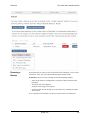
Welcome to Switchvox SMB version 4.0! The following sections describe the new
features in version 4.0, and provide links to more information about how to use those
features.
If you are using the Free version of Switchvox, or Switchvox SOHO, you will not be
able to automatically update your software to version 4.0.
Unified
Communications
Switchvox SMB 4.0 integrates your phone system with additional communication
tools.
Fax
Send and receive faxes using Switchvox! You can use your fax machine, or fax files
from your desktop computer. For more information, see the following:
• Admin Suite: Digium Addon Products
To find out how to obtain and install your Fax license and software.
• Admin Suite: About Faxing
For general information about faxing.
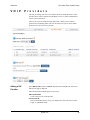
• Admin Suite: Adding a SIP Provider
To set a default extension to route incoming faxes.
• Admin Suite: Incoming Call Routes
To define an extension that treats all incoming calls as faxes.
• User Suite: Fax Options
To set up fax notification email addresses and a fax header. You can also set the
extension to treat all outgoing calls as faxes.
• User Suite: Setting up a Fax Printer and Creating & Sending a Fax
For information on using your desktop computer for faxing.
Chat
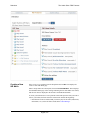
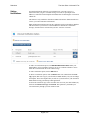
The new Switchvox private chat server uses the XMPP protocol. The Switchboard
offers a Chat Panel, or you can use your favorite XMPP-based client. Also, you can
set the chat (Jabber) hostname for Switchvox in Network Settings, and the chat
(Jabber) hostname for any VOIP Providers that run a Jabber-based chat server that
you will use (including a peered Switchvox).
Video calling
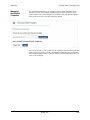
You can now use video phones with Switchvox. See About Video Calling.
Digium, Inc.
10