1
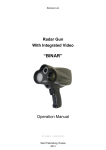
Chapter 1. Introduction 1 Introduction 1.1 Document contents This Manual is intended for Binar Workstation operators and it contains the information necessary for the installation and operation of Binar PC Suite. This manual contains the following signal symbols: WARNING! This information is important for normal operation of software and hardware. NOTE. This is additional information about system properties and features. The figures and diagrams presented in current manual are intended for demonstration purposes and to make the user more familiar with system operation. As the manufacturer continuously improves upon and extends the product range, version of the product may slightly differ. These differences will not affect the metrological parameters or system performance. The Manufacturer reserves the right to make modifications and/or improvements in product design, delivery package and software without notification. 1.2 Terms and abbreviations Binar — a radar gun with integrated video recording capabilities. Binar data — encrypted video and/or still picture recordings generated from dual Binar cameras, that may contain speed and location data. Navigation module — GPS/GLONASS receiver that allows the Binar to obtain the geographical coordinates of a recorded target via Bluetooth technology. SD data card — a non-volatile memory card to which recorded Binar data is stored. Video data may be transferred from the memory card to the workstation by inserting the card into a card reader. Sequence — still picture recording that contains pictures from two cameras along with speed data and other information. Workstation — the data processing PC with Binar PC Suite software installed, typically located in a back office. User Manual 3