1
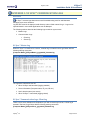
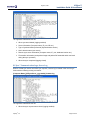
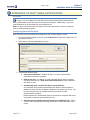
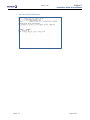
August 1, 2011 XVSync™ Installation Guide & User Manual APPENDIX C: XV SYNC™ COMMUNICATION LOGS Overview XV Sync™ creates logs that serve as useful troubleshooting tools for administrators managing sync server locations. Log files are stored in the Apteryx install directory under a folder named \Logs\. Logs can be opened/viewed in a text editor application such as Notepad. The following sections describe the following logs created on sync servers: Master Logs Communication Logs Client log Server log XV Sync™ Master Log When XV Sync™ is launched on a server, a master log is created in the /Logs/ folder with the following naming convention: [Computer Name]_XVSyncMaster_yyyymmdd_hhmmss.log The log tracks information such as: When XV Sync was launched (logging enabled) Server information (Computer name, IP, port, OS etc.) User‟s domain name (user name) When XV Sync™ was exited (logging closed) XV Sync™ Communication Logs: Client Log When a sync server initiates and completes a sync with a remote sync server, a client log is created in the local /Logs/ folder with the following naming convention: [Computer Name]_XVSyncClient_yyyymmdd_hhmmss.log Apteryx®, Inc. Page 52 of 59