1
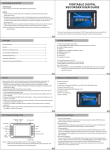
PRODUCT INTRODUCTION
1) Video Record
2) Video play᧶support ASF᧤MPEG-4᧥᧨AVI᧤DIVXᇬXVID᧥3GP,MP4 format.
3) Built-in MIC/LINE IN/OUT᧷ 4) Support Camera IN,AV out᧷ 5) Multiple language ᧤English/Portuguese᧥set᧷ 6) Support SD/MMC card ᧷ 7) Built-in lithium batery ᧷ 8) Built-in speaker ᧷ BUTTON AND CONNECTOR
14
15
17
16
13
12
POWER
AV OUT
CAMERA
IN
1
MODE
2
MIC
ESC
3
6
MIC
5
SC E MODE
i
VOL+
L VOL-
Mn
S
VOL-
VO +
D
4
AV OUT
RESET
CAMERA
IN
11 10 9
8
1. POWER ON/OFF
2. MIC (N/A)
3. VOLUME (-) / SELECT
4. VOLUME (+) / SELECT
5. ESC
6. MODE
7. LED INDICATOR
8. FORWARD
9. PLAY/PAUSE
10. REWIND
11.LED INDICATOR
12.MICRO SD CARD SLOT
13.USB PORT.
14.CAMERA INPUT
15.SPEAKER
16. RESET
17.A/V OUTPUT
7
Note᧶
1. PLease fully charge the unit before any operation using USB connection or
the AC/DC adapter. It will take 5 hours to complete the initial charge. Blue Leds will
flash when charging and will turn off when completed.
2. The DVR has 2GB built-in flash memory. For an extra memory, insert a micro SD card
at the slot no.12 as shown on the diagram above. Setting must be changed under the memory
function in order to use the Micro SD card.
3. Press the Power Button for 3 seconds to turn the unit ON. The blue LED will blink.
If the camera is connected , the image will show up. If Not, the warning message will pop up.
Press PLAY/PAUSE button to continue with other operations.
OPERATION DETAILS
1.Power ON/OFF operation:
Press Power On button for 3secs, then enter the menu stand-by mode of PDR. And press
power on button for 3secs to power it off.
3