1
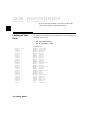
cf
cf
cf
cf
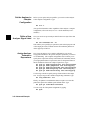
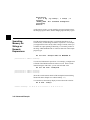
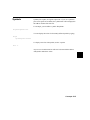
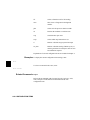
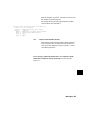
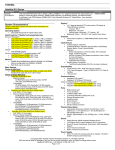
cs0_dtk=int
cs1_dtk=ext
cs2_dtk=ext
cs3_dtk=ext
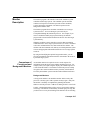
Using the Built-in
Help Facility
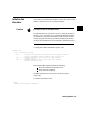
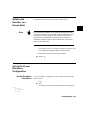
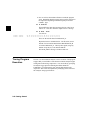
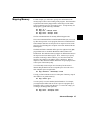
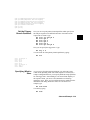
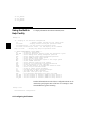
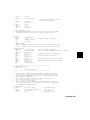
To display information about the cf command, enter:
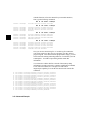
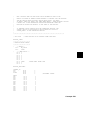
M>help cf
cf - display or set emulation configuration
cf
- display current settings for all config items
cf <item>
- display current setting for specified <item>
cf <item>=<value> - set new <value> for specified <item>
cf <item> <item>=<value> <item> - set and display can be combined
help cf <item>
- display long help for specified <item>
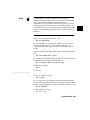
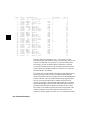
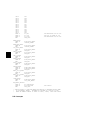
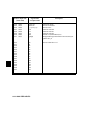
--- VALID CONFIGURATION <item> NAMES --ba
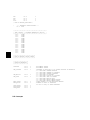
- en/dis bus arbitration
trc_dma - en/dis/tag emulation analysis of the bus arbitration cycles
bbk
- select memory block during background operation
bfc
- select function codes during background operation
be
- en/dis /BERR to/from target system
clk
- select int/ext clock source
dbc
- en/dis drive of background cycles to the target system
dti
- en/dis /DTACK interlock
lfc
- select function codes for file loading
mon
- selection of a foreground or background monitor
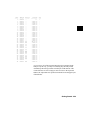
rrt
- en/dis restriction to real time runs
rssp
- set SSP when monitor is entered from emulation reset
swtp
- select trap for software breaks
ti
- en/dis of target system interrupts
im
- nor/ded mode of target system interrupts
int7
- lev/edge mode of IRQ7 interrupt
iack7
- pb0/iack7 iack7 pin is pb0 or iack 7
pdw
- 8/16 processor configuration for data bus width
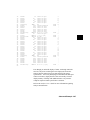
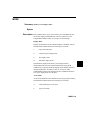
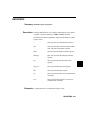
cs0_dtk - int/ext internal or external /DTACK for chip selects 0
cs1_dtk - int/ext internal or external /DTACK for chip selects 1
cs2_dtk - int/ext internal or external /DTACK for chip selects 2
cs3_dtk - int/ext internal or external /DTACK for chip selects 3
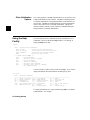
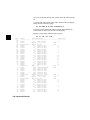
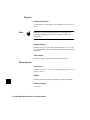
Detailed information about each of these configuration items can be
obtained by specifying the name of the item. For example, to learn
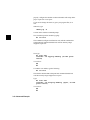
about the ba item, type the following:
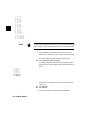
R>help cf ba
Bus Arbitration configuration
4-4 Configuring the Emulator