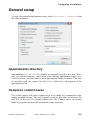
1
GLINK
TM
G&R
PROFESSIONAL EDITION
ENTERPRISE EDITION
Administrator's
http://www.glink.com/glink/
Guide
G&R
GALLAGHER
ROBERTSON
Microsoft, Windows, MS are registered trademarks of Microsoft Corp.
IBM and PC are registered trademarks of IBM Corp.
Glink Enterprise Edition, version 8.2
Glink Professional Edition, version 8.2
© Gallagher & Robertson A/S 1987-2009
All Rights Reserved
GALLAGHER & ROBERTSON A/S, Kongens gate 23, N-0153 Oslo, Norway
Tel: +47 23357800 • Fax: +47 23357801
www: http://www.glink.com/
e-mail: [email protected]
Contents
Contents
Contents ................................................................................................ i
Introduction ........................................................................................ 1
Warranty..................................................................................................................... 2
Support ....................................................................................................................... 2
Installation........................................................................................... 3
Before you install the software................................................................................... 3
Installing Glink........................................................................................................... 4
Customer validation of generic versions ......................................................... 6
Optional command-line parameters ................................................................ 8
Uninstalling Glink ...................................................................................................... 8
Upgrading Glink......................................................................................................... 9
Installing Glink on a file server ................................................................................ 10
Command line .......................................................................................................... 11
Command line options .................................................................................. 11
Environment and internal %VARIABLE% parameters................................... 16
Default command line options ...................................................................... 17
GLINK.INI.GLINKDATA file ............................................................... 17
GLWINOPT environment variable ......................................................... 17
Command line file (.glink) ............................................................................ 18
Configuration file: /C .................................................................................... 19
Configuration directory: /CD ........................................................................ 19
License server: /CS ....................................................................................... 19
License server over SSL: /CSSL................................................................... 20
Don’t connect: /D.......................................................................................... 20
DDE topic name: /DDE ................................................................................ 20
Line data debug: /DEBUG ............................................................................ 20
Edit in file display: /FE ................................................................................. 20
List in file display: /FL.................................................................................. 20
Print in file display: /FP ................................................................................ 21
Input script parameter: /I ............................................................................... 21
Debug mode: /J ............................................................................................. 21
Administrator mode: /K ................................................................................ 22
Language key: /L .......................................................................................... 22
License backup server list: /LB..................................................................... 22
Gallagher & Robertson
Glink: Administrator’s Guide
i
Contents
License server: /LS........................................................................................ 22
Monochrome mode: /M................................................................................. 23
Name for status line: /N ................................................................................ 23
Script directory: /O........................................................................................ 23
User script directory: /OU ............................................................................. 23
Dial directory name: /P ................................................................................. 24
Rows on screen: /Rnn.................................................................................... 24
72-line scroll mode: /R72.............................................................................. 24
Disable predefined groups of menus: /RG .................................................... 25
Lock all configuration options: /RL .............................................................. 26
Disable specific menus: /RM ........................................................................ 26
Remove Windows (system) menu: /RW ....................................................... 27
Startup script: /S............................................................................................ 27
Glink.INI.GLINKDATA options: /T ............................................................ 27
User directory: /U.......................................................................................... 27
Password for dial directory: /V ..................................................................... 28
Version update: /VER ................................................................................... 28
No modem initialize: /X................................................................................ 29
Suppress reminders: /Z.................................................................................. 29
Glink license server .................................................................................................. 30
General information ...................................................................................... 30
Overview ................................................................................................. 30
License server name ................................................................................ 30
License server port .................................................................................. 31
Requirements........................................................................................... 31
DNS name considerations ....................................................................... 31
Firewall considerations............................................................................ 31
Glink /LS parameter ................................................................................ 32
Glink /LB parameter................................................................................ 32
Installation..................................................................................................... 32
Command line options .................................................................................. 33
/install ...................................................................................................... 33
/start ......................................................................................................... 33
/stop ......................................................................................................... 34
/uninstall .................................................................................................. 34
/alt............................................................................................................ 34
/altint........................................................................................................ 34
/backup .................................................................................................... 34
/int............................................................................................................ 35
/name ....................................................................................................... 36
/port ......................................................................................................... 36
Examples ................................................................................................. 36
License monitor............................................................................................. 37
Monitoring license requests..................................................................... 37
ii
Glink: Administrator’s Guide
Gallagher & Robertson
Contents
Remote monitoring.................................................................................. 38
License updating...................................................................................... 38
Tracing/logging requests ......................................................................... 38
Advanced ...................................................................................................... 39
Running in the foreground....................................................................... 39
Manually stopping/starting ...................................................................... 39
Manually installing/uninstalling .............................................................. 39
Changing the port number ....................................................................... 40
Glink glink.ini.glinkdata file options....................................................... 40
Troubleshooting....................................................................................... 40
Network setup (NETSETUP) ................................................................................... 41
Optional and grouped items .......................................................................... 42
Directives ...................................................................................................... 43
AddToDesktop ........................................................................................ 43
CommandParameters............................................................................... 44
CommonGroup ........................................................................................ 44
CreateGroup ............................................................................................ 44
Executable ............................................................................................... 44
Group....................................................................................................... 45
IconFrom ................................................................................................. 45
IconIndex................................................................................................. 45
IconTitle .................................................................................................. 46
NetGlinkDirectory................................................................................... 46
NetScriptDirectory .................................................................................. 46
Optional ................................................................................................... 46
OptionChecked ........................................................................................ 47
OptionName ............................................................................................ 47
ReplaceIcons ........................................................................................... 47
ScriptDirectoryFrom................................................................................ 47
ScriptDirectoryOverwrite ........................................................................ 48
UninstallIcon ........................................................................................... 48
UserDirectory .......................................................................................... 48
UserDirectoryFrom.................................................................................. 48
UserDirectoryOverwrite .......................................................................... 49
UserScriptDirectory................................................................................. 49
WindowsDirectoryFrom.......................................................................... 49
WorkingDirectory.................................................................................... 50
Examples....................................................................................................... 50
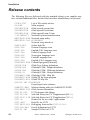
Release contents ....................................................................................................... 54
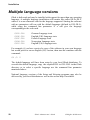
Multiple language versions....................................................................................... 56
Last-minute changes................................................................................................. 57
Web modes ........................................................................................ 59
Web-controlled (Glink in a window)........................................................................ 59
Gallagher & Robertson
Glink: Administrator’s Guide
iii
Contents
Requirements ................................................................................................ 60
Web server considerations ............................................................................ 60
Web-controlled demo ............................................................................................... 62
Setting up the web-controlled demo.............................................................. 62
How the web-controlled demo works ........................................................... 63
Web-controlled demo administration wizard ................................................ 64
GlinkWeb (Glink in a browser) ................................................................................ 66
HTML ‘on-the-fly’........................................................................................ 66
GlinkWeb facelifting..................................................................................... 67
Application server .................................................................................................... 67
Configuring the emulator ................................................................ 69
Configuration locking............................................................................................... 71
Toggles ..................................................................................................................... 73
Communications interface........................................................................................ 73
Communications options .......................................................................................... 74
Alternate........................................................................................................ 74
ASCII session line delimiter ......................................................................... 75
Async server.................................................................................................. 75
Baud rate ....................................................................................................... 75
Binary session ............................................................................................... 75
Break character ............................................................................................. 76
Buffer size ..................................................................................................... 76
Calling address .............................................................................................. 76
Card number.................................................................................................. 76
Channel ......................................................................................................... 76
Cluster number.............................................................................................. 77
Comms Port................................................................................................... 77
Delay ............................................................................................................. 77
DGA: Protocol .............................................................................................. 77
DGA: Local SCID......................................................................................... 77
DGA: Local DSA200 address ....................................................................... 78
DGA: Remote DSA200 address.................................................................... 78
DGA: Connection mode................................................................................ 78
Don't wait for TURN..................................................................................... 79
Facilities ........................................................................................................ 80
Gateway name............................................................................................... 80
GLNET gateway ........................................................................................... 80
Hardware address .......................................................................................... 80
Hold DTR on local ........................................................................................ 81
Host flow control .......................................................................................... 81
CTS flow control (host)........................................................................... 81
Host XON/XOFF..................................................................................... 81
Host INSID ................................................................................................... 81
iv
Glink: Administrator’s Guide
Gallagher & Robertson
Contents
Host name ..................................................................................................... 82
Host profile name (Ggate/DGA) ................................................................... 82
Hosts button (Ggate gateway) ....................................................................... 82
Ignore carrier................................................................................................. 82
Interrupt......................................................................................................... 82
IP address ...................................................................................................... 83
IRQ................................................................................................................ 84
Keepalive interval ......................................................................................... 84
Line mode ..................................................................................................... 85
Long Q-frame................................................................................................ 85
Map break to IP............................................................................................. 85
Modem .......................................................................................................... 85
Modem profile............................................................................................... 86
NCU address ................................................................................................. 86
Net name/ID.................................................................................................. 86
Network Number........................................................................................... 86
OSI interrupt number .................................................................................... 86
Pacing............................................................................................................ 87
Parity ............................................................................................................. 87
Parity check................................................................................................... 87
Physical channel............................................................................................ 87
Poll address ................................................................................................... 88
Port/channel number ..................................................................................... 88
Printer LU/device name ................................................................................ 88
Profiles (Direct GCOS access) button........................................................... 88
Protocol ......................................................................................................... 89
PVC number.................................................................................................. 89
Quality of Service (QoS)............................................................................... 89
Random Connect........................................................................................... 89
Rlogin user name .......................................................................................... 89
Server target .................................................................................................. 90
Socks server .................................................................................................. 90
Strip parity..................................................................................................... 90
TAPI controls modem ................................................................................... 90
Terminal flow control ................................................................................... 91
Terminal type response ................................................................................. 92
Timeout ......................................................................................................... 92
TN3270 Alternate screen size ....................................................................... 92
TN3270 Associated LU................................................................................. 93
TN3270 Extended telnet ............................................................................... 93
TN3270 Model.............................................................................................. 93
TN3270/5250 LU, Device name ................................................................... 94
TN5250 Device information ......................................................................... 94
TN5250 Printer device message queue name .......................................... 95
Gallagher & Robertson
Glink: Administrator’s Guide
v
Contents
TN5250 Printer device message queue library ........................................ 95
TN5250 Printer device font ID ................................................................ 95
TN5250 Printer device form feed type .................................................... 95
TN5250 Printer device request print transform ....................................... 95
TN5250 Printer device model.................................................................. 96
TN5250 Printer device paper source 1 .................................................. 100
TN5250 Printer device paper source 2 .................................................. 100
TN5250 Printer device envelope source................................................ 101
TN5250 Model............................................................................................ 101
TNVIP Resource name ............................................................................... 102
TNVIP Terminal type ................................................................................. 102
Two-wire connection .................................................................................. 102
Use notifications ......................................................................................... 103
Use PuTTY SSHD ...................................................................................... 103
Use secure sockets (SSL) ............................................................................ 104
User data ..................................................................................................... 104
User group................................................................................................... 104
X.25 address................................................................................................ 104
X.25 raw mode ............................................................................................ 104
Your location............................................................................................... 105
Host configuration for Ggate and DGA ................................................................. 106
Additional parameters ................................................................................. 106
Billing ......................................................................................................... 107
Delete .......................................................................................................... 107
Description .................................................................................................. 107
Ggate coname (Ggate only)......................................................................... 107
GRTS/LID user string ................................................................................. 108
Host application mailbox ............................................................................ 108
Host node .................................................................................................... 108
Host profile name........................................................................................ 109
Host type ..................................................................................................... 109
IBM log mode ............................................................................................. 110
Local mailbox name.................................................................................... 110
Mailbox extension....................................................................................... 111
Password ..................................................................................................... 111
Printer connect to host................................................................................. 111
Printer connection name (Ggate only)......................................................... 111
Printer mailbox and Printer extension (DGA only)..................................... 112
Project ......................................................................................................... 113
Rename ....................................................................................................... 113
Save............................................................................................................. 114
Save As ....................................................................................................... 114
Script after connect ..................................................................................... 114
Terminal mode ............................................................................................ 114
vi
Glink: Administrator’s Guide
Gallagher & Robertson
Contents
Use check mark for interactive prompting .................................................. 116
User ID........................................................................................................ 116
GLHOST.INI.GLINKDATA files .............................................................. 117
GLHOST.INI.GLINKDATA file format .................................................... 118
Service messages......................................................................................... 119
PuTTY SSHD options ............................................................................................ 122
Collect Password interactively .................................................................... 122
Collect User interactively............................................................................ 122
Hide Plink ................................................................................................... 123
Private key file ............................................................................................ 123
SSH version................................................................................................. 124
SSHD Password .......................................................................................... 124
SSHD Server address .................................................................................. 124
SSHD User name ........................................................................................ 124
Secure Sockets Layer (SSL) options ...................................................................... 125
Server validation ......................................................................................... 125
Validate server certificate...................................................................... 125
Validate server name ............................................................................. 126
Client validation.......................................................................................... 126
Certificate name..................................................................................... 126
Protocols ..................................................................................................... 126
Key exchange.............................................................................................. 127
Emulation setup...................................................................................................... 128
Mode ........................................................................................................... 128
Initial setup.................................................................................................. 129
Allow lowercase to host ........................................................................ 130
ANSI Answerback................................................................................. 130
ANSI-BBS compatibility....................................................................... 130
ANSI use high intensity......................................................................... 130
App keys when NumLock off................................................................ 130
Auto Linefeed In.................................................................................... 131
Auto Linefeed Out................................................................................. 131
Destructive Backspace........................................................................... 131
Echoplex................................................................................................ 131
Erase with default bkgd ......................................................................... 131
Left click moves cursor ......................................................................... 132
No column 81 ........................................................................................ 132
Roll mode .............................................................................................. 132
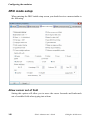
VIP mode setup........................................................................................... 133
7200 attributes ....................................................................................... 133
Add CRLF in non-SSM......................................................................... 134
Answer to ENQ ..................................................................................... 134
Automatic tabbing ................................................................................. 134
Block mode............................................................................................ 134
Gallagher & Robertson
Glink: Administrator’s Guide
vii
Contents
Disallow status line lock........................................................................ 134
Don't show 7700 spaces......................................................................... 135
Edit buffer size ...................................................................................... 135
Enter key = XMT................................................................................... 135
ESC sends F7......................................................................................... 135
Extended status...................................................................................... 135
Function keys send CR .......................................................................... 135
Host autotabbing.................................................................................... 135
Init mode................................................................................................ 136
Limit 7700 cursor movement ................................................................ 136
Min edit length ...................................................................................... 136
Non-linear forms ................................................................................... 136
Preserve roll mode................................................................................. 136
Space suppression.................................................................................. 137
Suppress status line................................................................................ 137
Terminator ............................................................................................. 137
TSM8 enable ......................................................................................... 137
TSM8 forms directory ........................................................................... 137
TX on Return......................................................................................... 138
Typeahead mode.................................................................................... 138
Use SISO for 7/8 bit .............................................................................. 138
VIP compatibility .................................................................................. 139
DKU mode setup......................................................................................... 140
Allow cursor out of field ....................................................................... 140
Automatic tabbing ................................................................................. 141
Blink/blank with ^/~ .............................................................................. 141
Color mode ............................................................................................ 141
Cursor straight up/down ........................................................................ 142
Enter key = XMT................................................................................... 142
Message Terminator .............................................................................. 142
Model..................................................................................................... 143
New line after XMT .............................................................................. 143
Printer columns...................................................................................... 143
Printer cps.............................................................................................. 143
Printer ID............................................................................................... 143
Printer lines/page ................................................................................... 143
Right justify with................................................................................... 143
Roll mode .............................................................................................. 144
SDP attributes........................................................................................ 144
Show ^/~ in blink/blank......................................................................... 144
Suppress status line................................................................................ 144
TCS enable ............................................................................................ 144
TCS forms directory .............................................................................. 144
TCS logical NAK .................................................................................. 145
viii
Glink: Administrator’s Guide
Gallagher & Robertson
Contents
Terminator ............................................................................................. 145
Typeahead mode.................................................................................... 145
Use SISO for printing ............................................................................ 145
Use SS2 for 8-bit chars.......................................................................... 145
Wrap around tabbing ............................................................................. 146
Wincom compatibility mode ................................................................. 146
Wrap on page overflow ......................................................................... 146
IBM 3270/5250 setup.................................................................................. 147
Any Cmd key resets error state.............................................................. 147
Display errors in status bar .................................................................... 148
Enter key = transmit .............................................................................. 148
Graphics cursor...................................................................................... 148
Host may not move cursor..................................................................... 148
Language ............................................................................................... 148
Mouse click local only........................................................................... 149
Norwegian ASCII.................................................................................. 149
Numeric checking.................................................................................. 149
Preserve insert mode on transmit........................................................... 150
Suppress status line................................................................................ 150
Typeahead mode.................................................................................... 150
Wrap around tabbing ............................................................................. 150
Transliteration ............................................................................................. 151
Eight-bit host ......................................................................................... 151
Eight-bit transliteration table ................................................................. 152
File transfer transliteration table............................................................ 153
Full Unicode/UTF-8 support ................................................................. 153
Seven-bit transliteration table ................................................................ 153
UTF-8 host encoding............................................................................. 154
General setup.......................................................................................................... 155
Appointments directory............................................................................... 155
Compress context saves .............................................................................. 155
Confirm exit program.................................................................................. 156
Continuous reminders ................................................................................. 156
Disable remote commands .......................................................................... 156
Disconnect actions ...................................................................................... 156
Glink title bar text ....................................................................................... 156
Message-based mode .................................................................................. 157
Short screen dump....................................................................................... 157
Silent mode ................................................................................................. 157
Start in dial directory................................................................................... 157
Startup script ............................................................................................... 158
Suppress error messages ............................................................................. 158
Suppress welcome window ......................................................................... 158
Printer setup............................................................................................................ 159
Gallagher & Robertson
Glink: Administrator’s Guide
ix
Contents
Printer Options ............................................................................................ 159
Windows Printer.................................................................................... 160
Printer usage .......................................................................................... 161
Host print data options........................................................................... 162
Windows GUI printing options ................................................................... 165
Color schemes ....................................................................................... 165
Font name .............................................................................................. 166
Font size ................................................................................................ 166
Font style ............................................................................................... 166
Formatting, horizontal ........................................................................... 166
Formatting, Vertical .............................................................................. 167
Margins.................................................................................................. 168
Orientation............................................................................................. 168
Print in color.......................................................................................... 168
Print quality ........................................................................................... 168
Show fixed fonts only............................................................................ 169
Text printing options ................................................................................... 169
Print control................................................................................................. 170
Printer character set ............................................................................... 171
Keyboard Layout setup........................................................................................... 172
Overview..................................................................................................... 172
Examples..................................................................................................... 173
Drag and drop a function to a key ......................................................... 173
Drag and drop a function to a key combination..................................... 174
Assign a function to a key using the Keyboard mappings buttons ........ 175
Changing the sequence transmitted by a Function key.......................... 177
Changing the sequence transmitted by a command key ........................ 179
Asynchronous versus synchronous terminals ........................................ 180
Keyboard pane ............................................................................................ 180
Key combinations.................................................................................. 181
Num Lock.............................................................................................. 183
Caps Lock.............................................................................................. 183
Scroll Lock ............................................................................................ 183
Layouts........................................................................................................ 183
Layout name .......................................................................................... 184
Save ....................................................................................................... 184
Save As.................................................................................................. 184
Terminal type .............................................................................................. 185
Shared.................................................................................................... 185
Functions..................................................................................................... 185
Terminal functions................................................................................. 186
Glink functions ...................................................................................... 188
Macros ................................................................................................... 188
Scripts.................................................................................................... 189
x
Glink: Administrator’s Guide
Gallagher & Robertson
Contents
Menu shortcuts ...................................................................................... 189
Settings .................................................................................................. 189
Characters.............................................................................................. 189
Keyboard mappings .................................................................................... 190
The ‘Selected function’ area.................................................................. 190
The ‘Selected key’ area ......................................................................... 191
Function bar, Keyboard bar......................................................................... 192
The scrolling list .................................................................................... 192
Display bar at startup............................................................................. 192
Display bar now..................................................................................... 193
Add button............................................................................................. 193
Remove button....................................................................................... 193
Menu setup.................................................................................................. 193
The scrolling list .................................................................................... 193
Add menu .............................................................................................. 194
Add item ................................................................................................ 194
Add separator......................................................................................... 194
Remove item.......................................................................................... 194
Modem setup .......................................................................................................... 195
Call logging................................................................................................. 195
Clock shows time online ............................................................................. 195
Comments on call log.................................................................................. 196
Constant speed modem ............................................................................... 196
Dial directory locking ................................................................................. 196
Password disable ......................................................................................... 196
Reset modem before dial............................................................................. 197
Simple dial sequence................................................................................... 197
Wait between dials ...................................................................................... 197
Wait for carrier............................................................................................ 198
Modem strings........................................................................................................ 199
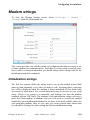
Initialization strings..................................................................................... 199
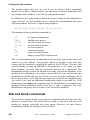
Dial and Hook commands ........................................................................... 200
Alternate options ......................................................................................... 201
Abbreviations .............................................................................................. 201
Smart modem configuration........................................................................ 201
Dumb modem configuration ....................................................................... 203
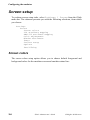
Screen setup............................................................................................................ 204
Screen colors ............................................................................................... 204
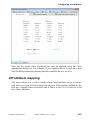
VIP attribute mapping ................................................................................. 205
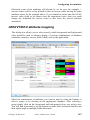
ANSI/VT/DKU attribute mapping .............................................................. 207
Color adjustments........................................................................................ 208
Window attributes ....................................................................................... 209
Dialog box size ...................................................................................... 210
Horizontal position ................................................................................ 210
Gallagher & Robertson
Glink: Administrator’s Guide
xi
Contents
Initial screen length ............................................................................... 211
Initial screen width ................................................................................ 211
Minimize to tray .................................................................................... 211
Popup dials ............................................................................................ 211
Save bar positions.................................................................................. 211
Title includes host name ........................................................................ 212
Undockable bars .................................................................................... 212
Update threshold (characters)................................................................ 212
Update threshold (lines)......................................................................... 212
Use caption bar ...................................................................................... 213
Use Function bar.................................................................................... 213
Use Keyboard bar .................................................................................. 213
Use Menu bar ........................................................................................ 213
Use Status bar ........................................................................................ 213
Use Toolbar ........................................................................................... 214
Use toolbar tips...................................................................................... 214
Vertical position .................................................................................... 214
Window Appearance ............................................................................. 214
Window resizing options ....................................................................... 215
Fonts............................................................................................................ 215
Character set .......................................................................................... 216
Font name .............................................................................................. 217
Font style ............................................................................................... 217
Show fixed fonts only............................................................................ 217
Spread font to fit window ...................................................................... 217
Startup font ............................................................................................ 217
Use middle dot for zero ......................................................................... 218
Use short underline character ................................................................ 218
Use slash for zero .................................................................................. 218
Use Windows font ................................................................................. 218
Display fonts.......................................................................................... 218
Toolbar setup............................................................................................... 219
Options........................................................................................................ 221
CLR saves in scrollback ........................................................................ 221
Cursor Type........................................................................................... 222
Disable clock display............................................................................. 222
Include spaces in rectangles .................................................................. 222
Inverted screen....................................................................................... 222
Keep screen on setup ............................................................................. 222
No high intensity ................................................................................... 222
Ruler Type............................................................................................. 223
Scrollback pages.................................................................................... 223
Use Rectangular marks.......................................................................... 223
Word delimiters ..................................................................................... 223
xii
Glink: Administrator’s Guide
Gallagher & Robertson
Contents
XMT saves in scrollback ....................................................................... 223
Facelifting ................................................................................................... 224
3D effects .............................................................................................. 224
3D variable field options ....................................................................... 225
Center frame .......................................................................................... 225
Center wallpaper.................................................................................... 225
Fix DKU attributes ................................................................................ 225
Frame wallpaper file.............................................................................. 226
Keep aspect ratio (frame) ...................................................................... 226
Keep aspect ratio (wallpaper) ................................................................ 226
Margins.................................................................................................. 226
Pushbuttons ........................................................................................... 226
Custom pushbuttons .............................................................................. 227
Stretch to fit screen................................................................................ 228
Wallpaper .............................................................................................. 228
Wallpaper does not scroll ...................................................................... 228
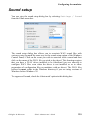
Sound setup ............................................................................................................ 229
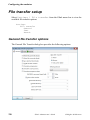
File transfer setup ................................................................................................... 230
General file transfer options........................................................................ 230
Alarm after transfer ............................................................................... 231
Allow file overwrite (host) .................................................................... 231
Allow file overwrite (local) ................................................................... 231
Default FTP host.................................................................................... 232
Default protocol..................................................................................... 232
Download directory ............................................................................... 232
Host command....................................................................................... 232
IND$FILE command input field ........................................................... 233
Save aborted downloads ........................................................................ 233
Small transfer window........................................................................... 233
Upload directory.................................................................................... 233
Wait after transfer.................................................................................. 233
Zmodem compression ........................................................................... 234
Zmodem crash recovery ........................................................................ 234
Zmodem transparent data ...................................................................... 234
Text file transfer options ............................................................................. 235
Capture delimiter (from host) ................................................................ 235
Character pacing.................................................................................... 236
CR and LF translation (to host) ............................................................. 236
Expand blank lines ................................................................................ 236
Line pacing ............................................................................................ 236
Paste as block ........................................................................................ 236
Paste/Upload line wrapping................................................................... 237
Text files in OEM charset...................................................................... 237
Wait for character .................................................................................. 237
Gallagher & Robertson
Glink: Administrator’s Guide
xiii
Contents
Kermit file transfer options ......................................................................... 238
Add Control-Z at end of file .................................................................. 238
Allow long packets ................................................................................ 239
Character pacing.................................................................................... 239
Ctrl-Z means end of file......................................................................... 239
Disable filename translate ..................................................................... 239
Eight-bit quote ....................................................................................... 239
Enable DPS8 compression..................................................................... 240
Expand tabs ........................................................................................... 240
Host quoting needed .............................................................................. 240
Maximum packet size............................................................................ 241
Maximum retries ................................................................................... 241
Maximum window size ......................................................................... 241
Non-standard FTRAN ........................................................................... 241
Override host packet size....................................................................... 242
Packet timeout ....................................................................................... 242
Packet header character ......................................................................... 242
Administrator notes........................................................................ 243
Glink MSI Installation............................................................................................ 243
Overview..................................................................................................... 243
Glink MSI Installation bootstrap program .................................................. 244
Installation Variables .................................................................................. 245
File Extraction and Customization .............................................................. 245
Repacking the installation bootstrap program............................................. 247
Glink packaging ..................................................................................................... 248
Overview..................................................................................................... 248
Creating Glink packages ............................................................................. 248
Create workstation package................................................................... 249
Create web-controlled package.............................................................. 249
Adding a default Glink startup configuration file.................................. 249
Adding files to the Glink packages........................................................ 250
Adding Glink icons to the start menu .................................................... 250
Adding Glink icons to the Desktop ....................................................... 251
Adding command line parameters to the default Glink desktop icon.... 251
Packing.lst file syntax ................................................................................. 251
GLPACK tool ............................................................................................. 253
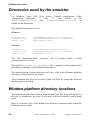
Directories used by the emulator ............................................................................ 256
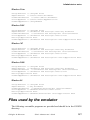
Window platform directory locations..................................................................... 256
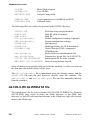
Files used by the emulator...................................................................................... 257
GLCOLS.INI.GLINKDATA file ................................................................ 258
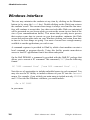
Windows interface.................................................................................................. 260
Script control from the host.................................................................................... 261
Language support ................................................................................................... 265
xiv
Glink: Administrator’s Guide
Gallagher & Robertson
Contents
Cables ..................................................................................................................... 268
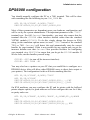
DPS6000 configuration .......................................................................................... 269
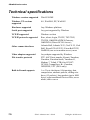
Technical specifications ......................................................................................... 270
Security ............................................................................................ 271
Securing Glink........................................................................................................ 271
Starting Glink from a hyperlink .................................................................. 271
Restricted user environments ...................................................................... 272
Locking selected configuration options ...................................................... 272
Locking all configuration options ............................................................... 272
Disabling functionality by command line ................................................... 273
Disabling functionality by script ................................................................. 274
Configuration security options .................................................................... 275
Passwords.................................................................................................... 276
Recovering from unwanted configuration changes ..................................... 276
Secure Shell (SSH)................................................................................................. 277
Prerequisites ................................................................................................ 279
Public key authentication ............................................................................ 279
Generating a Public/private key-pair........................................................... 279
Installing your public key............................................................................ 280
Scripting SSH.............................................................................................. 280
Secure Sockets Layer (SSL)................................................................................... 280
Prerequisites ................................................................................................ 281
Certificates .................................................................................................. 281
Client certificates ........................................................................................ 282
Server certificates........................................................................................ 282
Trusted root certificate authorities .............................................................. 282
Certificate requirements .............................................................................. 282
Installing certificates ................................................................................... 283
Configuration options.................................................................................. 283
Scripting SSL .............................................................................................. 283
Communications interfaces............................................................ 284
TCP/IP (Windows Sockets).................................................................................... 286
G&R/DGA (Direct GCOS Access)............................................................. 286
G&R/Ggate DIWS ...................................................................................... 286
G&R/Ggate DSA ........................................................................................ 287
PuTTY SSHD ............................................................................................. 287
Raw TCP/IP ................................................................................................ 288
Rlogin.......................................................................................................... 288
Telnet .......................................................................................................... 288
TN3270/TN3270E....................................................................................... 289
TN5250/TN5250E....................................................................................... 289
Gallagher & Robertson
Glink: Administrator’s Guide
xv
Contents
TNVIP......................................................................................................... 289
Security ....................................................................................................... 289
Secure Shell (SSH) ................................................................................ 289
Secure Socket Layer (SSL).................................................................... 290
Async...................................................................................................................... 290
Windows serial port .................................................................................... 290
Windows Telephony ................................................................................... 292
X.25/TGX............................................................................................................... 293
Atlantis Bull TSA (V8) ............................................................................... 293
Atlantis X.25 (V8)....................................................................................... 293
Cirel FPX X.25 ........................................................................................... 294
Cirel VTI3 ................................................................................................... 295
Eicon Bull TGX .......................................................................................... 295
Eicon ECLAN ............................................................................................. 295
Others ..................................................................................................................... 296
G&R/NetBIOS modem server .................................................................... 296
G&R/SPX modem server............................................................................ 297
NetBIOS (raw) ............................................................................................ 298
xvi
Glink: Administrator’s Guide
Gallagher & Robertson
Introduction
Introduction
Glink is a terminal emulator designed for general-purpose communications
work. Glink, Professional edition and Glink, Enterprise
edition are Window 32-bit versions, supporting all the current versions of
Windows and Windows NT. Windows 16-bit, DOS, MAC and Java versions of
Glink are also available as separate packages. For more details on Glink
functionality, refer to the User Guide.
This Glink Administrators guide is intended for system and network
administrators and gives information on installing and configuring Glink. A
Network setup section describes how Glink can be setup in server and
workstation environments.
Gallagher & Robertson
Glink: Administrator’s Guide
1
Introduction
Warranty
While Gallagher & Robertson A/S have made every effort to ensure that this
software package should function as described, no warranty of any kind, express
or implied, is made by us. Gallagher & Robertson A/S shall not be liable for any
damages, direct, indirect, special, or consequential arising from a failure of this
program to operate in the manner desired by the user. Gallagher & Robertson
A/S shall not be liable for any damage to data or property that may be caused
directly or indirectly by the use of this program. In no event will Gallagher &
Robertson A/S be liable to you for any damages, including lost profits, savings
or other incidental or consequential damages arising from your use or inability to
use the program, or for any claim by any other party. Any dispute arising in
connection with this warranty will be settled under Norwegian law.
Gallagher & Robertson A/S confirm their intention that the software should
function as described, and will make all reasonable efforts to ensure that errors in
the software reported in writing to our office in Oslo be corrected in future
releases of the software.
Gallagher & Robertson A/S grant you as a registered user of Glink a licence to
use the software and to make those copies you deem necessary for your own
security. The package itself remains the property of Gallagher & Robertson A/S
and we expect you to take all reasonable precautions to ensure that illegal copies
are not made by a third party.
Support
Support is available from your local supplier rather than from Gallagher &
Robertson A/S. For information about support numbers check the information
screen in the program itself. This screen can be displayed from the Glink menu
bar (Help/About Glink).
2
Glink: Administrator’s Guide
Gallagher & Robertson
Installation
Installation
Before you install the software
Installing and upgrading the Glink software is made easy for you with the
SETUP program included on your release diskette. The installation procedure
will consist first of running SETUP, which will copy (and if necessary decompress) the files you need from the release diskette(s) onto your hard disk. If you
are upgrading the software, then your previous configuration will be preserved
and you will be ready to run. If this is your first installation then a preconfigured
procedure will help you with your initial setup the first time you start the
program.
Before you actually install the software, we recommend that you make a backup
copy of the release diskette, and use that copy for the installation procedure.
Keep the original in a safe place in case you should have a problem reading the
backup copy later on. (This is not the same as saying that you can make copies
and give them away - you must have a licence to use the emulator.) You can use
the Disk/Copy Disk selection under the Windows File Manager to make this
backup copy.
If you are intending to install the software for use on the serial port, make sure
that you have connected the serial port with a suitable cable, and also that your
modem (if any) is switched on.
If you are intending to install the software for use with a LAN communications
interface then any necessary LAN software should be installed and activated
before you attempt to install the Glink software. The Communications Interfaces
appendix to this guide (page 284) contains information about requirements for
the various interfaces supported by the emulator.
Gallagher & Robertson
Glink: Administrator’s Guide
3
Installation
Installing Glink
The Windows installation procedure assumes that Microsoft Windows is
installed and running, and that you have a basic knowledge of how to use
Windows.
Put the installation diskette or CD (if the software was delivered on more than
one physical diskette, this will be the diskette labeled as number 1) in the drive
you wish to install from.
Start the SETUP program, using either of the two following procedures:
• Select File/Run in the Program Manager or File Manager menu bar or
Start/Run in Windows ’95 or NT, and type
A:SETUP
in the window that appears (if you are installing from a CD drive then
replace A in the example with the drive letter from which you are
installing).
• If the File Manager or Windows Explorer is active, double-click the icon
for the diskette/CD drive from which you are installing, and then doubleclick the SETUP.EXE file in the display of files on the release diskette.
Once the installation program is running, it will display an initial window asking
for confirmation that you intend to install the software. You may interrupt the
installation either here or at any later point in the process by pressing the
CANCEL button in the dialog boxes that are displayed.
If the installation diskettes or CD contains a generic version of Glink, then Glink
will display a dialog box allowing you to enter the serial number information. If
you do not have the necessary information please contact your distributor. See
the following section for more details.
4
Glink: Administrator’s Guide
Gallagher & Robertson
Installation
The first item of information you will be asked to provide is the name of the
directory on which the software is to be installed. An initial suggestion will be
made (normally \GLWIN on the same drive as your Windows installation) but
you may override this by typing any valid directory name over the suggestion. If
the directory does not exist you will be asked for confirmation that it's OK to
create it. If the directory already exists and contains a previous version of the
software you will also be asked to confirm whether or not it's OK to overwrite
the software with a new version (see the section below on upgrading Glink).
Once the directory for installation has been identified (and if necessary created)
then the installation procedure will proceed to copy the software to that
directory. If the software was delivered on more than one diskette then you will
be asked to mount new diskettes as needed. When all files have been copied, the
installation procedure will install a Glink icon (or icons) for you. You will be
given a choice of whether to install a separate program group for Glink or install
Glink in one of the program groups you are using already. In either case, remember that you can put the Glink icon into any program group of your choice by
simply dragging the Glink icon to the appropriate group and dropping it there. If
you are running on a Windows ’95 or Windows NT 4.0 (or later) PC, then you
will also be asked whether you would like a Glink icon created on your desktop.
You are now ready to start the program in the normal way by double-clicking the
Glink icon. What will happen at this point will depend upon how the software
was packaged by your supplier. The normal first-time setup takes you through
the basic configuration menus needed to set up the communications facilities
needed for contacting the host machine you will be using. This includes:
• Choice of communications interface (if you are using the serial port on
your PC then choose Windows for this, otherwise choose the interface
that matches the communications software installed on your PC).
• Setup of options appropriate for the communications interface you have
chosen (see the Configuring the emulator chapter on page 59 for more
details).
• Setup of which emulation type you wish to use by default.
If you are unsure of the correct settings for any of these items, don't worry too
much. They may all be changed later using the normal setup menus inside the
emulator.
Gallagher & Robertson
Glink: Administrator’s Guide
5
Installation
Customer validation of generic versions
If the installation diskettes or CD contain a generic version of Glink, then Glink
will display a dialog box allowing entry of the serial number information. This
box will be displayed every time you execute Glink, until valid serial number
information is entered. The information may be pre-initialized, and if so can be
simply validated by entering the key supplied with the generic version or
obtained from the distributor.
Glink will only display the serial number information dialog box if it is a generic
version or if the version has expired. This box can also be displayed from Help
/ About GLINK / Update License… from the Glink menu bar. If the
information is not pre-initialized, or if it is to be changed, the following
information must be obtained from the distributor:
Product:
Type:
Distributor:
Serial key:
Customer:
Serial #:
Customer ref:
License ref:
Limit (users):
Expiry (yymmdd):
6
Glink, Professional edition 7.2.0
Commercial copy
My Glink distributor, US
6B351CA6
My Company, Inc., Arizona
243
8799
250
Glink: Administrator’s Guide
Gallagher & Robertson
Installation
This information is entered into the dialog box:
All the information entered must correspond exactly to the information provided
by the distributor. If any field is incorrect then the following error message will
be displayed:
Invalid serial key information; please contact your distributor.
The Serial key is an 8 plus 3 character field. The first part is a validation key.
The following part is the Glink version number, and cannot be modified (in the
above example this is 610). The Serial number information is valid for the given
version of Glink only.
The Serial number is a 6 plus 12 character reference number for the distributor.
This information is displayed in the Glink Help/About box. The first 6
characters are fixed, and are an abbreviation of the Glink distributor’s name. The
following 12 characters are a reference number identifying the delivery.
Gallagher & Robertson
Glink: Administrator’s Guide
7
Installation
An empty Expiry date field or a zero value signifies no expiry date, otherwise
the format YYMMDD must be respected. Entering 021130 would indicate an
expiry date on November 30th, 2002. Entering 040331 would indicate expiry on
March 31st, in year 2004.
The Type field allows you to specify whether this is a commercial or
demonstration version.
NOTE
the Serial number field is case sensitive.
Optional command-line parameters
The SETUP program will usually be run with no parameters, but in some cases it
will be useful to be able to specify information in the command line, both to
provide additional options and to avoid the need for user interaction. The
following parameters are available:
/C
/D
/S
/T directory
specifies that the software should be installed in a
common group rather than a user group.
specifies that an icon should be installed on the desktop
(in silent mode the default is not to add a desktop icon)
run in 'silent mode' — do not prompt for any information, but use defaults where not overridden in the
command line
specifies the target directory for the installation (in
silent mode the default is the \GLWIN directory on the
same disk as Windows is run from).
Uninstalling Glink
If the SETUP or NETSETUP programs have been used to install Glink, then it
can be uninstalled by either using the GLUNINST program or by using the
Add/Remove Programs option in the Windows Control Panel (which in turn
runs the GLUNINST program). The GLUNINST program deletes all the files and
icons created by the Glink installation. It will NOT delete any user created files
such as configuration files or scripts.
8
Glink: Administrator’s Guide
Gallagher & Robertson
Installation
Upgrading Glink
To upgrade an existing installation of Glink, follow exactly the same procedure
as for first-time installation (see above). Before running the SETUP program,
make sure that you are not running any copies of the software. Otherwise,
SETUP will be unable to update the program files. The installation procedure
should detect that a previous version of Glink has been installed and will ask you
whether it's OK for that version to be overwritten. Note that only those files
supplied with the software will be overwritten. Files that belong to your previous
version of Glink will be preserved; this includes any configuration files,
keyboard layout files and script files that you may have created using the
previous release. Unless otherwise noted in the 'What's New' section of the
online help, all versions of the software are backwards compatible, so all such
files will be immediately usable after the upgrade procedure is complete.
If you wish to install a new version without overwriting a previous version, it's
OK to do so (by specifying a new directory for the installation) but remember
that Windows will not allow you to run two different versions of the software
simultaneously.
Gallagher & Robertson
Glink: Administrator’s Guide
9
Installation
Installing Glink on a file server
Installation of Glink on a file server is done in the same way as installation on a
local drive (see the above), except that you will select a network drive when
asked for a directory on which to install the software. There are a few additional
points that must be dealt with, and an additional utility is provided to allow you
to automate the task for those who will be using the software. If you prefer to
deal with these manually, we list here the main points; otherwise, skip to the next
section describing the NETSETUP network setup utility. We will assume in the
examples that you are installing to F:\GLWIN.
• The Glink icon will have to be installed on each workstation using the
File/New menu selection in the Program Manager and choosing
F:\GLWIN\GL.EXE as the program name.
• Each workstation that will be using the software should have its own
'user' directory for files that are specific to the workstation (for example
configuration files). This directory can be either on a local drive or on the
file server. In the AUTOEXEC.BAT file for the workstation this directory
should be configured as the Glink user directory with a SET command,
for example:
SET GLWINOPT=/U C:\GLWUSE
Alternatively, you can configure this as part of the setup for the Glink
icon, by including
/U C:\GLWUSE
as a command line parameter for the GL command. The directory must be
created manually. Refer to Using the emulator in the User's Guide for a
more detailed description of command line parameters.
• All files in the F:\GLWIN directory should be set to 'read only' to enable
sharing of the files between several simultaneous users. This can be done
with the File Manager using File/Select to select all files in the
directory and File/Properties to set the read-only attribute.
10
Glink: Administrator’s Guide
Gallagher & Robertson
Installation
• You will probably want to run the software once and make an initial
configuration that is as suitable as possible for the majority of users on the
file server. Do this on one workstation and save the configuration, using
Settings/Save inside the emulator. This will give you a file
DEF.glinkconfig in the Glink 'user' directory for that particular
workstation. Copy that file to the Glink directory on the file server with a
name of STD.glinkconfig. Users starting the software for the first
time will now be set up with this configuration as their initial
configuration.
Command line
As with other programs on the PC, one or more options may be specified on the
command line to control different features of the emulator. These may be
specified on the command line you use when starting the emulator (you can
display the command line associated with a Glink icon by highlighting the icon,
right clicking and selecting Properties from the menu).
Command line options can be put in a .glink file and used as a shortcut or an
URL to start Glink, e.g.:
http://myweb.com/glink/startup.web/myhost.glink
You can also setup default command line options in the
GLINK.INI.GLINKDATA (formerly GLINK.INI) file (see also the /T parameter
below) or add the GLWINOPT environment variable. Refer to the
Administrator's Guide for information on environment variables.
Command line options
Here is an overview of all command line parameters.
Switch
Description
/B n
Specify NetBIOS LANA number (default 0)
/C file.ext|*
Specify name of configuration file or displays list of
available configurations, *.glinkconfig
/CD
Specify name of configuration directory
/CS dnsname
Glink Java/.NET license server DNS name (port 30842)
Gallagher & Robertson
Glink: Administrator’s Guide
11
Installation
12
Switch
Description
/CSSL dnsname
Glink Java/.NET SSL license server DNS name (port
30852)
/D
Don't connect at startup time
/DDE
Specify DDE topic name
/DEBUG
Start log of comms data on GLINK.$DB
/FE editor
Supply editor name for file display
/FL lister
Supply file lister name for file display
/FP print
Supply print spooler name for file display
/I parameter
Input parameter to script $PARAMETER
/J
Use debug mode
/K
Administrator switch allowing changes to locked
configuration options
/L x
Language key for text files
/LB dns2,dns2
Glink license backup servers DNS name list
/LS dnsname
Glink license server DNS name
/M
Run in monochrome mode (black and white)
/N text
Specify name to display in status line
/O c:\dir
Specify name of script directory
/OU c:\dir
Specify name of user script directory
/P file.ext
Specify name of dial directory
/Rnn
Specify maximum number of rows to emulate
/R72
Use 72-line scroll mode
/RD
Disable use of debugging mode
Glink: Administrator’s Guide
Gallagher & Robertson
Installation
Switch
Description
/RG a,b,c
Disable predefined groups of menus 1-6:
1 Disable Load/Save config menus
2 Disable Setting menu
3 Disable Script menus
4 Disable Dial directory
5 Disable Transfer menu
6 Disable Toggles options
/RL
Lock all configuration options
/RM p1,p2,p3
Disable specific menus, params use a syntax:
<menu>[index1][index2][index3]. <menu> can be:
D dial display
F file display
M main menu
S scrollback menu
W windows (system) menu
X settings panel menu
/RS
Has same effect as script SECURE ALL ON command
/RW
Remove Windows (system) menu
/S script.scr
Specify name of startup script
/T name
Specify name in GLINK.INI.GLINKDATA [options]
/U c:\dir
Specify name of user file directory
/V password
Specify password for dial directory
/VER update
Specify options for automatic Glink upgrades (Enterprise edition only)
/X
Don't initialize modem
We will here deal with some of the more important of these in detail.
By default each user configuration file is located in the
%MyDocuments%\Glink directory. You may change this by specifying the
/U command line option. Starting GLINK with the command:
GL /U C:\GLUSE
Gallagher & Robertson
Glink: Administrator’s Guide
13
Installation
for example, would tell GLINK that your 'user' files should be kept in the
C:\GLUSE directory. This may be useful either simply because it allows you to
keep your user files separate from the standard software, or because more than
one person is sharing the same copy of the program and you wish to use multiple
'user directories'. The files affected by this parameter are the following:
DEF.glinkconfig
GLINK.PHO
The configuration file
The dial directory
If a user directory is specified then keyboard (*.glinkxlit) and layout
(layouts\*.glinklayout) files may reside either in the standard GLINK directory
or in the user directory. If a file exists in both then the file from the user
directory will be used.
Additionally, if the help files are not found in the GLINK directory then the
program will also search for them in this 'user' directory.
If you are using the alternate configuration file possibility then you may start the
emulator using the /C parameter followed by a string with the site name: the
extension '.glinkconfig' will be added to this to produce the name of the
particular configuration file you wish to run from. For example, to use
CNX.glinkconfig as your configuration file you would start the emulator with:
GL /C CNX
If you wish you may specify a complete file name. For example:
GL /C CNX.glinkconfig
(This also applies to the other options described further on in this section).
Another parameter allows you to insert an identifying text into the status line.
This may be useful if you are running more than one copy of the emulator and
need some way of seeing which one you are using easily. To use this option, start
the emulator with (for example):
GL /N UNIX-host
A further parameter allows you to automatically start a script as soon as the
emulator comes up. This parameter looks like:
GL /S Start.scrgl
14
Glink: Administrator’s Guide
Gallagher & Robertson
Installation
where START.SCRGL is the name of the script file to execute. You may also
use the /O parameter to specify a script directory that will be searched whenever
a script cannot be found in the current directory. An alternate dial directory may
be specified with the /P command line parameter.
More than one option may be specified in the same command line; and the order
in which they are specified makes no difference (unless you specify the same
option twice with different arguments, in which case the last value specified will
be used). For example:
GL /S "GCOS 8.scrgl" /C CN1
Options using arguments requiring embedded spaces may use single apostrophes
(') or quotes (") to mark the beginning and end of the argument. If the argument
itself requires arguments, for example the /S option might need script parameters
to be entered this way:
GL.EXE /S "'Connect to Host.scrgl' par1 par2 par3"
Then use single apostrophes (') inside the quotes (") for this purpose.
The command line also interprets environment variables using the standard
%VARIABLE% syntax. As different Windows platforms and networks use
different environment variables for the users logon name, Glink accepts $USER$
and $USERNAME$ in the same way as the NETSETUP program does, e.g.:
GL /U H:\$USER$\MYFILES /OU %TEMP%
Glink accepts $GLINK$ for the GLINK directory, e.g.:
GL /CD http://myhost.com/glink/config /U $GLINK$ /C myconfig
The above example would allow GLHOST.INI.GLINKDATA to be picked up
from the URL and any changes would be saved and merged in from a local copy
in the users GLINK directory. The config file would be picked up from the URL
config directory.
Please refer to the below Environment and internal %VARIABLE% parameters
section for a full list of the interpreted values.
For automatic updates you can use the /VER option:
/VER "723:http://www.mydomain.com/glink/download/glinksetup.exe"
Gallagher & Robertson
Glink: Administrator’s Guide
15
Installation
At each execution Glink will check if its version is less than the version in the
command line (Glink version 7.2.3 in this example), if so it will access the web
server
and
download
and
execute
the
new
version
from
http://www.mydomain.com/glink/download/glinksetup.exe at the user’s request.
Environment and internal %VARIABLE% parameters
Glink supports several parameters that will be replaced with their actual values at
runtime. These parameters can be used in the Glink command line, .glink
command file or in the Glink title bar text. For example, if Glink is installed in
D:\Glwin and the users logon name is Peter, then the command line:
GL.EXE /CD $GLINK$\Configs /C $USER$.glinkconfig
would set the Glink configuration directory to D:\Glwin\Configs and the
configuration file name to Peter.glinkconfig, thus loading the
configuration from D:\Glwin\Configs\Peter.glinkconfig
The Glink title bar text below would prefix the title with the unique instance
number of the current Glink session:
$INSTANCE$ - GLINK
Glink supports all system environment variables using the %VARIABLE%
syntax, e.g. %TEMP%, %SystemRoot%, %APPDATA%, %ProgramFiles%
and
also
supports
the
special
variables
%MyDocuments%,
%CommonDocuments%, %CommonAppData% and %LocalAppData for
cross platform compatibility.
Glink also supports some internal variables using the $VARIABLE$ syntax, e.g.
$GLINK$. The following internal variables are supported:
$GLCFG$
$GLINK$
$GLSCR$
$GLSUSE$
$GLUSE$
$INSTANCE$
$USER$
$USERNAME$
$COMPUTER$
16
Glink configuration directory (/CD)
Glink program directory (GL.EXE directory)
Glink script directory (/O)
Glink user script directory (/OU)
Glink user file directory (/U)
Current Glink session instance number
User's logon name
User's logon name
Computer name
Glink: Administrator’s Guide
Gallagher & Robertson
Installation
Default command line options
Rather than always start your copy of GLINK with:
GL /U C:\MYFILES
You
can
configure
default
command
line
option
in
the
GLINK.INI.GLINKDATA file or set the GLWINOPT environment variable.
GLINK.INI.GLINKDATA file
The GLINK.INI.GLINKDATA (formerly GLINK.INI) file should reside in the
Glink directory. You could create a GLINK.INI.GLINKDATA file and set
default parameters by including a line like
[options]
default=/U C:\MYFILES
Glink will first look for the file in the Glink directory, then the Windows
directory.
NOTE, the GlinkApi server will also read the GLINK.INI.GLINKDATA file
and may be necessary when started on-demand, because command line options
will not be passed to the server.
The /T option above can be used for non-default options that may be set in a
similar way:
GL /T $USER$
And the entry in GLINK.INI.GLINKDATA would be:
[options]
default=/U C:\MYFILES /OU %TEMP%
user1=/C DSA
Options specified on the command line will always override options set in the
GLINK.INI.GLINKDATA file.
GLWINOPT environment variable
The GLWINOPT environment variable may be used to preset any or all of the
above command line options. You could include the command:
Gallagher & Robertson
Glink: Administrator’s Guide
17
Installation
SET GLWINOPT=/U C:\MYFILES
in your User or System environment and configure the Glink icon properties no
parameters at all. Options specified on the command line or in the
GLINK.INI.GLINKDATA file will always override options set in the
GLWINOPT variable.
Command line file (.glink)
Command line options can be put in a .glink file and used as a shortcut to start
Glink, e.g:
c:\glwin\demo\glink\startup\dku7107_to_tp8test.glink
If the command line file is put on a web server, then you can also start Glink
from a web page, e.g.:
http://myweb.com/glink/startup.web/dku7107_to_tp8test.glink
This is the basis of web-controlled Glink.
The .glink file extension is registered in the workstation’s registry when the
Glink downloadable package is installed. It is registered in a similar way to say a
.doc file. When you click on it, Windows opens the associated program and
passes the file as a command line parameter.
The .glink file is registered as being a valid file type that can be received from a
web server. The web server is configured to tell the browser that the MIME file
type of the .glink file is ”application/x-glink”. When executed, it will start Glink
with the following command line
gl.exe /COMMAND dku7107_to_tp8test.glink
Typically the command line file will contain references to directories or files on
the web-server:
/LS myweb.com
/VER "723:http://myweb.com/glink/download/glinksetup.exe”
/CD http://myweb.com/glink/config
/O http://myweb.com/glink/script
/C dku7107_to_tp8test.glinkconfig
18
Glink: Administrator’s Guide
Gallagher & Robertson
Installation
When Glink starts up and recognizes a file located on the web-server, it connects
to the web server, downloads it to the users temp directory and loads the file
locally. The download of a remote file will only be done the first time, thereafter
it will be read directly from the temp directory. When the user exits Glink, all the
temporary files are removed. The whole operation is done completely
transparently to the user.
Configuration file: /C
The Glink configuration file has a default name of DEF.glinkconfig. The
/C option allows you to select one of several alternate configuration files. You
may specify either just the name, or the complete filename. For example:
/C MODEM
/C *
/C GLCONF.1
Configuration file is MODEM.glinkconfig
Displays list of available configurations,
*.glinkconfig
Configuration file is GLCONF.1
Configuration files are stored on the Glink 'user' directory (see the /U command
line option).
Configuration directory: /CD
The
Glink
configuration
directory
is
normally
the
%CommonDocuments%\Glink or GlinkExecDir directory. If this option is
used, then Glink searches for configuration files in this directory rather than the
Glink directory before looking in the Glink 'user' directory. (see the /U
command line option). This option may be useful in web controlled Glink
environments where the main configuration files are on the web server, but the
user may have some local configuration files such as a merged
GLHOST.INI.GLINKDATA file.
GL /CD http://myhost.com/glink/config /U $GLINK$
License server: /CS
The /CS parameter is used instead of the /LS parameter to specify the Glink
Java/.NET license server DNS name. This option should be used when sharing
session licenses with the Java and .Net versions of Glink and GlinkWeb in a
Glink Enterprise Edition environment.
Gallagher & Robertson
Glink: Administrator’s Guide
19
Installation
License server over SSL: /CSSL
The /CSSL parameter is identical to the /CS parameter except Glink will request
licenses using a secured SSL connection.
Don’t connect: /D
This option tells Glink not to connect at start-up. This option is useful when a /S
start-up script is being used to control the initial connection.
DDE topic name: /DDE
This option allows you to preset the DDE topic name from the configured command line. This is provided mostly for use by those applications wishing to start
a copy of Glink to which they will be able to connect specifically, irrespective of
whether or not there are other copies running.
Line data debug: /DEBUG
This option enables line debug mode, where Glink will log all data received and
send them to the file GLINK.$DB. See the description of the script DEBUG
command in the Script Reference Manual for more information about debug
mode.
Edit in file display: /FE
This option specifies the name of the editor that will be invoked when the edit
function is used in the file display, and is described later in this chapter in the
section describing the file display.
List in file display: /FL
This option specifies the name of the list program that will be invoked when the
list function is used in the file display, and is described later in this chapter in the
section describing the file display.
20
Glink: Administrator’s Guide
Gallagher & Robertson
Installation
Print in file display: /FP
This option specifies the name of the print program which will be invoked when
the print function is used in the file display, and is described later in this chapter
in the section describing the file display.
Input script parameter: /I
This parameter is used to specify an initial script parameter which will be available to the first script file to be run after the emulator is started. More details are
available in the Script Reference Manual.
Debug mode: /J
The /J option enables debugging mode, where both line data and various other
information useful in debugging problems with the emulator are displayed in a
separate window.
The following additional options can be added to this command:
+
A
I
O
B
T
F
S
Z
debug to file
don't debug
full GlinkApi debugging
debug input packets only
debug output packets only
debug both directions
truncate hex debugging to first line only
full hex debugging
debug startup
start new debug file rather than append
So to get a new debug file including startup debugging you could use:
/J+ZS d:\traces\mytrace.txt
or to get a separate file for each session:
/J+ZS d:\traces\mytrace$INSTANCE$.txt
Gallagher & Robertson
Glink: Administrator’s Guide
21
Installation
If the /J+ option is used without specifying a filename, then the default
glinkdebug.txt or glinkapidebug.txt files will be created in the
Glink User directory.
Debugging can be turned off either by using the option in the file menu, the icon
in the toolbar, or simply by closing the debug window.
Administrator mode: /K
The /K parameter allows you to set and reset locked configuration items and is
for use by the system administrator only. More information about configuration
locks is available in the Administrator's Guide.
Language key: /L
The language key specifies an alternate set of files to use for support of a different operating language. The following files must be available for such support
to function correctly (x here is the language code specified after the /L
parameter):
GLlx.DLL
For more information about the /L parameter, refer to the Administrator's
Guide.
License backup server list: /LB
The /LB dns1,dns2 parameter can optionally specifies a DNS name list of
the Glink license backup servers required for the Glink Enterprise Edition for
issuing a session license.
License server: /LS
The /LS parameter is required for a web-controlled Glink environment. It
specifies the DNS name of the Glink license server required for the Glink
Enterprise Edition for issuing a session license.
22
Glink: Administrator’s Guide
Gallagher & Robertson
Installation
Monochrome mode: /M
If the /M parameter is specified then the emulator will run in monochrome mode,
irrespective of what has been configured in the color setup menus.
Name for status line: /N
This parameter allows you to insert an identifying text into the status line. This
may be useful if you are running more than one copy of the emulator and need
some way of seeing which one you are using easily.
To use this option, start the emulator with (for example):
GL /N VAX-host
This is the same option as is set with the script NAME command.
Script directory: /O
The /O parameter specifies the 'script directory', which will be searched whenever a script cannot be found in the current directory. For example:
GL /O F:\SCRIPTS
See the Script Reference Manual for a complete description of the script
language.
User script directory: /OU
The /OU parameter specifies the 'user script directory', which will be searched
before the normal script directory (set with /O above) whenever a script cannot
be found in the current directory. For example:
GL /OU C:\MYSCRIPTS
Gallagher & Robertson
Glink: Administrator’s Guide
23
Installation
Dial directory name: /P
The Glink dial directory has a default name of GLINK.PHO. If you wish to use
an alternate dial directory, then you can use the /P parameter. You can specify
either just a file extension (in which case it will automatically be prefixed with
GLINK.) or the full name:
/P PH2
/P GLPHONE.DIR
Dial directory is GLINK.PH2
Dial directory is GLPHONE.DIR
The dial directory is stored on the Glink 'user' directory (see the /U command
line option).
Rows on screen: /Rnn
This parameter allows you to specify the maximum number of rows you wish to
be able to emulate on-screen. A minimum of 43 rows will always be supported,
but use of the /Rnn parameter can allow up to 99 rows on the emulation screen.
Changes to the number of lines shown on the screen can be made both under host
control and by use of the SET SCREEN LENGTH script command. Note however that if you wish 72-line scroll mode to be used in the VIP7800 emulation
then you must use /R72 rather than any other value.
72-line scroll mode: /R72
This parameter specifies that you wish 72-line scroll mode to be active for the
VIP7800 emulation. If /R72 is not specified then only the normal 24-line
emulation will be available. Note that 72-line scroll mode will only be active if
the window resizing option (in Settings / Screen /Window attributes) is set to
'change displayed area'.
The scrolling functions on the real terminals consist of Next Segment and
Previous Segment, which move a full screen at a time through the 72-line data
space, and Scroll Up and Scroll Down, which move one line at a time. The
equivalent commands in Glink are implemented as a combination of the ALT key
and functions on the extra keypad between the main keyboard and the numeric
keypad. The actual keys are as follows:
ALT+END
ALT+HOME
24
Next Segment
Previous Segment
Glink: Administrator’s Guide
Gallagher & Robertson
Installation
ALT+PAGEUP
ALT+PAGEDOWN
Scroll Down
Scroll Up
The real terminal has only one scrolling function, where the cursor follows along
with the scrolling. Glink has additional scrolling functions that leave the actual
cursor in place. These let you inspect the rest of the form without moving the
'real' cursor from its present position, and the screen will scroll automatically
back to the cursor position as soon as data is entered. This functionality is
supplied on the ALT+UP ARROW and ALT+DOWN ARROW keys (the arrow keys on
the extra cursor pad, not in the numeric keypad).
Disable predefined groups of menus: /RG
The restricted user option /RG can be used to disable a set of menu items or
configuration options.
The predefined restricted user /RG <group> command line options can be used
to remove specific Glink functionality from the user. The following <group>
values are defined:
1
2
3
4
5
6
Disable Load/Save config menus
Disable Setting menu
Disable Script menus
Disable Dial directory
Disable Transfer menu
Disable Toggles options
Functions will be disabled both it in the menu and in the toolbar if present, e.g.
GL.EXE /RG 1,2,5
Will disable the settings and transfer menus completely and will also disable the
settings, upload, download and GlinkFTP buttons in the toolbar.
Note that disabling a menu item will also disable the equivalent function on the
toolbar if it's present. This applies both to items disabled with /RM and those that
are disabled with /RG parameters.
Gallagher & Robertson
Glink: Administrator’s Guide
25
Installation
Lock all configuration options: /RL
Restricted user /RL command line option can be used to completely lock all
configuration options in all the settings dialog boxes. In the same way you could
also disable the 'save' options in the settings menu using the /RG 2 command line
option.
GL.EXE /C myconfig /RL /RG 2
Disable specific menus: /RM
The restricted user option /RM can be used to disable a set of menu items or
configuration options.
The /RM option uses a syntax with the same principles as the MBAR script
command. The first character is
D
F
M
S
W
X
Dial display
File display
Main menu
Scrollback menu
Windows (system) menu
Supersetup menu
Then follows a single character for each menu level, 1-9,a,b,c..., separators count
as a position in the same way as with MBAR. So
/RM M15,M1a
disables the fifth and tenth items in the first item of the main menu (print
screen/file display). You can combine /RM options or have separate /RM entries,
both the below are valid command line parameters:
/RM M14,M15,M16 /RM M18
Note that disabling a menu item will also disable the equivalent function on the
toolbar if it's present. This applies both to items disabled with /RM and those that
are disabled with /RG parameters.
26
Glink: Administrator’s Guide
Gallagher & Robertson
Installation
Remove Windows (system) menu: /RW
This parameter completely removes the System menu from the caption title bar
of the Glink window and therefore removing the standard resizing, maximizing,
minimizing and closing options. If you wish to also disable the File/Exit and
Alt+F4 functions, then /RM M1a will also need to be used
Startup script: /S
This parameter allows you to automatically start a script file as soon as the
emulator comes up. For example:
GL /S START.SCR
would run the script file START.SCR at startup time. See the Script Reference
Manual for a complete description of the script language.
Glink.INI.GLINKDATA options: /T
This parameter allows you to specify that extra options are to be loaded from a
GLINK.INI.GLINKDATA file (resident in the Windows directory). Options
are specified in an [options] section in that file, which could for example
contain:
[options]
default=/S START.SCR
t1=/S ANOTHER.SCR
This would tell Glink that the option /S START.SCR should be used by
default, but that /S ANOTHER.SCR should override this when /T T1 was
used in the command line.
User directory: /U
The Glink user directory is normally the %MyDocuments%\Glink directory.
It may also be found useful if you wish to keep your 'own' files separate from the
standard files delivered with the emulator, or have more than one user sharing a
single computer. The directory is specified with /U as follows:
GL /U C:\GLUSE
Gallagher & Robertson
Glink: Administrator’s Guide
27
Installation
The above command would tell Glink that 'user' files should be kept in the
C:\GLUSE directory. Files affected by this parameter are the following:
Configuration files
Dial directories
Appointment files
(default DEF.glinkconfig)
(default GLINK.PHO)
(default GLINK.APP)
If a user directory is specified then keyboard transliteration (*.glinkxlit)
and keyboard layout (layouts\*.glinklayout) files may reside either in
the standard Glink config directory (/CD) or in the user directory. If one of these
files exists in both directories then the user directory takes precedence.
Additionally, if the help files are not found in the Glink directory then the
program will also search for them in this 'user' directory.
Password for dial directory: /V
This parameter lets you specify the password for the dial directory directly from
the command line, thus avoiding the password question that would otherwise be
asked when the dial directory is called up. This may be found useful in the case
where you want to run an unattended job with a password-protected dial
directory (but be aware that this compromises security somewhat).
Version update: /VER
This parameter can be used to initiate automatic Glink updates in a webcontrolled Glink environment:
/VER "723:http://www.mydomain.com/glink/download/glinksetup.exe"
At each execution Glink will check if its version is less than the version in the
command line (Glink version 7.2.3 in this example), if so it will access the web
server
and
download
and
execute
the
new
version
from
http://www.mydomain.com/glink/download/glinksetup.exe at the user’s request.
This feature is only available in Glink Enterprise edition.
28
Glink: Administrator’s Guide
Gallagher & Robertson
Installation
No modem initialize: /X
If the /X parameter is specified, then the modem will not be initialized at startup
time. This can be used in the case where you have exited from Glink altogether
but still have an active modem connection (where initializing the modem would
almost certainly cause the connection to be dropped).
Suppress reminders: /Z
This parameter specifies that warnings generated by the appointment book
should not be respected. This will most often be used in a multitasking situation
where there is more than one copy of Glink executing, in which case you will
want just one of the copies to be responsible for such warnings.
Gallagher & Robertson
Glink: Administrator’s Guide
29
Installation
Glink license server
The Enterprise edition of Glink uses a license server to supply by-session
licenses to clients. The standard installation procedure will set up the licensing
service automatically for you but here we will supply additional information that
will help you understand the setup and enable you to make appropriate
adjustments to it.
General information
Overview
The licensing service will run on a single machine which must be available from
all clients using the license it supplies. It runs as a Windows service and as such
will be invisible from the desktop. An additional monitoring program is supplied
which will enable you to track licensing activity and also control aspects of the
service interactively.
Although licensing is done by default from a central machine you may also set
up backup licensing services on additional machines in your network to provide
temporary licensing in the case where the main licensing machine is unavailable
for some reason (or has crashed).
Two programs are supplied for license serving:
gllservice.exe
gllserve.exe
provides the service itself
monitors the service and optionally provides an
alternative to gllservice as a foreground task
The software as supplied is licensed to 'localhost'. This will allow you to run the
service on a single machine with local clients addressing 'localhost' as the license
server. To enable the evaluation license for usage in a real network, see the
examples provided.
License server name
The name used by the license server is the link between the server and the
clients. The name must be exactly the same on both sides, and must also be a
symbolic name that clients can use to connect to the server. Your Glink license
will be issued specifically for your server name so it's important that this is
registered correctly by your distributor.
30
Glink: Administrator’s Guide
Gallagher & Robertson
Installation
License server port
The license server will use port number 30845 by default. You can change this
using the /port command line parameter when installing the licensing service.
Note however that if you override the standard port number manually then this
will require corresponding modification of the /LS parameter used on the client
side.
Requirements
The Glink license server monitor can execute on any supported Win32 platform.
However running the license server as a service is not supported on Windows 95,
Windows 98 or Windows ME as they do not provide the Services Control
Manager. If the license server is not installed as a service, then the monitoring
program will provide the license server functionality running as a desktop
application.
DNS name considerations
When you obtain a Glink license you will need to supply a server name that will
be specifically licensed to run the licensing service. This name must resolve to
the IP address of the machine running the service, both on the server and on the
clients that will use the server. The service will enumerate IP addresses allocated
to the symbolic name 'localhost' and check that at least one of these is the same
as one of the IP addresses that are returned by the symbolic name you are using
for the service. If this requirement is not met then the service will not start.
From the client side, this address is used as the name to which the clients will
connect over TCP/IP when requesting licenses from the server. If you are unsure
of which name you should be using then experiment with the 'ping' command:
ping servername
should locate exactly the same machine both when run locally on the server and
when executed from a client machine.
If there are problems with using a symbolic name then a license may be issued
for a specific IP address which must then be used in the client /LS parameter.
Firewall considerations
If your client systems and the license server are separated by a firewall then you
must ensure that the firewall is opened for traffic on the port number being used
by the licensing service (default 30845).
Gallagher & Robertson
Glink: Administrator’s Guide
31
Installation
Glink /LS parameter
The name used by the server must obviously be known to the clients in order to
send license requests. In Glink the server name is supplied in the command name
/LS parameter. This must match exactly with the name used at the server end.
If you wish to use a non-default port for the licensing service then this must also
be provided with the /LS parameter, for example:
/LS main.mydomain.com:30875
Note that names of backup servers are not specified on the client side, these
addresses are provided by the license service itself (and are retained between
client sessions to provide for the situation where Glink is started at a time where
the main server is unavailable).
As an alternative to the /LS parameter, license server information may also be set
up in the glink.ini.glinkdata file.
You can specify an initial license backup server list using the /LB parameter.
Glink /LB parameter
The names used must obviously be known to the clients in order to send license
requests. In Glink the backup server name list can be supplied in the command
name /LB parameter:
/LB backup1.mydomain.com,backup1.mydomain.com
Note that names of backup servers are optional on the client side, these addresses
are provided by the license service itself (and are retained between client
sessions to provide for the situation where Glink is started at a time where the
main server is unavailable).
As an alternative to the /LB parameter, license backup server information may
also be set up in the glink.ini.glinkdata file.
Installation
Installation of the main licensing service is done automatically as part of
standard Glink setup. Additional installation that may require manual
intervention includes:
32
Glink: Administrator’s Guide
Gallagher & Robertson
Installation
- installation of the service with non-default parameters
- provision for backup servers
Command line options
The following options are available for the gllservice command for interactive
usage:
/install
/start
/stop
/uninstall
Additionally you may supply one or more of the following parameters at the
same time as the /install parameter. These will then be applied whenever the
service is started.
/alt alternate_host_list
/altint
/backup
/int
/name server_name
/port server_port
Some examples are provided for common administrative tasks.
/install
This is used to install the licensing service. Any additional parameters that are
supplied on the command line will be used every time the service is subsequently
started. To change the startup parameters you must first stop and uninstall the
service and then reinstall with this option and the new parameters. For example,
if you wished to change the port number being used for the service you could
use:
gllservice /stop /uninstall
gllservice /install /start /port 30875
/start
This is used to start the licensing service. Command line parameters that are to
be used for the service should not be supplied at this time, they should be
specified in the command line used to install the service.
Gallagher & Robertson
Glink: Administrator’s Guide
33
Installation
/stop
This is used to stop the licensing service. You may also choose to uninstall the
service with the same command:
gllservice /stop /uninstall
/uninstall
This is used to uninstall the licensing service. If the service is running at the time
the command is used then it will not actually be uninstalled until the next time
the service is stopped.
/alt
This is used to specify a list of backup license servers that will be allowed to take
over for the main license server if for some reason it's not available. Any number
of addresses may be supplied, separated by commas. There are no requirements
for the names used in this list other than that they be valid addresses that can be
used both from the license server and from the clients to reach the backup
machines. For example (remembering that all such parameters must be supplied
in the line used to install the service, and that the service must be reinstalled in
order to change the default parameters being used):
gllservice /stop /uninstall
gllservice /install /start /alt
backup1.mydomain.com,backup2.mydomain.com
/altint
This is used to specify the polling interval in seconds for alternate (backup)
license servers. Only names of backup servers that are currently active will be
supplied to clients, and in the case of a crash on the main licensing server, only
names of servers that were active at the time of the crash will be used for backup
licensing. The default value for this parameter is 60 seconds.
/backup
This is used to install the licensing service on a backup machine. When the
service is installed with this parameter there are three absolute requirements:
- the /name parameter must be used to specify the name of the machine on which
the main license server is running. This must match the machine name being
used by the clients (specified in the /LS command line parameter) and the name
being used by the main license server.
34
Glink: Administrator’s Guide
Gallagher & Robertson
Installation
- the main license server must be available at the time the backup license service
is started.
- the name of the machine on which the backup service is running must have been
supplied to the main license server in the /alt command line parameter when the
service was started.
To summarize this, to run a licensing service on main.mydomain.com with a
backup licensing service on backup.mydomain.com you would use:
gllservice /install /start /alt backup.mydomain.com
on the main machine and
gllservice /install /start /backup /name main.mydomain.com
on the machine being used to provide backup. Any number of machines may be
used to provide backup in this way. Backup servers will take over from the main
server whenever it becomes unavailable. They will continue to supply licenses to
clients for a maximum of one week, by which time you must either have
restarted the service on the main server or provided a replacement server. The
backup machine does not need a license in order to run the service, as the license
is obtained from the main server. The only files you need to have on this
machine are:
gllservice.exe The service program
gllserve.exe The monitor program
gllserve.hlp The help file
gllserve.cnt The help table of contents
/int
This is used to specify a non-default license renewal interval (in seconds) for the
licensing service. Once they have obtained an initial license from the server,
clients are required to renew the license at regular intervals, the default value
being 60 seconds. Increasing this value will result in less overhead on the
network, but at the same time increase the time it will take to reclaim licenses
from clients that have not returned their licenses because the client application
was not terminated normally.
Gallagher & Robertson
Glink: Administrator’s Guide
35
Installation
/name
This is used to specify the machine name used for the licensing service. This
parameter is not normally needed, as the machine name is specified in the license
issued for the license server. It is however a mandatory parameter when you are
starting a backup server. You will also need to use this parameter to override the
'localhost' name that's provided with the original evaluation software while you
are waiting for a full license issued for your specific server.
/port
This is used to specify the port number used by the licensing service. The default
value is 30845.
Examples
The software is delivered with a generic license to 'localhost'. This license can be
used for evaluation purposes until a real license has been obtained. You will be
able to use the demo license to provide licenses to local applications by
specifying /LS localhost on the client side. To use a host name that is reachable
from other client machines you will need to specify the host name you will be
using in the clients. This can be done with:
gllservice /stop /uninstall
gllservice /install /start /name myserver.mydomain.com
Client applications will then be set up with /LS myserver.mydomain.com in the
command line. Note that this part of the installation will nomally have been done
as part of the setup procedure.
If you want to run on a different port than the default (30845) you could use:
gllservice /stop /uninstall
gllservice /install /start /port 30875
Client applications will then be set up with /LS myserver.mydomain.com:30875
in the command line.
Setting up a system with the main server on myserver.mydomain.com and
backup servers on myback1.mydomain.com and myback2.mydomain.com could
be done using:
On myserver.mydomain.com:
gllservice /stop /uninstall
36
Glink: Administrator’s Guide
Gallagher & Robertson
Installation
gllservice /install /start /alt
myback1.mydomain.com,myback2.mydomain.com
On myback1.mydomain.com and myback2.mydomain.com:
gllservice /install /start /backup /name myserver.mydomain.com
License monitor
Monitoring license requests
A separate program, gllserve, is supplied to provide a visible monitor of
licensing activity. When the program is started it will contact the licensing
service and extract statistics showing current server status. The following details
are shown in the statistics screen:
Server name:
Server port:
Max sessions allowed:
Active sessions:
Active sessions (backup):
Max active sessions:
Requests so far:
Successful requests:
Failed requests:
Timeouts:
Max simul connect:
Current connect:
Clients:
Machine name:
User name:
Reported IP:
Actual IP:
Number of licenses:
Backups
Gallagher & Robertson
Name being used by the license service
Port number being used by the licensing service
Maximum supported sessions allowed by license
Current number of active client licenses
Current number licenses held by backup servers
Largest number of active sessions since service
was started
Total number of license requests/renewals
Total number of requests granted
Total number of requests not granted
Total number of timeouts (licenses reclaimed
because the clkient did not renew)
Maximum number of simultaneous license
requests that can be handled (this is increased
dynamically as needed, and is provided to give
an indication of server loading)
License requests that are actually in process (this
number should normally be fairly low)
List of clients with active licenses. You may
select a client from this list, detailed information
for the client in question will then be displayed
in the fields that follow
Machine name for selected client
User name for selected client
IP address of client as seen by client
IP address of client as seen by server
Number of licenses being used by this client
This supplies a list of active backup servers
Glink: Administrator’s Guide
37
Installation
Additional buttons in the dialog allow you to terminate the monitor program,
inspect this help file, upgrade the license, and stop or start the service itself
(these last two buttons are not available when the monitor is being used to
provide licensing as a standalone program).
Remote monitoring
The monitor program may be used from a different machine than that on which
the service is running (assuming appropriate privileges). To do this, start the
gllserve program with the command line parameter /REM followed by the name
of the remote machine. Note that the name you specify here is the name by
which the machine is known in the network rather than the DNS host address of
that machine. For example you could start gllserve using:
gllserve /REM myserver
Only one monitor may be run at any one time.
License updating
The monitor program allows interactive entry of a new or upgraded license. To
do this, click the 'upgrade license' button in the monitor screen. The license
information may then be entered in the same way as you would in Glink itself,
either as separate fields in the detail tab, or (more usually) by pasting the license
information directly into the text box supplied for this purpose. Here you are also
allowed to enter support information that will be shown in the 'about' box on
client machines.
You can also use the gllserve program to update the license without performing
the monitoring function, just start it using:
gllserve /license
Tracing/logging requests
The monitor program may also be used to troubleshoot problems with the
licensing service. If you start it with the /DEBUG command line parameter then
a separate window will be opened showing a detailed trace of server activity.
Some of this information is fairly cryptic but will be useful as additional material
to supply to your distributor as an aid to isolating any problems you may be
experiencing with the licensing service.
38
Glink: Administrator’s Guide
Gallagher & Robertson
Installation
Advanced
Running in the foreground
For testing purposes it may be useful to run the licensing service as a foreground
application. This may be done using the gllserve program. Normally when you
run this program it will simply act as a monitor for the installed service;
however, if it discovers that the service has not been installed then it will
administer licenses directly. To run in this mode, simply stop and uninstall the
service and then start the monitor program with any parameters that are needed.
Any of the supplementary parameters that can be used for the gllservice
installation command may be used. For example:
gllservice /stop /uninstall
gllserve /alt backup.mydomain.com /port 30875
When you need to run as a service again simply terminate the monitor and
reinstall using the gllservice command for this.
On Windows 95, Windows 98 and Windows ME where there is no Session
Control Manager then the license server must run in this mode.
Manually stopping/starting
The license service is normally stopped and started using the button provided for
this in the gllserve monitor program.
You may of course also stop and start the service in the usual way from the
control panel.
The license service may also be stopped and started directly from the command
line using the gllservice commands:
gllservice /stop
gllservice /start
Manually installing/uninstalling
The license service may be installed and uninstalled directly from the command
line using the gllservice commands:
gllservice /install
gllservice /uninstall
Gallagher & Robertson
Glink: Administrator’s Guide
39
Installation
Note that most cases you will want to start the service as well as install it, also
you will be providing any necessary parameters at installation time. So a more
typical installation command would be:
gllservice /install /start /alt mybackup.mydomain.com
In the same way, you will normally need to stop the service in order to fully
uninstall it from the system:
gllservice /stop /uninstall
Changing the port number
As usual, to change the startup parameters you must first stop and uninstall the
service and then reinstall with the new parameters. So to change the port number
being used by the licensing service you could use something like:
gllservice /stop /uninstall
gllservice /install /start /port 30875
If you change the port numbver this way then you must ensure that client
applications are aware of the change. This is done in the /LS command line
parameter on the client side.
Glink glink.ini.glinkdata file options
As an alternative to the /LS command line parameter, the license server name
and port number may be supplied in the glink.ini.glinkdata file (which resides in
the Glink executable directory). The parameters are supplied in the [init] section,
which can contain something like the following:
[init]
licenseServer=myserver.mydomain.com
licenseServerPort=30875
Troubleshooting
If you are having problems with the licensing service, one way of tracking
problems is to run the monitor program with the /DEBUG command line
parameter. A separate window will then be displayed, showing detailed
information about server activity.
40
Glink: Administrator’s Guide
Gallagher & Robertson
Installation
This will for example show you whether or not license requests from clients are
actually reaching the licensing service at all; a common problem here is a
mismatch between the name configured at the server end and the name being
used by clients.
One other common cause of problems administering the licensing service is
when multiple copies of Glink have been installed. Only one instance of the
licensing service can actually be active on any particular machine, and you must
use this one for any administration. If you are unsure of which instance of the
service is actually in use, open Control Panel and inspect the service from there.
For more advanced debugging than can be done with the /DEBUG parameter a
version of the license server with a full set of symbolic debugging information
can be made available upon special request. For more information and
instructions on how to use and debug with this version you should contact your
local distributor.
Network setup (NETSETUP)
This utility may be started by a user by running NETSETUP with Program
Manager File/Run, or by double-clicking the program from the File Manager in
the usual way. It will create a group in Program Manager with one or more Glink
icons in the group. If the group exists already then the icons defined will be
added to the existing group.
Control of the utility is through the NETSETUP.INI.GLINKDATA
(formerly NETSETUP.INI) file, which should reside in the same
directory as the NETSETUP.EXE program (this will usually also be the same
directory as GL.EXE). An 'Admin' section at the start of the file contains
information about whether the file contents are valid or not and information
about the software distributor. This is followed by an optional 'Groups' section
that contains the names of various predefined groups of icons the user may wish
to install. Each possible icon will then have its own section, [Installn]
where 'n' starts at one and increases by 1 for each icon to be installed. This gives
you a general file structure that looks like this:
[Admin]
Signoff=TRUE
DistName=Gallagher & Robertson A/S
DistPhone=+47 11 11 11 11
[Groups]
Gallagher & Robertson
Glink: Administrator’s Guide
41
Installation
Name=description
Name=description
...
[Install1]
.. directives ..
[Install2]
.. directives ..
and so on. Each directive will have a default value, but once the default has been
changed in an [Installn] section then the new value will apply as the
default for succeeding sections. For example, if the Glink program does not
reside in the same directory as NETSETUP.EXE (the default) then a
'NetGlinkDirectory' directive will only be needed in the first install
section, as it will then apply to all following install sections.
The NETSETUP.INI.GLINKDATA file must be tailored for your specific site
by the system administrator; when this has been done change the 'signoff'
parameter in the [Admin] section to TRUE (as delivered this parameter is
set to FALSE).
Optional and grouped items
Although you may choose to use NETSETUP as a simple tool for copying files
from the server to the workstation and setting up a basic Glink icon, the program
has more advanced facilities to allow you to provide for selection of suitable
items from an array of possible icons of your choosing. This is done in two
ways:
Firstly, you may specify a list of 'icon sets' by defining a [Groups] section in
your NETSETUP.INI.GLINKDATA file. Each set will have a logical name to
be used as references from the icon definitions, and a descriptive name that will
be displayed in a dialog box listing the available groups. When NETSETUP is
run the user will be prompted to choose one (and only one) of the available
groups, and when this has been done only matching icons (as defined by the
Group directives in the icon definitions) will be installed. This functionality is
optional - if you don't specify a [Groups] section or use Group directives
then the program will just install all of the defined icons (unless some are
optional, see below).
42
Glink: Administrator’s Guide
Gallagher & Robertson
Installation
Secondly, some or all of the icon definitions can include a directive
Optional=True
(Remember that once you have defined an icon with this directive then it will
apply to all subsequent definitions until an Optional=False directive is
used). If this is the case then the user will be presented with a dialog box listing
the icons to be installed. Those that are not optional will be presented with a prechecked and disabled option, while those that are optional will be userselectable. Whether these options are initially checked is determined by the
OptionChecked directive, and the text that is displayed next to the checkbox
is taken from the OptionName directive (if this is not present then the
IconTitle text is used instead).
You can of course combine these two methods, in which case the user will first
see a list of available groups and then choose optional components from the
group selected. If a group without optional components is selected then installation will simply skip this step.
The example provided here may help you see how you can make use of the
functionality at your site.
Directives
The following directives may be used in the NETSETUP.INI.GLINKDATA
file:
NOTE
You may pick up the contents of any environment variable in these
definitions, using the syntax %name%. For example, if there is a defined environment variable 'USER', you could specify
UserDirectory=K:\GLWIN\%USER%
AddToDesktop
Use this directive to specify whether a shortcut should be placed in the desktop
or not (default is not to). For example:
AddToDesktop=Yes
Gallagher & Robertson
Glink: Administrator’s Guide
43
Installation
CommandParameters
Use this directive to specify any additional command line parameters you need
over and above the /U, /O and /OU parameters that are inserted as the result
of other directives. For example:
CommandParameters=/R 72 /L N
CommonGroup
Use this directive to specify whether the group referenced should be a common
group (available to all users of the machine) or a user group (available only to
the user running NETSETUP). The default is to use a user group. For example:
CommonGroup=Yes
CreateGroup
This specifies the name of the group to be created, and will appear in the title
window of the group. The default value is taken from the NETSETUP.EXE
program (and may be modified using a resource editor if necessary). As delivered the title is ' Glinks ', in other words:
CreateGroup=Glink
The special name 'None' may be used to suppress creation of a group at all:
CreateGroup=None
Executable
Normally you will be using NETSETUP to install icons for the Glink program
itself, but you may possibly want to add icons for other related programs (or help
files, etc). You can do this by providing the name of the program in this directive
(or the name of the document if it's one with a predefined file manager association for the extension). For example, you could define a separate icon for the
help file using something like:
Executable=K:\GLWIN\GLHLP.HLP
44
Glink: Administrator’s Guide
Gallagher & Robertson
Installation
Unlike the other directives, the Executable directive applies to the current
icon definition only, and does not carry over into the next. And of course the
command line options that would have been added for Glink as a result of the
UserDirectory, ScriptDirectory and NetScriptDirectory
directives will not be added, neither will parameters defined with
CommandParameters in earlier sections be carried over.
Group
This specifies the name(s) of the groups (defined in the 'Groups' section) of
which this icon is a member. This means that it will only be considered for
installation if the user initially selected one of the groups that is listed in this
directive. For example, you could specify
Group=Dept2,Dept3
which would tell the program that this icon should only be selected if the Dept2
or Dept3 group was chosen in the initial group dialog box. If the Group directive
is omitted from a group (and no previous Group directive has been used in a
prior group, which would otherwise be inherited) then the icon is considered to
be a member of all groups. You can also specify this using the directive
Group=ALL
IconFrom
If you want to use your own icon in the group window, you may use this
directive to set the name of the file from which to load the icon. For example:
IconFrom=C:\WINDOWS\MORICONS.DLL
The default icon is taken from the GL.EXE file. See also the IconIndex
directive.
IconIndex
This directive is used in conjunction with the IconFrom directive and specifies the (zero-based) number of the icon in the file that was specified. For
example:
IconIndex=1
Gallagher & Robertson
Glink: Administrator’s Guide
45
Installation
IconTitle
This specifies the title for the icon to be created and will appear underneath the
icon in the group window. The default value is taken from the NETSETUP.EXE
program (and may be modified using a resource editor if necessary). As
delivered the title is 'Glink', in other words:
IconTitle=Glink
NetGlinkDirectory
This specifies the directory in which the GL.EXE program resides. The default
value for this is the same directory as in which NETSETUP.EXE resides and in
that this will usually be the case then you will normally not have to specify this
directive. If GL.EXE is to be loaded from a different directory then you will
need something like:
NetGlinkDirectory=K:\GLWIN
NetScriptDirectory
This specifies the name of the directory containing the common script library for
the installation. The default is nothing (no script library) so if you have common
scripts then this directive must be included, for example:
NetScriptDirectory=K:\GLWIN\SCRIPTS
Inclusion of a NetScriptDirectory directive will automatically add a
/O parameter to the command line of the icon being installed.
Optional
This specifies whether the icon to be installed should be optional (the default is
that icons are always installed). If one or more icons contains a directive
Optional=TRUE
then the user will be presented with a dialog box at setup time which will list all
icons that are part of the current installation (as defined by the Groups section
and Group directives if present). Icons that are not optional will be listed but
the checkbox where the user may indicate whether the item should be installed
will be pre-checked and disabled. The optional items will be displayed
unchecked by default but this may be changed with the OptionChecked
directive.
46
Glink: Administrator’s Guide
Gallagher & Robertson
Installation
OptionChecked
This specifies whether an optional icon is to be displayed with a pre-checked
checkbox in the dialog that is displayed to allow the user to select which icons
should be installed. Specify with
OptionChecked=TRUE
or
OptionChecked=FALSE
OptionName
When a list of optional icons is displayed, then the text specified with the
IconTitle command will appear as the description for the option, unless you wish
something else to be used, in which case you can specify the text using this
directive. For example:
OptionName=Connect to IOV3 with Ggate
ReplaceIcons
This directive specifies that icons will replace icons with the same title. The
default is to add new icons to the group when the group already exists. For
example:
ReplaceIcons=Yes
ScriptDirectoryFrom
This directive allows you to preinstall files in the user script directory (see the
UserScriptDirectory directive). All files in the specified directory will
be copied to the user script directory. This may possibly be used as an alternative
to a shared script directory on the network, or possibly to provide the user with
scripts that you expect to be modified on a user basis. For example:
ScriptDirectoryFrom=K:\GLWIN\USERSCR
See also the ScriptDirectoryOverWrite directive. Unlike most other
directives, this directive will not carry over into the next section.
Gallagher & Robertson
Glink: Administrator’s Guide
47
Installation
ScriptDirectoryOverwrite
This specifies whether the files that are copied to the script directory as a result
of the ScriptDirectoryFrom directive should overwrite existing files of
the same name in the user script directory. The default is not to overwrite such
files.
The
directive
applies
to
all
icons
until
a
new
ScriptDirectoryOverwrite directive is used. So if you for example did
want to overwrite existing files you could use:
ScriptDirectoryOverWrite=Yes
UninstallIcon
The uninstall program will always be installed, and will be available through the
control panel in the normal way. If you would also like the icon to be installed
into the program group then you may use this directive.
UninstallIcon=True
UserDirectory
This specifies the 'Glink user directory' where all user-specific information will
be stored (configuration files, dial directories, and so on). This will usually be on
the user's local hard disk. The default value (also a resource string in
NETSETUP.EXE) is '%MyDocuments%\Glink ', in other words:
UserDirectory=%MyDocuments%\Glink
If the directory does not exist then it will be created as part of the setup
procedure. See the 'UserDirectoryFrom' directive if you wish to initialize
this directory with preinstalled files. The user directory will automatically provide a /U parameter in the command line of the icon you install.
UserDirectoryFrom
This directive allows you to preinstall files in the Glink user directory (see the
UserDirectory directive). All files in the specified directory will be copied
to the user directory. This will usually be things like canned user configuration
files, preloaded dial directories, and so on. For example:
UserDirectoryFrom=K:\GLWIN\USER
See also the UserDirectoryOverwrite directive. Unlike most other
directives, this directive will not carry over into the next section.
48
Glink: Administrator’s Guide
Gallagher & Robertson
Installation
UserDirectoryOverwrite
This specifies whether the files that are copied to the user directory as a result of
the UserDirectoryFrom directive should overwrite existing files of the
same name in the user directory. The default is not to overwrite such files. The
directive applies to all icons until a new UserDirectoryOverwrite
directive is used. So if you for example did want to overwrite existing files you
could use:
UserDirectoryOverwrite=Yes
UserScriptDirectory
This specifies the 'user script directory' where user-specific scripts are stored.
This will usually be on the user's local hard disk. The default value for this
parameter is '%MyDocuments%\Glink\scripts', in other words:
UserScriptDirectory=%MyDocuments%\Glink\scripts
If the directory does not exist then it will be created as part of the setup
procedure. See the 'ScriptDirectoryFrom' directive if you wish to initialize this directory with preinstalled files. The user script directory will automatically provide you with a /OU parameter in the command line of the icon being
installed.
WindowsDirectoryFrom
You may possibly wish the network installation to copy some files to the
Windows directory (a good example of this might be the UVTI DLLs and host
definition file). If so then you can specify the name of a source directory with
this directive, for example:
WindowsDirectoryFrom=K:\GLWIN\WINFILES
Unlike most other directives, this directive will not carry over into the next
section.
Gallagher & Robertson
Glink: Administrator’s Guide
49
Installation
WorkingDirectory
This directive lets you set the default directory that Glink will be positioned in
when started up. If not specified, the Glink user directory will be used. For
example:
WorkingDirectory=C:\GLWORK
If the directory does not exist then it will be created automatically.
Examples
The simplest possible NETSETUP.INI.GLINKDATA file would look like
this:
[Admin]
Signoff=TRUE
[Install1]
(The extra lines defining the distributor name and contact have been omitted
from this and the following examples for the sake of clarity). This would do the
following (refer to the defaults for each of the directives for an explanation)
given that NETSETUP was started from the K:\GLWIN directory:
1. Create a group 'Glink'
2. Install a single icon titled 'Glink' in that group
3. Create directories %MyDocuments%\Glink and
%MyDocuments%\Glink\scripts
4. Use a command line of
\GLWIN\GL.EXE
/U
%MyDocuments%\Glink
%MyDocuments%\Glink\scripts
/OU
Let's expand on this a piece at a time. First we'll install a script library and place
it on the K:\GLWIN\SCRIPTS directory. Also we will change the name of
the
icon
from
'Glink'
to
'DPS8'.
We
then
use
a
NETSETUP.INI.GLINKDATA containing
[Admin]
Signoff=TRUE
50
Glink: Administrator’s Guide
Gallagher & Robertson
Installation
[Install1]
IconTitle=DPS8
NetScriptDirectory=K:\GLWIN\SCRIPTS
This installation would do exactly the same as the first one except that the
command line would have '/O K:\GLWIN\SCRIPTS' added to it.
Now let's assume that we don't want to use the local hard disk for anything (in
that your user is never going to back anything up from there) and that the network setup provides every user with a 'personal' drive as H:. We might then use
something like:
[Admin]
Signoff=TRUE
[Install1]
IconTitle=DPS8
NetScriptDirectory=K:\GLWIN\SCRIPTS
UserDirectory=H:\GLWIN
UserScriptDirectory=H:\GLWIN\SCRIPTS
This will do exactly the same as in the previous example except that the directories will be created on the H: drive and the command line parameters will
also be pointed to that drive.
Now let's say that we want to add a couple of our own parameters to the
command line. For example, we want to specify a possible 72-line screen and a
startup script. We would then add a CommandParameters directive:
[Admin]
Signoff=TRUE
[Install1]
IconTitle=DPS8
NetScriptDirectory=K:\GLWIN\SCRIPTS
UserDirectory=H:\GLWIN
UserScriptDirectory=H:\GLWIN\SCRIPTS
CommandParameters=/R72 /S STARTUP.SCR
STARTUP.SCR would of course refer to a script residing in the common network script directory.
Gallagher & Robertson
Glink: Administrator’s Guide
51
Installation
Now let's take one further step and install three different icons, starting from
three different configuration files that have been placed in C1.glinkconfig,
C2.glinkconfig
and
C3.glinkconfig
on the directory
K:\GLWIN\USER. These icons will replace icons with the same titles if they
already exist.
[Admin]
Signoff=TRUE
[Install1]
IconTitle=DPS8
ReplaceIcons=Yes
NetScriptDirectory=K:\GLWIN\SCRIPTS
UserDirectory=H:\GLWIN
UserDirectoryFrom=K:\GLWIN\USER
UserScriptDirectory=H:\GLWIN\SCRIPTS
CommandParameters=/R72 /S STARTUP.SCR /C C1
[Install2]
IconTitle=DPS7
CommandParameters=/R72 /S STARTUP.SCR /C C2
[Install3]
IconTitle=DPS6
CommandParameters=/R72 /S STARTUP.SCR /C C3
Note that we only need to supply the directives that differ from those used in the
previous 'install' section.
52
Glink: Administrator’s Guide
Gallagher & Robertson
Installation
As a final step, let's assume that all our users need the DPS8 entry, but that some
will need the DPS7 entry and possibly the DPS6 entry as well. We can achieve
this by making the last two icons optional (simply include an
Optional=true directive in the Install2 section) but as an example of how
this may be combined with use of icon groups we will do it in the following way:
[Admin]
Signoff=TRUE
[Groups]
Basic=Basic system usage
Advanced=Advanced system usage
[Install1]
Group=ALL
IconTitle=DPS8
OptionName=DPS8 access
ReplaceIcons=Yes
NetScriptDirectory=K:\GLWIN\SCRIPTS
UserDirectory=H:\GLWIN
UserDirectoryFrom=K:\GLWIN\USER
UserScriptDirectory=H:\GLWIN\SCRIPTS
CommandParameters=/R72 /S STARTUP.SCR /C C1
[Install2]
Group=Advanced
IconTitle=DPS7
OptionName=DPS7 access
CommandParameters=/R72 /S STARTUP.SCR /C C2
[Install3]
Optional=true
OptionName=DPS6 access
OptionChecked=true
IconTitle=DPS6
CommandParameters=/R72 /S STARTUP.SCR /C C3
When the program is run with this file, a dialog box will first appear letting the
user choose between basic and advanced usage. If the first of these is selected
then the installation will proceed directly and install the first icon only. If
advanced usage is chosen then a new dialog box will appear with all three items.
All three will also be checked but only the last of the three can be changed.
Gallagher & Robertson
Glink: Administrator’s Guide
53
Installation
Release contents
The following files are delivered with the standard release (your supplier may
have included additional files, but the files listed here should always be present):
FILES.TXT
List of files in this release
GL.EXE
Main program
GLFONTS.FON
Glink special screen fonts
GLFONTG.FON
Glink special Greek fonts
GLFONTL.FON
Glink special Latin-2 fonts
*.GLINKXLIT National keyboard transliteration
NETSETUP.EXE Network setup utility
NETSETUP.INI.GLINKDATA
Network setup directives
GLHLP.HLP
Online help file
GLLD.DLL
German Language texts
GLLE.DLL
English (UK) Language texts
GLLF.DLL
French Language texts
GLLN.DLL
Norwegian Language texts
GLLS.DLL
Finnish Language texts
GLLU.DLL
English (US) Language texts
GLUNINST.EXE Uninstall program [Uninstall]
GLINK.TLB
Glink Type Library definitions
GLINK.PAS
GlinkApi COM+ Delphi definitions
GLINK.VBS
GlinkApi COM+ VBScript definitions
GLINK.JS
GlinkApi COM+ JScript definitions
GLINKAPI.CHM GlinkApi COM+ Help file
GLINKFTP.EXE GlinkFTP ftp client program
GLINKFTP.HLP GlinkFTP help file
GLCOLS.INI.GLINKDATA
Prepackaged color schemes
GLNET32.EXE Modem sharing utility for NetBIOS/TCP/SPX
GLICENSE.TXT Glink license information
UVTI32.DLL
UVTI dynamic link library
UVTI32.LIB
Stub link library for UVTI applications (BC++)
UVTI32VC.LIB Stub link library for UVTI applications (VC++)
UVTI.H
Header file for use with C applications
UVTI.HLP
Help file for UVTI
UVTIDB32.DLL Debugging front end for UVTI32.DLL
UVTILIB.PAS Pascal definitions for UVTI
GLUVTI.INI
Sample INI file for UVTI
54
Glink: Administrator’s Guide
Gallagher & Robertson
Installation
HLLAPI32.DLL
HLLAPI32.LIB
HLL32VC.LIB
GLHLLAPI.INI
WHLLAPI.H
HLLDB32.DLL
GLSCREX0.C
GLSCREX0.DEF
GLSCREX0.PAS
GLSCREX0.DLL
HLLAPI dynamic link library
Stub link library for HLLAPI applications (BC++)
Stub link library for HLLAPI applications (VC++)
Example Windows configuration file for HLLAPI
Header file for use with C applications
Debugging front end for HLLAPI32.DLL
Script extension example in C
DEF file for the above
Script extension example in Borland Pascal
Compiled script extension DLL example
The files on the release diskette will not necessarily have the above names in that
they will usually be delivered in a compressed format. The list refers to the
names of the files as they will appear on your hard disk after installation.
Gallagher & Robertson
Glink: Administrator’s Guide
55
Installation
Multiple language versions
Glink is delivered and may be installed with support for more than one operating
language. A multiple language installation will contain files called GLLx.DLL,
where x is a one-character code for the language supported. Starting the software
with no parameters will run with the default language (defined in GLL.DLL),
while using the command line parameter /L x will give the language
corresponding to the code used.
GLLD.DLL
GLLE.DLL
GLLF.DLL
GLLN.DLL
GLLU.DLL
German Language texts
English (UK) Language texts
French Language texts
Norwegian Language texts
English (US) Language texts
For example, if you have received a copy of the software in your own language
but would prefer to run an English (US) version, then start the emulator with the
command:
GL /L U
The default language will have been setup by your local Glink distributor. To
override the default language, copy the required DLL to GLL.DLL in the Glink
directory or to select a specific language use the command line parameter
mentioned above.
National language versions of the Setup and Netsetup programs may also be
delivered by your local distributor as well as the on-line help if available.
56
Glink: Administrator’s Guide
Gallagher & Robertson
Installation
Last-minute changes
While every effort is made to keep this guide up to date, there are inevitably a
number of things that will have been changed in the actual software since the
guide was last revised. Such changes are documented in the Glink help file, and
you may look through these notes by choosing the Help/What's New item
from the Glink menu bar once you have started the program.
Gallagher & Robertson
Glink: Administrator’s Guide
57
Installation
58
Glink: Administrator’s Guide
Gallagher & Robertson
Web modes
Web modes
Glink is a complete solution; the Glink Enterprise Edition license includes the
following products:
Glink: can be run as a freestanding Windows workstation application; installed
and configured on individual workstations, but it can also be run as a Windows
workstation application that is installed, updated, configured and controlled
centrally from a web server, with minimum end-user intervention.
GlinkWeb: for .NET and Java platforms is available to web-enable core business
applications running on mainframe systems, with no changes at all to the
mainframe application. All the end users need is a browser; no other workstation
software is necessary. Individual mainframe application screens can be facelifted or automatically processed to enhance the application interface for the end
users.
GlinkAPI: for .NET and Java platforms can be installed on an application server
to make core business applications available to server side applications in a
three-tier architecture.
Web-controlled (Glink in a window)
The Glink Enterprise Edition includes a 'web-controlled mode'.
By placing a Glink self-extracting installation package on a web server, an
organization can completely automate delivery and installation of Glink to its
users. The delivery and installation process is completed with minimum end-user
intervention; the download and installation is initiated by clicking a URL,
accepting the installation security warning and installing. The installation
package is packed and signed by G&R with our digital signature to ensure
integrity.
Gallagher & Robertson
Glink: Administrator’s Guide
59
Web modes
Copies of Glink installed in this way are automatically updated each time the
system administrator makes a new version of Glink available on the web server.
Glink itself checks each time it is started that it is at the same level as the Glink
that is currently available on the web server and, if not, initiates the download
and installation process for the new version.
Command files, prepared by the administrator and resident on the web server,
are used to start a web-controlled Glink. The command files point to the
associated configuration files; also on the web server. The system administrator
builds the command and configuration files necessary for each type of
mainframe connection needed by the user groups.
A command file can also set the script directory, again resident on the web
server, containing all the scripts available to the Glink controlled by the
command file. A command file can also initiate a start-up script that is executed
when a user starts the Glink controlled by the command file. The start-up script
can simply log on to the target application, eliminating time-consuming
interactive logon dialog, or it can set event handlers for patterns in the mainframe
data, and/or keyboard key sequences, and then wait in the background, ready to
handle the events, increasing the functionality of Glink in the application
context.
Web controlled copies of Glink can be initiated by URLs in web pages, by URLs
embedded in desktop icons., or by URLs executed from within other
applications.
Requirements
Glink web-controlled mode requires an Glink Enterprise Edition license.
Any web server may be used, as this mode only requires links to html pages and
the capability for download of files to the browser.
Web server considerations
The Glink set-up program registers the following file associations and MIME
types on the workstation or server:
.glink
.scrgl
.glinkconfig
.glinklayout
60
GlinkCommand
GlinkScript
GlinkConfig
GlinkLayout
application/x-glink
text/plain
application/octet-stream
text/plain
Glink: Administrator’s Guide
Gallagher & Robertson
Web modes
When installing Glink on the web server for the first time, you may need to
restart the web server for the new Content-Type registry entries to take effect.
To start a web-controlled Glink the user simply clicks a .glink file link. The
browser then downloads the .glink file and starts Glink on the workstation using
the GlinkCommand association. Glink will read the .glink file and download
the Glink configuration files and other required files such as Glink layout files or
Glink scripts.
NOTE: to reduce the attack surface, some web servers, such as Microsoft IIS 6
(Internet Information Services) and Windows 2003 Server, are configured to
restrict file downloads to configured MIME types only. If Glink is configured to
download any unknown MIME types, e.g. glwinc.*, glwink.*, glwinl.*
or glink.pho, then you may need to open up the virtual web directory
containing those files; e.g. configure the /glink/config directory to allow
all file extensions without a defined MIME type as binary files:
/glink/config
.*
/glink/config/layouts .*
/glink/config/tsm8
.*
/glink/config/tcs
.*
application/octet-stream
application/octet-stream
application/octet-stream
application/octet-stream
This can be configured by selecting the 'properties' of the /glink/config
directory in the Internet Information Services manager, selecting the 'HTTP
Headers' tab and clicking the 'File types' button in the MIME Map section:
Associated extension:
Content type (MIME):
.*
application/octet-stream
If you are not using IIS, then your web server may need to be configured to
recognize .glink files as MIME content type 'application'. In the case of
GwebS, the G&R web server, this is done with the 'Content-Type' directive:
Content-Type application/x-glink glink
In Apache/Tomcat you use the 'AddType' directive:
AddType application/x-glink glink
Your web server must be able to find the $GLINK$\demo\glink directory,
e.g.
Alias /glink c:\glwin\demo\glink
Gallagher & Robertson
Glink: Administrator’s Guide
61
Web modes
Web-controlled demo
The Glink Enterprise Edition includes a working demo of Glink in webcontrolled mode. This demo illustrates the simplicity of configuration and ease
of use of Glink when controlled from the web.
The web-controlled demo is installed in the $GLINK$\Demo\glink directory
and includes on-line HTML documentation that explains the configuration
options available in more detail. If you have installed the Enterprise edition these
files are available in the following Microsoft HTML Help formats (requires the
Microsoft HTML Help engine HH.EXE to view):
web-controlled html quide
(glinkwebctrl.chm)
You may also view them directly with a browser from:
$GLINK$\Demo\glink\index.html
Setting up the web-controlled demo
An administration wizard for the web-controlled demo is included, and takes you
through the basic steps of configuring and running the working demos. If
Microsoft Internet Information Server is running on the same server, then the
wizard will also create the necessary virtual directories or alias links for the
browsers to reach the demo HTML pages.
If you are setting up the web-controlled demo to be used with Microsoft IIS, then
you can skip directly to the Web-controlled demo admin wizard section,
otherwise you will need to read the descriptions below to understand how the
demos work and what is required to configure in your web server to set up the
demos.
The demos use a set of pre-configured Glink configuration files which are
installed in the $GLINK$\Demo\glink\config directory. The demos
require outgoing internet access on the following ports:
Port
23
30841
30845
30851
62
Access type
TN3270 (IBM 3270)
Ggate DSA (DKU7107, VIP7800)
Glink license server
Secure Ggate DSA, SSL (DKU7107, VIP7800)
Glink: Administrator’s Guide
Gallagher & Robertson
Web modes
How the web-controlled demo works
The web server considerations section explains what may need to be set up in the
web server.
A virtual directory or alias must be created between the logical http address and
the physical location on disk where the demo is installed.
Http address
http://www.myhost.com/glink
Physical location on disk
c:\glwin\demo\glink
Once this virtual link has been made, the browser has access to all the files in
and under that directory.
The web-controlled demo consists of an HTML download page with a link to a
self-installing Glink package, e.g.:
http://www.myhost.com/glink/download/glinksetup.exe
and some links to Glink command files, e.g.:
http://www.myhost.com/glink/startup.web/dku7107_to_tp8test.glink
In this web demo, links are located in the same HTML page:
http://www.myhost.com/glink/index.html
Most web server will have index.html configured as the default page. A
default.asp page that transfers the link to the index.html is also installed for
Microsoft IIS servers. As this page is the default page a user need only type in
the following to enter the demo:
http://www.myhost.com/glink/
The basic scenario for a user would be, for first time access only, to click and
open the self-installing package, and then to click one of the available Glink
connection links. From then on, any Glink configuration file changes or Glink
updates are managed by the .glink files on the web server, with no intervention
required from the user.
If Glink 7.2 or later is already installed on the workstation, then there is no
requirement to download and open the self-installing package.
Gallagher & Robertson
Glink: Administrator’s Guide
63
Web modes
The Glink configuration files are located in the directory:
c:\glwin\demo\glink\config
The web demo admin wizard creates .glink files corresponding to each Glink
configuration file in the config directory:
c:\glwin\demo\glink\startup.web
These .glink files have the following format:
/VER "721:http://www.myhost.com/glink/download/glinksetup.exe"
/LS "gllserver.myhost.com"
/CD "http://www.myhost.com/glink/config"
/U $GLINK$
/O "http://www.myhost.com/glink/script"
/C dku7107_to_tp8test.glinkconfig
/S tp8test_connect.scrgl
/RL /RG 1 /RG 2 /RM M44
If the /VER command line option is added to the command line file then at each
execution Glink will check if its version is less than the version in the command
line file (721 in this example). If Glink is at a lower level it will access the web
server and download, execute and delete the new version from
http://www.mydomain.com/glink/download/glinksetup.exe
in this case.
All the web administrator needs to do is to update the download file and the
Glink command line files on the Web server with a new /VER directive when he
wants the users of that command line to receive an automatic update to their
Glink.
Web-controlled demo administration wizard
The Glink web-controlled demo administration wizard is installed with the
Enterprise Edition and when started takes you through the basic steps of
configuring and running the working demo.
You can start the wizard from the Glink Enterprise/Administation/Setup web
demo entry from the start menu. It is a Glink script which also uses VBS to
access Microsoft IIS to retrieve information and create the demo virtual directory
alias links.
64
Glink: Administrator’s Guide
Gallagher & Robertson
Web modes
For any testing, you'll need Microsoft IIS installed and configured, ready to run
(or running). It doesn't have to be on port 80, as the web admin wizard will
detect the port automatically.
Quick start
The step by step procedure for installing and configuring the demo is:
1) Install Glink Enterprise Edition
2) Start or restart Microsoft IIS so that it picks up the new GlinkApi class
and x-glink MIME information from the registry. You can use
windir\system32\IISReset.exe for restarting IIS.
3) Run the wizard from the Glink Enterprise/Administation/Setup web
demo entry from the start menu.
4) NOTE: if the wizard displays IIS info with an IP address as Host
address, you can exit the wizard and configure a domain name in the
Microsoft IIS configuration:
Start the IIS admin and go to your "Default web site" and rightmouse/Properties. There you should see IP Address (All assigned); click
'Advanced'. Double click 'Default' to configure your 'All unassigned'
then add www.myhost.com to the 'Host Header Name', Apply, restart
IIS, go back to 3)
5) Open the 2 web pages and check that the demos work correctly.
Uninstall notes:
Currently the Glink uninstall routine does not uninstall the web demos, so before
you uninstall Glink you should:
1) Manually delete the virtual directory by starting IIS admin, double click
‘Default Web Site’, (see virtual directory mappings in right window).
Select 'glink' in the left window (virtdir name) and press DEL.
2) After Glink uninstall, you may need to delete remaining web demo files
from:
$GLINK$\Demo\glink\startup.web\*.*
Gallagher & Robertson
Glink: Administrator’s Guide
65
Web modes
GlinkWeb (Glink in a browser)
The Glink Enterprise Edition license includes GlinkWeb and GlinkAPI for .NET
and Java platforms.
GlinkWeb provides basic facelifting of the mainframe screen, suitable for
presentation in a browser, rather than in a purpose built terminal emulator.
GlinkWeb executes on the web server as JSP or ASPX pages and uses the
GlinkAPI to access the mainframe screen. The GlinkAPI view of the mainframe
screens is by default mapped directly to HTML 'on-the-fly', but can be facelifted
using the GlinkWeb Forms Assistant tool to build custom JSP or APSX pages
for display or automatic processing of individual screens.
HTML ‘on-the-fly’
When the mainframe screens are mapped directly to HTML 'on-the-fly' the users
see automatically facelifted screens in their browser window, giving them
'terminal like' access to the mainframe applications.
A set of client side Java scripts activates the HTML forms to provide user field
input control, and to give terminal-like keyboard functionality.
No changes are needed in the core business applications on the mainframe.
GlinkWeb web-enables the applications immediately, and at no cost other than
that of the Glink license.
You can customize the logon page that is displayed when offering the users the
choice of connections available to them. Of course you can also bypass the logon
page completely, by making custom web pages that include URLs to start
specific mainframe sessions with a single click.
You can also customize the disconnect page that is displayed whenever a
mainframe session is terminated. You can offer your users the option of
reconnecting, or you can use any HTML technique to pass them to another area
of your web server.
66
Glink: Administrator’s Guide
Gallagher & Robertson
Web modes
You can customize the master application screen template that controls the basic
appearance of the screens displayed by a given mainframe application. You can
choose wallpaper to enhance the cohesion of your core business applications, or
to emphasize the identity of a given application. You can add custom headers
with a company logo, and custom footers with a URL to application information,
or perhaps for sending an e-mail message.
GlinkWeb facelifting
The GlinkWeb Forms Assistant tool gives full access to each mainframe screen
in custom JSP or ASPX pages allowing the developer to retrieve screen elements
in text or HTML formats for display in an enhanced mode, or for automatic
processing that transmits data directly back to the host, eliminating display of the
screen.
The GlinkWeb Forms Assistant assists you in identifying and customizing the
individual screens that are delivered by the mainframe application. Using the
GlinkWeb Forms Assistant you can step through your core business application
and identify screens that you would like to facelift. On screen recognition,
customized JSP or ASPX pages are executed inheriting the current Glink page
object allowing the custom pages to interact with the GlinkWeb server. This
allows you to give a custom view of the application, quite divorced from the look
and feel of the original screens.
Web enabling and facelifting of the core business applications on your
mainframe systems needs no changes to the applications, and no workstation
software other than a standard browser. A Glink installation on your web server
is the only requirement.
Application server
The Glink Enterprise Edition license includes GlinkAPI for .NET and Java
platforms.
GlinkAPI objects can be used from server side applications, launched from JSP
or ASPX. The GlinkAPI object can be a session object belonging to the specific
client that launched it, or it can be an application object, shared by all clients
using the same JSP or APSX Page.
Gallagher & Robertson
Glink: Administrator’s Guide
67
Web modes
The GlinkAPI object is ideally suited for applications developed using a threetier architecture. This architecture uses ‘thin’ clients (usually browsers) that only
do presentation. The business logic of the application runs on an Application
server. The interface between the client and the application is a JSP or ASPX
page. GlinkAPI provides the new business logic with access to the core business
systems running on mainframes.
Note that the Java version of the API is designed to give three-tier architecture
development capability in the cross-platform Java environment. It can be used
with any web server that supports Servlets, and also with full-blown J2EE
compatible application servers such as BEA's WebLogic, IBM's WebSphere,
ObjectWeb JOnAS or JBoss.
68
Glink: Administrator’s Guide
Gallagher & Robertson
Configuring the emulator
Configuring the emulator
Select the Settings option from the main menu bar. If you are operating in
administrator mode then you will be able to choose from the following:
Otherwise the top-level menu is replaced with a separate settings window:
Gallagher & Robertson
Glink: Administrator’s Guide
69
Configuring the emulator
This window provides access to exactly the same options as does the menu bar
but simplifies their use. This is especially true when you are setting several
options at the same time, in that the submenus used in the menu version are
replaced with tabbed property dialog boxes. The images shown in this chapter
use tabbed dialogs where appropriate, but the fields are the same as those used
for standalone dialog boxes. The last group of options from the menu bar is
available from the File menu of this window. We will describe this group of
options here, while the others will be described later in this document.
New
Open
Save
Save As
Starts the configuration wizard that leads you through a
set of basic configuration dialog boxes allowing you to
create a new configuration file.
Load the configuration from a file of your own choosing.
Save the current configuration settings (on the current
configuration file, usually DEF.glinkconfig)
Save the current configuration settings on a file of your
own choosing.
The configuration file is saved in the Glink user directory, as determined when
Glink was started. This will be the directory from which Glink was started unless
the /U command line option overrides it.
When you have made changes to any of the configuration menus these changes
will be in effect for the current session, but not saved. To save changes for use in
subsequent sessions, you must use either the Save or Save As option from the
Settings menu (or from the file menu in the settings window). However, if
you have made changes, then you will be reminded of this when you exit from
Glink, and be given the opportunity of saving them at that time.
70
Glink: Administrator’s Guide
Gallagher & Robertson
Configuring the emulator
Whenever you are pointing at an option in either the menu itself or in one of the
configuration dialog boxes, you may always press the F1 help key to get online
help explaining more about the option in question. You may also click on the
question mark icon at the top left of the dialog box and then click with the
question-mark icon on the item for which you need help. Additionally you may
right-click the item for 'what's this' style popup help. Note that if you call help in
this way you will not be able to use any cross-references in the help window; this
is a Windows limitation.
Note that you may override the standard setting for the name of the configuration
file by specifying '/C' and a string of up to three characters as a parameter to
the command line used for starting Glink. For example, if you use '/C xxx'
then xxx.glinkconfig would be loaded instead of the standard
DEF.glinkconfig file. This may be useful when running Glink in an
environment where different configurations are required in different
circumstances. Mostly such needs are catered for by the dialing directory, but
there are cases when more complicated changes may be required. In such cases,
you may use the following procedure. First, start your normal Glink. Make the
necessary changes to the configuration and use the Save As option in the
Settings menu to save the configuration under another name, for example
C1.glinkconfig. It's best to keep to the convention xxx.glinkconfig to
remind yourself what the file is for, although Glink doesn't require that you do
so. Now, using Windows' Program Manager, define a new icon for starting
Glink, and include the following parameter in the command line you specify:
/C C1
To start Glink with the alternative configuration you will then be able to click on
the new icon you just defined.
The format of the configuration file is compatible between all versions of the
emulator. So, if you are moving from one version of Glink to another and have a
configuration file that already is correctly set up then you can simply copy your
old DEF.glinkconfig and use it directly.
Configuration locking
The configuration menus provide great flexibility and make it easy for you to
change your configuration 'on the fly' as and when needed. This very flexibility
can however be a problem. Some of the parameters in the configuration setup
can cause problems if they are changed, either unintentionally or because the
user is unaware of the consequences of changing the option.
Gallagher & Robertson
Glink: Administrator’s Guide
71
Configuring the emulator
Glink provides you with a method for locking options in the configuration menus
that should seldom (or never) be changed. To lock options in the configuration
menus you need to start Glink in 'administrator mode' - this is done by specifying
the /K option in the command line used to start the emulator. Note that this
option is only available if you have administrator privileges on the machine you
are configuring.
Once Glink has started, you will see that the title caption in every setup window
has changed to read 'Admin locks: F8 toggles, F7 tests'. Each separate item in the
setup menu may be locked (or unlocked) by pressing F8. Locked items are
displayed with an overlaid 'lock' on the screen. For example, in the dialog box
shown above the options for disabling remote commands and enabling messagebased mode have been locked in the 'on' position. While you are in administrator
mode you may change any of the actual data items of course, but at any time you
may press F7 to see how the dialog box will appear when used in normal mode.
Each of the items you have chosen to lock will be displayed in 'grayed' mode,
and will be disabled.
Once the configuration has been set up with the desired 'locks', and the settings
for the locked options set to the correct values, you should save the configuration
and exit from the emulator. If you now restart the program (this time without the
/K command line parameter), and enter the setup menus, you will find that none
of the options that were locked (and that are marked as such by being displayed
in 'grayed' mode) may be modified from their current settings.
72
Glink: Administrator’s Guide
Gallagher & Robertson
Configuring the emulator
To change the value of such a locked option, you will have to exit from the
emulator and restart the program with the /K parameter.
Toggles
The toggles menu is available for temporary settings that need to be changed 'on
the fly' without affecting the permanently saved settings on the configuration
file. The options in this menu will vary depending upon the mode in which you
currently are operating, and are fully documented in the chapter Using the
emulator in the User's Guide.
Communications interface
The first step in configuring Glink is to choose the type of communications
interface and set the related parameters. You can list the communications
interfaces that are supported by selecting Settings / Communications
/ Interface from the Glink menu bar:
You will normally choose 'Windows' as the interface to use for access to the
serial port, thus making use of the built-in support provided by Windows. If you
use a TCP/IP connection then you should use the Windows Sockets interface if it
is available on the communications stack you are using.
Gallagher & Robertson
Glink: Administrator’s Guide
73
Configuring the emulator
Many other interfaces are supported for use with different hardware or network
environments. Specific information about each of these will be found in the
Communications Interfaces appendix to this guide on page 284. As an aid to help
you find the particular interface you need they have been grouped into sets of
similar interfaces so that you can restrict the choices available to those in which
you are interested.
Unless you specify 'None' as your communications interface (which tells Glink
not to start a communications interface at all), Glink displays a screen of options
specific to your interface selection. The following describes all of the communications options for all interfaces; any single interface offers only a subset of
these options. The options are presented here in alphabetical order for easy reference.
Communications options
You choose your communications options when you select your interface. You
can later modify these selections from the communications options screen (select
Settings / Communications / Options from the Glink menu bar).
When you are setting up one of the LAN interfaces you will in general need
information about the network configuration. Usually this will consist of some
form of host address, which you put into the 'async server name' or equivalent
field. As an alternative to this method of specifying the host name, you will
usually also be allowed to configure a number of host names in the dial
directory, putting the network address in the field that normally is reserved for
the telephone number. Pointing to the relevant entry in the dial directory and
pressing ENTER should then connect you to the appropriate host machine.
Alternate
This option specifies an additional IP address as an alternative to the primary
address. When a connection is to be made to a Ggate server, the connection will
first be made to the main address (however, see the random connect option on
page 89). If, after a configurable delay, the connection has not been made, then a
simultaneous connection will be attempted to the alternate address. This may be
used to provide backup connectivity in the case where one of several Ggate
servers may be down, and also to provide a form of load leveling. Note that if no
delay is configured the connect to the alternate will be done immediately after
the connect to the primary address. The connect that is first answered will be
used.
74
Glink: Administrator’s Guide
Gallagher & Robertson
Configuring the emulator
In the same way as for the primary address, multiple host names may be
specified, separated by commas.
A more extensive backup and load leveling capability may be achieved by
connecting via the G&R Host Links network management product, Gproxy. In
this case the primary IP address would be the address of Gproxy, and the alternate, if used, would be the address of a backup copy of Gproxy. Gproxy returns
the address of the Ggate gateway with the least load of those currently operational, and Glink connects to that address.
ASCII session line delimiter
Normally in ASCII sessions, input lines are delimited with CR-LF. Some hosts
may have an incorrect implementation of the Telnet standard and demand that
you use CR-NUL; this option allows you to talk to such hosts.
Async server
If you are using the Bull Micralnet asynchronous server then you may wish to
access a server name specifically rather than use the default. In this case, you
should fill out the name of that server in this field; otherwise leave it blank. In
the case of the IBM EBIOS or LAN ACS interfaces, you must include the name
that has been configured in the server configuration. If you are using the
NetBIOS server, you should include the name that was used when the GLNET
command was entered on the server.
Baud rate
This must be set to the speed at which your modem or host system is running the
line. If you are using a modem, this will most likely be between 2400 and 38400.
If you are using a direct connect line to a mini or to a mainframe then it will
most likely be 9600 or 19200 bits per second. Glink supports line speeds from 75
to 57600 bits per second using the standard Windows drivers, but will also support 128000 and 256000 bit per second if you use drivers that allow this.
Binary session
When this option is set, new sessions will be opened as binary sessions rather
than ASCII sessions. This will possibly give 'strange' results that will require stty
commands to give acceptable screen output.
Gallagher & Robertson
Glink: Administrator’s Guide
75
Configuring the emulator
Break character
This option specifies which character (if any) is to be used as the break character
when using the Excelan TelAPI service. The character may be used either by
pressing the key you have defined or by pressing Glink's normal ALT+B break
key.
Buffer size
The communications buffer is used to hold characters coming from the comms
line until the emulator is able to process them. Normally you will not require a
large buffer, but in certain circumstances, for example if you are doing a long
ASCII transfer on a slow PC, then you may require a buffer that is considerably
larger than the standard 1024 bytes.
Calling address
This field may be used to supply a calling address to be used in the outgoing
X.25 call packet if this is required by the host. Normally the calling address will
be supplied by your PTT, but if you are using subaddressing or private X.25 then
you may need to configure this field in order for the host to correctly identify the
caller.
Card number
This specifies the number of the communications card to use, for the Atlantis and
Cirel/FPX VTI interfaces.
Channel
For Atlantis interfaces, this defines the channel which is used by the emulator to
communicate with the Atlantis software, and is only relevant if you are using
either the Bull TSA or X.25 interface. Normally you will not need to change this
value from the default value of 120. However, if you are running more than one
copy of the emulator, you will need to define a different value for each copy to
avoid conflicts. Any of the other valid channels (121-127) may be configured.
76
Glink: Administrator’s Guide
Gallagher & Robertson
Configuring the emulator
Cluster number
This option specifies the VIP cluster number to be used for the Cirel/FPX VTI
interface.
Comms Port
This specifies which comms port on your PC you are using to communicate with
the host machine. Normally this will be COM1, but the emulator will also allow
you to use any other ports that are defined. Note that on several machines that are
delivered with built-in modems as well as a direct serial port, the direct serial
port is usually COM1 and the internal modem COM2.
Delay
Used in connection with the alternate IP address for providing a backup
capability. This option specifies in units of 1/10 second how long to wait for the
connect to the primary IP address before attempting to simultaneously connect to
the alternate. The default value of zero means that the connect to the alternate
will be made immediately. This field is only applicable when using the Windows
Sockets interface, which allows Glink to make an asynchronous connect to the
gateway. For other interfaces, Glink must wait for the primary connect to time
out. This may take considerable time, depending on the configuration of the
TCP/IP stack being used.
DGA: Protocol
DSA
Connects using native Bull DSA protocol over TCP/IP transport.
DIWS
Connects using DSA/ISO Work Station protocol over TCP/IP
transport.
DGA: Local SCID
The Local SCID is used as the calling DSA session control name (node name) on
outgoing connections. The SCID name is 4 characters or less in length.
Gallagher & Robertson
Glink: Administrator’s Guide
77
Configuring the emulator
DGA: Local DSA200 address
A DSA200 address consists of two components with the following syntax:
AAA:TTT
AAA is Area Number (1 - 254) and TTT is the Transport Number (1 - 254). The
values are given in decimal. The default value for the Local DSA200 address is
1:2.
The local DSA200 address need only be included if you will be using Glink
DGA to make DSA200 connections. DSA200 is typically used for DPS7 native
DSA access and for some DPS8 subsystems.
DGA: Remote DSA200 address
A DSA200 address consists of two components with the following syntax:
AAA:TTT
AAA is Area Number (1 - 254) and TTT is the Transport Number (1 - 254). The
values are given in decimal. The default value for the Remote DSA200 address
is 1:1.
The Remote DSA200 address need only be included if you will be using Glink
DGA to make DSA200 connections to this node. DSA200 is typically used for
DPS7 native DSA access and for some DPS8 subsystems.
DGA: Connection mode
This parameter sets a connection mode to be suggested to the other party when
the connection is initiated. The following connection modes are supported:
Automatic
78
By default the handler offers to do both 2way alternate and 2-way simultaneous and
leaves the initial choice of turn to the other
end. When Glink receives an incoming
connect it accepts whatever the other end
suggests unless you set one of the values
below.
Glink: Administrator’s Guide
Gallagher & Robertson
Configuring the emulator
2-way alternate initiator turn
The applications must have 'turn' to send.
The application establishing the session
starts.
2-way alternate acceptor turn
The applications must have 'turn' to send.
The application accepting the session
starts.
2-way simultaneous initiator turn
The applications can send without having
'turn'. The application establishing the
session starts.
2-way simultaneous acceptor turn
The applications can send without having
'turn'. The application accepting the
session starts.
Don't wait for TURN
This option specifies the transmit lock mode that Glink will use for the
application dialog.
When using TNVIP, Glink should set the line 'busy' when you transmit (locking
the keyboard), and keep it busy until it receives the 'TURN'. This is a signal that
the application is ready to accept input.
Due to known errors in some versions of the TNVIP server, the 'TURN' from the
application may not reach Glink, and leave Glink in a busy state with the
keyboard locked. This option is a work-around if you are communicating with
such a TNVIP server. It causes Glink to unlock when it receives any reply from
the application. This allows you to continue, even if the TNVIP server error has
suppressed the 'TURN'.
Note that if this option is set then you will often be in a situation where you will
be allowed to transmit data even if the application is not yet ready to receive it.
In these cases the result is unpredictable. Your application may give errors, or
scripts that rely on this kind of synchronization may fail.
Gallagher & Robertson
Glink: Administrator’s Guide
79
Configuring the emulator
Facilities
If additional X.25 facility fields are required to make the outgoing X.25 call,
they may be entered here. Facility values should be entered as hexadecimal
constants separated with commas or semicolons. If no separator is supplied, then
the hexadecimal values must be entered using exactly two characters for each of
them.
c6,c,1c,2c,3c,4c
c60c1c2c3c4c
No checking is made for valid data in these fields. Note that the two most
commonly used facilities (closed user group and reverse charging) are supported
directly and need not be entered in this way.
Gateway name
Enter the name of the network gateway you are using for host access (in most
cases this field may be left blank, in which case the default gateway name will be
used).
GLNET gateway
Enter the GLNET gateway name. This is the name specified in the first parameter
of the GLNET command that was entered on the gateway PC.
Hardware address
This option allows you to enter the port address and IRQ that's set up on your
synchronous card; it must of course match the actual physical settings on the
card itself.
80
Glink: Administrator’s Guide
Gallagher & Robertson
Configuring the emulator
Hold DTR on local
If this option is set to NO then entering local mode (click on 'Local mode' in the
Settings / Toggles screen) will also take down the DTR control line on
your comms port. If you are using a standard cable this will normally
DISCONNECT you from the host, so the option should only be used together
with the DTR cable described in the chapter Additional information on page 243.
In this case, local mode may be used to 'pause' output from the host machine.
Host flow control
Note: In many cases you will wish to set an equivalent flow control option for
the PC using the terminal flow control option discussed previously.
CTS flow control (host)
This option enables CTS handshaking on output from Glink. When the option is
on, Glink will not send output to the communications line unless the CTS line is
enabled. The option may be useful in situations where the actual speed of the line
is less than the nominal speed at which Glink is running. For example, when you
use a modem that runs faster on the Glink side than it does on the host side.
Host XON/XOFF
Some host machines use XON/XOFF as a mechanism to control the flow of data
towards the host, especially in the situation where you are uploading data continuously as an ASCII transfer. Turning on this option enables the use of
XON/XOFF by the host.
Host INSID
This option is used on the DNTD interfaces to select the host to which you wish
to connect. The INSID is the name specified in the CLM_USER file of the
DPS6000 to which you are connecting.
Gallagher & Robertson
Glink: Administrator’s Guide
81
Configuring the emulator
Host name
Here you should enter the name of the host to which you are connecting by
default. BAPI users may leave this field blank if they wish to connect using the
command line interface. DEC LAT users may also choose to leave the field open
and select a host using the CTRL+F6 menu. If you are using InfoConnect, leaving
the field open will give you the standard InfoConnect host name dialog.
Host profile name (Ggate/DGA)
This field is used to select the name of the host profile to which you are connecting. To view details of the available profiles, add new profiles, or modify
existing profiles use the button marked 'Hosts' in the same dialog box. Note that
this only appears when you have selected a TCP/IP interface and enabled 'G&R
DSA gateway' or 'G&R DIWS gateway' as the protocol, or alternatively G&R
DGA as the communications interface. If you specify a name in this field then
you will automatically be connected to that host at startup time. If you would
prefer to be presented with a list of available hosts, then select (use connection
menu).
Hosts button (Ggate gateway)
This button is used to enter the configuration menu for Ggate host profiles.
Ignore carrier
This option tells Glink to ignore the carrier status as reported by the hardware,
and assume that a good signal is being received. This is only important when
using UVTI applications that check line status.
Interrupt
Specifies the software interrupt number being used by the communications
interface.
82
Glink: Administrator’s Guide
Gallagher & Robertson
Configuring the emulator
For Atlantis interfaces, this should match whatever is set in your configuration of
the Atlantis software, which has a default of 68h. However, under Windows do
not use the default of 68h but reconfigure both Glink and the Atlantis software to
use another value (for example, 7A). The Atlantis software uses a pair of
interrupt values, so if you configure 7A, both 7A and 7B will be in use.
For Case 6000 interfaces, the number configured here should be left at its default
value of 66h unless this has been changed in the supporting software. It defines
which software interrupt should be used by Glink to communicate with the Case
OSI driver.
IP address
Enter the internet address of the host you are logging into in this field. The name
must be one that is known to the LAN interface software; in some cases you
must enter the name in conventional format, for example 129.1.1.150, but
usually you will also be able to enter a symbolic host name.
Glink supports IPv4 and IPv6 for all TCP/IP interfaces. IP addresses can be
specified in either IPv6/IPv4 format or as DNS names. Glink will automatically
detect if the workstation is configured for IPv6. If DNS names are used Glink
will use IPv6 lookup if available, and attempt to connect to the different
addresses in the order supplied by DNS.
If you enter the IP address using numeric format you should supply this in the
conventional dotted form for IPv4, for example:
129.1.1.150
while for IPv6 you should use the standard formatting for IPv6, for example:
fe80::3343:3dc9:f5b1:edbd
[fec0::1:249]
The square brackets are optional but see the note below.
If you need to connect to a port on the host other than the default, this may be
specified after the host name or IP address, using a colon (:) to separate it from
the rest of the address. In the case of IPv6 addresses you might also need to
enclose the address itself in square brackets to avoid ambiguity. For example, to
connect to port 1311 on the hosts above you would specify an address in the
form:
Gallagher & Robertson
Glink: Administrator’s Guide
83
Configuring the emulator
129.1.1.150:1311
[fe80::3343:3dc9:f5b1:edbd]:1314
[fec0::1:249]:1314
You may configure multiple host names, separated by commas. Glink will then
connect to these hosts in sequence until a successful connection has been made.
For the Windows Sockets interface you may specify the IP address as a single
asterisk (*). This tells Glink to wait for an incoming call. In almost all cases you
will wish to run this with raw TCP/IP set as your protocol and with a specific
port number for the connecting application to use (for example specifying the
address as '*:1311').
NOTE on Internet Protocol Version 6 (IPv6):
The current version of the Internet protocol (IPv4) uses 32-bit addressing and
thus allows for 4,294,967,296 unique addresses. As early as 1991, it became
apparent that this would not accommodate the phenomenal increase in numbers
and types of devices that would require Internet addresses. This led to the
definition of a new protocol (IPv6) that uses 128-bit addressing and which will
enable significant improvements in areas such as security options and routing
algorithms, in addition to vastly increasing the address space. In order to ease the
transition, IPv6 networks will be able to talk with IPv4 networks (and vice
versa). The new Windows Vista and the coming Windows Server Longhorn
support IPv6 by default.
IRQ
(See the 'hardware address' option). In the same way, this option will allow you
to choose the correct IRQ for your add-on card.
Keepalive interval
This option allows you to set a 'keepalive' interval for Ggate interfaces. When set
to a non-zero value, it tells the program to send dummy packets to the gateway
with an interval of the specified number of seconds. The gateway will monitor
these and will assume that Glink has terminated abnormally or that the PC has
been turned off if these packets stop arriving.
84
Glink: Administrator’s Guide
Gallagher & Robertson
Configuring the emulator
Line mode
Glink is equally happy working with 7-bit or 8-bit characters, but the same does
not apply to all hosts. If you set this option to 7-bit, this will stop Glink from
sending any 8-bit characters to the host, instead sounding a local alarm when a
key that would generate an 8-bit character is pressed. Setting this option to 7-bit
mode will also cause all Kermit transfers to use 8-bit quoting. If you set the
option to 8-bit mode Glink will assume that it can use the full 256-character set
for transmissions to the host.
Long Q-frame
This specifies whether the synchronous interface uses a short or long frame when
sending quiescent ACKs on the line. The setting of this option will depend upon
your host.
Map break to IP
The break signal
interpretations by
connected. Break
functionality, but
servers.
was available on most hardware terminals and had various
the operating systems and applications to which they were
is defined in the Telnet protocol to allow simulation of the
it has no specific interpretation and is optional for Telnet
Support for the Interrupt Process signal is required in Telnet servers, and
UNIX/Linux operating systems and applications support the Interrupt Process
command, which aborts the currently running process and reverts to the parent
process. Most users thus prefer that the break key be mapped to send IP, and so
Glink does this by default.
Note that the Bull MainWay front-ends map Telnet break to a secondary dialog
break giving break functionality in GCOS applications, and map IP to the
secondary dialog Log out command causing immediate disconnection of the
terminal session, so this option must be OFF for MainWay Telnet sessions.
Modem
Allows you to select which modem should be used. The modem must previously
have been set up using the modems icon in the control panel.
Gallagher & Robertson
Glink: Administrator’s Guide
85
Configuring the emulator
Modem profile
Allows you to select a particular setup (and with the help of the additional
buttons provided, modify and create such setups) for the modem. A modem
controlled by TAPI cannot be set up the same way as you would set up a serial
port, so if you need different specific setups for accessing different sites then you
must use this facility.
NCU address
This option is only shown for the Zenith ZLAN interface and should be used to
enter the address of the network controller and port you will be using.
Net name/ID
On the Case 6000 interfaces, this field is used for entering the network name or
id of the port to which you wish to connect. This may be either a logical name or
a device identifier.
On the 'raw' NetBIOS interface, this field will contain the NetBIOS name of the
server to which you are connecting.
Network Number
This field should normally be left at its default value of zero, but may be set to
something else in the case where the DNTD gateway machine resides on a
different internetwork than the one to which you are connected.
OSI interrupt number
This option is used for the CASE 6000 interface; the number configured here
should be left at its default value of 66h unless this has been changed in the
supporting software. It defines which software interrupt should be used by Glink
to communicate with the OSI driver.
86
Glink: Administrator’s Guide
Gallagher & Robertson
Configuring the emulator
Pacing
This option specifies how many milliseconds the emulator should wait between
each character it sends to the host. In all normal situations, this parameter should
be left at its normal default setting of zero milliseconds. On older machines, if
characters are sent too close together it is possible for the host machine to 'lose'
them. For such machines, the recommended setting for running on a normal
modem or direct connect line is two milliseconds (although in general a setting
of zero milliseconds will not cause trouble at speeds of up to 9600 baud). For
running at 19200 baud we recommend using the 2 millisecond setting, and under
certain circumstances (usually when running non-standard communications of
some kind) values of up to 30 milliseconds may be needed. If you are 'losing'
characters that you are sending to the host you should experiment with
increasing the value of this parameter.
Parity
This may be set to 7bit even, 7bit odd, 8bit none, 8bit even, or 8bit odd. Most
systems nowadays will use the '8bit none' setting. Many older mini and
mainframe systems will however require you to use 7bit even. A few IBM hosts
may require a setting of 7bit odd, and in rare circumstances, use of 8bit with
parity may be required. In such cases, you should check whether this is actually
necessary. These settings cause additional overhead and can usually be avoided
by configuring the host correctly.
Parity check
Normally a parity error on the line will cause an error status to blink in the status
line. If you turn off this option then parity errors will simply be ignored and not
reported.
Physical channel
This specifies which physical channel of an Atlantis multiport card should be
used for the Atlantis X.25 interface. The option should be left at the default
setting of A for all Atlantis single-port cards.
Gallagher & Robertson
Glink: Administrator’s Guide
87
Configuring the emulator
Poll address
This option is provided both for those interfaces using polled VIP communications and those using TGX25 to Bull front-end processors. It specifies the
station address for the terminal, and must both be unique in the workgroup being
configured and defined in the front-end processor.
Port/channel number
This option specifies a port or channel number to use when connecting to an
Eicon server. Normally this may be left at its default value of one unless you are
using multiple cards and/or channels.
On TCP/IP interfaces that use an external program to connect to the PC software
interface (for example PC-NFS using the GLNFS program), this defines which of
the four available channels supplied by the external program should be used. If
you are using more than one copy of Glink on such an interface then you should
specify a different channel number for each copy.
Printer LU/device name
This allows you to specify the name of the printer to use if you wish to run an
additional printer session in association with the screen session (if you wish to
run a print session as a standalone session then you should just select a printer
model and its device name in the normal field for this). If you do this a new
session will be started for the printer, initially minimized as an icon to the tray.
Profiles (Direct GCOS access) button
Use this button to enter the configuration menu for DGA host profiles. This
menu will allow you to view, modify and create new host profiles.
88
Glink: Administrator’s Guide
Gallagher & Robertson
Configuring the emulator
Protocol
This option specifies which protocol you wish to use over the TCP/IP interface
you have selected. For normal asynchronous terminal access you will choose
Telnet for this option, or alternatively rlogin if this is more appropriate for your
system. Users of the TCP/IP to G&R Ggate DIWS or DSA gateways will choose
the corresponding option. If you are connecting through a TNVIP gateway then
you will choose the TNVIP protocol, or to IBM systems the TN3270 or TN5250
protocols may be used; and for special-purpose use, 'raw' TCP/IP may be chosen.
PVC number
This option may be used to select a specific permanent virtual circuit if you are
using the Eicon ECLAN interface.
Quality of Service (QoS)
The Quality of Service (QoS) option can be used to select an administratordefined mechanism for guaranteeing a certain level of performance for the
communication link.
Note that the standard values for QoS supplied by windows are designed for use
with audio and/or video links and as such not suitable for use with Glink. Also
selection of one of these options can 'cause problems if you are running on a
VPN.
This feature will be extended and documented as we gain experience with
networks offering QoS.
Random Connect
Used in connection with the alternate IP address, this option may be checked to
force a random choice of either the primary IP address or the alternate address as
the first address to try for when connecting to the Ggate server. This may be
found useful in spreading the total load between multiple Ggate servers.
Rlogin user name
This field is used to specify the user name for the rlogin session.
Gallagher & Robertson
Glink: Administrator’s Guide
89
Configuring the emulator
Server target
This field must be filled out if you are connecting to an IBM EBIOS or LAN
ACS service that has been defined with a target name in the server configuration.
If the target was defined with no name (i.e., 'target=*' in the configuration
file) then this field may be left blank. If you define the target name with '#' as the
first character, this will be interpreted as a telephone number. If you define it
with a first character of '&', it will be used as an ASCII string. Normal usage is
just to use the name as it appears in the server, however.
Socks server
If you are connecting to the target system via a system running a socks server as
a firewall then you should enter the name of the host running the socks server in
this field. Connects will then be made via the specified host.
Strip parity
In some cases you may need to run the emulator with the 'no parity' setting but
will still find that the host machine is adding parity to the output being sent to
you. In this case, you may use this option to remove the unwanted parity bit from
the data coming from the line.
TAPI controls modem
Specifies whether your modem should be controlled entirely by the Telephony
drivers or be accessed via Telephony drivers but still controlled by Glink.
There are in general two distinct ways of accessing a modem on your serial port.
If you configure the port using the Windows serial interface then access will be
direct to the port concerned and will have full control of both the port and the
modem. This type of access is most suited to a hardwired connection where there
is no modem at all, or for a configuration inherited from an older version of the
software which is already set up correctly for the modem you are using and
where you wish to change as little as possible. The disadvantage to this method
is that it takes over the port completely and makes it unusable by other Windows
applications, especially those that are Telephony-enabled.
90
Glink: Administrator’s Guide
Gallagher & Robertson
Configuring the emulator
If you choose the TAPI interface then access will be via the Telephony drivers,
and this will provide you with better coexistence between Glink and other applications in your PC, for example a Telephony-enabled fax application. When you
are not using your modem actively in Glink, you will in other words be able to
use the modem for other purposes.
Glink provides two levels of Telephony support. If this check box is left
unchecked then although Glink will access the modem via the Telephony drivers
it will still 'talk' to the modem itself, using the initialization (and other) strings
you've specified in your setup. In particular, all dials will be made by Glink
rather than by the telephony drivers. This setting is useful for configurations that
are already working correctly with earlier versions of the program. However, to
use the modem while Glink is running you will need to disconnect the line interface before starting the other program, in that Glink will otherwise be 'connected'
to the modem even when a call is not active.
If this box is checked, then Glink will leave control of the modem entirely in the
hands of the Telephony drivers. This has several advantages compared with the
alternatives; setup of the modem is done entirely using the supplied Windows
configuration, and calls are made using the same Telephony parameters that you
use from other Telephony-enabled applications. In addition, any other application will be able to use the modem so long as Glink is not actively using the
line at the time. One minor disadvantage to this setup for the 'power user' is that
you have somewhat less control over the actual modem setup; this disadvantage
will be outweighed by the many advantages for typical users, however.
Terminal flow control
This option decides whether flow control should be used by the PC if it should
not be able to handle data coming from the communications line fast enough. If
flow control is to be used then either hardware (RTS) or software (Xon-Xoff)
flow control, or both, may be chosen. RTS flow control is preferred where
possible, as it does not disturb the data flow between the PC and the host. When
flow control is enabled then the PC will tell the modem or host machine to stop
sending data when the receive buffer starts to become full. When the buffer has
nearly been emptied again the PC will allow the modem (or host) to start sending
again.
Flow control is almost always necessary when you are using a high-speed
modem; if you don't have it set then you risk losing large chunks of incoming
data. However, before you set the option you should make sure that it's been
enabled in your modem or host machine, and also, in the case of hardware flow
control, that you are using a suitable cable.
Gallagher & Robertson
Glink: Administrator’s Guide
91
Configuring the emulator
Terminal type response
This option specifies the string that should be returned by Glink when a Telnet
terminal type enquiry is made by the host, or provided to an rlogin host at
connect time.
On UNIX systems the response is important because it is used to set the TERM
environment variable. Unless this is overridden by the administrator or your own
profile, the variable is used to pick the terminfo file that is used by standard
applications to control the terminal. Some applications test the terminal type
specifically, and will refuse to run unless you configure a supported type. The
Glink VTnnn emulation is a superset of the VT100 and VT220 terminals and
supports most features of the VT340. You should in any case set the response to
the terminal type expected by your applications.
For users of Gallagher & Robertson Host Links products (Qsim, V78sim,
G3270) on UNIX we provide two improved terminfo files: glinkvip for users
who start in VIP78 mode and remain in it, and glinkvt for users who start in
VTnnn mode and switch in/out of VIP78 mode on entry/exit to/from Host Links.
Setting the terminal type response to glinkvip or glinkvt will select the desired
terminfo file, as long as TERM is not overridden, and as long as they have been
compiled (tic) by the administrator.
Timeout
This option specifies (in seconds) how long to wait for a successful connect, and
is available only for the Windows Sockets interface. If you leave this set at zero
then the underlying timeout in the TCP/IP stack in use will apply.
TN3270 Alternate screen size
When using TN3270 you choose which model of 3270 terminal to use in the
setup dialog, and this will normally also decide the alternate screen size. The
3270 terminal will usually start up in 24x80 mode irrespective of this in that it is
up to the host as to when the alternate size should be used. The TN3270
specification also allows for use of the IBM_DYNAMIC model, and in this case
the alternate size may be specified dynamically in the alternate screen size
option. These parameters will be sent to the host as a response when querying for
screen size and the host will then be at liberty to use this screen size. Normally
use of this option will be for specific applications requiring a screen size not
covered by the normal 3270 models.
92
Glink: Administrator’s Guide
Gallagher & Robertson
Configuring the emulator
TN3270 Associated LU
This option should be enabled when the specified LU name is name of a screen
device which has been defined with an associated printer on the TN3270 server.
The option is only available when you use extended TN3270 to talk to the server,
and when an associated printer has been defined for the screen in question. You
can either choose a printer model (checking associated LU and selecting the
screen device name) to run a standalone print session, or choose a screen model,
in which case the screen session will be started in the normal way and the
associated print session as an additional session, initially minimized to the
system tray.
TN3270 Extended telnet
When this option is enabled, the program will use the extended (RFC1647) telnet
protocol to talk to the TN3270 server. This will obviously only work if the server
supports RFC1647. This protocol allows for more flexible configuration,
selection and use of the TN3270 session.
TN3270 Model
This option is provided so that you may select the appropriate 3270 model. This
will be used to set the screen size and to provide terminal identification to the
host machine where appropriate. You may need to select an extended type (one
of those with an E extension) to enable use of extended attributes from the host.
The base model number determines the alternate screen size the host may use,
where
327x-1
327x-2
327x-3
327x-4
is 16 rows of 80 columns
is 24 rows of 80 columns
is 32 rows of 80 columns
is 43 rows of 80 columns
(requires /R43 command line option)
327x-5
is 27 rows of 132 columns
DYNAMIC is user specified
3287-1
is printer
Gallagher & Robertson
Glink: Administrator’s Guide
93
Configuring the emulator
If you select a printer type, you will probably also need to specify an LU name
and select extended telnet mode. Alternatively you may select a screen model,
but also specify either a printer LU or check the associated LU option (extended
TN3270 only) to specify that an additional session should be started for the
printer as well as the normal screen session.
TN3270/5250 LU, Device name
For TN3270 connections, this option allows you to choose a specific LU. It is
only functional when you connect to a TN3270 server that has support for the
option, and should otherwise be left blank.
For TN5250 connections, this option allows you to choose a specific device
name (DEVNAME) when you connect to a TN5250 server or AS/400. It will
only normally be used for 3812-1 printer sessions to define the AS/400 printer
device name the session will connect to. TN5250 device name support was
added to AS/400 in release V4R2.
TN5250 Device information
This button is only available when a 5250 printer model is selected. For TN5250
printer connections, you will probably need to inform the AS/400 of the printer
capabilities of your printer session by setting the printer device
information.options. TN5250 device name and information support was added to
AS/400 in release V4R2.
The AS/400 will require the following device information when connecting a
5250 printer sessions.
Message queue name
Message queue library
Font ID
Form feed type
Host print transform information
Request print transform
These options are only required when host print transform is requested and are
used to tell the AS/400 which printer driver to use when converting the printer
session output. These options should correspond with the physical PC or network
printer configured in Glink.
94
Glink: Administrator’s Guide
Gallagher & Robertson
Configuring the emulator
Printer model
Paper source 1
Paper source 2
Envelope source
TN5250 Printer device message queue name
This option tells the AS/400 the name of the message queue to use when sending
operational messages. The default AS/400 message queue name of QSYSOPR
should be used in most cases. Consult your AS/400 system administrator before
changing this option.
TN5250 Printer device message queue library
This option tells the AS/400 the name of the library containing the message
queue used for sending operational messages. The default AS/400 message
queue library of *LIB should be used in most cases. Consult your AS/400 system
administrator before changing this option.
TN5250 Printer device font ID
This option tells the AS/400 the font identifier to use when printing.
TN5250 Printer device form feed type
This option tells the AS/400 the form feed type to use for printing
Auto feed sheets
*AUTOCUT automatic sheet feeder
Continuous paper *CONT
continuous paper roll form feeder
Manual feed sheets *CUT
manual sheet feeder
Note that this form feed type is overridden when the Request print transform
option is set.
TN5250 Printer device request print transform
This option tells the AS/400 to convert the print output directly to the print
format required for the configured printer model to allow pass-thru printing.
When the AS/400 sends the print output, Glink will send the print data directly to
the PC's local or network configured printer. This allows the AS/400 to send
binary print formats such as PCL allowing for bar-codes, images or other
preformatted printer output.
Gallagher & Robertson
Glink: Administrator’s Guide
95
Configuring the emulator
If this option is set, then you will also be required to set the following additional
options to inform the AS/400 of which printer driver to use when converting the
printer session output. These options should correspond with the physical PC or
network printer configured in Glink.
Printer model
Paper source 1
Paper source 2
Envelope source
TN5250 Printer device model
When using print transform, this option tells the AS/400 which type of printer
you have configured in Glink for pass-thru printing. The AS/400 will then
convert any printer output directly to the print format used by that printer model
allowing the AS/400 to send binary print formats such as PCL to print bar-codes,
images or other preformatted print.
The specified printer model must be defined on the AS/400. If your printer name
does not appear in the list, ask your AS/400 system administrator for the name
identifying your printer, and type it in.
Glink supplies the following list of predefined AS/400 printer model names.
*CPQPM15
*CPQPM20
*EPAP2250
*EPAP3250
*EPAP5000
*EPAP5500
*EPDFX5000
*EPDFX8000
*EPFX850
*EPFX870
*EPFX1170
*EPLQ570
*EPLQ860
*EPLQ870
*EPLQ1070
*EPLQ1170
*EPLX810
*EPLQ510
*EPLQ2550
*EPSQ870
96
COMPAQ** PageMark 15 (HP Mode)
COMPAQ** PageMark 20 (HP Mode)
Epson ActionPrinter 2250
Epson ActionPrinter 3250
Epson ActionPrinter 5000
Epson ActionPrinter 5500
Epson DFX-5000
Epson DFX-8000
Epson FX-850
Epson FX-870
Epson FX-1170
Epson LQ-570
Epson LQ-860
Epson LQ-870
Epson LQ-1070
Epson LQ-1170
Epson LX-810
Epson LQ-510
Epson LQ-2550
Epson SQ-870
Glink: Administrator’s Guide
Gallagher & Robertson
Configuring the emulator
*EPSQ1170
*EPEPL7000
*EPEPL8000
*HPII
*HPIID
*HPIIP
*HPIII
*HPIIID
*HPIIIP
*HPIIISI
*HP310
*HP4
*HP4000
*HP5
*HP500
*HP5000
*HP520
*HP550C
*HP560C
*HP6
*HP8000
*HPPAINT
*IBM2380
*IBM2381
*IBM2390
*IBM2391
*IBM3812
*IBM3816
*IBM3912HP
*IBM3916HP
*IBM39302
*IBM39303
*IBM4019
*IBM4019HP
Gallagher & Robertson
Epson SQ-1170
EpsonEPL-7000
Epson EPL-8000
HP LaserJet** Series II
HP LaserJet IID
HP LaserJet IIP
HP LaserJet III
HP LaserJet IIID
HP LaserJet IIIP
HP LaserJet IIISi
HP DeskJet 310 (Black print only)
HP LaserJet 4
HP 4000 Printer Series
HP LaserJet 5
HP DeskJet 500
HP 5000 Printer Series
HPDeskJet 520
HP DeskJet 550C
HP DeskJet 560C
HP LaserJet 6
HP 8000 Printer Series
HPPaintJet
HPPaintJet XL
HP PaintJet XL300
IBM 2380 Personal Printer Series II
IBM 2380 Plus Printer
IBM 2381 Personal Printer Series II
IBM 2381 Plus Printer
IBM 2390 Personal Printer Series II
IBM 2390 Plus Printer
IBM 2391 Personal Printer Series II
IBM 2391 Plus Printer
IBM 3812 Pageprinter
IBM 3816 Pageprinter
IBM 3912 Page Printer (HP Mode)
IBM 3916 Page Printer (HP Mode)
IBM 39302 IBM 3930-02S Page Printer
IBM 39302 IBM 3930-02D Page Printer
IBM 39303 IBM 3930-03S Page Printer
IBM 39303 IBM 3930-03D Page Printer
IBM 4019 LaserPrinter
IBM 4019E LaserPrinter E
IBM 4019LaserPrinter (HP** Mode)
IBM4019E LaserPrinter E (HP Mode)
Glink: Administrator’s Guide
97
Configuring the emulator
*IBM4029
*IBM4029HP
*IBM4037
*IBM4039HP
*IBM4070
*IBM4070EP
*IBM 4072
*IBM4076
*IBM 4230
*IBM4232
*IBM 42011
*IBM42012
*IBM42013
*IBM 42021
*IBM42022
*IBM42023
*IBM42071
*IBM42072
*IBM42081
*IBM42082
*IBM4212
*IBM4216
*IBM4226
*IBM4230
*IBM4232
*IBM47121
*IBM47122
98
IBM 4029-010 LaserPrinter 5E
IBM 4029-020 LaserPrinter 6
IBM 4029-030 LaserPrinter 10
IBM 4029-040 LaserPrinter 10L
IBM 4029-010 LaserPrinter 5E (HPMode)
IBM 4029-020 LaserPrinter 6 (HP Mode)
IBM 4029-030 LaserPrinter 10 (HP Mode)
IBM 4029-040 LaserPrinter 10L (HP Mode)
IBM 4037 5E Printer
IBM LaserPrinter 4039-10D (HP Mode)
IBM LaserPrinter 4039-10D Plus (HP Mode)
IBM LaserPrinter 4039-10R (HP Mode)
IBM LaserPrinter 4039-10R Plus (HP Mode)
IBM LaserPrinter 4039-12R (HP Mode)
IBM LaserPrinter 4039-12R Plus (HP Mode)
IBM LaserPrinter 4039-12L (HP Mode)
IBM LaserPrinter 4039-12L Plus (HP Mode)
IBM LaserPrinter 4039-16L (HP Mode)
IBM LaserPrinter 4039-16L Plus (HP Mode)
IBM 4070IJ
IBM 4070 IJ (Epson** Mode)
IBM 4072 ExecJet*
IBM 4076 ExecJet* II Printer (HP Mode)
IBM 4230-4S3 Printer (IBM Mode)
IBM 4230-4I3 Printer (IBM Mode)
IBM4232-302 Printer (IBM Mode)
IBM 4201-1 Proprinter*
IBM 4201-2 Proprinter II
IBM4201-3 Proprinter III
IBM 4202-1 Proprinter XL
IBM 4202-2 Propinter II XL
IBM 4202-3 Proprinter III XL
IBM 4207-1 Proprinter X24
IBM 4207-2 Proprinter X24E
IBM 4208-1 Proprinter XL24
IBM 4208-2 Proprinter XL24E
IBM 4212 Proprinter 24P
IBM4216-10 Personal Pageprinter
IBM 4226-302 Printer
IBM 4230-4S3 Printer (IBM Mode)
IBM 4230-4I3 Printer (IBM Mode)
IBM 4232-302 Printer (IBM Mode)
IBM 4712-1Transaction Printer
IBM 4712-2 Transaction Printer
Glink: Administrator’s Guide
Gallagher & Robertson
Configuring the emulator
*IBM47221
*IBM47222
*IBM4770
*IBM 5152
*IBM 5201
*IBM5202
*IBM5204
*IBM5216
*IBM6408
IBM 4722-1 Document Printer
IBM 4722-2 Document Printer
IBM 4770 InkJet Transaction Printer
IBM 5152 Graphics Printer
IBM5201-2 Quietwriter*
IBM 5202-1 Quietwriter III
IBM5204-1Quickwriter*
IBM 5216 Wheelprinter
IBM 6408-A00 Printer (IBM Mode)
IBM 6408-CTA Printer (IBM Mode)
*IBM6412
IBM 6412-A00 Printer (IBM Mode)
IBM 6412-CTA Printer (IBM Mode)
*NECP2
NEC**P2Pinwriter
*NECP2200
NEC P2200 Pinwriter
*NECP2200XE NEC P2200XE Pinwriter
*NECP5200
NEC P5200 Pinwriter
*NECP5300
NEC P5300 Pinwriter
*NECP6200
NWC P6200 Pinwriter
*NECP6300
NEC P6300 Pinwriter
*OKI184IBM Okidata** Microline 184 Turbo (IBM Mode)
*OKI320IBM Okidata Microline 320 (IBM Mode)
*OKI321IBM Okidata Microline 321 (IBM Mode)
*OKI390IBM Okidata Microline 390 Plus (IBM Mode)
*OKI391IBM Okidata Microline 391Plus (IBM Mode)
*OKI393IBM Okidata Microline393 Plus (IBM Mode)
*OKI590IBM Okidata Microline 590 (IBM Mode)
*OKI591IBM Okidata Microline591 (IBM Mode)
*OKI400
Okidata OL400 LED Page Printer
*OKI800
Okidata OL800 LED Page Printer
*OKI810
Okidata OL810 LED Page Printer
*OKI820
Okidata OL820 LED Page Printer
*OKI3410
Okidata Pacemark 3410
*PAN1123EP Panasonic** KX-P1123 (Epson Mode)
*PAN1124EP Panasone KX-P1124 (Epson Mode)
*PAN1124IEP Panasonic KX-P1124i (Epson Mode)
*PAN1180EP Panasonic KX-P1180 (Epson Mode)
*PAN1180IEP Panasonic KX-P1180i (Epson Mode)
*PAN1191EP Panasonic KX-P1191 (Epson Mode)
*PAN1624EP Panasonic KX-P1624 (Epson Mode)
*PAN1654EP Panasonic KX-P1654 (Epson Mode)
*PAN1695EP Panasonic KX-P1695 (Epson Mode)
*PAN2123EP Panasonic KX-P2123 (Epson Mode)
*PAN2124EP Panasonic KX-P2124 (Epson Mode)
*PAN2180EP Panasonic KX-P2180 (Epson Mode)
Gallagher & Robertson
Glink: Administrator’s Guide
99
Configuring the emulator
*PAN2624EP
*PAN4410HP
*PAN4420HP
*PAN4430HP
*PAN4450IHP
*PAN4451HP
*XRX4215MRP
*XRX4219MRP
*XRX4220MRP
*XRX4235
*XX4700II
Panasonic KX-P2624 (Epson Mode)
Panasonic KX-P4410 (HP Mode)
Panasonic KX-P4420 (HP Mode)
Panasonic KX-P4430 (HP Mode)
Panasonic KX-P4450i (HP Mode)
Panasonic KX-P4451 (HP Mode)
Xerox 4215/MRP (HP Mode)
Xerox 4219/MRP (HP Mode)
Xerox 4220/MRP (HP Mode)
Xerox 4235 LaserPrinter (HP Mode)
Xerox 4700II Color Document Printer (HP Mode)
TN5250 Printer device paper source 1
When using print transform, this option tells the AS/400 the size of paper loaded
in your printer's paper source 1 drawer.
Default
Letter
Legal
Executive
A4
A5
B5
Continuous
(8 inch)
Continuous
(13.2 inch)
A3
B4
Ledger
None
*MFRTYPMODEL the AS/400 uses the most usual paper
source for your printer
*LETTER
standard letter sized paper (8.5 × 11
inches)
*LEGAL
legal sized paper (8.5 × 14 inches)
*EXECUTIVE
executive sized paper (7.25 × 10.5 inches)
*A4
A4 sized paper (210 × 297 mm)
*A5
A5 sized paper (148 × 210 mm)
*B5
B5 sized paper (182 × 257 mm)
*CONT80
continuous paper (8 inches wide)
*CONT132
*A3
*B4
*LEDGER
*NONE
continuous form paper (13.2 inches wide)
A3 sized paper (297 × 420 mm)
B4 sized paper (257 × 364 mm)
ledger sized paper (17 × 11 inches)
no paper source.
TN5250 Printer device paper source 2
When using print transform, this option tells the AS/400 the size of paper loaded
in your printer's paper source 2 drawer.
Default
Letter
Legal
100
*MFRTYPMODEL the AS/400 uses the most usual paper source
for your printer
*LETTER
standard letter sized paper (8.5 × 11 inches)
*LEGAL
legal sized paper (8.5 × 14 inches)
Glink: Administrator’s Guide
Gallagher & Robertson
Configuring the emulator
Executive *EXECUTIVE
A4
*A4
A5
*A5
B5
*B5
Continuous (8 inch)
executive sized paper (7.25 × 10.5 inches)
A4 sized paper (210 × 297 mm)
A5 sized paper (148 × 210 mm)
B5 sized paper (182 × 257 mm)
*CONT80
continuous paper (8 inches
wide)
Continuous (13.2 inch)
*CONT132 continuous form paper (13.2
inches wide)
A3
*A3
A3 sized paper (297 × 420 mm)
B4
*B4
B4 sized paper (257 × 364 mm)
Ledger *LEDGER ledger sized paper (17 × 11 inches)
None *NONE no paper source.
TN5250 Printer device envelope source
When using print transform, this option tells the AS/400 the size of envelope
loaded in your printer's envelope hopper.
Default
*MFRTYPMODEL the AS/400 uses the most usual envelope
source for your printer
B5
*B5
B5 sized envelopes (176 × 250 mm)
Monarch *MONARCH
monarch sized envelopes (3.875 × 7.5 inches)
Number 9 *NUMBER9
number 9 sized envelopes (3.875 × 8.875
inches)
Number 10
*NUMBER10 number 10 sized envelopes
(4.125 × 9.5 inches)
C5
*C5
C5 sized envelopes (162 × 229 mm)
DL
*DL
DL sized envelopes (110 × 220 mm)
None
*NONE
no envelope source.
TN5250 Model
This option is provided so that you may select the appropriate 5250 model. This
will be used to set the screen size, adjust the screen attribute handling, and to
provide terminal identification to the host machine where appropriate. All of the
models have screens with 24 rows of 80 columns, except the 3477-x models
which have 27 rows of 132 columns:
5555-C01 is
5555-B01 is
3477-FC is
3477-FG is
3180-2 is
Gallagher & Robertson
24 x 80 DBCS (Double-Byte Character Set) display
24 x 80 DBCS monochrome display
27 x 132 display
27 x 132 monochrome display
27 x 132 monochrome display
Glink: Administrator’s Guide
101
Configuring the emulator
3179-2 is
3196-A1 is
5292-2 is
5291-1 is
5251-11 is
3812-1 is
5553-B01 is
24 x 80 display
24 x 80 monochrome display
24 x 80 display
24 x 80 monochrome display
24 x 80 monochrome display
printer
DBCS p rinter
If you select a printer type, you will probably also need to specify the printer
device name to connect to. Alternatively you may select a screen model, but also
specify a printer device name to specify that an additional session should be
started for the printer as well as the normal screen session.
TNVIP Resource name
This option specifies the 'resource name', or mailbox name, that Glink will
supply to the TNVIP server when logging in. The resource name will correspond
to a particular terminal profile defined in the server. If you do not specify a
resource name then the default profile will be used.
TNVIP Terminal type
This option specifies the terminal type that Glink will identify itself with when
logging into the TNVIP server (and that will be reported by the TNVIP server to
the host). Glink will automatically switch its emulation mode to the appropriate
mode at connect time.
Two-wire connection
Specifies (for synchronous interfaces) whether a two-wire or four-wire connection is being used. Four-wire is the normal case, so unless you are sure, leave this
option OFF.
102
Glink: Administrator’s Guide
Gallagher & Robertson
Configuring the emulator
Use notifications
The communications interface can either be 'polled' for input (the program uses
idle time to ask the interface whether there is any input) or can be set up to warn
the program whenever new input is available. If this option is checked then the
latter method will be used. This will also give an apparent decrease in use of
system resources while the emulator is running if you at the same time check the
'message based' mode of operation in the general setup menu. Be aware that
some communications interfaces have problems with this mode of operation and
if you are experiencing problems you should not check this option. The option
does not take effect until the next time the communications interface is restarted.
Use PuTTY SSHD
If this option is enabled your connection is secured using the Secure Shell
protocol. If you enable it you can use the ‘Configure…’ button to reach the
configuration dialog box, and configure the SSH Daemon system address, and
your name and password on the SSHD system. If you do not configure it the
SSHD system will be assumed to be the same as the target system you have
specified in the IP address.
Even though your chosen TCP/IP protocol (Ggate, TNVIP, TN3270, TN5250,
Telnet, Rlogin) is insecure, your connection will be made secure by ‘tunneling’
thru a command line 'SSH channel' to the SSHD server system, and then portforwarding to the target service. You can make your connection to a service on
the same system as the SSH server, or another system via the SSH server system.
In the latter case your connection is only secured by Glink as far as the SSH
server, the path from there to the target service should be secured by other means
(your internal systems firewall).
When you use this option the first Glink you start automatically opens a
command line 'SSH channel' to the SSHD server system using the PuTTY plink
module. The first Glink and all new instances of Glink using the same SSHD
server will multiplex on this channel, regardless of the target service, protocol or
system. The last Glink to close will close the SSH channel.
Typically you will run the first time without checking the plink 'hide' option so
as to make sure you can connect without needing to interact with the plink
console window. You must answer yes to the question about whether to store the
server key in the registry. Once you have reached the situation where plink starts
up by itself you can check the option for hiding it so that use of the SSH channel
is transparent.
Gallagher & Robertson
Glink: Administrator’s Guide
103
Configuring the emulator
Use secure sockets (SSL)
If this option is enabled you will be able to configure your host connection to be
a secure connection. To configure secure sockets, click the 'Configure…' button.
If no port number is specified in the IP address then the following values will be
selected if the configured TCP protocol is secured telnet or ggate:
telnets: 992
ggates: 30851
User data
This option is only relevant when using the Atlantis X.25 or Eicon interface for
direct X.25 connection using Glink as an integrated PAD. In this case, you may
specify user data that should be entered into the call packet in this field.
User group
This option may be used to specify that the outgoing X.25 call should be made
with the closed user group facility, in which case the numeric identifier for the
closed user group may be entered here. If you are not using the closed user group
facility then leave this field blank.
X.25 address
This option applies to the Atlantis Bull TSA, X.25 and Eicon interfaces only.
This field is used to specify the X.25 address of the host or front-end machine
you wish to log into. Atlantis interface users communicating with the polled VIP
interface must leave this field blank. Atlantis X.25 and Eicon interface users may
also choose to leave this field blank and use the CTRL+F6 menu to log into a
host.
X.25 raw mode
This option may be turned on to disable use of the normal PAD functionality
when logging into a remote host. For most purposes, the option should be left
unchecked.
104
Glink: Administrator’s Guide
Gallagher & Robertson
Configuring the emulator
Your location
Allows you to select a location from those that have been set up for use by
TAPI-enabled applications. A location definition specifies exactly how a call
should be made given a telephone number in standard format and allows you to
use the same telephone directory from wherever you are using your computer.
Use the Change button to modify the current location or to add new locations to
the list.
Gallagher & Robertson
Glink: Administrator’s Guide
105
Configuring the emulator
Host configuration for Ggate and DGA
Host profiles are maintained using the host configuration dialog box, and stored
in GLHOST.INI.GLINKDATA (formerly GLHOST.INI) files.
The Host profile name may correspond to a Ggate coname in the DSA
configuration file on the gateway system if you are connecting via G&R/Ggate.
If so the CoName entry may define some or all of the configuration parameters
that otherwise would have to be entered in the profile, including your terminal
device type, and associate a printer session with your terminal device. In which
case parameters in the profile are used to complete or override the parameters in
the Coname entry.
Additional parameters
Additional parameters that apply to the DIWS or DSA line handler may be
specified here. See the Host Links Ggate and Gline documentation for more
details.
106
Glink: Administrator’s Guide
Gallagher & Robertson
Configuring the emulator
Billing
Specifies the billing for the host subsystem to which you are connecting, and is
equivalent to the -BA parameter you would specify if you were connecting via
the Datanet Terminal manager
This parameter is most often used when connecting to GCOS7 systems.
Delete
Deletes this profile from the copy of GLHOST.INI.GLINKDATA on your user
directory. Note that if a profile of the same name exists on the copy of
GLHOST.INI.GLINKDATA on the Glink directory, deleting the entry will have
the effect of reinstating that profile.
Description
Here you may enter a descriptive text for the system you are configuring. This
text will be used as the 'host name' for this system (if you leave it blank then the
host name will be set to the connection name).
Ggate coname (Ggate only)
This option of choosing a Ggate coname allows you to move some of the
configuration from Glink to the Ggate system. The Ggate coname corresponds
with CONAME as described in the dsa.cfg section of the G&R/Gline manual.
Unless it is suppressed (-coi OFF) Ggate will send the Glink client a list of
available CONAMES to populate the drop down list, and when one is selected it
will send the parameters that are already configured centrally for display in the
dialog box. Any parameters you set manually override those set in the CONAME,
assuming that you are allowed to do so in the CONAME configuration. If no list is
available you can type in the Ggate coname. The coname list feacture requires
G&R/HostLinks version 6.1 or above and if not desired can be disabled in Glink
with
CFIX 3524 1
See also the Printer connection name option.
Gallagher & Robertson
Glink: Administrator’s Guide
107
Configuring the emulator
GRTS/LID user string
This parameter is used to define the user record for the host subsystem to which
you are connecting. The user record is required when the target GCOS8 site has
a "Secure Workstation Environment", or is using the ID-CHECK package
developed by Bull Norway for securing networks.
In some situations the LID is generated by combining the value of this parameter
with the local mailbox name. The method being used for generating the LID is
determined by the -GRID and -NGRID parameters in the Datanet configuration.
When communicating with GCOS7 hosts the string !NEW may be used, which
will force GCOS7 to start the dialogue by presenting the top level menu.
Normally it would have tried to reconnect at the level you aborted in the
previous host session.
Host application mailbox
Specifies the name of the application mailbox for the host subsystem to which
you are connecting. This parameter corresponds with the -DMB parameter used
when connecting using the Datanet Terminal manager. Typical values would be:
GCOS8:
GCOS7:
TSS
IOF, MML
Host node
Specifies the name of the host system to which you are connecting.
Ggate:
This parameter is used to identify a host entry in the DSA configuration file, and
must be present in the configuration file. This entry is a logical name only, but
will often be identical to the session control entity (DSA node name). The host
entry in the DSA configuration file may have a -SCID parameter giving the real
node name, but otherwise the -SCID defaults to the same name as the host entry
(provided it conforms to the DSA node name length of maximum four
characters).
108
Glink: Administrator’s Guide
Gallagher & Robertson
Configuring the emulator
DGA:
Specifies the name of the host system to which you are connecting. This
parameter is the four character SCID (Session Control Identifier) of the DSA
node where the host application resides. It corresponds to the –SC parameter
used when connecting using the DNS Terminal Manager.
The node's IP-address and its DSA200 address (if needed) are configured in the
DGA comms setup. They are delivered from Glink to DGA using DGA-specific
line parameters:
-HO
-LN2
the IP-address
the DSA200 address
Host profile name
Each host profile has a name that may be configured as your host name in the
communications setup menu, or alternatively specified as the second parameter
in a script GWCONNECT command.
The profiles are stored in a file GLHOST.INI.GLINKDATA residing in your
Glink user directory.
If you are using G&R Ggate, the Host profile name may correspond to a Ggate
coname in the DSA configuration file on the gateway system. If so the CoName
entry may define some or all of the configuration parameters that otherwise
would have to be entered in the profile, including your terminal device type, and
associate a printer session with your terminal device. In which case parameters in
the profile are used to complete or override the parameters in the Coname entry.
If the profile name does not correspond to a CoName you must supply enough
DSA parameters to make the connection. The host application mailbox and the
host node will always be needed.
Host type
This parameter is used to select the target host type. Through the selection of
host type, a set of internal parameters that control the connection with the remote
host application is chosen.
The following host types are available:
Gallagher & Robertson
Glink: Administrator’s Guide
109
Configuring the emulator
DPS8
Host type GCOS8 with Gateway. This mode is used when
communicating with TSS and DMIV/TP applications.
CXI
Host type GCOS8 with CXI. This mode is used when
communicating with TP8 and other applications that use CXI.
DN
Host type datanet. This mode is used when communicating with the
NOI on a front end machine.
DPS7
Host type GCOS7. This mode is always used when communicating
with GCOS7 systems.
DPS6
Host type GCOS6. This mode is always used when communicating
with GCOS6 systems through SNM.
ROUTER Host type GCOS6 NTM. May also be used to connect to Datanet
applications.
UNIX
Host type UNIX. This mode is always used when communicating
with another UNIX system. Gmailer and GUFT can make such
connections.
IBM
Host type IBM via Datanet SNA gateway. This mode is always used
when communicating with IBM hosts through the Janus/OSF
gateway in the Datanet.
IBM log mode
Defines log mode; used for IBM connections only.
Local mailbox name
This parameter specifies the local mailbox name to be used for the connection,
and is equivalent to the -LMB parameter you would specify if you were
connecting using the Datanet Terminal Manager.
This can be used as an additional user identification for host security. On
GCOS8 systems it may also be used to generate a LID, while for IBM
(OSF/Janus) connections it can be used to select a specific LU or LU pool.
110
Glink: Administrator’s Guide
Gallagher & Robertson
Configuring the emulator
Mailbox extension
Specifies the mailbox extension of the application to which you are connecting.
This parameter corresponds with the -EXT parameter used when connecting
using the Datanet Terminal manager. The mailbox extension is only used when
connecting to CXI (GCOS8) subsystems, and will normally contain the LID
(Logical ID). The mailbox extension string can contain up to 4 characters. Login
to GCOS8 via CXI requires that the host mode be set to CXI. When you define a
LID in TP8, one of the parameters is mailbox extension, usually set to be equal
to the LID.
Password
Specifies the password for the host subsystem to which you are connecting, and
is equivalent to the -PIC or -PW parameter you would specify if you were
connecting using the Datanet Terminal Manager.
This parameter is always specified when you connect to GCOS7 systems,
sometimes on GCOS8 systems, but seldom for connections to GCOS6 and IBM
systems.
Printer connect to host
This option is only needed when the host expects the printer to initiate the
connection. Normally the host connects to the printer. It is equivalent to the
dsa.cfg -PCN ON parameter.
Printer connection name (Ggate only)
This parameter associates another CONAME to the terminal session. This
CONAME will be used for print. The Bull mainframes often send print over an
independent print session, which has to be associated with a terminal session so
that the print can reach the terminal's printer. The printer's CONAME has to be
defined in the dsa.cfg file and must expand into the set of parameters needed
to establish the printer session. This option is equivalent to the dsa.cfg -PCO
xxxxxx parameter.
Gallagher & Robertson
Glink: Administrator’s Guide
111
Configuring the emulator
Glink connecting to DSA can accept print output directed by the host to an
independent print session if this parameter is used. For example, print directed to
a GCOS7 Twriter queue or TDS LID assigned as a ROP printer can be printed
on your PC printer when you use this with an appropriate Ggate printer coname
defined.
Unless it is suppressed (-coi OFF) Ggate will send the Glink client a list of
available CONAMES to populate the drop down list. If no list is available you can
type in the Ggate printer coname.The coname list feacture requires
G&R/HostLinks version 6.1 or above and if not desired can be disabled in Glink
with
CFIX 3524 1
See also the Ggate conname option.
Printer mailbox and Printer extension (DGA only)
These parameters associate a printer session with the terminal session. The Bull
mainframes often send print over an independent print session, which has to be
associated with a terminal session so that the print can reach the terminal's
printer. The print session can be established by the printer connecting in to the
GCOS system, or by the GCOS system connecting out to the printer. The mode
is chosen by the printer connect to host parameter. The printer mailbox and
extension are defined differently for the two modes.
If the printer connects to the GCOS system, the parameters are used as the
mailbox and extension for a session that is established to the same node as the
terminal session. For example, this is the normal way of connecting the printer to
a TP8 mailbox and using the extension as the printer's LID. The parameters are
delivered from Glink to DGA using DGA-specific line parameters:
-PDA
Host application mailbox for print
-PDX
Host mailbox extension for print
112
Glink: Administrator’s Guide
Gallagher & Robertson
Configuring the emulator
If the GCOS system connects out to the printer, then the print mailbox parameter
is used as a mailbox name when listening for a host connection to the Local
SCID. For example, print directed to a GCOS7 Twriter queue or TDS LID
assigned as a ROP printer can be printed on your PC printer when the printer
mailbox parameter is used to define the mailbox name to which GCOS7 will
connect. The printer mailbox parameter is delivered from Glink to DGA using
the DGA-specific line parameter:
-PMN
Local mailbox name for accepting connections to the printer
There can be only one listening print task on the RFC1006 socket (port 102).
That means that a second instance of Glink on the same PC cannot have a
listening print task on the standard RFC1006 socket, because the socket is busy.
If you need to have two (or more) Glinks listening for printer sessions with
different mailbox names, then the second (and subsequent) Glink must create a
printer task that waits for connections to a non-standard RFC1006 port. This is
done using the G&R/Server parameter -lp (local port) as an additional
parameter. For example, using additional parameter -lp 103 would create a
print task waiting for an RFC1006 connection to port 103. In order to connect to
such a non-standard port the mainframe making the connection must be
configured to use the same port. On a GCOS7 system this is simply a case of
configuring the second Glink/DGA remote node using the PORT parameter in
the definition of the NTRS to specify the port.
Project
Specifies the project identification to be supplied to the host subsystem to which
you are connecting, and is equivalent to the -PJ parameter you would specify if
you were connecting using the Datanet Terminal Manager.
This parameter is sometimes specified when you connect to GCOS7 and GCOS8
systems, but is not used for connections to GCOS6 and IBM systems.
Rename
Rename this profile in the copy of GLHOST.INI.GLINKDATA on your user
directory.
Gallagher & Robertson
Glink: Administrator’s Guide
113
Configuring the emulator
Save
Save this profile into the copy of GLHOST.INI.GLINKDATA on your user
directory.
Save As
Save this profile into the copy of GLHOST.INI.GLINKDATA on your user
directory, providing a new name for the host.
Script after connect
Here you may specify the name of a script file that should be executed once the
connection to the host has been established.
Terminal mode
This parameter specifies the terminal type to be used for the connection, and is
supplied to the host application so as to indicate what type of presentation should
be used for the session. This parameter will also force Glink to switch to the
equivalent emulation mode at connect time. The following terminal types are
accepted as valid terminal types:
DKU7001, DKU7002
These are asynchronous terminals duplicating the functionality of the early
VIP7001 series. In Glink they will run in async VIP7800 mode which is a
superset of the VIP7001.
DKU7005, DKU7007, DKU7105, DKU7107
These are synchronous Questar terminals running in text or forms mode.
DKU7007D, DKU7107D, DKU7211D
These models use the D suffix to indicate local forms capability. They are
otherwise the same as the models without the suffix.
DKU7211
This is the color version of the synchronous Questar terminal running in text or
forms mode.
114
Glink: Administrator’s Guide
Gallagher & Robertson
Configuring the emulator
DKU9107
This is the synchronous Questar terminal running in eight-bit mode (rather than
using SS2 encoding to send extended ASCII characters). It provides native eightbit EBCDIC connectivity using the PLW (Pluri-Lingual West) character set to
GCOS7 Diane systems.
HDS7, TWS2255V
The HDS7 is a 72-line 8-bit ASCII terminal in the VIP7800 family, running in
text and forms mode. Note that you must use the /R72 command line parameter
to enable the 72-line capability in Glink. The TWS2255V model is the Questar
emulation of the same terminal.
HDS5, TWS2255
The HDS5 is an asynchronous 8-bit ASCII terminal in the VIP7800 family,
running in character or echo mode. The TWS2255 model is the Questar
emulation of the same terminal.
HDS5T, TXT2255
The HDS5T is an asynchronous 8-bit ASCII terminal in the VIP7800 family,
running in text or forms mode. The TXT2255 model is the Questar emulation of
the same terminal.
VIP7804V, VIP7805V
These models use the V suffix to indicate 72-line capability rather than the 24line terminal. In Glink you must enable this functionality by using the /R72
command line option.
VIP7801, VIP7802
These models will set the emulation into TX-RET mode if this has been selected
in the current configuration, otherwise it will select character mode. The
backspace character will be processed locally, not sent to the host.
VIP7801C
This model will force the emulation into character mode, irrespective of the
current configuration. The backspace character will be processed locally, not sent
to the host.
VIP7801T
This model will force the emulation into TX-RET mode, irrespective of the
current configuration.
Gallagher & Robertson
Glink: Administrator’s Guide
115
Configuring the emulator
VIP7801X
This model will force the emulation into character mode, irrespective of the
current configuration. The backspace character will not be processed locally, but
will be sent to the host. It is roughly equivalent to the VIPFLOW model used by
Bob Beamer's SE.
VIP7804, VIP7805, VIP7814, TXT7801, TXT7802
These models will force the emulation into text mode, selecting normal text
mode or TX-RET mode depending on the current configuration.
VIP8800, VIP9800
The VIP8800 is a text/forms mode synchronous 7800 terminal running in eightbit ASCII mode. The VIP9800 model is the equivalent using native eight-bit
PLW (Pluri-Lingual West) EBCDIC encoding for GCOS7 Diane systems.
VIP7700, VIP7760
These are the original Bull synchronous terminals which were replaced by the
VIP7800 and Questar series of terminals.
IBM3270, IBM3278, IBM3287, IBM3270A, IBM3278A
If you need to use some other model, and know its hexadecimal identification
(see the DNS V4 - Terminal Management Manual, 39 A2 24), then you may
configure this using -TM HXnnmm as an additional parameter.
Use check mark for interactive prompting
Check the checkbox next to an item if the parameter is required for the system,
but you want the program to ask for the value at connect time. You will be
presented with a dialog box each time you connect to the host system which will
allow you to enter any such interactive parameters; the data you enter in each
such field will be used as the default value for the field. This option will
probably be most useful in connection with the password field.
User ID
Specifies the user ID to be supplied to the host subsystem to which you are
connecting, and is equivalent to the -PID or -USR parameter you would specify
if you were connecting using the Datanet Terminal manager.
116
Glink: Administrator’s Guide
Gallagher & Robertson
Configuring the emulator
This parameter is usually specified when you connect to GCOS8 and GCOS7
systems, but is not used for connections to GCOS6 and IBM systems.
GLHOST.INI.GLINKDATA files
Host profiles are stored in a file GLHOST.INI.GLINKDATA (formerly
GLHOST.INI) residing in your Glink user directory. Any changes you make
will be stored back to that file when you choose Save from the setup dialog box.
Note that if you change any parameters for the current host and exit from the
dialog box without saving then the changes will be used for the current session
only.
For multiple users wishing to share profiles, a second copy of the file may be set
up in the Glink directory (the same directory as the GL.EXE file). Any profiles
found in that file will also be available in the setup dialog. Modifications made to
such profiles will however be stored back to the copy in the user directory and
will therefore remain specific to the user making the modification. Such
modifications are stored by saving only those parameters that differ from the
ones specified in the base copy, in order that subsequent modifications in the
base copy of items the user has not changed will still be picked up. Users may
also 'revert' to default values as set in the Glink directory simply by blanking the
fields in question and re-saving the data (if you need to go back to the default
setup for all values it's simpler just to use the 'delete' button; this will bring back
the original if it still exists).
In a multi-user situation a system administrator would typically set up a list of
the most common host profiles in a private copy of the host configuration,
testing them as they are set up to ensure that they function correctly. This version
of GLHOST.INI.GLINKDATA can then be copied to the Glink directory for
shared use after removal of parameters like user IDs and passwords that are userspecific. If an application should at some point in the future be moved to another
host, for example, then changing the host name on the Glink directory will
automatically apply to all users sharing the Glink installation.
Gallagher & Robertson
Glink: Administrator’s Guide
117
Configuring the emulator
If you prefer to edit the file with a normal text editor, you are at liberty to do so.
The format of the section describing the DSA (DIWS) setup is provided in this
help file for your assistance. Note that the password, if included in the file, may
be written in cleartext. When saved using the local dialog menu however, it is
written in encrypted form (not to provide 100% security but rather to prevent
casual inspection of the file - including passwords even in encrypted form
represents a security risk in that experienced Windows programmers will be able
to use Glink itself to extract such passwords, whatever encryption method is
used).
If you need to set up multiple Glink icons sharing the same configuration, but
connecting to different host profiles, then the simplest way to do this is to leave
the host name blank in the configuration file to be used (include the gateway
address, however, unless you are also using multiple gateways). For each icon
that is to connect to a specific host, include the following on the command line:
/D /S '=GWCONNECT "" "hostname"'
The /D prevents Glink from attempting to connect immediately, otherwise the
gateway menu would appear before the script command had started to execute.
In this kind of situation you would probably also want to add an icon that
referenced the same configuration but without the above parameters in the
command line. This icon would be used when you want to choose a host that
doesn't have its own icon or when you need to modify one or more host
parameters before connecting.
GLHOST.INI.GLINKDATA file format
The GLHOST.INI.GLINKDATA file follows the normal INI file format, with a
section header contaning a title in square brackets, followed by separate lines for
each host that is configured. In other words:
[dsa]
HostName1=Parameters for HostName1
HostName2=Parameters for HostName2
etc
If you are using the DIWS protocol, hosts for DIWS will be in an equivalent
[diws] section. HostName1 and so on are the connection names that are used to
access the host from the configuration menus. The parameters are standard DSA
parameters as documented in the Host Links Ggate and Gline documentation.
The parameters corresponding with the fields in the configuration menu are:
118
Glink: Administrator’s Guide
Gallagher & Robertson
Configuring the emulator
-DA
-DN
-DU
-D?
-DP
-DB
-HM
-TM
-UR
-DX
-MN
-PCO
-PCN
-LM
-**
Host application mailbox
Host node
User ID
Password
Project
Billing
Host type
Terminal mode
GRTS/LID user string
Mailbox extension
Local mailbox name
Printer connection/session name
Printer connect to host
IBM log mode
Description
Parameters not in this list may be used as needed and are displayed in the
'additional parameters' field. If you have chosen interactive entry for a parameter,
this is marked in GLHOST.INI.GLINKDATA with a single asterisk (*) as the
first character for that parameter (remaining characters if any will be used to
form the default value.that's presented in the user login dialog).
The description field is not sent to DSA and has only local significance. It must
be the last parameter on the line (this is because it may contain embedded spaces
and hyphens).
A typical line in the GLHOST.INI.GLINKDATA file might therefore look like
this:
DPS8TSS=-da TSS -dn PH13 -du mdrobertson -d? * -dp gar -hm DPS8 -tm
VIP7804 -** Phoenix (Forum)
Service messages
The DSA handlers accept DSA service messages for disconnect $*$DIS, break
$*$BRK (attention, and possibly purge undelivered data, depending on
configuration of the host, and/or application), the two attention signals $*$A1
(attention type 1), $*$A2 (attention type 2), lower case support $*$LC
ON|off and identification query $*$ID from the communications product
using the handler. Additionally, for the Ggate interface, there is an extended
disconnect command $*$DI [-HOLD|-OFF].
Gallagher & Robertson
Glink: Administrator’s Guide
119
Configuring the emulator
You can type $*$ messages and transmit them. The line handler will recognize
messages starting with $*$. Unknown service messages (messages beginning
with $*$ but where the 2-3 following characters are not recognized) will cause
an error message. If you need to be able to transmit data messages that start with
$*$ then you can fix Glink (CFIX 2875) to send $*$ messages as data. The
DSA service messages can still be sent using the Local dialog menu, which,
when you are already connected, displays a menu of service messages.
$*$DIS
force disconnection (normally done by application).
$*$BRK
sends attention type 1, against turn if necessary. The host, and/or application
session may be configured to purge undelivered data when a break is sent.
The default configuration for break is:
GCOS8
GCOS7
DNS
Attention and purge
Attention only
Attention only
For DSA300 applications (CXI applications such as TP8) an option 'data
attention' may be negotiated. For these applications a data attention is used
instead of attention when transmitting a break.
$*$A1
sends attention type 1 as for break, but never purges undelivered data.
$*$A2
sends attention type 2, no purge.
$*$LC ON|off
Gline defaults to sending lower case characters to the host unchanged.
Turning LC off will tell the line handler to send upper case only. Note that
there is an equivalent option in the Glink emulation/initial setup
configuration (allow lowercase to host).
120
Glink: Administrator’s Guide
Gallagher & Robertson
Configuring the emulator
$*$ID
asks for your terminal identification from the line module.
$*$DI [-HOLD|-OFF]
–HOLD leaves any associated printer session connected when you disconnect
the screen session. This allows you to disconnect from the application, but
leave the printer session connected, or listening for connects, and able to
accept print, for example during the night. The default is to disconnect the
printer session, but this can be overridden using the Gline –LO ON|off
parameter in dsa.cfg, or as an additional Gline parameter in the
Glink/Ggate connection dialog box. For the DGA interface $*$DI is not
supported, but the associated printer session is never disconnected as a result
of a $*$DIS. It remains connected until the user presses the Glink
disconnect button.
Gallagher & Robertson
Glink: Administrator’s Guide
121
Configuring the emulator
PuTTY SSHD options
Please refer to the PuTTY SSHD section for more general information about
SSH, and the Glink Script Reference Manual for details on the SET PKEY script
command.
Collect Password interactively
Use this option if you want to avoid configuring your SSHD password in the
Glink configuration, but prefer to supply it interactively during logon. If you are
using Public key authentication and your private key file has an associated
passphrase you must supply the passphrase as your SSHD password.
Collect User interactively
Use this option if you want to avoid configuring your SSH user name in the
Glink configuration, but prefer to supply it interactively during logon.
122
Glink: Administrator’s Guide
Gallagher & Robertson
Configuring the emulator
Hide Plink
The first Glink you start automatically opens a command line 'SSH channel' to
the SSHD server system using the PuTTY plink module. This channel is visible
by default so that the very first time you connect you can follow the SSH
connection dialog. Once you have reached the situation where plink starts up by
itself you can check the option for hiding it so that use of the SSH channel is
transparent.
Private key file
Instead of a password you can configure the Glink PuTTY interface to use Public
key authentication when identifying your Glink to the SSH Daemon. Public key
authentication is based on two keys; a public key which anyone can know, and is
configured on the SSH system, and a private key which only you know. If your
private key is stored somewhere on the file system enter the path or choose
Browse to look for it. The Glink PuTTY interface requires that your private key
is stored in PuTTY native format (*.PPK). If your private key has an associated
passphrase then the passphrase must be entered in the SSHD Password field.
If you do not have a public/private key pair, but would like to begin using Public
key authentication, use the Generate button. Glink starts the PuTTY key
generation utility. If the utility is not available in the Glink directory Glink will
install it for you. The key generation utility allows you to store your private key
in PuTTY native format (*.PPK), and optionally encrypt it using a ‘passphrase’
that will be required each time you use the key.
The next step is to configure your public key on the SSH server system. You
must use the Glink PuTTY SSHD network interface to open a command line
'SSH channel' on the SSHD server system using your user name and password.
The exact procedure varies, but typically you change into the .ssh directory and
open the file authorized_keys with your favourite editor. (You may have to
create this file if this is the first key you have put in it). Then switch to the
PuTTY key generation utility window, select all of the text in the ‘Public key for
pasting into authorized_keys file’ box, and copy it to the clipboard. Then, switch
back to the Glink window and insert the data into the open file, making sure it
ends up all on one line. Save the file
Refer to the PuTTY User manual for a detailed explanation of PuTTY Public key
authentication support.
Gallagher & Robertson
Glink: Administrator’s Guide
123
Configuring the emulator
SSH version
This allows you to select the SSH offered by the server (auto) or to force use of
SSH protocol version 1 or version 2.
If you select ‘SSH1’ or ‘SSH2’ here, Glink will only connect if the server offers
the SSH protocol version you have specified.
SSHD Password
Enter the password corresponding to the user name by which you are known to
the SSH Daemon. If you are using Public key authentication, and have given a
passphrase to your private key file, then the passphrase must be entered here.
SSHD Server address
Enter the Internet address of the SSH server system. In some cases you must
enter the name in numeric format, for example 129.1.1.150, but usually you will
be able to enter a symbolic name.
The default port for the SSH Daemon is 22.
If you need to connect to a port other than the default, this may be specified after
the symbolic name or numeric IP address, using a colon (:) to separate it from
the rest of the address. For example, to connect to port 1311 on the IP address
above you would specify 129.1.1.150:1311.
SSHD User name
Enter the user name by which you are known to the SSH Daemon.
124
Glink: Administrator’s Guide
Gallagher & Robertson
Configuring the emulator
Secure Sockets Layer (SSL) options
Please refer to the Secure Sockets Layer (SSL) section for more general
information about SSL, and the Glink Script Reference Manual for details on the
SET SSL script command.
Server validation
These options tell Glink to negotiate server authentication and request a server
certificate from the host system.
Validate server certificate
Glink verifies that the server certificate is from a Trusted root certificate
authority
Gallagher & Robertson
Glink: Administrator’s Guide
125
Configuring the emulator
Validate server name
If this option is used, Glink will verify that the server name (CN=) value
contained in the received certificate corresponds to:
Current server name
Specific server name
If the current server name is used, then the current host's IP address will be
converted to a full domain path for comparison, otherwise the configured name
will be used.
The full domain path of the current host's IP address is displayed next to the
option.
The SET SSL SERVER script commands can also be used to set these options.
Client validation
This option tells Glink to negotiate client authentication and send a client
certificate to the host system.
Certificate name
This option tells Glink to use the selected client certificate. Only installed
certificates will be displayed in the certificates list.
If the host system is validating client certificates, you will need to specify the
correct client certificate to use otherwise the host will reject the certificate and
disconnect the session.
If no certificate is selected in the list box then the first one in the list will be used,
otherwise if none are configured then a default certificate will be created.
The SET SSL CLIENT script commands can also be used to set these options.
Protocols
This option determines which protocol will be used to secure and encrypt the
Glink session. You should choose 'automatic' in most cases.
126
Glink: Administrator’s Guide
Gallagher & Robertson
Configuring the emulator
Automatic
PCT (Private Communication Technology) 1.0,
SSL (Secure Socket Layer) 2.0
SSL (Secure Socket Layer) 3.0
TLS (Transport Layer Security) 1.0
The SET SSL PROTOCOL script command can also be used to set this option.
Key exchange
This option determines which encryption algorithm is to be used to exchange the
initial handshake of private encryption keys. You should choose 'automatic' in
most cases.
Automatic
RSA (Rivest-Shamir-Adleman)
DH (Diffie-Hellman)
The SET SSL KEYEXCHANGE script command can also be used to set this
option.
Gallagher & Robertson
Glink: Administrator’s Guide
127
Configuring the emulator
Emulation setup
To perform emulation setup tasks, select Settings / Emulation from the
Glink menu bar. The submenu presents you with the following selections, from
which you choose:
Settings
Emulation
Mode
Initial setup
VIP mode setup
DKU mode setup
IBM 3270/5250 setup
Mode
128
Glink: Administrator’s Guide
Gallagher & Robertson
Configuring the emulator
This selection allows you to select the operating mode of the emulator. You can
choose from the modes shown in the dialog box. In the case where you also want
the emulator to use the mode being set as the initial mode at startup, check the
option for this in the dialog box.
Initial setup
The following selections are available on the Emulation/Initial setup
screen:
Note that these options only apply to the state of the emulator when it is started
up, and have no effect on the current setting of the respective options (these are
available under Settings / Toggles).
Gallagher & Robertson
Glink: Administrator’s Guide
129
Configuring the emulator
Allow lowercase to host
When this option is set, lower case data from the keyboard will be sent to the
host as is. If the option is unchecked, then any lower case data will be converted
to upper case before being sent to the host.
ANSI Answerback
This option allows you to configure an 'answerback' string to be used in ANSI
mode when the host machine sends an ENQuiry character to the emulator. In
VIP mode, this will always result in a standard status report as defined for the
VIP series, but in ANSI mode the requirements will vary from system to system.
Any string may be entered here. If control characters are required inside the
answerback string this should be done using the normal '^' prefix notation.
Note that if you have enabled CompuServe B file transfers then this will mean
that the ANSI answerback is NOT sent, as the enquiry is used by CompuServe
for its own purposes.
ANSI-BBS compatibility
The form of ANSI emulation often used on BBS systems uses a highly
simplified subset of the ANSI standard which in some cases is incompatible with
the standard as it was originally defined. Use this option if you need to be
compatible with this. You will usually notice that the option is needed when
logging into such a system, in that some of the menus you are shown will not
appear to be 100% correctly displayed.
ANSI use high intensity
When you are in ANSI emulation mode, the default is to set low intensity as the
standard intensity and emulate the 'set high intensity' command from the host.
The 'set low intensity' command from the host will then be ignored. Using this
option, you may choose to run the ANSI emulation with high intensity as the
default and have the emulator react to the 'set low intensity' command from the
host instead. In this case, the emulator will of course ignore 'set high intensity'
commands from the host.
App keys when NumLock off
Normally VT100 application keypad mode will be applied when NumLock is
active, meaning that the NumLock key will switch the numeric pad between
cursor keys and application keys. If you enable this option then the reverse will
be true and application keypad mode will be applied when NumLock is not
active, giving you NumLock as a switch between application keypad mode and a
numeric keypad.
130
Glink: Administrator’s Guide
Gallagher & Robertson
Configuring the emulator
Auto Linefeed In
If this option is turned on, then Glink will automatically add a 'line feed'
character to all 'carriage return' characters received from the host. This option
may be used in cases where all the data from the host is written on the same line
of your screen. Note that this option only affects the initial state of the emulator;
if you need to change it interactively you should use the Settings /
Toggles selection.
Auto Linefeed Out
This option specifies whether the emulator should append a line feed character
every time it sends a CR. This option is provided for 7800 compatibility only and
should be left OFF for normal usage on most host machines.
Destructive Backspace
Effective only for modes where characters are being echoed locally by the
emulator (i.e., the echoplex option is turned off), this option specifies that the
Backspace key should delete the character backspaced over. Note that this option
only affects the initial state of the emulator; if you need to change it interactively
you should use the Settings / Toggles selection.
Echoplex
This decides whether the emulator should show the characters you type as you
type them in. Normally this option should be on (meaning that the host is
expected to echo the characters as you type them). In general, if you do not see
what you are typing as you type it then you should change the setting from on to
off. If you see two of every character you type then you should change it from
off to on. This option will not have any effect when running in VIP forms/text
modes, and only affects the mode in which the emulator starts; the Settings
/ Toggles selection will allow you to change the setting dynamically while
running the program.
Erase with default bkgd
This option is relevant in ANSI mode only, and tells the emulator to use the
background color defined in setup whenever clearing areas of the screen. If the
option is not set then such erasures will be done using the current screen drawing
attribute. This is the way most ANSI systems expect things to be done, but if you
want to preserve your own background color as much as possible then check the
option. Note that this option only affects the initial state of the emulator; if you
need to change it interactively you should use the Settings / Toggles
selection.
Gallagher & Robertson
Glink: Administrator’s Guide
131
Configuring the emulator
Left click moves cursor
For those emulations which permit it (roughly speaking these are the emulations
where you may move the cursor locally using the arrow keys, without any
interaction with the host, operating in TEXT or FORM mode), you may move
the cursor directly to any permitted position on the screen simply by left clicking
it without moving the mouse. If you would prefer this not to happen then you
may disable the function by turning off this option.
No column 81
This option decides exactly how the emulator treats the right hand column of the
screen (and only has an effect in ANSI mode). This option should only be
needed in exceptional circumstances.
Roll mode
This specifies whether the emulator should initialize itself in roll mode,
'scrolling' the screen when receiving data past the end of the screen. This
parameter will often be set for you by the host machine when you log on; it's
useful to leave it on if you are running on other systems. Note that this option
only affects the initial state of the emulator; if you need to change it interactively
you should use the Settings / Toggles selection.
132
Glink: Administrator’s Guide
Gallagher & Robertson
Configuring the emulator
VIP mode setup
To view the VIP emulator options screen, select VIP mode setup from the
Settings / Emulation menu:
7200 attributes
This option specifies whether the emulator should accept the 7200 set high
intensity and set low intensity commands. This should not be necessary unless
you are using an application written specifically for the 7200 terminal. Note that
you may not mix 7200-type and 7800-type attributes on the same screen under
any circumstances. An additional setting, 'Extend', allows use of two extra commands for invisible and blinking fields that were supplied with some 7200
hardware emulations.
Gallagher & Robertson
Glink: Administrator’s Guide
133
Configuring the emulator
Add CRLF in non-SSM
This determines whether messages sent when Space Suppression is not active
should have CRLF delimiters sent between each line of the message or not.
Answer to ENQ
This specifies the character string that the emulator will use to identify itself
when answering an enquiry from the host. If you are using the Server6
software, you should configure this option to '730G' so that additional functionality may be enabled in the Server6 software; otherwise it should be left set
at 7301 or 7801. Note that the equivalent option for ANSI mode is in the
Emulation/Initial setup menu. If you are using TSM8 mode then the
actual string sent to the host will be modified dynamically with 'R' in the fourth
character of the string, as required by the TSM8 system.
Automatic tabbing
If this option is selected, then an automatic tab to the next field of a form will be
performed as soon as the last character of the field has been typed. If it is not
selected, then no action will be performed until either the TAB key or the next
character is entered.
Note that this option only affects the initial state of the emulator; if you need to
change it interactively you should use the Settings / Toggles selection.
Block mode
This option determines whether the terminal should use block mode when
transmitting messages to the host or not. It only has an effect if the emulator is
started in text mode, and will normally be set by the host at connect time. DO
NOT turn on this option unless you are absolutely sure you need it - you will
otherwise experience apparent 'hangs' when transmitting large blocks of data to
the host in text or forms mode.
Disallow status line lock
This option stops the application you are using from locking the status line.
Messages presented in the status line will be left there, but removed on the first
keypress you use after the message is shown.
134
Glink: Administrator’s Guide
Gallagher & Robertson
Configuring the emulator
Don't show 7700 spaces
Normally spaces inside VIP7700 variable fields are marked with a small dot to
show their presence. If you prefer such spaces not to be shown then you may
check this option, in which case spaces will not be visible.
Edit buffer size
This option specifies the size of the edit buffer used for command recall in
VIP7800 and VIP7700 text modes. A size of zero disables the functionality.
Enter key = XMT
If you are using the VIP emulation in text or forms mode, you may wish to have
the transmit function placed permanently on the ENTER key (the TX-RET option
does not apply in forms mode, and also may be reset by the host). This option
allows you to always use the ENTER key as a transmit key.
ESC sends F7
As many of the Server6 modules use the F7 key as an exit key, you may wish
to configure the ESC key to send this code to the host so that you may use the key
in something approaching the PC way.
Extended status
This option enables 'extended status' mode where the emulator will send
additional bytes when a remote enquiry is received. This option should NOT be
enabled if you are using Server6.
Function keys send CR
If this option is enabled then Glink will send a carriage return after sending
function key sequences to the host in VIP7800 character and TX-RET modes
instead of the normal ETX.
Host autotabbing
This option controls whether automatic tabbing (move to the next field of the
form when the last character of a field is entered) should also be applied to input
coming from the host machine. The normal Glink action here is not to perform
such automatic tabbing for host data even when local auto-tab is set. The option
may be required for host applications developed using emulators that make the
assumption that auto tabbing applies equally to local and host data. Wellbehaved applications should not make such an assumption.
Gallagher & Robertson
Glink: Administrator’s Guide
135
Configuring the emulator
Init mode
This option determines whether the emulator should start up in character
(CHAR) or text mode. For use on the DPS6000, this option will normally be set
to CHAR. For mainframes it will depend upon the way you are connected.
Note that this option only affects the initial state of the emulator; if you need to
change it interactively you should use the Settings / Toggles selection.
Limit 7700 cursor movement
Normally the emulator will allow free movement of the cursor over a 7700 form,
in the same way as is done in the 7800 emulation. The actual terminal limits
cursor movement to the variable fields in the form, and this option may be set to
enable equivalent functionality.
Min edit length
Commands are only saved in edit mode if they are at least a certain size. This
saves having to scroll back through a number of short commands. This option is
used to set the minimum size of command you wish to save.
Non-linear forms
This is a special option that tells the VIP emulation mode to use fields in the
order they are defined rather than in the order they appear on the screen. Don't
use this unless you have an application that has this particular need, in that the
application must be written specifically for this type of form. The main use of
this option is for defining forms that allow the user to tab through variable fields
in an application-specified order.
Preserve roll mode
This option tells the VIP emulation that the roll mode setting should be preserved
while forms are being shown on the screen. A standard terminal resets roll mode
when entering forms mode and will not be in roll mode when going back to text
mode unless this is set specifically by the host application. Setting this option
will allow you to stay in roll mode when returning to text mode.
136
Glink: Administrator’s Guide
Gallagher & Robertson
Configuring the emulator
Space suppression
If this option is set, on transmission trailing spaces at the end of lines and/or
fields are removed. In text mode each line is terminated with CRLF. In forms
mode each field where spaces are removed is terminated with HT. Fields with no
trailing spaces are terminated with US. If not set, all lines/fields are filled with
trailing spaces and sent as a continuous stream with no delimiters. This option
should normally be turned on.
Note that this option only affects the initial state of the emulator; if you need to
change it interactively you should use the Settings / Toggles selection.
Suppress status line
This option tells Glink not to display data in the status line other than when
instructed to do so by the host machine. This option may be found useful in
situations where you wish to make hard copies of the screen using the PRTSCR
key (note however that the built-in hard copy with ALT+P suppresses the status
line in any case).
Terminator
This determines whether messages should be delimited with an ETX or EOT
character (this applies to all messages in Forms or Text mode, and to status
messages in Character mode).
TSM8 enable
This option specifies whether TSM8 should be enabled. If this option is OFF
then all forms will be sent from the host; with it ON a TSM8 application will use
your hard disk to store forms.
TSM8 forms directory
This option specifies the root directory on which TSM8 forms will be placed
(subdirectories will be created at the request of the host). This directory must be
specified in order to enable TSM8; it will be created if necessary. The secondary
directory is only available for TSM8 and if specified then this directory will also
be searched when a form is not present on the main forms directory, and the
form copied to the main directory if found on the secondary. When a secondary
directory is specified all forms stored are stored both on the main and secondary
directories.
Gallagher & Robertson
Glink: Administrator’s Guide
137
Configuring the emulator
If only a directory name is supplied without a preceding full path, then the
directory will be created under the Glink User directory. This is the case of the
default 'tsm8' value, which will be created in the Glink User directory. There is
no default for the TSM8 secondary directory which will normally be configured
for a shared file server.
TX on Return
This option only has an effect when the emulator is started in Text mode. If set
on, then the CR key may be used to transmit messages to the host. In addition to
transmitting the data, the key will also perform its normal CR function, with an
added LF if the Auto LF option is on.
Note that this option only affects the initial state of the emulator; if you need to
change it interactively you should use the Settings / Toggles selection.
Typeahead mode
Typeahead applies to TEXT and FORMS mode only, and is a simple
implementation of flow control.
When typeahead is active, if you press the transmit key then no more keyboard
input will be processed until either the turn has been received from the host or 10
seconds have passed with nothing being received from the host at all, or the host
has been idle for at least 500 milliseconds (for this option to function properly
the host must not have response time problems).
If typeahead mode is active but there is no response from the host, you may clear
it by pressing the break key.
This option only affects the initial setting for typeahead mode -- to change the
setting interactively use the equivalent option in the toggles menu.
Use SISO for 7/8 bit
Some Bull hosts allow you to use a special algorithm for emulation of eight-bit
data over a seven-bit line (note that Server6 on the Bull DPS6000 does not
need this emulation). To use the SISO algorithm, turn on this option. We recommend that on newer machines that have the possibility, you use an 8-bit line for
greater efficiency, especially for file transfers.
138
Glink: Administrator’s Guide
Gallagher & Robertson
Configuring the emulator
VIP compatibility
This option controls the compatibility mode in which the 7760 emulation is run.
If your application was written specifically for the ITT courier and/or a Thomas
Box, then you will need to select the appropriate option in order for your
application to run correctly.
Gallagher & Robertson
Glink: Administrator’s Guide
139
Configuring the emulator
DKU mode setup
When entering the DKU initial setup screen you should receive a menu similar to
the following:
Allow cursor out of field
Setting this option will allow you to move the cursor forwards and backwards
out of variable fields when typing into a form.
140
Glink: Administrator’s Guide
Gallagher & Robertson
Configuring the emulator
Automatic tabbing
If this option is set to 'Yes', then an automatic tab to the next field of a form will
be performed as soon as the last character of the field has been typed. If set at
'No' then no action will be performed until either the TAB key or the next
character is entered.
Blink/blank with ^/~
This option tells the emulator that the blink and blank attributes are to be set on
reception of the caret (^) and tilde (~) characters respectively.
Color mode
The Questar DKU7211 is a color terminal that generates color from a
combination of other attributes. It has several modes, mono (1M), 4 color A
(4A), 4 color B (4B), and 7 color (7Q). 4 color A generates 4 colors by
combinations of underline and low intensity, 4 color B generates the same by
combinations of blink and low intensity. 7 colors are generated by combinations
of blink, underline and low intensity. All are supported, plus an additional mode
(7G) where the original attributes also are preserved. The mode can be set using
this option or by the host, and also using the script SET DKUCOLOR command.
Some applications (especially GCOS7) will react to the terminal model and
generate attributes intended for mapping to color. A table showing color
mappings for the normal Questar modes is provided below.
Gallagher & Robertson
Glink: Administrator’s Guide
141
Configuring the emulator
Mode
Blink
Underline
7Q
No
No
4A
4B
Low
Color
No
No
White
No
Yes
Turquoise
No
Yes
No
Green
No
Yes
Yes
Red
Yes
No
No
Yellow
Yes
No
Yes
Blue
Yes
Yes
No
Violet
Yes
Yes
Yes
Black
-
No
No
White
-
No
Yes
Turquoise
-
Yes
No
Green
-
Yes
Yes
Red
No
-
No
White
No
-
Yes
Turquoise
Yes
-
No
Green
Yes
-
Yes
Red
Cursor straight up/down
Setting this option will allow you to use the arrow up/down keys to move to the
nearest field in the previous/next lines rather than to the leftmost or rightmost
field.
Enter key = XMT
If you are using the VIP emulation in text or forms mode, you may wish to have
the transmit function placed permanently on the ENTER key (the TX-RET option
does not apply in forms mode, and also may be reset by the host). This option
allows you to always use the ENTER key as a transmit key.
Message Terminator
This determines whether messages should be delimited with an ETX or EOT
character.
142
Glink: Administrator’s Guide
Gallagher & Robertson
Configuring the emulator
Model
Allows you to select the Questar model type that the emulator will return in the
reply to a device attribute enquiry. This option may also be set using the script
SET DKUMODEL command.
New line after XMT
When this option is set, then a new line operation will be performed when the
transmit key is pressed. This is the standard mode, but it may be convenient to
suppress it when working with some editors that generate a new line themselves
and which would otherwise force you to work with double-spaced lines.
Printer columns
Allows you to specify the number of printer columns that will be returned by the
emulator in a response to a device attribute enquiry.
Printer cps
Allows you to specify the printer cps rate that will be returned by the emulator in
a response to a device attribute enquiry.
Printer ID
Allows you to specify the printer ID that will be returned by the emulator in a
response to a device attribute enquiry.
Printer lines/page
Allows you to specify the number of printer lines per page that will be returned
by the emulator in a response to a device attribute enquiry.
Right justify with
This specifies which character should be used when doing right justification of
fields in the form. Note that if you are having trouble with fields that are not
right justifying correctly this may be due to use of a DKU emulation that is not
emulating the real terminal correctly. Try applying the script command CFIX
2562 1 in these cases.
Gallagher & Robertson
Glink: Administrator’s Guide
143
Configuring the emulator
Roll mode
This specifies whether the emulator should initialize itself in roll mode when
DKU7107 is active, 'scrolling' the screen when receiving data past the end of the
screen. For some applications use of this option may cause screen images to be
corrupted - it's for this reason that DKU7107 mode has its own setting for this
mode.
SDP attributes
SDP attribute rendition, normally set by the host if needed. In this mode,
attributes do not take space on the screen, and they are character rather than field
oriented.
Show ^/~ in blink/blank
Specifies whether the caret (^) and tilde (~) characters should be shown onscreen when using them to indicate blink/blank screen attributes.
Suppress status line
This option tells Glink not to display data in the status line other than when
instructed to do so by the host machine. This option may be found useful in
situations where you wish to make hard copies of the screen using the PRTSCR
key (note however that the built-in hard copy with ALT+P suppresses the status
line in any case).
TCS enable
This option specifies whether or not TCS should be inactive, enabled or disabled.
If this option is inactive or disabled, then all forms will be sent from the host.
When enabled, TCS applications will use your hard disk to store forms. When
disabled, the emulator will completely ignore TCS sequences. If inactive, it will
reply a TCS NAK to any host TCS sequences.
If DKU7107D, DKU7007D or DKU7211D has been selected as the terminal
type in either TNVIP or Ggate connections, then this option will automatically
be turned on unless this option is set to ‘Disable’.
TCS forms directory
This option specifies the root directory on which TCS forms will be placed
(subdirectories will be created at the request of the host). This directory must be
specified in order to enable TCS; it will be created if necessary.
144
Glink: Administrator’s Guide
Gallagher & Robertson
Configuring the emulator
If only a directory name is supplied without the preceding full path, then the
directory will be created under the Glink User directory. This is the case of the
default 'tcs' value, which will be created in the Glink User directory.
TCS logical NAK
This option allows you to configure the logical NAK returned to the host TCS
application if a FORM does not exist locally, or if an error occurs. Normally this
will be b, however some old TCS application require the NAK to be ’ (single
quote character). The logical NAK may also be referred to as PGOF.
Terminator
This determines whether messages should be delimited with an ETX or EOT
character (this applies to all messages in Forms or Text mode, and to status
messages in Character mode).
Typeahead mode
Typeahead applies to TEXT and FORMS mode only, and is a simple
implementation of flow control.
When typeahead is active, if you press the transmit key then no more keyboard
input will be processed until either the turn has been received from the host or 10
seconds have passed with nothing being received from the host at all, or the host
has been idle for at least 500 milliseconds (for this option to function properly
the host must not have response time problems).
If typeahead mode is active but there is no response from the host, you may clear
it by pressing the break key.
This option only affects the initial setting for typeahead mode -- to change the
setting interactively use the equivalent option in the toggles menu.
Use SISO for printing
Normally the SI/SO control characters are used to indicate line graphics from the
host. Some special-purpose applications use them for print control, however, and
for such applications this option must be enabled.
Use SS2 for 8-bit chars
By default, this option is turned ON and means that Glink will accept sending
and receiving extended characters such as accented letters, euros etc as SS2
encoded sequences.
Gallagher & Robertson
Glink: Administrator’s Guide
145
Configuring the emulator
Wrap around tabbing
When this option is set (the default) use of tab, backtab, cursor up and down keys
will wrap around from the end of the form to the beginning and vice versa. If the
option is not set then use of these keys at the start or end of the form will
produce an error message and no cursor movement.
Wincom compatibility mode
This option affects the way input in VIP numeric fields (defined with GS4 rather
than with DAQ) is checked. For compatibility with Wincom only the characters
+ , - . / and 0-9 are allowed. If the option is not checked then normal VIP
numeric checking is applied and all characters in columns 2 and 3 of the ASCII
table are allowed. Entry of the euro and pound currency signs will also be
allowed in both cases so long as the 'use extended character set' option is
checked.
Wrap on page overflow
Handle host data overflow by wrapping around to the top of the screen rather
than waiting for the user to press the ENTER key.
146
Glink: Administrator’s Guide
Gallagher & Robertson
Configuring the emulator
IBM 3270/5250 setup
To view the IBM 3270/5250 emulator options screen, select IBM 3270/5250
setup from the Settings / Emulation menu:
Any Cmd key resets error state
Normally the RESET key is required to reset an error sent by the AS/400. This
option allows any command key to be used including Enter, Xmit, arrow keys,
function or AID keys. Note that the actual function key used will not be
executed, it will instead execute the RESET function.
Gallagher & Robertson
Glink: Administrator’s Guide
147
Configuring the emulator
Display errors in status bar
This option allows AS/400 error messages to be displayed in the status bar rather
than the status line. When displayed in the status bar, the text will be preceded
with “$$5250: “.
Enter key = transmit
When this option is enabled the Enter key will function as a Send key rather than
give the 'new line' function. The 'new line' function will still be available on the
minus key on the numeric keypad.
Graphics cursor
Three different graphics cursor images are available, a target, a diagonal cross
and a normal cross. Each of these is available as a black and white image and as
an XOR image (where the graphics cursor is presented by inverting the screen
pixels underneath it). Use these options to select the cursor style you wish to use.
Note that the actual cursor shape will not chanmge until the next time you enter
graphics mode.
Host may not move cursor
When the 3270 emulation runs in graphics mode, the host will often position the
graphics (mouse) cursor in a specific position. This can often be annoying for
Windows users in that they are used to having full control over the mouse cursor
locally. If you set this option then all commands from the host that would
reposition the graphics cursor will be ignored.
Language
This option is provided in order to enable correct national language transliteration for your host applications. Some languages may have more than one
implementation, so you may need to experiment with these to find the correct
version for the applications you are running.
148
Glink: Administrator’s Guide
Gallagher & Robertson
Configuring the emulator
Mouse click local only
When the 3270 emulation runs in graphics mode, the host will often send
commands that result in mouse clicks being sent as messages to the host rather
than have a local effect only. This gives access to a number of useful host
functions, for example host dropdown menus can be used, and you can click on
'buttons' displayed by the host. When you run in this mode you can still use the
mouse locally, simply by holding down the shift key on the keyboard before
pressing the mouse button. Note that when you do this, if you have a mark
already on the screen then the shift key will be given its normal interpretation
and the current mark will be extended - if this is not what you intend simply
remove the mark before defining the new marked area.
If you prefer local mouse usage to be the normal interpretation for mouse clicks
then you may set this option. When its set the actions above are reversed, and a
normal mouse click will operate locally, while a shifted mouse click will be
transmitted to the host for interpretation there.
Norwegian ASCII
This option is required when running in ASCII mode on Norwegian systems
where the standard transliteration has been modified. If the option is needed then
typically you will see data displayed in incorrect locations on the screen. A
correct setup in this case will often be achieved by setting this option, choosing
'international' as your main 3270/5250 transliteration, and NOR as your
transliteration in the keyboard setup menu.
Numeric checking
This option specifies what type of numeric checking should be done by the
emulator when the host defines an unprotected field as being numeric. There are
four possible values that can be set:
None
No numeric checking is done. This is equivalent to a
Typewriter keyboard selection in some emulators.
Strict
Numeric checking is enforced, and only numeric digits,
decimal point, comma and minus sign may be entered in the
unprotected field.
Emulator
Same as above but also allows plus sign (this is the numeric
checking that is implemented in several other emulators).
Gallagher & Robertson
Glink: Administrator’s Guide
149
Configuring the emulator
Relaxed
Allows all of the above, also uppercase letters and shifted
numerics (for example "!" and "#"). This is equivalent to a
Data Entry keyboard selection in some other emulators.
The default setting is 'none', i.e. numeric checking is not performed.
Preserve insert mode on transmit
The standard 3270 and 5250 terminals reset insert mode when you transmit data
to the host. This option will tell Glink not to do this, and leave the status of insert
mode alone when you press transmit.
Suppress status line
This option tells Glink not to display data in the status line other than when
instructed to do so by the host machine. This option may be found useful in
situations where you wish to make hard copies of the screen using the PRTSCR
key (note however that the built-in hard copy with ALT+P suppresses the status
line in any case).
Typeahead mode
Typeahead is a simple implementation of flow control.
When typeahead is active, if you press the transmit key then no more keyboard
input will be processed until either the turn has been received from the host or 10
seconds have passed with nothing being received from the host at all, or the host
has been idle for at least 500 milliseconds (for this option to function properly
the host must not have response time problems).
If typeahead mode is active but there is no response from the host, you may clear
it by pressing the break key.
This option only affects the initial setting for typeahead mode -- to change the
setting interactively use the equivalent option in the toggles menu.
Wrap around tabbing
When this option is set (the default) use of tab and backtab keys will wrap
around from the end of the form to the beginning and vice versa. If the option is
not set then use of these keys at the start or end of the form will produce an error
message and no cursor movement.
150
Glink: Administrator’s Guide
Gallagher & Robertson
Configuring the emulator
Transliteration
The following options are available when you select Settings
Emulation / Transliteration from the Glink menu bar:
/
Eight-bit host
This option specifies whether the seven-bit or the eight-bit transliteration file will
be used. If your mainframe has the capability of handling the entire 256
characters in the extended ASCII character set then you should set this option
and choose an 8-bit transliteration table that matches the mainframe character
set.
Gallagher & Robertson
Glink: Administrator’s Guide
151
Configuring the emulator
If your mainframe uses a seven-bit character set, such as the ASCII national
character sets, uncheck this option, and choose a seven-bit transliteration table
that matches the mainframe character set.
Note that use of an eight-bit character set does not necessarily require an eightbit no parity connection; on a seven-bit physical connection the characters can be
encoded by some emulations (DKU for example).
Eight-bit transliteration table
This specifies the transliteration file to be used when communicating with an
eight-bit mainframe (the 'Eight-bit host' option enabled). The list of files
presented here will depend upon the contents of your GLINK directory; all files
in the form of *.glinkxlit or the old format GLWINK.* are assumed to be
transliteration files.
The transliteration file, in addition to being used as a transliteration table when
exchanging data, is also used as a keyboard filter to prevent you entering
characters that cannot be transliterated using the table you have chosen.
The default transliteration file is DEF (default), and does no transliteration at all.
This is suitable for eight-bit Latin-1 mainframes and Latin-1 Windows where the
two character sets are very closely related. The small differences are addressed in
Glink without a specific transliteration table. The Latin-1 countries comprise
most of Western Europe, and the character set is known in the Bull world as
PLW (Pluri-Lingual West).
The DEF transliteration is also used when the mainframe is using the doublebyte encoded versions of Chinese (GB2312) and Japanese (shift-JIS). In these
languages Glink uses the same double-byte encoded character set internally, and
it needs no transliteration to Windows. If you are using Glink in DKU mode to
access GCOS7, and your GCOS7 system uses Chinese internally, then you need
DEF, even though the character set is in EBCDIC on the GCOS7 side, and is
transmitted using a seven-bit encoding system. The DKU emulation handles the
decoding to give the correct double-byte, eight-bit character set internally in
Glink, with no further transliteration necessary.
You can make a custom transliteration file by using the 'Configure' button to
reach the user interface for defining new transliteration files. Save the file with a
name in the form *.glinkxlit in order that it be listed as a transliteration file.
152
Glink: Administrator’s Guide
Gallagher & Robertson
Configuring the emulator
File transfer transliteration table
This option specifies the transliteration file to be used when running Kermit,
Zmodem or IND$FILE text file transfers. If nothing is specified for this option,
then the current setting for the 8-bit keyboard option will be used. This option
can be useful if you are transferring a text file to the PC with high ASCII
characters that you wish to be saved in DOS format with a code page other than
the one your PC is set up for (normally you can choose to save DOS text simply
by picking the appropriate option in the file transfer menu).
Full Unicode/UTF-8 support
This option enables support of the full Unicode character set for display, rather
than being limited to the currently selected character set in Windows (default) or
Glink. It is suitable for host systems that use Unicode internally, and need to
display characters from several different 8-bit character sets, or specialized
characters (mathematical, scientific, bibliographic).
Note that the actual characters that can be displayed will depend upon support
for this in the selected display font.
Screen properties=>Fonts=>Use Windows font
This option is only available for VIP7800, ANSI and VTxxx emulation modes.
This option automatically sets the 8-bit host option and the option for use of
UTF-8 encoding for transmission of data to and from the host.
Seven-bit transliteration table
This option specifies the transliteration file to use when communicating with a
seven-bit mainframe ('Eight-bit host' option not set). The list of files presented
here will depend upon the contents of your GLINK directory; all files in the form
*.glinkxlit or the old form GLWINK.* are assumed to be transliteration files.
The transliteration file, in addition to being used as a transliteration table when
exchanging data, is also used as a keyboard filter to prevent you entering
characters that cannot be transliterated using the table you have chosen.
Generally DEF is not suitable as a seven-bit transliteration table, except for the
US and other countries using 'straight' seven-bit US ASCII on the mainframe.
Other countries using a seven-bit set will be using a national version, where
national characters replace the the substitution characters:
Gallagher & Robertson
Glink: Administrator’s Guide
153
Configuring the emulator
US
Hex
# $ @ [ \ ] ^ ` { | } ~
23 24 40 5B 5C 5D 5E 60 7B 7C 7D 7E
These countries must choose the correct transliteration table from the supplied
sets. Choice of a seven-bit national transliteration table (e.g. SPA for Spain)
means that your mainframe is using the corresponding seven-bit ASCII character
set. This means that Glink blocks entry of any other characters from the
keyboard, and allows only the national characters defined in the national sevenbit ASCII set.
You can make a custom transliteration file by using the 'Configure' button to
reach the user interface for defining new transliteration files. Save the file with a
name in the form *.glinkxlit in order that it be listed as a transliteration file.
UTF-8 host encoding
This option tells Glink to use UTF-8 (Unicode transformation format) encoding
for communication with the host machine. UTF-8 is a variable-length character
encoding for Unicode used as a default on some open systems such as Linux.
Glink will convert received data to the currently configured character set. The
default is the character set you have configured for Windows, but this can be
changed for internal use in Glink using the character set option in:
Screen properties=>Fonts=>character set
UTF-8 is only required when characters outside the base ASCII (0x00-0x7F)
character set are to be used. The option is suitable for hosts that use an extended
character set, but keep within a given 8-bit character set, such as the ISO8859
series.
If the host system uses Unicode and characters from outside a given 8-bit set
then you need the option for full Unicode support:
Emulator properties=>Transliteration=>Full Unicode/UTF-8 support
If you are running on Linux you can check whether or not you are set upfor
UTF-8 by examining the 'LANG' or 'LC_' environment variables with 'set' or
'env'. 'en_US.UTF-8' is a typical default that specifies UTF-8. It may also be
necessary to define an appropriate terminal type response for telnet, typically 'vtutf8'.
Setting UTF-8 encoding will set 8-bit host mode automatically.
154
Glink: Administrator’s Guide
Gallagher & Robertson
Configuring the emulator
General setup
To view the general setup options screen, select Settings / General from
the Glink menu bar:
Appointments directory
Appointments (GLINK.APP by default) are normally stored in the 'user' directory. For special purposes, most often when sharing appointment books on a
LAN file server, you may want to store appointment books elsewhere. This may
be specified with this option. See the User's Guide for a description of the
appointment book.
Compress context saves
Use of this option will cause context saves to be made in a compressed (runlength encoded) format. This will typically result in files that are between 5%
and 10% of the size of a normal context save file. Context saves are usually
made by your host system with an internal escape sequence.
Gallagher & Robertson
Glink: Administrator’s Guide
155
Configuring the emulator
Confirm exit program
This option allows you to select the way you wish the program to react when you
exit from the program (either when you use the keyboard ALT+F4, ALT+X or
ALT+Q functions, or if you select the File/Exit option from the menu). You
can ask always to have to confirm that it was your intention to exit, never be
prompted for confirmation, or only be prompted if the connection is still active.
Continuous reminders
This option affects whether or not the 'beeping' from a reminder set in the
appointments function should continue until shut off by the user, or whether it
should stop after one minute. The window will, in any case, remain on the screen
until removed with the ESC key.
Disable remote commands
Glink provides extensive facilities for host control of the PC in order that host
and PC applications may easily be integrated. In some circumstances you may
not wish to allow this, however, in which case turn on this option.
Disconnect actions
Here you may specify what action to take if the connection with the host is lost.
The default is no action, but you may also choose either to terminate the program
or to automatically reconnect the line. Note that if a script is running then no
action will be taken until the script has terminated.
Glink title bar text
This option allows you to configure the text used in the Glink title bar. "GLINK"
is the default text. You can include parameters in the text, which are replaced at
runtime with their actual values. For example, the text shown below prefixes the
title with the unique instance number of the current Glink session:
$INSTANCE$ - GLINK
Please refer to the Environment and internal %VARIABLE% parameters section
for a list of supported parameters.
156
Glink: Administrator’s Guide
Gallagher & Robertson
Configuring the emulator
You can automatically add the name of the currently connected host to the text in
the title bar by using the 'Title includes host name' option in
Settings=>Screen=>Windows attributes.
Message-based mode
This option tells the emulator that as far as possible the processor should be
released completely when the program is idle. This requires that the communications interface being used supports windows notifications, and that the option
for this has been enabled in the communications setup menu.
Short screen dump
This option sets the format of the screen dump provided with the File/Dump
Screen selection from the Glink menu bar (or with the ALT+W key). If you are
using the 'short' dump then the emulator will start screen dumps with a single
form feed character and suppress all trailing blank lines. If you are using the long
form then all lines on your screen will be dumped (including the trailing blank
ones), and no form feed will be written at the start of the dump. In both cases, the
emulator will suppress trailing blanks at the END of the lines of your screen.
Silent mode
This option ensures that the emulator operates completely in silence. This is a
'blanket' option which turns off sounds from the host, local alarm sounds, and so
on.
Start in dial directory
Turning this option on will result in you being presented with the dial directory
when you start up rather than the normal online screen. If you use a smart
modem then this option should normally be turned on in that you normally will
start by calling another system.
Gallagher & Robertson
Glink: Administrator’s Guide
157
Configuring the emulator
Startup script
This option specifies that when the program is loaded using this particular
configuration then the script named here should be run immediately. Note that if
a startup script is specified using the /S command line parameter then that script
will be run in preference to the script specified here.
Suppress error messages
Turning this option on tells the emulator that you do not wish to receive any of
the various error messages issued by the emulator in the first field of the status
bar. Although this will lose the information, you will then not have to use the key
sequence to reset the error message. The emulator will still sound an alarm in
these situations unless the alarm has been disabled.
Suppress welcome window
If this option is on then you will not see the 'welcome' window when you start
Glink, but will be given the terminal screen immediately.
158
Glink: Administrator’s Guide
Gallagher & Robertson
Configuring the emulator
Printer setup
Glink will allow you either to send print output directly to the printer using the
Text printing options or let you use the built-in Windows GUI (Graphical User
Interface) printer functionality. The 16-bit version of Glink allows you to send
print output directly to the printer via the Windows spooler or directly to a local
LPT port. Both versions also allow you to send print output directly to a file.
When you choose the Settings / Printer option from the Glink menu
bar, you will see the general Printer options screen. There are separate dialog
boxes for Windows GUI printing or Text printing. Which options will be used
depends on the Printer usage selection you make.
Printer Options
The dialog box for printer options looks like this:
Gallagher & Robertson
Glink: Administrator’s Guide
159
Configuring the emulator
See below for descriptions of the different options.
Windows Printer
These options will only be enabled if the ‘Windows (GUI)’ or ‘Windows (text)’
options have been selected in the Printer usage section.
Printer selection
This option selects the way in which your choice of printer will be used and
whether it will affect future terminal sessions.
If you select current here then Glink will follow the Windows default printer,
starting with that printer when the emulator is started, and switching printers if
another application is used to change the default printer. You may nonetheless
select a printer other than the default printer; this selection will apply until the
end of the session or until the default printer is changed.
If you select session here then Glink will start with the Windows default printer
at the beginning of the terminal session and will not change this selection even if
the default printer should change during the session. You may nonetheless select
a printer other than the default printer; this selection will apply until the end of
the session or another printer is selected with the Glink setup menus.
If you select permanent here then Glink will use the printer you select
irrespective of which printer has been chosen as the Windows default printer,
both in the current session and in future sessions.
If you select choose here then the first time you print in any given session you
will be given a choice of which printer you wish to use. The printer chosen will
then be used for the rest of that session unless you choose another manually.
Redirect to file
If this option is checked, then print output will be sent to a file rather than to the
printer. It will also allow you to set a file name for the printer output. The actual
writing to the file is done by the Windows printer drivers and will therefore
contain all the printer specific information, e.g.: PostScript or HP formats.
Selected printer
If you have defined more than one printer in your Windows setup then this
option will allow you to select which of these to use for print output from Glink.
160
Glink: Administrator’s Guide
Gallagher & Robertson
Configuring the emulator
Setup
This button allows you to access the standard Windows setup menus for the
printer you have selected.
Printer usage
These options tell Glink which printing options to use. When using the
‘Windows (GUI)’ option, then Glink formats the data internally and sends it to
the Windows printer as a document. The Windows GUI printing options will be
used to format the print, providing you with a variety of options for producing
high-quality printed output. If any of the other options are selected, then the Text
printing options are used. In this case Glink sends the print data directly to the
printer with no formatting and only applying the Text printing options. This may
be needed if the data coming from the host is already set up for printing on a
'real' printer or contains control sequences specific to the printer you are using.
Host printing
This list box allows you to select the type of printing Glink will use when print
output is received from the host. The ‘Host print data options’ will
also be used for host printing.
Local printing
This list box allows you to select the type of printing Glink will use when doing
local printing such as the Print screen and Print variables menu
commands.
Windows (GUI) printing uses the Windows printer section above and the
Windows GUI printing options
Windows (text) printing uses the Windows printer section above and the Text
printing options
File (text) printing uses the Write to file section above and the Text printing
options
GlinkApi (text) printing uses the options set for text printing. When you choose
this, all print output is sent to the GlinkApi client program as PRINT_DATA
events. If no client is linked, then print data will be discarded.
Print/Write to file named
Specify here the name for the file to which printer output is to be sent. The 16-bit
version also requires you to select the to 'Print to file' option.
Gallagher & Robertson
Glink: Administrator’s Guide
161
Configuring the emulator
If this option is left blank and you have selected 'File (text)' in the Printer
usage then printer output will be discarded. If you do not specify an absolute
pathname for this file then the file will be placed in your Glink 'user' directory.
Always time out for host print
Always time out for local print
These two options allow you to force usage of the printer timeout for ending
print jobs rather than print immediately when this otherwise would have been
done. In the case of host printing this may be useful when the host is sending
successive print 'jobs' that you don't want separated on several pages. The same
applies to local printing, where you possibly would prefer that output should be
continuous rather than done on a one page per printout basis. Remember that
even when the timeout is applied you can force immediate printing by clicking
on the printer icon on the right hand side of the status bar.
Timeout
This option specifies how long Glink should wait before emptying print output
from the host to the printer. Note that if you are using a laser printer then such a
printer timeout will probably result in a new page on your printer. If this is not
desirable then set a high value for the printer timeout. You can force printer
output to be sent when you are done printing by clicking on the small animated
printer icon in the status bar, which will be shown while the timeout is still in
effect.
Host print data options
These options apply to print data received from the host.
Interpret SDP accented chars
If you are using a print application to deliver print data to your Windows printer
with an extended character set, and have used Bull printer terminal mode
PRT722X, A2, PRT1220 or DKU7107 (attached printer) to enable it, then 8bit
(accented) characters are encoded as SS2 (Single Shift Two) sequences of 7bit
characters for transmission. Glink must decode these sequences to single 8bit
characters before they are sent to the printer.
162
Glink: Administrator’s Guide
Gallagher & Robertson
Configuring the emulator
There are two alternative SS2 encodings, Esc E and 0x19. The one used depends
on how the printer is configured in the mainframe, but in most cases you can
simply enable both options. There are specific cases where this doesn’t work; for
example if the application sends ‘transparent’ (text) print containing PCL (Print
Control Language) to the printer. Print Control Language uses Esc E as a control
sequence (print reset), and it must arrive at the printer unchanged. For these
applications you must configure the printer in the mainframe to use 0x19, and
you would only check the Glink box for 0x19 as SS2. There are also print
applications (bar code printers) that use only Esc E for SS2, and expect 0x19 to
be delivered to the printer.
There are some non-standard print applications that use Esc E as SS2 but need to
send a 'real' Esc E command through to the printer. Glink provides a workaround
for this, where you may send the command as Esc Esc E. If you check ‘Combine
double escapes’ the two escapes will be combined and result in a single Esc E
being sent to the printer rather than used as SS2. This last option only takes
effect if you check the option for using Esc E as SS2.
Note that if you are using G&R/Ggate to connect to GCOS7, then a new G&R
printer type has been defined for the GCOS7 Diane systems using PLW
internally. If you set your printer terminal type to PRT9220 then all 8bit
(accented) characters are sent as a single character, and need no SS2 decoding.
You must uncheck all SS2 options in Glink. Ask G&R or Bull for the necessary
Diane update level.
Disable national translation
Normally output from the host to the printer will be transliterated in the same
way as output to the screen, thus providing you with the same PC-compatible
output. In certain cases you may be sending printer output that already has been
set up for your PC character setup, in which case you must turn on this option to
receive the correct output. This option is also controllable by the host machine.
Print log all linewrap
Use of the 'print log all' function in the VIP emulation allows logging of all line
data direct to the printer. If you do this, data will be sent continuously, and your
printer must therefore be set up to 'wrap' data that cannot be contained in a single
line. Alternatively you can turn on this option, which will insert the necessary
carriage control characters to provide line wrapping for a printer that would not
otherwise have done this.
Gallagher & Robertson
Glink: Administrator’s Guide
163
Configuring the emulator
Remove printed DEL/NULs
Some hosts, when sending print output, will include a number of DEL or NUL
characters (usually seen as small triangles when you view these on the PC).
These are normally included for timing purposes on older printers, and will not
usually be necessary on a PC printer. Also, if you are capturing a file to disk,
they can make the file fairly unreadable. Use this option to remove them from
the input stream being logged by the program.
Report printer busy
Because of the differences between the way printing is handled on a 7800 terminal and on the PC, it may not always be a good idea to report the 'true' status of
the printer. Normally Glink will always report the printer as not being busy, as
the emulator is always capable of receiving more printer output, to the limits of
its internal buffering capacity. This will give you faster and smoother print
output as a rule. If your host software requires 'real' printer busy status, however,
then you should enable this option. This is an option for direct PC printer port
configuration which is only available with the 16-bit version of Glink.
Suppress blank pages
On some host connections you may find that the host sends unnecessary blank
pages when you connect or when you start a new print job. Some printer drivers
are intelligent enough to suppress printing of blank pages, but if yours is not then
you can set this option and Glink will avoid these.
164
Glink: Administrator’s Guide
Gallagher & Robertson
Configuring the emulator
Windows GUI printing options
The options below will only be used if the ‘Windows (GUI)’ option has been
selected in one of the Printer usage options in the general printer options
dialog box.
The dialog box for the Windows options looks like this:
See below for descriptions of the different options.
Color schemes
As printed colors don’t always match or fit the actual colors on the screen, this
option allows you to select an adjusted printer color scheme for the print output.
To change or create printer color schemes, you must use the Color adjustment
dialog box in the Screen settings options.
Gallagher & Robertson
Glink: Administrator’s Guide
165
Configuring the emulator
Font name
If this option is not used then Glink will use the default font for printing.
Otherwise, select the font you wish to use for print output with this list box. Note
that for all normal cases you should choose a non-proportional (fixed pitch) font
for print output. Only fonts that use the ANSI character set and that have been
set up for use on the currently selected printer may be chosen here.
Font size
Selecting default in this option tells Glink to use whichever font size is defined
as 'standard' by your Windows printer driver. Selecting auto on the other hand
tells Glink to choose a font that uses as much as possible of your paper in
comparison with the current screen size. Alternatively you may select a font size
directly (specified in points, that is units of 1/72 of an inch). In the case of true
type fonts, a selection of sizes is displayed but you may specify whatever size
you choose (to the nearest tenth of a point).
Font style
Use this list box to select the basic font style for printing.
Formatting, horizontal
The horizontal formatting options allow you to modify the way the printed text
output will appear on paper. See also the section describing vertical formatting
options.
The default values of zero characters per line and automatic character spacing
tell Glink to use the default printer settings for the fonts used, and for the width
of paper.
Characters
This option can be used to specify the maximum number of characters that Glink
will print on one line. The default value of zero specifies that the printer defaults
should be used. Setting the option to a non-zero value will also enable the Fill
page character spacing option.
Character spacing
Allows you to specify the space between the printed characters.
Auto
specifies printer defaults for the configured font.
Fill page will tell Glink to spread the configured number of characters so as
to fill the page completely.
166
Glink: Administrator’s Guide
Gallagher & Robertson
Configuring the emulator
Exactly
will enable the Exact spacing options.
Exact spacing
If these options are enabled, they allow you to specify the line spacing exactly,
with one of the following units.
dots
inch
cm
cpi
cpc
printer dots per character (whole number)
inches per character (decimal number)
centimeters per character (decimal number)
characters per inch (decimal number)
characters per centimeter (decimal number)
Formatting, Vertical
The vertical formatting options allow you to modify the way the printed text
output will appear on paper. See also the section describing horizontal formatting
options.
The default values of zero lines per page and automatic line spacing tell Glink to
leave the default printer settings for the fonts used, and the paper size setting.
Lines per page
This option can be used to specify the maximum number of lines that Glink will
print on one page. The default value of zero specifies that the printer defaults
should be used. Setting the option to a non-zero value will also enable the Fill
page line spacing option.
Line spacing
Allows you to specify the space between the printed lines.
Auto
specifies printer defaults for the configured font.
Fill page will tell Glink to spread the configured number of lines so as to fill
the page completely.
Exactly will enable the Exact spacing options.
Exact spacing
If these options are enabled, they allow you to specify the line spacing exactly,
with one of the following units.
dots
inch
cm
printer dots per line (whole number)
inches per line (decimal number)
centimeters per line (decimal number)
Gallagher & Robertson
Glink: Administrator’s Guide
167
Configuring the emulator
lpi
lpc
lines per inch (decimal number)
lines per centimeter (decimal number)
Margins
These fields allow you define extra margins around the printed page (only when
using Windows printing). Note that the bottom and right margins will only have
an effect if you have selected automatic font sizing to fit the page. The actual
margins on the printed page will be larger, depending upon the size of the font
selected as most suitable. Note also that this margin will be applied in addition to
any non-printable area of the page. The margins may be defined in units of dots
(this is printer-specific but allows the greatest accuracy), inches (specified to the
nearest 1/100 of an inch) or centimeters (again to the nearest 1/100 of a centimeter).
Orientation
Normally Glink will print in landscape or portrait format on your printer
according to the current settings for the printer. If 'auto' is chosen for this option
(and if your printer supports dynamic switching of print orientation, then Glink
will force portrait mode whenever the column width is 80 characters or less, and
landscape mode otherwise. If 'portrait' or 'landscape' is chosen then the specified
orientation will be used for all output irrespective of screen width and/or current
printer settings.
Print in color
Normally Glink will make all print outputs in standard black and white text. This
option tells Glink to print a color image for all local print operations such as print
screen. If your printer is not a color printer, then depending on the printer, the
colors will be mapped to shades of gray.
Print quality
This option allows you to select the quality of output that will be produced when
GLINK sends print output to the print manager. The effect of this option will
depend partially upon how your Windows print driver selects fonts when asked
to provide a draft, proof, or standard font. In addition, if you select draft mode,
then GLINK will not attempt to use graphics to represent line graphics but
replace them with equivalent characters. For the best output your printer driver
can produce, select proof mode.
168
Glink: Administrator’s Guide
Gallagher & Robertson
Configuring the emulator
Show fixed fonts only
In that fixed-pitch fonts are the most suitable ones for printing, the list of printer
fonts will usually be restricted to these. If for some reason you wish to use a
proportional font then you may remove the check mark from this box, and Glink
will display the complete set of fonts.
Text printing options
The options below will only be used if the ‘Windows (text)’, or ‘Physical (text)’
or File (text)’ options has been selected in one of the Printer usage options
in the general printer options dialog box.
Gallagher & Robertson
Glink: Administrator’s Guide
169
Configuring the emulator
The dialog box for direct printer setup looks like this:
See below for descriptions of the different options.
Print control
Post-print ctl
This option decides which characters should be sent to the printer after a page of
output has been produced.
Post-printer file
If the post-printer control selections do not give you enough scope for your needs
for printer resetting, this option lets you specify the name of a file that will be
sent to the printer after each set of printer output.
170
Glink: Administrator’s Guide
Gallagher & Robertson
Configuring the emulator
Pre-print ctl
This option decides which characters should be sent to the printer before a page
of output is produced.
Pre-printer file
If the pre-printer control selections do not give you enough scope for your needs
for printer initialization, this option lets you specify the name of a file that will
be sent to the printer before each set of printer output.
Use print ctl for host data
Usually Glink will only supply pre- and post-print controls (or files) for the
‘Local printing’ option in the Printer usage section in the general printer
options dialog box. If you want these also to be applied to ‘Host printing’, then
check this option. Note that this is only useful when the host sends complete
pages of print, such as with the VIP7800 PHD command.
Printer character set
7-bit
This tells Glink that you have a printer that would like the national characters for
your country sent in seven-bit mode. Ideally you should set your printer up to
tackle the standard PC character set as used internally by Glink, but if yours can
only handle seven bit codes for the national character set then pick the appropriate language with this option.
8-bit
This option tells the emulator which character set is supported by your printer.
Normally Glink will assume that the printer is set up for the PC character set and
do any necessary translation for you while sending data directly to the printer. In
this mode, Glink will try to convert control characters that are used internally to
represent graphics into their nearest PC equivalent – if you don't want this then
select the PC/OEM(x) option. If your print setup is such that you don't want this
translation to be done (for example, if you are printing to a file) then you can
choose 'Windows'. Additionally, if you are using a printer which uses the HP
Roman character set then a separate choice is provided for this which will give
you correct output of national characters in the extended character set.
Gallagher & Robertson
Glink: Administrator’s Guide
171
Configuring the emulator
Keyboard Layout setup
Overview
You configure your Glink keyboard layout using a friendly graphical interface
(GUI) in a single configuration window. The Glink emulation window is updated
with your configuration changes dynamically as you make them. The basic mode
of operation is that you expand the function tree in the Functions pane to reach
the function you would like to configure, and then drag it to the Keyboard pane
and drop it on the key or key-combination where you would like the function.
Completely new functions are first defined as macros in the function tree in the
Functions pane, and then the macro is dragged and dropped in the same way as
any other function. Single ASCII characters are a special case. You don’t need to
use a macro; the whole of the PC character set is provided as a set of functions in
the Characters category in the function tree.
172
Glink: Administrator’s Guide
Gallagher & Robertson
Configuring the emulator
There is a separate group with tabbed panes for the Function bar, the Keyboard
bar and the Menu setup. You can configure each of these in the same way by
dragging a function from the Functions pane, and dropping it onto the item
where you would like the function.
Your changes are saved to your Glink configuration file, or you can save them to
a specific keyboard layout file. The layouts can be saved to your Glink
configuration folder (/CD, defaults to the folder from which you loaded Glink) or
to your Glink user folder (/U, if you have one).
Examples
Drag and drop a function to a key
This is an example only, since a DEC-style VT keyboard layout is provided as a
Glink standard keyboard layout, and you can load it from the Layouts pane.
Most asynchronous terminals transmit an ASCII Backspace (0x08) from the
Backspace key to invoke the delete character function in the application, but
VT102-340 terminals transmit the ASCII Delete (0x7F) for that purpose, and
that is what the applications expect. If you are familiar with the VT terminal you
might prefer to transmit ASCII DEL from the PC Backspace key. You can make
this configuration change quickly and easily by dragging the ASCII Delete from
the Functions pane, and dropping it on the Backspace key in the Keyboard pane.
Select the VT102-340 terminal type in the Layouts pane. Make sure that you
have not selected a modifier key (Shift, Alt, Alt Gr, Ctrl) in the Keyboard pane
(selected keys are colored green). If a modifier key is selected, de-select it by
single clicking it until it is no longer selected. The Shift and Ctrl keys cycle from
generic (both left and right being selected), to specific (only left or only right
being selected), to neither being selected. On a US keyboard the Alt keys behave
the same way. On other keyboards the right Alt key is Alt Gr, and is a
completely separate modifier, with no relationship to the Alt key. On these
keyboards the Alt and the Alt Gr toggle on and off independently as they are
clicked. Note that if the focus is in the Keyboard pane (Alt/k shortcut) then you
can cycle the modifiers by pressing the modifier keys on the keyboard, rather
than clicking them in the Keyboard pane with the mouse.
Gallagher & Robertson
Glink: Administrator’s Guide
173
Configuring the emulator
Open the function tree in the Functions pane, category Characters, sub-category
Additional. Select DEL (0x7F). Select the Keyboard mappings pane and you will
see that the function is currently not mapped to the keyboard. Select the function
again in the Functions pane and, holding the left mouse button down, drag the
function into the keyboard pane. Note that as you pass over each key it is
automatically selected. When you reach the Backspace key release the mouse
button to drop the function onto the key. Your configuration change is finished,
and can be tested immediately in the Glink emulation window. Your change is
not permanent until you use the Settings/Save option in the Glink emulation
window. If you do not save your change before exiting Glink you will be asked
if you want to save the change when you exit.
Drag and drop a function to a key combination
Some of the VT100 terminal clones assign ASCII DEL to the Backspace key,
but retain ASCII BS on the shifted Backspace key. You can make this change
quickly and easily by dragging the Backspace function from the Functions pane
and dropping it onto the key combination. Note that although ASCII BS is
available as a single character function in the function tree, there is also a
Backspace function defined in the emulation. We will use this terminal function,
rather than the ASCII BS function.
Select the VT102-340 in the Layouts pane. Make sure that you have not selected
a modifier in the Keyboard pane. If you have, then de-select it as described in the
previous example before proceeding. Expand the function tree in the Functions
pane, category Terminal keys, sub-category Movement. Select the Backspace
function. Drag the function to the Keyboard pane, and hover over the Backspace
key. While hovering over the Backspace key press down one of the Shift keys on
the keyboard, and you will see both the Shift keys become green as they are
selected. Hold down the Shift key and release the mouse button to drop the
function onto the Backspace key. This assigns the key to the generic shifted
backspace key (either Shift key in combination with Backspace gives the
function).
You can assign a function to a specific modifier key, such as left Shift +
Backspace (so it is not selected by right Shift + Backspace). In this case you
must pre-select the specific modifier key. In the Keyboard pane cycle the
modifier key to its specific state by single clicking, or, if the Keyboard pane has
the focus, by pressing the key. With the modifier pre-selected in the specific
state, drag and drop the function in the normal way.
174
Glink: Administrator’s Guide
Gallagher & Robertson
Configuring the emulator
Assign a function to a key using the Keyboard mappings
buttons
Rather than using Drag-and-drop, you can assign functions to keys or key
combinations using the buttons in the Keyboard mappings tabbed pane. The
Keyboard mappings pane is divided into two areas, the first is the ‘Selected
function’ area, which shows to which keys the currently selected function in the
Functions pane is assigned. The second is the ‘Selected key’ area, which
contains information about the currently selected key in the Keyboard pane, and
buttons for configuration. This example uses the buttons in the ‘Selected key’
area to assign a function to a key.
When using the VIP7800 terminal in 72-line mode the terminal buffer is divided
into three segments of 24 lines, whereof one segment of 24 lines is on screen.
There are terminal commands for next/prior segment, and you might like to have
these on the Page Up/Down keys of your keyboard, instead of the default
Send/Receive file transfer commands.
Gallagher & Robertson
Glink: Administrator’s Guide
175
Configuring the emulator
Select the VIP7800 keyboard layout. Make sure that the function tree in the
Functions pane is unexpanded, or select a category rather than a function. Select
any key combination in the Keyboard pane. This area will then display the
currently selected key combination, and under it all relevant mapping
information for the key. Thus, if you select the Page Down key this area of the
Keyboard mappings plane will display:
Selected key:
Pgdn
Mapped to:
{Receive a file}
This information is followed by keyboard mapping buttons, and assuming you
have not selected a function in the function tree, these will be disabled, except
for the ‘Remove mapping’ button.
Map key to
(disabled)
Map to shared
(disabled)
Map to default
(disabled)
Remove mapping
{Receive a file}
Expand the function tree, category ‘Terminal commands’, sub-category
‘Movement’, and select ‘Next segment’. The display changes so that the first
mapping button is enabled, and the buttons now show:
Remap key to
[Next segment]
Map to shared
(disabled)
Map to default
(disabled)
Remove mapping
{Receive a file}
Pressing the ‘Remap key to’ button assigns the ‘Next segment’ function to the
Page Down key, instead of the ‘Receive file’ function. The display area changes
and now shows:
Selected key: Pgdn
Mapped to:
176
[Next segment]
Glink: Administrator’s Guide
Gallagher & Robertson
Configuring the emulator
Remap key to (disabled)
Map to shared (disabled)
Map to default {Receive a file}
Remove mapping [Next segment]
You can assign the ‘Prior segment’ function to the ‘Page Up’ key in the same
way.
Changing the sequence transmitted by a Function key
All terminals have Function keys that transmit a sequence when they are pressed.
You can redefine the Function keys of any terminal type in Glink, but the
method used varies depending on terminal type. For some terminal types (DKU,
IBM3151) the Function keys are defined as being programmable, and for these
types the Function-key functions in the Glink function tree can be modified,
redefining the key to which the function is assigned. For other terminal types the
sequence that is transmitted from a Function key is fixed, and as such is a fixedvalue function in the Glink function tree. To change the sequence that is
transmitted by a Function key for one of these other terminals you must define a
macro and assign it to the key.
DKU7107, DKU7102, IBM3151
In this example we will modify the DKU7107 Function key F1 to transmit
Function code 1 as ‘a’, Function code 2 as space, no escape sequence, and
followed by transmission of the transmittable area of the current screen.
Select the DKU7107 emulation in the Terminal type drop-down list in the
Layouts pane. In the Functions pane expand the function tree, category Terminal
keys, sub-category Function keys. In the case of the DKU7107 you will find
three sub-functions: Action, Function codes and Contents. Expand Action to
display three possibilities:
Send transmits the contents of the function (the content can be null).
Send page transmits the contents of the function, followed by transmission of
the current screen.
Display enters the contents of the function as keyboard input at the current
cursor position.
Gallagher & Robertson
Glink: Administrator’s Guide
177
Configuring the emulator
In this example we check Send page. Now expand Function codes to display
two single character fields. In this example we enter ‘a’ in the first. Select the
first field and then press the Enter key to open it for entry (or double-click the
field). Enter the ‘a’ and press the Enter key to terminate keyboard input. Now
expand Contents to display the default character sequence (^[[1u for F1). Open
the field for entry, and delete the content. Press the Enter key to terminate
keyboard input.
Finally, we check to be sure that the F1 function is assigned to the F1 key. Select
the F1 key in the Keyboard pane. Select the tabbed Keyboard mapping pane, and
in the ‘Current key’ area, check that the display is:
Selected key:
F1
Mapped to:
[F1]
If not, you must restore the default mapping to the key.
Other emulations
In this example we will redefine the ANSI F1 (Function key 1) to transmit the
sequence defined by SCO for their UNIX implementation. This is only an
example, because the complete SCO ANSI keyboard layout is provided as a
Glink standard keyboard layout, and you can load it from the Layouts pane.
We begin by defining a macro for the sequence that we want to transmit from
F1. Expand the function tree in the Functions pane, category Macros, subcategory Macros 0-999, which will be in a single group marked empty the first
time you define a macro.
178
Glink: Administrator’s Guide
Gallagher & Robertson
Configuring the emulator
We will put the Function key macros at the end of the table, well away from
macros that we might use for other purposes. Select Macro 900, and open it for
entry by pressing the Enter key. Enter the sequence that you would like to
transmit. The SCO ANSI F1 key is defined as Esc [ M and you enter this using
the Glink script syntax ^[[M. Press the Enter key to end keyboard input. The
entry for Macro 900 in the Macro tree now displays 900: (^[[M).
Now select Macro 900, drag it to the Keyboard pane and drop it on key F1, as
described in earlier examples of dragging and dropping functions on to keys in
the Keyboard pane.
Changing the sequence transmitted by a command key
Asynchronous terminals (VT102-340, ANSI, IBM3151, DKU7102 and the
VIP7800 when used in asynchronous mode) transmit a sequence when you press
a command key (Home, Cursor-up, Backspace etc.). The sequences are all fixed,
and as such are defined as fixed functions in the Glink emulations. You can
change what the keys transmit, but you have to do it by defining a macro and
assigning it to the key, as described in the previous example. Note that you need
not use the macro method if you are assigning an existing function to the key.
For example to assign the VT102 PF1 function to the NumLock key you would
simply drag the function from the function tree and drop it on the key, rather
than defining a macro as ^[OP.
Gallagher & Robertson
Glink: Administrator’s Guide
179
Configuring the emulator
Asynchronous versus synchronous terminals
Note the very big difference between asynchronous and synchronous terminals
as regards command keys. The asynchronous terminals transmit the command
sequence (function) to the application, and thus the functions that can be
assigned are limited to those recognized by the application, but never transmitted
by the application to the terminal. The resulting application action is reflected in
command sequences sent from the application to the terminal, and are functions
recognized by the terminal, but never transmitted by the terminal. When
assigning functions to control keys on an asynchronous terminal it is only
meaningful to assign those functions that are recognized by the application, such
as the F-key functions, and for the VT terminal, functions such as Find, Insert
Here, Next Screen, Previous Screen and of course any macros that transmit
sequences expected by the application (or terminfo setup).
The synchronous terminals deliver the command sequence to the emulation.
They only transmit if the transmit function is assigned to the key. It is therefore
meaningful to assign Editing functions such as Clear, Insert/Delete character,
Insert/Delete line, Erase EOF, Erase EOP to control keys in order to facilitate
local editing of the screen before transmission.
Keyboard pane
The primary function of the Keyboard pane is to act as a drop zone for functions
dragged from the function tree in the Functions pane.
See examples: Drag and drop a function to a key, Drag and drop a function to
a key combination.
180
Glink: Administrator’s Guide
Gallagher & Robertson
Configuring the emulator
The keys are color-coded; so that you can see which keys are available for
mapping, which already have a function and which are reserved and unavailable
for mapping. As you drag a function across the Keyboard pane, you will see each
key change color as it is selected for the drop.
You can also select keys by clicking with the mouse, or pressing the key on the
keyboard when the Keyboard pane has the focus. The selected key is used as the
target for a number of buttons that can assist you with keyboard mapping. These
buttons are found in the tabbed Keyboard mappings pane:
Map key to
This displays the function currently selected in the function tree in the Functions pane. If you press the button,
the selected function will be assigned to the key.
Map to shared
This displays the function currently assigned to this key
in the ‘shared’ keyboard configuration, i.e. the configuration that is shared by all emulations. This button will
reconfigure the key back to the shared function.
Map to default
If your custom keyboard overrides the default function
for a key this button will reconfigure the key back to the
default function. The default function can be specific to
the emulation and, if so, the correct default is selected.
Remove mapping
This button removes all mapping. The key will no
longer have any function in the selected emulation, or in
the shared configuration if that is currently selected.
The key names used in the Keyboard pane are taken from the keyboard driver,
and thus are always displayed in the national language configured in Windows
for the keyboard.
Key combinations
You will often want to assign a function to a key combination rather than a
single key, e.g. Shift/F1 or Ctrl/A. Keys that can be combined with others in key
combinations are known as modifier keys (Shift, Ctrl, Alt, Alt Gr). You can
combine modifier keys, e.g. Ctrl/Alt/A can be a key combination to which you
assign a function.
Gallagher & Robertson
Glink: Administrator’s Guide
181
Configuring the emulator
Selecting modifier keys
You can combine mouse and keyboard usage by dragging the function first and,
while hovering over the desired key, use the keyboard to select the modifier you
want by pressing and holding the modifier key, or key combination, while you
drop the function. Note that you must drop the function, i.e. release the mouse
button, before releasing the modifier key. This method allows only use of the
generic modifier, i.e. there is no difference between the left and the right Ctrl
keys. Pressing and holding either one while you drop the function will assign the
function to the Ctrl/key combination.
Pre-selecting modifier keys
The modifier keys can be pre-selected in the same way that other keys are
selected. Click the key or, if the Keyboard pane has the focus, press the key on
the keyboard. The modifier keys when pre-selected act slightly differently to the
other keys. The first click selects the generic modifier e.g. a click on the left Shift
key will pre-select both Shift keys, and the key combination will be selectable
using either shift key. The next click selects the specific key, e.g. a second click
on the left Shift key will pre-select the left Shift key, and the key combination
will be selectable using only the left Shift key.
The same applies to the Ctrl keys and, if you have a US keyboard, the Alt keys.
On other keyboards the right Alt key is the Alt Gr key, and is a separate modifier
key, unrelated to the Alt key. A final click on any modifier key de-selects it.
The pre-selected keys remain selected while you drag a function over the
keyboard and drop it on the final key in the combination, or you can click the
final key too, to select the complete combination, and then use the mapping
buttons to do the mapping.
Glink defaults for Alt Gr
Because of the US keyboard treatment of the Alt Gr (right Alt) key, Glink
default key assignments are always the same for the Alt and Alt Gr modifiers
when used with cursor keys or the keys in the function pad for standard terminal
functions. Thus the default function in VIP7800 for both Alt/Cursor-up and Alt
Gr/Cursor-up is Scroll-up. If someone with a US keyboard might use your
custom keyboard layout you should observe the same convention.
182
Glink: Administrator’s Guide
Gallagher & Robertson
Configuring the emulator
Num Lock
The assignment of functions to the keyboard numeric pad is sensitive as to
whether the Num Lock state is on or off. If you turn on Num Lock the numeric
keys on the numeric keyboard are interpreted as numerals, but if you turn off
Num Lock the keys are assigned functions such as ‘Home’ ‘End’, ‘PgUp’,
‘PgDn’ and cursor movement keys. Make sure that you have selected your
intended mode before you assign functions to the numeric keyboard. You can
toggle the Num Lock state from the keyboard key, or by clicking the check
button in the Keyboard pane. Note that the Num Lock key itself can be mapped
to another function than toggling the state of Num Lock.
Caps Lock
The Caps Lock state changes only the displayed default value for the alphabetic
keys on the keyboard. This has no effect when assigning functions to key
combinations. You need to use the Shift key in the combination if you intend to
assign a function to a shifted alphabetic key. You can toggle the Caps Lock state
from the keyboard key, or by clicking the check button in the Keyboard pane.
Note that the Caps Lock key itself can be mapped to another function than
toggling the state of Caps Lock.
Scroll Lock
The Scroll Lock state is not used in keyboard mapping. You can toggle the Scroll
Lock state by clicking the check button in the Keyboard pane. Note that the
Scroll Lock key itself can be mapped to another function than toggling the state
of Scroll Lock.
Layouts
Gallagher & Robertson
Glink: Administrator’s Guide
183
Configuring the emulator
Layout name
The ‘Layout name’ shows the last keyboard layout that you loaded or stored with
a specific name. If you have not loaded an existing keyboard layout, and have
not stored your current keyboard definition by name as a keyboard layout, then
your keyboard is by definition an unnamed custom keyboard (current) that is
stored in your Glink configuration file in the Glink configuration folder, or your
Glink user folder, if you have one. The current layout is treated like any other
part of the Glink configuration; it is stored when you save your Glink
configuration. If you exit Glink without storing the configuration change you
will be asked if you want to save it first. Your current custom keyboard for the
configuration is not available to other Glink configurations as a layout unless
you save it from the Layouts pane using ‘Save as’. If you change a named
Layout it will be flagged with an asterisk until you either save the change, or use
‘Save As’ to save it as a new named Layout.
Glink is delivered with a number of standard Layouts, e.g. DEC, SCO, and the
Layouts used by other popular emulations such as PCOMM.
Save
This button is only enabled if you have loaded a named layout. It updates the
named layout. If you make changes to a Layout after loading it the Layout, and
do not save them they will still be saved in your Glink configuration (provided
you save the changed Glink configuration), and be available the next time you
load Glink, unless you have opted to always load a named Layout on startup (see
Save As).
Save As
This saves your current custom keyboard as a named layout. You are given a
choice of saving it in Layouts directory in the Glink configuration folder (/CD,
defaults to the folder from which you loaded Glink) or to your Glink user folder
(/U), if you have one. You can also at this point choose to load the stored layout
at Glink startup. This will ensure that you always have the latest version of the
named Layout, which might be important if a Layout is shared between several
instances of Glink, possibly by a group of different Glink users. However you
will lose any private changes you made to the Layout in your last Glink session,
unless you used ‘Save’ to update the Layout.
184
Glink: Administrator’s Guide
Gallagher & Robertson
Configuring the emulator
Terminal type
Your Glink configuration includes a separate keyboard configuration for each
terminal emulation type supported by Glink, so that a single copy of Glink can
be used in multiple emulation modes to access different mainframe types. The
keyboard configuration is switched when you choose a new emulation. Glink
also has a ‘Shared’ keyboard configuration that sets defaults for all the emulation
keyboards within a specific Glink configuration file. Once you have entered
Keyboard configuration from any emulation mode, you can work on the
configuration of any of the emulation-specific keyboards, or the shared
keyboard, by selecting it here.
Shared
Defining a new default for a key in the shared keyboard configuration applies it
to all of the keyboards, resetting any emulation-specific definitions of the same
key. You must go back to the emulation-specific keyboard configurations to
override the shared key for those emulations where you want another definition.
Functions
The Functions pane displays the function tree. This contains all the functions
found in Glink, by category.
Gallagher & Robertson
Glink: Administrator’s Guide
185
Configuring the emulator
You can expand any part of the tree in the normal way, to reach the function that
you want to assign to some key, key combination, Function bar button, Keyboard
bar button or Menu setup entry. When you have reached the function in which
you are interested you can simply drag the function from the tree and drop it into
the pane that you are configuring.
Note that if you expand the function tree and select a function, then the function
is regarded as being pre-selected for use in conjunction with configuration
buttons in the Keyboard mappings, Function bar, Keyboard bar or Menu setup
panes to assign the selected function.
If you expand the tree and select a function the keys or key combinations on
which this function is already assigned are listed in the Keyboard mappings
pane. Further, if you are unsure of where the key or key combination is to be
found on the keyboard, you can click the entry in the list, and the keys involved
will be selected in the Keyboard pane.
A green checkmark indicates if the function is currently assigned to the keyboard
for the selected emulation.
Terminal functions
These functions are the functions available to the terminal type you have selected
in the Terminal type pane. They are divided into categories as follows:
Commands
There are two types of command functions:
Terminal functions of the type: set/clear tab, set/clear attribute, set/clear forms
mode. They are normally sent from the application to the terminal, and cannot
meaningfully be assigned to control keys on an asynchronous terminal where
they are transmitted to the application, which would not understand them. Some
of the functions are useful on a synchronous terminal where they are delivered to
the emulation, and act locally.
Terminal functions of the type: Find, Insert Here, Remove (for VT). These can
be assigned to control keys, because they are defined as sequences that are
meaningful to the application.
186
Glink: Administrator’s Guide
Gallagher & Robertson
Configuring the emulator
Editing
These are terminal keys used to edit the data displayed on-screen. You find
functions of the type: delete char/line and erase EOF/EOP. These cannot
meaningfully be assigned to control keys on an asynchronous terminal where
they are transmitted to the application, which would not understand them. All of
these can be meaningfully assigned to control keys on a synchronous terminal, to
perform local editing functions on the data on the screen before transmission.
Function keys
These are terminal keys that transmit a function-key sequence. For most
terminals the function key sequence is fixed, and so the function e.g. the F1 key
has a specific definition. Note that in the Glink VT emulation the keys F1 - F4
default to the VT keys PF1 - PF4 (F1 to F4 are internal functions on a real VT
terminal). You can move these keys over to the top row of the numeric keypad
(NumLock etc.) if you prefer. There is a standard Layout for DEC that you can
load to do this for you.
If you want to change what is transmitted by function key F1 on your keyboard
for one of these emulations, you must define the sequence you want as a macro
function (See Macros), and assign the macro function to the key instead of the F1
function.
Some terminals, e.g. the DKU7107, have programmable Function keys. In this
case you will find that you can expand the function in the function tree. In the
case of the DKU7107 you will find three sub-functions: Action, Function codes
and Contents.
Action is divided into three possibilities; simply check the one you want:
Send transmits the contents of the function.
Send page transmits the contents of the function, followed by transmission of
the current screen.
Display enters the contents of the function as keyboard input at the current
cursor position.
Function codes are two single character fields in the VIP-header of the
transmission block used to transmit the function contents. Enter what you want
from the keyboard.
Contents are the actual characters that will be transmitted. Enter what you want
from the keyboard. For simplicity you use the same notation as for strings in
Glink macros and scripts, using e.g. ^A to denote CTRL/A (SOH).
Gallagher & Robertson
Glink: Administrator’s Guide
187
Configuring the emulator
To open the Function codes or Contents fields for keyboard entry you can
double-click the field, or you can select the field (single-click or using the
keyboard), and then hit the Enter key on the keyboard.
Once you have configured the values you want for Action, Function codes and
Contents you can drag the modified Function key function to the pane where you
want to assign it.
Movement
These are terminal functions that move the cursor in the display. You find
functions of the type: tab/back-tab, and cursor up/down/left/right. Most of these
functions are meaningful when assigned to control keys, both on asynchronous
terminals which send the command sequence to the application, and on
synchronous terminals that move the cursor locally.
Glink functions
Here you find every single function of Glink. There are functions such as ‘132
cols swap’ that you might want to put on a hot key in an emulation that supports
both 80 and 132 column screens. You will find functions such as ‘About Glink’
that you might want to assign elsewhere in your custom Menu setup. You find
functions for starting ASCII capture or the FTP client, for displaying the scrollback buffer and many, many others. In general you are able to choose any
function of Glink, then drag and drop it on a key, keyboard bar button or your
menu setup.
Macros
Here you find 1.000 macros that you can define, and then assign to a key,
keyboard bar button or the menu setup in your Glink configuration. Expand the
Macros tree, choose a macro and then open the field so you can enter the content
from the keyboard. To open the field for keyboard entry you can double-click the
field, or you can select the field (single-click or using the keyboard), and then hit
the Enter key on the keyboard. You use the normal Glink macro/script syntax.
Remember that a macro can include script verbs in-line, or even start a script, but
there is a separate function category for configuring scripts, so starting scripts
from a macro is not really necessary. When you have defined the macro content,
you can drag and drop the macro function into your Layout.
188
Glink: Administrator’s Guide
Gallagher & Robertson
Configuring the emulator
Scripts
Here you can enter script paths that then become candidates for assignment to
your Layout. Select the Scripts function and a button, Add script(s)..., appears
below the Terminal type drop down. Or expand the Scripts tree, and you find an
entry labeled (add new script). Either one of these takes you into a folder
window, that by default positions you in your Glink scripts folder, but you can
navigate freely to pick up scripts elsewhere. Select the script or scripts that you
want to have available for assignment to your configuration. All the selected
scripts are added to the Functions list. You can now use these script paths as
functions that can be dragged and dropped into your Layout.
Menu shortcuts
Here you find the shortcuts to all your menu line setup entries. If you have not
reconfigured your Glink menu line, then you find functions such as File that
takes you to the Glink submenu display under the File menu line entry. As you
modify your custom menu line in the Menu setup pane your own menu line
entries will be added to the shortcut list. A menu shortcut can, like any other
function, be assigned to a key combination, or a button in a Function or
Keyboard bar.
Settings
Here you find the Glink configuration settings. All of the dialog boxes used to
configure Glink features are listed in this tree. You will find functions of the
type: ANS/VT/DKU Attribute mapping, Communications, DKU mode setup and
File transfer. All of these configuration dialog boxes can be assigned to your
custom layout, and called up by a key, Key bar, Function bar or Menu line entry.
Characters
Here you find the complete 256 characters of the PC character set, defined as
functions so that they can be assigned to keys or key combinations. The
character set is divided into categories: Control (0x00 - 0x1F), Normal (0x20 0x7E) and Additional (0x7F - 0xFF). Expand the tree to look at the individual
characters.
Gallagher & Robertson
Glink: Administrator’s Guide
189
Configuring the emulator
Keyboard mappings
The Keyboard mappings pane has two functional areas, a display of the currently
selected function in the Functions pane, and a display of the currently selected
key or key combination in the Keyboard pane, with buttons for configuring it.
See example Assign a function to a key using the Keyboard mappings buttons.
The ‘Selected function’ area
Open the function tree in the Functions pane and select a function. The selected
function is displayed in this area of the Keyboard mappings pane, and under it is
listed each of the keys or key combinations that currently map to this function.
Thus, if you are using an unmodified VIP7800 keyboard and select the ‘Help
menu’ function in the function tree (under ‘Glink functions’) this area of the
Keyboard mappings pane will display:
Selected function:
{Help menu}
Configured on:
Shift+Ctrl+H
You can use this area in this way to quickly find the current keyboard mapping
of any function in the function tree.
If you select one of the key combinations in the list, the key combination will be
selected in the Keyboard pane, showing you the location of the keys on your
keyboard.
190
Glink: Administrator’s Guide
Gallagher & Robertson
Configuring the emulator
The ‘Selected key’ area
This area provides information about the key combination currently selected in
the Keyboard pane. It also provides keyboard-mapping buttons that can be used
as an alternative to dragging and dropping when assigning functions from the
Function pane to key combinations.
Key information
Selected key:
Displays the name of the key that is currently selected in
the Keyboard pane. The name is obtained from the
keyboard driver, and will be in the language configured
in Windows for the keyboard.
Mapped to:
Displays the function that is currently assigned to the
key.
Configuration buttons and texts
Map/Remap key to Displays the currently selected function in the Functions
pane, if any. If you have not expanded the function tree,
or selected a category rather than a function then
nothing is displayed. If a function is selected and
displayed here, then you can assign that function to the
current key by clicking the button. The button is
disabled if the key is already mapped to the current
function. The text on the button is ‘Map’ if the key is
not currently mapped, and changes to ‘Remap’ if the
key is currently mapped to another function.
Map to shared
Displays the function that is assigned to the selected key
in the ‘Shared’ keyboard configuration. If the key is not
mapped in the shared configuration the button is
disabled. Pressing the button assigns the function used
in the shared configuration to the current key in the
specific
emulation
you
are
configuring.
You modify the shared configuration by selecting
‘Shared’ as the terminal type in the Layouts pane, and
the mappings you make there apply to all emulations.
After defining keys in the shared configuration, you can
override them in the individual emulation keyboards.
Gallagher & Robertson
Glink: Administrator’s Guide
191
Configuring the emulator
Remove mapping
Displays the function to which the current key is
mapped. Pressing the button removes all mapping. The
key will no longer have any function in the selected
emulation, or in the shared configuration if that is
currently selected.
Function bar, Keyboard bar
These two button bars are identical in function. By convention the Function bar
is used for buttons that send control sequences to the application, while the
Keyboard bar is used for buttons that have local editing or other functions, but
this convention in no way restricts configuration of the two bars.
The scrolling list
This shows the current configuration of the bar. Each button defined is listed,
with the function currently assigned to it. The button bar is not necessarily
visible on screen in the Glink window. That is decided by the display check
boxes (see below). Any button in the list is a possible target for drag-and-drop of
a function from the Functions pane. You can assign any function to any button in
either bar. Selecting a button makes it the target for the ‘Remove button’
function (see below). A second click on a selected button opens the button text
for modification. You can choose any text for any button on either bar.
Display bar at startup
This check box means that the buttons will be on screen whenever Glink starts
with this layout.
192
Glink: Administrator’s Guide
Gallagher & Robertson
Configuring the emulator
Display bar now
If your layout does not put the buttons on screen during startup, you can do it
with this check box for test purposes while you are building the configuration.
Add button
This button adds a new button to the bar. New buttons are always added at the
end of the bar.
Note that if there is no function selected in the function tree, then the new button
is created, but has no function assigned to it, and you must drag-and-drop a
function afterwards. If a function is selected when you create the button then that
pre-selected function is assigned to the newly created button.
Remove button
This button is enabled if you select any button in the list, and will remove that
button if clicked.
Menu setup
The scrolling list
This shows the current configuration of the Glink menu line as a tree. Each menu
entry defined is listed, and if it is defined as a menu, rather than assigned to a
function the tree branch is indicated, and can be clicked to expand the tree. The
shortcut for each entry is indicated by an ampersand in the name e.g. the File
entry has the name &File, and when you expand the tree you find entries for
&Print logging, P&rint screen and Print &variables. The function currently
assigned to the entry is displayed to the right of the entry.
Gallagher & Robertson
Glink: Administrator’s Guide
193
Configuring the emulator
Any entry in the tree is a possible target for drag-and-drop of a function from the
function tree, but we strongly recommend that you do not change the
assignments of functions to the standard menu entries. In fact it is strongly
recommended that you limit your Menu setup configuration changes to adding
your own menus and items at the end of the menu line. You can assign any
function to a menu entry, but some functions would not be meaningful as a menu
entry. Selecting an entry makes it the target for the ‘Remove item’ function (see
below). A second click on a selected entry opens the entry text for modification.
You can choose any text for any entry. Each branch of the tree and the tree itself
terminates with functions (add menu), (add item) and (add separator). These can
be double clicked to invoke those functions. If there is a function pre-selected in
the function tree it is assigned to the new entry, otherwise the entry is empty and
you must drag-and-drop a function on it afterwards.
Add menu
This button adds an entry that acts as a menu, and indicates it in the list as a
branch in the tree. If another entry is selected when the button is used, the new
menu is added following it. If there is no entry selected the new menu is added at
the end of the Menu setup line.
Add item
As for Add menu, but the entry is not a menu, it points directly to some function.
Add separator
As for Add item, but the separator is not an entry. It is displayed as a line in the
list of entries under a menu, and is normally used to delineate groups of similar
logical functions in a menu with many entries.
Remove item
This button is enabled whenever a menu, item or separator in the list is selected,
and if clicked it removes the item.
194
Glink: Administrator’s Guide
Gallagher & Robertson
Configuring the emulator
Modem setup
To view the modem setup options screen, select Settings / Modem /
Options from the Glink menu bar:
Call logging
This option controls whether or not a log of the calls you make using the dial
directory should be made. If you specify that logging is to be done, the log is
made on the file GLINK.LOG in the Glink 'user' directory.
Clock shows time online
This option tells the program that, rather than display the time of day in the
status line, it should display the present call timer (in other words the elapsed
time from your last connect using the dial directory).
Gallagher & Robertson
Glink: Administrator’s Guide
195
Configuring the emulator
Comments on call log
If you turn this option on then you will be asked for a comment that will be
added to the telephone log every time you log out from the system you were
logged into. (If you don't want to add a comment then just press ENTER when
asked).
Constant speed modem
When you use the dial function, the program will change the speed on the communications port to whatever speed is reported by your modem. If you wish to
run your modem at constant speed (in other words, use speed conversion
between the PC and the modem) this option will tell the program not to switch
the speed on the line.
Dial directory locking
This option, when turned on, will tell the dial directory to ask for your password
every time you use the dial directory and not just the first time you use it. If the
password has been disabled or you have just not specified a password, this
option will, of course, have no effect.
Password disable
This option may be used to disable any password you may have set in your dial
directory. This should only be used if you do not remember your password, as
disabling the password will mean that you will lose any passwords you may have
set for your host machines in the dial directory (this is for your own protection).
You may set and change the password for the dial directory using the
User/Password menu option inside the dial directory; you may also specify
your password as part of the command line using the /V switch.
196
Glink: Administrator’s Guide
Gallagher & Robertson
Configuring the emulator
Reset modem before dial
If you specify this option, the modem 'initialization' string will be sent to the
modem every time you dial a new host system. This option allows you to make
sure that the modem is always set up the same way when calling, unless the site
in question is configured with an additional modem command in the dial
directory, in which case this extra command will be sent just after the initialization string. For example, if your modem supports MNP, you probably want to
enable MNP when calling sites that provide MNP support, but not when calling
other systems.
Assuming that the modem command for disabling MNP is AT\E0, and that the
modem command for enabling it is AT\E1 (check your modem manual for
commands that apply to your modem) then you could include the \E0 in your
modem initialization string and turn on the 'reset modem before dial' option - this
ensures that MNP is turned off for all normal calls. Then you can include
'AT\E1' in the 'extra modem command' field in the dial directory for those
sites that do have MNP support, and be sure that you are always calling in the
correct mode.
Simple dial sequence
This option tells Glink to use a 'normal' dial sequence on your smart modem. If
you turn off this option, a more complex method is used which may not work on
all modems. However, in those cases where turning off this option does work,
you will be able to see exactly when the modem dials, and when it has finished
and is waiting to connect to the host. This is especially useful if you are also
going to be using the dial directory for making 'voice' calls.
Wait between dials
This option tells the dial function how long (in seconds) to wait before calling
the next number in the dial queue. The default value of 3 seconds works for most
modems, but if your modem is a little 'slow' to hang up the telephone, you may
need to increase this value.
Gallagher & Robertson
Glink: Administrator’s Guide
197
Configuring the emulator
Wait for carrier
This option tells the dial function how long (in seconds) to wait for a response
from the modem before giving up. Usually it will be sufficient to set this to a
higher value than that used in the equivalent option in the modem; this way you
will always get a response from the modem before timing out. If this is not
possible for some reason, this option sets the maximum time to wait for a
response.
198
Glink: Administrator’s Guide
Gallagher & Robertson
Configuring the emulator
Modem strings
To view the Modem Strings screen, select Settings
Strings from the Glink menu bar.
/
Modem
/
This screen provides you with the means of configuring the data necessary to use
a 'smart' modem for communications. Note that if you are using a network interface to talk to a shared modem then you should always define strings both for the
initialization and dial commands.
Initialization strings
The first two options define the string used to set up the modem when Glink
starts up (and optionally, every time you make a call). At startup time, a message
box will be displayed while the modem is being initialized. If this should stay
on-screen for more than a few seconds then there may be an error in your setup
string. Check it by typing it in manually and making sure that the modem
responds with an 'OK' reply. The contents of the initialization strings will vary a
great deal from modem to modem, and you will need to consult the manual
supplied by your modem manufacturer to set these to the most suitable values for
your particular modem. Here we can only give some general hints about what
you should be looking for when setting the modem initialization string.
Gallagher & Robertson
Glink: Administrator’s Guide
199
Configuring the emulator
The modem strings may only be used if you are using a Hayes-compatible
modem. If you have a 'dumb modem' (one that does not accept commands) then
any configuration will have to be done by using modem straps.
It's difficult to give general advice about the correct setting for the initialization
string. For this, you will probably have to check the documentation that came
with your modem. However, a typical string might be:
AT &F S0=0 S7=40 S11=60 V1 X4 &C1 &D2
The meaning of these particular commands is:
&F
S0=0
S7=40
S11=60
V1
X4
&C1
&D2
set factory configuration
disables auto-answer
wait 40 seconds for carrier
use fast touch-tone dial
use text responses
extended reporting
report real carrier status
hang up when DTR is taken down
The very last parameter here is important to set correctly if you want to have full
control over your modem. The program expects to be able to get back into
contact with the modem by toggling the status of the DTR line. You may find
yourself having to hang up manually if the parameter is set wrong (on some
older modems, you may find the equivalent function on a dipswitch). The
initialization string is sent to the modem every time you start the emulator. If the
modem is not responding or the string is not suitable for your modem then this
initialization will fail and you will receive an error message informing you of
this at startup time. If you find that you don't have room for the complete string
you wish to use, then an additional initialization string is provided for. Your
modem may also require two separate steps for initialization, for example some
modems discard commands entered after the &F and Z commands. The extra
initialization string may also be used to solve this kind of problem.
Dial and Hook commands
The next three options on this screen concern commands that must be sent to the
modem at various times. The actual data you need to enter here will vary from
modem to modem, especially the setup string. However, on most Hayescompatible modems, the settings for these will be:
200
Glink: Administrator’s Guide
Gallagher & Robertson
Configuring the emulator
Dial String:
On-hook string:
Off-hook string:
ATDT (ATDP for pulse dial)
ATH0
ATH1
Alternate options
The 'Alternate connect' and 'Alternate OK' options are provided for modems that
do not have Hayes-compatible CONNECT and OK strings (typically, foreignlanguage modems may have this problem). The extra connect string will be
checked for when the modem returns the status for a call, and if found, will be
interpreted as a valid connect to the host. In the same way, when answers to
standard commands sent to the modem are checked, the program normally
expects an answer of 'OK'. If an extra OK string is provided here, that answer
will also be interpreted as a valid answer from the modem.
Abbreviations
The 'Abbreviations' options provide you with an opportunity to define
abbreviations that you can use inside telephone numbers in the dial directory.
These will be replaced any time they occur inside a number in the dial directory,
before the number is used. For example, if you configured the 'C' abbreviation as
'W46401298756', then a telephone number entered into the dial directory as
'815 455 5917C' will actually be sent to the modem as
'8154555917W46401298756'.
Smart modem configuration
The most important part of configuring a 'smart' modem (and probably the most
difficult) is to find out what the best modem initialization string should be for
your modem. If you are fortunate enough to be using one of the modems in the
smart modem menu (first-time installation), then this job will already have been
done for you. Otherwise, you will probably have to experiment a little yourself in
order to get the best possible use from your modem. The setup string that is
configured by Glink when you choose the 'other modem' option in the first-time
setup will almost certainly work, but at the same time is almost certainly not the
'best' setup string for your modem. Some of the more commonly supported
options that you should consider using are:
&C1
&D2
Gallagher & Robertson
use real carrier signal
use DTR signal to drop connection
Glink: Administrator’s Guide
201
Configuring the emulator
&G0
S11=70
do not use guard tones
fast touch-tone dial
To see whether your modem supports these (and other) commands, first start
Glink. Type the following:
ATE1Q0<enter>
If there is no response, or you cannot see what you are typing, then repeat the
command. At the latest by the second try you should see what you are typing,
and receive an answer of 'OK' from your modem. If you do not, then either you
are set up incorrectly (wrong communication speed, wrong communications port,
etc.), you have a cabling problem, or you do not have a Hayes-compatible
modem after all. Check your configuration settings, your modem manual, and
your modem cable and try again.
Given that you now have a response from the modem, see which commands are
relevant for your modem, both by checking the modem manual and by trying to
type in the commands manually. To see whether your modem accepts a
particular command, type 'AT', then the command, and then press the ENTER
key. For example, to see whether your modem accepts the &C1 command, type:
AT&C1<enter>
If the modem accepts the command, it will answer 'OK'; if it does not then it will
answer 'ERR'. If it does not answer at all, then you probably made a typing
mistake with the AT at the beginning of the line - try again.
Once you have decided which additional commands you wish to include in your
setup, then you can add them to the end of the modem initialization string. You
only have to add the commands themselves, not the 'AT'. A line starting with
'AT' can contain multiple commands.
202
Glink: Administrator’s Guide
Gallagher & Robertson
Configuring the emulator
Dumb modem configuration
If you have a dumb modem, then you must dial the number of the host machine
yourself. However, before you do this, set up the dial directory with the correct
host information and/or login script. With the dial directory positioned on the
host in question, dial the number manually. When you get into contact with the
host machine, press the DATA switch on your modem, and immediately afterwards press the ENTER key on your terminal to set parameters and start the script
if any. If you are using a dumb modem, it's important that you blank the strings
(if any) that are configured in the 'modem strings' setup menu; this tells Glink
that all modem operations will be performed manually.
In order to be able to hang up correctly (using ALT+Y from the keyboard) it's
important that your modem be configured to drop the line when the DTR
(CCITT 108.2) line is toggled by the Glink program. This will most often be
something that must be configured using internal modem straps; check your
modem manual for more information.
Gallagher & Robertson
Glink: Administrator’s Guide
203
Configuring the emulator
Screen setup
To perform screen setup tasks, select Settings / Screen from the Glink
menu bar. The submenu presents you with the following selections, from which
you choose:
Settings
Screen
Screen colors
VIP attribute mapping
ANSI/VT attribute mapping
Color adjustments
Window attributes
Fonts
Toolbar setup
Options
Facelifting
Screen colors
The screen colors setup option allows you to choose default foreground and
background colors for the emulator screen and emulator status line:
204
Glink: Administrator’s Guide
Gallagher & Robertson
Configuring the emulator
Note that the actual colors displayed here may be adjusted using the Color
adjustments dialog box. For example, if you would prefer to reverse the colors
used for bold and normal intensity then this would be the way to do it.
VIP attribute mapping
This menu allows you to select exactly which visual attributes are to be associated with every type of field setting from the host. Each attribute defined by the
host has a specific letter associated with it. Refer to the User's Guide for a full
list of these attributes.
Gallagher & Robertson
Glink: Administrator’s Guide
205
Configuring the emulator
For each of the attributes that may be set by the host, you have the opportunity to
specify exactly which of the visual attributes should be associated with it. Each
of the visual attributes may be left as is, turned on, or turned off. As an example:
you wish all unprotected fields to be presented in red inverse video. You would
first select the 'U' (unprotect) attribute in the top half of the screen, enter the
second VIP attribute screen, and next to the letter 'U' (unprotect) enter inverse
ON, red ON, green OFF, and blue OFF. Note that colors are mixed, so to
produce yellow for example, you would turn red and green ON, while turning
blue OFF.
One additional attribute is available in the first position of the screen, and is
shown as 'user input'. This attribute will be applied to all user input typed at the
keyboard so long as no attribute has been set at the current position by the host
computer. This may be used to provide easy differentiation of text you yourself
have typed and text that came from the host. (Note: this does not apply to ECHO
mode - in ECHO mode all characters displayed come from the host). This
specific attribute is not part of the standard VIP attribute set, but may be
accessed by the host using the sequence <esc>s[.
206
Glink: Administrator’s Guide
Gallagher & Robertson
Configuring the emulator
Obviously some of the attributes will already be set for you; for example, I
(inverse video) will be set by default to turn on inverse while leaving the other
attributes alone. In the example above, if you wanted to ensure that the ONLY
inverse video fields to be shown were the unprotected ones, then you could
change the definition for inverse video to also leave the inverse attribute
untouched.
ANSI/VT/DKU attribute mapping
This dialog box allows you to select exactly which foreground and background
color should be used to enhance display of various combinations of attributes
(underline, intensity, inverse, blink, blank) sent by the application.
Select the combination of attributes you want to map by using the buttons to
select a group, or by clicking on the appropriate examples. After selecting a
group simply click on the foreground and background colors you wish to use.
You will find it practical to use the buttons to make block selections initially and
then adjust single or multiple fields afterwards.
Gallagher & Robertson
Glink: Administrator’s Guide
207
Configuring the emulator
Normally Glink preserves the state of the underline and blink attributes as they
are sent, but you can suppress the blink or underline by removing the appropriate
check mark from the left bottom of the dialog box.
Color adjustments
This dialog box is used to adjust the actual colors that will be shown on the
emulator screen (for mapping of the attributes that are sent from the host
machine, see the VIP and ANSI/VT attribute mapping dialog boxes).
The settings in this dialog box can help you achieve the most pleasing color
balance for your own tastes. Some example color schemes are provided for easy
selection.
To fine tune any of the colors click on the appropriate color box on the left-hand
side of the dialog box.
208
Glink: Administrator’s Guide
Gallagher & Robertson
Configuring the emulator
The original color’s names are displayed in the Example with default
background box on the right-hand side of the dialog box. The Show all colors
option displays all possible color combinations (the foreground colors change in
the horizontal direction and the background colors in the vertical direction).
If you click the Save button, then you will be asked to enter a symbolic name for
the current color settings. The settings will be saved in the [Defaults] section in
the GLCOLS.INI.GLINKDATA (formerly GLCOLS.INI) file. This name will
be displayed in the Color schemes list for future use. It will also be displayed in
the color printer setup dialog box.
The Two-tone background color option allows you to configure a striped
background making it easier for the eye to track lines in a form. The color used
can be configured by clicking on the color button. There are default colors for all
the configured background colors. NOTE that if wallpaper is configured then it
will be displayed rather than the two-tone striped background.
Press the OK button when you have completed your adjustments, or Cancel if
you wish to discard any changes you have made.
You will need a 256-color video driver (or better) to obtain best effects.
Window attributes
The Window attributes screen is where you define your desktop appearance and
set up certain options:
Gallagher & Robertson
Glink: Administrator’s Guide
209
Configuring the emulator
Dialog box size
The font used in dialog boxes is by default 8-point. Here you may choose to use
a 10-point or 12-point font instead.
Horizontal position
This option lets you decide where the initial screen display should be placed on
the screen in the horizontal direction.
Default means that both the horizontal and vertical positioning will be left up to
Windows to decide.
Left will place the left-hand edge of the Glink window at the left-hand edge of
the screen.
Right will place the right-hand edge of the Glink window at the right-hand edge
of the screen.
210
Glink: Administrator’s Guide
Gallagher & Robertson
Configuring the emulator
Center will place the Glink window in a position with left and right-hand edges
at the same distance from the edges of the screen.
Current will save the current position and size of both the main emulator
window and the scrollback window (in the current configuration file) when
Glink is terminated, and use these values again the next time the program is
started. If the initial length option has been set to a non-default value, then the
initial size will be recalculated at startup time.
Initial screen length
This option decides what length of window to use at startup time. The default
value is 24 rows (25 for ANSI emulation). If the default value is used and the
window resizing option is set to Adjust screen rows/columns, then the current
rows/columns will be used.
This option is only relevant for VIP7800, VT and ANSI emulation modes.
Initial screen width
This option decides what width of window to use at startup time. This is specific
to each emulation mode supported by the emulator, and what you set here will be
specific to the actual mode you are in at the time. If you wish to set this for more
than one emulation mode then you must use the emulator mode menu to switch
modes before returning to the menu to set the width.
Minimize to tray
Setting this option tells Glink to minimize to the taskbar tray status area as a
small icon instead of as a button to the task bar.
Popup dials
Checking the popup dials checkbox tells Glink that if the dial window is left
running in a minimized state then a successful dial should not only result in an
audible warning, but that Glink should 'pop up' in front of whichever application
happens to be running at the time.
Save bar positions
Specifies whether to save the bar positions when you exit Glink.
Gallagher & Robertson
Glink: Administrator’s Guide
211
Configuring the emulator
Title includes host name
Normally Glink will include the name of the currently connected host (as set
either from the dial directory or using the script HOST command) as part of the
title bar in the emulation window. If you would rather that this should not be
done then remove the check from this checkbox.
Undockable bars
Specifies whether the bars can be moved and undocked. If this option is not set,
then the toolbars will not have a grabbing area and will look more like they did
in previous versions of Glink.
Update threshold (characters)
This option controls how often the screen should be updated in relation to the
number of characters that have been received from the line since the last screen
update. If the number of characters specified here have been received without a
screen update then the screen update will be forced, unless overridden by the line
update setting. Careful setting of this parameter in combination with the line
update setting can provide considerable increases in perceived performance. If
the screen has scrolled when the character update threshold is reached, the scroll
will be performed by updating the entire screen, in contrast to the line update,
which will use internal Windows routines to scroll the screen. We suggest that
you experiment with a large value (for example 2000) in the screen update
threshold (characters) parameter and try different values for the screen update
threshold (lines) parameter, typically using values between 1 and 10, and
compare the results with what you obtain by setting a large value in the line
update threshold and varying the character update threshold, typically using
values between 30 and 1000. The results of various combinations of these two
parameters will vary depending upon the applications you are using and the
screen drivers you are using, so if speed of screen update is an important factor
then some experimentation may be worthwhile.
Update threshold (lines)
This option controls how often the screen should be updated in relation to the
number of lines that have been received from the host since the last screen
update. For more information see Update threshold (characters)
212
Glink: Administrator’s Guide
Gallagher & Robertson
Configuring the emulator
Use caption bar
In certain cases, it can be useful to suppress even the caption bar in the Glink
window. This could for example be because you have selected the smallest
available font and wish to have the window occupy as little space as possible, or
because you want to use the entire screen for the emulator screen. Turning off
the caption bar will automatically turn off the menu bar as well; Windows does
not allow use of a menu without a caption bar.
If you have turned off the menu bar using this option, you may redisplay it by
recalling the system menu with the ALT+SPACE standard keystroke combination.
Use Function bar
Displays the function bar.
The function bar is an emulation-dependent bar which displays the emulation's
function keys such as F1-F12, SF1-SF12, PF1-PF24, etc. You may also turn
the bar on and off dynamically using the option for this in the System menu.
Use Keyboard bar
Displays the keyboard bar.
The keyboard bar is an emulation-dependent bar which displays the most
common emulation keys. You may also turn the bar on and off dynamically
using the option for this in the System menu.
Use Menu bar
In certain cases, it can be useful to suppress the main menu bar in the Glink
window. This could for example be because you have selected the smallest available font and wish to have the window occupy as little space as possible.
If you have turned off the menu bar using this option, you may redisplay it using
the option provided for this purpose in the system menu.
Use Status bar
In certain cases, it can be useful to suppress the status bar at the bottom of the
Glink window. This could for example be because you have selected the smallest
available font and wish to have the window occupy as little space as possible.
If you have turned off the status bar using this option, you may redisplay it using
the option provided for this purpose in the system menu.
Gallagher & Robertson
Glink: Administrator’s Guide
213
Configuring the emulator
Use Toolbar
As an alternative to the normal menu items (or as an adjunct to them) Glink
allows you to use a pictorial toolbar at the top of the communications window.
You may turn the toolbar on and off interactively using the item provided for this
purpose in the system menu.
Use toolbar tips
Normally, if the mouse is left in position over one of the buttons in the toolbar
for a few moments then a small help window will be displayed reminding you of
the function assigned to that particular button. If you don't wish the program to
do this then remove the check mark for this particular option. This option will
also enable or disable the popup help windows over the button bar if help texts
have been provided for these using the script SET BUTTON HELP command.
Vertical position
This option tells Glink where you would like the initial screen display to appear
on the screen in the vertical direction.
If the horizontal position is set to either default or current then the vertical
position is not selectable, but is decided by the selection in that option.
Top places the upper edge of the Glink window at the upper edge of the screen.
Bottom places the lower edge of the Glink window at the lower edge of the
screen.
Center places the Glink window in a position with upper and lower edges at the
same distance from the edges of the screen.
Window Appearance
This controls how the Glink window should initially be displayed. Using the
default option here is the normal selection; you can force an initially maximized
or minimized window here if you wish.
Default means that the window will be displayed in the form that was specified
when the program was started (for example, if you specify 'run minimized' in the
Program Manager then the program will start as an icon).
Normal means that the window will display as a normal window, irrespective of
how the program is started.
214
Glink: Administrator’s Guide
Gallagher & Robertson
Configuring the emulator
Icon will start the program as an icon.
Maximize will start the program in a maximized window.
Window resizing options
This option allows you to select what action should be taken when the window is
resized. The default is to change the area of the screen window that is actually
displayed, retaining the same font and logical screen size, and adding scroll bars
when necessary. The option may laso be set using the script SET RESIZE
command.
If you choose to adjust the font size then the size of the display font will be
adjusted so that the entire logical screen will fit inside the window. If you are
using an emulation that allows the host to switch the screen size, for example
IBM3278-4 which can switch between 24 and 43 lines, then you may want to
remove the Spread font to fit window option in:
SettingsÆScreenÆFonts
If you choose to adjust rows/columns instead, then the current font will be
retained but the logical screen size will be changed so as to fit the current display
window size. This option should not be chosen if you need to run in VIP7800
72-line scroll mode.
Fonts
This screen allows you to define which fonts and font sizes should be used in the
emulator window.
Gallagher & Robertson
Glink: Administrator’s Guide
215
Configuring the emulator
Character set
This option allows you to select the character set that Glink will use internally. If
you leave it set to 'Auto' Glink will default to the same character set as you are
using in Windows. Glink has its own fonts for Latin-1, Latin-2 and Greek. If you
need another language (Cyrillic, Arabic, Hebrew, Chinese, Japanese, etc.) then
you must first select 'Use Windows fonts'. This will change the list of character
sets presented by this option.
This choice is closely tied to the transliteration that you will need between the
Glink character set and the mainframe character set. The mainframe may be
using a 7-bit national character set, an 8-bit national character set from the
ISO8859 series or some other more unusual character set. In all cases this must
be transliterated correctly to and from your Glink character set when you
communicate. See
SettingsÆKeyboardÆOptions
216
Glink: Administrator’s Guide
Gallagher & Robertson
Configuring the emulator
for the transliteration tables available to you, and the user interface for
generating tables that are not supplied.
Font name
This field defines the name of the Windows font you wish to use in the emulator
window. Note that only non-proportional fonts will display properly.
Font style
Here you may choose the display style for your chosen font. If you have selected
a true type font then be aware that choosing anything other than the 'regular'
default may slow down the display considerably if you don't have a true type
font for this particular style. Italic styles are provided for special purpose applications only and will in many circumstances result in clipping of characters on
the screen display.
Show fixed fonts only
In that fixed-pitch fonts are the only suitable ones for usage in the Glink display,
the list of installed fonts will usually be restricted to these. If for some reason
you wish to use a proportional font then you may remove the check mark from
this box, and Glink will display the complete set of fonts you have installed.
Spread font to fit window
When Glink is configured to Adjust font size in:
SettingsÆScreenÆWindow attributes
and the window is resized, this option tells Glink to either spread the font to fit
the window exactly or to keep the font at its actual size and center it in the
window. This option is of particular interest when you are using an emulation
that allows the host to switch the screen size, for example IBM3278-4 which can
switch between 24 and 43 lines.
Startup font
This option decides which display font should be used when Glink is started. The
size of the initial display window will be adjusted so as to present a complete
emulator screen (unless the size of the chosen font would result in an emulator
screen larger than can be shown on the display). A separate default font size may
be set for each of 40-column, 80-column and 132-column modes.
Gallagher & Robertson
Glink: Administrator’s Guide
217
Configuring the emulator
Use middle dot for zero
This option is only available if you use the Glink-supplied fonts, and specifies
that the zero character should be displayed with a dot in the middle to help
distinguish it from the letter 'O'.
Use short underline character
This option is only available if you use the Glink-supplied fonts, and specifies
that the underline character '_' should be displayed using a width less than the
size of the font (so that there will always be free space between consecutive
underline characters).
Use slash for zero
This option is only available if you use the Glink-supplied fonts, and specifies
that the zero character should be displayed with a diagonal slash to help
distinguish it from the letter 'O'.
Use Windows font
Normally Glink will use the fonts that are delivered with the emulator; these are
designed to be as clear as possible in the sizes you will normally need. If you'd
prefer to use another of the fonts that you've installed then you may check this
option. If the Glink fonts are missing, then Windows fonts will be selected, and
the choice disabled.
Glink fonts are only available for Latin-1, Latin-2 and Greek. If you need other
character sets (Cyrillic, Arabic, Hebrew, Chinese, Japanese, etc.) then you must
choose a Windows font.
Note that when choosing a Windows font only non-proportional fonts are
generally suitable, and not all characters will be shown on the screen in the same
way as they are when you use the native Glink fonts.
Display fonts
Glink is delivered with a set of display fonts in different sizes. You may select
which font is to be used initially using the Settings / Screen Window
Attributes menu, and change fonts 'on the fly' using the Settings /
Toggles menu option.
218
Glink: Administrator’s Guide
Gallagher & Robertson
Configuring the emulator
The font used by Glink is a superset of the standard Windows ANSI character
set, with a number of additional characters that are needed in order to provide
full emulation for VIP 7300 word processing mode, and for the DEC special
graphics character set. Glink will take care of any necessary conversion of such
extra characters if you copy data between Glink and other Windows applications.
Toolbar setup
The toolbar setup dialog box allows you to control the appearance and contents
of the toolbar. The toolbar is enabled and disabled by using the option in the
system menu, and its initial presence or absence by the option in the window
setup menu:
Gallagher & Robertson
Glink: Administrator’s Guide
219
Configuring the emulator
Select which of the icons you wish to configure by clicking on it. The icon and
function list boxes will automatically scroll to what is currently set up for that
particular position on the toolbar. You can now select both the icon that should
be used and the function that should be executed by choosing them in their respective list boxes.
You can also choose to have more or less than the default of 20 buttons on the
toolbar; do this by entering the number of buttons you wish to use in the 'number
of buttons' field.
Additional control over the toolbar is available from the script language using
the SET TOOLBAR script command.
You will see that most of the functions in the menu bar that are normally needed
while using the emulator are available in the functions listbox. However, you can
also choose to associate any of the toolbar buttons with a macro. This allows you
to define your own functionality - remember that macro keys can be configured
not only just to send text to the host but also to execute a script, for example by
placing something like
^*MYSCRIPT.SCR
into the macro definition. Alternatively, the macro could execute a direct macro
command. For example, if you need a button that will turn the toolbar off you
would configure the associated macro to
^*=SET TOOL OFF
You may also supply additional bitmaps for toolbar images in a separate file
GLBITMAP.DLL, which should reside in either the Glink or Glink user
directory. This file should include the bitmaps as 28 x 24 pixel bitmap resources
numbered from 1 and upwards. They will then automatically be added to the
images presented in the left hand box.
220
Glink: Administrator’s Guide
Gallagher & Robertson
Configuring the emulator
Options
This selection allows you to set miscellaneous screen and scrollback options:
CLR saves in scrollback
Normally the data on a page that is cleared entirely (with a 'clear' command) by
the host is NOT saved in the scrollback buffer. This option tells the emulator that
whenever a clear command is received then the entire current page should also
be saved. Whether this option should be turned on depends a little on the host
system you are using and the way in which you intend to use the scrollback
buffer. Some people prefer to take 'manual' saves of such screens (using the
Edit/Dump to Scrollback function) when the host is using the clear
command, allowing them to decide exactly which data to keep there. In certain
cases, where the host only clears the screen occasionally, it can be helpful to
have this done in an automatic fashion. An alternative solution is to enable the
other save option, where the screen is saved every time you press the transmit
key.
Gallagher & Robertson
Glink: Administrator’s Guide
221
Configuring the emulator
Cursor Type
The cursor indicates the current screen position for the emulator (as opposed to
the mouse cursor, which operates independently). This option is used to choose
one of the three available cursor types - a blinking line cursor, a blinking block
cursor, or a steady block cursor.
Disable clock display
This option allows you to turn off the clock in the status line.
Include spaces in rectangles
This option tells Glink not to strip trailing spaces when copying marked
rectangles to the clipboard. This option may be useful for pasting as blocks to
other applications.
Inverted screen
Use of this option will give a screen with dark letters on a light background
instead of the usual light letters on a dark background.
Keep screen on setup
This option will allow you to preserve your screen picture when you return from
the setup/configuration menus. Normally the emulator resets when you have
been in the setup menus to ensure that everything is included from the new setup.
Most of the time this is not necessary; setting the option on will ensure your
screen image comes back undisturbed. However, if you have changed anything
that affects the screen presentation you may get strange effects. If this happens,
either turn the option off, or exit from the emulator and restart it.
No high intensity
This option tells the emulator to show all fields of the screen in low intensity,
whatever characters are sent from the host. This option may be used either because you don't like the high intensity colors, or more often, because your screen
does not really support high intensity. This is especially noticeable when looking
at inverse video fields, which are shown by the emulator (when in high intensity)
as a high intensity field on a low intensity background of the same color. This
can result in a totally invisible field on some screens. When the emulator is
showing an inverse video field in LOW intensity, the field is always shown as a
black field on a colored background, a combination that is always visible. So
setting this option will make such fields 'visible' again.
222
Glink: Administrator’s Guide
Gallagher & Robertson
Configuring the emulator
Ruler Type
The ruler is an optional additional indication of the current screen position for
the emulator. This option is used to choose one of the three available ruler types
- a horizontal line, a vertical line or a crosshair with both a vertical and
horizontal line. Note that, unlike the normal cursor, the ruler line does not
disappear when the focus is moved to another window on the screen.
Scrollback pages
This option allows you to configure memory for the 'scrollback' buffer. Every
time a line scrolls off the top of the screen, Glink will save it in this buffer
(unless the option is disabled; this is done by setting the number of pages to
zero). You can inspect the contents of the buffer at any time by using the scrollback key (CTRL+PGUP) and scroll it up and down by using the PGUP, PGDN and
arrow keys (ESC will exit). Note that each extra page of scrollback you configure
will cost you 4K bytes extra memory.
Use Rectangular marks
This option specifies the initial setting for the 'Mark rectangles' option in the edit
menu.
Word delimiters
This option allows you to specify additional characters that should be considered
as delimiters when words are marked on-screen by double-clicking them with the
mouse (space is always considered to be a delimiter in any case). Setting
characters with this option will also affect the behaviour of the script GETWORD
command (but scripts may use the SET DELIMITERS command and
$DELIMITERS variable to make their own modifications to this).
XMT saves in scrollback
This option tells the emulator to save the screen every time the transmit key is
pressed. This may be useful in cases where the host just sends modifications to
the current screen, rather than clearing the screen and sending a new form. In
general you should enable only one of these scrollback save options, although in
special cases it could be an option to use both. Note also that the 'transmit saves
in scrollback' is only applied for 'block' emulations like 3270, Questar and
VIP7800 operating in text or forms modes.
Gallagher & Robertson
Glink: Administrator’s Guide
223
Configuring the emulator
Facelifting
This selection allows you to set options that enable a number of features that
control the outward appearance of the emulator window:
The facelifting dialog also supports 'preview browsing' by immediately
displaying the selected background and display options in the Glink window.
3D effects
This option enables use of 3D effects for variable fields for those emulations that
support the use of forms. By default, the background of variable fields will be
white and non field backgrounds will be shaded, giving a dialog box effect. This
option may also be set with the SET 3D script command.
224
Glink: Administrator’s Guide
Gallagher & Robertson
Configuring the emulator
3D variable field options
These options are only used if the 3D effects option has been set. They only take
effect when the emulation is set in FORMS mode and when the host has defined
unprotected variable fields. These options may also be set with SET 3D script
commands.
Windows look and feel
When checked, this option forces the standard Windows background and text
colors. If the host specifically sends foreground colors other than white or black,
then they will be used instead. This option is most effective when you
reconfigure the default Glink background color from white to something else.
This makes the variable fields stand out against the rest of the background. To
get a Windows dialogue box effect, use the Color Adjustments to reconfigure the
background white to a gray color.
Windows cursor
If checked then the standard Windows vertical bar cursor will be used in variable
fields.
Strip underline
For a better 3D look, this option strips the underline visual attribute from
variable fields.
Center frame
If this option is checked then the frame wallpaper image will be displayed
centered in relation to the emulator screen.
Center wallpaper
If this option is checked then the wallpaper image will be displayed centered in
relation to the emulator screen. The image will other wise be displayed with its
top left corner aligned with the top left corner of the screen.
Fix DKU attributes
Some applications try to mark variable fields with attributes to highlight them on
the screen. If this is done on the DKU emulation running in non-SDP attribute
mode, then the attribute has to be defined and reset outside of the actual variable
field and this results in extra marked characters outside of the variable. This
option suppresses definition of attributes that overlap variables, for a cleaner
look to the emulation screen.
Gallagher & Robertson
Glink: Administrator’s Guide
225
Configuring the emulator
This option may also be set with SET 3D script commands.
Frame wallpaper file
This option allows you to specify the name of an image file (bitmap or JPEG)
that will be used to fill any vacant space created by use of the margins settings.
The frame wallpaper file selection list is preinitialized with all installed images
in the Glink directory. The image will always be stretched to fit the current
window size and will not scroll with the emulation window. Note that if you
want to use a single image to cover the entire window including the frame then
you should specify that image as the wallpaper file and leave the frame
wallpaper field empty.
Keep aspect ratio (frame)
If this option is checked then when the frame wallpaper is resized it will be
resized equally in both directions. If it's not checked then the frame wallpaper
will be resized just enough in each direction so as to cover the screen.
Keep aspect ratio (wallpaper)
If this option is checked then when the wallpaper is resized it will be resized
equally in both directions. It's only relevant when the 'stretch to fit screen' option
is also checked.
Margins
This option allows you to specify that an area around the edges of the screen
should not be used by the emulation. The extra space can be defined either in
pixels or as a percentage of the current window size. For best results you should
combine this option with the 'adjust font size' option for window resizing (in the
Settings -> Screen -> Windows Attributes menu).
Pushbuttons
These options are used to specify that certain texts on the screen, typically names
of function keys, should be enhanced by conversion into buttons when the form
is displayed. You may facelift ordinary function keys (Fnn), program function
keys (PFnn), program attention keys (Pann), shifted function keys (S/Fnn) or
straight numeric function key designations (nn). These buttons are active and
will send the appropriate command to the host machine when clicked.
226
Glink: Administrator’s Guide
Gallagher & Robertson
Configuring the emulator
You can restrict the area where the buttons will be displayed by specifying nonzero values for the bounding rectangle. This can be useful for example for IBM
host applications which often display 'PFnn' function texts in the lower part of
the screen. Values are inclusive, so Left=0, Right=0, Top=20, Bottom=24 would
search for buttons in lines 20, 21, 22, 23 and 24.
To define custom texts and actions for enhancement in this way you should press
the custom button.To define custom texts and actions for enhancement in this
way you should press the custom button.
Custom pushbuttons
This button opens a new window where you may define any texts of your choice
for conversion into buttons whenever they appear on the screen. For each text
you can supply a macro which will be executed when the button is pressed.
You may enter the text to be checked for. The check is case sensitive. For each
text you supply a macro which will be executed when the button is pressed, and
then press the 'Add' button to save the text and its associated macro. Texts that
have already been configured, along with their associated macros, may be
retrieved by opening the combo box.
You can use the '?' as a wildcard character position.
Unless the '%' character is used to indicate a variable field position, buttons will
not be scanned for on variable fields. The '%' is also a wildcard character.
The texts will be scanned in reverse alphabetical order, wildcard characters will
be searched for last.
Enclosing '[ ]', '< >' or '( )', brackets from the screen text will be stripped from the
button text.
You may enter the macro to associate with the chosen text. When you have
entered both the screen text and the associated macro, you should press the 'Add'
button to save them.
Optionally, you can specify a custom text to be used for the button. By default
Glink will use the screen text. Press the modify button to accept the changes
Gallagher & Robertson
Glink: Administrator’s Guide
227
Configuring the emulator
You can restrict the area in which searching for the screen text will be done by
specifying non-zero values for the bounding rectangle. Press the modify button
to accept the changes. Values are inclusive, so Left=20, Right=0, Top=24,
Bottom=24 would search from column 20 to the end of the line in row 24.When
you have defined both a screen text and a macro to associate with it, you press
this button to save the combination.
If you wish to remove a screen text definition, then first retrieve it by selecting it
from the list in the combo box. Then press the delete button to remove the
definition.
If you wish to change the macro to associate with a particular screen text, then
you may retrieve it by selecting it from the list in the combo box. Change the
macro definition to its new version and then press the modify button to save the
change.
Stretch to fit screen
If this option is checked then the wallpaper will be resized so as to fit the
emulator window exactly. If the option is not checked then the image will be
displayed with its actual size and either truncated or tiled so as to cover the entire
area.
Wallpaper
This option allows you to specify the name of a file to be used as background
'wallpaper' for the emulator screen. The file must be either a bitmap (.BMP) or
JPEG ('JPG) file – if any other type is chosen then it will simply not be
displayed. The wallpaper file selection list is preinitialized with all installed
images in the Glink directory. If the image is smaller than the size of the
emulation screen then it will be tiled so as to completely cover the screen area.
Wallpaper does not scroll
If this option is checked then the wallpaper will always be displayed in the same
place on the screen; if not then the image will scroll along with the text.
228
Glink: Administrator’s Guide
Gallagher & Robertson
Configuring the emulator
Sound setup
You can view the sound setup dialog box by selecting Settings / Sound
from the Glink menu bar:
The sound setup dialog box allows you to associate WAV sound files with
various events (in much the same way as the sound setup option of the Windows
Control Panel). Click on the event you wish to associate with a sound and then
click on the name of the WAV file you wish to be played. This function requires
that you have a WAV driver installed to be functional (you are allowed to
configure WAV files even when the driver is not installed so as to allow
preparation of configuration files on machines with no driver). The WAV files
referred to must reside in the Windows directory if you are using versions of
Windows before Windows '95.
To suppress all sound, check the 'silent mode' option in this dialog box.
Gallagher & Robertson
Glink: Administrator’s Guide
229
Configuring the emulator
File transfer setup
Select Settings / File transfer from the Glink menu bar to view the
available file transfer options.
Settings
File transfer
General
Text
Kermit
General file transfer options
The General File Transfer dialog box provides the following options:
230
Glink: Administrator’s Guide
Gallagher & Robertson
Configuring the emulator
Alarm after transfer
This option decides the number of times a file transfer will 'beep' at you when it
is complete (in case you are in another part of the office, for example). Setting
this option to zero will stop the emulator from beeping at all at the end of the
transfer.
Allow file overwrite (host)
Normally if the host machine asks to write on a file that already exists on your
machine, the emulator will not let it do this. Using Kermit, the file will be
renamed before it is stored. This will be done by appending a dollar sign to the
name if possible (and if the resulting filename does not exist). For example,
MYFILE would be saved as MYFILE$ (so long as MYFILE$ does not already
exist as well). If this does not work then the file extension will be replaced by a
number between 1 and 999. In the unlikely case that all 999 such file names
already exist then the last letter of the original filename will be replaced with a
dollar sign and the resulting filename written to unconditionally, even if it
already exists on the disk. As an example, if the file being received was
originally called MYFILE.TXT, and this file already exists, then appending the
dollar sign will not work (MYFILE.TXT and MYFILE.TXT$ are equivalent so
far as DOS is concerned). The file will therefore be renamed to MYFILE.001
(or MYFILE.002 and so on if MYFILE.001 also exists).
If you want to avoid this file renaming then you may turn on this option. In that
case, the file will be written with the specified name whether or not it already
exists.
Note that with other protocols this option does not apply, in that the emulator can
guide you through the available options with prompts. If the file exists then you
will be asked interactively whether or not it is to be overwritten (you can also
suppress this, but using the local overwrite option instead).
Allow file overwrite (local)
When you are asked interactively for the name of a file to be received from the
host machine, the emulator will warn you when you specify the name of a file
that already exists, so that you can avoid overwriting data accidentally. If you
would rather avoid this prompt you can check this option.
Gallagher & Robertson
Glink: Administrator’s Guide
231
Configuring the emulator
Default FTP host
When you start an FTP session using the Transfers / FTP client...
menu option you will normally be presented with a list of configured hosts and
can select which host to connect to. If you preconfigure a host name here then
the connection will be made immediately to this host. Also, if a default host
name is configured here then it will be used for FTP transfers started from scripts
in the case where the SET FTP HOST command is not used. This option may
be set from a script using the SET FTP DEFAULT command.
Default protocol
Normally the file transfer menu will place the 'protocol' cursor into the ASCII
transfer protocol. Setting a default download protocol with this option tells the
emulator rather to place it in one of the other protocol choices.
Download directory
This option enables you to decide where files received from the host will be
placed on your disk when a full pathname has not been specified. (This will for
example always be the case when receiving a file totally under host control, as in
a normal Kermit transfer, for example.) When a directory is not specified in the
pathname, downloaded files will always be placed in the 'download directory' if
you have configured one. If you have not then they will be placed in your current
directory.
Host command
This option provides you with the possibility of entering a fixed command that
may be used to start a host-controlled file transfer on Bull hosts. If this command
is filled out, then pressing CTRL+SHIFT+T (or selecting Transfers / File
transfer menu from the menu bar) will result in the configured command
being sent to the host machine rather than presentation of the normal file transfer
menu. The command should therefore be of the type that causes the host to
automatically bring up a generic file transfer menu (for example, FTRAN
PC7800, FTRAN MICROSYS, or GKRM KM83). The command will only be
used when the emulator is configured in one of the VIP emulation modes.
232
Glink: Administrator’s Guide
Gallagher & Robertson
Configuring the emulator
IND$FILE command input field
This option allows you to specify where the command line field is situated on the
IND$FILE host transfer FORM when using the Transfers/File transfer menu.
Normally the cursor is already positioned on the correct field so the default value
of ZERO should be used. Glink will always clear that field before entering the
new file transfer command and transmitting to the host. The possible values are
from 127 to minus 128.These correspond to TABs or BACKTABs from the
HOME position.
Save aborted downloads
When this option is turned on, the file resulting from a failed download is not
erased but left on your disk (there may be parts of the file that are usable). With
the option off, files are only preserved if the file transfer is successful.
Small transfer window
The default file transfer window occupies almost all the available vertical space
on the screen and shows a great amount of detail about the transfer currently in
progress. If you prefer a minimum of information (just enough to let you know
how things are going) then you can use a smaller window that only provides the
most important items of information about the transfer by setting this option.
Upload directory
This parameter specifies the name of a directory that will be checked if the name
of a file to be sent to the host is not found in the current directory. This also
applies to the automatic transfers if a 'simple' file name is specified by the host.
The upload directory is however not checked in the case where a pathname is
already specified or where the name contains wildcard characters '?' or '*'.
Wait after transfer
Normally when a file transfer is complete, it will leave the status window on the
screen and wait for you to press a key before you continue. This is to let you
inspect the status of the completed transfer. If you don't wish to do this, either
because you are monitoring the transfer yourself or because the transfer is part of
an automatic setup, you may choose one of the other two options that are available here, to either never wait at all or to wait only in the case of aborted transfers.
Gallagher & Robertson
Glink: Administrator’s Guide
233
Configuring the emulator
Zmodem compression
This option governs the use of compression on internal Zmodem transfers. It will
in general cause slower transfers if the file is already compressed, but will give
faster transfers for files containing repetitive data.
Zmodem crash recovery
This option governs the use of recovery in internal Zmodem transfers. If the
option is set then the Zmodem procedure will attempt to restart from a previous
failed transfer, if any.
Zmodem transparent data
This option informs the internal Zmodem procedure that you are using a totally
transparent transfer path over which any control character may be sent. Setting
this option will increase throughput by a marginal amount and may cause the
transfer to fail if the path actually was not transparent (for example, you cannot
use the option on a path using XON-XOFF flow control).
234
Glink: Administrator’s Guide
Gallagher & Robertson
Configuring the emulator
Text file transfer options
The Text file transfer dialog box provides the following options:
Capture delimiter (from host)
This option decides how CR and LF characters should be treated when capturing
or logging to print. When set to CR or LF then a new line will be started when
that character is received, and the other will be ignored. When set to CRLF, CR
and LF characters will be passed transparently to the capture file (or printer).
Normally this option should be set to LF, but for certain special applications you
may need to change the option to get correct output on the capture file. This
option is not acted upon in VT102/220 mode, which supports data capture
compatibly with the built-in print functionality on the actual terminals.
Gallagher & Robertson
Glink: Administrator’s Guide
235
Configuring the emulator
Character pacing
This is similar to the other pacing options, and applies to ASCII uploads. The
emulator will pause for the specified number of milliseconds between each
character sent on the line. If your host 'loses' characters from ASCII uploads
because you are sending too quickly then this is one option you may use. The
default value is two milliseconds, the same as for the normal pacing.
CR and LF translation (to host)
The various formats of file you may have on your PC may not all be compatible
with what you actually want to send while uploading. This applies especially to
delimiters between lines, which may sometimes be just a CR, sometimes just a
LF, and sometimes both. In addition, the host you are using may require different
combinations. These two options allow you to control exactly what is sent. For
CR and LF characters included in the file you may specify that they should be
sent as a CR, an LF, not sent at all, or sent as a CRLF sequence. When using a
host that only expects a CR at the end of each line and sending a file that includes CRLF between each record, you can set the CR option to CR (pass through),
and the LF option to STRIP. In that this is the normal situation, this is the default
set by the emulator.
Expand blank lines
When doing an ASCII upload, you may be sending to a system which expects
that a line consisting only of a single CR marks the end of the editor input. Using
this option will tell the emulator that any such 'empty' lines in the file to be
uploaded should be expanded into a single space. If the option is not turned on
then the contents of the file will be sent exactly as found in the file.
Line pacing
Yet another way of controlling the rate at which data is sent is by using 'line
pacing'. In this case, the emulator will pause for the specified length of time after
each LINE it sends to the host. Note that if you specify a handshake character
then any line pacing you have specified will be disabled.
Paste as block
This option tells Glink to paste clipboard data as a block so that each new line
starts at the column below the original cursor position rather than at the
beginning of the next line.
If the option is not set, you can still paste data as a block from the context menus
in Glink's main and scrollback windows.
236
Glink: Administrator’s Guide
Gallagher & Robertson
Configuring the emulator
Pasting data as a block can only be used if the emulation mode allows cursor
positioning locally, generally this will only be TEXT mode or FORMS mode in
unprotected fields.
Paste/Upload line wrapping
These options allow you to control line wrapping when Glink pastes or uploads
text. This is useful when uploading texts from such programs as word processors
which treat paragraphs as one single long line of data. These options may be
necessary when uploading to host editors which expect line-wrapping. The
following options are available:
Insert new line after:
This must be set for line-wrapping to be enabled.
Chars:
Indicates the maximum amount of characters before inserting a new line. The
default of ZERO means that the current emulation screen width will be used.
Wrap after last word:
This forces a line wrap at the last space character before the max width is
reached. The space after the last word in the line is removed.
Text files in OEM charset
This option tells the emulator that text files you are sending or receiving (using
ASCII upload, ASCII capture, or text mode Kermit) are in the native PC character set rather than the Windows character set.
Wait for character
This provides a means of controlling the rate at which data is uploaded from
your text file. If the handshake character option is turned on (by selecting a
character) then whenever the emulator sends a CR character to the host it will
stop and wait for the specified character to be returned from the host before
continuing with its output. If you were, for example, working with an editor that
sent a '>' prompt for more input after each line, you could set the handshake
character to '>'. Then every time the emulator sends a line of input to the host it
will wait to receive the '>' character before continuing.
Gallagher & Robertson
Glink: Administrator’s Guide
237
Configuring the emulator
Kermit file transfer options
The Kermit file transfer dialog box provides the following options:
Add Control-Z at end of file
If this option is enabled, Kermit will add a Control-Z character to the end of any
text files received. This may be required by some local software packages. The
best rule here is to leave the option off, unless your local software package
complains about a missing end-of-file character, in which case you will have to
turn the option on.
238
Glink: Administrator’s Guide
Gallagher & Robertson
Configuring the emulator
Allow long packets
The Kermit included with the emulator supports 'long packets' using the standard
defined in the documentation of Kermit from Columbia University. However, to
enable their usage, this option must be turned on (if you have a communications
line that may be unreliable, then you will probably not want to turn the option
on). Users with direct connect lines to a system using a Kermit which supports
this option should definitely try enabling it, as it can result in savings of up to
30% on file transfers over high-speed lines.
Character pacing
This option is similar to the output pacing option in the communications setup
menu, but is used when Kermit (also Xmodem or Ymodem) is transferring files
to or from the host. In general, hosts are able to handle data faster while running
in this mode, and the pacing value may be set lower, often simply disabled by
setting it to zero. This allows for faster file transfers.
Ctrl-Z means end of file
Normally Kermit will react to an 'end-of-file' character (Ctrl-Z, or hexadecimal
1A) for text transfers, and assume that data after this character is not part of the
text file. If you turn off this option, the transfer will send the entire file, including
any Ctrl-Z characters that might be present in the file. (Note that binary transfers
will never check for the end-of-file character).
Disable filename translate
Host file names and PC file names follow different conventions in general. Glink
will therefore try to convert the name supplied by the host into something more
suitable for the PC in those cases where this seems to be necessary. If you want
this function suppressed then set this option, and the program will pass the name
on to DOS without any conversion being applied. If the function is enabled then
only the last element of the host-supplied name will be used, and invalid
characters stripped.
Eight-bit quote
Normally the program will decide whether 8-bit quoting (necessary for transmission of binary data on a 7-bit connection) should be used by checking the
type of connection. This is the default, but in cases where 8-bit quoting needs to
be chosen specifically, this option may be used to force the program to use the
mode you choose.
Gallagher & Robertson
Glink: Administrator’s Guide
239
Configuring the emulator
Examples of cases where you would wish to change the default action include
host machines that default to 8-bit quoting even when the connection actually is
8-bit, and connections that apparently are 8-bit to the Kermit protocol but that
contain 7-bit paths and therefore require the quoting to be done. Note that
FTRAN must always use 8-bit quoting for transfer of binary files.
Enable DPS8 compression
Recent versions of the PC/FTRAN software for GCOS8 implement a compression algorithm that provides better throughput for transmission of binary
files than the normal Kermit algorithm. The technique used to negotiate this
protocol is supported by Glink, but unfortunately not by all of the older versions
of FTRAN on various hosts (notably the FTRAN on GCOS7). Use of the
compression option can in such cases lead the host FTRAN to believe that Glink
does not provide support for long packets. If you see FTRAN running without
long packets (even though they have been enabled with the relevant option in the
Kermit setup menu) then you may need to disable the DPS8 compression option.
Check whether an upgraded FTRAN is available first, though.
Expand tabs
TAB characters in text files will, by default, be expanded to spaces when the text
file is sent to a host machine. The reasoning behind this is that TABs are usually
set every eighth character in PC files, while this may not be the case on the host.
If your TABs are not set up for 8 characters between TABs or if you want to
send the TABs unchanged to the host, then you need to alter the contents of this
option. Setting zero will tell the program not to expand TABs at all; setting any
other value will tell the program the TAB offset your file is using and the file
will be expanded accordingly.
Host quoting needed
This option must be enabled if you have a host that uses a special character as a
'quote', or 'hide' character. If your host is using this option the quote character
will normally be the backslash (\), although in some countries this may have
been changed to the grave accent (`). If this is the case then Kermit transfers will
not be possible without this special option. To test whether the option is needed
type in the command (at the 'RDY' prompt) 'L\WD'. If the host accepts your
command and shows you the name of your working directory then you will need
to set the option for the backslash. If the host does not accept the command, then
try typing 'L`WD'. If this command is accepted then you will need to set the
option for the grave accent. Otherwise, leave the option set at OFF.
240
Glink: Administrator’s Guide
Gallagher & Robertson
Configuring the emulator
Maximum packet size
The program handles, by default, long packets of 800 characters in length, which
has been found to be suitable in most situations. In some cases (bad connection,
flow control problems) you may wish to limit this to a somewhat lower size; this
may be done using this parameter. Don't change this parameter unless you are
sure you need to do so, as you will otherwise reduce the speed of the transfer
unnecessarily. The long packet size may also be increased up to a maximum of
8000 characters. However, this is something that should be done with care
because if you use extremely large packets then the cost of retransmitting a
single packet can easily cost more than the small amount you gain from the
increased packet size.
Maximum retries
This option specifies how many times the built-in Kermit should attempt
retransmission of a data packet before aborting the transfer. The default value of
five times should not be changed unless you have special reasons for doing so.
Maximum window size
The program will handle a window size of up to 31 (without long packets) or 7
(with long packets). If this causes flow control or other problems on your connection, you may limit the size of the window to a lower number. Again, don't
change this value unless you are sure you need to; too low a window size will
reduce the speed of the transfer.
Non-standard FTRAN
Users who are communicating with Bull mainframes will usually be using the
FTRAN file transfer package, which uses a different technique for 'long packets'
than does standard Kermit. When the FTRAN package itself is used, this is dealt
with automatically by the built-in Kermit. Some other packages on Bull host
machines (notably KERM on GCOS8) use the same long packet technique but
do not implement it in the same automatic way as FTRAN. In these cases, you
will find that enabling the long packets option does not actually give you 'long
packets' in the file transfer. In such cases, enabling this option may solve the
problem. If you are using a standard Kermit (for example on a VAX or UNIX
system) then you must not enable this option, or you will find that you will lose
the long packet capability.
Gallagher & Robertson
Glink: Administrator’s Guide
241
Configuring the emulator
Override host packet size
This option is only effective for FTRAN-style transfers, and tells Glink to ignore
the maximum packet size specified by the host and use the defined maximum in
Glink instead. Use this option with care - if you specify too large a value for the
packet size when this option is enabled then your transfer will fail. This option is
mostly designed for GCOS8 usage, where a value of 1000 is recommended for
older FTRAN versions, and up to 1980 for newer ones (assuming line quality
good enough that running with large packets is reasonable).
Packet timeout
This option specifies how long the built-in Kermit should wait for data from the
host machine before timing out and retransmitting the data. The default value of
20 seconds should not be changed unless you have special reasons for doing so.
Packet header character
Almost all Kermits use the SOH character (Ctrl-A) as the packet header. In
certain cases, it may be necessary or desirable to use another character, and this
option allows you to do just that (the host machine must be aware of this change
for it to work correctly). If you are not absolutely sure you need to change the
option, then leave it set at Ctrl-A.
242
Glink: Administrator’s Guide
Gallagher & Robertson
Administrator notes
Administrator notes
Information in the following sections is in general not necessary for a typical
user of the emulator, but will be needed by those setting up 'useful' configurations for their users, and for advanced usage in some circumstances.
Glink MSI Installation
Overview
Glink 8.1 versions and above are delivered as digitally signed .EXE bootstrapped
Microsoft Windows Installer MSI installation packages. To install Glink simply
execute the Glink installation bootstrap program. NOTE: under Windows Vista,
the installation procedure will always prompt the user for administrator
privileges regardless of the type of installation.
'Per user' installations will install all Glink files to the user's %MyDocuments%
location and all Glink icons to the user's Start menu or Desktop. All Glink
registry entries will also be placed in the users registry. No other users will see or
be able to execute that copy of Glink. 'All users' installations on the other hand
install all Glink files to globally accessible locations. The main Glink files are
installed to %ProgramFiles% and the icons to the 'all users' start menu and
Destop. Registry entries will be written to global entries. For details on the actual
locations of these directories, refer to the following Directories used by the
emulator and Windows platform directory locations sections.
In both 'per user' and 'all users' installations, Glink will by default save
configuration files to the user's %MyDocuments%\Glink directory (/U). If
this directory does not exist, then the user will be prompted to create it when
required. If user files do not exist in the users directory, then Glink will look in
the %CommonDocuments%\Glink or GlinkExecDir directory (/CD)
Please refer to the Creating Glink Packages chapter for details on creating fully
customized, Glink packages, including adding Glink configuration files and
icons.
Gallagher & Robertson
Glink: Administrator’s Guide
243
Administrator notes
Glink MSI Installation bootstrap program
The Glink installation bootstrap program simply auto-extracts the Glink MSI
package (glink.msi) and runs MSIEXEC (Microsoft Windows Installer runtime)
to install it using the following options:
msiexec /i glink.msi
The Glink installation bootstrap will detect if Glink is already installed, then
prompt to re-install Glink. If accepted it will execute:
msiexec /i glink.msi "REINSTALL=ALL"
"REINSTALLMODE=vomus"
If you run the Glink installation bootstrap with /X then it will uninstall Glink
using:
msiexec /x glink.msi
The Glink installation bootstrap program recognizes the following command line
options:
/LANGUAGE u|e|f|d|n|s
Sets default installation language, international Glink package only
/EXTRACT
Extracts glink.msi package
/QN Per machine silent installation (msiexec FASTOEM=1
ALLUSERS=1)
All unrecognized options are passed on directly on to the MSIEXEC command
line.
You can log the Glink Installation using the standard MSI /L* option:
glinkinstallpackage.exe /l* mylog.txt
will execute:
msiexec /i glink.msi /l* mylog.txt
244
Glink: Administrator’s Guide
Gallagher & Robertson
Administrator notes
Installation Variables
The Glink MSI Installation package supports a number of configurable internal
MSI variables:
GLINKCMDLINE=<glink cmdline options>
Specifies the default Glink command line option to be added to the
glink.ini.glinkdata file (Default is picked up from previous Glink
installation)
GLINKDESKTOPICON=1|0
Add a Glink desktop icon, Default is 1
GLINKFOLDER=<targetdir>
Specifies the full target Glink installation path
GLINKLANGUAGE=US|UK|FR|DE|NO|SU
Glink language to install (international package only)
GLINKLICENSEFILE=<source license>
Specifies the Glink license to install (default is
<glinkmsidir>\glicence.txt)
GLINKPROGRAMMENU=1|0
Add a Glink program menu icon, Default is 1
GLINKPROGRAMMENUNAME=<name>
Specifies the Glink icon folder name under %ProgramMenu%
To silently install a per-machine Glink to c:\glink using a Glink license file
from f:\users\glicense.txt and setting the Glink start-up command
line options to start Glink with a dialog box to select a configuration from the
c:\glwinc directory you could use the following command line:
glinkinstallpackage.exe /qn "GLINKCMDLINE=/c
c:\glwinc\* /u c:\glwinc" "GLINKFOLDER=c:\glink"
"GLINKLICENSEFILE=f:\users\glicense.txt"
Quoting variables is optional unless there are spaces in their values.
File Extraction and Customization
If you need to use the Glink MSI file directly, you can extract it from the
bootstrap .EXE using the /EXTRACT command line option:
glinkinstallpackage.exe /EXTRACT
The following files will be extracted to the current directory:
Gallagher & Robertson
Glink: Administrator’s Guide
245
Administrator notes
glink.msi
glicense.txt
packing.set
Glink MSI installation package
Glink license file
Installation options
When installing the glink.msi file using MSIEXEC (Microsoft Windows
Installer runtime) the packing.set file must reside in the same directory as
the source glink.msi file, otherwise default values will be used.
To install the correct Glink license file, you can either update glicense.txt,
in which case it reside in the same directory as the source glink.msi file, or
use the GLINKLICENSEFILE MSI variable.
The packing.set file sets Glink or standard MSI variables, and accepts the
following option:
common,1|0
Sets the standard MSI ALLUSER variable (default is 1)
desktop,1|0
Sets the GLINKDESKTOPICON variable (default is 1)
group,<name> Sets the GLINKPROGRAMMENUNAME variable
install,<targetpath>
Sets the GLINKFOLDER variable
language,u|e|f|d|n|s
Sets the GLINKLANGUAGE variable (international
package only)
params,<cmdline>
Sets the GLINKCMDLINE variable
To install a per-machine Glink to c:\glink and setting the Glink start-up
command line options to start Glink with a dialog box to select a configuration
from the c:\glwinc directory you could use the following options in packing.set:
install,c:\glink
params,/c c:\glwinc\* /u c:\glwinc
Installation would be done by copying glink.msi and the updated
glicense.txt and packing.set to the target PC and double clicking it or
executing:
msiexec /i glink.msi
NOTE that silent installation must be set through the MSIEXEC /QN or /QB
command line options.
246
Glink: Administrator’s Guide
Gallagher & Robertson
Administrator notes
Repacking the installation bootstrap program
The GLPACK tool can be used to repack the original Glink MSI Installation
bootstrap program with the new glicense.txt and optionally installation settings.
The GLPACK tool is installed with the administrative tools in the
<glink>\Demo\admin directory.
First copy the original Glink MSI Installation bootstrap program to a new
directory, copying the file to a new name. Then extract the installation files from
the original Glink MSI Installation bootstrap program to that directory and
update glicense.txt:
copy glinkinstallpackage.exe myglink.exe
glinkinstallpackage.exe /EXTRACT
copy <glink>\glicence.txt glicence.txt
You can now repack the new bootstrap program.
To create a Glink MSI Installation bootstrap program to install a per-machine
Glink to c:\glink and set the Glink start-up command line options to start
Glink with a dialog box to select a configuration from the c:\glwinc directory
you could use the following options with the GLPACK tool:
glpack REPACK glinkinstallpackage.exe myglink.exe
/MSI glink.msi /LIC glicense.txt /L "/c c:\glwinc\*
/u c:\glwinc" /I c:\glink
When installing, the new bootstrap program will install the language of the
current PC. If you require a specific language and are using the international
version of glink.msi, then use the GLPACK /M option. If the glink.msi is the
international version, the extracted packing.set file will contain the following:
LANGUAGE,*
The '*' tells the bootstrap program to display the language choice dialog box.
You can force a specific language by setting the langauge to u, e, f, d, n or s (US,
UK, FR, DE, NO, SU)
glpack REPACK ... /M f
NOTE that the new bootstrap program will no longer have a valid Gallagher &
Robertson digital signature and may give a warning when downloading or
installing.
Gallagher & Robertson
Glink: Administrator’s Guide
247
Administrator notes
Glink packaging
Overview
Glink 8.1 versions and above are delivered as digitally signed Microsoft
Windows Installer MSI installation packages. Installation customization is
limited to a few command line options for specifying e.g. the installation
directory or the Glink license file to be installed. For more details please refer to
the Glink MSI Installation section.
Full customization of a Glink installation is still possible using the Glink
packaging tool GLPACK. Please note that GLPACK does not create MSI
packages and therefore the custom packages will not be Vista Certified.
However, the resulting Glink installation will remain identical.
A simple example of a customized Glink package would be to include a Glink
configuration file, a company wallpaper file, a Glink desktop icon and adding a
company support number for the Glink 'about' box. After installation, the user
would simply click on the preconfigured Glink desktop icon to connect directly
the remote mainframe application; no configuration would be required by the
user.
NOTE: The Glink packaging tool requires write access to the Demo\admin
directory where Glink is installed. This could be a issue when Glink is installed
in %ProgramFiles% using Windows Vista.
Creating Glink packages
Custom Glink installation packages can be created using the Glink packaging
tools delivered with the software. When you start the 'Create Glink package' icon
from the Glink administrator program group in the start menu you will be guided
through a series of dialog boxes allowing you to create a new customized Glink
package.
There are three parts to a Glink package: the list of files and icons to install,
optional parameters on where or how to install, and finally the actual packaging
process of compressing and adding the package to the installation program itself.
Two default delivery package examples are installed, a workstation and a webcontrolled example.
248
Glink: Administrator’s Guide
Gallagher & Robertson
Administrator notes
Create workstation package
The Glink workstation package will install Glink and create Glink icons on the
desktop and in the Start menu as for any other program installed on the PC. The
installation will normally prompt the user for installation directories and program
group names.
Create web-controlled package
The Glink web-controlled package is intended for centrally configured Glink
environments. Glink is installed on the PC but creates no icons. Users will be
expected to click on Glink startup links from a browser, and all configuration
files will then be downloaded automatically as needed by Glink. See the sections
concerning Glink Enterprise Edition for more information.
The Glink web-controlled package can also be configured to install silently.
For security reasons, the Glink installation package sould be digitally signed
after the packaging process has finish. If the package is not digitally signed, then
the user's browser will display a security warning message and depending on the
browsers configured security level may refuse to download it.
Adding a default Glink startup configuration file
The simplest example of a customized Glink installation package is one with a
default Glink startup configuration file called def.glinkconfig. If no extra Glink
command line options are specified, then at startup Glink will load default Glink
configuration file.
Create a Glink configuration file with Glink and save it to def.glinkconfig
to the Glink directory. Add it to the Glink package by clicking the "Edit custom
addon files" button. This will initially display an empty text file in notepad. Just
add 'def.glinkconfig' and 'def.glinkconfig.ini.glinkdata' to
the first two lines and save on exiting Notepad, then continue with default
settings on the Glink packaging tool.
def.glinkconfig
def.glinkconfig.ini.glinkdata
The Glinks installed with this generated package will automatically load the
default configuration file and connect to the configured host system.
Gallagher & Robertson
Glink: Administrator’s Guide
249
Administrator notes
Adding files to the Glink packages
To add a file to the Glink package click the "Edit custom addon files" button.
This will initially display an empty text file in notepad. Simply add files names
to the file, one file per line. Please note that the files must be in the Glink folder
structure and should be specified relative to the Glink folder. For example:
MyWallpaper.jpg
MyGlink.glink
Configs\myconfig.glinkconfig
Configs\myconfig.glinkconfig.ini.glinkdata
Layouts\mylayout.glinklayout
The Glink packing tool will pick up the files from the relative path and also
install them to the same place when the package is executed:
$GLINK\MyWallpaper.jpg
$GLINK\MyGlink.glink
$GLINK\Configs\myconfig.glinkconfig
$GLINK\Configs\myconfig.glinkconfig.ini.glinkdata
$GLINK\Layouts\mylayout.glinklayout
If you save the file when exiting Notepad, the packaging wizard will
automatically add the extended PACKING.LST syntax to include the file size.
You will see this information if you re-edit the file.
MyWallpaper.jpg,4560,,,
MyGlink.glink,115,,,
Configs\myconfig.glinkconfig,3570,,,
Configs\myconfig.glinkconfig.ini.glinkdata,186,,,
Layouts\mylayout.glinklayout,1614,,,
The first number added is the size of the file before compression and is used by
the setup pragram to estimate installation size and progress. Please refer to the
PACKING.LST section for more details.
Adding Glink icons to the start menu
Adding Glink icons to the Glink propgram group in the start menu is done using
additional syntax in the PACKING.LST.
To add an icon for the MyGlink.glink command file, simply add the 'Y' indicator
to the file entry in your addon file list in the extended PACKING.LST:
MyGlink.glink,115,,Y,My startup file[My Glink]
250
Glink: Administrator’s Guide
Gallagher & Robertson
Administrator notes
The installation program will display "My startup file" when installing the file
and will create a user icon called "My Glink".
Adding Glink icons to the Desktop
Adding Glink icons to the desktop is done using additional syntax in the
PACKING.LST file.
To add an icon for the MyGlink.glink command file to the desktop, simply add
the 'D' indicator to the file entry in your addon file list in the extended
PACKING.LST syntax:
MyGlink.glink,115,,D,My startup file[My Glink]
The installation program will display "My startup file" when installing the file
and will create a user desktop icon called "My Glink". When 'D' is used, a icon
will also be places in the Glink program group in the start menu.
Adding command line parameters to the default Glink desktop icon
The Glink desktop icon will normally be created with no startup parameters. You
can add Glink command line parameters to the Glink icon by filling in the
"Command line parameters" option, e.g.:
/U $GLINK\Configs /C myconfig.glinkconfig
Packing.lst file syntax
The PACKING.LST file is packed into the Glink installation package and
analysed at run-time. It contains a list of files to install and information on how
and where to install them, and possibly also installation parameters.
The syntax for each file list line is:
[srcfile:]path+filename,size,indicator,icon,description[icon]cmdline
[srcfile:]path+filename:
The [srcfile:] text is optional and only required if the packaged file name is
different to the filename to be installed on the PC.
Gallagher & Robertson
Glink: Administrator’s Guide
251
Administrator notes
The path is in the Glink folder structure and should be specified relative to
the Glink folder e.g.:
myconfig.glinkconfig:Configs\hisconfig.glinkconfig,3570,,,
would package the $GLINK\myconfig.glinkconfig file and install it to
$GLINK\Configs\hisconfig.glinkconfig
indicator:
O=keep old, don't overwrite on re-installation
P=protected, installed as read-only, overwritten only if it is still read-only on
re-installion
R=readme file, displayed with notepad after installation
No value indicates normal file, overwrite on re-installation
icon:
Y=Glink program group in start menu
D=Desktop and Glink program group
No value indicates no icon is required
description[icon]cmdline:
The description text is displayed by the setup program when it installs the
file.
The [icon] text is optional and is the name of the icon to be created if the 'D'
or 'Y' indicators where used. Please not the enclosing brackets are required. If
no [icon] name is specified, the name of the file will be used.
If the file is a program, then optionally command line options can follow the
[icon] name.
The following will install a the Glink command file to the Glink directory
and create a desktop and Glink start menu icon called "My Glink".
MyGlink.glink,115,,D,My startup file[My Glink]
Option installation parameters can also be added to the PACKING.LST file,
however, the GUI interface of the packaging tool will normally add these to the
Glink package separately.
Below is a quick overview of these options.
252
Glink: Administrator’s Guide
Gallagher & Robertson
Administrator notes
LANGUAGE,l
Default language to used by the installation program, d=D, e=UK, f=F, n=N,
s=SUO, u=USA
PRODUCT,productname
Glink package being installed (Glink Professional), this productname text
will be displayed by the Glink setup program when installing Glink.
GROUP,icongroupname
The Glink setup program will use this name as the program group. The user
will not be prompted. If this option is not specified, the default will be the
PRODUCT name and the user will be prompted. To suggest a name to be
used when propmting the user prefixe the name with a '*', e.g.:
GROUP,*My Glink group
INSTALL,installdir
The Glink setup program will use this as the installation directory (\glwin).
The user will not be prompted. Environment variables may be used in the
normal way, e.g.: %ProgramFiles%\Glink will install to the users 'Program
Files' directory, or %SystemDrive%\Glink will normally install to c:\Glink.
To suggest a name to be used when prompting the user prefix the name with
a '*', e.g.:
INSTALL,*c:\glwin
PARAMS,parameters
These command line options will be added to the GL.EXE icons properties.
GLPACK tool
To repackage the software you will need the G&R/GLPACK tool. This is
delivered
as
a
standard
part
of
Glink
and
installed
as
c:\glwin\demo\admin\glpack.exe.
Gallagher & Robertson
Glink: Administrator’s Guide
253
Administrator notes
The GLPACK tool performs all the necessary tasks for unpacking and repacking a
delivery package. GLPACK can be used as a CONSOLE program for batch
processing or as a GUI program with interactive dialog boxes if the /Q command
line option is used.
Typing the command with no arguments displays the following help:
Usage:
GLPACK
GLPACK
GLPACK
GLPACK
PACK input_folder output_exe_file [pack_list(s)]
UNPACK input_exe_file output_folder
REPACK input_exe_file output_exefile filename [filename]
COMPRESS file_descriptor output_folder
Optional parameters:
/Q
Ask for options interactively
/L
Update glicense.txt (REPACK ONLY)
/N xxxxx
Distributor name
/T xxxxx
Distributor phone
/P xxxxx
Product description
/G xxxxx
Group name to install
/I xxxxx
Installation folder
/W xxxxx
Web pickup URL
/C
Common install
/D
Add to desktop
/S
Silent mode
/U xxxxx
PDF Documentation URL
Normally you will only need the UNPACK option to extract to a directory where
you can update the package followed by the PACK option to repack it into a new
self-installing package.
You will first need to extract the raw files from the distribution package. Create a
new folder to hold the files, and then unpack them using the syntax:
GLPACK UNPACK glinkproRRR.exe glinkfiles
(this example assumes that the folder for the raw files is 'glinkfiles'). You will
see that the folder is filled with the complete contents of the release, and you
may now make any modifications and/or additions you need. Don't delete any
files you think you don't need, the packaging process will do this for you
automatically. If you need to update the license file glicense.txt now is also the
time to do it.
For large files you should compress them using
GLPACK COMPRESS myfile.exe glinkfiles
254
Glink: Administrator’s Guide
Gallagher & Robertson
Administrator notes
An additional '_' will be inserted into the file name; this is a useful reminder that
the file needs to be expanded. The entry for this file in the packing list file should
however reflect the actual file name rather than this modified version.
Once you've made your changes you need to edit the relevant PACKING.LST
files to reflect any modifications you've made. If you are making a multilingual
package you need to edit all the PACKINGx.LST files and use a
PACKING*.LST syntax with the PACK command.
You can now repack the file using the following commands:
del mypackage.exe
GLPACK PACK glinkfiles mypackage.exe packing.lst
If you need to change installation options such as group or installation folder
then you can use the interctive GUI dialogbox instead:
GLPACK PACK glinkfiles mypackage.exe packing.lst /Q
A few words of explanation as to what's happening here may be useful. The
setup.exe program which is always inside each delivery is the basis for the
installation package, and is copied as a starting point. (You may package inside
your own program, so if the mypackage.exe file already exists then the packager
will use that as a starting point; this is the reason for the del mypackage.exe
command, which ensures that a fresh start is made). GLPACK is then invoked to
read the specified packing lists and merge them into the installation program.
Only files that are mentioned in the packing lists referred to will be included. Be
careful when doing this packaging; if any of the files mentioned in the packing
lists are not available then the installation will not function correctly. You will
however receive a warning if ithe situation should arise.
Finally, if you wish to digitally sign the package this is the time to do it.
The advantage of packing the software this way is that you can distribute it as a
single executable file, ideally suited for delivery with electronic mail or via the
web.
If on the other hand you are providing the software on CD then repacking with
GLPACK is optional. Copying the files direct to CD will also work. We advise
however that you do this in two steps, first using GLPACK as described above,
and then using GLPACK UNPACK to extract all files again to the CD master.
This method has the dual advantage that you get an extra check that the packing
lists are valid, and that only those files that are actually needed will be included.
Gallagher & Robertson
Glink: Administrator’s Guide
255
Administrator notes
Directories used by the emulator
For Windows Vista UAC (User Access Control) requirements, Glink
configuration
directories
/U
and
/CD
now
default
to
the
%MyDocuments%\Glink
and
%CommonDocuments%\Glink
or
GlinkExecDir directories.
The default Glink directories are:
Per user:
GlinkExecDir
ConfigDir (/CD)
UserDir (/U)
%LocalAppData%\Apps\Glink Professional
%CommonDocuments%\Glink or GlinkExecDir
%MyDocuments%\Glink
All users:
GlinkExecDir
ConfigDir (/CD)
UserDir (/U)
%ProgramFiles%\Glink Professional
%CommonDocuments%\Glink or GlinkExecDir
%MyDocuments%\Glink
The "My Documents\Glink" directory will be created when a Glink
configuration file is saved.
Note that if a glink.ini.glinkdata file is supplied with command line
parameters it should be in the GlinkExecDir above.
The actual location of these directories will vary, refer to the Windows platform
directory locations section for details.
These locations may also affect where Glink will look for script files when no
absolute path is specified,
Window platform directory locations
The location on disk where Glink is installed and reads files from will depend on
the type of installation, 'per user' or 'all users', and the Windows version being
used.
Here is a reference list of the default base directory locations under which the
Glink directories reside:
256
Glink: Administrator’s Guide
Gallagher & Robertson
Administrator notes
Windows Vista
%ProgramFiles% C:\Program Files
%MyDocuments%
C:\Users\<user>\Documents
%CommonDocuments% C:\Users\Public\Documents
%LocalAppData% C:\Users\<user>\AppData\Local
%CommonAppData% C:\ProgramData
Windows 2003
%ProgramFiles% C:\Program Files
%MyDocuments%
C:\Documents and
%CommonDocuments% C:\Documents
%LocalAppData% C:\Documents and
Settings\Application Data
%CommonAppData% C:\Documents and
Settings\<user>\My Documents
and Settings\All Users\Documents
Settings\<user>\Local
Settings\All Users\Application Data
Windows XP
%ProgramFiles% C:\Program Files
%MyDocuments%
C:\Documents and
%CommonDocuments% C:\Documents
%LocalAppData% C:\Documents and
Settings\Application Data
%CommonAppData% C:\Documents and
Settings\<user>\My Documents
and Settings\All Users\Documents
Settings\<user>\Local
Settings\All Users\Application Data
Windows 2000
%ProgramFiles% C:\Program Files
%MyDocuments%
C:\Documents and
%CommonDocuments% C:\Documents
%LocalAppData% C:\Documents and
Settings\Application Data
%CommonAppData% C:\Documents and
Settings\<user>\My Documents
and Settings\All Users\Documents
Settings\<user>\Local
Settings\All Users\Application Data
Windows 98
%ProgramFiles% C:\Program Files
%MyDocuments%
C:\My Documents
%CommonDocuments% C:\Windows\Profiles\All Users\Documents
%LocalAppData% C:\Windows\Profiles\<user>\Local
Settings\Application Data
%CommonAppData% C:\Windows\Profiles\All Users\Application Data
Files used by the emulator
The following executable programs are provided and should be in the GLWIN
directory:
Gallagher & Robertson
Glink: Administrator’s Guide
257
Administrator notes
GL.EXE
GLCONF.DLL
NETSETUP.EXE
Main Glink program
User ID DLL
Network setup utility
GLNET32.EXE
GLUNINST.EXE
Async modem server (NetBIOS and SPX)
Uninstall utility
The following files are usually also present in the GLWIN directory:
First-time setup script procedure
Help file table of contents
Help file
Default configuration settings (optional)
Current configuration settings
Dial directory
Glink type library for OLE automation
Glink.GlinkApi COM+ component
HTMLhelp file
xxx.glinkxlit
Keyboard/screen transliteration files
xxx.glinklayout
Function key layout files (in LAYOUTS)
GLCOLS.INI.GLINKDATA
Initialization file for color schemes
NETSETUP.INI.GLINKDATA Network setup dummy init file
$$INIT.SCR
GLHLP.CNT
GLHLP.HLP
STD.glinkconfig
DEF.glinkconfig
GLINK.PHO
GLINK.TLB
GLINKAPI.CHM
Some of these are not actually delivered with the emulator, so when you start up
the first time, the default values will be used.
The DEF.glinkconfig file is maintained using the Settings menus, and the
GLINK.PHO file with the dial directory, directly from the emulator. The
xxx.glinkxlit and xxx.glinklayout files are also maintained directly
from the emulator.
GLCOLS.INI.GLINKDATA file
The initialization file for color schemes GLCOLS.INI.GLINKDATA (formerly
GLCOLS.INI) may reside in either the Glink directory or the Glink user
directory, or both. If both exist then schemes in the Glink user copy will override
those in the Glink copy.
258
Glink: Administrator’s Guide
Gallagher & Robertson
Administrator notes
The file may contain three sections, a 'default' section, a 'screen' section and a
'printer' section. Schemes in the 'default' section will be available both for the
screen and the printer. Schemes in the other two will only be made available for
the appropriate device. If the same scheme exists in more than one section then
the 'default' section will take priority.
Schemes that you save (using the color adjustment menu) will always be saved
in the 'default' section of the copy in the Glink user directory. It's up to you (or
the system administrator) to move shared color schemes into the shared copy on
the Glink directory.
[Default]
[Screen]
[Printer]
Gallagher & Robertson
Glink: Administrator’s Guide
259
Administrator notes
Windows interface
The user may minimize the emulator at any time by clicking on the Minimize
button (or by using the ALT+D key). Double-clicking on the Glink icon restores
the emulator screen. The current screen image is always saved and the line interface will continue to accept data. Any data received while Glink was minimized
will be presented on your screen when you restore the screen (up to a limit of the
size of your communications buffer). This means that you may start a process
that requires some time to execute on your host machine, minimize the Glink
screen and perform other tasks on your Windows desktop, and return from time
to time to see how things are going. You must of course have enough memory
available to run the applications you wish to run.
A command sequence is provided in Glink by which a host machine can start a
local command or program directly. Using this facility permits menu-driven
access to local PC applications from a host menu subsystem.
On the Bull DPS6000, a command is provided with the G&R PC package that
allows you to execute a PC command. This command ('PC') has the following
format:
PC 'DOS command line' ['new DOS command line' ...]
Note the use of apostrophes to include embedded spaces in each command. You
may also use the PC facility to include software on your PC into the Server6
menus. For example, if you wished your main menu to include not only VIPSIM
and TED but also the Windows calculator, you could include:
>Fn e PC CALC
in your menu.
260
Glink: Administrator’s Guide
Gallagher & Robertson
Administrator notes
Script control from the host
A host machine can start a script on the PC, in the same way as for DOS
commands. The control sequences used for this are documented in the Command
Extensions appendix to the User's Guide. This gives an additional layer of flexibility to the host's ability to control the PC environment. Glink's script language
provides not only an interface to DOS commands, but also many other things;
notably a local menu system that will execute much faster than would be
possible if everything was handled directly by the host machine.
On the Bull DPS6000, an extra command is provided in the G&R PC package
that makes it easy to use this facility with no extra programming. The command
is called PCS, and has the simple syntax:
PCS scriptname
This may be used either directly from the command line, or, as shown for the
DOS interface, integrated in the Server6 menu system. A most attractive use
of this option under Server6 is to configure a 'local edit' key on the
>EC_HELP>DIRUSE file:
E>Local edit of file on PC&
>***PCS 'LOCEDT.SCR %';GKERM M
The LOCEDT.SCR file would reside in the Glink script directory and contain
something like:
ERASE $PARAM
GETFILE KSERVE $PARAM
SET DOSWAIT YES
DOS ("NOTEPAD " $DOWNLOAD %1)
PUTFILE KSERVE ($DOWNLOAD %1)
SERVER FINISH
ERASE $PARAM
Pointing at a file and pressing 'E' in GARDIR will now transfer the file to your
PC, start 'notepad' with that file, and do an automatic transfer back to the
DPS6000 when you leave the editor!
Gallagher & Robertson
Glink: Administrator’s Guide
261
Administrator notes
The standard syntax available elsewhere for the script language whereby you can
execute a single command directly instead of a script file is also available. A
trivial example would be to execute the command PCS =halt on the
DPS6000 to terminate the emulator.
262
Glink: Administrator’s Guide
Gallagher & Robertson
Administrator notes
Keyboard and screen transliteration
In general the mainframe will not use the same character set as your Windows
PC, and data communicated between them must be transliterated between the
two character sets.
There are two transliteration files you can configure. Which of the two files is
used depends on the setting of the 'Eight bit host' parameter in the keyboard
setup menu. The mode can be changed from the host using a 'set mode'
command during a session, so you may need one transliteration file for each
mode.
The selected transliteration file is used for ASCII text transfers. There is a third
file that is used for Kermit and Zmodem transfers in text mode (if this is not set,
Kermit and Zmodem use the 'Eight bit host' transliteration file).
The transliteration file selected is also used as a keyboard filter, to stop you
entering characters that cannot be transliterated to the mainframe character set
using the file you have selected.
The Keyboard Setup menu includes a 'Configure' button that leads you to the
user interface for configuring your own tables, or modifying the supplied tables.
The Configuration dialog box also has a 'Generate' button that allows you to
generate your own table automatically from any mainframe Code page known to
your Windows PC to the Windows character set you are using. In all cases you
should save your own tables with a name in the form GLINK.* so that they are
listed as transliteration files when configuring Glink.
A set of transliteration files are delivered with the emulator. These are by no
means exhaustive, and you will need the 'Generate' feature to produce tables for
many situations. The files below cover most Western languages for mainframes
using a seven-bit national version of ASCII, some few examples for mainframes
using eight-bit character sets other than Latin-1 and additionally some special
cases:
437-glinkxlit
865.glinkxlit
ara.glinkxlit
cyr.glinkxlit
def.glinkxlit
Gallagher & Robertson
PC character set, codepage 437
PC character set, codepage 865
Arabic, when using ASMO 708 on host
For use with ISO 8859-5 hosts if using Cyrillic fonts
on PC
Standard US ASCII with ISO 8bit extensions (the
Windows character set, no transliteration)
Glink: Administrator’s Guide
263
Administrator notes
fin.glinkxlit
fra.glinkxlit
frc.glinkxlit
ger.glinkxlit
ita.glinkxlit
lt2.glinkxlit
lt7.glinkxlit
nor.glinkxlit
sf.glinkxlit
spa.glinkxlit
swe.glinkxlit
swi.glinkxlit
t32.glinkxlit
t95.glinkxlit
t86.glinkxlit
uk.glinkxlit
us.glinkxlit
Finnish (when using ISO 7bit on host)
French (when using ISO 7bit on host)
French-Canadian (when using ISO 7bit on host)
German (when using ISO 7bit on host)
Italian (when using ISO 7bit on host)
For use with ISO 8859-2 hosts if using Latin-2 font on
PC
For use with ISO 8859-13 hosts if using Baltic font on
PC
Norwegian (when using ISO 7bit on host)
Swedish/Finnish (when using ISO 7bit on host)
Spanish (when using ISO 7bit on host)
Swedish (when using ISO 7bit on host)
Swiss (when using ISO 7bit on host)
Convert to codepage 437 (US) from ISO host
Convert to codepage 850 (multinational) from ISO host
Convert to codepage 865 (Norwegian/Danish) from
ISO host
United Kingdom (when using ISO 7bit on host)
United States
The default setting is DEF and selects DEF.glinkxlit which does no
transliteration. This is suitable for a mainframe using eight-bit Latin-1 and a PC
using the Windows Latin-1 character set. DEF may have been changed to
something more appropriate to your needs in some countries.
If you are communicating with a mainframe that uses a national version of
seven-bit ASCII, then you should use the appropriate national file for the sevenbit transliteration file.
The Txx.glinkxlit files are provided specifically for using as 'Kermit' keyboard
files when running text mode transfers from an ISO host where you would like
the resulting file to be stored using a DOS character set. However, note that
using the OEM charset or choosing the DOS text transfer option is normally a
better way of achieving this; these files are provided for use in situations where
the codepage you need for the DOS file is not the same as the one configured in
your Windows setup.
264
Glink: Administrator’s Guide
Gallagher & Robertson
Administrator notes
Language support
Glink supports all the languages installed on your Windows PC. Most languages
are installed by default, but if you need complex right-to-left languages, or East
Asian languages then you must go to the Windows Control Panel, choose
'Regional and Language Options' and in the 'Languages' section check the boxes
for 'Supplemental language support'.
You will need to enable the language you will use as an input language for your
PC, and this is done by clicking 'Details' in the 'Languages' section described
above, and then adding the language to the 'Installed services' list. Some
languages are extremely difficult to use for input unless you have the appropriate
keyboard.
If you are using a nationalized version of Windows, the above will already be
done for your normal language, but you might need to use Glink with other
languages than your national standard.
Glink support for all languages is engaged in SettingsÆScreenÆFonts. The
choice of language is made using the option 'Character set'. If you leave this set
to 'Auto' then the internal Glink character set is the same as the character set you
use elsewhere in Windows. Glink has its own fonts for Latin-1, Latin-2 and
Greek.
NOTE: If you use Cyrillic, Arabic, Hebrew, Chinese, Japanese, etc. then
you MUST first select 'Use Windows fonts'. This will change the list of
character sets presented by the 'Character set' option.
After choosing your character set you must then choose a font that has support
for your character set. If you are using Windows fonts then all the fonts installed
on your system will be displayed in the list.
Once you have chosen your internal character set and a font that can display it,
you must consider the character set being used by the mainframe to which you
will be connecting. In the case of Latin-1 countries (most of Western Europe) the
mainframes using an eight-bit character set use ISO8859-1, which corresponds
closely to the Windows Latin-1 character set, but in general the mainframe
character set must be mapped to and from your Windows character set. This is
configured in SettingsÆKeyboardÆOptions. For a full list of transliteration
tables supplied with Glink, refer to the 'Keyboard and Screen transliteration'
section.
Gallagher & Robertson
Glink: Administrator’s Guide
265
Administrator notes
You must first determine if your mainframe is using a complete 256 character
eight-bit character set, or if it is using a seven-bit national set. Check the 'Eight
bit host' setting as appropriate. Depending on this setting you must then choose a
transliteration table that matches your mainframe character set. The list of files
presented here will depend upon the contents of your GLINK directory; all files
in the form *.glinkxlit or the old form GLWINK.* are assumed to be
transliteration files.
The default transliteration file is DEF (default), and does no transliteration at all.
This is suitable for Latin-1 mainframes using the eight-bit ISO8859-1 character
set and Latin-1 Windows using the standard Code Page 1252, where the two
character sets are very closely related. The small differences are addressed in
Glink without a specific transliteration table.
The DEF transliteration is also used when the mainframe is using the doublebyte encoded versions of Chinese (GB2312) and Japanese (shift-JIS). In these
languages Glink uses the same double-byte encoded character set internally, and
it needs no transliteration to Windows. If you are using Glink in DKU mode to
access GCOS7, and your GCOS7 system uses Chinese internally, then you need
DEF, even though the character set is in EBCDIC on the GCOS7 side, and is
transmitted using a seven-bit encoding system. The DKU emulation handles the
decoding to give the correct double-byte, eight-bit character set internally in
Glink, with no further transliteration necessary.
When configuring for the Arabic character set. Glink uses ANSI Arabic (code
page 1256) internally, as do other Windows applications. Mainframes normally
use ASMO (code page 708) for transmission over the line, and Glink includes a
transliteration file (ara.glinkxlit) that implements this.
The transliteration file, in addition to being used as a transliteration table when
exchanging data, is also used as a keyboard filter to prevent you entering
characters that cannot be transliterated using the table you have chosen.
You can make a custom transliteration file by using the 'Configure' button to
reach the user interface for defining new transliteration files. Save the file with a
name in the form *.glinkxlit in order that it be listed as a transliteration file.
266
Glink: Administrator’s Guide
Gallagher & Robertson
Administrator notes
In addition to creating custom transliteration files, you can also automatically
generate a transliteration file from the mainframe character set to your Windows
character set. Use the 'Generate' button to enter the Generation dialog box. The
mainframe character sets that are available for generation are displayed in the
'Select host character set' drop-down list box. Select the one you need, and use
the 'OK' button to generate a table for transliteration between it and your
Windows character set. At this point you might modify the generated table to
suit particular needs. When you are satisfied, save the transliteration file with a
name in the form of *.glinkxlit so that it is listed as a transliteration file when
configuring Glink.
The 'Select host character set' box displays all the code pages installed on your
Windows PC. If the code page for your target mainframe is not listed in the box,
you must install it first. You do this in the Windows Control Panel, Regional and
Language Options on the 'Advanced' page. There you will find a list of code
page conversion tables, and you simply check each one that you need to have
available for Glink.
The code pages available for installation in Windows cover the complete
ISO8859 series, as well as Macintosh character sets, ANSI character sets, IBM
character sets and even OEM (DOS) character sets, suitable for those who
connect to applications such as bulletin boards that may be using OEM.
Gallagher & Robertson
Glink: Administrator’s Guide
267
Administrator notes
Cables
If you are using a modem then you should use a standard modem connector as
provided with your communications port. If it is not long enough, then the
extension cable should be a straight cable where pins 2-8 and 20 are connected.
If you are using software that needs to accept dialing into the PC then you should
also connect pin 22.
If you are directly connecting to a host that has a modem-type connection (e.g.
the Bull DPS6000) then you will need a 'null modem' cable. This is constructed
by connecting the following pins together (the cable is symmetrical so it doesn't
matter which piece of equipment is at which end). This kind of cable may also be
used to connect two PCs together, for doing file transfers and the like (if they are
both using Glink then it's enough to connect pins 2, 3 and 7):
PIN
PIN
2
3
4
5
7
6
8
20
3
2
4
5
7
20
6
8
'Null modem' cable
If you wish to have flow control capability between your PC and the host
machine or modem (i.e. Glink will tell the other end to stop sending if the data is
coming too fast to handle), you should change the PC flow control option in the
communications setup menu to 'CTS' and use the following cable instead. This
one is also symmetrical, so it still doesn't matter which way you connect it:
268
PIN
PIN
2
3
4
5
7
6
8
20
3
2
5
4
7
20
6
8
cable for CTS
flow control
Glink: Administrator’s Guide
Gallagher & Robertson
Administrator notes
DPS6000 configuration
You should normally configure the PC as a 7801 terminal. This will be done
with something like the following in your CLM_USER file:
ATD 52,20,X'C280',0,9600,'7801'
DEVICE ATD02,52,20,X'C280',ATD02,255
Most of these parameters are dependent upon your hardware configuration and
will be set by the system administrator. The important parameter is the '7801'
terminal type. For full Server6 functionality, you must also ensure that the
terminal runs the GVLINK video interface module rather than the standard
VIP7801 module (GV7801). To do this, simply change the Answer to ENQ
string (in the emulation options menu) to send '730G' instead of the standard
7301 or 7801. Server6 will detect this and automatically start the correct
handler for your terminal. If this is not possible for any reason and you get the
incorrect handler note that Server6 also provides facilities for configuring
your terminal via a PROFILE to ensure that you do get the GVLINK module. If
all else fails, start the handler yourself using:
GVIDEO -OFF (to turn off the incorrect interface)
GVIDEO -DEV LINK -EC
You may also have a printer on your PC that you would like to configure as a
DPS6000 device (this will allow other DPS6000 users to direct their output to
your printer). The configuration for this will look something like this:
ATD 52,20,X'C280',0,9600,'7801'
ASP 52,20,X'C280'
DEVICE ATD02,52,20,X'C280',ATD02,255,,,,,CRT
DEVICE ATD02,52,20,X'C280',PRT02,255,,,,,ROP
On HVS machines you may configure the PC and its printer with the buffered
printer adapter option; for good measure we'll also configure this one for 8 bits,
no parity and so on:
ATD 52,20,X'0880',0,9600,'8800',0,,NONE,FD,,8,NONE
BPA
DEVICE ATD02,52,20,X'0880',ATD02,255,B
DEVICE ATD02,52,20,X'0880',PRT02,255,N,,,,ROP
Gallagher & Robertson
Glink: Administrator’s Guide
269
Administrator notes
Technical specifications
270
Windows versions supported
Win95/98/ME
Windows NT versions
supported
4.0, Win2000, XP, Win2003
Hardware supported
Any Windows platform
Serial ports supported
Any port supported by Windows
TCP/IP supported
Windows sockets
TCP/IP protocols supported
Raw, telnet, rlogin, TNVIP, TN3270/E,
TN5250, G&R/DSA/DIWS Gateway,
G&R/DGA (Direct GCOS Access),
Other comms interfaces
Atlantis Bull, Atlantis X.25, Cirel X.25, Cirel
Bull, Eicon ECLAN X.25, Eicon Bull TGX,
NetBIOS (raw or to modem server), more
Video adapters supported
Any adapter supported by Windows
File transfer protocols
FTP, ASCII text transfer, Kermit, Xmodem,
Ymodem, Ymodem-batch, Ymodem-G,
Modem-7, Telink, FTRA for GCOS7/
GCOS8, CompuServe B+, Zmodem,
IND$FILE, UFT (DGA only)
Built-in Kermit supports
1 or 3 byte checksum, 8-bit quoting, data
compression, attribute packets, sliding windows (15 packets), long packets (up to 8000
bytes), auto transliterate for text files, server
mode, talk to server
Glink: Administrator’s Guide
Gallagher & Robertson
Administrator notes
Security
Securing Glink
Starting Glink from a hyperlink
A simple way of starting Glink without the need for a Glink icon on the desktop
or Start menu is to create a hyperlink to a .glink startup command line file. Once
Glink has been installed, the .glink file extension is registered in the
workstation’s registry in a similar way to say a .doc file. When you click on it,
Windows opens the associated program and passes the file as a command line
parameter.
The .glink file is also registered as being a valid file type that can be received
from a web server. The web server is configured to tell the browser that the
MIME file type of the .glink file is ”application/x-glink”.
The .glink file is a text file and could contain the following:
/CD http://myweb.com/glink/config
/C dku7107_to_tp8test.glinkconfig
/RL /RG 1 /RG 2 /RM M44
When executed, it will start Glink with the following command line
gl.exe /COMMAND dku7107_to_tp8test.glink
In the above example, the config file is also downloaded from the web server and
is therefore protected from direct modification, for more details see the section
on web-controlled Glink.
Gallagher & Robertson
Glink: Administrator’s Guide
271
Administrator notes
Restricted user environments
If you are intending to prevent users from altering their Glink setup you must
also be prepared to prevent them from configuring their own versions of the
Glink icon in the Start menu or on the Desktop or changing the attributes of the
icon that already is configured.
Glink is suited for ‘Restricted user’ accounts in both Windows server and
Windows terminal server environments.
Locking selected configuration options
Use the configuration locking feature to lock selected setup options. This feature
will only be fully functional if you also prevent changes to the Glink command
line as outlined in the section describing general restricted user environments.
On the other hand if the main mission here is to indicate to the user which
options may be safely changed and which not then use of configuration locking
with no additional overlying security is a convenient method of doing so.
Locking all configuration options
Here we have two distinct scenarios, one where we wish to prevent the user from
making any permanent changes to the configuration (so that the emulator is
always started with the same options) and one where we wish to prevent any
change at all, whether temporary or permanent.
One way to prevent permanent changes is quite simply to make the configuration
file read-only.
Restricted user /RL command line option can be used to completely lock all
configuration options in all the settings dialog boxes. In the same way you could
also disable the 'save' options in the settings menu using the /RG 2 command line
option.
GL.EXE /C myconfig /RL /RG 2
The menu items could also be disabled with the /RM or script MBAR command
in a startup script, but all these methods are only 100% effective of course if the
user is also prevented from changing the Glink command line, accessing the
DOS prompt, and the like.
272
Glink: Administrator’s Guide
Gallagher & Robertson
Administrator notes
To prevent even temporary changes you will need to remove access to the
unwanted options in the menu bar. Do this by using the MBAR command in a
startup script to remove all entries that can potentially be used to alter the
configuration. Easier perhaps is to remove the menu bar altogether, and modify
the tool bar to contain only items that will be needed by the user in practice. Note
that in this situation you will also want to disable the menu bar toggle in the
system menu with a startup MBAR command.
Disabling functionality by command line
The restricted user options /RG. /RM and /RW can be used to disable a set of
menu items or configuration options. These options can be used in the .glink
startup command line file.
The predefined restricted user /RG <group> command line options can be used
to remove specific Glink functionality from the user. The following <group>
values are defined:
1
2
3
4
5
6
Disable Load/Save config menus
Disable Setting menu
Disable Script menus
Disable Dial directory
Disable Transfer menu
Disable Toggles options
Functions will be disabled both it in the menu and in the toolbar if present, e.g.
GL.EXE /RG 1,2,5
Will disable the settings and transfer menus completely and will also disable the
settings, upload, download and GlinkFTP buttons in the toolbar.
The /RM option uses a syntax with the same principles as the MBAR script
command. The first character is
D
F
M
S
W
X
Dial display
File display
Main menu
Scrollback menu
Windows (system) menu
Supersetup menu
Gallagher & Robertson
Glink: Administrator’s Guide
273
Administrator notes
Then follows a single character for each menu level, 1-9,a,b,c..., separators count
as a position in the same way as with MBAR. So
/RM M15,M1a
disables the fifth and tenth items in the first item of the main menu (print
screen/file display). You can combine /RM options or have separate /RM entries,
both the below are valid command line parameters:
/RM M14,M15,M16 /RM M18
Note that disabling a menu item will also disable the equivalent function on the
toolbar if it's present. This applies both to items disabled with /RM and those that
are disabled with /RG parameters.
Further functionality can be disabled by script
Disabling functionality by script
A startup script can also be written to disable Glink functionality. To illustrate
this, the below script ‘menulock.scrgl’ could be executed at startup by using the
/S command line option or by configuring it in the Glink configuration file in the
Settings/General options.
MBar SYSTEM
MBar SYSTEM
MBar SYSTEM
MBar SYSTEM
MBar SYSTEM
MBar SYSTEM
MBar SYSTEM
MBar SYSTEM
MBar SYSTEM
MBar SYSTEM
MBar SYSTEM
MBar SYSTEM
MBar SYSTEM
MBar SYSTEM
MBar SYSTEM
Set CAPTION
Set MENUBAR
Set TOOLBAR
274
1 DISABLE * disable system menu Alt+SP
2 DISABLE
3 DISABLE
4 DISABLE
5 DISABLE
6 DISABLE
7 DISABLE
8 DISABLE
9 DISABLE
10 DISABLE
11 DISABLE
12 DISABLE
13 DISABLE
14 DISABLE
15 DISABLE
OFF
OFF
OFF
Glink: Administrator’s Guide
Gallagher & Robertson
Administrator notes
Layout "nul"
* load nul.glinklayout layout with
* Alt+F4, Alt+S and other undesirable
* functions removed
Set RESIZE FONT
Window MAXI
When executed at startup, this script will display the Glink emulation window
over the whole screen, similar to a real terminal, no title, no menu, no system
menu, no toolbar, just the status bar and the emulation windows. The user will
not be able to exit, resize or configure Glink.
Configuration security options
Some features of Glink can be inhibited in the Glink configuration file itself.
These options can only be set by using the CFIX script command. Below is a list
of the available values and their corresponding configuration file offsets :
Offset: 3207
1
2
4
Inhibits changing any of these security options
Inhibits saving DIWS/DSA login user ID and password lists
Inhibits all configuration file changes by script (except these
security options)
The above values can only be set in one CFIX command so you must added the
values together to make combinations of the options you require, e.g., if you
require inhibiting changing the security options and all other configuration file
option by script, you would use:
CFIX 3207 5
You must then save the configuration file to make the change permanent.
Remember that once the 1 bit has been set, then you will no longer be able to
modify any of the security options, so it’s recommended that you keep a copy of
the configuration file before you set these options and reset them all each time.
Gallagher & Robertson
Glink: Administrator’s Guide
275
Administrator notes
Passwords
There are two places in the emulator users may store passwords. Storing of
passwords in an easily accessible format is always a security risk of course, so
the emulator provides facilties for at least 'disguising' these. We do however
recommend that passwords that have a high 'security rating' not be stored even in
encrypted form, but rather entered interactively when needed.
Passwords in the dialing directory are protected if (and only if) you supply a
password for the directory as a whole. Do this by choosing the User / Password
option from the dialing directory menu bar.
Passwords stored for the Ggate interface in the glhost.ini.glinkdata file are
encrypted as a matter of course in that this file is a text file (the dialing directory
is stored in an internal format and as such already is protected from casual
inspection to some extent).
You can disable the possibility of the user saving DIWS/DSA login user ID and
password lists by setting the corresponding configuration security option.
Recovering from unwanted configuration changes
If you are dealing with inexperienced users (or are an inexperienced user
yourself) then a prime concern is that you may inadvertently modify a vital
configuration parameter and find yourself in a situation where the emulator no
longer functions as it should. One way of dealing with this is to prevent
modification of either selected or indeed of any configuration changes. More
often you will be more concerned with being able to modify your configuration
as needed but being able to recover from accidental changes that you are not able
to identify specifically.
One simple way of dealing with this is of course to keep backups of your
configuration files as you change them, enabling you to step backwards through
several generations of your setup until you've localized which change is causing
the problem. Glink does not provide for automatic backup of configuration
changes, but you can use the script language to provide equivalent functionality.
The following script could be used to save potentially 'dangerous' configuration
changes for example (rather than simply saving using the entry in the settings
menu):
Erase ($GLUSE "D05.glinkconfig")
Ren ($GLUSE "D04.glinkconfig") "D05.glinkconfig"
276
Glink: Administrator’s Guide
Gallagher & Robertson
Administrator notes
Ren ($GLUSE
Ren ($GLUSE
Ren ($GLUSE
Ren ($GLUSE
Config Save
"D03.glinkconfig")
"D02.glinkconfig")
"D01.glinkconfig")
"DEF.glinkconfig")
"D04.glinkconfig"
"D03.glinkconfig"
"D02.glinkconfig"
"D01.glinkconfig"
This assumes that we are working with the default configuration file
DEF.glinkconfig and that we want to keep five previous generations of that file;
obviously the script can be extended to tackle other situations. A convenient way
of making this way of saving readily accessible is to configure the script into the
toolbar by way of a macro function.
Another function you can use to assist in recovery from unwanted changes is use
of the 'default' configuration file STD.glinkconfig. This file is loaded (if present)
when the user selects the 'defaults' item from the settings menu. You should
therefore always keep a configuration file that's known to be 'good' using that
name and recovery to a functioning configuration will always be simple. You
should also set the file as read-only to prevent accidental overwriting or erasure.
Secure Shell (SSH)
Glink uses the Secure Shell protocol provided by the PuTTY plink module. The
PuTTY software is truly freeware and is distributed under the MIT license,
similar to BSD.
http://www.chiark.greenend.org.uk/~sgtatham/putty/download.html
There are two ways of using the PuTTY interface:
You can select PuTTY SSHD under the Vendor APIs or TCP/IP list in the Glink
Communications Interface configuration dialog box. The PuTTY SSHD
interface is used for communication with Secure Shell daemons (SSHD) over a
TCP/IP network. When you select the interface you open a secure channel to the
SSHD server system, and are presented with a command line (shell). This might
be what you want, for example if you intend configuring your SSHD system by
supplying your public key. The SSH console interface is however limited in the
terminal characteristics it can negotiate and some applications cannot be run at
all using the SSH channel.
Gallagher & Robertson
Glink: Administrator’s Guide
277
Administrator notes
To access TCP/IP gateways (Ggate, TNVIP, TN3270, TN5250, Telnet, Rlogin)
use the SSHD system to provide SSH tunneling for your other TCP/IP line
interfaces; for example, Telnet connections to the SSH system, or via the SSH
system to other systems. Glink allows you to do this by providing a PuTTY
interface for all of the TCP/IP protocols. To use SSH with one of these you
select the interface you want and check the radio button for SSH in the security
group of the chosen interface’s configuration dialog box.
To access TCP/IP gateways (Ggate, TNVIP, TN3270, TN5250, Telnet, Rlogin)
use the SSHD system to provide SSH tunneling for your other TCP/IP line
interfaces; for example Telnet connections to the SSH system, or via the SSH
system to other systems. Glink allows you to do this by providing a PuTTY
interface in the security group box of all of the TCP/IP protocol configuration
dialog boxes. To use SSH with one of these you select 'Windows Sockets' as
your Communications Interface, pick the protocol you want and check the radio
button for SSH.
In either case you must have an SSH logon name and password for the SSHD
server to which you connect, or use as a tunnel. SSH servers are normally
configured on IP port number 22, and Glink will by default make the SSH
connection to this port.
When use of Secure Shell is enabled in Glink, SSH encryption will always be
used, whereas authentication is configurable.
If you want client authentication rather than just user name and password you
will need a Public key authentication key-pair. Public key authentication is based
on two keys; a public key which anyone can know, and is configured on the SSH
system, and a private key which only you know.
If you configure client authentication by Public key the SSH server will check
your identity using your public key, which you configure yourself on the server
against your identity encrypted with your private key which you store on your
local disk.
Once all authentication and encryption key negotiations have concluded
successfully, the Glink session will continue as normal.
Encryption algorithms are CPU-intensive, and you may find that this affects
system performance.
278
Glink: Administrator’s Guide
Gallagher & Robertson
Administrator notes
Refer to the PuTTY User manual for a detailed explanation of PuTTY Public key
authentication support.
Prerequisites
The plink.exe module is the only prerequisite for Glink's PuTTY interface, and
must be in the Glink directory. If it’s not Glink will install it for you (the PuTTY
license will be displayed at this point).
The PuTTY software is truly freeware and is distributed under the MIT license,
similar to BSD:
http://www.chiark.greenend.org.uk/~sgtatham/putty/download.html
Public key authentication
Instead of a password you can configure the Glink PuTTY interface to use Public
key authentication when identifying your Glink to the SSH Daemon. Public key
authentication is based on two keys; a public key which anyone can know, and is
configured on the SSH system, and a private key which only you know. If your
private key is stored somewhere on the file system enter the path or choose
Browse to look for it. The Glink PuTTY interface requires that your private key
is stored in PuTTY native format (*.PPK). If your private key has an associated
passphrase you must supply this as your SSHD password.
Generating a Public/private key-pair
If you do not have a public/private key-pair, but would like to begin using Public
key authentication, use the Generate button in the Glink SSH configuration
dialog box. Glink starts the PuTTY key generation utility. If the utility is not
available in the Glink directory, and you are connected to the Internet, Glink will
fetch it for you. The key generation utility allows you to store your private key in
PuTTY native format (*.PPK), and optionally encrypt it using a ‘passphrase’ that
will be required each time you use the key.
Gallagher & Robertson
Glink: Administrator’s Guide
279
Administrator notes
Installing your public key
You must use the Glink PuTTY SSHD network interface to open a command
line 'SSH channel' on the SSHD server system using your user name and
password. The exact procedure varies, but typically you change into the .ssh
directory and open the file authorized_keys with your favourite editor. (You may
have to create this file if this is the first key you have put in it). Then switch to
the PuTTY key generation utility window, select all of the text in the ‘Public key
for pasting into authorized_keys file’ box, and copy it to the clipboard. Then,
switch back to the Glink window and insert the data into the open file, making
sure it ends up all on one line. Save the file
Scripting SSH
Use the SET PKEY script command for setting the private key used in the SSH
PuTTY interface.
Secure Sockets Layer (SSL)
Glink uses the Secure Sockets Layer (SSL) through Microsoft's Secure Channel
(SChannel) security package to provide security-enabled communications
including identity authentication and secure, private communication through
encryption. Refer to the prerequisites section for details of the software you may
need.
The host system you are connecting to must support SSL otherwise the
connection will fail. SSL servers are normally configured on a separate IP port
number, e.g. Secure telnet (telnets) is normally port 992. You would configure
Glink to connect to:
hostipaddress:992
When use of secure sockets is enabled in Glink, then SSL encryption will always
be used, whereas authentication is configurable and is dependent on the host
you're connecting to.
If the host requires client authentication then you will need to acquire a valid
client certificate that the host system accepts. If the host refuses your client
certificate, the host will immediately disconnect the Glink session.
280
Glink: Administrator’s Guide
Gallagher & Robertson
Administrator notes
If you configure server certificate validation, then Glink will check that the
returned host certificate is from a trusted certificate authority, and that the
servers name (CN=) corresponds to the host name you are connecting to, or the
server name you configured. Glink will immediately disconnect the session if the
server certificate is not validated.
Once all authentication and encryption key negotiations have concluded
successfully, the Glink session will continue as normal.
Encryption algorithms are CPU-intensive, and you may find that this affects
system performance.
Prerequisites
All currently supported versions of Microsoft Windows include SSL and data
encryption as a standard, and require no additional software.
Some older versions of Windows don't have the necessary security package
versions installed for data encryption. On Windows 98 and Windows 95 clients,
you may need to install the two Microsoft products below:
Internet Explorer 5.01
Directory Service Client
(or above)
(from a Win2000 server CD)
The Internet Explorer is downloadable from the Microsoft WEB site, and the
Directory Service Client can be found on the Windows 2000 Server installation
CD.
Please note that some countries have laws against strong encryption, please refer
to the Miscrosoft WEB site for details on SSL export restrictions in Microsoft
products.
If authentication is required, you will probably need to acquire and install a
client certificate.
Certificates
Certificates are stored in the PC's system certificate database.
The certificate database can be viewed via the Internet properties dialog boxes
either from the Control Panel or from Internet Explorer's tools menu.
Gallagher & Robertson
Glink: Administrator’s Guide
281
Administrator notes
Internet options/Content/Certificates...
Certificates are only required for authentication, when the server needs to
validate which client he will accept connections from, or Glink requires to check
that the server is in fact the server he intends to connect to.
Authentication will probably only be required when connecting to hosts over the
internet.
Client certificates
Clients certificates are stored in the 'Personal' list of the certificate database.
Client certificates are required if the host system is to identify the incoming
connecting Glink client.
Server certificates
Server certificates are received in the SSL negotiation when Glink connects to
the host. If configured, Glink will request a server certificate and will verify its
validity before accepting the connection. If server name validation is configured
then Glink will check that the CN= part of the server's certificate either matches
the host address to which Glink is connecting to, or the configured server name.
Trusted root certificate authorities
The PC's certificate database already contains a list of trusted root certificate
authorities (CA). Certificates with a certification path to a root CA certificate are
trusted by the computer for all valid purposes of the certificate. Glink will verify
that the certificate is signed for server authentication usage.
This list is normally maintained and updated by system administrators or when
updating Internet Explorer or Windows.
Certificate requirements
Normally you will only need to install a client certificate if the host system
requires client identification.
282
Glink: Administrator’s Guide
Gallagher & Robertson
Administrator notes
You should never need to install a server certificate, as it should always be valid
and issued by a trusted root CA. If not, then server certificate validation cannot
be configured in Glink.
Installing certificates
Certificates can be imported from a certificate file or downloaded from
certificate servers.
To install a certificate file, e.g. .PFX, .CRT, .CER, .P7B simply double-click the
file and Explorer will start the Import certificate wizard. Other certificate file
formats can also be imported via the 'Import' button in the Internet
options/Content/Certificates...
It is also possible that the host site has set up a 'certificate server' for
administering and distributing client certificates. A certificate server will
normally be accessed via a secure web page with your browser.
Configuration options
Please refer to the security configuration options section for details
Scripting SSL
Please refer to the SET SSL script command section of the Glink Script
Reference Manual for details
Gallagher & Robertson
Glink: Administrator’s Guide
283
Communications interfaces
Communications interfaces
GLINK supports TCP/IP, a number of third-party commercial X25/TGX
network interfaces, asynchronous serial ports, and also supplies its own
asynchronous port server with NetBIOS and SPX interfaces for those who have
such networks without a built-in asynchronous port server capability. The
network interfaces provide access to all communications resources available to
your machine: both communications resources that are supplied in the network
you are using; as well as the communications interfaces on your own machine.
We will here give a brief summary of the usages of each of the network
interfaces supplied with GLINK, and the information necessary for correct
configuration of each of these. Full details of the configuration of the server and
workstation components supplied with third-party commercial interfaces are not
supplied here. For these you should consult the documentation supplied with the
product.
Some things apply to several of the interfaces; in particular, for those interfaces
that require a server name to be supplied, you may use a special feature of the
dial directory. Given that you have chosen one of these interfaces, a 'dial' to an
entry in the dial directory will be interpreted as a request for connection to the
server that is specified in the telephone number field of that particular entry. This
feature allows easy connection to one of a number of servers in a complex
network environment.
If there is a modem on the server (asynchronous port servers), and you need the
modem facilities to operate in the normal way, simply specify 'modem strings' in
the setup menu, both for the initialization string and for the dial string. If both
these entries are present, then the program will interpret this as being a request
for 'normal' dial usage of the modem connected to the server.
284
Glink: Administrator’s Guide
Gallagher & Robertson
Communications interfaces
The following interfaces are available:
TCP/IP (Windows Socket)
G&R/DGA (Direct GCOS Access)
G&R/Ggate DIWS
G&R/Ggate DSA
PuTTY SSHD
Raw TCP/IP
Rlogin
Telnet
TN3270/TN3270E
TN5250/TN5250E
TNVIP
Security
Secure Shell (SSH)
Secure Socket Layer (SSL)
Async
Windows serial port
Windows Telephony
X.25/TGX
Atlantis Bull TSA (V8)
Atlantis X.25 (V8)
Cirel FPX X.25
Cirel VTI3
Eicon Bull TGX
Eicon ECLAN
Others
G&R/NetBIOS modem server
G&R/SPX modem server
NetBIOS (raw)
In what follows, details that are specific to each of the interfaces are provided.
Gallagher & Robertson
Glink: Administrator’s Guide
285
Communications interfaces
TCP/IP (Windows Sockets)
This group of interfaces is used for generic TCP/IP communications using
several different protocols, and communicates with the socket layer using the
standard Windows Socket interface.
G&R/DGA (Direct GCOS Access)
The G&R/DGA (Direct GCOS Access) DSA network interface allows you to
connect directly over TCP/IP transport to Bull mainframes, without going
through a front end or gateway. DGA moves all terminal handling down to the
local Glink workstation or Host Links platform, giving the user full DSA
functionality for all GCOS connection modes, including DAC, DACQ, and CXI
for GCOS8 and the standard GCOS7 mode with all DSA parameter settings
(user, password, billing, etc.). Additionally, DGA makes Bull UFT available to
Glink as an extra file transfer protocol, and supports a separate print session.
When using the G&R/DGA interface, connections are made over a TCP/IP
network, using the Internet standard RFC1006 transport protocol to replace OSItransport. RFC1006 can be installed in the FCP7 and FCP8 cards to support DSA
connections direct to the mainframes without passing through a front-end. The
GNSP of newer GCOS8 systems, and the Open System personality of GCOS7
Diane systems both support RFC1006 connections direct into the mainframe.
G&R/Ggate DIWS
From the Glink client, connection using G&R/Ggate DIWS is identical to using
G&R/Ggate DSA. Using Ggate in DSA protocol mode is the preferred way to
connect to the Bull systems, but the DIWS protocol mode can still be used if you
have historical reasons to do so. Ggate DIWS implements DSA presentation over
OSI session, interfacing to the OSI transport stack according to the Bull
DSA/ISO workstation specification. There are no known technical reasons for
using Ggate DIWS in new G&R/Host Links installations.
286
Glink: Administrator’s Guide
Gallagher & Robertson
Communications interfaces
G&R/Ggate DSA
G&R/Ggate is a transparent gateway to the Bull primary network. It is used to
connect workstations running the G&R/Glink emulator, or any of the terminal
emulators, terminal concentrators, network printer emulators and file transfer
clients/servers in the G&R/Host Links or G&R/Gweb product sets. Ggate moves
all terminal handling down to the local Glink workstation or Host Links
platform, giving the user full DSA functionality for all GCOS connection modes,
including DAC, DACQ, and CXI for GCOS8 and the standard GCOS7 mode
with all DSA parameter settings (user, password, billing, etc.). Ggate centralizes
and simplifies configuration of Bull mainframes under the control of an
administrator. If the mainframe has RFC1006 support Ggate can use it for the
DSA connection. If the mainframe requires OSI transport connections, the
expensive and often hard to configure OSI-stack is only needed on the Ggate
system. Communication from Ggate client to Ggate gateway is commodity
TCP/IP.
G&R/Ggate is a package from the G&R/Host Links product set; available on all
major UNIX/Linux platforms, and is also available for Windows servers. Ggate
is bundled in the AIX version of GNSP on newer GCOS8 systems, and is
available as an option for the Windows personality of the newer Diane systems.
PuTTY SSHD
Glink’s PuTTY SSHD network interface is used for communication with a
Secure Shell Daemon (SSHD) over a TCP/IP network. When you select the
interface you open a secure channel to the SSHD server system, and are
presented with a command line (shell). This might be what you want, for
example if you intend configuring your SSHD system by supplying your public
key. The SSH command line interface is however limited in the terminal
characteristics it can negotiate and some applications cannot be run at all using
the SSH channel.
To access TCP/IP gateways (Ggate, TNVIP, TN3270, TN5250, Telnet, Rlogin)
use the SSHD system to provide SSH tunneling for your other TCP/IP line
interfaces; for example, Telnet connections to the SSH system, or via the SSH
system to other systems. Glink allows you to do this by providing a PuTTY
interface for all of the TCP/IP protocols. To use SSH with one of these you
select the interface you want and check the radio button for SSH in the security
group of the chosen interface’s configuration dialog box.
Gallagher & Robertson
Glink: Administrator’s Guide
287
Communications interfaces
If it is the PuTTY SSH command line interface you need, then select PuTTY
SSHD as your network interface. It is listed in the TCP/IP group. The PuTTY
software is truly freeware and is distributed under the MIT license, similar to
BSD:
http://www.chiark.greenend.org.uk/~sgtatham/putty/download.html
The plink.exe module delivered with Glink has been enhanced to allow sending a
‘break’ to the host or do dynamic terminal resizing when using the PuTTY
SSHD interface. Glink automatically detects the plink.exe version it is using and
can still use the original plink.exe downloaded from the above web site. If
plink.exe is not present in the Glink directory, the Glink will install it for you
(the PuTTY license will be displayed at this point). The rest is invisible - you
configure the IP address, user name and terminal type plus private key
information if that’s needed, and connect. Glink starts plink.exe in the
background to provide the SSH channel.
The PuTTY software includes a utility for generating private keys and the Glink
configuration dialog interfaces seamlessly to it.
Use the SET PKEY script command for setting the private key used in the SSH
PuTTY interface.
Raw TCP/IP
Using the raw TCP/IP interface gives a 'null' protocol and is similar to the way
Glink communicates over the Windows serial port. Telnet negotiation and other
protocol packets are not interpreted; they are treated as normal data.
Rlogin
Terminal sessions can use Rlogin protocol when user identification is to be
passed between GLINK and UNIX/Linux server systems as part of the
connection protocol. The default Rlogin port number is 513.
Telnet
Terminal sessions use the Telnet protocol to reach standard Telnet servers on
UNIX/Linux or many other Open server systems. The default Telnet port
number is 23.
288
Glink: Administrator’s Guide
Gallagher & Robertson
Communications interfaces
TN3270/TN3270E
IBM systems can be accessed using TN3270 (RFC1576) or TN3270E
(RFC2355) to connect to any TN3270/SNA gateway or front-end. LU name
selection and print are supported using the TN3270 extensions that give
improved handling of screen and print sessions.
TN5250/TN5250E
IBM AS400 systems, or other host systems that supports the 5250 family of
terminals, can be accessed using TN5250 (RFC1205) or TN5250E (RFC2877)
connecting directly to the AS400 or through a Telnet 5250 server. Device name
selection and print are supported using the TN5250 extensions that give
improved handling of screen and print sessions.
TNVIP
Bull systems can be accessed using TNVIP protocol (RFC1921). The TNVIP
servers in the MainWay, the Bull DPX/20, GCOS8 GNSP, the Open Systems
personalities of GCOS7 Diane systems and G&R/Ggate are all qualified.
However, RFC1006 (DSA over TCP/IP) increases throughput as compared to
using TNVIP. It also gives a real, fully functional DSA or DIWS session over
the TCP/IP network, as compared to the limited terminal session offered by
TNVIP.
myhost.com:7323
The MainWay TNVIP server normally uses the default Telnet port number (23),
but may need the TNVIP resource name to select a specific configuration.
Security
Secure Shell (SSH)
Glink uses the Secure Shell (SSH) protocol provided by the PuTTY plink
module. The PuTTY software is truly freeware and is distributed under the MIT
license, similar to BSD.
http://www.chiark.greenend.org.uk/~sgtatham/putty/download.html
There are two ways of using the PuTTY interface:
Gallagher & Robertson
Glink: Administrator’s Guide
289
Communications interfaces
You can select the PuTTY SSHD interface to be used for communication with
Secure Shell daemons (SSHD) over a TCP/IP network using the SSH command
line interface.
A more normal need is to use the SSHD system to provide SSH tunneling for
your normal TCP/IP line interfaces. Even though your chosen TCP/IP protocol
(Ggate, TNVIP, TN3270, TN5250, Telnet, Rlogin) is insecure, your connection
will be made secure by ‘tunneling’ thru a command line 'SSH channel' to the
SSHD server system, and then port-forwarding to the target service. You can
make your connection to a service on the same system as the SSH server, or
another system via the SSH server system. In the latter case your connection is
only secured by Glink as far as the SSH server, the path from there to the target
service should be secured by other means (your internal systems firewall).
Secure Socket Layer (SSL)
Glink can be configured to use the Secure Sockets Layer (SSL) through
Microsoft's Secure Channel (SChannel) security package to provide securityenabled communications, including identity authentication and secure, private
communication through encryption.
All currently supported versions of Microsoft Windows include SSL (SSL v2/v3
and TLS v1) and data encryption as a standard, and require no additional
software. For Windows 95 and 98, refer to the Prerequisites section for details of
how these must be upgraded to support SSL.
Async
Windows serial port
For normal communication using the serial port on your PC, you choose the
'Windows' interface, which utilizes the built-in communications routines that are
part of the Windows environment. This provides access to any port that has been
configured correctly in your Windows setup. The SYSINI.WRI file that you
will find in your Windows directory contains a certain amount of information
about this, but some additional notes are in order.
The problem that arises more frequently than any other when using serial communications under Windows is loss of data from the line, typically causing a
'DATA OVERRUN' message to flash in the status bar. This occurs when characters arrive from the line faster than the Windows communications routines can
process them. Use of networking software and/or disk caching software can
290
Glink: Administrator’s Guide
Gallagher & Robertson
Communications interfaces
often make this problem even more apparent. This means that you are even more
likely to see this when capturing data from the line or using a file transfer
protocol that requires simultaneous disk and line access (Zmodem for example).
One parameter in SYSTEM.INI that may possibly help you here is the
ComBoostTime statement. Try increasing this to (say) 10; this has been known
to help. On the other hand, you may find that the problem still arises.
There are two ways to resolve this problem; the less palatable approach is to
reduce the line speed, of course. The alternative is to install a more modern
communications chip (UART) on your serial port, or replace the serial port
altogether with one using such a chip. Windows provides specific support for the
NS16550AFN chip. This chip is pin-compatible with the 16450 chip found in
most normal PC serial ports, and has an extra buffer that can save characters
received while Windows is not able to handle them. Replacing the chip may
seem a little drastic, but it's fairly inexpensive, and is well worth the investment
if you need reliable high-speed serial communication in the Windows environment.
Another common problem you may experience when running high-speed comms
is flow control. The normal setup you use when talking to a high-speed modem
is to configure the data rate between the PC and the modem to a higher speed
than the actual data rate over the telephone line. This allows you to make full use
of modern data compression schemes, but requires that both the PC and the
modem be able to control the flow of data. The recommended way of doing this
is to configure the modem for 'hardware flow control', otherwise known as CTSRTS flow control. The commands used for this vary from modem to modem, but
should be described in your modem manual under one of the above keywords.
You will then obviously have to configure your Windows comms setup
accordingly by choosing the appropriate setup options for hardware flow control.
If you are using a port higher than COM2 then you should be aware that the
architecture of the PC is not designed to support IRQ sharing (this does not apply
to machines using the MCA bus). This means that (for example) the COM3 port,
which uses IRQ4 by default, will conflict with the COM1 port in that this uses
the same IRQ. An internal modem configured for the COM3 defaults will
therefore interfere with (or be interfered by) a device on the COM1 port. The
only satisfactory solution to this kind of problem is to configure the COM3
device for an unused IRQ, remembering to specify the IRQ for Windows using
the COM3IRQ statement in your SYSTEM.INI file. A possible alternative if
you are using COM1 (or COM2) to attach a serial mouse would be to replace the
serial mouse with a bus mouse that can be configured for a different IRQ.
Gallagher & Robertson
Glink: Administrator’s Guide
291
Communications interfaces
On some non-PC Windows platforms you may find that Glink does not correctly
identify which serial ports are actually available; the code used to enumerate the
ports is highly Windows-specific and may therefore need to be disabled. To do
this, start Glink and execute the script command
CFIX 2285 1
using the File menu, and immediately save your configuration back to disk.
Windows Telephony
This interface provides more generic access to modems than does the Windows
serial port interface.
Glink provides two levels of Telephony support. Which of these is selected is
determined by the setting of the 'Telephony controls modem' option in the
communications setup menu for the Telephony interface. When the option is not
selected then the interface is almost exactly equivalent to the Windows serial
port interface, except that rather than select a communications port you will be
selecting one of the modems that you have configured for Windows. This has the
advantage that it's more compatible with other Windows programs that use the
Telephony interface to access the modem, and may also 'find' communications
resources that would not otherwise be available. This method of accessing a
modem also has the advantage that a previous setup that was working with your
particular modem should continue to work well. All you need to change is the
communications interface and then select the appropriate modem from the
supplied list.
The second level of support is enabled when the 'telephony controls modem'
option is set. In this case, Glink will leave all control of the modem to the Telephony drivers, including dial functionality when making calls. This obviously
requires that the modem has been set up correctly in Windows prior to using it in
Glink. The big advantage to doing business this way is that when Glink is not
actively using the modem to make a call then the modem will be available for
any other application that also uses Telephony in the same way.
When control of the modem is left to Telephony, Glink is no longer able to set
specific port parameters as you can when using the simple serial interface; details
like this are hidden inside the drivers. However, you may find that you still need
to work with different setups for different hosts (for example one may run with
even parity and one with no parity). Glink provides for this by letting you define
specific named profiles for each modem, and these may then be associated with
the host to which you are calling, or loaded dynamically.
292
Glink: Administrator’s Guide
Gallagher & Robertson
Communications interfaces
X.25/TGX
Atlantis Bull TSA (V8)
This interface allows you to use the Atlantis Bull transport, either stand-alone or
in a network, and gives you a synchronous polled VIP line or X.25 connection to
a front-end. Also supported are connections to Bull terminal controllers
TCU/TCS (SVE) and connections to the Atlantis Terminal Manager. Please refer
to the Atlantis documentation for installation and configuration of the Atlantis
communication base.
When the Atlantis communication base is correctly configured, you can start
Glink with the Atlantis Bull TSA interface - the X.25 address should be supplied
in the X.25 address field if you are going to be using X.25, not otherwise. The
station address must always be specified. This interface is supported for
VIP7800, VIP7700, VIP7760 and DKU7107/7211 text and forms modes.
Note that if you are already running using the Atlantis emulator and wish to use
Glink in VIP7800 mode, then reconfiguration in the front end will possibly be
necessary as the Atlantis program emulates the Questar series of terminals
(VIP7760 mode).
When configuring the front end, it is desirable (but not necessary) to turn off the
'enquiry' logic that will otherwise slow down the interface. Ask your front-end
person to use a MODEL with NOSTAT. Also remember to turn off case conversion (allow lower case) if you are intending to do file transfers!
Atlantis X.25 (V8)
Users of the Atlantis communication base may use this interface to access hosts
using 'raw' X.25, provided that at least once card in one of the available communications servers (in the case of a LAN environment) is configured to use the
X.25 protocol. Glink has built-in PAD facilities. Please refer to the Atlantis
documentation for installation and configuration of the Atlantis communication
base.
There are a couple of conventions that may be used in the X.25 number to call. If
you append an 'R' to the number, reverse charging will be invoked. If you
append an asterisk (*) followed by some other data then this additional data will
be used as 'user data' in the call packet (this can be added as a permanent option
using a field in the comms setup menu).
Gallagher & Robertson
Glink: Administrator’s Guide
293
Communications interfaces
A menu is available on the CTRL+F6 key to give you a 'quick' way of changing
pad parameters on the fly, and call/clear for host control. Help is available for
each pad parameter, simply by pressing F10 while positioned on the parameter
you need help for.
Note that the options that are controlled BOTH by the PAD parameters and
internal Glink options (echoplex, and various line feed options) may be controlled equally well by using the CTRL+F6 menu or by using the toggles menu. Don't
use the setup menu to change this kind of thing; remember that the equivalent
options there have to do with the way the program starts up rather than which
options actually are being used at any given moment.
If you need to start up with a different set of PAD parameters than those which
are used by Glink, then use the script language (look at the PSET command) in
connection with the command line /S option to achieve this.
The emulator may also be set up to accept incoming calls; this is done simply by
specifying a single asterisk (*) as the X.25 call name. In this case, the emulator
will wait for an incoming X.25 call. If you are using a script you may test for the
presence of an incoming call with the IF ONLINE script statement, and you
may also check the X.25 address of the incoming caller using the built-in
$CALLER script variable. PAD parameters for the caller may also be set in this
case, using the PREMOTE script command.
If you are using an Atlantis multiport card, you may select the physical channel
to be used (A-D) using the option in the communications setup menu. If you are
using an Atlantis single-port card leave this option at its default value of A.
Cirel FPX X.25
The Cirel FPX X.25 interface in Glink accesses Cirel's X.25 Communication
software for X.25/PAD connections. You need the X25.DLL and
MIPWIN3.DLL to be accessible from Glink. This can be done by putting them
in the Glink directory or in the Windows or Windows system directory, or add
their directory to the PATH.
This interface can be used to connect via the Cirel Gateway over a NetBIOS
LAN, or directly to the Cirel communications card in the PC. Different Cirel
cards are supported, amongst them are the FPM card which connects to a
TCS/TCU instead of a terminal, and the FPX card which may be used for a
standalone or LAN/multistation connection over TGX25.
294
Glink: Administrator’s Guide
Gallagher & Robertson
Communications interfaces
Cirel VTI3
The Cirel FPX VTI3 interface in Glink accesses Cirel's VTI3 Communication
software for Bull synchronous connections. You need the VTI3.DLL and
MIPWIN3.DLL to be accessible from Glink. This can be done by putting them
in the Glink directory or in the Windows or Windows system directory, or add
their directory to the PATH.
This interface can be used to connect via the Cirel Gateway over a NetBIOS
LAN, or directly to the Cirel communications card in the PC. Different Cirel
cards are supported, amongst them are the FPM card which connects to a
TCS/TCU instead of a terminal, and the FPX card which may be used for a
standalone or LAN/multistation connection over TGX25.
This interface is supported for VIP7800, VIP7700, VIP7760 and DKU7107/7211
text and forms modes.
Note that if you are already running using the Cirel emulator and wish to use
Glink in VIP7800 mode, then reconfiguration in the front end will possibly be
necessary as the Cirel program emulates the Questar series of terminals
(VIP7760 mode).
Eicon Bull TGX
The Eicon Bull TGX interface provides TGX services in a LAN using the
EiconCard and Eicon’s associated OSILAN Gateway for DOS. The interface to
Glink is supplied by the ECLAN Client for Windows software. No other configuration than the standard ECLAN configuration is necessary. See the Eicon
ECLAN section above for more information.
Eicon ECLAN
The Eicon ECLAN interface provides X.25 services in a LAN using the
EiconCard and the associated ECLAN Client for Windows software. No other
configuration than the standard ECLAN configuration is necessary. For conventions about X.25 addressing and parameters, see the notes on the Atlantis
X.25 interface on page Error! Bookmark not defined.; these are supported in
exactly the same way for the Eicon interface. Glink provides full PAD facilities
internally.
Gallagher & Robertson
Glink: Administrator’s Guide
295
Communications interfaces
The emulator may also be set up to accept incoming calls. This is done simply by
specifying a single asterisk (*) as the X.25 call name; the information provided
in the section describing this functionality for the Atlantis X.25 interface applies
equally to the Eicon ECLAN interface.
Others
G&R/NetBIOS modem server
For those running NetBIOS compatible networks with no supplied communications server capabilities, this interface allows you to share a serial port between
several machines in the network. The machine with the shared serial port should
run the GLNET32 program provided with the Glink software:
GLNET32 -p c -n NAME [-c] [-r] [-g] [-t nnn] [-h]
[-b n]
c is 1 or 2, depending on whether COM1 or COM2 is to be shared; NAME is the
network name by which the port is to be known; t is an inactivity timeout in
seconds, -h tells the program to run as a hidden window, -b specifies an initial
lana number for use when alternate NetBIOS stacks are available. Other
parameters may be available, start the program with no parameters to get the
most current list.
GLNET32 is a standard 32-bit program and may be run on several of the
machines in the network, either with the same name (if the ports are equivalent)
or with different names (if you need to be able to select particular ports from the
workstations). You may also combine the two by running several GLNET32s
with one name and several with another. Two GLNET32s may be run on the
same PC if both serial ports are to be shared.
The -C option specifies that CTS flow control should be used when accessing
the serial port (this has to be handled by the GLNET32 program rather than by
Glink). Do not specify this option unless you are sure you need it and also sure
that you are using the correct cable. Otherwise, you may 'freeze' the port permanently. On the other hand, using a high-speed modem where the line speed is
different from the speed at which you are communicating with the modem,
usually means flow control is a requirement for correct operation. The -R option
provides RTS flow control and will normally be needed in the same situations as
require use of -C.
296
Glink: Administrator’s Guide
Gallagher & Robertson
Communications interfaces
The -G option must be specified for any copies of GLNET32 that are to share a
name with another copy. Not all NetBIOS implementations support this functionality.
The -B option needs to be specified in those cases where the NetBIOS stack to
be used for communication with Glink is not set up as the default stack. For
example, if you have configured NetBIOS both over SPX/IPX and NETBEUI,
and wish to use the alternate stack.
Once GLNET32 is running (normally this would set up in the Windows startup
group) then the port being shared is accessed simply by running Glink with the
G&R NetBIOS modem server interface and selecting the appropriate network
name in the server name field of the communications setup menu. NOTE: if you
are going to use the shared port from Glink on the server machine, you should
also use NetBIOS to access the port if you want the sharing to be done in an
'orderly' fashion. Accessing the port directly will work, but will give
unpredictable results if the network software also should wish to use the port.
G&R/SPX modem server
For those running SPX/IPX compatible networks with no supplied communications server capabilities, this interface allows you to share a serial port between
several machines in the network. The machine with the shared serial port should
run the GLNET32 program provided with the Glink software:
GLNET32 -p c -n NAME [-c] [-r] [-t nnn] [-h]
c is 1 or 2, depending on whether COM1 or COM2 is to be shared; NAME is the
network name by which the port is to be known; t is an inactivity timeout in
seconds, -h tells the program to run as a hidden window. Other parameters may
be available, start the program with no parameters to get the most current list.
GLNET32 is a standard 32-bit program and may be run on several of the
machines in the network, either with the same name (if the ports are equivalent)
or with different names (if you need to be able to select particular ports from the
workstations). You may also combine the two by running several GLNET32s
with one name and several with another. Two GLNET32s may be run on the
same PC if both serial ports are to be shared.
Gallagher & Robertson
Glink: Administrator’s Guide
297
Communications interfaces
The -C option specifies that CTS flow control should be used when accessing
the serial port (this has to be handled by the GLNET32 program rather than by
Glink). Do not specify this option unless you are sure you need it and also sure
that you are using the correct cable. Otherwise, you may 'freeze' the port permanently. On the other hand, using a high-speed modem where the line speed is
different from the speed at which you are communicating with the modem,
usually means flow control is a requirement for correct operation. The -R option
provides RTS flow control and will normally be needed in the same situations as
require use of -C.
Once GLNET32 is running (normally this would set up in the Windows startup
group) then the port being shared is accessed simply by running Glink with the
G&R SPX modem server interface and selecting the appropriate network name
in the server name field of the communications setup menu. NOTE: if you are
going to use the shared port from Glink on the server machine, you should also
use SPX/IPX to access the port if you want the sharing to be done in an 'orderly'
fashion. Accessing the port directly will work, but will give unpredictable results
if the network software also should wish to use the port.
NetBIOS (raw)
This interface uses 'no-frills' NetBIOS to talk to the host. The NetBIOS session is
used directly with no additional levels of protocol. This may be used to talk to
any host that implements this functionality, simply by choosing the raw
NetBIOS interface and inserting the correct data for the host 'name'. NetBIOS
communications servers exist for UNIX and DEC machines, supplied by various
third-party suppliers.
Glink itself can act as a NetBIOS 'host'; you may do this by configuring a name
that starts with an asterisk (*). If you do this then Glink will not make a NetBIOS
call when started up but will instead perform a NetBIOS 'listen' using the rest of
the supplied name. For example, a Glink configured with a name of *SERVER
could be contacted by another Glink using a name of SERVER. This may be
found useful in NetBIOS-compatible networks when using script procedures that
need connections between two PCs in the network.
298
Glink: Administrator’s Guide
Gallagher & Robertson
Communications interfaces
A typical script sequence to wait for such an incoming connect could be:
CTYPE NETG
NETCONNECT "*SERVER"
WAIT
IF ONLINE GOTO CONNECTED
DTENTHS 1
GOTO WAIT
Gallagher & Robertson
Glink: Administrator’s Guide
299