1
Installation
Monochrome mode: /M
If the /M parameter is specified then the emulator will run in monochrome mode,
irrespective of what has been configured in the color setup menus.
Name for status line: /N
This parameter allows you to insert an identifying text into the status line. This
may be useful if you are running more than one copy of the emulator and need
some way of seeing which one you are using easily.
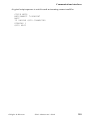
To use this option, start the emulator with (for example):
GL /N VAX-host
This is the same option as is set with the script NAME command.
Script directory: /O
The /O parameter specifies the 'script directory', which will be searched whenever a script cannot be found in the current directory. For example:
GL /O F:\SCRIPTS
See the Script Reference Manual for a complete description of the script
language.
User script directory: /OU
The /OU parameter specifies the 'user script directory', which will be searched
before the normal script directory (set with /O above) whenever a script cannot
be found in the current directory. For example:
GL /OU C:\MYSCRIPTS
Gallagher & Robertson
Glink: Administrator’s Guide
23