1
Table of Contents
1. Introduction............................................................................................................................................7
1.1 What is BOSS GNU/Linux?...........................................................................................................7
1.1.1 INSTALL .............................................................................................................................. 7
1.1.2 BOSS Live..............................................................................................................................8
1.1.3 UTILITY ................................................................................................................................8
1.1.4 BOSS GNU/Linux Components.............................................................................................8
1.2 BOSS GNU/Linux Licensing.........................................................................................................9
1.2.1 The BOSS Free & Open Source Software Guidelines ....................................................... 10
2.Installation Steps...................................................................................................................................12
2.1 Before You Begin......................................................................................................................... 12
2.1.1 System Requirements........................................................................................................... 12
2.1.2 Overview of the Installation Process.................................................................................... 12
2.1.3 Back Up Your Existing Data!............................................................................................... 14
2.2 Beginning the Installation............................................................................................................ 14
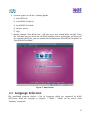
2.3 Language Selection...................................................................................................................... 15
2.4 Country Selection ........................................................................................................................16
2.5 Keyboard Configuration...............................................................................................................17
2.6 Network Configuration.................................................................................................................17
2.7 Disk Partitioning Setup................................................................................................................ 20
2.8 Installing the Base System........................................................................................................... 51
2.9 Set the Root Password..................................................................................................................51
2.10 Create User Account ..................................................................................................................53
2.11 Software Selection......................................................................................................................55
2.12 Samba Server..............................................................................................................................56
3.GNOME Desktop..................................................................................................................................57
3.1 Logging In and Selecting a Desktop............................................................................................ 57
3.1.1 Locking Your Screen............................................................................................................ 57
3.2 Logging Out................................................................................................................................. 57
3.3 Desktop Components................................................................................................................... 58
3.3.1 Desktop Icons....................................................................................................................... 58
3.3.2 Panel..................................................................................................................................... 59
3.4 Handling Removable Media.........................................................................................................60
3.4.1 Removing Media Safely....................................................................................................... 60
3.5 Managing Trash ...........................................................................................................................61
3.6 Managing Folders and Files with Nautilus...................................................................................61
3.6.1 File Manager Functionality...................................................................................................62
3.6.2 File Manager Presentation....................................................................................................62
3.6.3 File Browser Window Components......................................................................................63
3.6.4 Searching For Files...............................................................................................................65
3.6.5 Using Views to Display Your Files and Folders...................................................................67
3.6.6 Moving a File or Folder........................................................................................................67
3.6.7 Copying a File or Folder.......................................................................................................67
2