1
CONNECTING THE FDL INTERFACE CARD TO THE PC
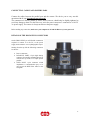
To install your FDL interface card, do as follow :
⇒ Turn your PC off, including any peripheral.
⇒ Remove the external case of the PC ( please see the relevant instructions in the PC Handbook).
⇒ Choose a free PCI expansion slot. Remove the relevant back cover by means of a screwdriver.
⇒ Insert the camera interface card into the expansion slot. Please make sure that the card is properly and
fast inserted. Fix the card by screwing the relevant screw again.
⇒ Reassemble the PC case.
Turn the PC on once again. The interface card installation has been completed.
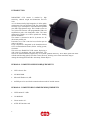
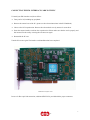
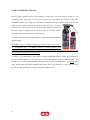
FDL-PCI interface card
In case of a fiber optic link connection, a dedicated FDL-PCI is provided with the proper connectors.
7
s.r.l.