1
Chapter 4. Sitka Evergreen Support
The Co-op Support team strives to respond to new requests within 24 hours, excluding weekends. To manage
requests (also referred to as tickets) the Support team uses ticket tracking software called Request Tracker (RT).
4.1. How to Contact Support
There are four ways to contact Co-op Support for Evergreen support:
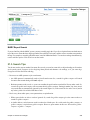
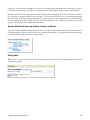
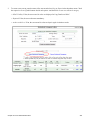
1. Request Tracker Interface. Submit and track requests with RT Self Service. After logging in you may use
the form to create new tickets, track the progress of open tickets, or review issues that have been resolved.
2. Email. Send questions to the support email address. Requests submitted by email generate RT tickets and can
also be viewed online by logging in to RT Self Service.
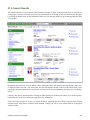
3. Online Contact Form. Send questions to Co-op Support through the contact form on the BC Libraries
Cooperative website. Requests submitted through the contact form generate RT tickets and can also be viewed
online by logging in to RT Self Service.
4. Phone. Telephone support is available 9:00 AM to 4:00 PM Pacific Time, Monday to Friday, with emergency
after hours support 7 days a week. Call our toll free number during regular hours to speak with support staff,
or after hours to leave a message or request emergency server support. To protect our staff we do not accept
anonymous calls so please ensure your caller ID is not blocked.
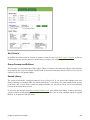
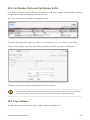
The Co-op Support toll free number and email address can be found on the Splash page in the Sitka Evergreen
Staff Client. The toll free number can also be found on the Sitka Support page. This information is also given to
libraries during migration.
4.2. Guidelines for Support Requests
Thorough and consistent reporting makes it easier for Co-op Support to respond to your requests.
• Report problems as they occur. Prompt reporting may help us catch a problem before it affects other patrons,
respond quickly to issues that impact multiple libraries, or save you time if there is an easy solution. Please report
issues as soon as is convenient.
• One issue per request. Please submit one issue at a time. Emails generate tickets in RT which are assigned to
support team members. Reporting each question separately helps us assign, classify, and prioritize tickets more
efficiently.
• Contact information. We strive to offer friendly, personalized service. Please include your name and use an
email address where we can reach you directly.
• Descriptive subject.
To make tickets easier to identify in RT please provide as descriptive a subject as possible.
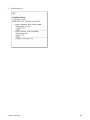
• Example of a descriptive subject line: Circ+Full Cat login unable to edit item record
• Example of a non-descriptive subject line: Editing question
Chapter 4. Sitka Evergreen Support
6